Turn your Zoho One Home into your workspace with Dashboard 2.0
When you open Zoho One, you probably don't need to see everything. You need to see what matters to you.
A sales manager may want to track pipeline and revenue. An HR manager may want to monitor employee information. A business leader may want a quick view of key business metrics.
But when this information lives across different applications, getting a complete picture can mean opening multiple screens.
Zoho One's Dashboard 2.0 helps bring that information together in a workspace you can shape around your needs.
Start with the information you need
Your dashboard doesn't have to look the same as everyone else's. You can create a dashboard based on a specific role, team, or purpose and add the widgets that are relevant to you.
For example, a sales manager could create a dashboard with sales metrics, pipeline information, and other frequently used data all in one view.
You can also create multiple dashboards for different needs and pin the ones you use most often for quick access.
Make your data easier to focus on
Having information in one place is useful. Being able to quickly narrow it down is even better. Dashboard 2.0 lets you add filters to widgets so you can focus on the data you actually want to see.
For example, instead of looking at an entire sales report, you could filter it to view a specific region, team, or time. Moreover, when your requirements change, you can edit or remove those filters without rebuilding your dashboard.

Need something more specific? Customize it
Sometimes the information you need doesn't fit into a standard widget. That's where custom widgets can help.
You can create custom widgets based on your specific requirements, such as displaying a business metric or information unique to your organisation, and add them to your dashboard for a more personalised workspace that fits the way you work.
Bring dashboards from other apps into Zoho One
Your business information doesn't always live in one place. You may already have detailed dashboards in different Zoho applications, and switching between applications just to check them can interrupt your workflow.
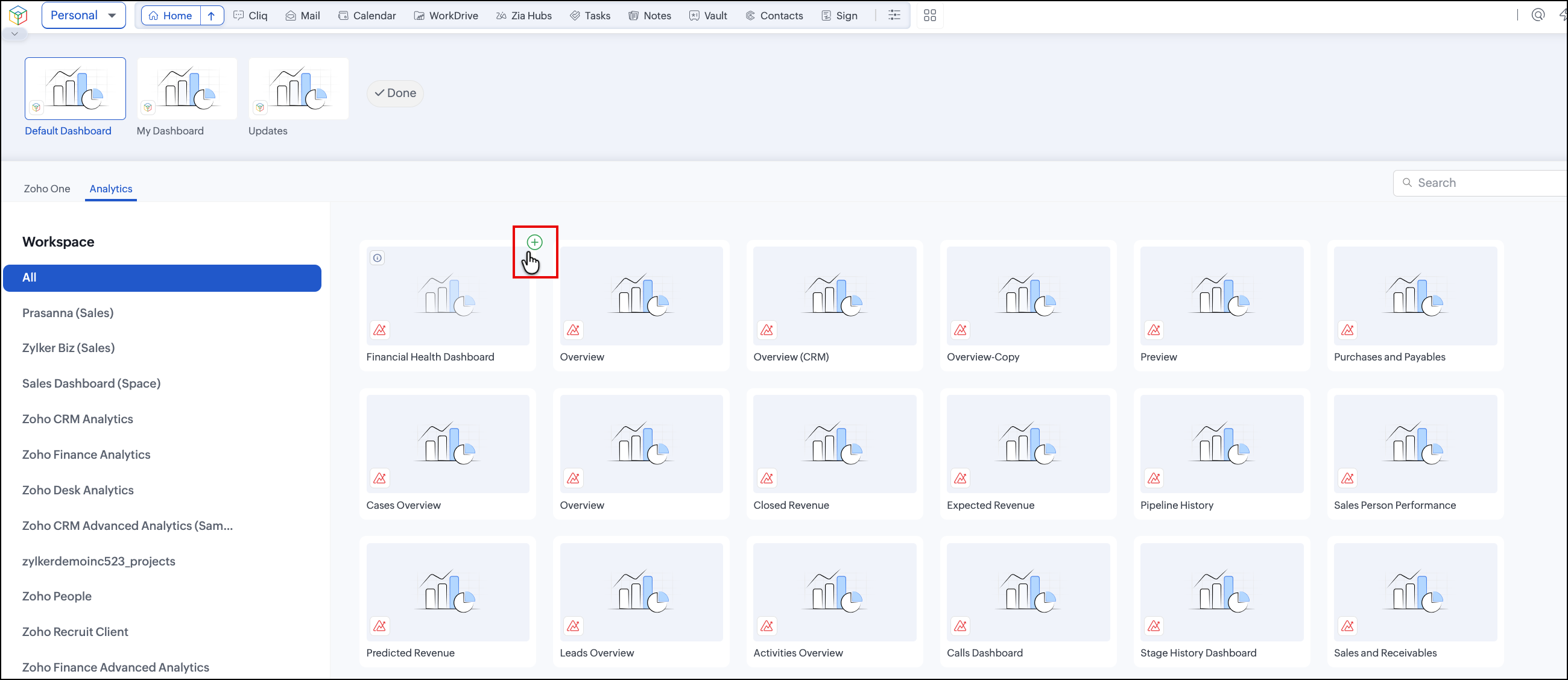
With Embedded Dashboards, you can bring supported dashboards from other Zoho applications directly into your Zoho One Dashboard.
For example, if you regularly use a dashboard in Zoho Analytics to track business performance, you can embed that dashboard into your Zoho One workspace. This lets you access the insights you need without having to leave Zoho One and open another application.
You can also choose how the embedded dashboard is displayed and keep it alongside other widgets that are important to you.
Why is this useful?
Because your information may live across different applications, but your workspace doesn't have to. Instead of remembering where each dashboard is located, you can bring the dashboards you regularly use into one place and create a more connected view of your work.
Build once, share when needed.
Dashboards can be useful for individuals, but they can also help teams stay on the same page.
Depending on the dashboard's visibility and your permissions, you can create dashboards for personal use or make them available to others in your organization.
For example, a team lead could create a dashboard that gives their team a common view of the metrics they need to monitor. This means everyone can start from the same information without having to build their own view from scratch.
Your dashboard, your way
Dashboard 2.0 is designed to make Zoho One more useful from the moment you open it. Choose the information you need. Add the widgets that matter. Filter the data you want to focus on. Create different dashboards for different needs, and customize them as your work changes.
Instead of spending time looking for information across applications, you can bring the information closer to you.
That's the idea behind Dashboard 2.0: A workspace that adapts to the way you work.