Zoho Calendar integration for Bigin
Hello everyone,
We're excited to introduce Zoho Calendar's integration in Bigin! For a while now, users have been able to sync events in Bigin with Google Calendar and Outlook Calendar - but with this new topping, it syncs with Zoho Calendar as well.

If you use Zoho Calendar to manage your schedule-whether personal, team, or sales-related - you used to have to check for conflicts between Zoho Calendar and Bigin manually. This often led to double bookings or missed time blocks. With this integration, events from your chosen Zoho Calendar folders automatically reflect in Bigin, keeping your availability accurate across both platforms without manual effort.
How to get started with this enhancement
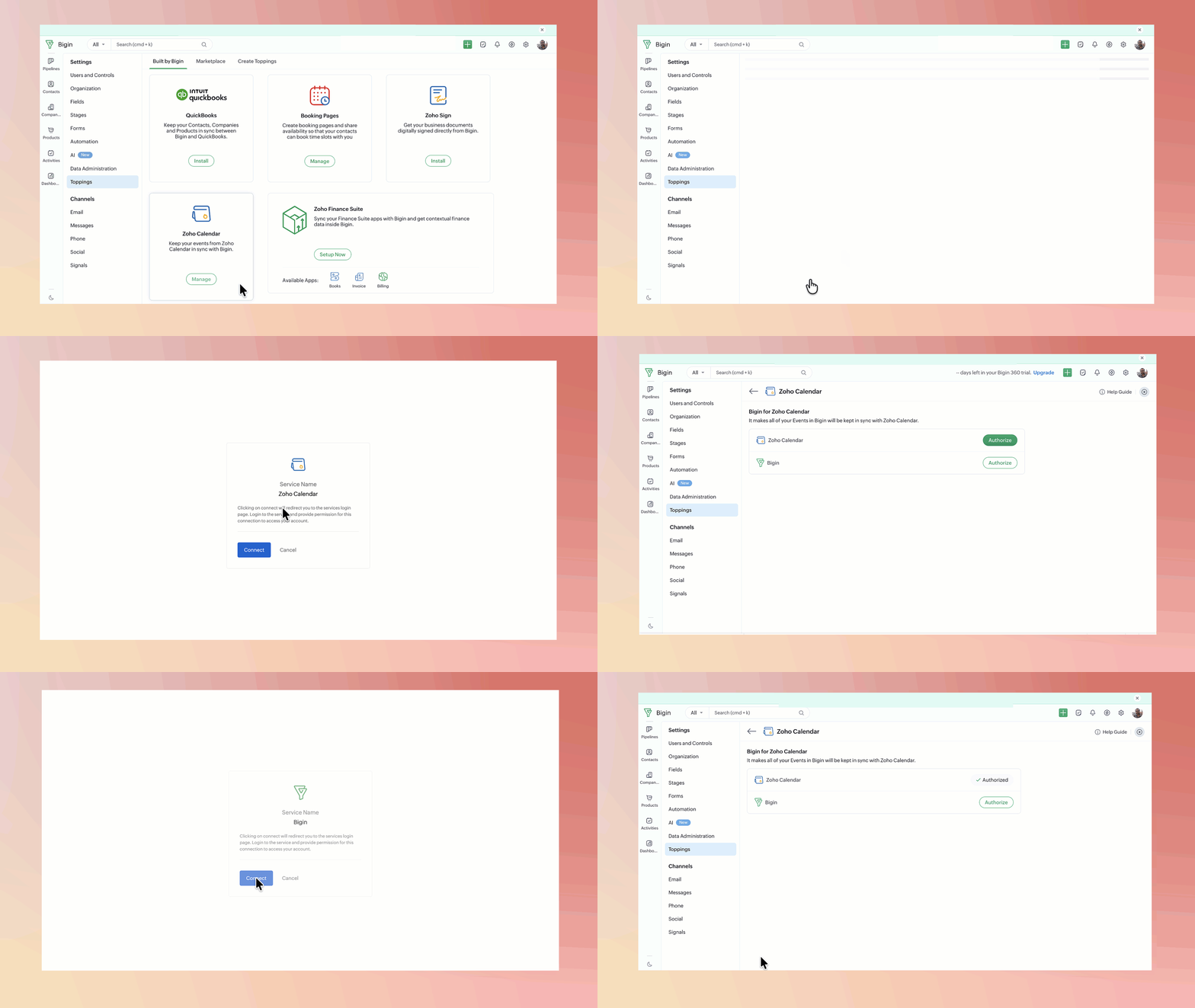
1. Go to the Toppings section in Bigin.

Note. The Zoho Calendar topping will be pre-installed for new signups/new org creation. For existing orgs, the admin needs to install the topping.
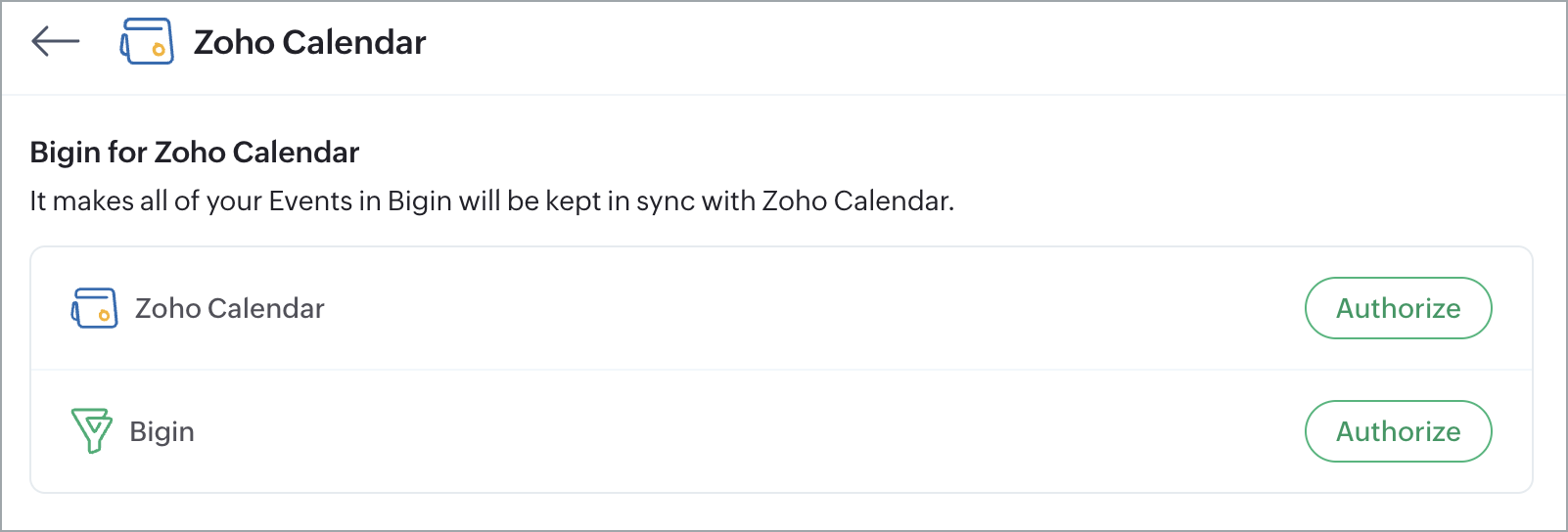
2. You'll see two Authorize buttons:
a) For your Zoho Calendar account.
b) For your Bigin account.
3. You'll need to authorize both.
4. Open the sync settings and configure it in three parts:
a) Sync your primary calendar - Select the main Zoho Calendar folder you want to sync with Bigin. Events from this calendar will appear directly in your Bigin Events module, where you can view and manage them alongside your sales activity.
b) Connect secondary calendars - You can also connect Bigin to additional Zoho Calendar folders, such as a team or project calendar. Events from these calendars won't appear in your Bigin Events module, but the time slots they occupy will be marked as unavailable in Bigin, preventing scheduling conflicts.
c) Set default values for Bigin fields - Bigin's Events module may have custom fields that don't exist in Zoho Calendar. To ensure these fields are never left empty when an event syncs over, you can pre-fill them with a default value of your choice.
Once set up, any event added to your selected Zoho Calendar folders will automatically block out the corresponding time slot in your Bigin calendar.


Editions: All paid licenses.
Availability: US, IN, EU, AU, and CA DCs
With the Zoho Calendar integration, Bigin users can now keep their schedules in sync without switching between apps or manually checking for conflicts. This makes calendar management easier-especially for teams already using Zoho Calendar alongside Bigin.
For detailed setup instructions, refer to the help doc.