Improving double opt-in contacts
In short: A double opt-in list is one where every contact has actively confirmed they want your email — you collect the address (at events, via a website form, Tell-A-Friend, employee signatures, social lead forms, or gated content), then send a confirmation email that turns each opt-in into a double opt-in. It's worth the extra step: because every subscriber has confirmed, it's one of the most reliable ways to keep your Postmaster-measured spam rate under 0.10% (never 0.30%+), stay compliant with the Google/Yahoo 2024 bulk-sender rules, and protect your sender reputation. Keep proof of consent, honor one-click unsubscribe, and re-permission old contacts before mailing them.
Imagine that a total stranger gets your contact info and continues to call you at random times. This would be frustrating, and you'd want to put an end to it as quickly as possible, right? You're definitely not alone in feeling that way. It's important to remember that your contact list isn't just a compilation of email addresses—there are real people on the other end. And these people have a real interest in what you do. This type of mailing list is known as an opt-in mailing list.
Building an opt-in mailing list is an organic process that brings about a higher email deliverability rate. There are multiple ways to engage people in your product and service. After a positive engagement, many of them are sure to subscribe to your emails. They will let you keep them posted about new things you do.
Attracting users to what you do can either be done via content or by creating scenarios where they opt in to your emails.
Bringing in opt-in contacts is the initial step; converting them as double opt-in contacts is the final step. For that to happen, make sure to send out confirmation emails to all your contacts without fail.
Building a double opt-in list has become even more important since Google and Yahoo began enforcing new bulk sender requirements in February 2024. Senders must keep spam rates—measured in Google Postmaster Tools—below 0.10%, and must never reach 0.30% or higher. Double opt-in is one of the most reliable ways to achieve this, because every address on your list has actively confirmed they want to hear from you. Additionally, bulk senders (5,000 or more messages per day to Gmail or Yahoo addresses) are required to include a one-click unsubscribe mechanism in all marketing emails, in line with RFC 8058. Zoho Campaigns handles this automatically for all campaigns sent through the platform.
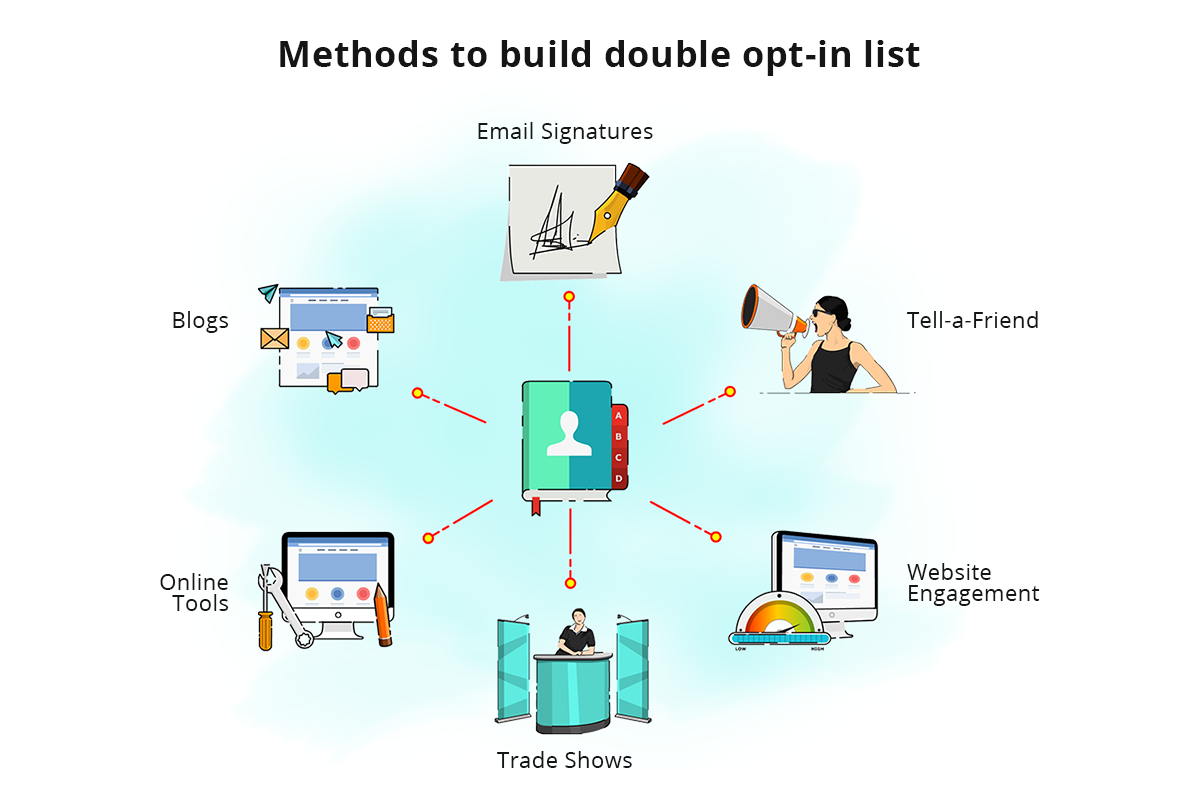
Trade Shows/Events
Organize trade shows or other events where people come in with little idea about your product or service and leave as your contacts. Your responsibility will be to exhibit a likable product or service. An additional responsibility is to remind people to agree to receiving your emails. This is a time-consuming and completely manual process, yet it yields good results.
Once you're done collecting email addresses, send a confirmation email to all the potential contacts to make the opt-in mailing list double opt-in. Make sure that the email addresses you collect are free of typos.
For compliance purposes, keep a record of how consent was obtained at each event. Note the event name, date, and the exact wording of the sign-up prompt shown to attendees. This documentation is important if you ever need to demonstrate that consent was freely given.
Website Engagement
A subscription form on your website is a good way to build an opt-in list. People who sign up to your email newsletters are opt-in contacts. Position the subscription form pop-up when the user or guest is likely to sign up. The checkbox that says "I agree to receive newsletters from you" should always be unchecked by default. Remember to store important contact information such as IP address, browser, OS, date, and time.
For contacts in regions covered by GDPR or similar privacy laws, also store a copy or version reference of the form wording that was shown at the time of sign-up. A timestamp alone is not sufficient to prove consent; you need to be able to show exactly what the subscriber agreed to.
Tell-A-Friend
When you craft quality email newsletters and send them to your existing customers and contacts, they might share them with their friends and acquaintances using Tell-A-Friend. This is a merge tag that you can include in the footer of your campaigns. People who hear about you through trusted sources are even more likely to become contacts.
Employee Signature Campaigns
Employee signature campaigns are an effective email marketing channel. Your employees' signatures are visible across the organization, to partners, to resellers, and to customers. Imagine the potential of a sign-up link on a powerful signature campaign card that is guaranteed to be seen by a large number of people. And the best part about signature campaigns is that they get delivered for certain. The number of opens and clicks depends on how good your signature campaigns are. Remember to send the confirmation email to the contacts without fail.
Social Media
Social media is where most of today's marketing is done. The platform has expanded and is potent enough to accommodate other types of marketing in addition to connecting people. Meta Lead Ads on Facebook and Instagram, as well as LinkedIn Lead Gen Forms, are now among the most effective ways to collect email addresses from social media in an ethical and compliant way. These built-in forms let users submit their details without leaving the platform, which significantly improves sign-up rates. Remember to send the confirmation email to the contacts without fail. Always promote an offer that requires email address submission.
Blogs and Online Tools
Blogs are interactive and are a great way to increase user engagement. They will shed more light on your product or work and encourage people to subscribe in order to learn more.
Build your mailing list with the help of relevant and genuine content. A user will be required to provide their information to access premium content. Creating premium content is an integral part of building a mailing list. To make it a double opt-in list, send out confirmation emails to all contacts.
Building a double opt-in mailing list is like making friends with people without intruding on their privacy. To do this, you must:
- Pick your target audience and customers
- Find out their tastes and preferences
- Understand their demographic information
- Only send content that you would open if you were a customer
- Analyze reports and work on future campaigns
Can I Opt-In My Old Contacts?
It's good to start over and build a new list. However, you can turn your old contacts into opt-ins by reaching out to them directly.
Ask them if they are ready to receive mass emails from you, or whether they would like to unsubscribe. There is a chance of you losing some contacts, but that's the price you pay to convert a normal list to an opt-in list.
Set a defined response window—30 days is a good benchmark—and suppress anyone who does not respond within that time. Do not continue to mail non-responders, as unengaged addresses raise your spam complaint rate. Reach out only to those who actively confirm they want to stay on your list.
If you have contacts who are based in the European Union or United Kingdom, be aware that GDPR and UK GDPR require a lawful basis for processing personal data. If you cannot demonstrate that a prior legal basis exists for those contacts, you may need to seek explicit fresh consent before emailing them at all—even as part of a re-permission campaign. When in doubt, consult your legal or compliance team before emailing old lists that include EU or UK addresses.