Sample Deluge function
Let us create a simple function to calculate the number of days between two given dates.
- Specify the function name as CalculateDays.
- Add a new namespace and name it Calculations.
- Select Return Type as int.
- Specify arguments as sdate and edate of type date
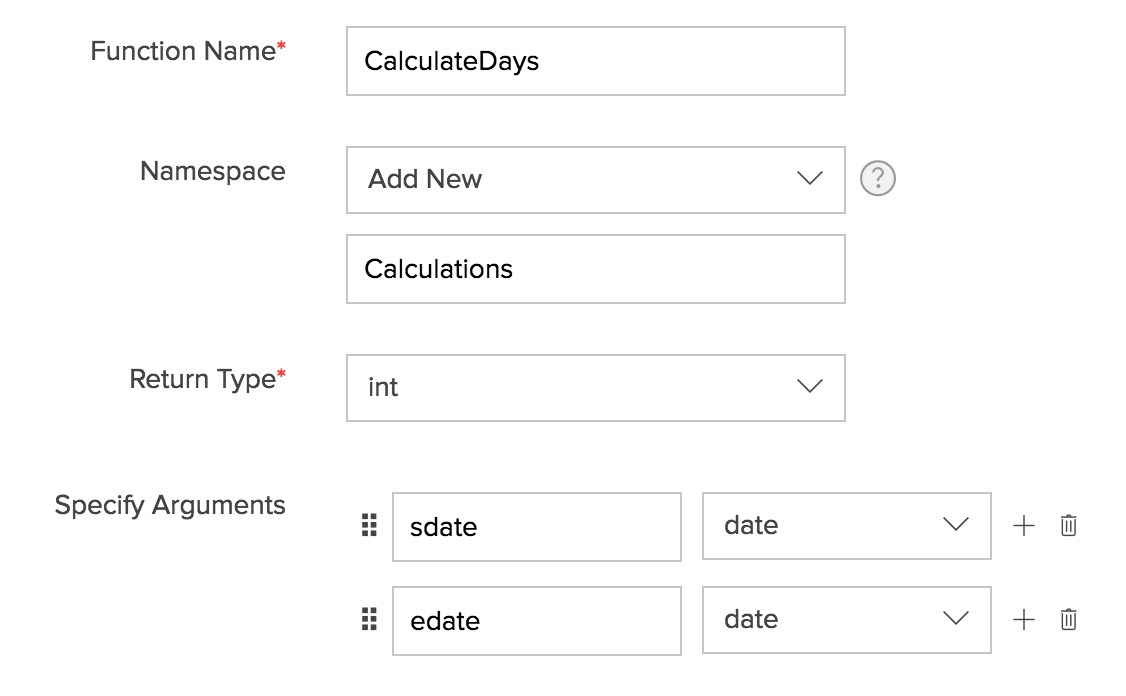
- Click CREATE.
- Add the following deluge script and click SAVE FUNCTION.
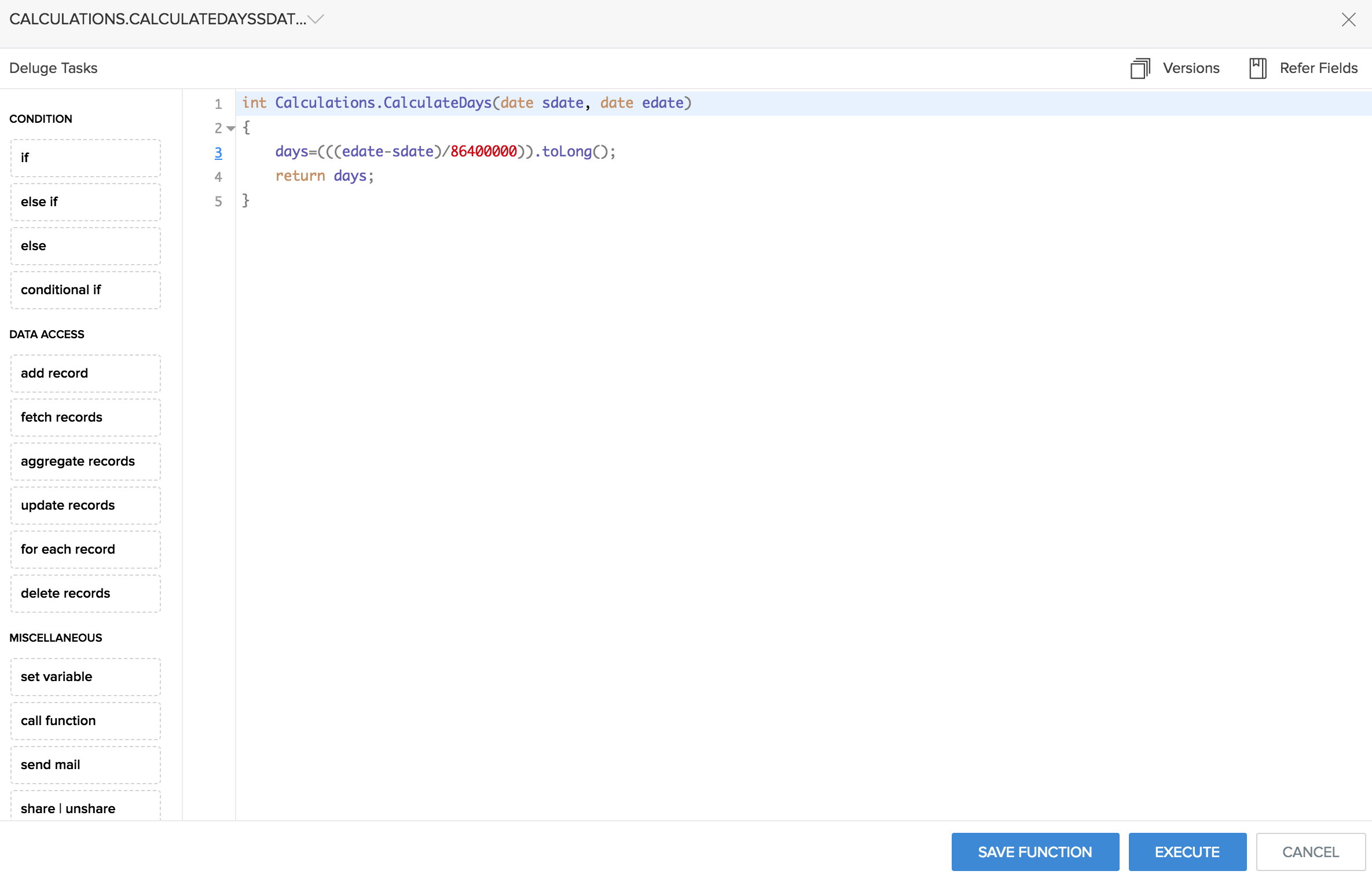
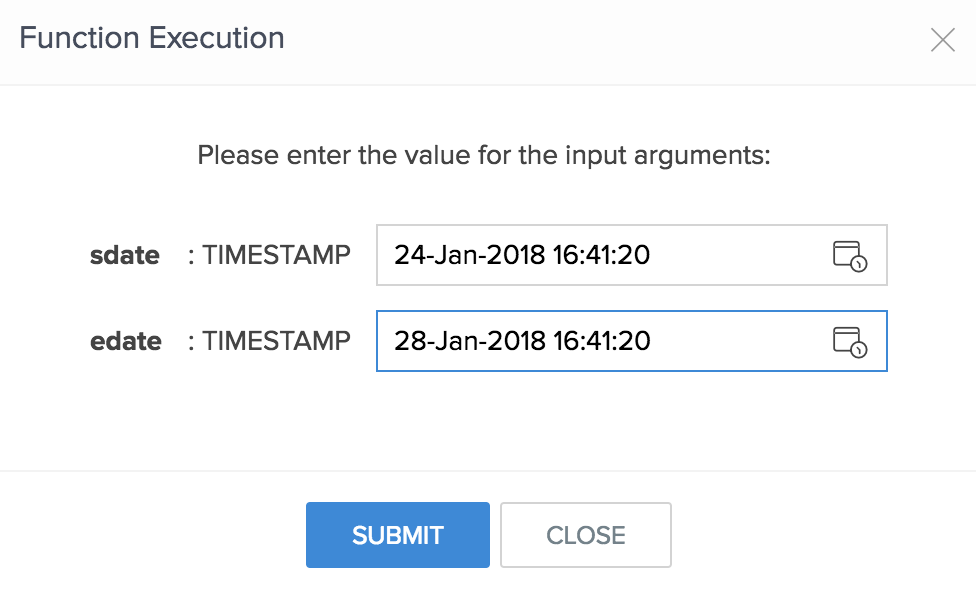
- You can use the Execute option to test if your function is executed as defined. Specify the required values as arguments to the function, and click on SUBMIT.
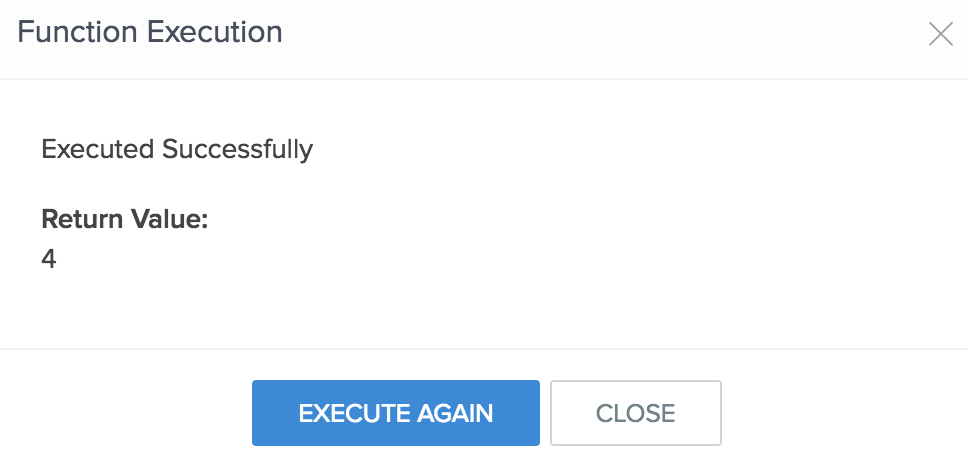
- The following image displays the function result.
Related Topics
- Understand custom functions
- Create new function
- Invoke function
- Passing form arguments as objects
- Assign values to form arguments