Manage Hierarchy Preference
A hierarchy structure in an organization is defined to rank members according to their designations. In Zoho CRM, the hierarchy decides the data (records) that users have access to.
Zoho CRM provides two different hierarchy structures for your organization: Role Hierarchy and Reporting Hierarchy. You can select the hierarchy preference at Setup  > General > Company Settings > Hierarchy Preference.

Note: For both the hierarchy structures, you need to define roles and assign it to users. A user can be associated to only one role at a time.
Role Hierarchy
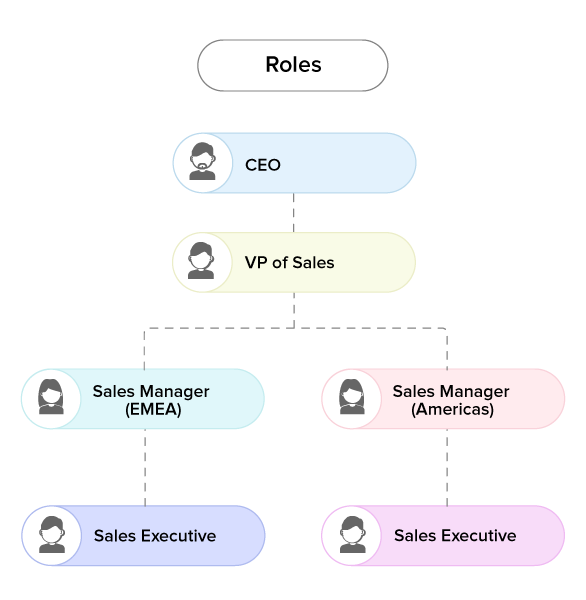
In this structure, access to a user's data is based on the roles. Users at higher hierarchy can view the data of users in the subordinate roles. For instance, Zylker Inc. follows the below hierarchy structure, here the CEO or Administrator can view the entire organization's data. And, the Sales Managers can view the data of all the Sales Executives. To learn more, see Manage Roles.
Reporting Hierarchy
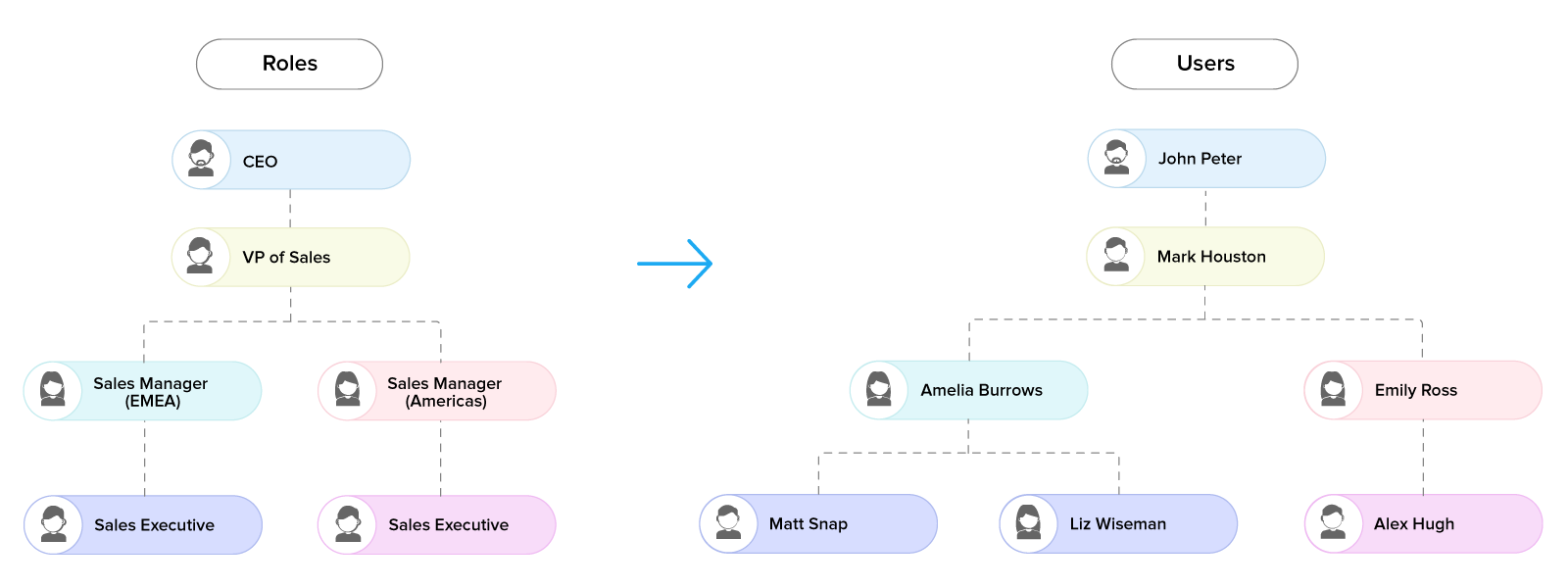
In this structure, unlike role hierarchy, a user can be assigned a reporting manager who can view the data. Any member at the higher role in the organization can be assigned as the user's reporting manager. To learn more, see Reporting Hierarchy.
SEE MORE