Deal Registration Overview
In Zoho PRM, Deal Registration helps prevent overlapping deal ownership and ensures that partners receive proper credit for the deals they bring in.
It allows partners to submit potential deals for review and enables partner managers to approve or reject submissions, maintaining transparency and fairness across the partner ecosystem.
How Deal Registration works
When a partner submits a deal registration through the Partner Portal, the submission is validated to check for potential conflicts. A designated reviewer then evaluates the registration and either approves or rejects it.
Approved deal registrations are converted into CRM records, ensuring that partner-submitted information flows directly into the sales pipeline.
Conflict detection
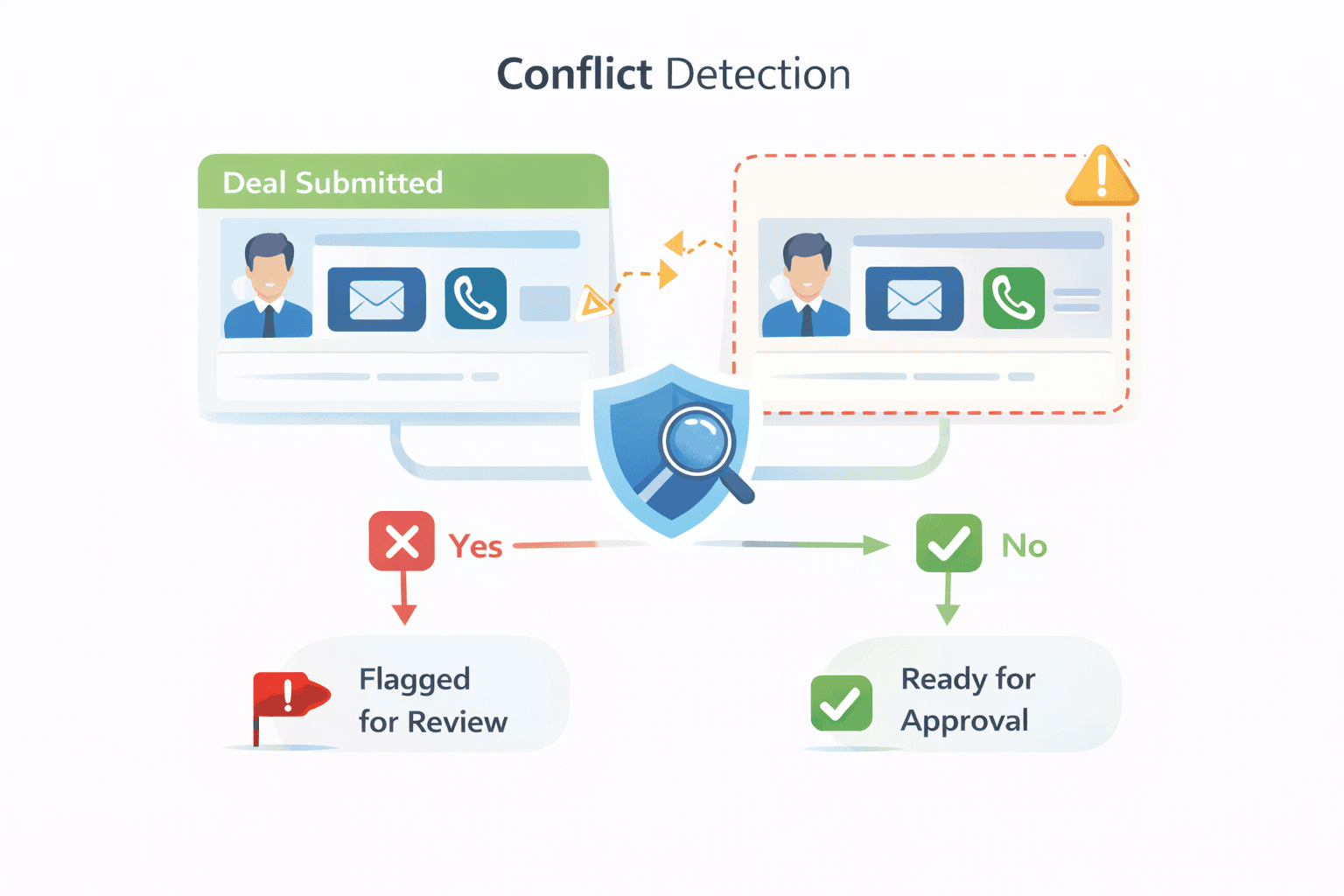
Deal Registration includes built-in conflict detection to identify duplicate or conflicting deals before approval.
Submitted information such as email, phone, or domain details is checked against existing records. If a conflict is detected, the registration is flagged for review before it can be approved.
Approval and conversion
When a deal registration is approved:
- The registration is converted into an Account and a Deal
- Relevant information from the registration is carried over based on configuration
- Partner ownership and attribution are automatically maintained
Connected modules
Deal Registration works alongside other PRM and CRM modules:
- Partner Accounts and Partner Contacts: Identify who submitted the deal and maintain partner attribution.
- Accounts and Deals: Store approved and converted deal records.
- Partner Programs: Control which partners can register deals and who reviews submissions.
- Partner Commissions: Use approved deals for incentive and commission tracking.
Why Deal Registration matters in PRM
Deal Registration is most effective when multiple partners may target the same customers and deal ownership must be clearly established early in the sales cycle.
Next steps
- Configure Deal Registration - Set up module mapping, conflict detection, conversion rules, and reviewers.
- Manage Deal Registrations and Resolve Conflicts - Learn how to review submissions and take action on conflicts.