How can I calculate the total working hours for an employee within 2 specific dates, taking into account both day and night shifts? The day shift is 9 hours, the night shift is 8 hours, and the calculation should exclude holidays and weekends.
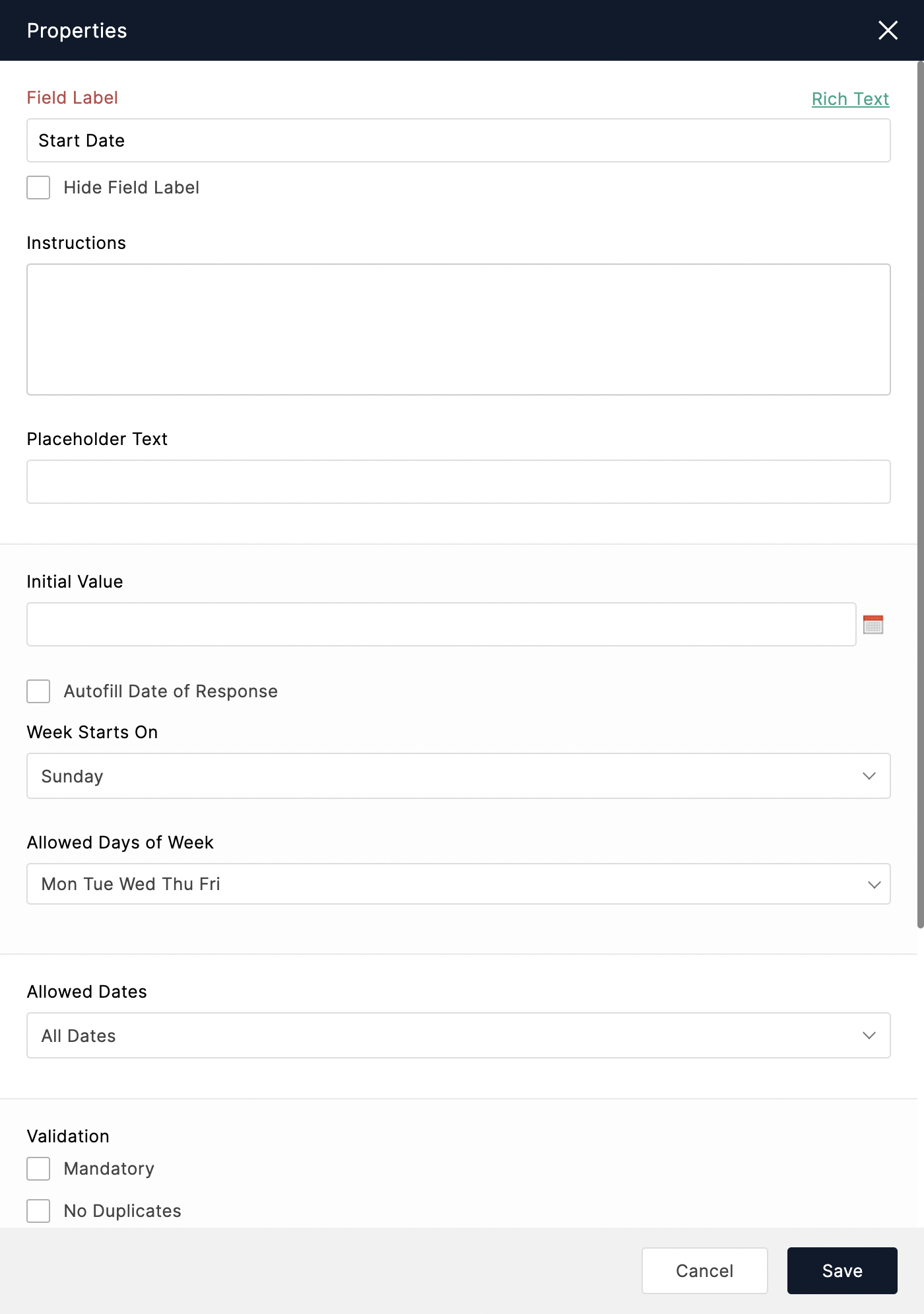
- If you wish to disable weekends from the calendar in your Date field, in the Properties of the Date field, unselect Saturday and Sunday (or the days that you don't work) from the Allowed Days of Week dropdown.
- To disable any local holidays from the calendar of the Date fields, configure a Global Holiday List. Check out the steps to create a Global Holiday List. Once you create a list, associate the holiday list with your form. Check out the steps for associating a global holiday list with your form.
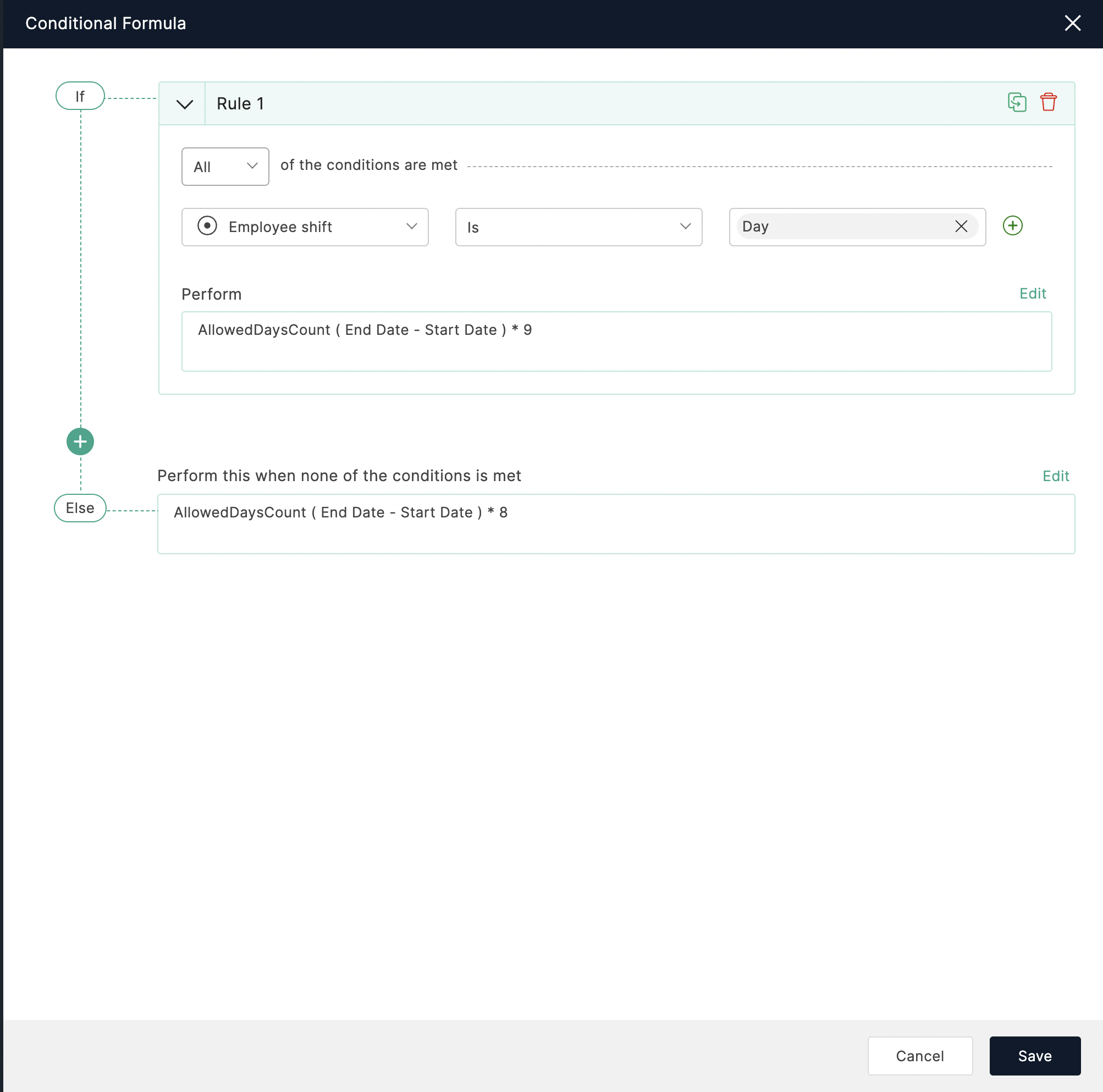
- To calculate the working hours of an employee in day or night shifts between the 2 selected dates excluding weekends and holidays, add a Formula field from the Advanced Fields to your form.
Click Advanced to perform conditional calculation for different shift hours. Use the AllowedDaysCount function in the conditional formula as shown.