Scan & Prefill | Zoho Forms

Scan & Prefill

Overview

With the Scan & Prefill feature, users can scan a QR code while filling out your form. The scanned data automatically populates the mapped form fields, eliminating manual data entry and making form submission faster and more convenient.

A QR code is a 2D barcode that can be read using a camera and a QR code reader app. Zoho Forms supports QR codes with data encoded as comma-separated values or key-value pairs. When scanned, the decoded data is used to instantly prefill the mapped fields. Users can scan QR codes using the Zoho Forms mobile app or any web browser on a laptop, desktop, or mobile device. For example, at an event, attendees can scan a QR code using any of these platforms to automatically populate their registration details.

Scan and fill

How to Configure Scan & Prefill 

Click Configure
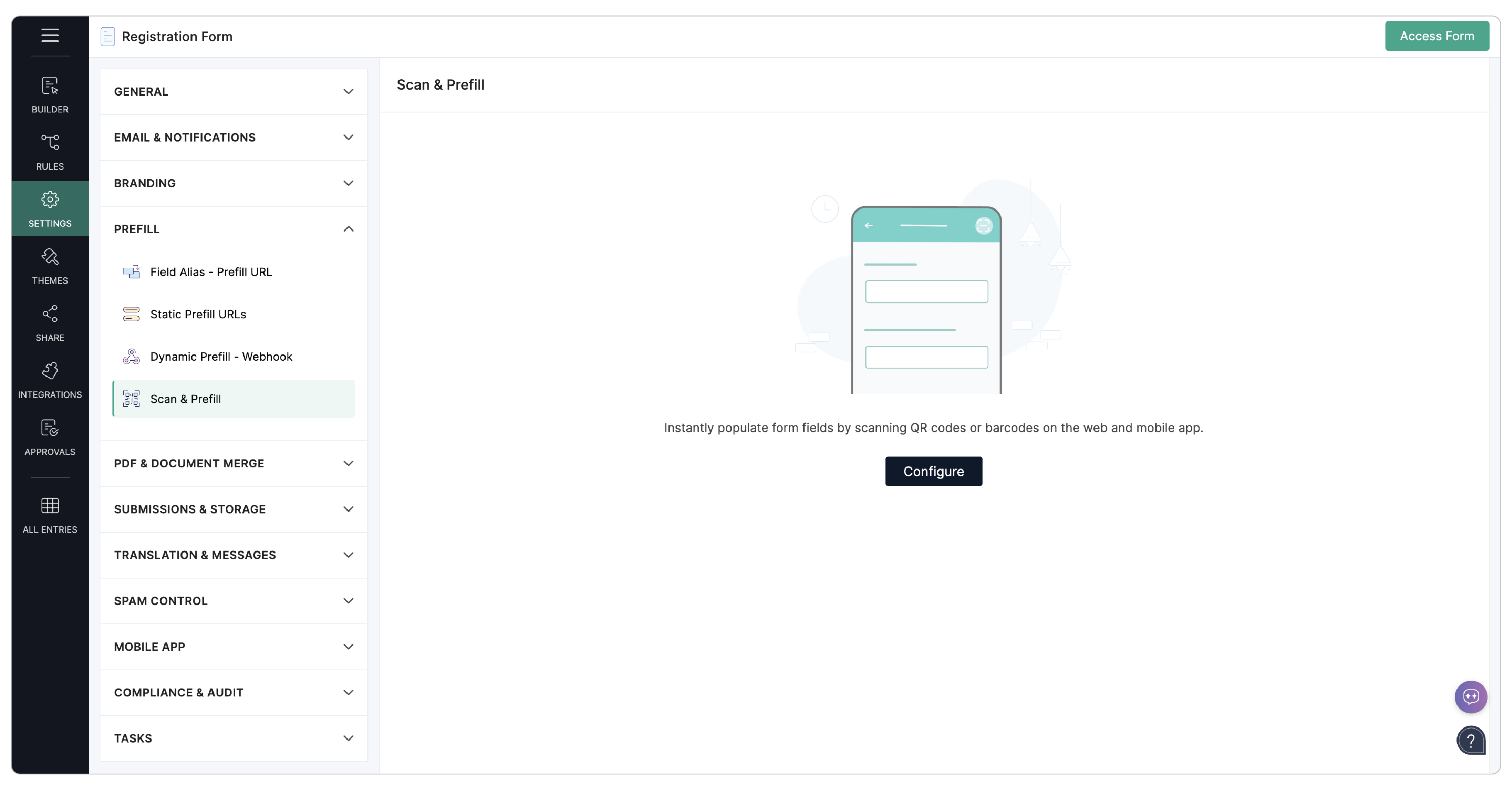
  1. In your web form builder, navigate to Settings > Prefill Scan & Prefill.
  2. Click Configure.
  3. Under Platform Support, select Mobile App, Web Browser or both.
    By default, both options are selected. 
    Choose Platform Support
  4. Select Data Format, either Comma-Separated Values or  Key-Value Pair. Zoho Forms supports only these two QR code formats. Ensure that the Data Format chosen matches the format used to generate your QR code.
    If you choose Comma-Separated Values, map the Sequence Number to the Form Fields. Learn More
    If you choose Key-Value Pair, select the Separator and the Delimiter, then map the Key to the Form Fields. Learn More
  5. Click Save.
You can now scan a compatible QR code to prefill mapped form fields on the enabled platforms. 
NotesNote: Web Browser support for Scan & Prefill is available only for forms in the latest version.

Comma-Separated Values

In this format, field values are encoded in a comma-separated sequence. The data is generally structured as:  {value 1, value 2, value 3,....}. Each value is assigned a sequence number based on its position 1,2,3,..., so on.

For example, for the values: {Richard, Johnson, richardjohnson@zylker.com, 555-123-4567}

Sequence Number
Value
1Richard
2Johnson
3richardjohnson@zylker.com
4555-123-4567

Notes
Note : Let's say you have the Comma-Separated Values as {Richard, 20,000, Zylker} and you want the second value to be taken as 20,000 and not as 2 distinct values, 20 and 000. In such cases, enclose that value within double quotes such as: {Richard, " 20,000 " , Zylker}.

If you select Comma-Separated Values as the Data Format, map the Sequence Numbers to the corresponding Form Fields to automatically populate them with the scanned data.
Comma-separated values

Key-Value Pair 

The Key-Value Pair data format associates each field value with a corresponding key. It is generally in the format: {key 1 : value 1, key 2 : value 2, key 3 : value 3,.... }. However, the separator(:) and the delimiter(,) can vary in your Key-Value Pair. 

For example, for the Key-Value pair in the format: {FN: Richard Johnson, Email: richardjohnson@zylker.com, Tel:  5551234567} where the separator is : and the delimiter is ,

Key
Value
FNRichard Johnson
Emailrichardjohnson@zylker.com
Tel5551234567

Notes
Note : Let's say you have the Key-Value Pair as {Name: Richard, Amt: 20,000, Company: Zylker, Emp_ID: ZYK:976 } and you want the second value to be taken as 20,000 and not as 2 distinct values, 20 and 000, and the fourth value to be taken as ZYK:976 and not as the colan (:) of the key value separator. In such cases, where the delimiter and the separator used within a value is the same, the s pecial characters in the values must be preceded by a backslash such as: {Name: Richard, Amt: 20 \, 000, Company: Zylker, Emp_ID: ZYK \: 976}.

If you have selected the QR Data Format as Key-Value Pair,
  1. Choose the Separator and the Delimiter used to generate your QR Code.
  2. Map the Keys (key 1, key 2, key 3,..) to the corresponding Form Fields to automatically populate them with the scanned data.
    Key-value pair

      Create. Review. Publish.

      Write, edit, collaborate on, and publish documents to different content management platforms.

      Get Started Now


        Access your files securely from anywhere

          Zoho CRM Training Programs

          Learn how to use the best tools for sales force automation and better customer engagement from Zoho's implementation specialists.

          Zoho CRM Training
            Redefine the way you work
            with Zoho Workplace

              Zoho DataPrep Personalized Demo

              If you'd like a personalized walk-through of our data preparation tool, please request a demo and we'll be happy to show you how to get the best out of Zoho DataPrep.

              Zoho CRM Training

                Create, share, and deliver

                beautiful slides from anywhere.

                Get Started Now


                  Zoho Sign now offers specialized one-on-one training for both administrators and developers.

                  BOOK A SESSION


                              Quick LinksWorkflow AutomationData Collection
                              Web FormsEnterpriseOnline Data Collection Tool
                              Embeddable FormsBankingBegin Data Collection
                              Interactive FormsWorkplaceData Collection App
                              CRM FormsCustomer ServiceAccessible Forms
                              Digital FormsMarketingForms for Small Business
                              HTML FormsEducationForms for Enterprise
                              Contact FormsE-commerceForms for any business
                              Lead Generation FormsHealthcareForms for Startups
                              Wordpress FormsCustomer onboardingForms for Small Business
                              No Code FormsConstructionRSVP tool for holidays
                              Free FormsTravelFeatures for Order Forms
                              Prefill FormsNon-Profit

                              Intake FormsLegal
                              Mobile App
                              Form DesignerHR
                              Mobile Forms
                              Card FormsFoodOffline Forms
                              Assign FormsPhotographyMobile Forms Features
                              Translate FormsReal EstateKiosk in Mobile Forms
                              Electronic Forms
                              Drag & drop form builder

                              Notification Emails for FormsAlternativesSecurity & Compliance
                              Holiday FormsGoogle Forms alternative GDPR
                              Form to PDFJotform alternativeHIPAA Forms
                              Email FormsFormstack alternativeEncrypted Forms

                              Wufoo alternativeSecure Forms

                              TypeformWCAG

                                All-in-one knowledge management and training platform for your employees and customers.

                                            Create. Review. Publish.

                                            Write, edit, collaborate on, and publish documents to different content management platforms.

                                            Get Started Now


                                                              You are currently viewing the help pages of Qntrl’s earlier version. Click here to view our latest version—Qntrl 3.0's help articles.


                                                                  Manage your brands on social media


                                                                    • Desk Community Learning Series


                                                                    • Digest


                                                                    • Functions


                                                                    • Meetups


                                                                    • Kbase


                                                                    • Resources


                                                                    • Glossary


                                                                    • Desk Marketplace


                                                                    • MVP Corner


                                                                    • Word of the Day


                                                                    • Ask the Experts


                                                                      Zoho Sheet Resources


                                                                          Zoho Forms Resources


                                                                            Secure your business
                                                                            communication with Zoho Mail


                                                                            Mail on the move with
                                                                            Zoho Mail mobile application

                                                                              Stay on top of your schedule
                                                                              at all times


                                                                              Carry your calendar with you
                                                                              Anytime, anywhere


                                                                                    Zoho Sign Resources

                                                                                      Sign, Paperless!

                                                                                      Sign and send business documents on the go!

                                                                                      Get Started Now


                                                                                              Zoho TeamInbox Resources


                                                                                                        Zoho DataPrep Demo

                                                                                                        Get a personalized demo or POC

                                                                                                        REGISTER NOW


                                                                                                          Design. Discuss. Deliver.

                                                                                                          Create visually engaging stories with Zoho Show.

                                                                                                          Get Started Now


                                                                                                                              • Related Articles

                                                                                                                              • Smart Scan

                                                                                                                                Table of contents Overview Why use Smart Scan? Adding the Smart Scan field Configuring Field Mapping Option1: Upload an Image Option2: Configure Manually Using Smart Scan in Live Form Smart Scan field Properties AI Credits and Usage Limits for Smart ...
                                                                                                                              • Static Prefill URLs

                                                                                                                                Table of contents Advantages of the Static Prefill URLs option Differences between Field Alias - Prefill URL and Static Prefill URLs Steps to generate a prefill URL in Static Prefill URLs Updating Prefill URLs without changing the link Shortening ...
                                                                                                                              • Field Alias - Prefill URL

                                                                                                                                Table of contents What is prefilling form fields? Why is prefilling forms important? What is Field Alias? Set Field Alias Generate a prefilled form URL Manually create the URL of a prefilled form Prefill a Multiple Choice Field Prefill a Dropdown ...
                                                                                                                              • Prefill-Webhook

                                                                                                                                Table of contents Overview How does dynamic prefilling work? Configuring Prefill-Webhook Field Configuration Webhook Settings Webhook Details Webhook Test Prefill Mapping Field Properties Webhook Configuration Webhook Configuration Summary Edit ...
                                                                                                                              • Dynamic Prefill - Webhook

                                                                                                                                This feature is now managed in the Builder. Open your form, then navigate to Builder > Advanced and add a Prefill-Webhook field. Learn more
                                                                                                                                Wherever you are is as good as
                                                                                                                                your workplace

                                                                                                                                  Resources

                                                                                                                                  Videos

                                                                                                                                  Watch comprehensive videos on features and other important topics that will help you master Zoho CRM.


                                                                                                                                  eBooks

                                                                                                                                  Download free eBooks and access a range of topics to get deeper insight on successfully using Zoho CRM.


                                                                                                                                  Webinars

                                                                                                                                  Sign up for our webinars and learn the Zoho CRM basics, from customization to sales force automation and more.


                                                                                                                                  CRM Tips

                                                                                                                                  Make the most of Zoho CRM with these useful tips.


                                                                                                                                    Zoho Show Resources