Overview
Zoho Vertical Studio is a powerful platform designed for developers to create tailored applications for specific industries or business segments. If you are looking to automate the process of adding data to your industry-specific modules in Zoho Vertical, you can use the Zoho Forms - Zoho Vertical integration. With this integration, you can push the form entries directly into Zoho Vertical modules and pre-populate certain data such as name, email, etc. from Zoho Vertical in your form. Build lead generation forms, contact forms, etc., with Zoho Forms and integrate them with Zoho Vertical to seamlessly capture more leads and improve conversions!
Prerequisites:
- You must have an active application built in your Zoho Vertical Studio. Learn more.
- Zoho Vertical Integration must be enabled in your Zoho Forms account from the Control Panel.
How to integrate your form with Zoho Vertical
In order to integrate forms in your Zoho Forms account with Zoho Vertical, the Admin of your Zoho Forms organization needs to enable the Zoho Vertical Integration in the Control Panel. To do this,
- Login to your Zoho Forms account as the Admin.
- On the forms listing page, in the left pane under Setup, click Control Panel.
- Click Zoho Vertical Integration under Developer Space.
- Enable the Zoho Vertical Integration.
Once enabled, individual forms in your Zoho Forms account can now be integrated with Zoho Vertical.
This integration lets you establish a two-way interaction between Zoho Forms and Zoho Vertical that helps to:
- Add a new record in Zoho Vertical when a new form entry is received.
- Prefill forms with data from Zoho Vertical.
- Add form entries to a Related List associated with a Zoho Vertical module.
- Update a record in Zoho Vertical using Zoho Forms.
Adding a new record
You can add a new record in Zoho Vertical each time a new form entry is received. You can select the field responses that you want to push to Zoho Vertical and choose to trigger certain actions in Zoho Vertical like Workflow Rules, Assignment Rules, etc., while the form data is pushed.
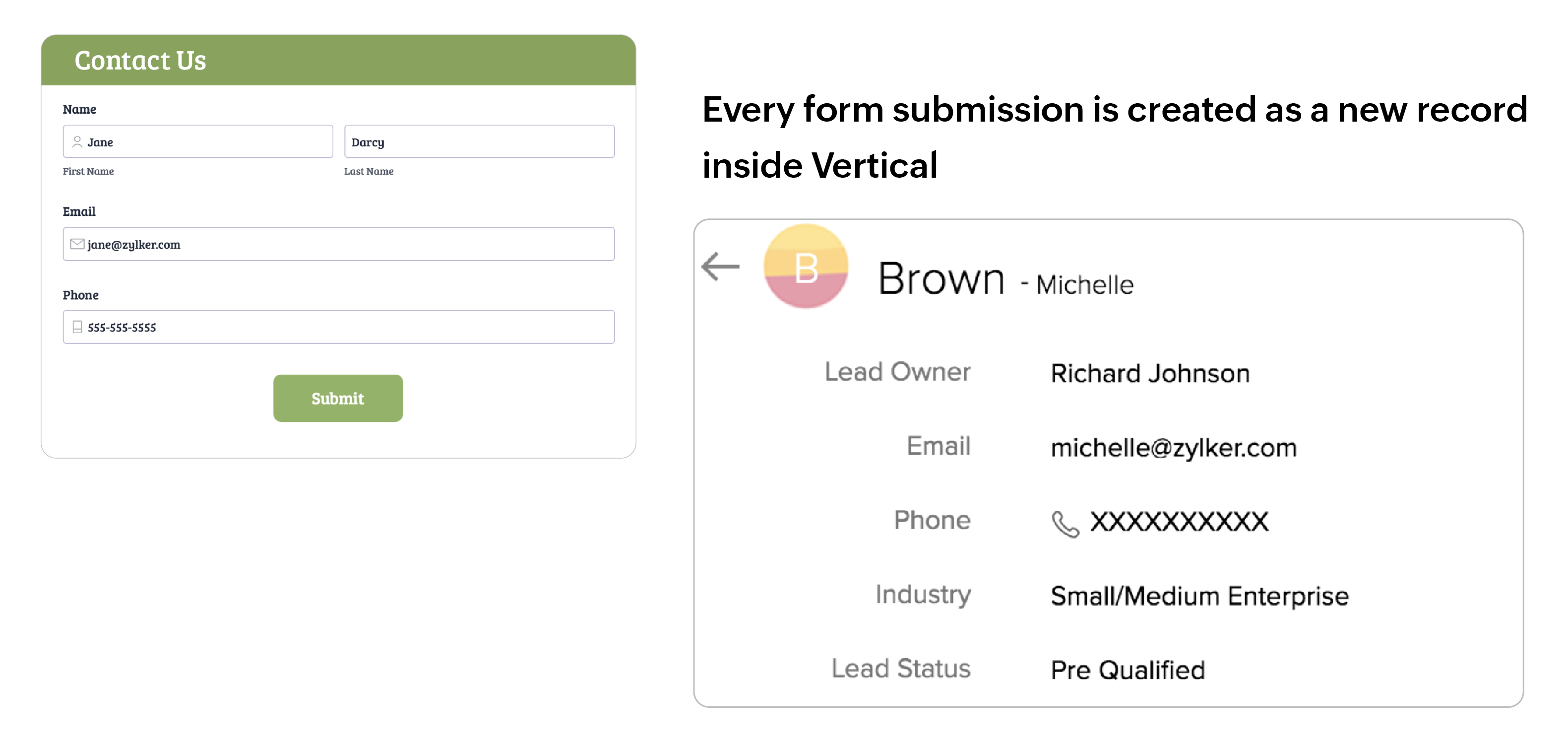
Learn more about setting up this integration to add a new record in Zoho Vertical.
Prefill forms
You can prefill forms with data from Zoho Vertical. To do this, you must add a Zoho Vertical Field to your form and map the Zoho Vertical fields with the corresponding Zoho Forms fields that you wish to prefill. The Zoho Vertical field looks up records from Zoho Vertical and prefills the mapped Zoho Forms fields with the fetched values.
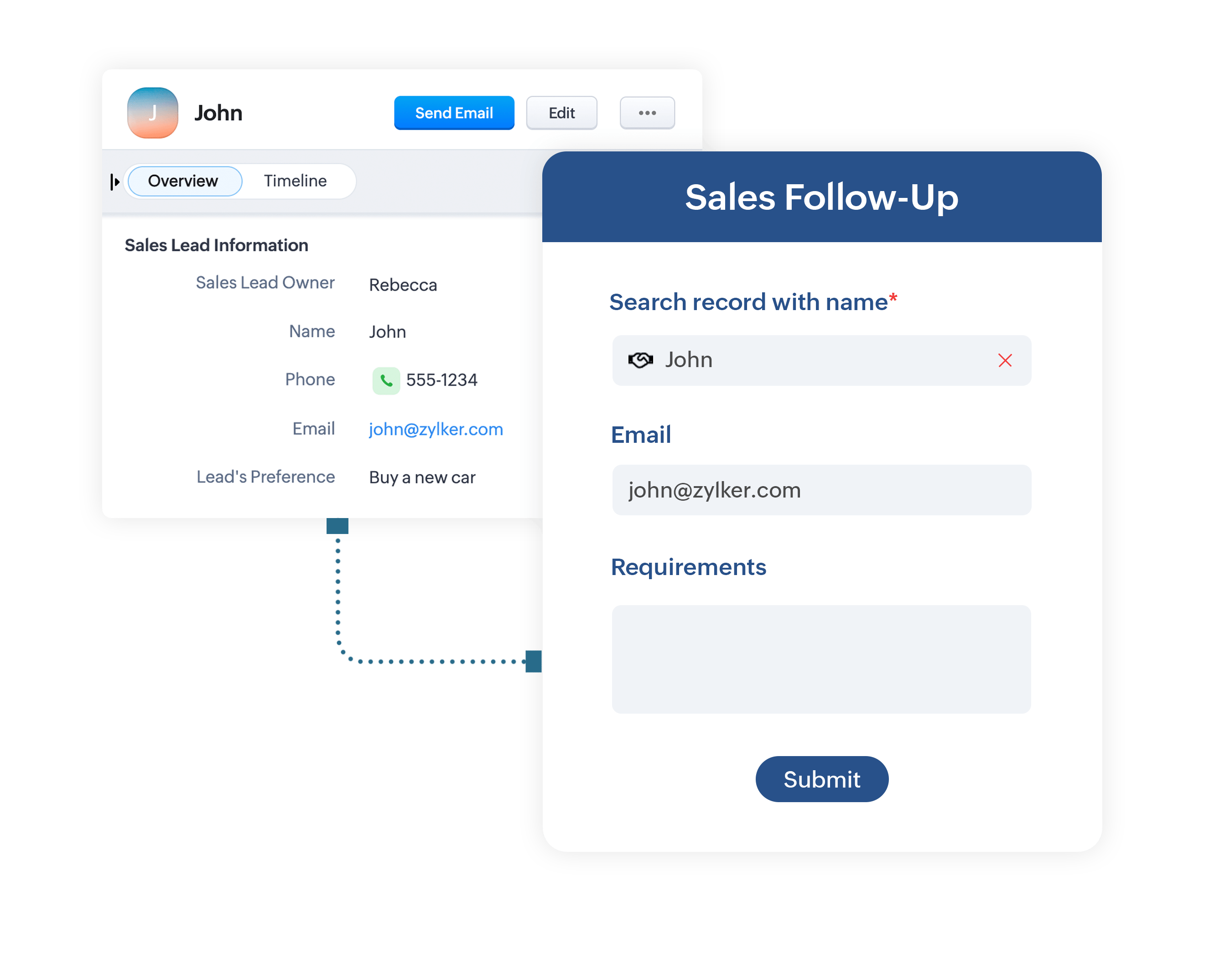
Learn more about setting up the the Zoho Vertical field to prefill your forms.
Adding entries to a related list
You can push your form entries to Related Lists associated with the corresponding modules in Zoho Vertical. Entries to a Related List can be added while pushing a new record from Zoho Forms to Zoho Vertical or to an existing record in Zoho Vertical using the Zoho Vertical Field.
Learn more about setting up the integration to add form entries to a Related List.
Updating a record
With the Zoho Vertical Field, you can fetch data from Zoho Vertical and prefill a form. The prefilled data can be modified and updated in Zoho Vertical using the Update Record option.
Learn more about setting up the integration to update a record in Zoho Vertical.