How can I customize the fields in the Requests module in Zoho FSM?
To customize the fields in the Requests module:
- Go to Setup > Customization > Modules and Fields.
- Select Requests.
- On the Module Builder page:
- Drag and drop fields from the New Fields tray into the layout.
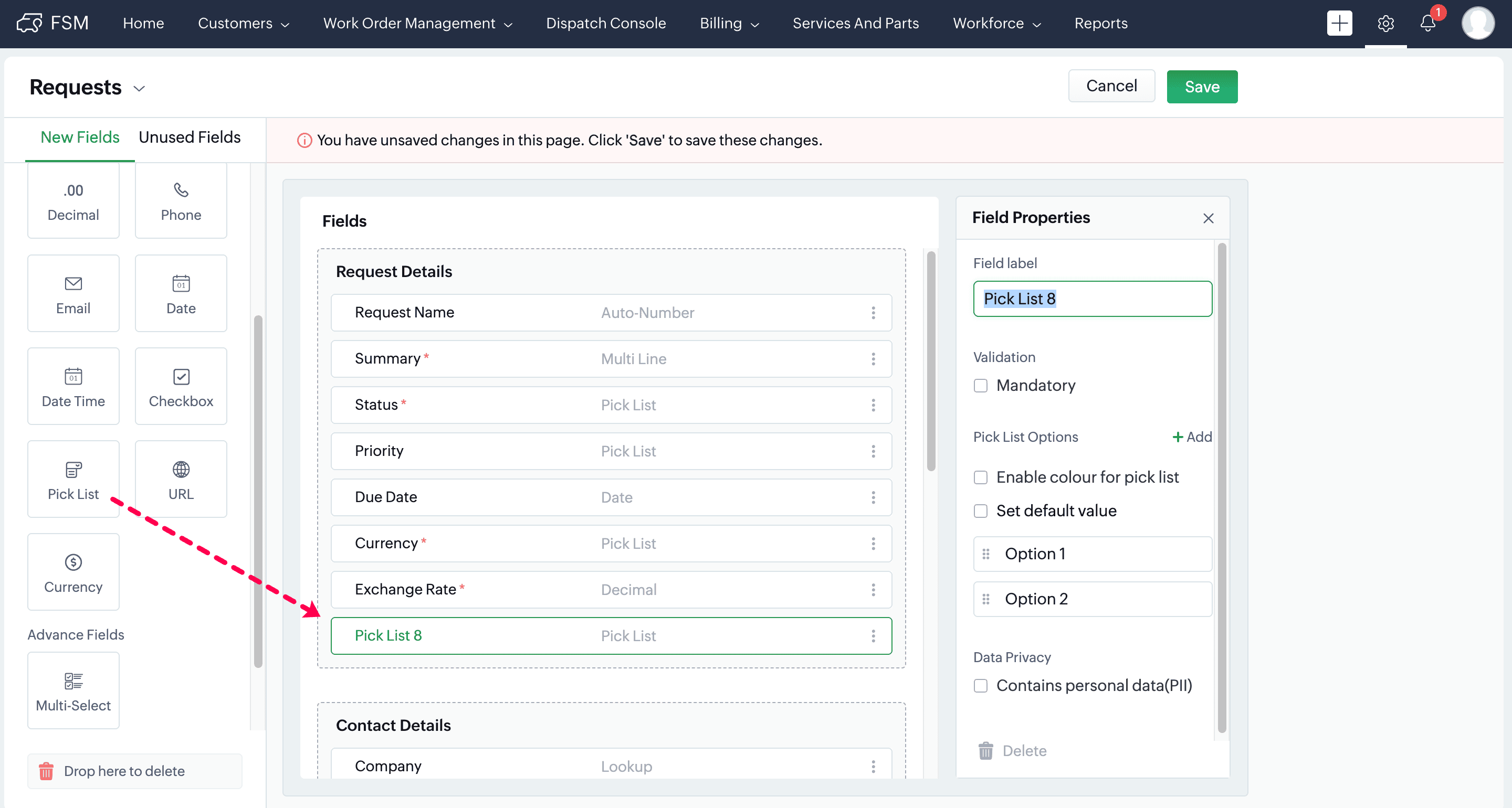
- Set properties such as Field Label, Type, Mandatory status, etc.
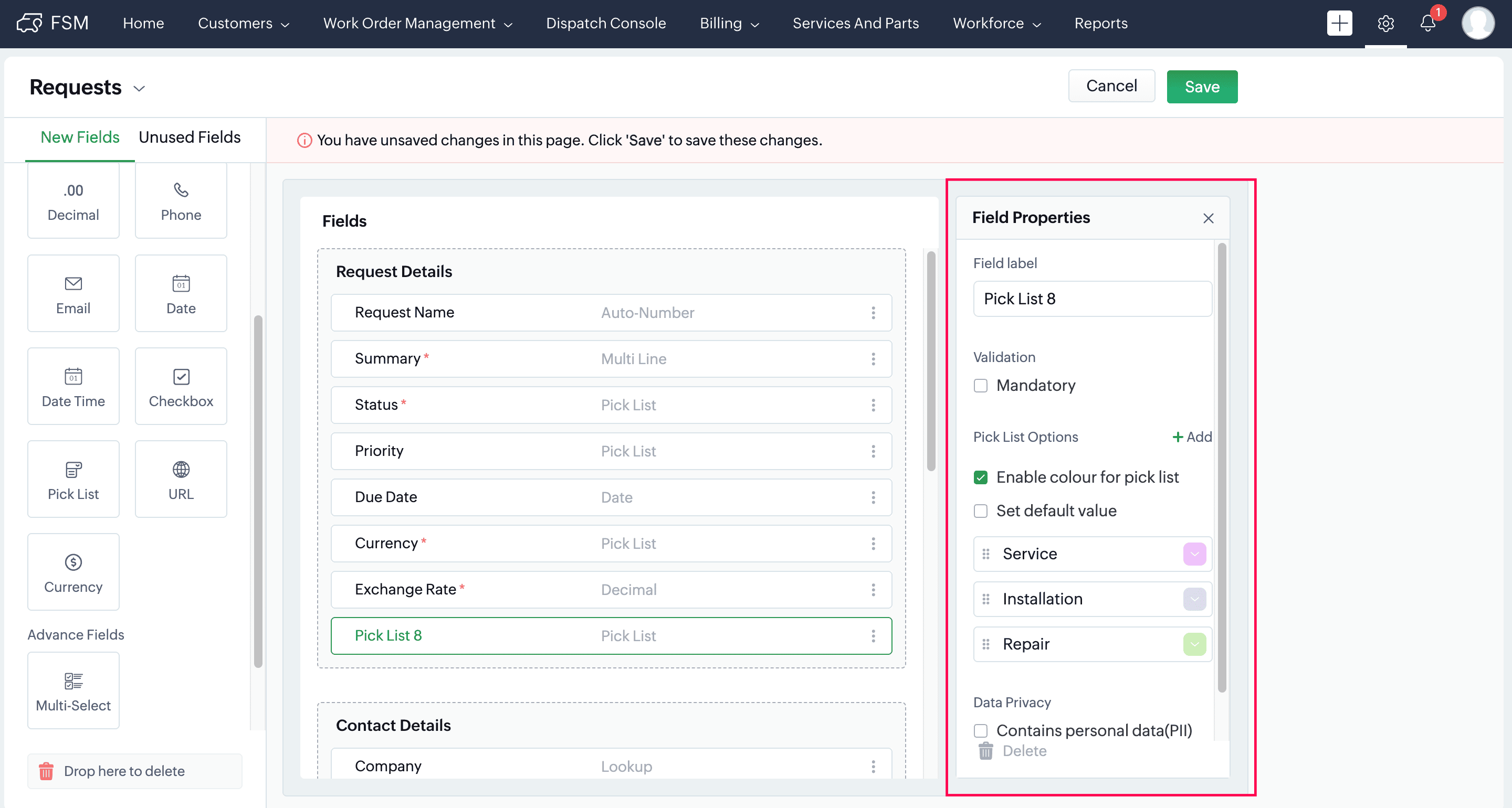
- Click Save to apply the changes.
- Only users with the Administrator profile can perform this action.
- The number of custom fields you can add depends on your Zoho FSM edition.
- Refer to the Pricing Help for detailed edition-specific limits.
