Signup form reports and configurations
Signup form reports lets you view details of the contacts through your signup forms along with various other stats to understand the possible intent of signups, location of the subscribers, the device used to subscribe and much more.
You can use this information to tailor your marketing plans according to your contacts best suiting their need. You can customize the period of the reports in the top right corner.
To view signup form reports:
- Select Lead Generation from the Navigation Toolbar and choose Signup Forms.
- Click on the published signup form you need to view the report for. You will land on the reports page.
Reports tab
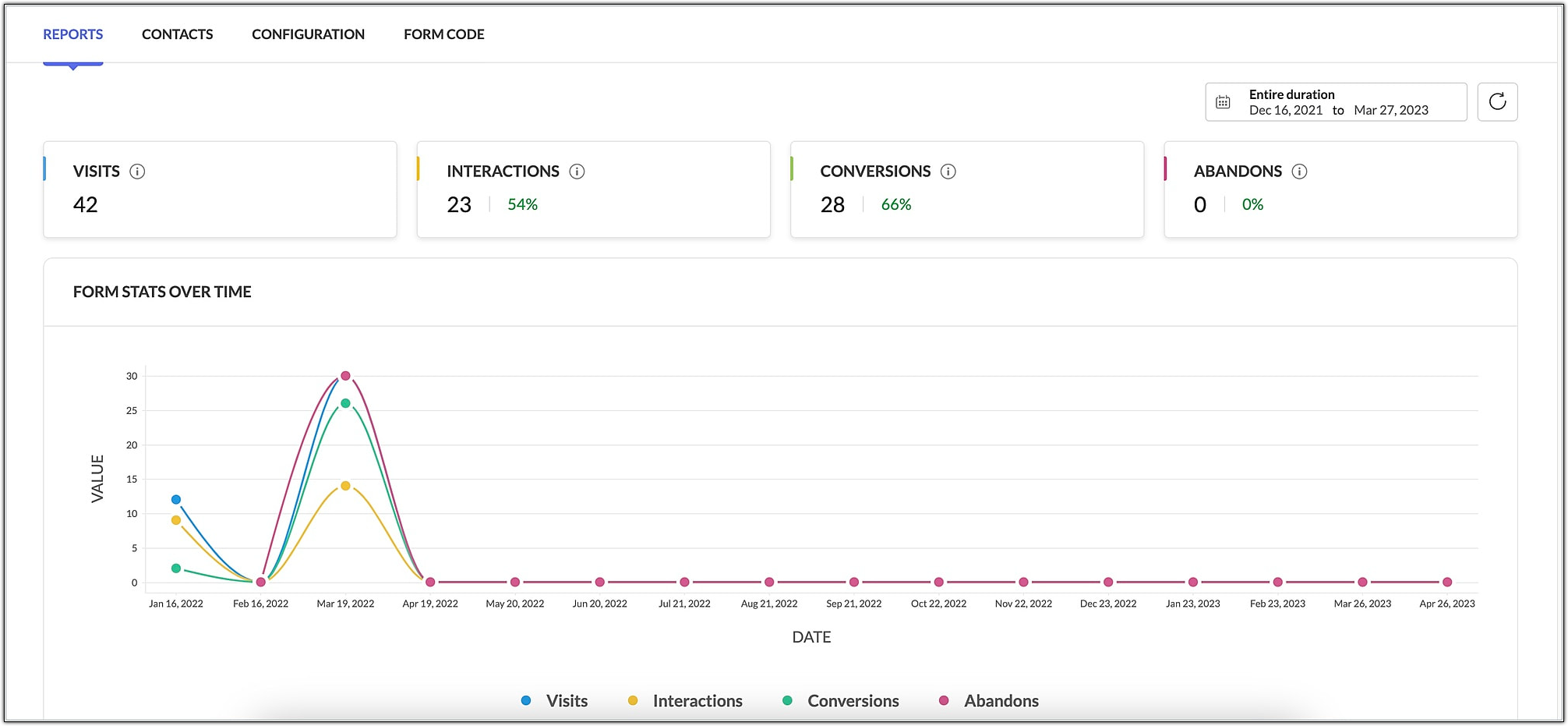
Basic information of the signup form appears on the top section such as:
- Form Visits - Number of visitors who have viewed the form.
- Interactions - Number of visitors who have interacted with your signup form.
- Conversions - Number of visitors who have confirmed their subscription and have been added as contacts to your mailing list.
- Abandons - Number of visitors who have abandoned signup after interacting with the form such as entering data in one of the fields.
The above data is displayed in a table and a graph.
Source Stats
This report shows the number of contacts and the various sources from where a contact has signed up via your signup form. It also lists out the contacts' visits and conversion data.
Page-based Stats
This table lists out the various pages' URLs from which your contacts have signed up via your signup forms.
Location-based Stats
This location-based report shows the number of contacts signed up from various locations. It also lists out the contacts' interactions, conversions, and abandons.
Device Stats
This report displays the number of contacts and devices from which they have signed up. It also lists out the contacts' conversion and its conversion percentage of a contact from viewing a signup form to confirming their subscription.
Web Browser Stats
This stats displays the number of contacts and the various the web browsers from which they have signed up to receive campaigns related to your product. It also lists out the contact's conversion and its conversion percentage of a contact from viewing a signup form to confirming their subscription.
Contacts tab
This tab lets you view details of the various contacts who have signed up for your email newsletters through your signup forms.
You can filter data by clicking on the filter icon on top right corner of this tab. Additionally, you can save a segment based on the filter you apply. There are smart and advanced filters under this section.
Configuration tab
You can make the following edits and changes in this tab,
- Edit form template
- Customize the thank you page
- Associate or remove topics
- Configure response actions
- Enable Push to CRM option
To make changes, click the Edit icon or the Configure button in the respective sections.
Form code
You can embed it in your website or share it on social media or post a direct URL using the code in this tab.