On Duty - Attendance
What is On Duty?
The term "on duty" indicates the status of an employee who is actively working outside of their usual office setting, such as at a client's premises, a project site, or from a remote location like their home.
Watch our help video regarding on duty in attendance
Enable On Duty
To enable On Duty, navigate to Settings > Attendance > Configuration > Methods. Enable On Duty.
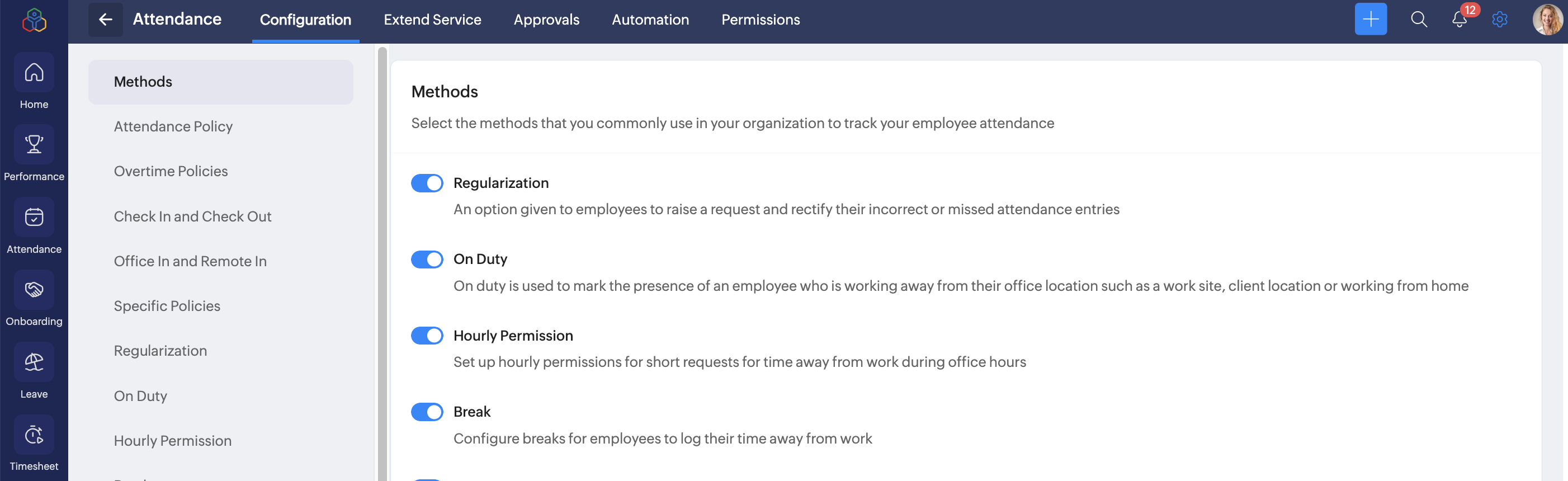
Configuring On Duty
To configure On Duty, go to Settings > Attendance > Configuration > On Duty.
Allowed Duration
Choose the duration types employees can select when applying for an on-duty request:
- Full day: Entire workday
- Half day: Half of a workday
- Quarter day: A quarter of the workday
- Hourly: Specific number of hours
Types of On Duty
Define the valid reasons or categories for on-duty requests. These options will appear in the dropdown when an employee submits a request.
Examples:
- Client visit
- Work from home
You can add more using the Add Type button.
Additional Settings
- Restrict on-duty requests for future dates: Prevents employees from applying for on-duty in advance.
Visibility and Mandatory Settings
- Description: Requires employees to enter a justification for on-duty request.
- Supporting documents: Requires employees to attach a supporting document (e.g., invitation letter, schedule) for on duty requests.
Approval Workflow
To include an approval process for on-duty requests, configure it under Approvals tab. Learn more.