How to Create Slider Scale Questions in Zoho Survey | Online Help Guide

Slider Scale

The Slider Scale question type is more interactive and enables the respondents to provide accurate values by dragging a slider in their survey responses.
In the following example, a slider helps your customers mark a more accurate value than a regular multiple-choice question.

Slider scale question sample:


To add a slider scale question in your survey:

  1. Click Slider Scale in the question types listed on the left pane. You can also drag and drop the question type to the builder. 
  2. In the Question box, type your question. 
    1. If you want to mark the question mandatory, select the Make this question mandatory checkbox.
    2. If you want to make changes to the default Error message text that displays, edit the content in the text box.
    3. If you want to pipe in custom variables or variables from previous questions and customize the follow-up questions, click Insert Variable right above the Question box, and select the variable you want to use from the list. Read more on Piping.
  3. To know what more you can do with the question, click Advanced options. You can perform the following actions:
    1. Format - If you want your values to be displayed as numbers, in the dropdown list, click Number. Or, if you want them to be displayed in percentage, click  Percentage.
    2. Start value - In the text box, type in the start value you want to use in the slider scale.
    3. End value - In the text box, type in the end value you want to use in the slider scale.
    4. Initial position - To display the position where the slider will be located initially, in the text box, type in the value.
    5. Step value - To move the values in the multiples of a finite number, in the text box, type in the number.
    6. Labels - If you want to name the left, middle, and right labels of the slider scale, type in the label names in the respective boxes.
    7. To add a comments box, select Add 'Comments'  field. If you want to change the name of the field, in the Comments field label box, type in the new field name.
    8. Question hint is used to add hints to your question and help your respondents get a clear idea of what your questions are all about. This feature is optional and is available only for certain types of questions. 
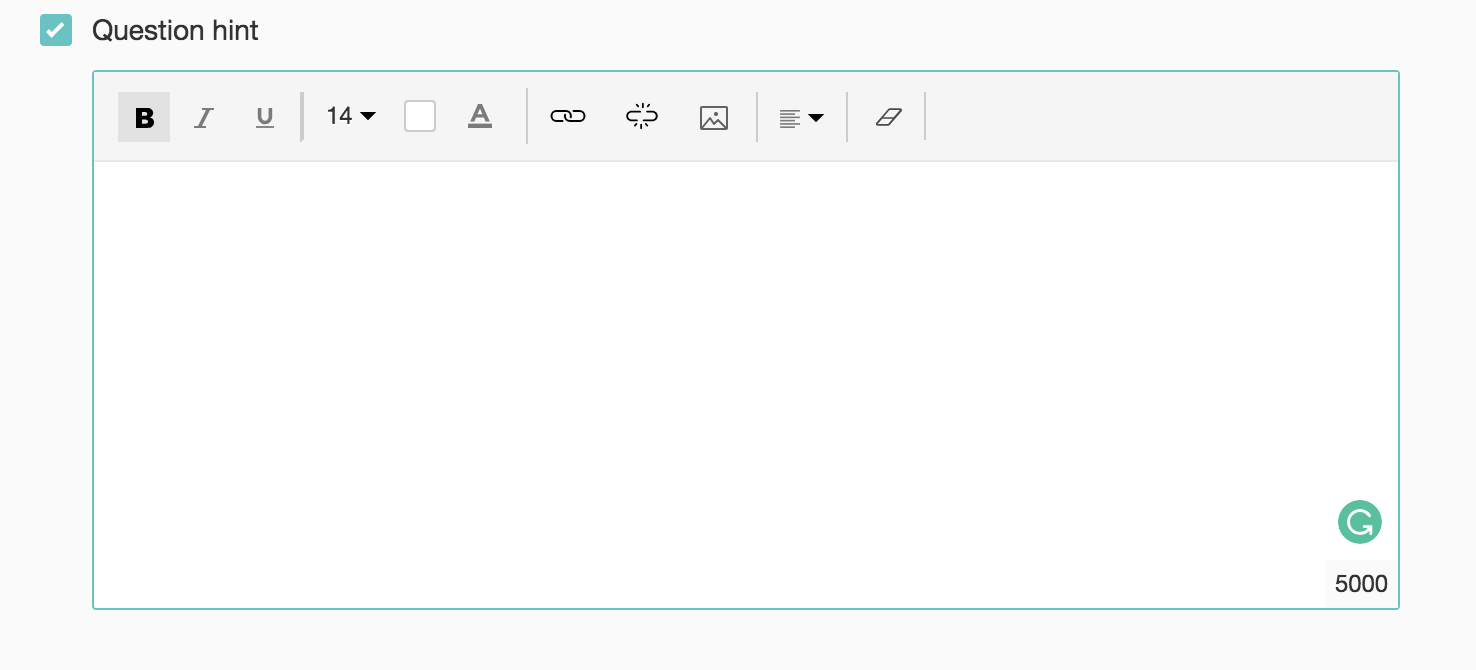
      Add survey question hint
  4. Switch to the Display Logic and Answer Display Logic tabs to add a logic condition to the question and answer choices respectively.
  5. To save the changes, click Save.
  6. To discard the changes, click Cancel.


        Create. Review. Publish.

        Write, edit, collaborate on, and publish documents to different content management platforms.

        Get Started Now


          Access your files securely from anywhere

            Zoho CRM Training Programs

            Learn how to use the best tools for sales force automation and better customer engagement from Zoho's implementation specialists.

            Zoho CRM Training
              Redefine the way you work
              with Zoho Workplace

                Zoho DataPrep Personalized Demo

                If you'd like a personalized walk-through of our data preparation tool, please request a demo and we'll be happy to show you how to get the best out of Zoho DataPrep.

                Zoho CRM Training

                  Create, share, and deliver

                  beautiful slides from anywhere.

                  Get Started Now


                    Zoho Sign now offers specialized one-on-one training for both administrators and developers.

                    BOOK A SESSION


                                Quick LinksWorkflow AutomationData Collection
                                Web FormsEnterpriseOnline Data Collection Tool
                                Embeddable FormsBankingBegin Data Collection
                                Interactive FormsWorkplaceData Collection App
                                CRM FormsCustomer ServiceAccessible Forms
                                Digital FormsMarketingForms for Small Business
                                HTML FormsEducationForms for Enterprise
                                Contact FormsE-commerceForms for any business
                                Lead Generation FormsHealthcareForms for Startups
                                Wordpress FormsCustomer onboardingForms for Small Business
                                No Code FormsConstructionRSVP tool for holidays
                                Free FormsTravelFeatures for Order Forms
                                Prefill FormsNon-Profit

                                Intake FormsLegal
                                Mobile App
                                Form DesignerHR
                                Mobile Forms
                                Card FormsFoodOffline Forms
                                Assign FormsPhotographyMobile Forms Features
                                Translate FormsReal EstateKiosk in Mobile Forms
                                Electronic Forms
                                Drag & drop form builder

                                Notification Emails for FormsAlternativesSecurity & Compliance
                                Holiday FormsGoogle Forms alternative GDPR
                                Form to PDFJotform alternativeHIPAA Forms
                                Email FormsFormstack alternativeEncrypted Forms

                                Wufoo alternativeSecure Forms

                                TypeformWCAG


                                    All-in-one knowledge management and training platform for your employees and customers.

                                              Create. Review. Publish.

                                              Write, edit, collaborate on, and publish documents to different content management platforms.

                                              Get Started Now


                                                                You are currently viewing the help pages of Qntrl’s earlier version. Click here to view our latest version—Qntrl 3.0's help articles.


                                                                    Manage your brands on social media


                                                                      • Desk Community Learning Series


                                                                      • Digest


                                                                      • Functions


                                                                      • Meetups


                                                                      • Kbase


                                                                      • Resources


                                                                      • Glossary


                                                                      • Desk Marketplace


                                                                      • MVP Corner


                                                                      • Word of the Day


                                                                      • Ask the Experts


                                                                        Zoho Sheet Resources


                                                                            Zoho Forms Resources


                                                                              Secure your business
                                                                              communication with Zoho Mail


                                                                              Mail on the move with
                                                                              Zoho Mail mobile application

                                                                                Stay on top of your schedule
                                                                                at all times


                                                                                Carry your calendar with you
                                                                                Anytime, anywhere


                                                                                      Zoho Sign Resources

                                                                                        Sign, Paperless!

                                                                                        Sign and send business documents on the go!

                                                                                        Get Started Now


                                                                                                Zoho TeamInbox Resources


                                                                                                          Zoho DataPrep Demo

                                                                                                          Get a personalized demo or POC

                                                                                                          REGISTER NOW


                                                                                                            Design. Discuss. Deliver.

                                                                                                            Create visually engaging stories with Zoho Show.

                                                                                                            Get Started Now


                                                                                                                                • Related Articles

                                                                                                                                • Rating Scale

                                                                                                                                  The Rating Scale question type lets you rate a set of possible choices using a rating scale. It is useful to determine the measure of an opinion, attitude, knowledge, or behavioural pattern. There are two types of rating scales: Likert Scale - The ...
                                                                                                                                • Question Types

                                                                                                                                  There are two types of questions: open-ended and close-ended. Open-ended questions are those that allow the respondents to enter any kind of information. A few such response collection tools include Short Answer and Long Answer. Close-ended ...
                                                                                                                                • Cross-tab Report

                                                                                                                                  Compare different parameters to analyze patterns with a cross-tab report. Let's look at how to create a cross-tab report with the Zoho Survey. Use cases As a business owner, you are conducting a feedback survey after every purchase. While analyzing ...
                                                                                                                                • CSAT Score

                                                                                                                                  Customer Satisfaction Score (CSAT) is a vital metric in customer surveys, enabling companies to gauge satisfaction, identify pain points, and refine their offerings. A high CSAT indicates that customers are satisfied. On the other hand, a low CSAT ...
                                                                                                                                • Is there an option to adjust the opacity of the colors in the survey background?

                                                                                                                                  You can adjust the opacity of your survey form's background while customizing your theme. Click the Themes tab. Click the Edit icon over your current theme or click Customize Basic Theme. Scroll down to the Effects section in the General tab. Click ...
                                                                                                                                  Wherever you are is as good as
                                                                                                                                  your workplace

                                                                                                                                    Resources

                                                                                                                                    Videos

                                                                                                                                    Watch comprehensive videos on features and other important topics that will help you master Zoho CRM.


                                                                                                                                    eBooks

                                                                                                                                    Download free eBooks and access a range of topics to get deeper insight on successfully using Zoho CRM.


                                                                                                                                    Webinars

                                                                                                                                    Sign up for our webinars and learn the Zoho CRM basics, from customization to sales force automation and more.


                                                                                                                                    CRM Tips

                                                                                                                                    Make the most of Zoho CRM with these useful tips.


                                                                                                                                      Zoho Show Resources