How to generate labels with conditional content
Overview
Conditional Content in label templates allows specific elements such as text blocks, images, icons, or regulatory notices; to show or hide automatically based on the data in each record.
Steps
1. Create a label template and associate a data source.
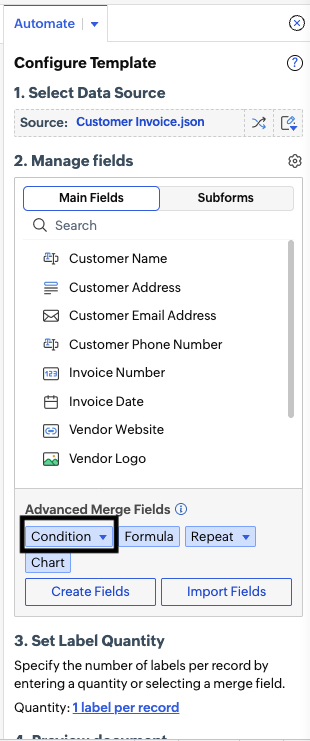
2. From the Automation Panel, choose Condition to define a rule to show or hide conditionally.
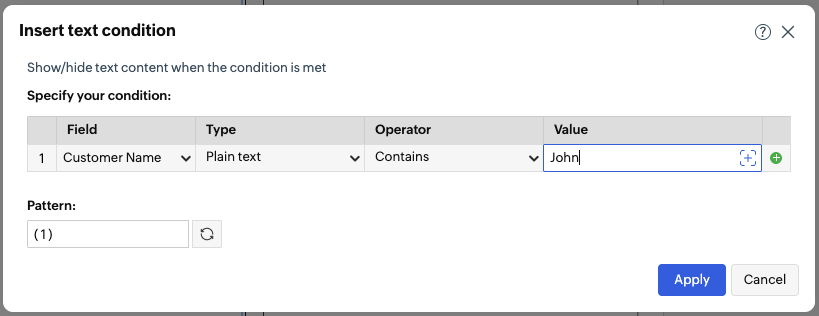
3. Set the condition; for example, Customer Name equals John; insert the condition in the label, and add the fields to show when the condition is met and hide when it is not.