Understanding Events in Zoho CommunitySpaces
Overview
Events are a powerful tool within Zoho CommunitySpaces to help you and your community stay organized. You can create events for a wide range of activities, including peer discussion, community-wide announcements, video conferences, and personal meetings.
Accessing and viewing events
You can easily manage and view your events using various filters and views.
Event sections
Events are organized into four sections in the left extended menu to help you find what you need quickly. Each section is explained below the image.
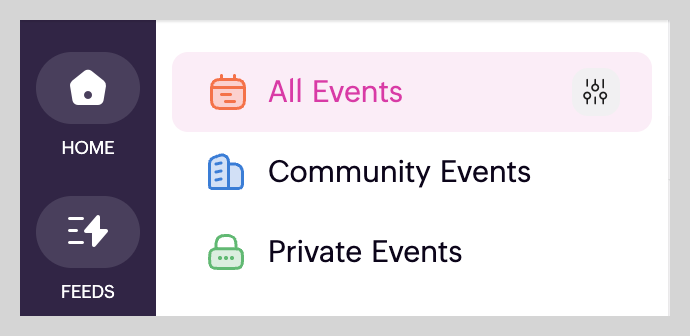
- All events- Shows all events you have created or been invited to, including private, community, and space events.
- Private events: This section includes events you created for yourself, private events from other members that you are invited to, events from spaces you are not a member of but are invited to, and events where you have been added as an assistant.
- Community events: These are community-level events visible to all members of your community, posted on the community wall.
- Space events: Events created within a specific space. Click the space name from the left extended menu to view its events.
Types of views
You can switch between different views to suit your preference.
- Go to the Events.
Select your desired view (Month, Week, Day, or List) from the top-right corner.
Event filters
You can filter events by type to find what you're looking for.
- Click Events from the left menu.
- Click the filter icon in the top-right corner of the page.
From the dropdown, select the desired event types (e.g., meetings, conferences) and click Apply.
Click Clear All near Filter to reset selection.
We hope you find this guide useful! For any queries or doubts, reach out to us at support@zohocommunityspaces.com. We're happy to help!