Managing listings
Strategic listing management can bring great results: increased visibility, online presence, and a competitive edge. Zoho Publish simplifies this critical task, streamlining the process of establishing and maintaining accurate information across listing sites.

Note:
To access listings, navigate to Home > Business group > Business > Listings.
To access listings, navigate to Home > Business group > Business > Listings.
Components
The Listings page provides a detailed list of the total number of listing sites connected to a business. It comprises three main components:
- Name of the listing
- Status
- Pending actions
Visit Listings
- Navigate to Home > Business group > Business > Listings.
- Clicking Live or selecting the first option on the
icon redirects you to the respective listing site, allowing you to view how the business appears.
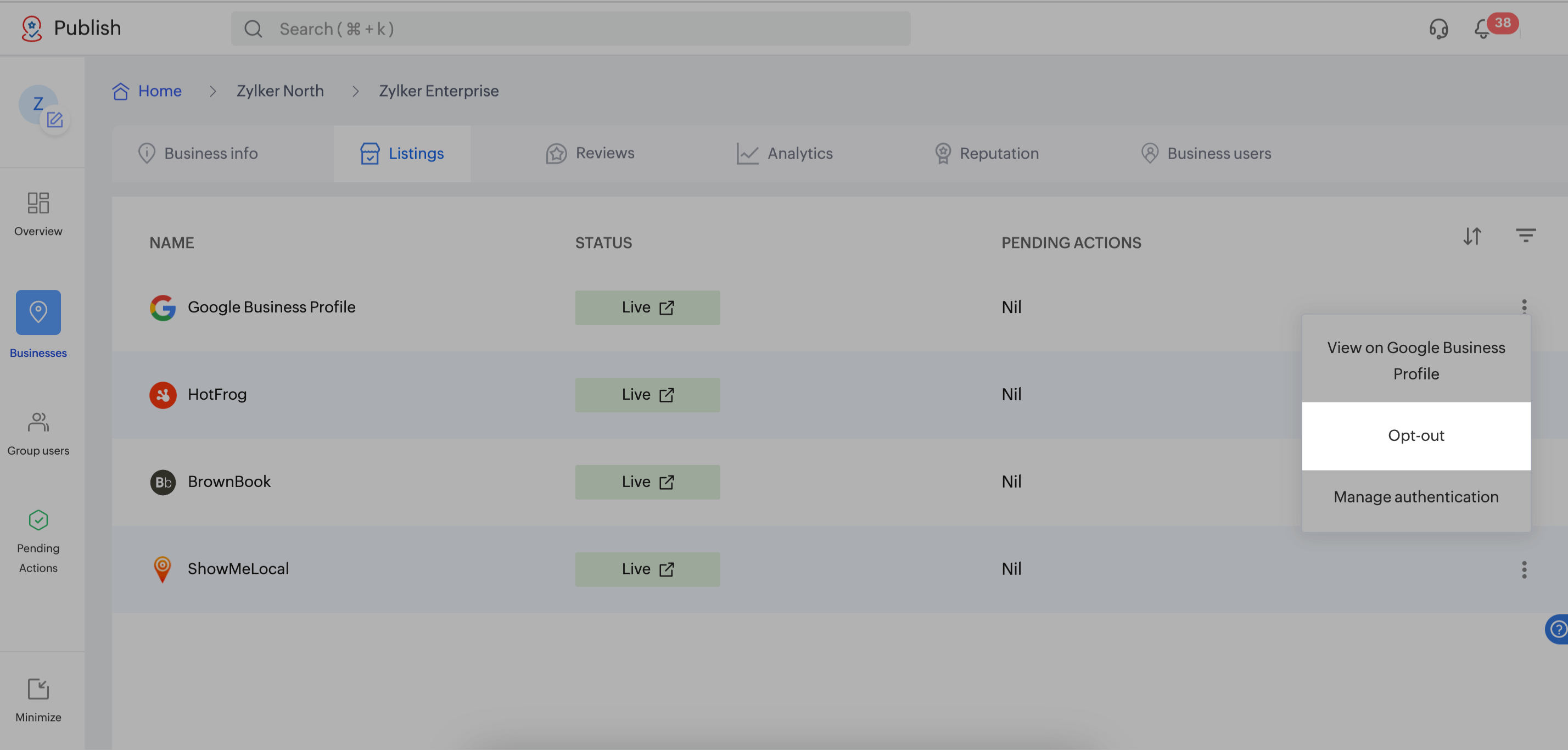
Opt Out of a Listing Site
- Navigate to Home > Business group > Business > Listings.
- Click the icon on a listing site and tap Opt out.
Manage Authentication- Navigate to Home > Business group > Business > Listings.
Click the icon on Google Business Profile.
Click Manage authentication to map Google Business Profile (GBP) to another GBP account within Zoho Publish.
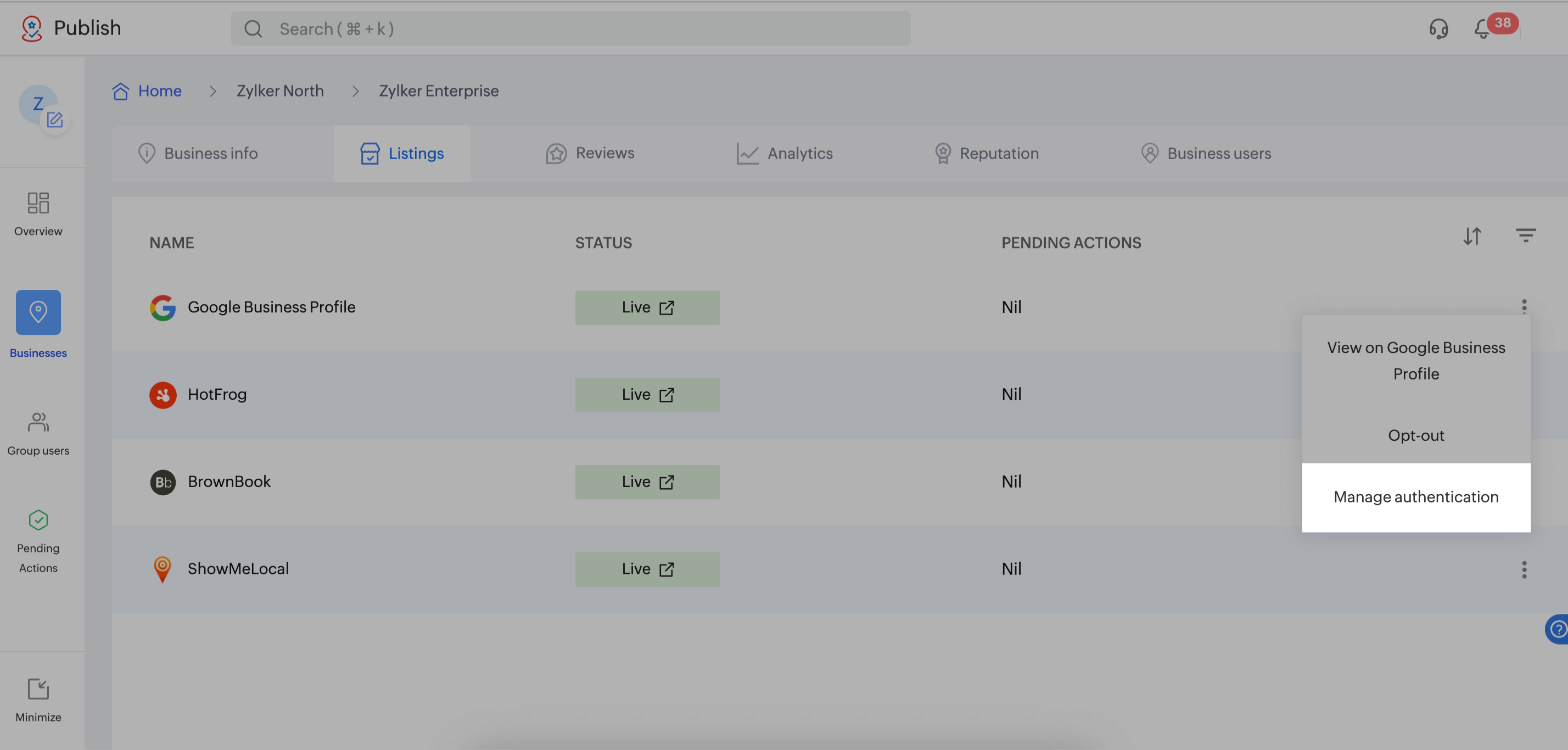
- Navigate to Home > Business group > Business > Listings.
Click the
Click Manage authentication to map Google Business Profile (GBP) to another GBP account within Zoho Publish.
Sort Listings
You can sort listings alphabetically or by the volume of pending actions.
Filter Listings
Filters include:
- Name - Manual search of a particular listing
- Status - Live, Yet to publish, Claim initiated, Verification pending, Verification initiated, Failed, Edit failed, Disabled, Suspended, and Surpressed
- Pending actions - At least one and Nil