Integration Zoho Sign with Bigin by Zoho CRM
Available in all paid plans and data centers
Zoho Sign now integrates with Bigin by Zoho CRM, a customer relationship management software that helps small businesses streamline their entire operation in one platform. The Zoho Sign's topping (or extension) for Bigin helps users to sign, send, and manage their contracts or agreements directly from their Bigin account without the hassle of switching multiple tabs.
For example, when your sales representatives have added a new lead to your sales pipeline or new company details in Bigin, you or your representative can sign, send, and manage agreements, contracts, or any other business document directly. This helps you save time, close deals faster, and offer a better customer experience.
Prerequisites
- A valid Zoho Sign subscription
- A valid Bigin subscription
Installing Zoho Sign topping for Bigin
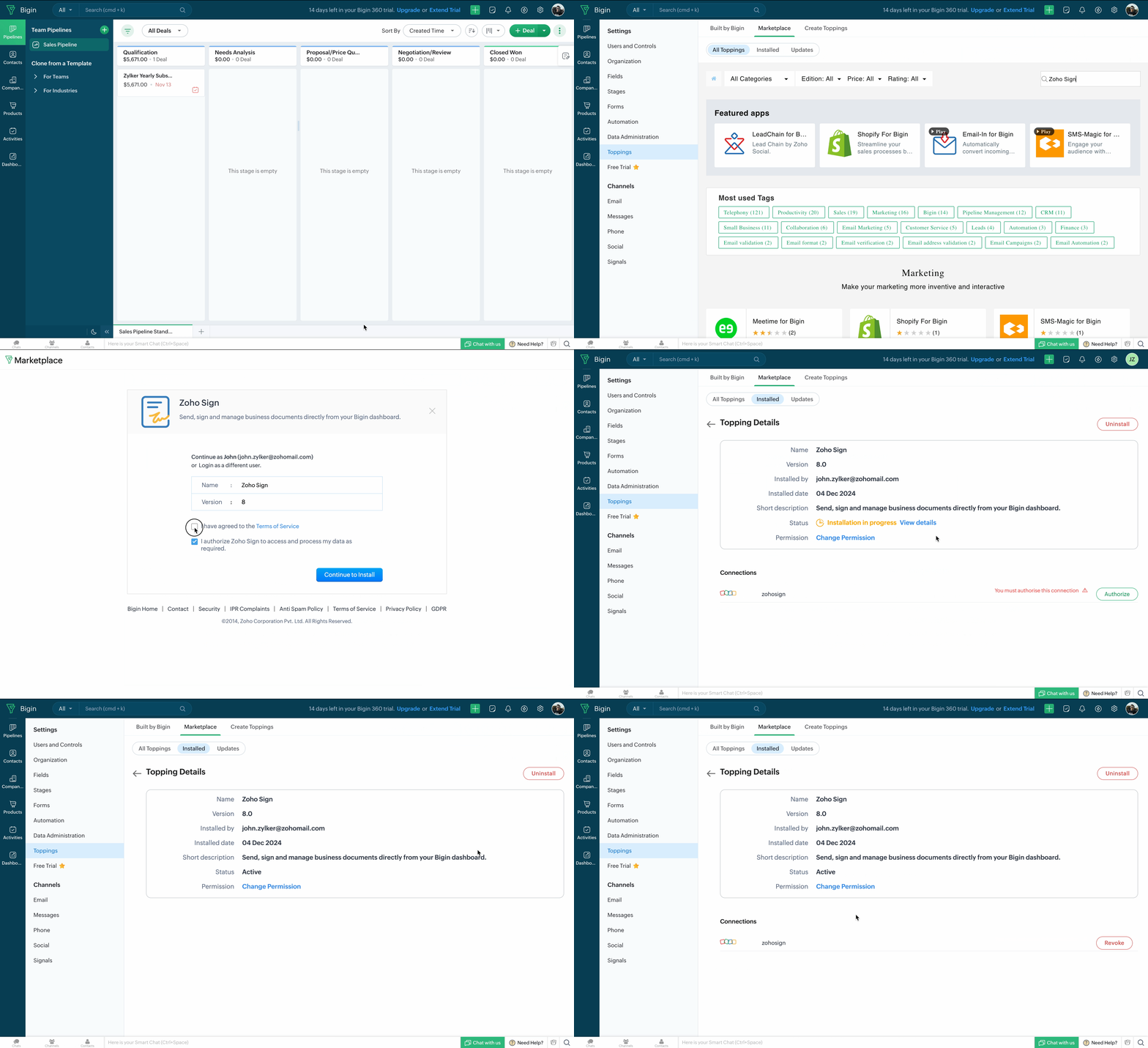
You can install the Zoho Sign topping in one of the two ways: Visit Bigin Marketplace or log in to your Bigin account to install the topping.
From your Bigin account
- Click the Settings icon from in the top navigation pane.
- Click Toppings from the left navigation pane.
- Click Marketplace and search for Zoho Sign.
- Follow the instructions given here
From Bigin Marketplace
- Go to https://marketplace.bigin.com/app/bigin/zoho-sign
- Click the Install button.
- Follow the on-screen instructions to install the topping.
- Choose one of the following options: Install for admin only, install for all users, or choose profiles.
- Click Confirm.