Add Claude in Zoho Cliq

Let’s add a real AI assistant powered by Claude to your workspace this week, that your team can chat with, ask questions, and act on conversations to run AI actions on.
This guide walks you through exactly how to do it, step by step, with all the code you'll need.
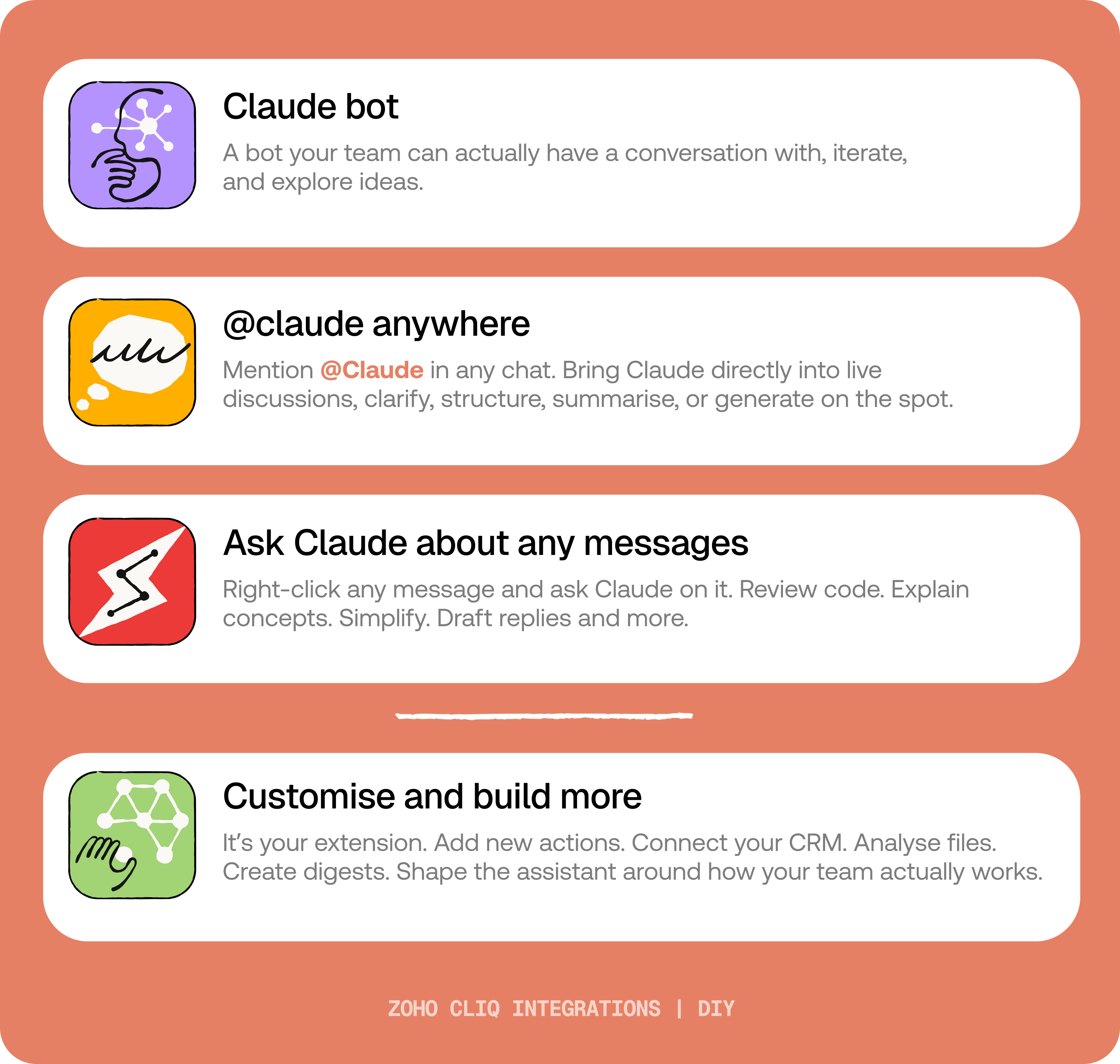
By the end of this guide, you’ll have:
- A Claude bot inside Zoho Cliq to have real back-and-forth conversations.
- The ability to @mention Claude in any channel and reply to a message and ask Claude to act on it.
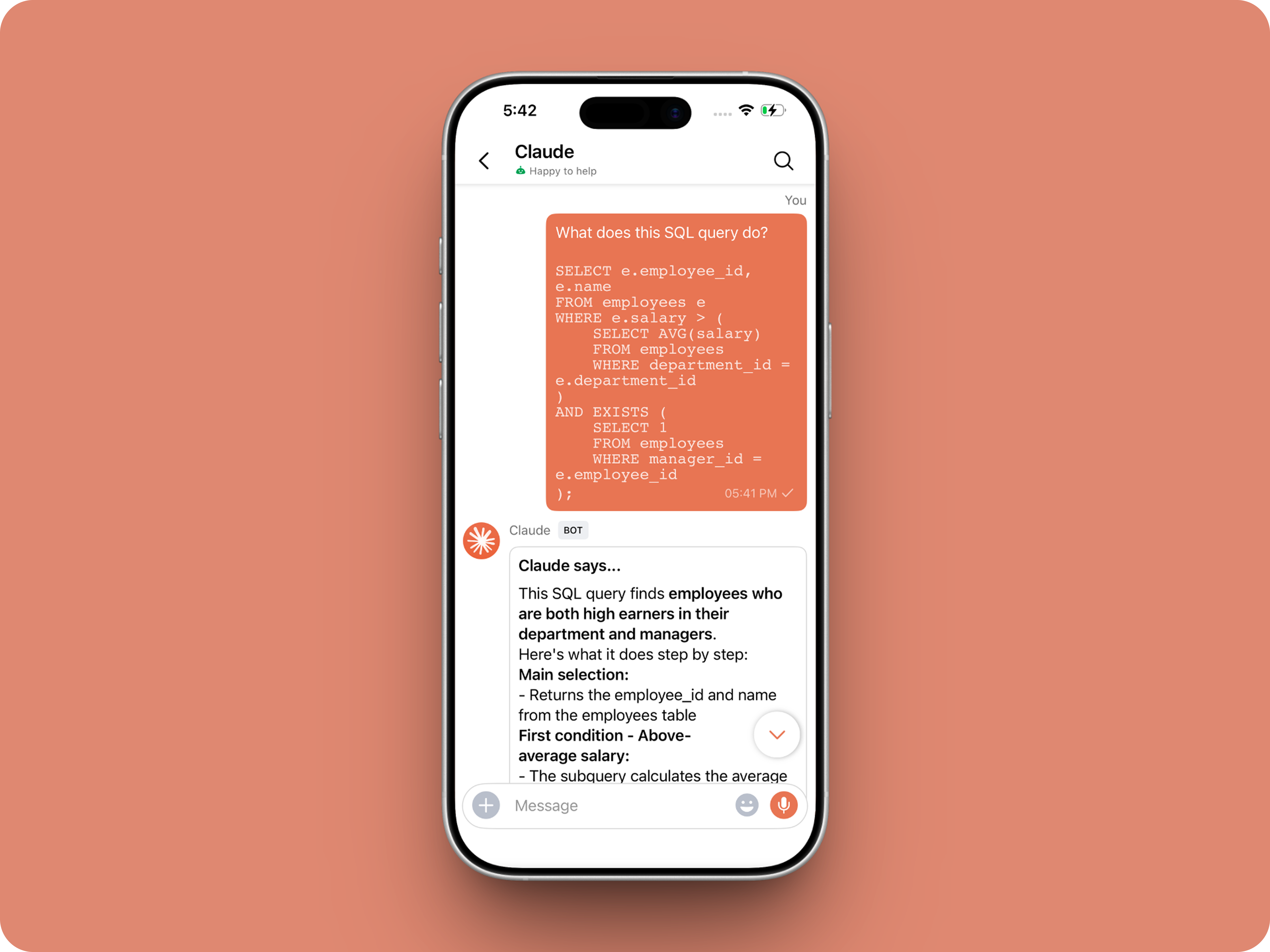
- A message action to act on messages in Cliq by Claude. Additionally, pre-built actions to review code, generate mind maps, draft a reply for the selected message, or explain it like you’re new.
 Before you start:
1. A Zoho Cliq account with Developer access.
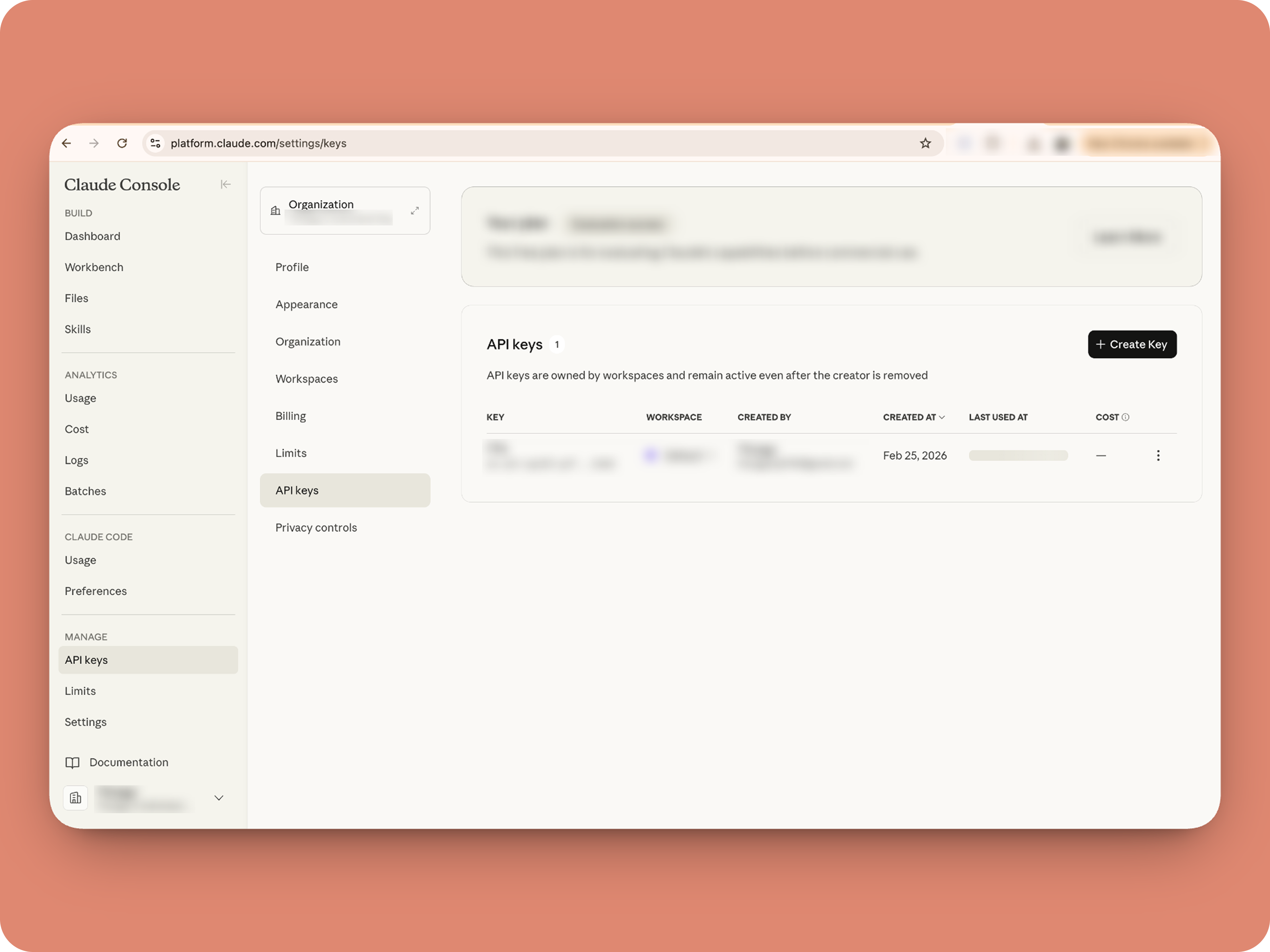
2. An Anthropic API key
3. Basic comfort with Deluge (optional — all code is provided 😉)
A. How to get an Anthropic API key?

B. Create a Connection
1. Go to the Connections module (in Bots & Tools) → Create Connection
2. Add a Connection name, for eg. "readmessageandfile"
3. Select:
ZohoCliq.Attachments.READ
ZohoCliq.Messages.READ
4. Create
Click Create, then authorize the connection. Copy the connection name, you'll paste it into the handlers in the next steps.
How to start
Go to Zoho Cliq → Settings → Bots & Tools
Claude Bot:
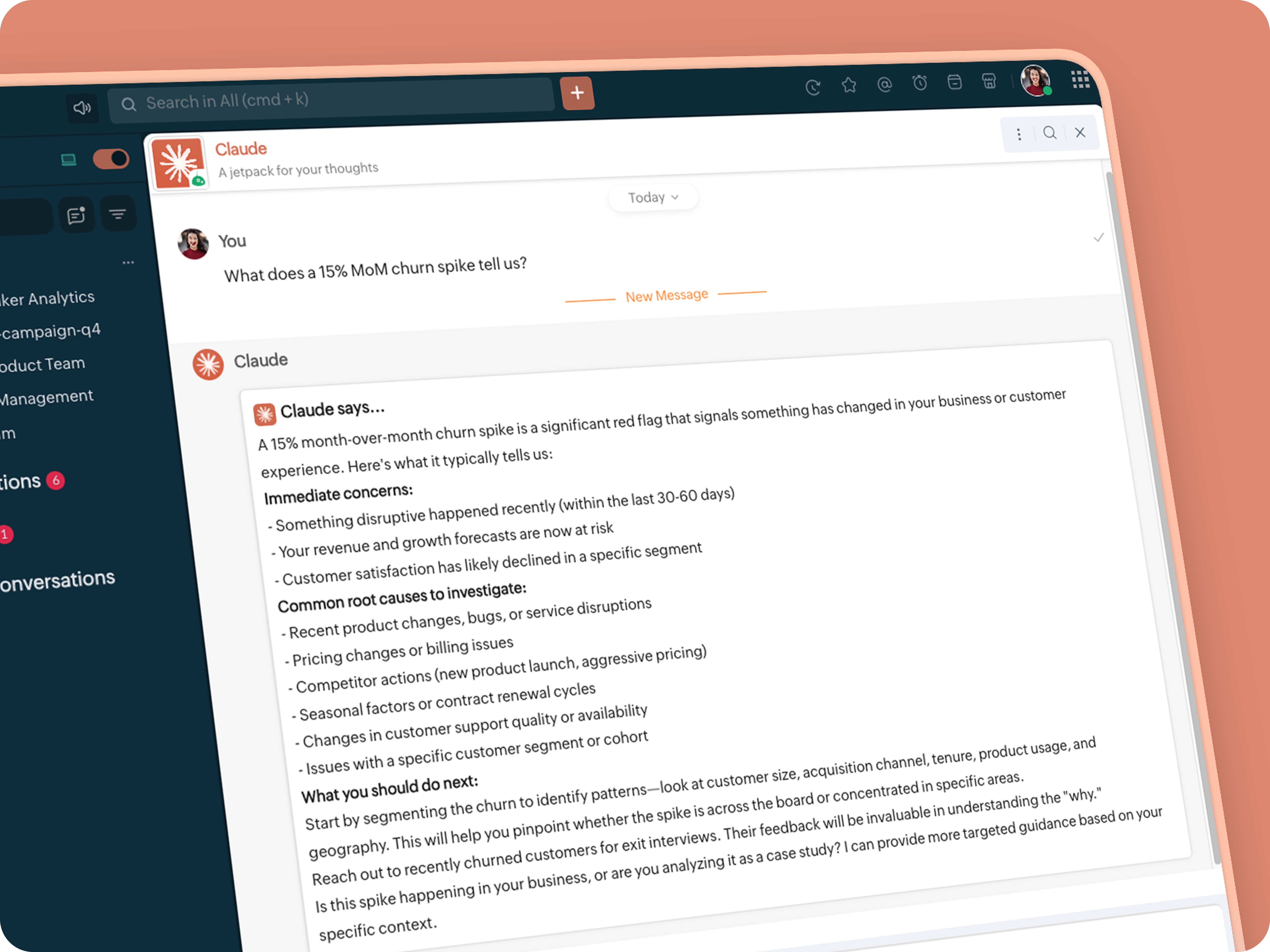
Go to Bots → Create Bot.
Name it Claude and give it any description of choice.
First, let's create a Message handler to handle the conversations first.
Click edit code and copy paste the below code in it (follow along the comments to understand what each part does)
One API endpoint. That's all.
Both the bot and the message action use the same single Anthropic endpoint: POST /v1/messages. The only thing that changes between them is the system prompt and what you put in the messages array. Once you understand that, the rest is just assembly.
Explore API docs →
Message Handler: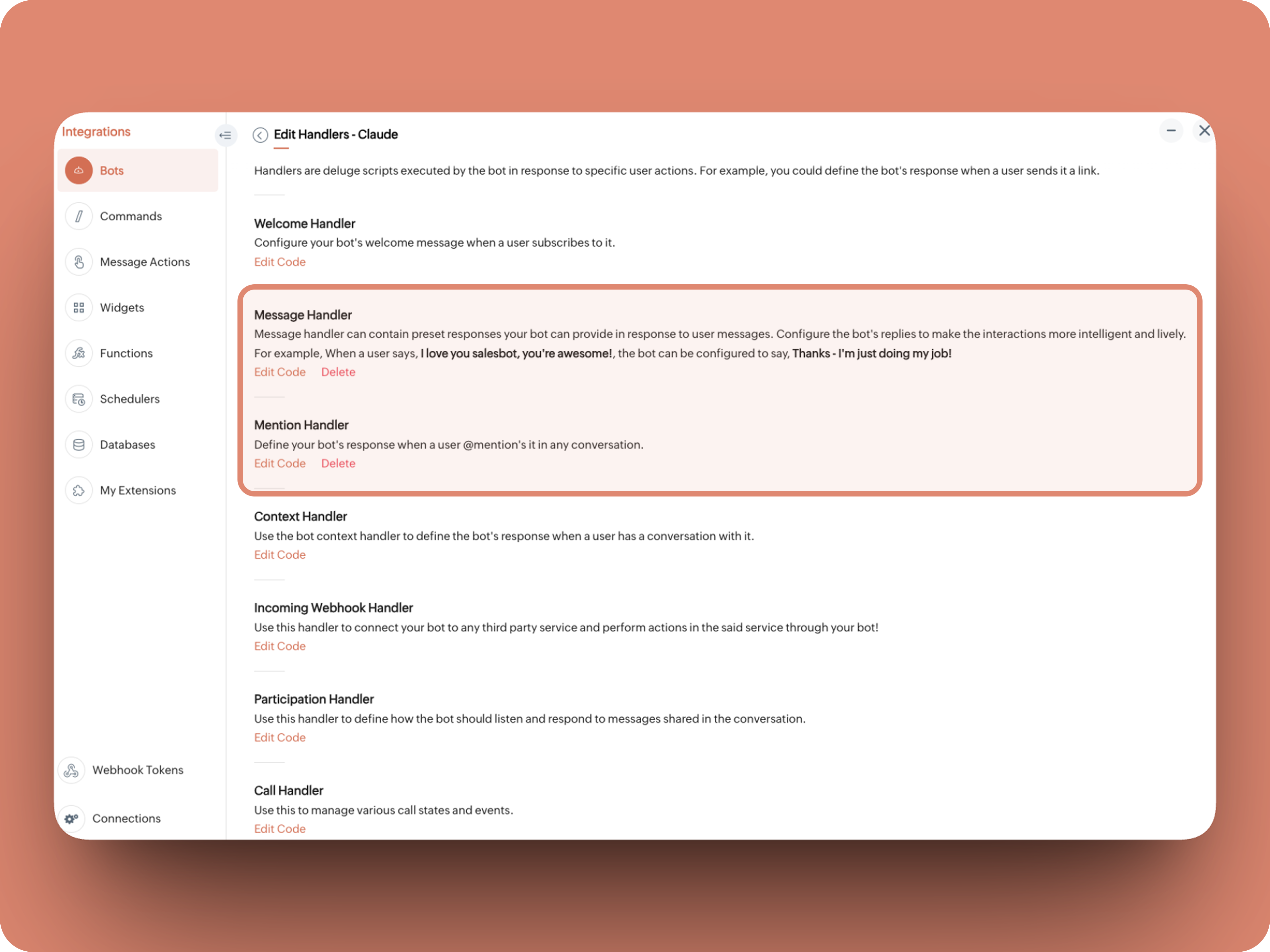
What does this do: Fetches last 10 (customizable - but keep message limit small ( around 10–15 to avoid token overuse)) chat messages for additional context and enables natural chat conversations
- info environment;
- botUniqueName = "BOT-UNIQUE-NAME";
- // Replace with your bot unique name
- cliqBaseUrl = environment.get("base_url");
- fetchRecentMessages = invokeurl
- [
- url :cliqBaseUrl + "/api/v2/chats/" + chat.get("id") + "/messages?limit=10"
- type :GET
- connection:"CONNECTION-NAME"
- //Read below how to create a connection, and paste here:
- ];
- info fetchRecentMessages;
- contentList = list();
- contentList.add({"role":"user","content":"Act as a conversational assistant. Reply to the message below in a friendly, informative, and well-organized way.\n\nGuidelines:\n- Respond only to the message provided.\n- Do not use memory or external context.\n- Be warm but professional.\n- Be clear and structured (use short paragraphs or bullet points if helpful).\n- Provide helpful details or clarification where useful.\n- If something is unclear, ask a polite follow-up question.\n- If action is needed, suggest a simple next step.\n- Do not include meta commentary.\n- Output only the reply.\n\n\nSTRICTLY USE * FOR BOLD, AND NEVER ** FOR BOLD MARKDOWN."});
- allMessages = fetchRecentMessages.get("data");
- for each data in allMessages
- {
- type = data.get("type");
- if(type == "card" || type == "text")
- {
- getMessage = data.get("content").get("text").replaceAll("\n"," ");
- senderID = data.get("sender").get("id");
- if(senderID.startsWith("b-"))
- {
- contentList.add({"role":"assistant","content":getMessage});
- }
- else
- {
- contentList.add({"role":"user","content":getMessage});
- }
- }
- }
- info contentList;
- // Set up API headers
- apiHeaders = Map();
- apiHeaders.put("anthropic-version","2023-06-01");
- apiHeaders.put("Content-type","application/json");
- apiHeaders.put("X-Api-Key","INSERT-API-KEY-HERE");
- // Don't forget your API key!
- model = "claude-sonnet-4-5-20250929";
- requestPayload = {"max_tokens":1024,"messages":contentList,"model":model};
- // Make API call to Claude
- claudeApiResponse = invokeurl
- [
- url :"https://api.anthropic.com/v1/messages"
- type :POST
- parameters:requestPayload + ""
- headers:apiHeaders
- detailed:true
- ];
- info claudeApiResponse;
- if(claudeApiResponse.get("responseCode") == 200)
- {
- responseBody = claudeApiResponse.get("responseText");
- parsedResponse = responseBody.toMap();
- claudeMessage = parsedResponse.get("content").get(0).get("text").replaceAll("\n\n","\n").remove("---").remove("#");
- if(claudeMessage.length() > 4000)
- {
- claudeMessage = claudeMessage.subString(0,4000) + "...";
- }
- info "Claude's Response: " + claudeMessage;
- }
- else
- {
- responseBody = claudeApiResponse.get("responseText");
- parsedResponse = responseBody.toMap();
- claudeMessage = "*" + parsedResponse.get("error").get("type") + "* \n" + parsedResponse.get("error").get("message");
- info "API Error: " + claudeApiResponse;
- }
- responseContent = {"text":claudeMessage,"card":{"title":"Claude says...","icon":"https://uxwing.com/wp-content/themes/uxwing/download/brands-and-social-media/claude-ai-icon.png"}};
- info responseContent;
- info zoho.cliq.postToBot(botUniqueName,responseContent);
- return Map();
⚙️ Replace These Placeholders
BOT-UNIQUE-NAME (ⓘ How to find it?)
CONNECTION-NAME
INSERT-API-KEY-HERE
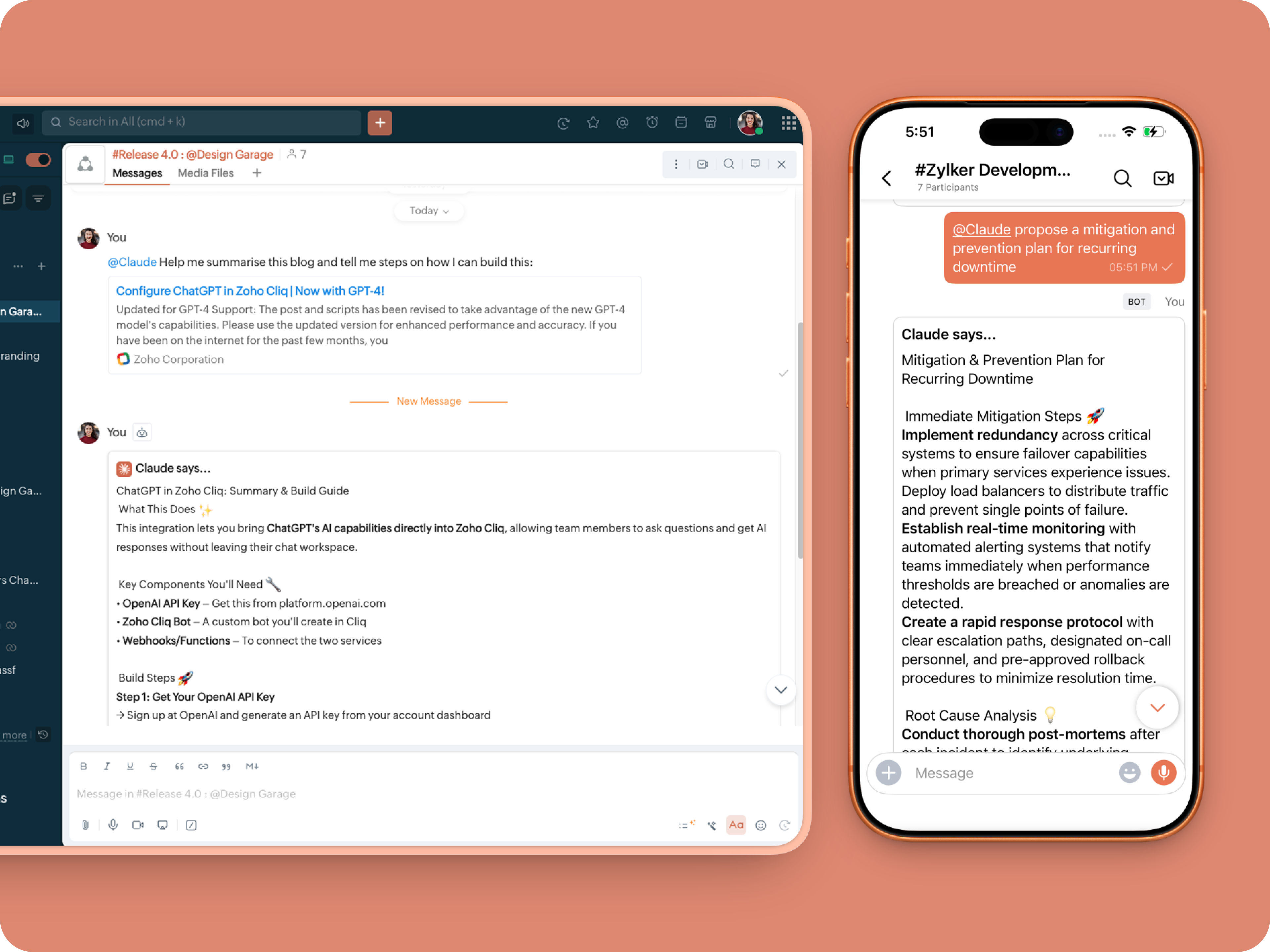
What does this do: This is to allow Claude to be @mentioned in any chat.
- userMessageText = "";
- fileAction = false;
- repliedMessage = false;
- if(message_details.get("message").containKey("replied_message"))
- {
- repliedMessage = true;
- replyMessageID = message_details.get("message").get("replied_message").get("id");
- messageType = message_details.get("message").get("replied_message").get("type");
- if(messageType == "text" || messageType == "card")
- {
- userMessageText = message_details.get("message").get("replied_message").get("text");
- }
- else
- {
- fileType = message_details.get("message").get("replied_message").get("file").get("type");
- if(fileType != "application/pdf")
- {
- return {"type":"banner","text":"Only PDF files are supported for this action","status":"failure"};
- }
- else
- {
- fileAction = true;
- }
- }
- }
- promptInstruction = "\"### Instructions ⓘ \nProvide a human-digestible, highly organized response (300-500 characters). Break down your output into bite-sized paragraphs and use bolding to guide the reader's eye. *Strictly avoid tables.* Use plenty of white space and only ### headings for a clean look. \n\n ### Formatting Protocol • \n - Bold: *text* \n - Italic: _text_ \n - Strike: ~text~ \n - Underline: __underline__ \n - Headers: ### Title \n - Quote: \"quote\" \n - Blockquote: > text \n - Bullets: Use • or → for lists \n - Emojis: Use ✨, 🚀, or 💡 to highlight key takeaways \n - Separator: --- \n\n ### and replace ** to *";
- userPrompt = "";
- if(message.trim().length() > 0)
- {
- userPrompt = "Action: " + message + "\n\n\n" + userMessageText + "\n\n\n" + promptInstruction;
- }
- else
- {
- userPrompt = "Action: " + userMessageText + "\n\n\n" + promptInstruction;
- }
- // Set up API headers
- apiHeaders = Map();
- apiHeaders.put("anthropic-version","2023-06-01");
- apiHeaders.put("Content-type","application/json");
- apiHeaders.put("ENTER-APIKEY-HERE");
- // Don't forget your API key!
- // Check if message is text-only or contains a file
- if(!fileAction)
- {
- // Handle text-only message
- requestPayload = {"max_tokens":1024,"messages":{{"content":userPrompt,"role":"user"}},"model":"claude-sonnet-4-5-20250929"};
- }
- else
- {
- // Handle message with file attachment
- uploadedFile = invokeurl
- [
- url :message_details.get("message").get("replied_message").get("file").get("url")
- type :GET
- connection:"ENTER-CONNECTION-NAME"
- ];
- info uploadedFile;
- // uploadedFile = message.get("content").get("file").get("name");
- base64EncodedFile = zoho.encryption.base64Encode(uploadedFile);
- if(message_details.get("message").get("replied_message").containKey("comment"))
- {
- comment = message_details.get("message").get("replied_message").get("comment");
- userPrompt = userPrompt + "\n" + comment;
- }
- else
- {
- userPrompt = userPrompt;
- }
- mediaType = "application/pdf";
- requestPayload = {"max_tokens":1024,"messages":{{"role":"user","content":{{"type":"document","source":{"type":"base64","media_type":mediaType,"data":base64EncodedFile}},{"type":"text","text":userPrompt}}}},"model":"claude-sonnet-4-5-20250929"};
- }
- info requestPayload;
- // Make API call to Claude
- claudeApiResponse = invokeurl
- [
- url :"https://api.anthropic.com/v1/messages"
- type :POST
- parameters:requestPayload + ""
- headers:apiHeaders
- detailed:true
- ];
- info claudeApiResponse;
- // Extract the actual text response
- if(claudeApiResponse.get("responseCode") == 200)
- {
- responseBody = claudeApiResponse.get("responseText");
- parsedResponse = responseBody.toMap();
- claudeMessage = parsedResponse.get("content").get(0).get("text").replaceAll("\n\n","\n").remove("---").remove("#");
- if(claudeMessage.length() > 4000)
- {
- claudeMessage = claudeMessage.subString(0,4000) + "...";
- }
- info "Claude's Response: " + claudeMessage;
- }
- else
- {
- responseBody = claudeApiResponse.get("responseText");
- parsedResponse = responseBody.toMap();
- claudeMessage = "*" + parsedResponse.get("error").get("type") + "* \n" + parsedResponse.get("error").get("message");
- info "API Error: " + claudeApiResponse;
- }
- responseContent = {"text":claudeMessage,"card":{"title":"Claude says...","icon":"https://uxwing.com/wp-content/themes/uxwing/download/brands-and-social-media/claude-ai-icon.png"}};
- info responseContent;
- if(repliedMessage)
- {
- responseContent.put("reply_to",replyMessageID);
- }
- info zoho.cliq.postToChat(chat.get("id"),responseContent);
- return Map();
Message Action
What does it do: Allow Claude to act on any message or file.
 ⓘ For files, we've extended this to only PDF file formats for now to keep implementation predictable and to avoid unsupported file formats
What we're adding:
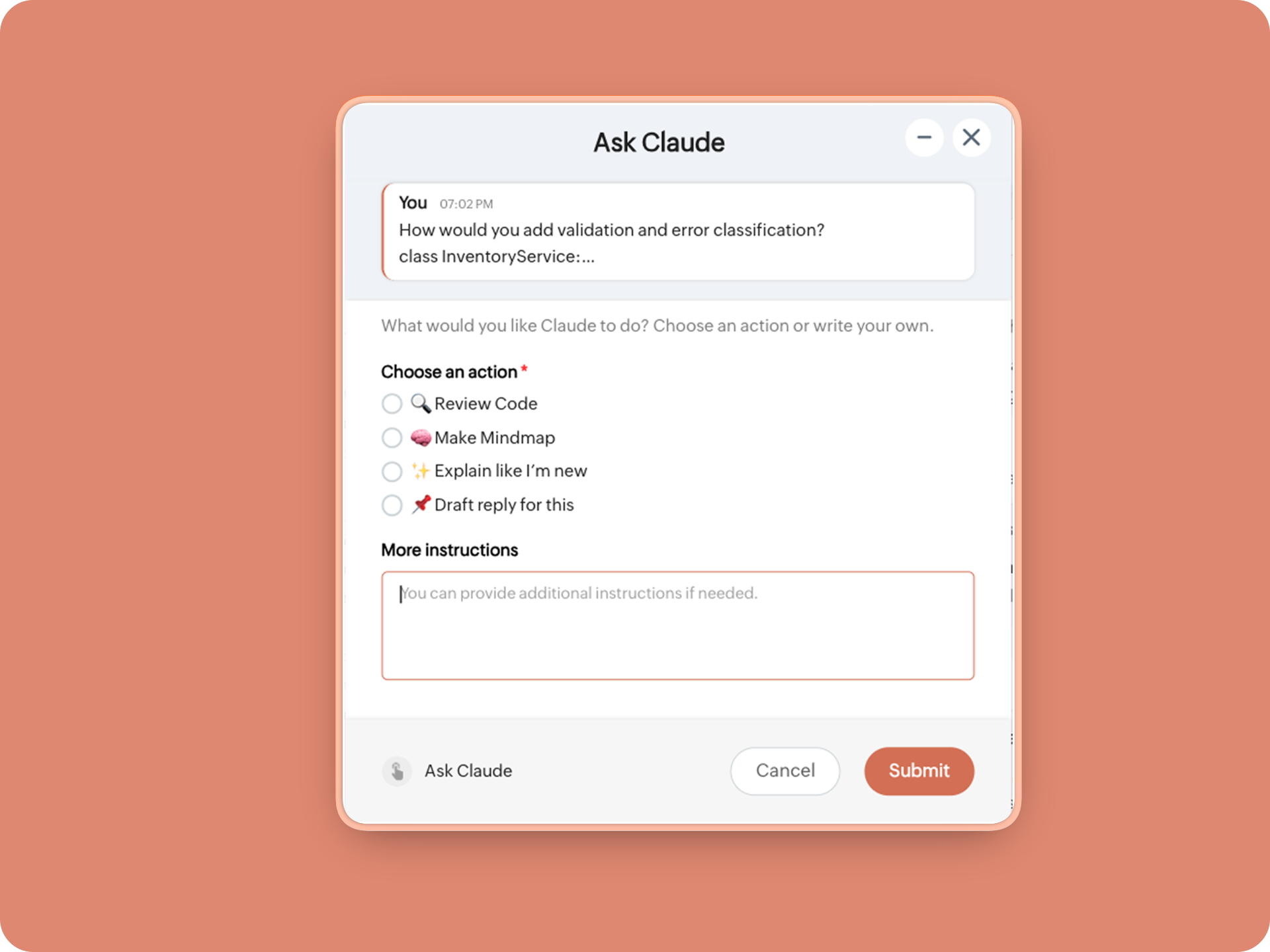
1. When executed on any message, a form opens to prompt:
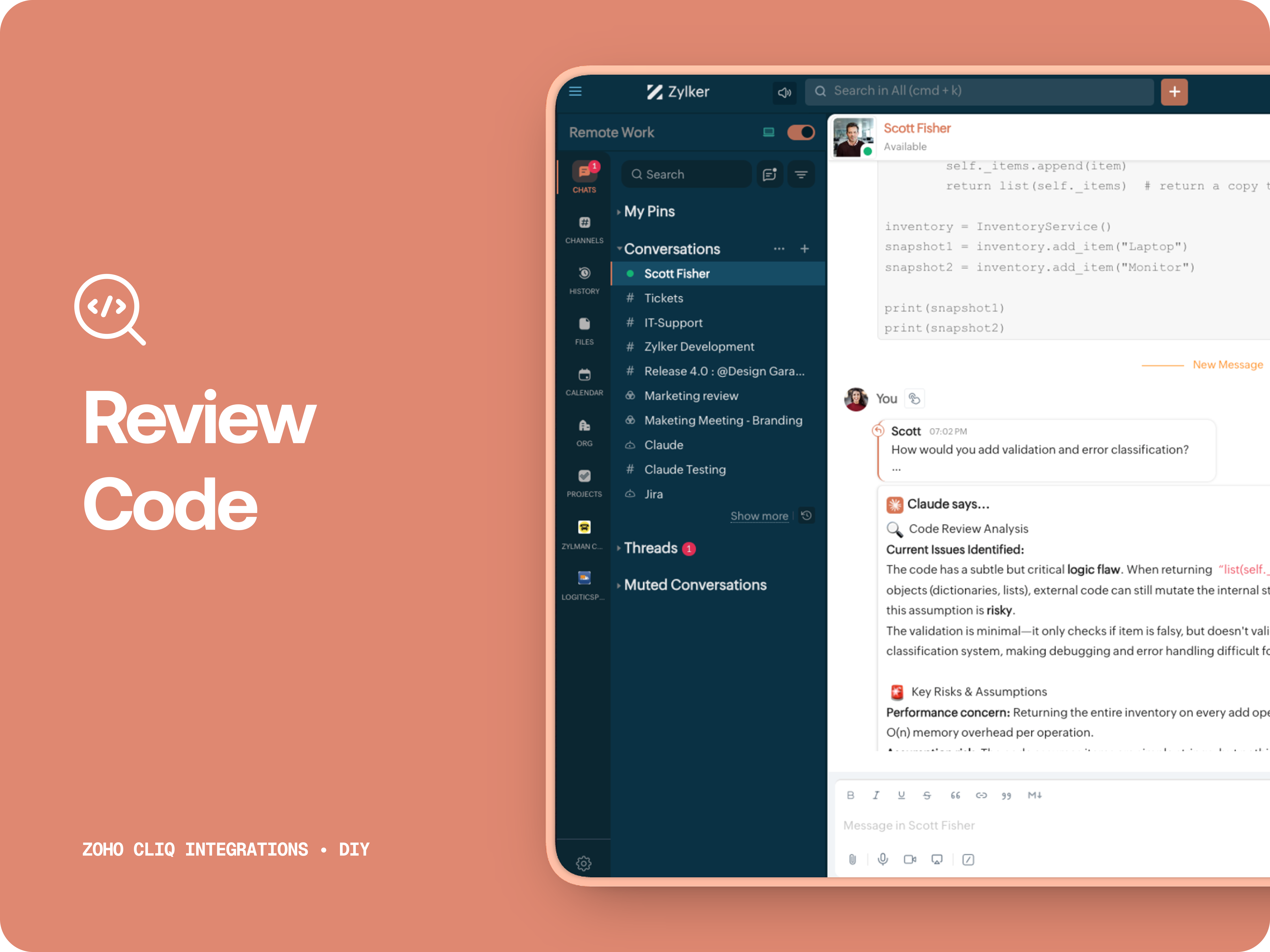
A. 🔍 Review code
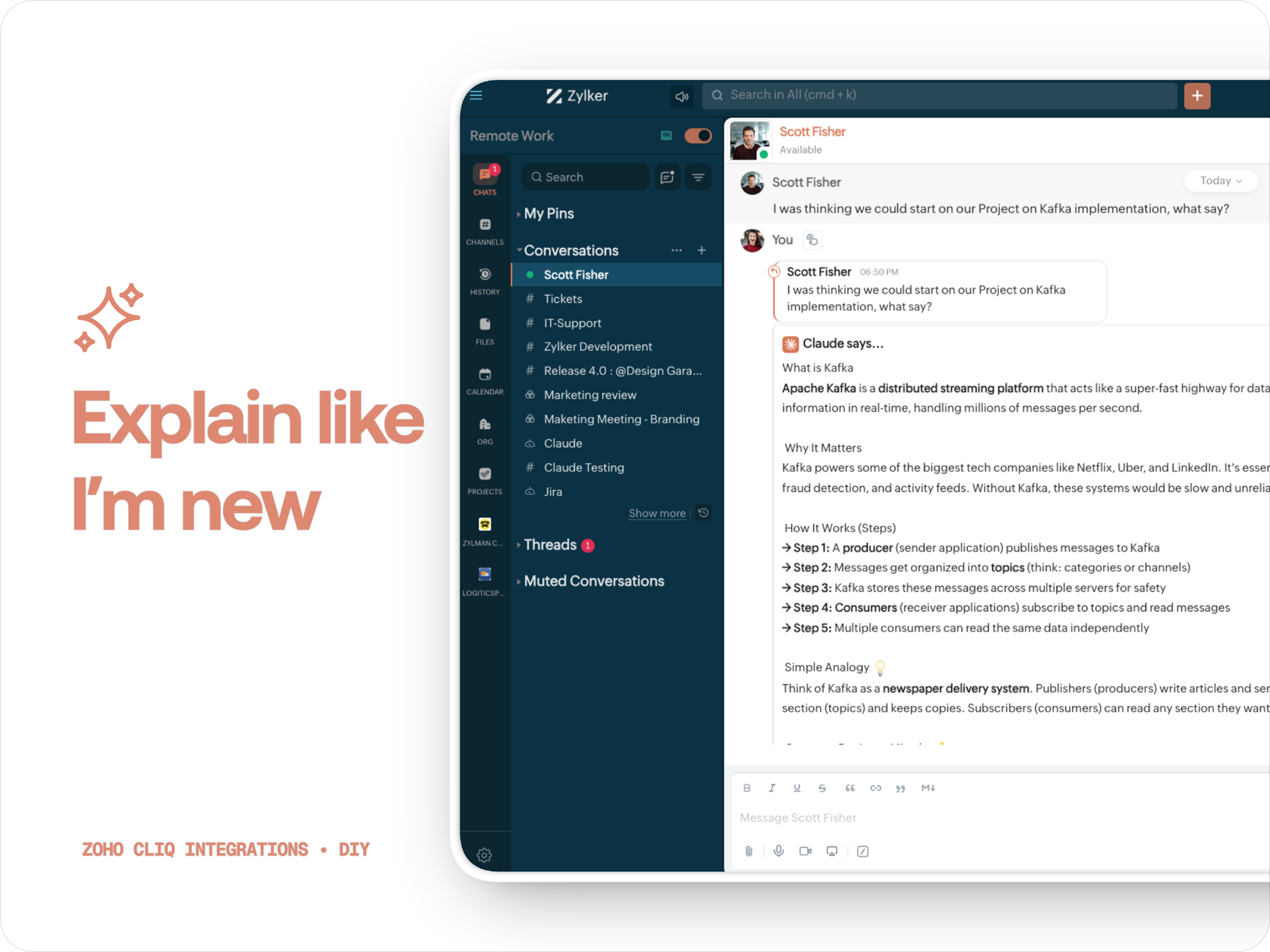
Claude teaches you what it is, why it matters, how it works, an analogy or common mistakes for any concept.
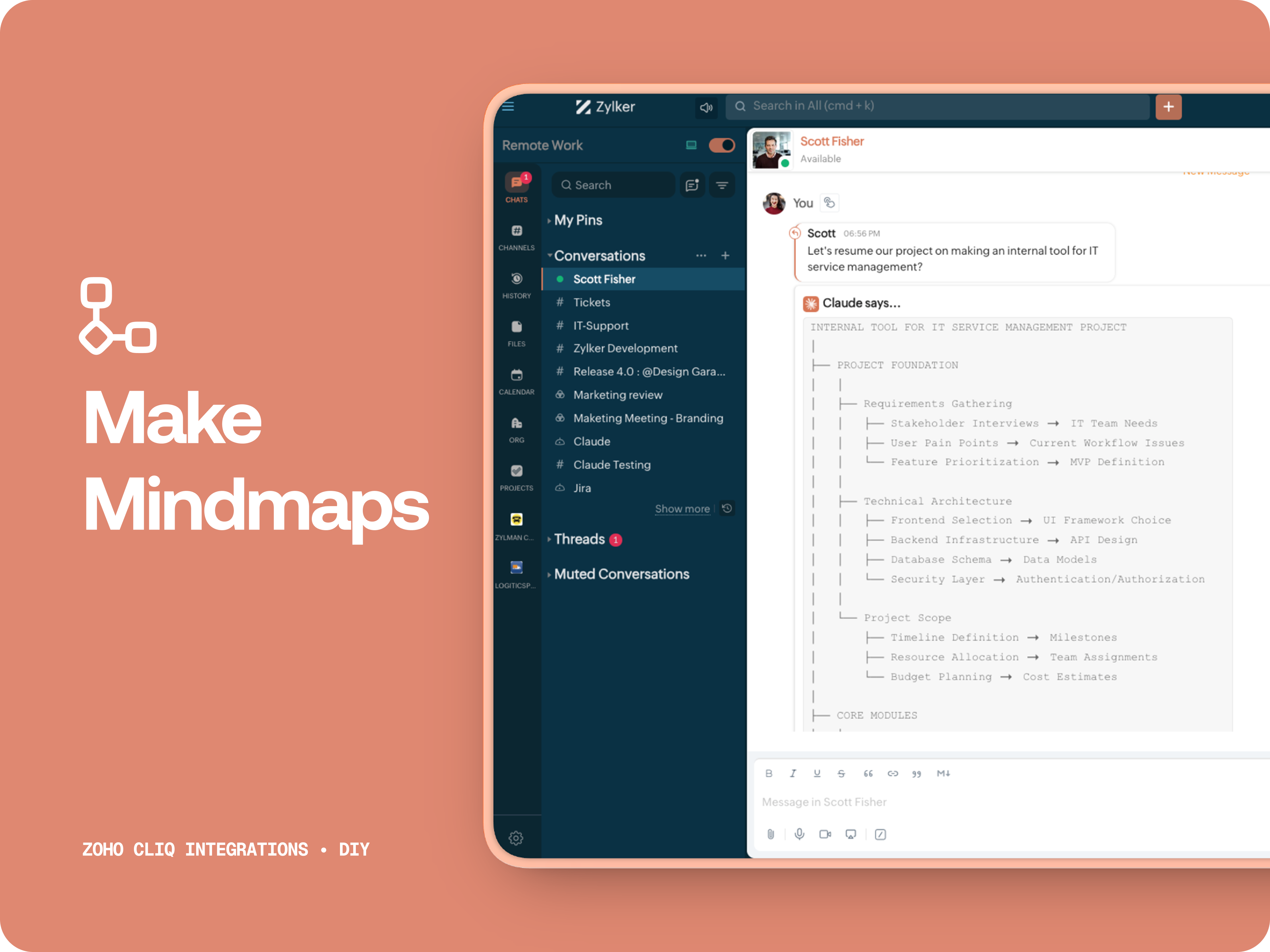
C. 🧠 Make Mindmap
Converts content into a structured ASCII flow chart for explaining system designs, feature breakdowns or general product thinking.
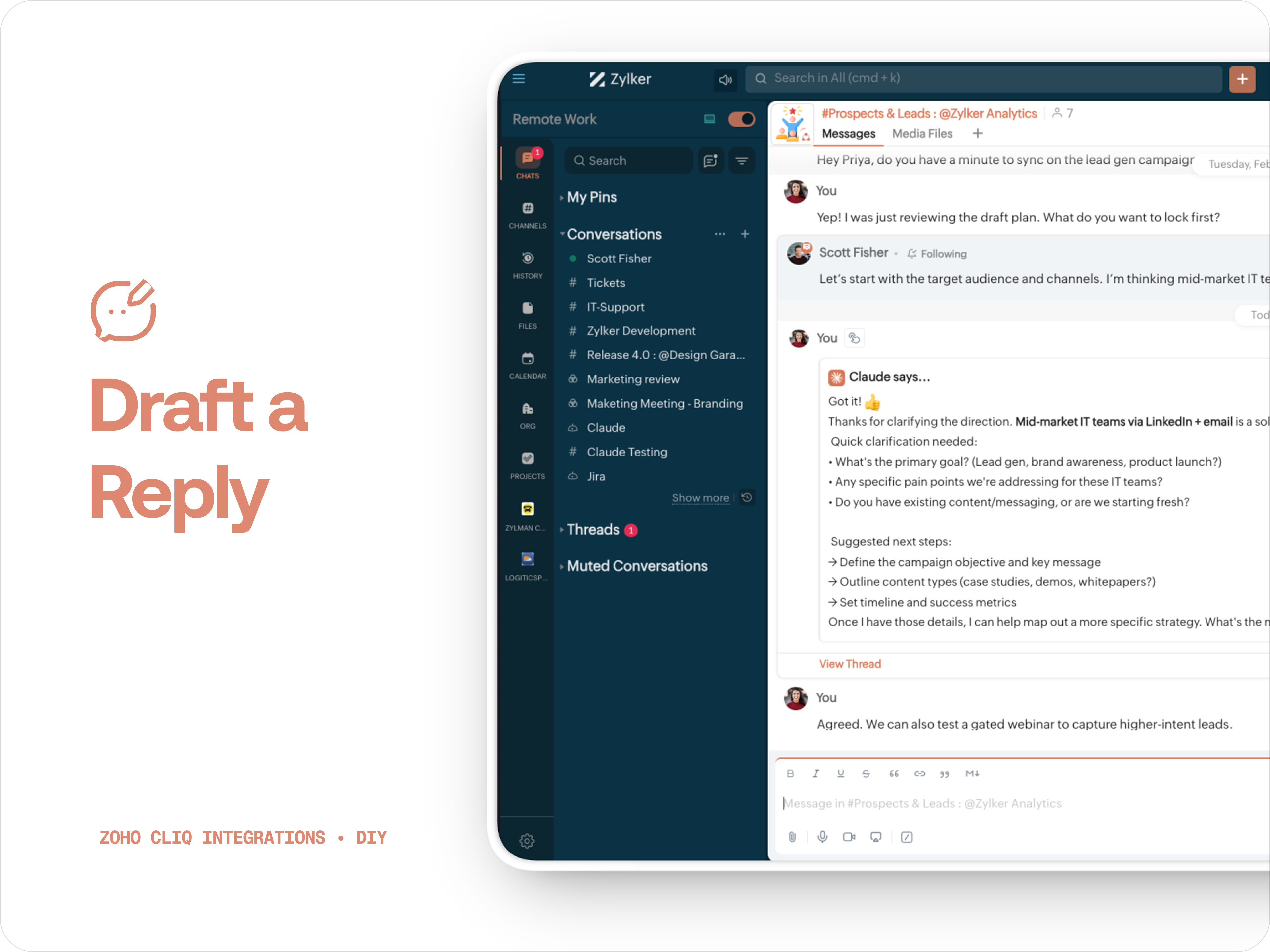
D. 📌 Draft a reply
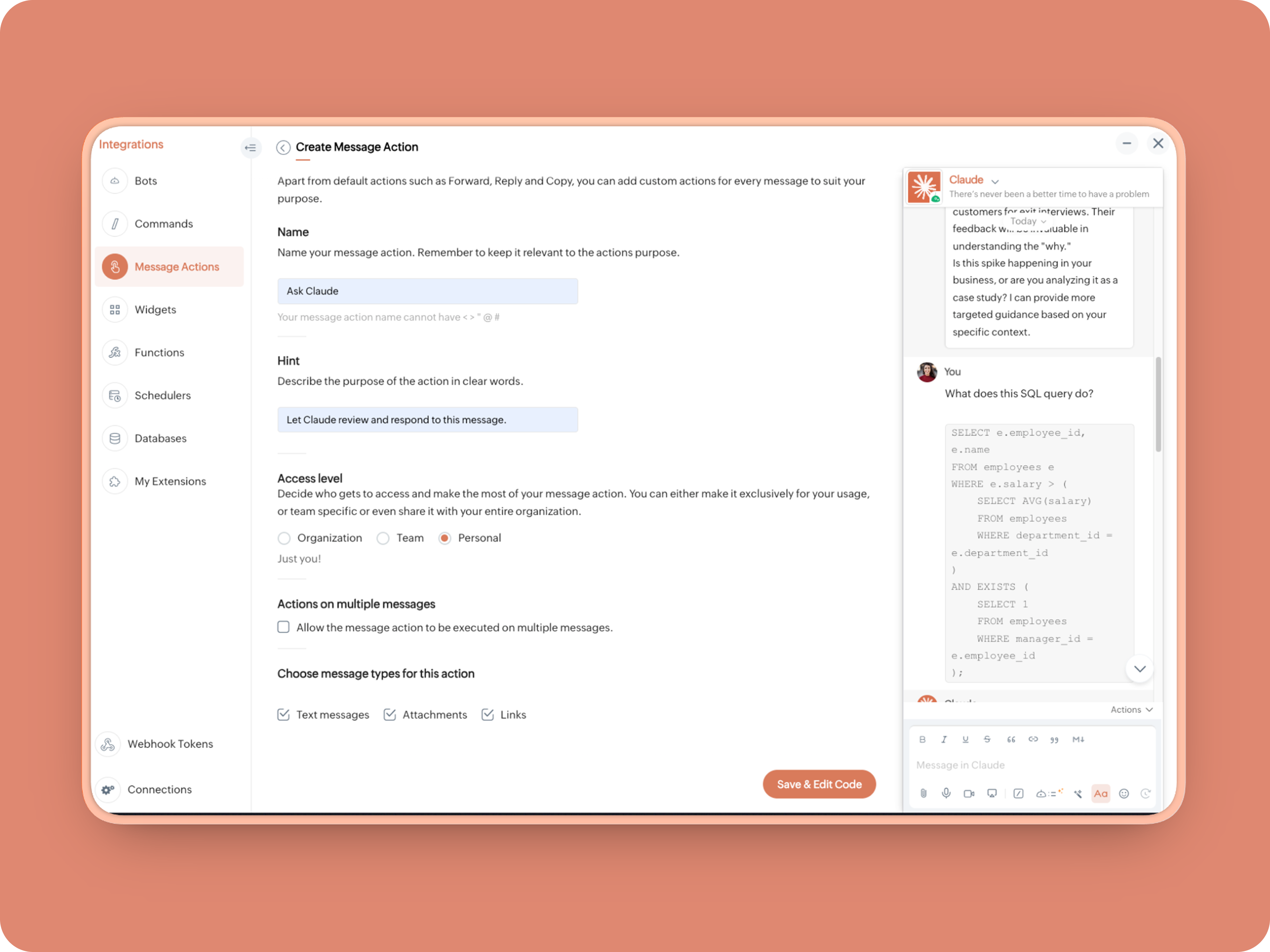
How to create:
1. Create a Message Action, name it Ask Claude and give any description of your choice.
- info message;
- returnForm = false;
- if(message.get("type") == "file")
- {
- fileType = message.get("content").get("file").get("type");
- if(fileType != "application/pdf")
- {
- return {"type":"banner","text":"Only PDF files are supported for this action","status":"failure"};
- }
- }
- inputs = list();
- inputs.add({"label":"Choose an action","name":"action","mandatory":true,"type":"radio","options":{{"value":"reviewcode","label":"🔍 Review Code"},{"value":"explainthis","label":"🧠 Make Mindmap"},{"value":"ExplainlikeImnew","label":"✨ Explain like I’m new"},{"value":"Draftreplyforthis","label":"📌 Draft reply for this"}}});
- inputs.add({"label":"More instructions","name":"additionalInstructions","placeholder":"You can provide additional instructions if needed.","min_length":"0","max_length":"500","mandatory":false,"type":"textarea"});
- return {"type":"form","title":"Ask Claude","hint":"What would you like Claude to do? Choose an action or write your own.","name":"INSERT-FUNCTION-NAME","button_label":"Submit","inputs":inputs,"action":{"type":"invoke.function","name":"INSERT-FUNCTION-NAME"}};
Form Function:
1.Go to Functions → Name your function (Eg. askclaude) and add description
2. Select Form function
3. Create
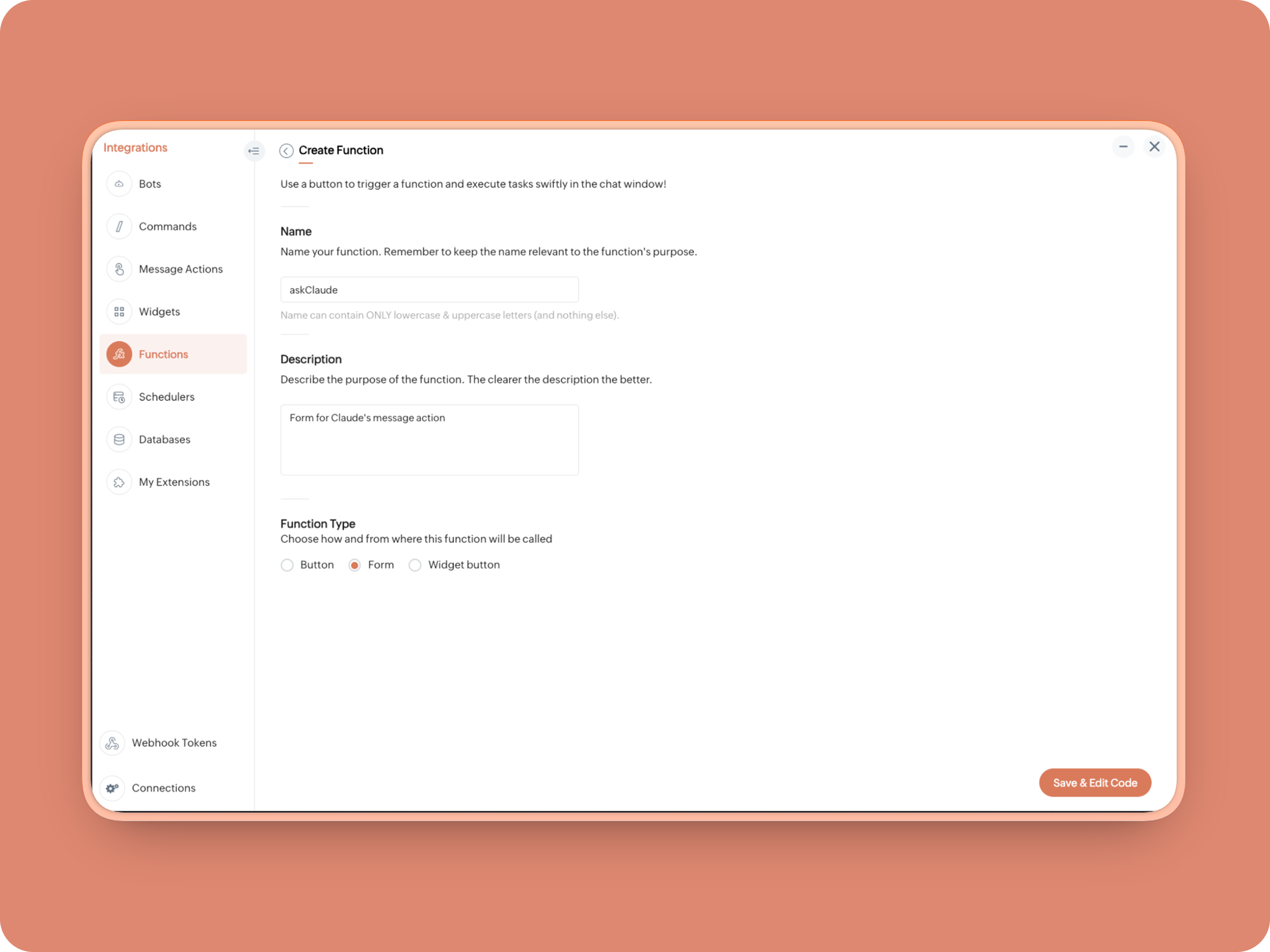
Once created, in the Form Submit Handler, paste this code:
- info form;
- info message;
- // Set up API headers
- apiHeaders = Map();
- apiHeaders.put("anthropic-version","2023-06-01");
- apiHeaders.put("Content-type","application/json");
- apiHeaders.put("ENTER-APIKEY-HERE");
- // Don't forget your API key!
- actionType = form.get("values").get("action").get("value");
- promptInstruction = "\"### Instructions ⓘ \nProvide a human-digestible, highly organized response (250-300 characters). Break down your output into bite-sized paragraphs and use bolding to guide the reader's eye. *Strictly avoid tables.* Use plenty of white space and only ### headings for a clean look. \n\n ### Formatting Protocol • \n - Bold: *text* \n - Italic: _text_ \n - Strike: ~text~ \n - Underline: __underline__ \n - Headers: ### Title \n - Quote: \"quote\" \n - Blockquote: > text \n - Bullets: Use • or → for lists \n - Emojis: Use ✨, 🚀, or 💡 to highlight key takeaways \n - Separator: --- \n\n ### and replace all ** to *";
- if(actionType == "reviewcode")
- {
- userPrompt = "🔍 You are a senior engineer. \nReview this code: \n• List bugs or logical errors \n• Note assumptions and risks \n• Suggest improvements \n• Provide corrected code \n• Explain why your version is better\n\n\n" + promptInstruction;
- }
- else if(actionType == "explainthis")
- {
- userPrompt = "🧠 You are a systems thinker. \n•Convert the input into a visual flow chart using plain text. \n•Strict Output Rules \n•Output ONLY inside a triple backtick code block \n•Do NOT use Mermaid \n•Do NOT write paragraphs \n•Do NOT explain anything \n•Do NOT use bullet lists outside structure \n•Use ASCII connectors to form a real flow chart \n•Use arrows (→, ↓, ↳, ├──, └──) to show relationships \n•Maintain clear hierarchy and spacing \n•One single root at the top \n•Logical directional flow (top → down) \n•Structure Requirements \n•Root node at top \n•First-level branches below \n•Subpoints indented \n•Cross-links if relevant \n•Clean spacing \n•No duplicated nodes \n•Required Format Example \n•MAIN IDEA \n•Branch 1 -> Subpoint -> Subpoint \n•Branch 2 -> Subpoint ->Subpoint \n•Branch 3 -> Subpoint -> Subpoint\n\n\n" + promptInstruction;
- }
- else if(actionType == "ExplainlikeImnew")
- {
- userPrompt = "✨ You are a teacher for beginners. \nExplain: \n• What it is \n• Why it matters \n• How it works (steps) \n• A simple analogy \n• One common beginner mistake\n\n\n" + promptInstruction;
- }
- else if(actionType == "Draftreplyforthis")
- {
- userPrompt = "📌 You are a professional responder. \nReply to this message: \n• Directly address main point \n• Ask for clarification if needed \n• Suggest next steps \n• Keep it concise and clear \n• Make sure message in a buisness casual tone, consise, human written.\n\n\n" + promptInstruction;
- }
- if(form.get("values").get("additionalInstructions").length() > 0)
- {
- userPrompt = userPrompt + "\n" + form.get("values").get("additionalInstructions");
- }
- // Check if message is text-only or contains a file
- if(message.get("type") == "text" || message.get("type") == "card")
- {
- // Handle text-only message
- userMessageText = message.get("text");
- requestPayload = {"max_tokens":1024,"messages":{{"content":userPrompt + "\n\n" + userMessageText,"role":"user"}},"model":"claude-sonnet-4-5-20250929"};
- }
- else
- {
- // Handle message with file attachment
- uploadedFile = invokeurl
- [
- url :"https://cliq.zoho" + environment.get("tld") + "/api/v2/files/" + message.get("content").get("file").get("id")
- type :GET
- connection:"ENTER-CONNECTION-NAME"
- ];
- info uploadedFile;
- base64EncodedFile = zoho.encryption.base64Encode(uploadedFile);
- if(message.get("content").containKey("comment"))
- {
- comment = message.get("content").get("comment");
- userPrompt = userPrompt + "\n" + comment;
- }
- else
- {
- userPrompt = userPrompt;
- }
- mediaType = message.get("content").get("file").get("type");
- mediaType = "application/pdf";
- requestPayload = {"max_tokens":1024,"messages":{{"role":"user","content":{{"type":"document","source":{"type":"base64","media_type":mediaType,"data":base64EncodedFile}},{"type":"text","text":userPrompt}}}},"model":"claude-sonnet-4-5-20250929"};
- }
- info requestPayload;
- // Make API call to Claude
- claudeApiResponse = invokeurl
- [
- url :"https://api.anthropic.com/v1/messages"
- type :POST
- parameters:requestPayload + ""
- headers:apiHeaders
- detailed:true
- ];
- // info claudeApiResponse;
- // Extract the actual text response
- if(claudeApiResponse.get("responseCode") == 200)
- {
- responseBody = claudeApiResponse.get("responseText");
- parsedResponse = responseBody.toMap();
- claudeMessage = parsedResponse.get("content").get(0).get("text").replaceAll("\n\n","\n").remove("---").remove("#");
- if(claudeMessage.length() > 4000)
- {
- claudeMessage = claudeMessage.subString(0,4000) + "...";
- }
- info "Claude's Response: " + claudeMessage;
- }
- else
- {
- responseBody = claudeApiResponse.get("responseText");
- parsedResponse = responseBody.toMap();
- claudeMessage = "*" + parsedResponse.get("error").get("type") + "* \n" + parsedResponse.get("error").get("message");
- info "API Error: " + claudeApiResponse;
- }
- responseContent = {"text":claudeMessage,"card":{"title":"Claude says...","icon":"https://uxwing.com/wp-content/themes/uxwing/download/brands-and-social-media/claude-ai-icon.png"},"reply_to":message.get("id")};
- info responseContent;
- info zoho.cliq.postToChat(chat.get("id"),responseContent);
- return Map();
When triggered: Opens a form → User selects an action → Adds additional instructions → Submits → Claude processes the selected message
What you built today is just the foundation.
Shape it around how your team actually works. Extend it to turn discussions into action items, review PRs before they’re merged, generate standup updates, extract tasks automatically, or create knowledge snippets from resolved threads.
Start with one real pain point. Solve it well. Then layer more intelligence on top.
The structure is already there. The possibilities are yours.
🔗 Explore Zoho Cliq: Developer Platform
🔗 Explore Anthropic API Docs
Topic Participants
Riya Raghunath
Sticky Posts
Cliq Bots - Post message to a bot using the command line!
If you had read our post on how to post a message to a channel in a simple one-line command, then this sure is a piece of cake for you guys! For those of you, who are reading this for the first time, don't worry! Just read on. This post is all about howAdd Claude in Zoho Cliq
Let’s add a real AI assistant powered by Claude to your workspace this week, that your team can chat with, ask questions, and act on conversations to run AI actions on. This guide walks you through exactly how to do it, step by step, with all the codeAutomating Employee Birthday Notifications in Zoho Cliq
Have you ever missed a birthday and felt like the office Grinch? Fear not, the Cliq Developer Platform has got your back! With Zoho Cliq's Schedulers, you can be the office party-cipant who never forgets a single cake, balloon, or awkward rendition ofAutomate attendance tracking with Zoho Cliq Developer Platform
I wish remote work were permanently mandated so we could join work calls from a movie theatre or even while skydiving! But wait, it's time to wake up! The alarm has snoozed twice, and your team has already logged on for the day. Keeping tabs on attendanceCustomer payment alerts in Zoho Cliq
For businesses that depend on cash flow, payment updates are essential for operational decision-making and go beyond simple accounting entries. The sales team needs to be notified when invoices are cleared so that upcoming orders can be released. In contrast,
Recent Topics
How do i integrate google analytics to Zoho Campaigns?
Looking to track Zoho Traffic from email Current topic is outdatedHow do teams manage meeting follow-ups across Zoho tools?
We’re using Zoho tools for collaboration and tracking, but managing meeting notes, action items, and follow-ups across teams is still challenging. Curious how others are handling this within Zoho workflows. Are there best practices or integrations thatMejoras urgentes para ZOHO MEETING
Tengo unos meses usando Zoho Meeting. En general, es buena, pero hay cosas vitales que no logra cumplir con mínima calidad. 1) Calidad de audio y video: urge mejoras. Audio con retraso, imagen borrosa, mal recorte de silueta con fondos virtuales. Además,Saving sent email campaign as PDF
I'm looking to add all campaigns sent to an archive folder in sharepoint. Is there anyway to accomplish this in Zoho Flow ? I'm falling at the first hurdle ... can I automatically save a sent campaign as a PDF to a folder location ?Exporting All Custom Functions in ZohoCRM
Hello, All I've been looking for a way to keep about 30 functions that I have written in Zoho CRM updated in my own repository to use elsewhere in other instances. A github integration would be great, but a way to export all custom functions or any wayConditional Layouts On Multi Select Field
How we can use Conditional Layouts On Multi Select Field field? Please help.Appreciation to Qntrl Support Team
We are writing this topic to appreciate the outstanding level of support from Qntrl Team. We have been using Qntrl since 2022 after shifting from another similar platform. Since we joined Qntrl, the team has shown a high level of professionalism, support,How can I hide "My Requests" and "Marketplace" icon from the side menu
Hello everybody, We recently started using the new Zoho CRM for Everyone. How can I hide "My Requests" and "Marketplace" from the side menu? We don't use these features at the moment, and I couldn't find a way to disable or remove them. Best regards,Whatsapp Integration on Zoho Campaign
Team: Can the messages from Zoho Campaign delivered through Whatsapp... now customers no longer are active on email, but the entire campaign module is email based.... when will it be available on whatsapp.... are there any thirdparty providers who canMandatory Field - but only at conversion
Hello! We use Zoho CRM and there are times where the "Lead Created Date & Time" field isn't populated into a "Contractor" (Account is the default phrase i believe). Most of my lead tracking is based on reading the Lead Created field above, so it's importantUsing data fields in Zoho Show presentations to extract key numbers from Zia insights based on a report created
Is it possible to use data fields in Zoho Show presentations along with Zoho Analytics to extract key numbers from Zia insights based on a report created? For example, using this text below: (note that the numbers in bold would be from Zia Insights) RevenueFree webinar: AI-powered agreement management with Zoho Sign
Hi there! Does preparing an agreement feel like more work than actually signing it? You're definitely not alone. Between drafting the document, managing revisions, securing internal approvals, and rereading clauses to make sure everything still reflectsWhatsApp Channels in Zoho Campaigns
Now that Meta has opened WhatsApp Channels globally, will you add it to Zoho Campaigns? It's another top channel for marketing communications as email and SMS. Thanks.CRM For Everyone - Bring Back Settings Tile View
I've been using CRM for Everyone since it was in early access and I just can't stand the single list settings menu down the left-hand side. It takes so much longer to find the setting I need. Please give users the option to make the old sytle tile viewLets have Dynamics 365 integration with Zohobooks
Lets have Dynamics 365 integration with ZohobooksAdd notes in spreadsheet view
It would be great if we could Add/edit notes in the spreadsheet view of contacts/leads. This would enable my sales teams to greatly increase their number of calls. Also viewing the most recent note in the Contact module would also be helpful.Opening balances - Accounts Receivable and Payable
Our accounting year starts on 1st August 2013 and I have a Trial Balance as at that date, including Accounts Receivableand Accounts Payable balances, broken down by each customer and supplier. Q1 - do I show my opening balance date as 31st July 2013 orCancel Subscription
Hi , Im want to cancel my account but without success please help me to do itMaking an email campaign into a Template
I used a Zoho Campaign Template to create an email. Now I want to use this email and make it a new template, but this seems to be not possible. Am I missing something?Direct Access and Better Search for Zoho Quartz Recordings
Hi Zoho Team, We would like to request a few enhancements to improve how Zoho Quartz recordings are accessed and managed after being submitted to Zoho Support. Current Limitation: After submitting a Quartz recording, the related Zoho Support ticket displaysMultiple Cover Letters
We are using the staffing firm edition of Recruit and we have noticed that candidates cannot add more than one cover letter. This is a problem as they might be applying for multiple jobs on our career site and when we submit their application to a client,URGENT: Deluge issue with Arabic text Inbox
Dear Deluge Support, We are facing an issue that started on 12/Feb/2026 with custom functions written using Deluge within Qntrl platform. Currently, custom functions do not accept Arabic content; it is replaced with (???) characters. Scenario 1: If weFile Conversion from PDF to JPG/PNG
Hi, I have a question did anyone every tried using custom function to convert a PDF file to JPG/PNG format? Any possibility by using the custom function to achieve this within zoho apps. I do know there are many third parties API provide this withNow in Zoho One: Orchestrate customer journeys across apps with Zoho CommandCenter
Hello Zoho One Community! We’re excited to introduce Zoho CommandCenter as a new capability available in Zoho One. For the whole customer journey As Zoho One customers adopt more apps across sales, marketing, finance, and support, a common challenge emerges:annualy customer report
we need a report per customer that looks like this invoic number cleaning laundry repair management 01 january xxx euro xx euro xx euro xxx euro 02 february xxx euro xxx euro x euro xxxx euro and so on the years 12 months is that possible to make andTotals for Sales Tax Report
On the sales tax report, the column totals aren't shown for any column other than Total Tax. I can't think of a good reason that they shouldn't be included for the other columns, as well. It would help me with my returns, for sure. It seems ludicrousFree Webinar: Zoho Sign for Zoho Projects: Automate tasks and approvals with e-signatures
Hi there! Handling multiple projects at once? Zoho Projects is your solution for automated and streamlined project management, and with the Zoho Sign extension, you can sign, send, and manage digital paperwork directly from your project workspace. JoinExported Report File Name
Hi, We often export reports for information. It is time consuming to rename all the reports we export on a weekly basis, as when exported their default name is a seemingly random string of numbers. These numbers may be important, I'm not sure, but I amAutomatic Refresh on Page?
Hi everyone, We use a page as a dashboard which shows data for the laboratory and tasks pending etc. Is there a way to set the page to automatically refresh on a X time? Many thanks TOGAdd RTL and Hebrew Support for Candidate Portal (and Other Zoho Recruit Portals)
Dear Zoho Recruit Team, I hope you're doing well. We would like to request the ability to set the Candidate Portal to be Right-to-Left (RTL) and in Hebrew, similar to the existing functionality for the Career Site. Currently, when we set the Career SiteDefault Reminder Time in New Tasks or New Event?
Any way to change this from 1:00am? Thanks, Gary Moderation Update (February 2026): With the Calendar preferences, the default reminder time for Meetings, Appointments and All-Day Meetings can be set. Read more: Calendar preferences in Zoho CRM RegardingDynamic Field Folders in OneDrive
Hi, With the 2 options today we have either a Dynamic Parent Folder and lots of attachments all in that one folder with only the ability to set the file name (Which is also not incremented so if I upload 5 photos to one field they are all named the sameRight Shift key not sending to Zoho Assist environments
I'm unable to use Right Shift key in Zoho environments. Zoho environments are Win10. Computer I access from is Win 11. Issue started when I changed to Win 11. Have tried: - Multiple browsers - web client AND desktop client - 3rd party mapping tools toAbout Meetings (Events module)
I was working on an automation to cancel appointments in zoho flow , and in our case, we're using the Meetings module (which is called Events in API terms). But while working with it, I'm wondering what information I can display in the image where thePDF Annotation is here - Mark Up PDFs Your Way!
Reviewing PDFs just got a whole lot easier. You can now annotate PDFs directly in Zoho Notebook. Highlight important sections, add text, insert images, apply watermarks, and mark up documents in detail without leaving your notes. No app switching. NoAbility to assign Invoice Ownership through Deluge in FSM
Hi, As part of our process, when a service appointment is completed, we automated the creation of the invoice based on a specific business logic using Deluge. When we do that, the "Owner" of the invoice in Zoho FSM is defaulted to the SuperAdmin. ThisHow do you do ticket add ons in Backstage?
Hi Everyone, If you wanted to have general admin tickets and allow for add ons, like camping, or car or Carbon offset. What would you do? Peace RobinFrom Zoho CRM to Paper : Design & Print Data Directly using Canvas Print View
Hello Everyone, We are excited to announce a new addition to your Canvas in Zoho CRM - Print View. Canvas print view helps you transform your custom CRM layouts into print-ready documents, so you can bring your digital data to the physical world withvalidation rules doesn't work in Blueprint when it is validated using function?
I have tried to create a validation rule in the deal module. it works if I try to create a deal manually or if I try to update the empty field inside a deal. but when I try to update the field via the blueprint mandatory field, it seems the validationPull cells from one sheet onto another
Hello all! I have created an ingredients database where i have pricing and information and i want to pull from that database into a recipe calculator. I want it to pull based on what ingredient I choose. The ingredients database has an idea and i wantNext Page