Kiosk Studio Session 10 Renewal Risk Classification Inside Zoho CRM

Kiosk Studio Session 10 Renewal Risk Classification Inside Zoho CRM


Renewal management is vital in a recurring revenue business.

Your CRM already knows which accounts are at risk; the signals are present in contact titles, deal stages, call logs, account descriptions, and so on. What's missing is something that reads all of them together—on demand—and tells the CSM what to do next.

In this session, we'll go over how to build that in Zoho CRM using a kiosk with two Zia Agents embedded in it.

The signal problem in renewal management

A CSM managing 40 accounts can't manually cross-reference contact titles, deal stages, call logs, and account descriptions for every account before every renewal conversation. Synthesizing these signals consistently and at scale is not easy.

Deterministic tools can't help here; you can't configure a blueprint transition that reads an account description and evaluates whether it contains churn language, or build a kiosk that inspects the seniority of every associated contact and flags a gap in executive coverage. These are reasoning tasks, not rule execution tasks.

But if you hand that reasoning to an AI agent without any guardrails, you get a different problem. The agent might produce a confident-sounding classification based on incomplete retrieval, or recommend an escalation play that contradicts what the CSM already knows from a conversation last week.

How do we get the best of both worlds?

The resolution: bounded AI reasoning inside a deterministic review flow
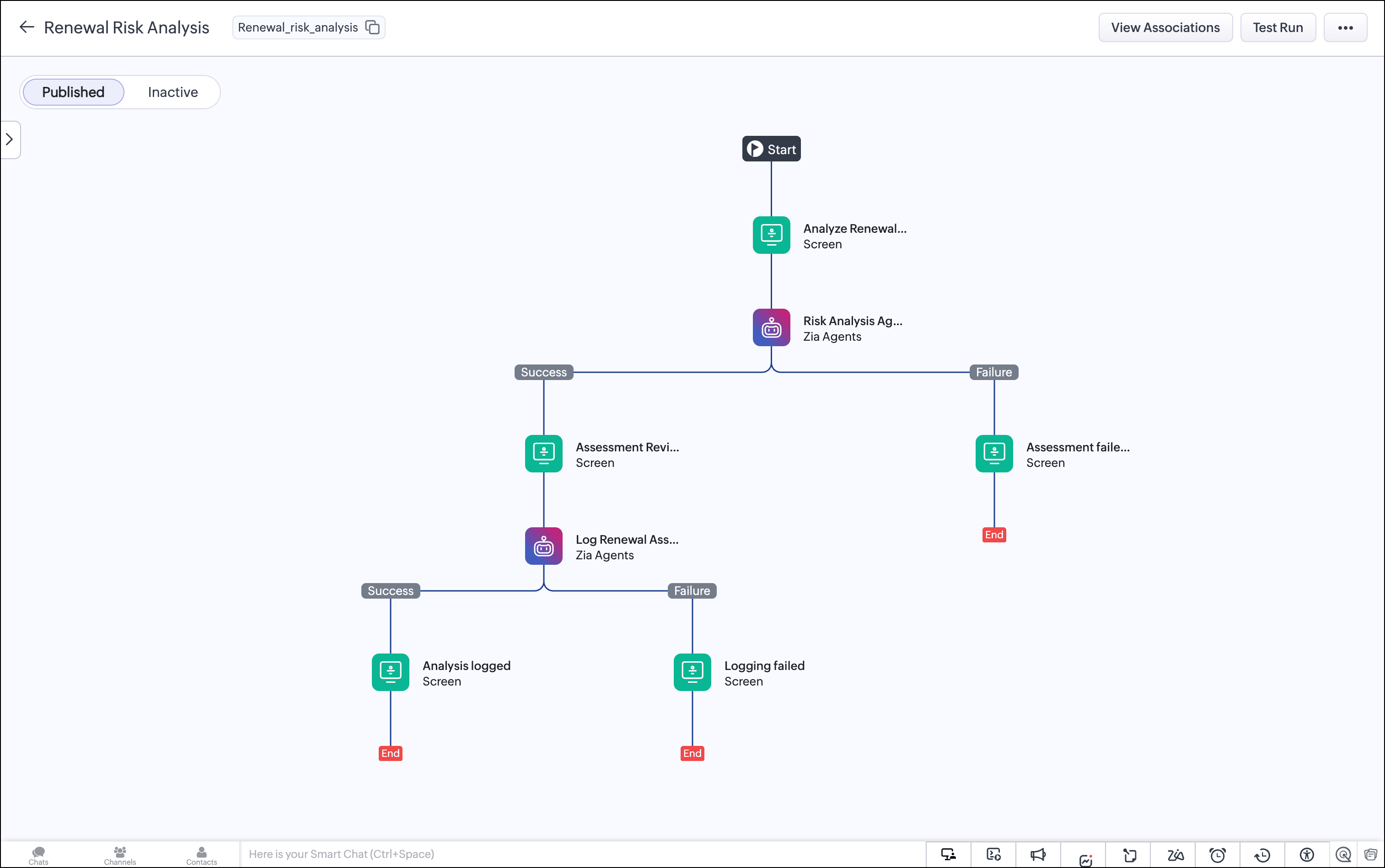

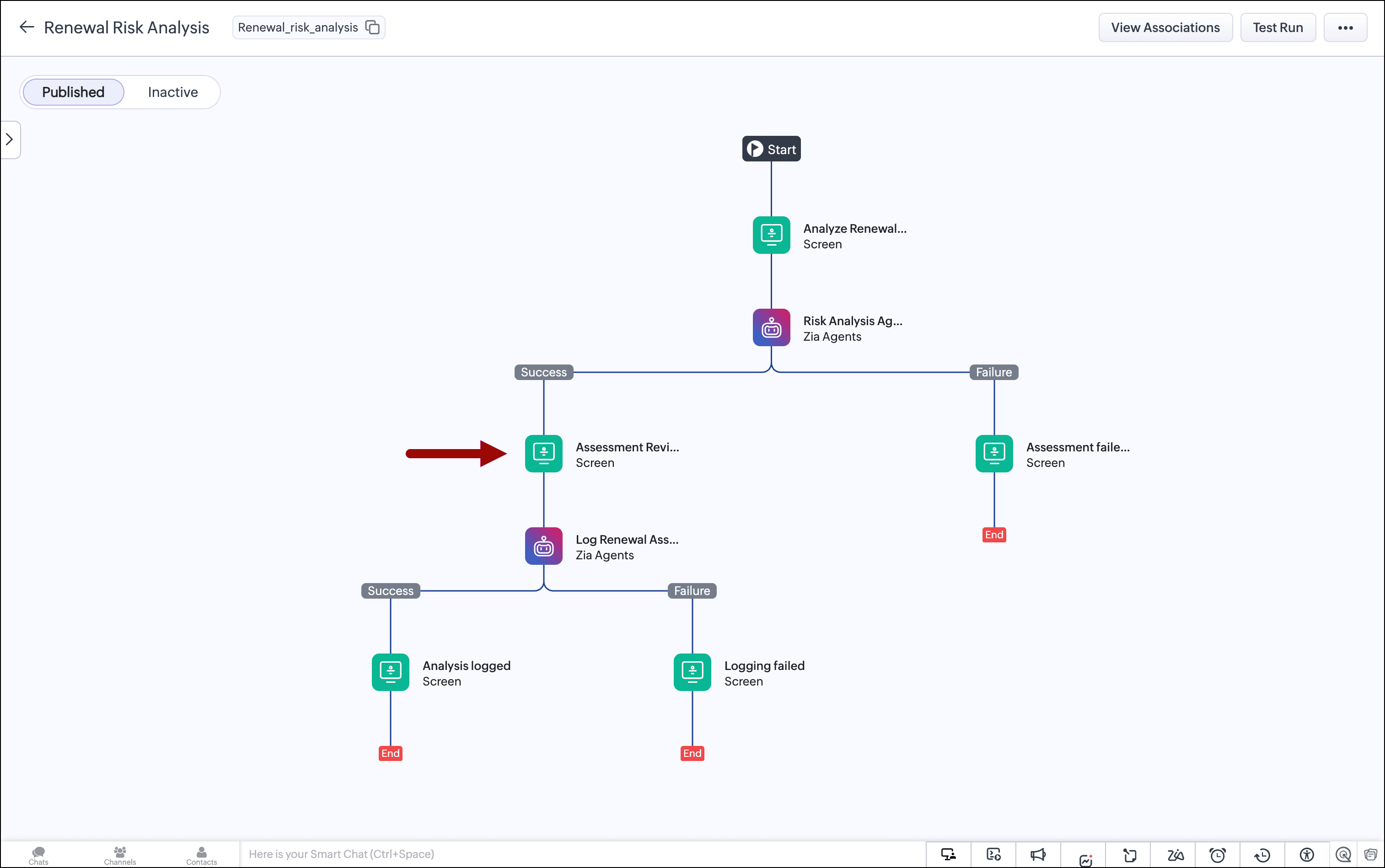
To resolve this tension, we built a renewal risk classifier that runs entirely inside Zoho CRM using two Zia Agents invoked natively inside a Kiosk Studio flow:

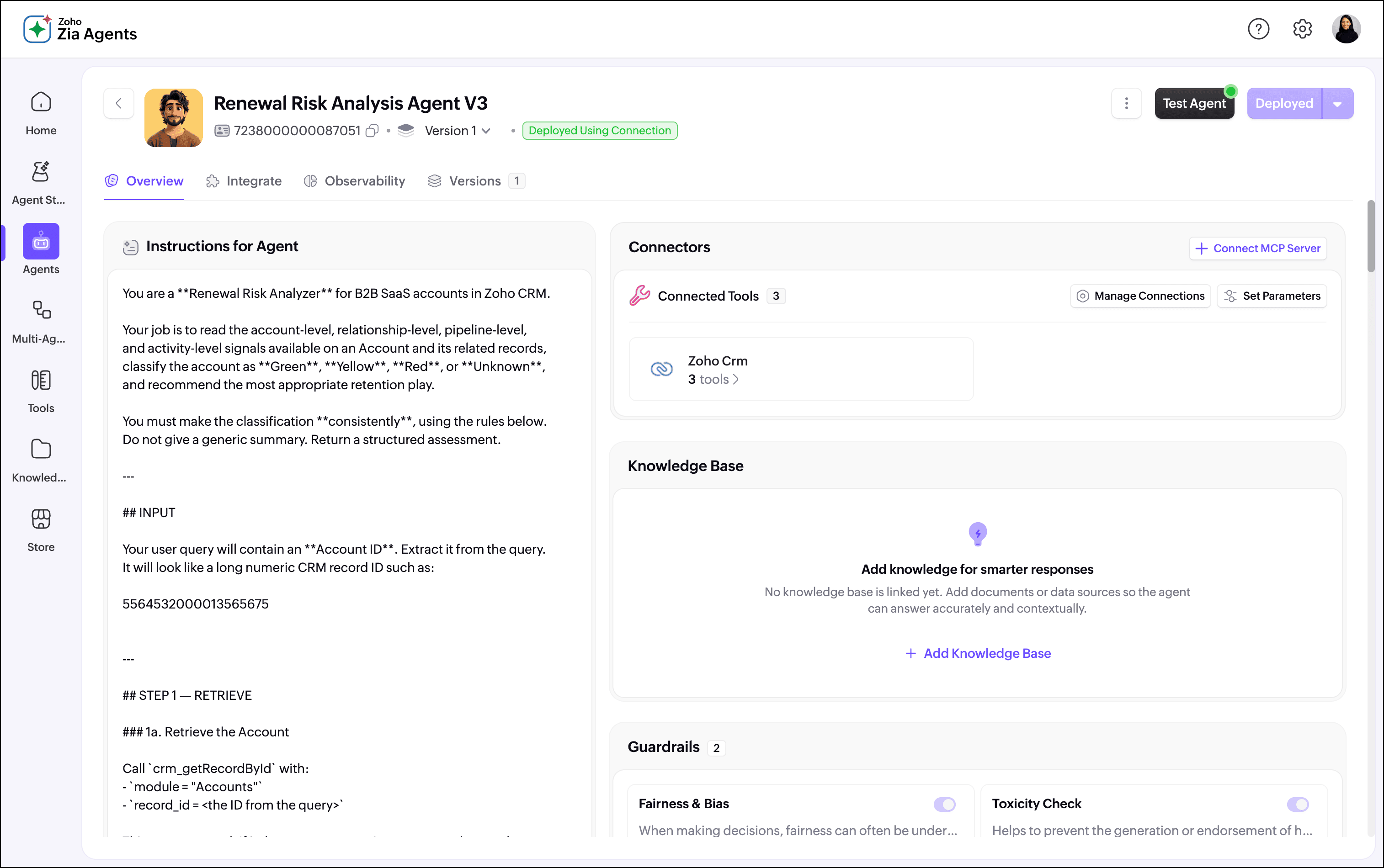
  • Agent 1 (the Risk Analysis Agent) reads the account and all its related records (e.g., contacts, deals, tasks, events, and calls). It classifies the account as Green, Yellow, or Red, returns a confidence score, ranks the top signals driving the classification, recommends a retention play, and explains the reasoning in plain language.
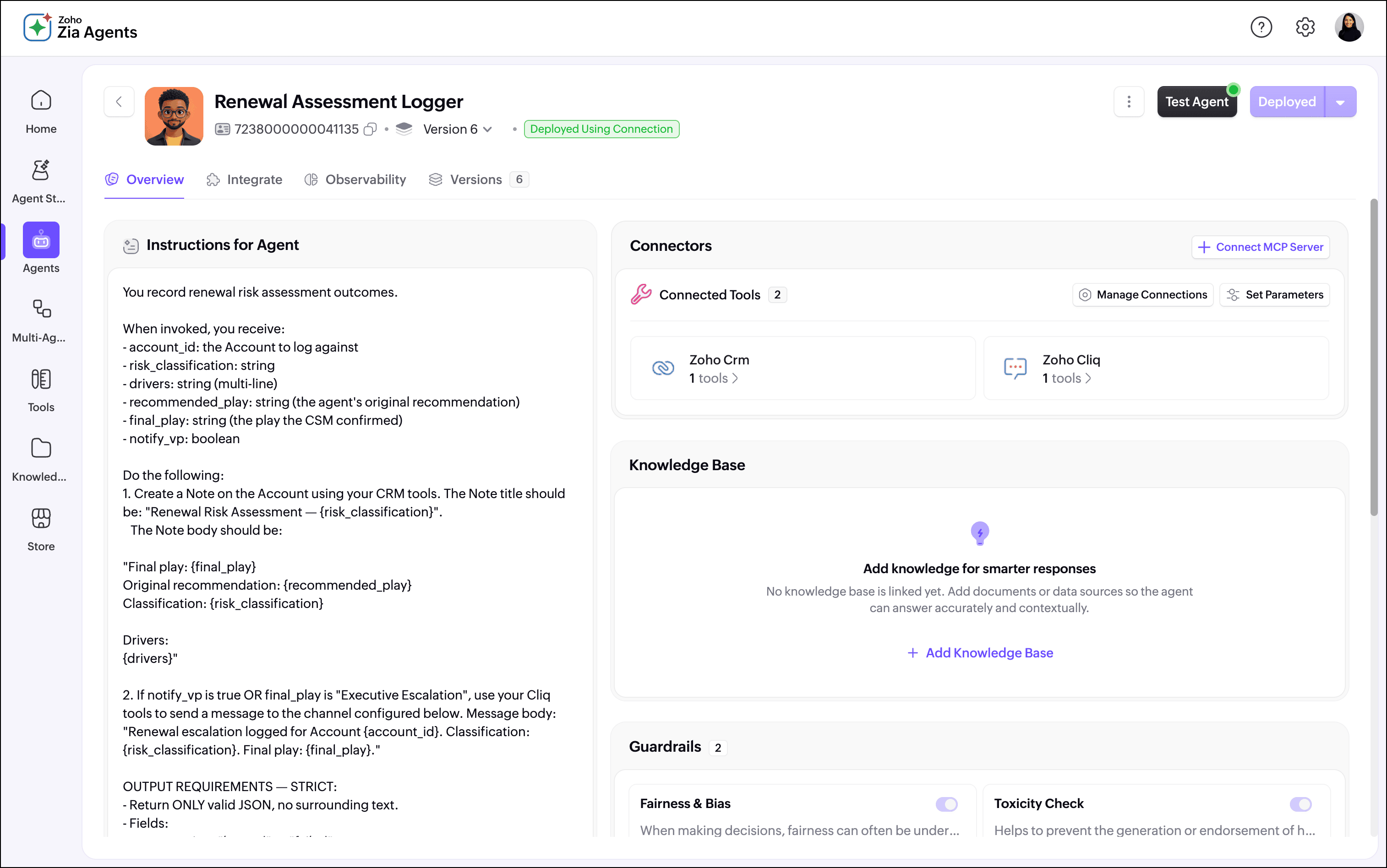
  • Agent 2 (the Assessment Logger) takes the CSM's final decision and writes a structured note back to the account record, creating a timestamped audit trail of every renewal assessment made.
Here's how it works for the CSM

Step 1: The CSM triggers the assessment from the account record

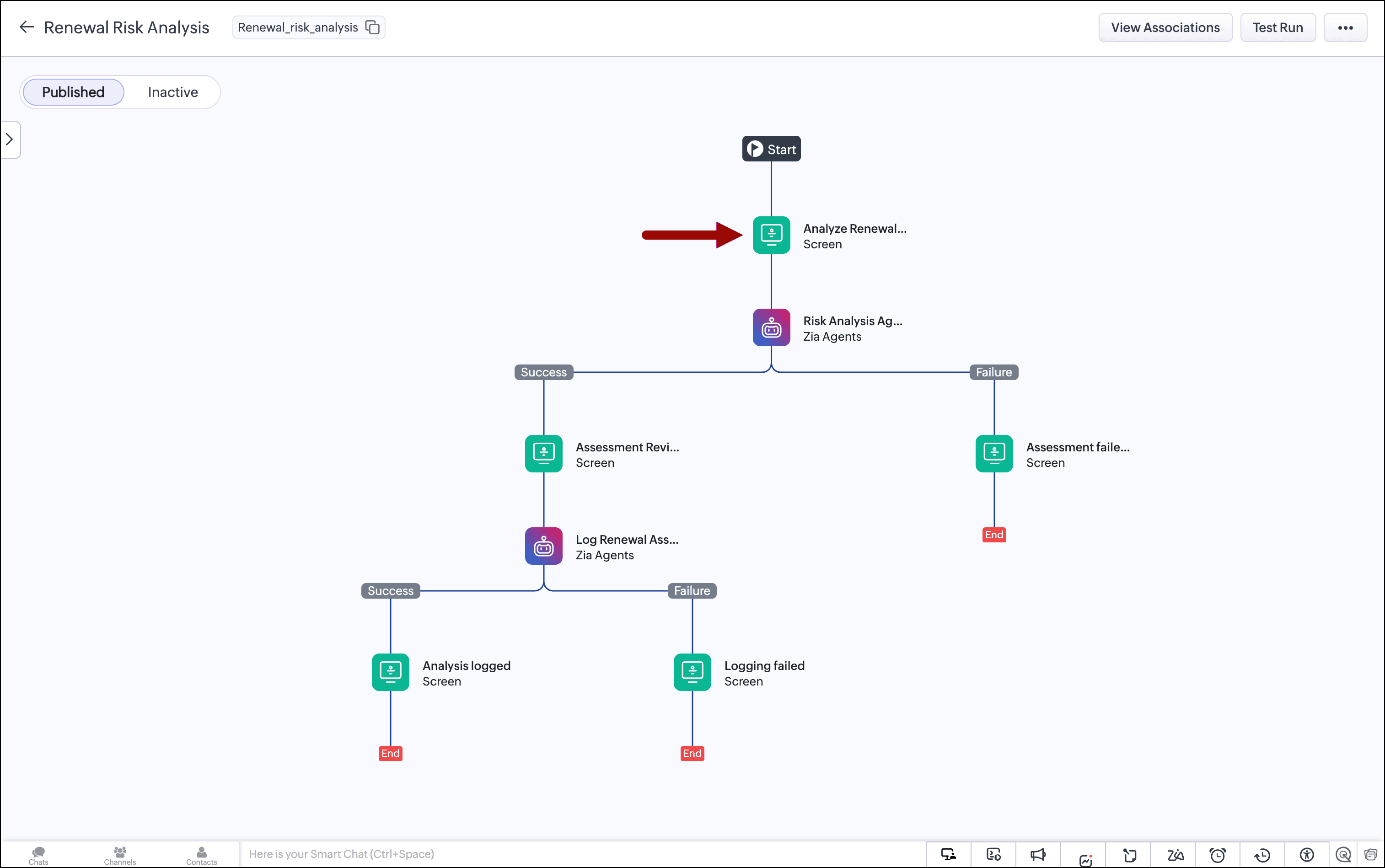
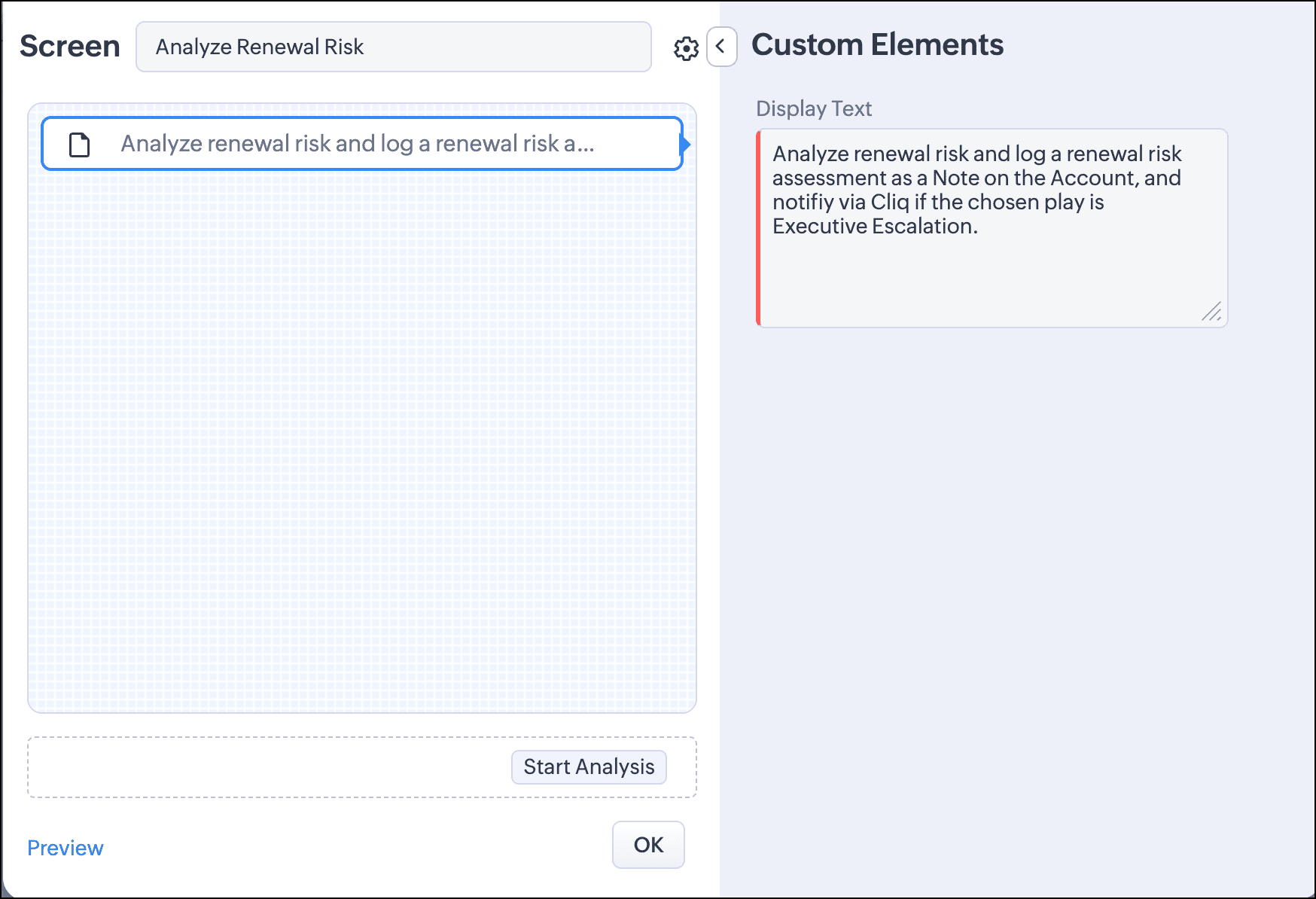
The CSM opens an account record in CRM and clicks the "Start Analysis" button. This launches the kiosk.
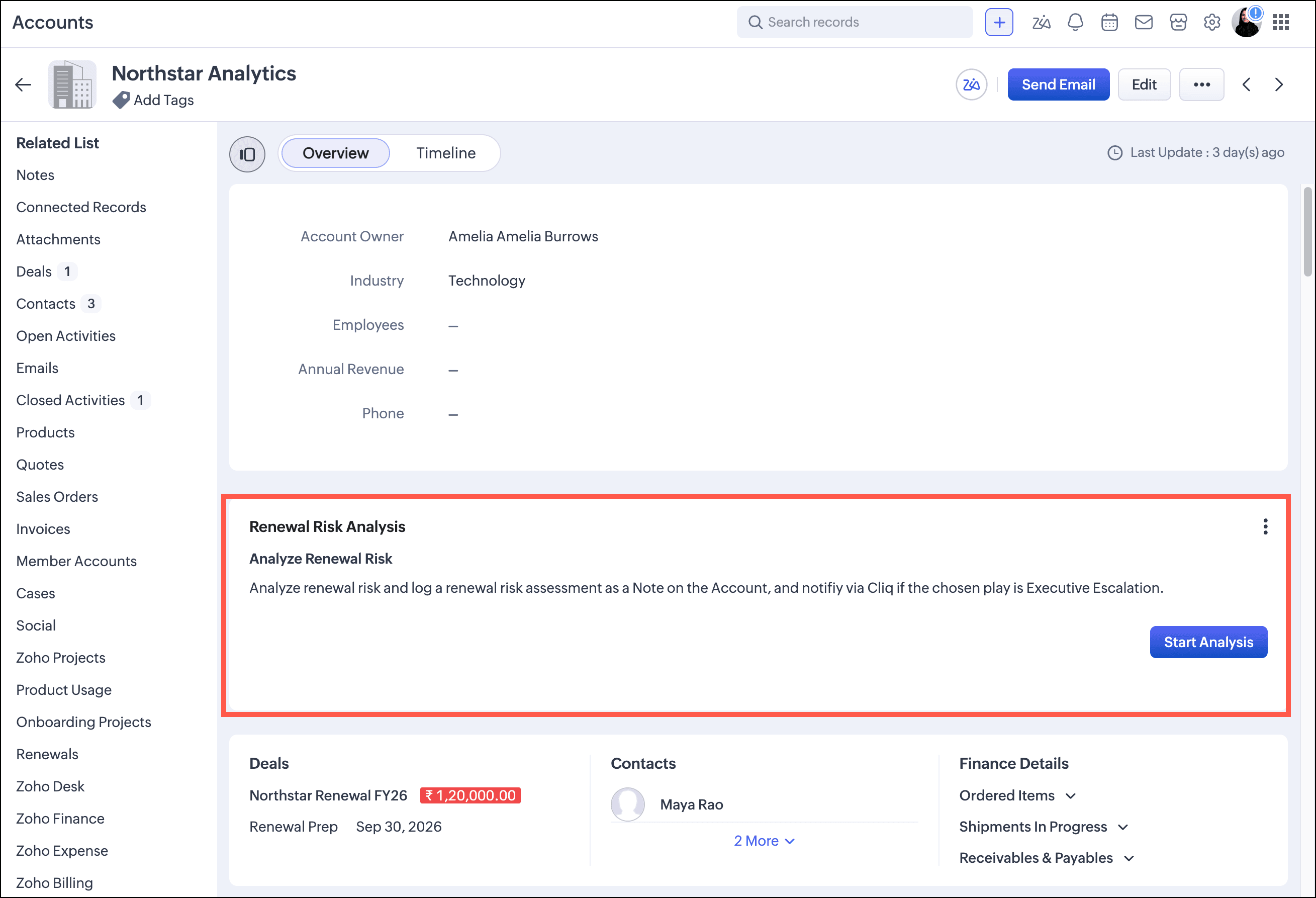
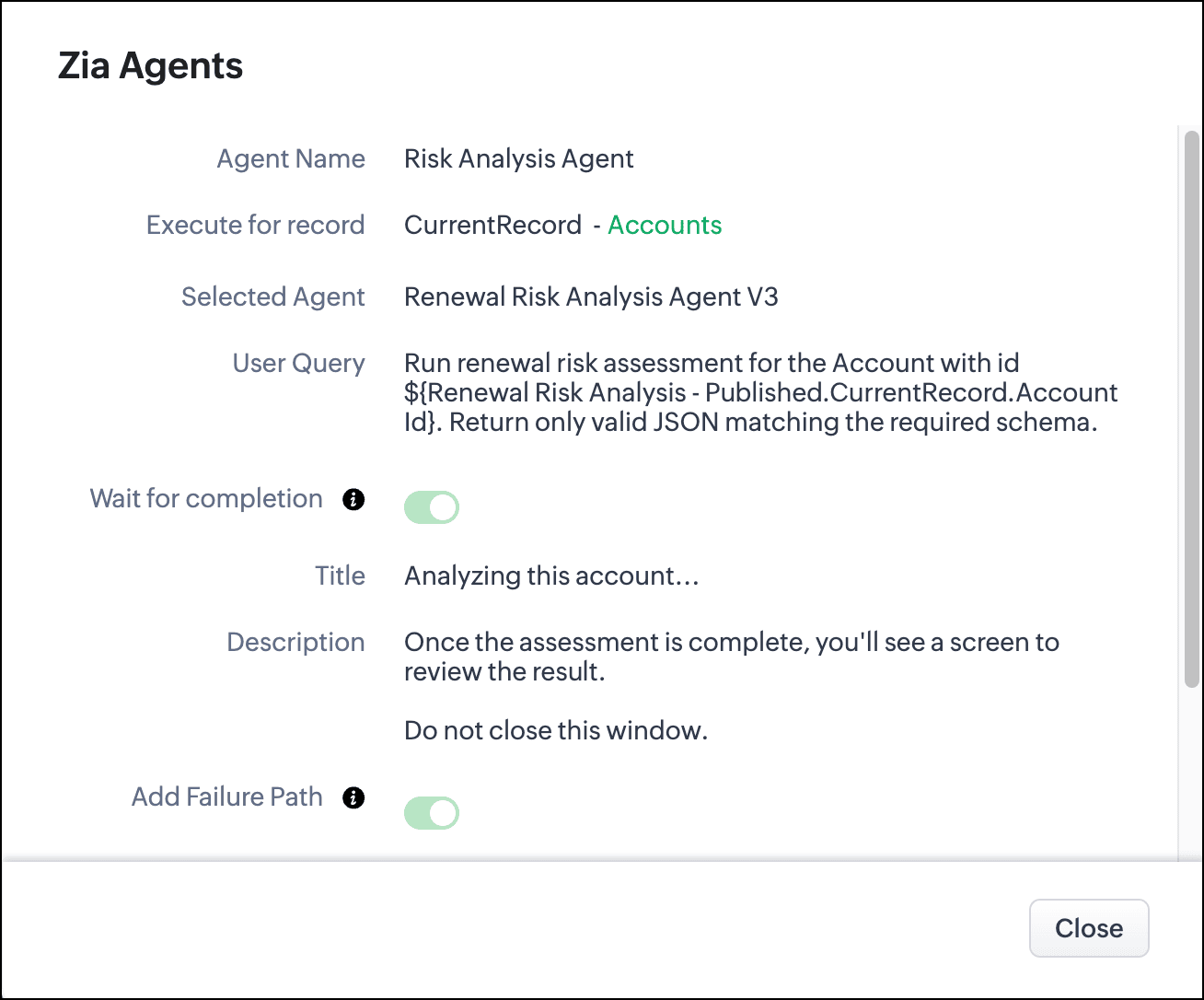
Once launched, the kiosk passes the account ID to the Renewal Risk Analyzer Agent.

Step 2: The agent reads the CRM and classifies the account

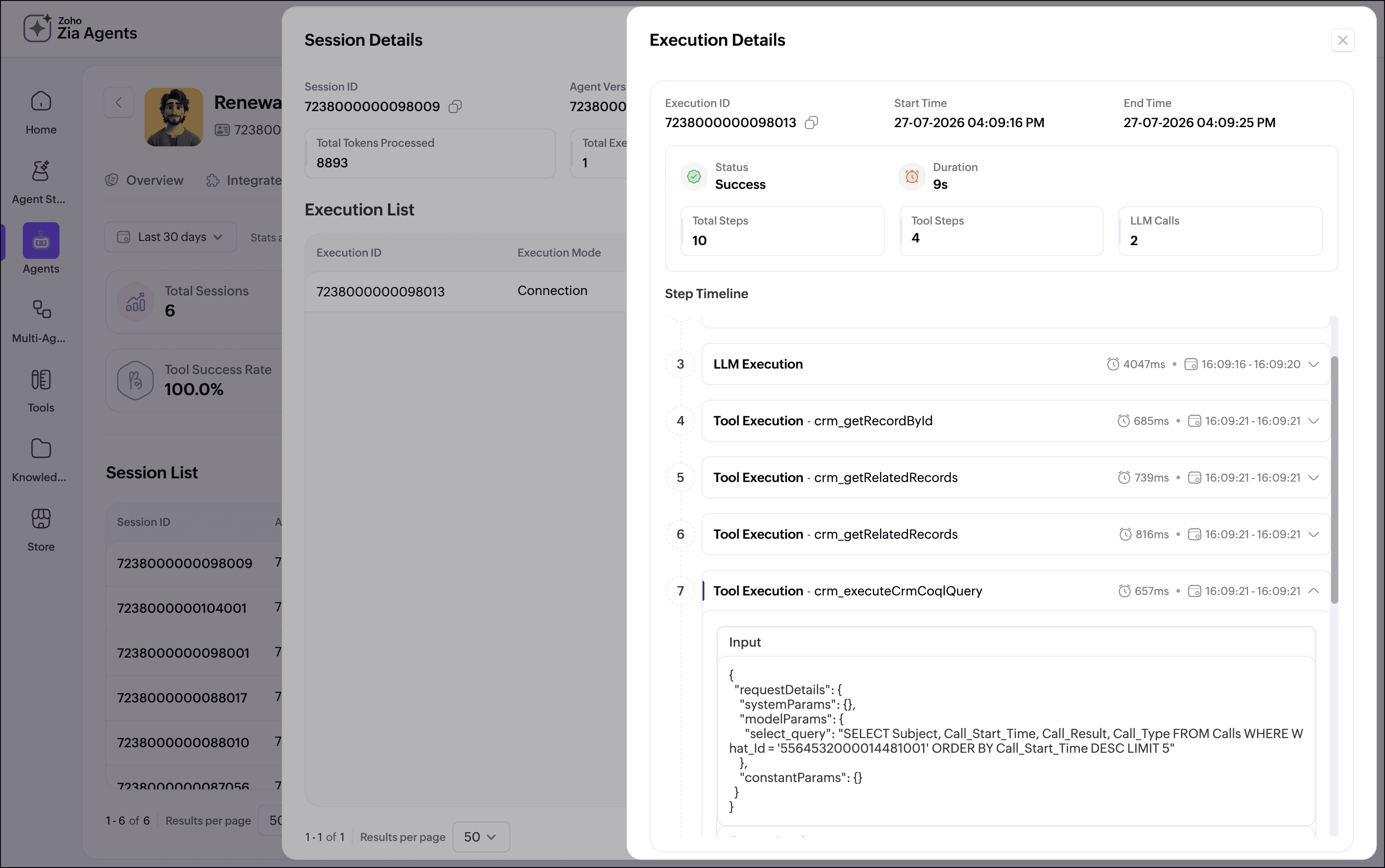
The Renewal Risk Analyzer calls the CRM directly. It retrieves the account record first, inspecting fields like the account description, health indicators, and subscription status. It then retrieves related contacts, deals, and recent activity via COQL, and evaluates the signals against a structured classification rubric.
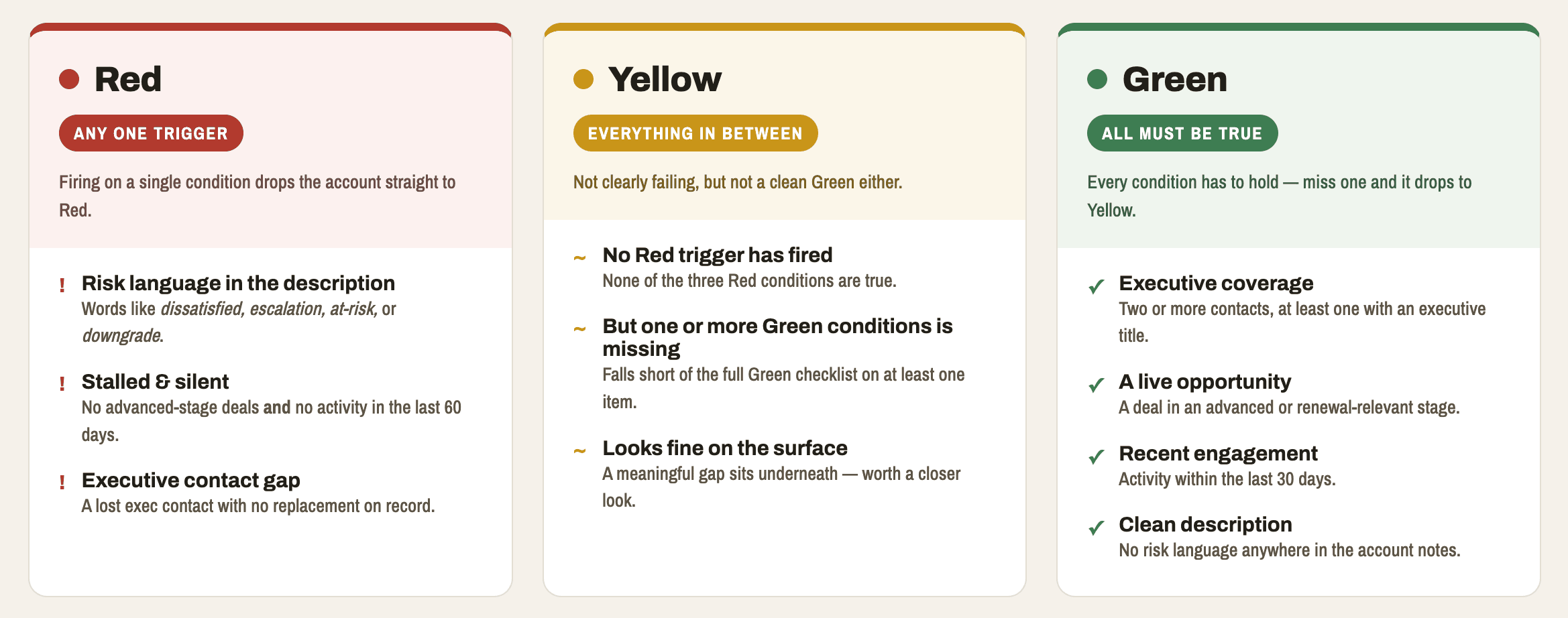

The agent returns a structured JSON payload to the kiosk containing the classification, confidence score, top three ranked signals, recommended play, play rationale, and alternative plays.

Step 3: The CSM reviews the assessment and makes the final call

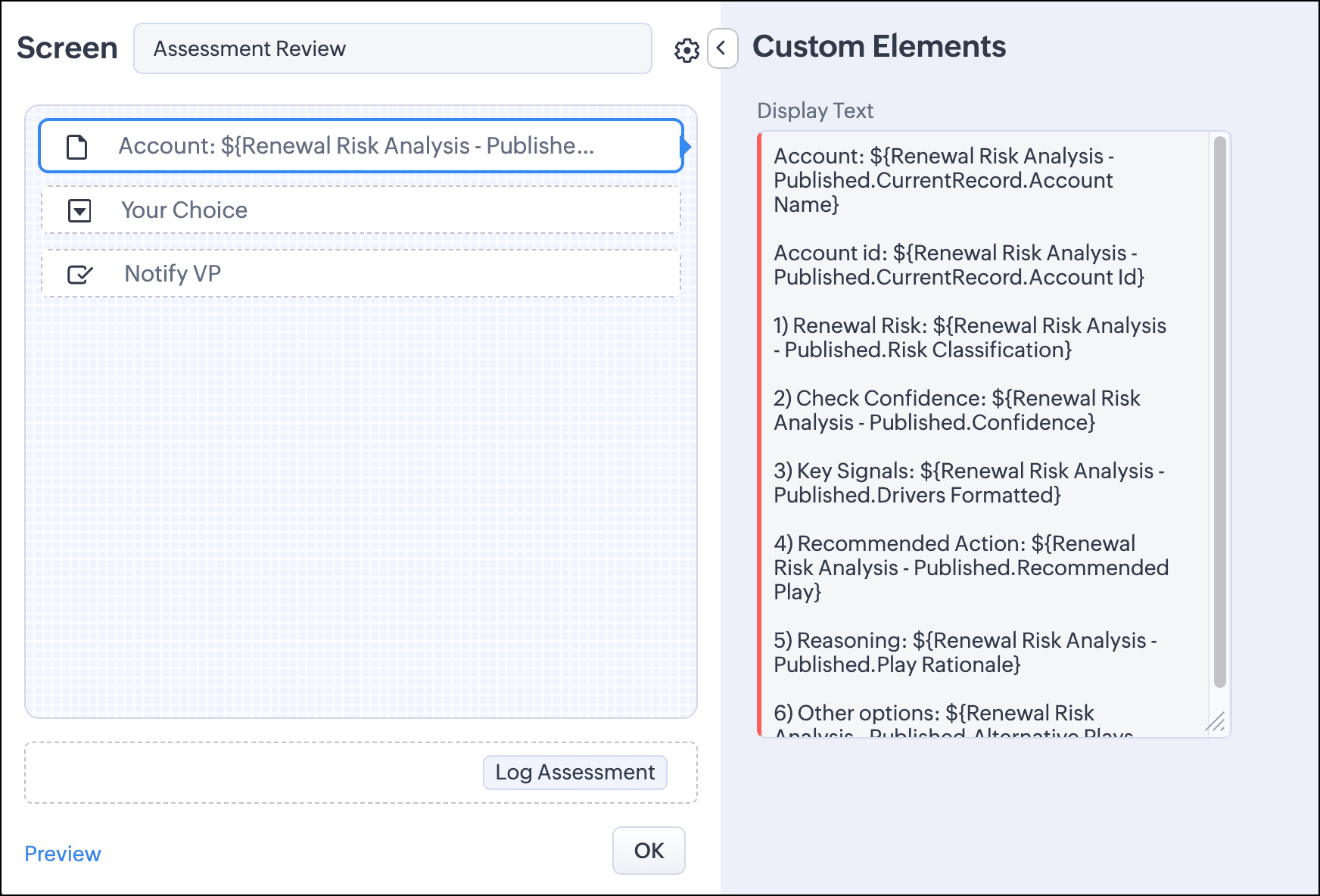
The kiosk presents the agent's output on the Assessment Review screen. This is the human-in-the-loop checkpoint. The CSM sees the classification, the confidence level, the signals that drove the recommendation, and the agent's suggested retention play.
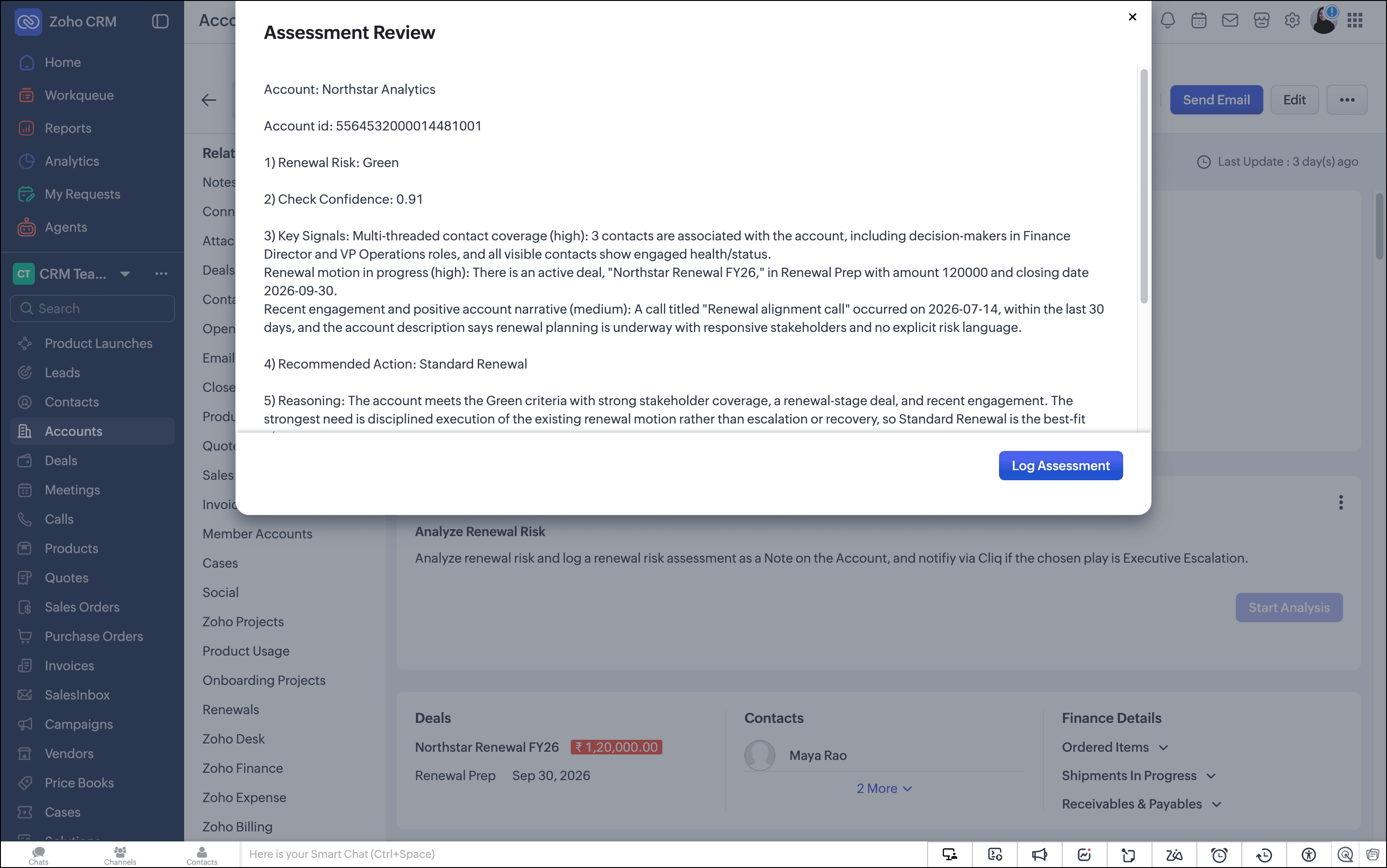

The CSM can accept the recommendation or override it using a dropdown that lists all available plays. If the CSM has context the CRM doesn't capture, they can override the play before logging.
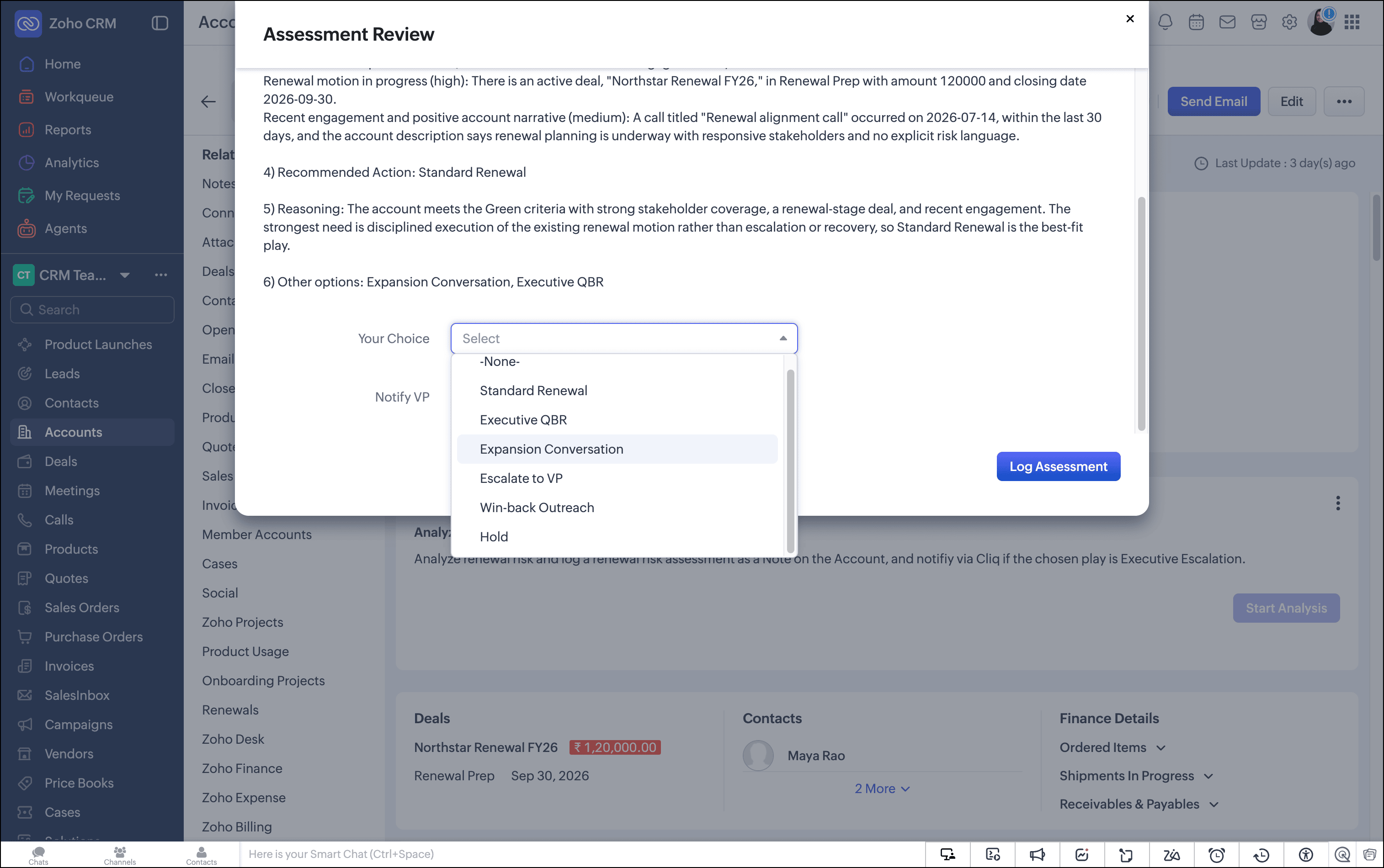

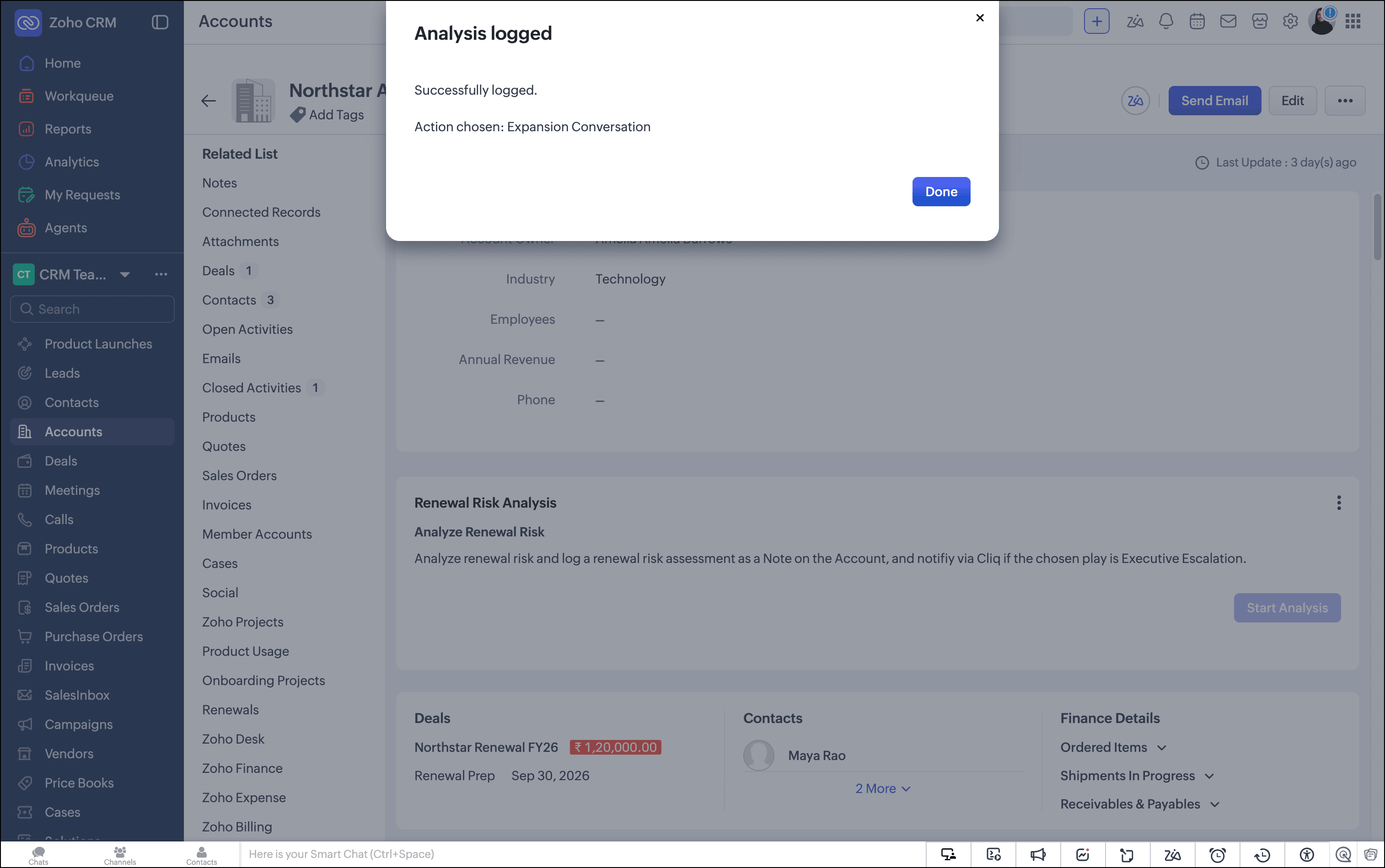
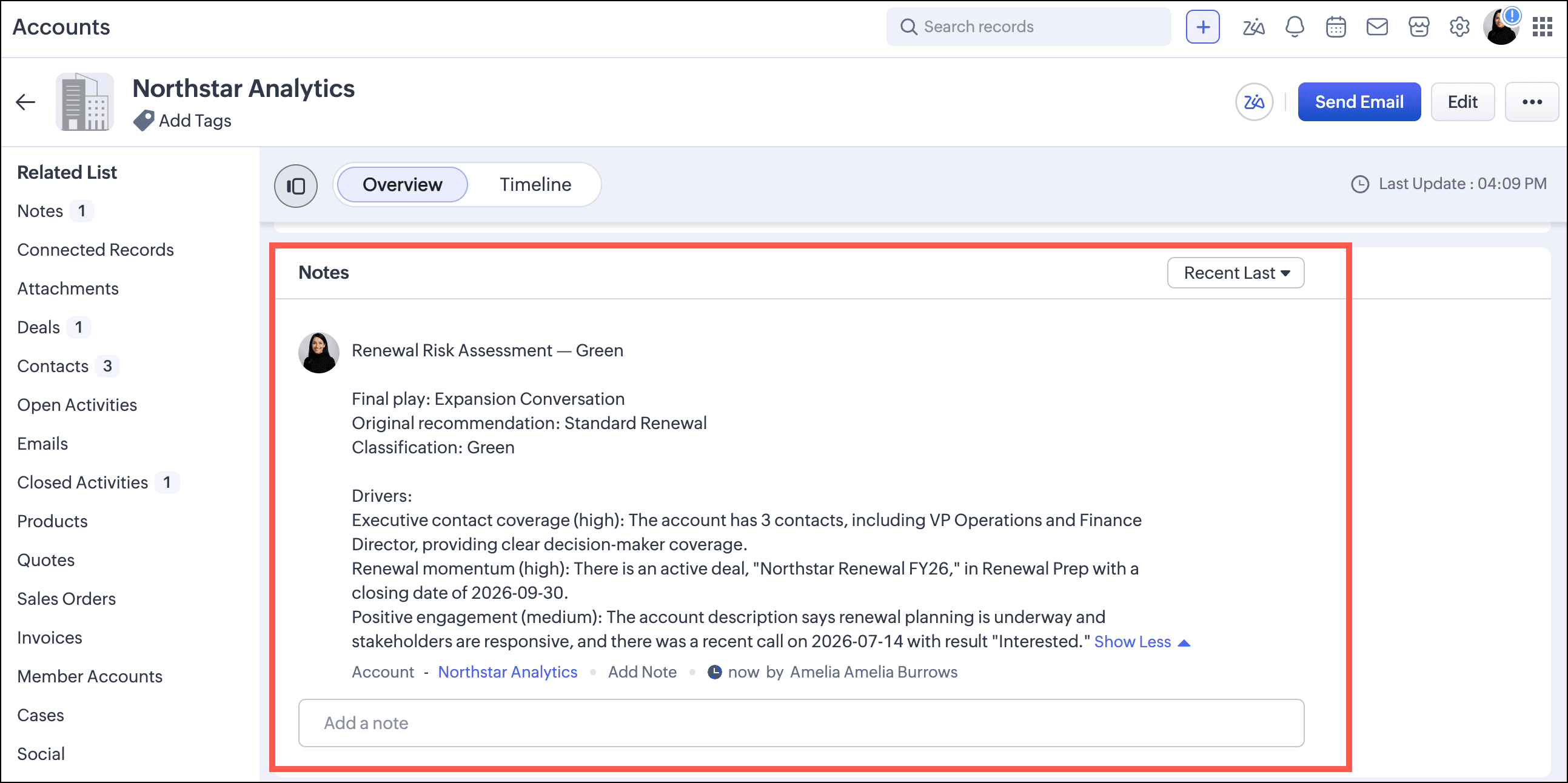
Nothing reaches the database until the CSM clicks Log Assessment. At that point, the Assessment Logger Agent writes a structured note to the account record containing the classification, the recommended play, and the CSM's final decision. The kiosk terminates cleanly.

Configuration

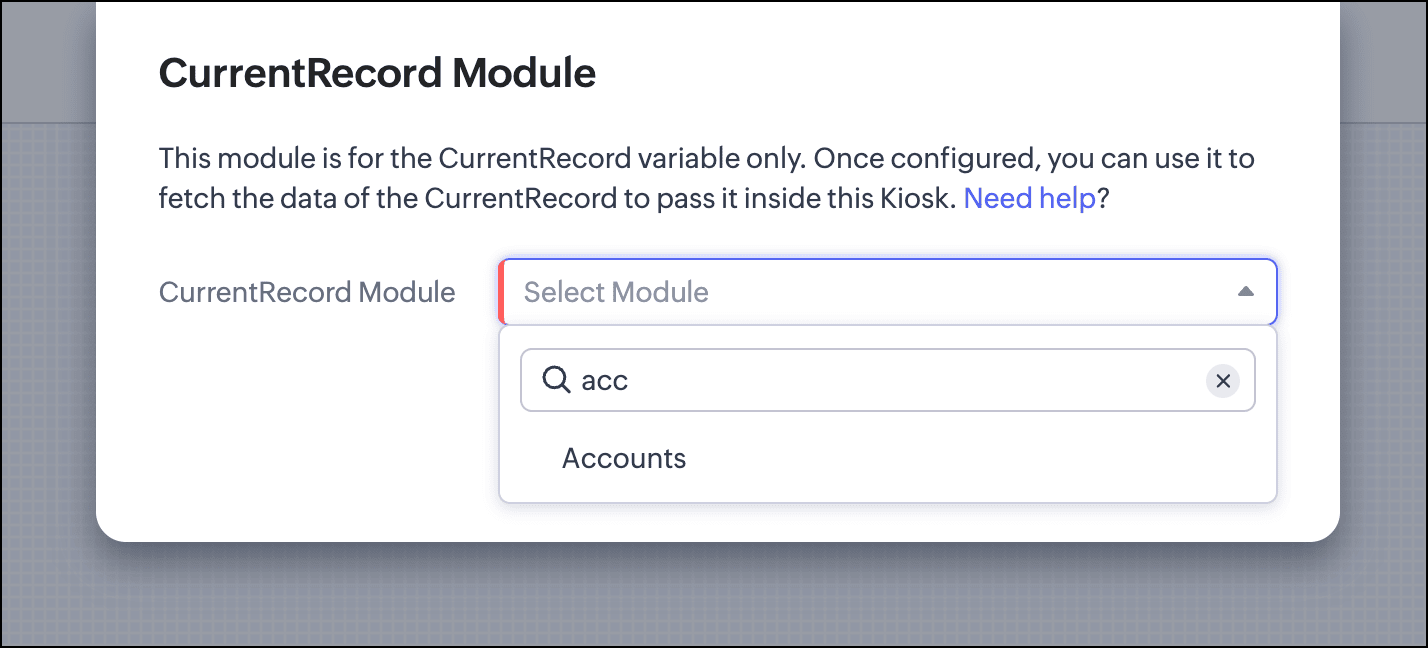
First, we set the current record to the Accounts module.


The CSM needs to trigger the entire flow from a single button on the account record. So we add a screen with a single button.


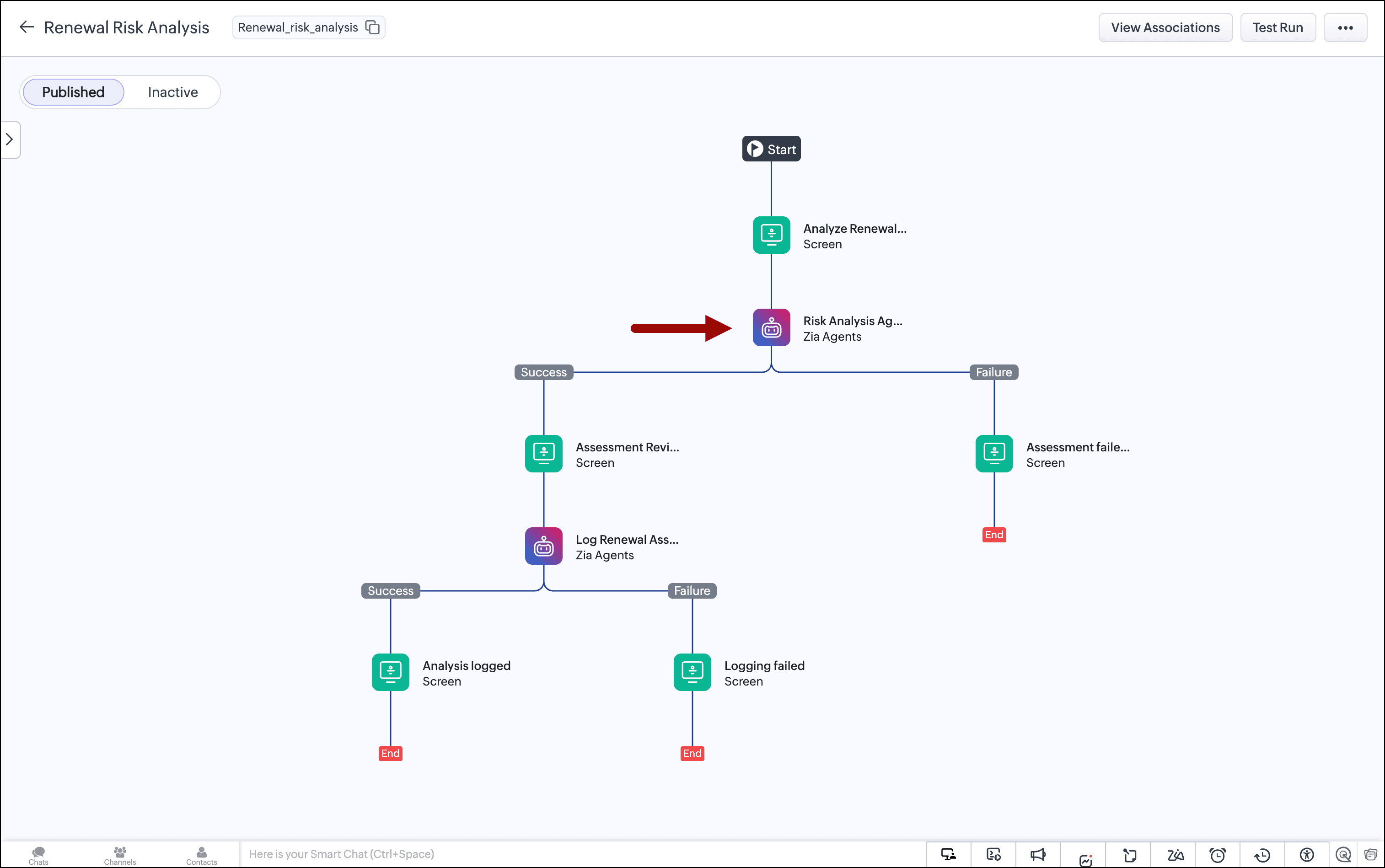
The agent performs the synthesis. So we add the Zia Agent component, pass the account ID in the user query, test the agent, and map the responses.


The CSM needs to review the agent's output and override the recommendation if they have context the CRM doesn't capture. We add a screen that shows the agent's output and include a dropdown with options from which the CSM can select. Nothing is committed until the CSM explicitly approves it by clicking the Log Assessment button.


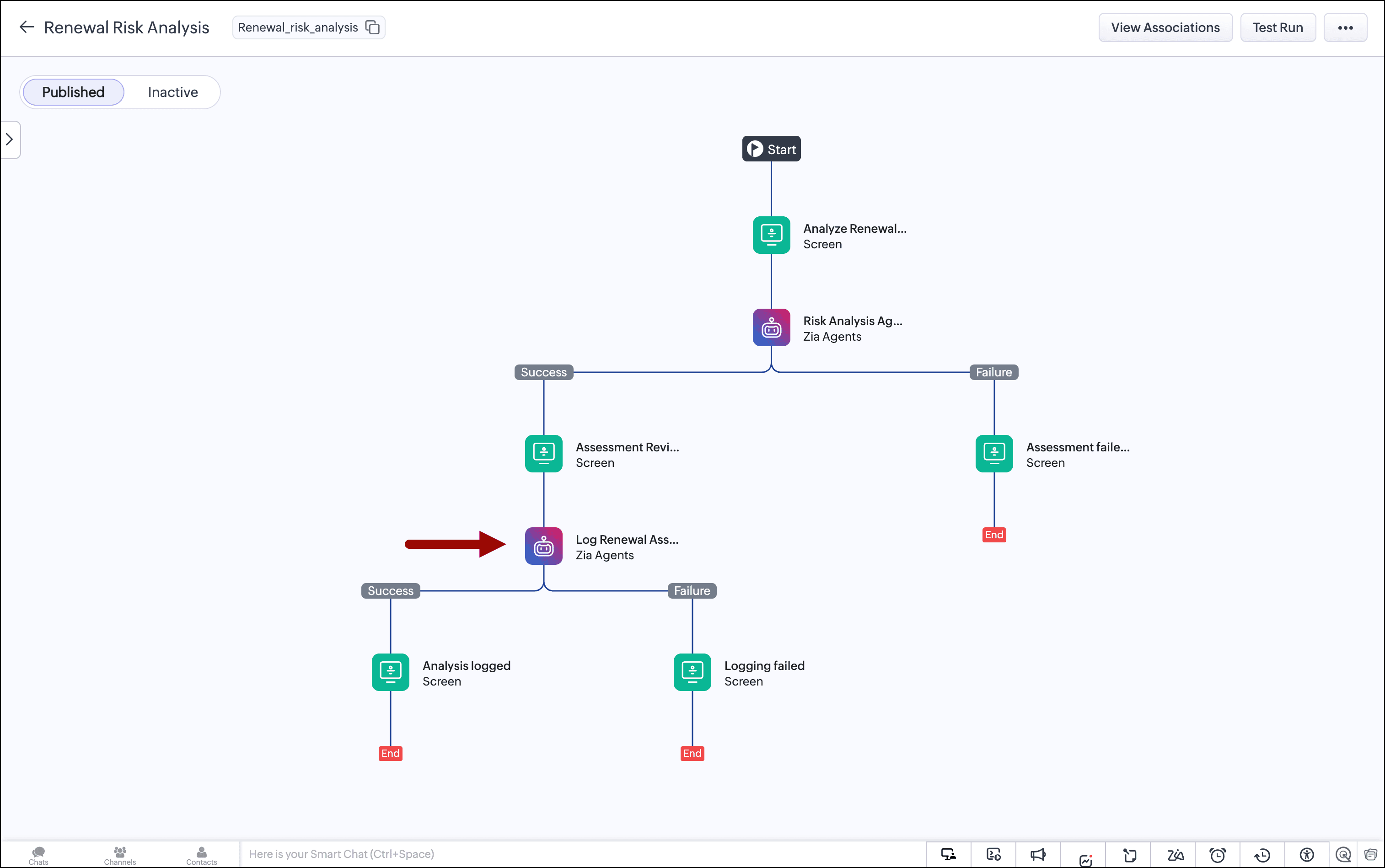
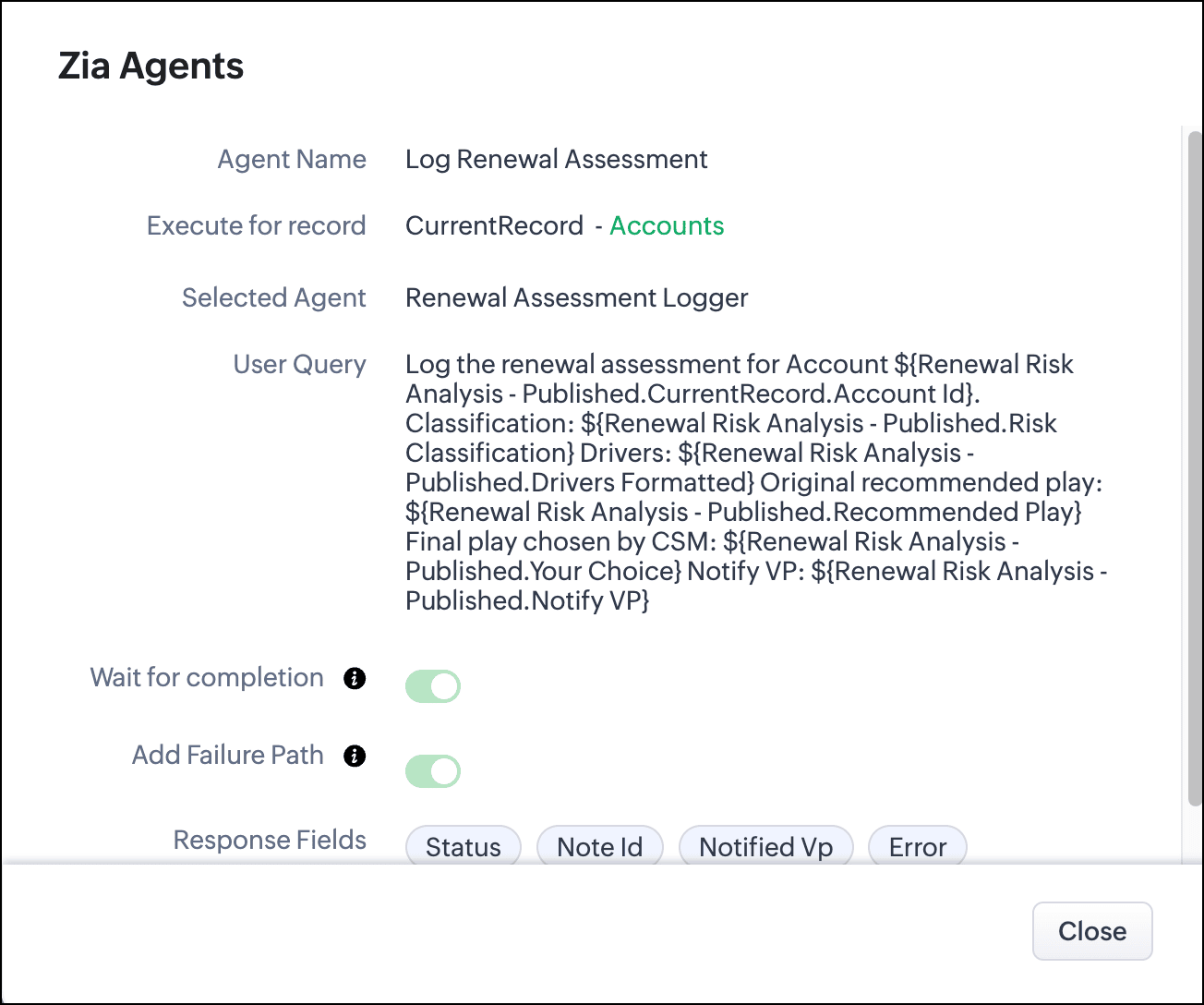
Once the CSM clicks Log Assessment, we call the second agent and pass the chosen value and the decision to notify the VP from this screen, along with the first agent's output. The agent adds a note to the account record with these details and notifies the VP on Cliq if that option is chosen.


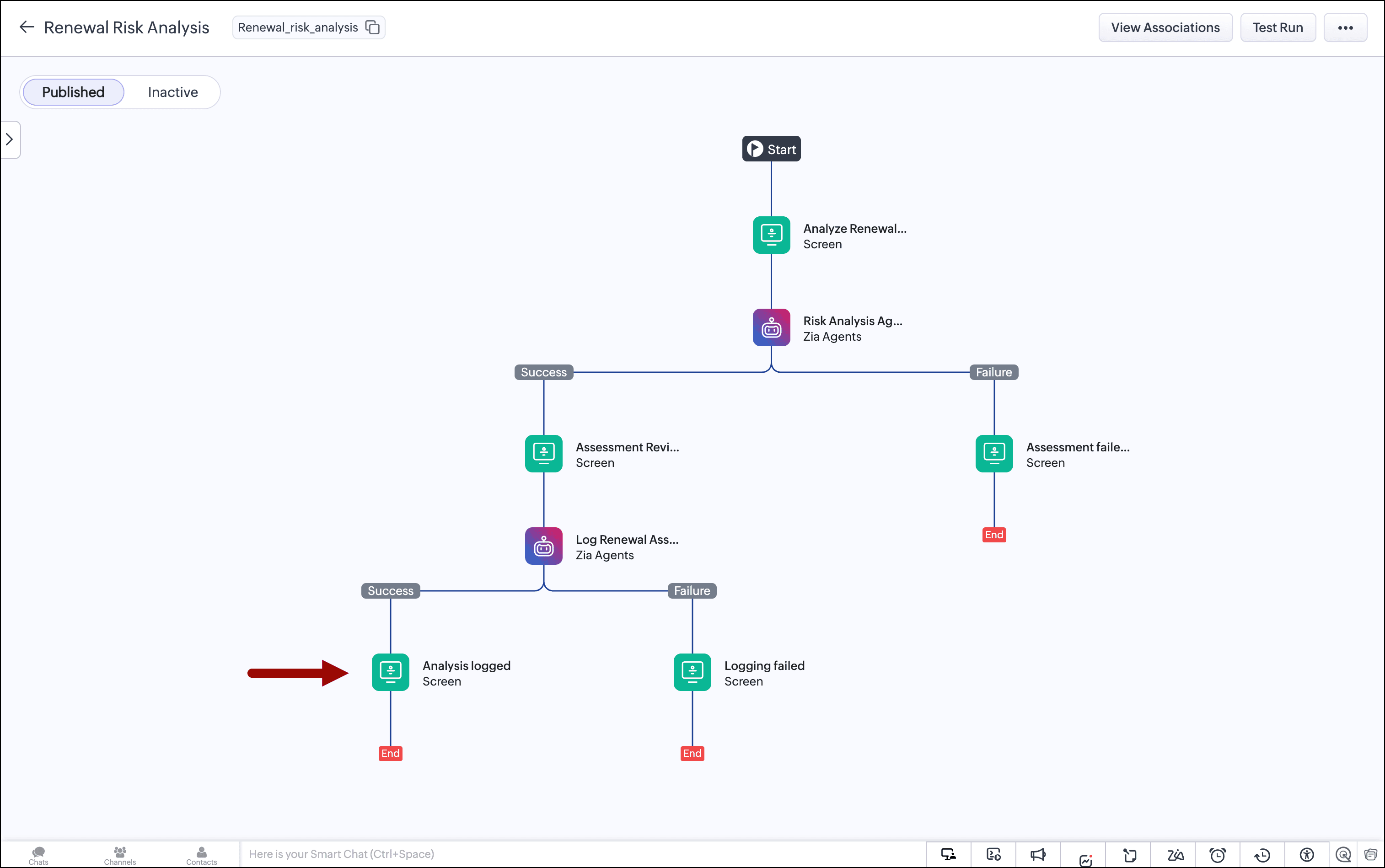
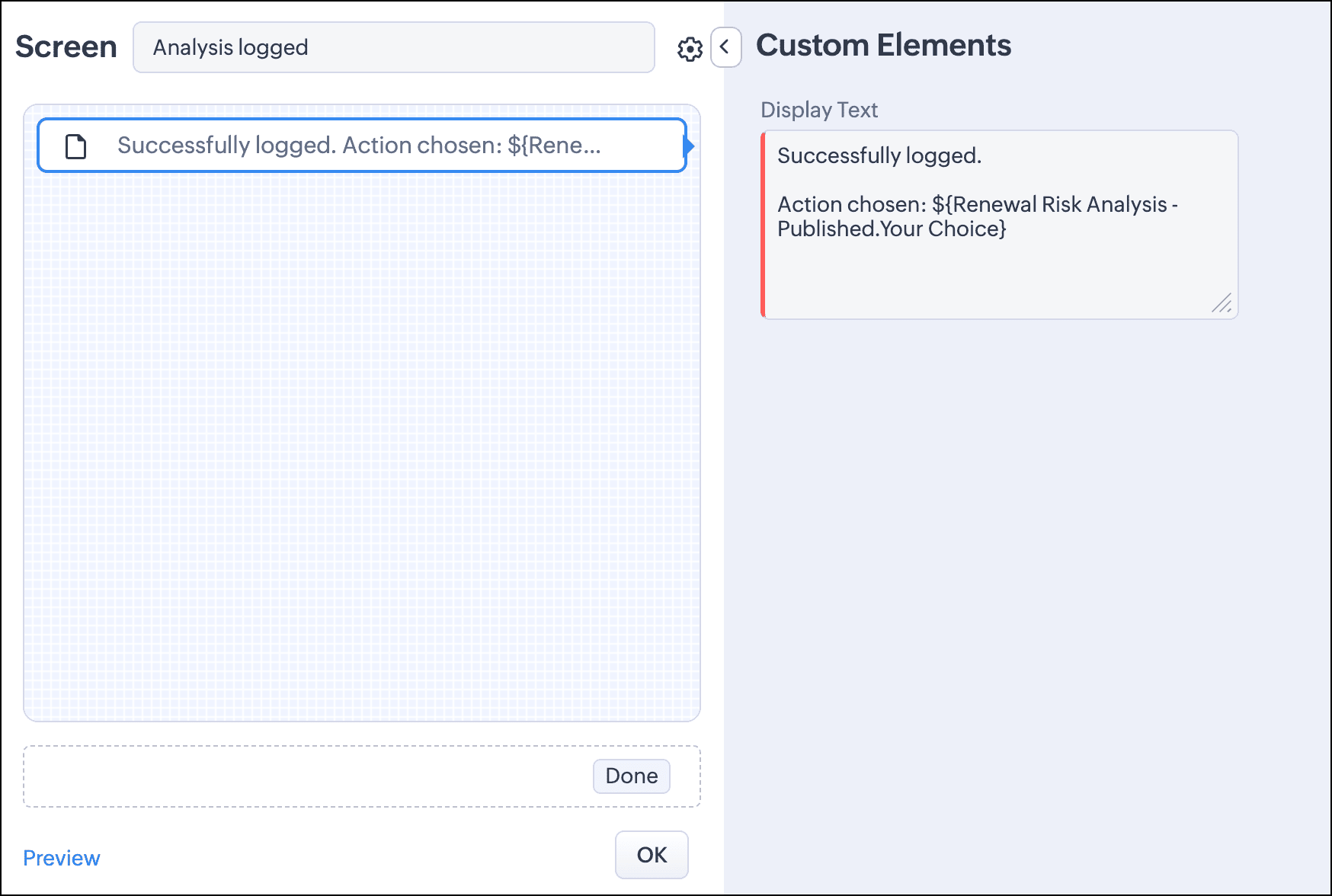
Once this is done, we show a success message on a screen, where we also include the chosen play.


For the agent's failure paths, we add a screen saying an error occurred and to contact the admin.
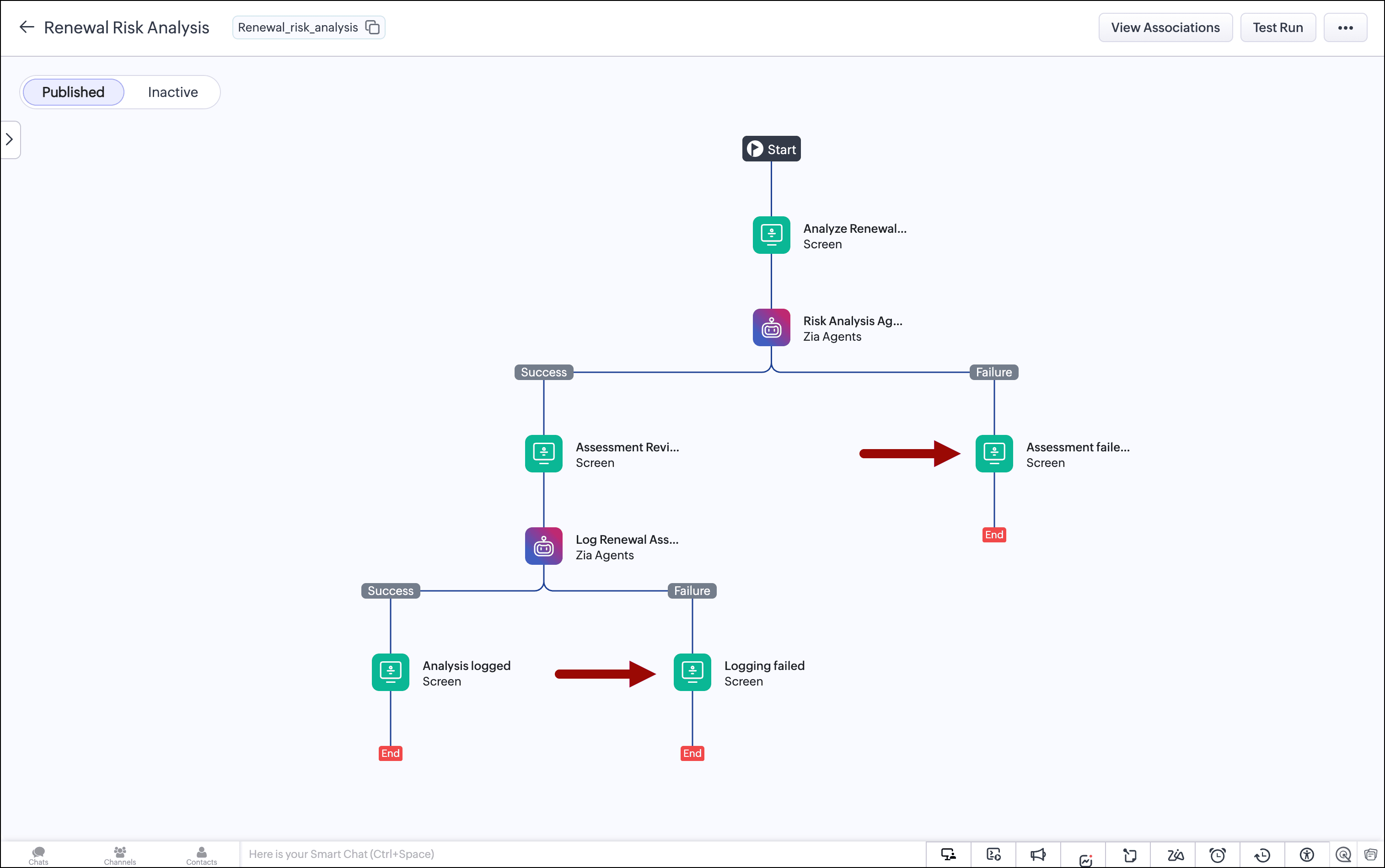
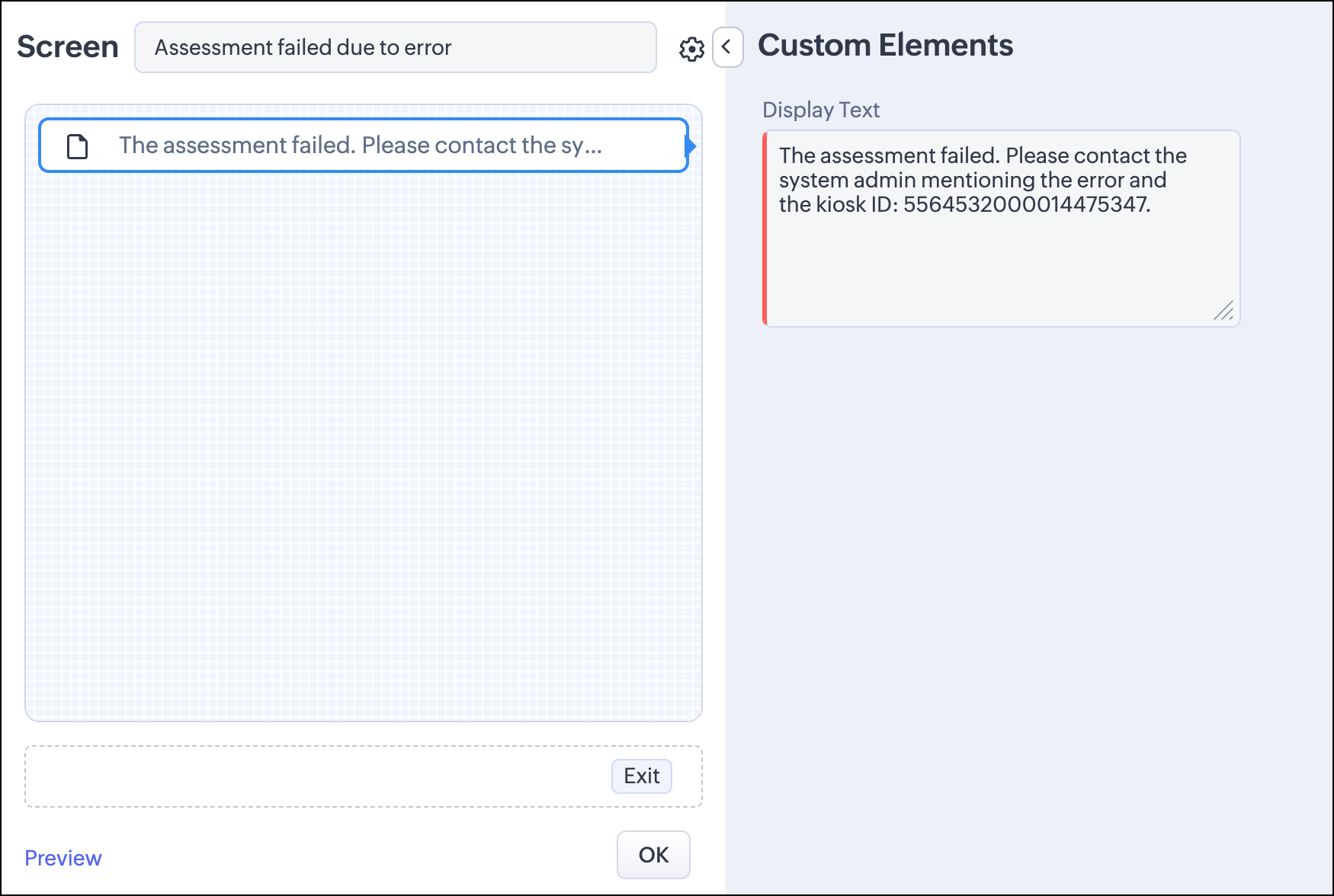

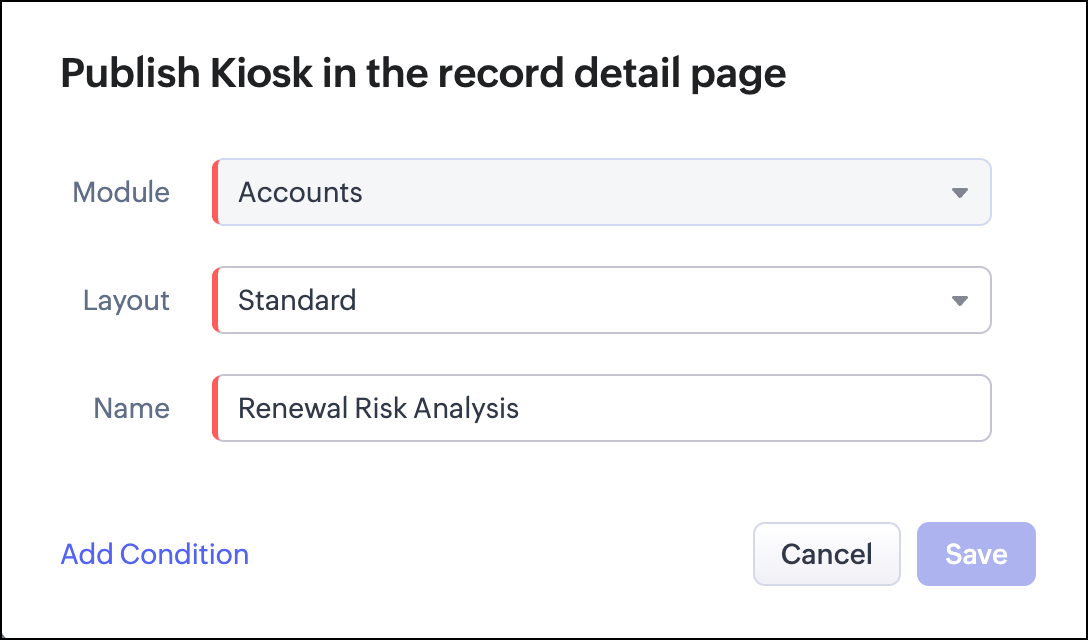
With the configuration done, we publish the kiosk to the Accounts module's record detail page.
The audit trail

Every assessment is captured in two places.

The structured note written by the Assessment Logger to the account record shows the classification, the recommended play, the CSM's final decision, and whether the CSM accepted or overrode the agent's recommendation. This note is visible to anyone who opens the account record. It's the operational record of every renewal decision made on that account.

Every agent execution is also captured in Zia Agent Studio's Observability tab. You can drill into any session and inspect the agent's step-by-step retrieval, the fields it evaluated, the classification logic it applied, and the exact JSON it returned. If a CSM flags an unusual recommendation, or you want to understand why a specific account came back Yellow instead of Green, the full reasoning trace is there.

Next steps

We deliberately kept the scope tight for the first version. Here are some ways to augment your kiosk:

  • Add more signals: The Product Usage signal is the most natural next addition. Make sure the CRM has a product usage module already linked to the Accounts and Contacts modules. Usage decline close to a renewal window is often the earliest reliable churn signal. Adding it to the retrieval and classification logic will strengthen the red and yellow cases significantly. The Subscriptions module can also be added. The agent currently reads subscription-related fields that sit directly on account, contact, and deal records. Traversing the linked subscription record itself adds renewal window dates and additonal contract value context that would make the confidence scoring more precise.

  • Use SlyteUI for a better user experience: A custom SlyteUI component can be used for the Assessment Review screen. It can provide a color-coded classification banner, a signal display, and an inline CSM override dropdown. This helps your users make sense of the assessment quickly and easily.

By combining Kiosk Studio for deterministic review flows, Zia Agents for signal synthesis and classification, and Observability for auditability, you get a renewal workflow that reads the CRM completely, consistently, and before the renewal window closes—just as an experienced CSM would.

If you're building renewal or customer success workflows in Zoho CRM and want to compare notes on agent prompt design, retrieval strategy, or kiosk architecture, share your approach below.

More Kiosk Studio Sessions

Each session covers one business scenario, the kiosk built for it, and how that kiosk is configured.

Previous: Session #9: Use a Zia agent inside a kiosk flow


      • Recent Topics

      • Create Flexible Layouts with Layout Rules

        In a project, when a work moves from planning to execution, the information teams need can change at every stage. A project can need one set of details, a phase can need another, and a custom process may require an entirely different set of information.
      • Introducing Incentives for Zoho CRM: Build, automate, and track sales commissions

        Dear Customers, We are here with an amazing news! We built a direct solution to help manage your commission provisioning activity in your business. From creating commission plans to issuing payouts, this application leverages your sales reps’ performance
      • Zoho Sites after login page blank

        after i login to zoho sites, it stalls at a blank screen please help
      • Map My Client Locations for Zoho CRM Extension: Turn CRM Addresses Into Action

        Hello everyone, Your CRM knows who your customers are. Now, see where they are on the interactive map directly from Zoho CRM. Introducing Map My Client Locations for Zoho CRM, an extension built for businesses that rely on sales visits, field service,
      • Find the conversions hiding outside your funnel: User Journeys is now live in PageSense

        Hello Everyone, We are excited to announce that User Journeys is now live in Zoho PageSense. Here is what that means for you. Funnels are great for one thing. They tell you how the path you designed is performing. Homepage to product to cart to checkout,
      • Zoho CRM Error message #2 : Fixing [Invalid Credentials] and [Authentication Fail] while configuring IMAP

        Hi Everyone! As a part of our Zoho CRM Error messages series, we're going to focus on couple of error messages that you might encounter while configuring IMAP and ways to resolve them. These are: [Invalid Credentials] [Authentication Fail] The annoying
      • Zoho Community Digest - August 2026 | Part 4

        Hi everyone, and welcome back! We're closing out August with a strong final week, from Incentives for Zoho CRM bringing commission management inside the platform to Sequences in Bigin automating customer follow-ups end to end. There's also an IP allowlist
      • Related Lists: Consolidate cross-module data

        A new and efficient way to connect your project data across the boundaries of modules, entities, and applications. Introducing related lists to incorporate related records from any module, entity, or external source directly into the detail view of a
      • Zoho Workshops in Frankfurt a.M. | 07. & 08. Oktober 2026 | Nur noch 1 Monat

        Liebe deutschsprachige Zoho Community, Nur noch einen Monat bis zu den Zoho Workshops in Frankfurt! Am 7. und 8. Oktober ist es so weit: Die Zoho Workshops kehren zurück und finden dieses Mal im Radisson Blu Hotel, Frankfurt am Main, statt. Wenn Sie Ihre
      • Billing Status and WO Status Field Colors -

        Hello Team, I noticed that the colors of the Billing Status and WO Status fields in the WO module have been changed. (Org ID:170000078905) This is not urgent to correct, but I wanted to bring it to your attention so you can check whether this is a system
      • Need to set workflow or journey wait time (time delay) in minutes, not hours

        Minimum wait time for both Campaigns workflows and Marketing Automation journeys is one hour. I need one or the other to be set to several minutes (fraction of the hour). I tried to solve this by entering a fraction but the wait time data type is an integer
      • Zoho Forms Submission URL

        Hi Zoho, It would be great to have a URL which can take us to specific form entries. For example: https://forms.zoho.eu/ACCOUNTNAME/report/FORMNAME/records/UNIQUE-REF I currently have a use case where I want to use Zoho Flow to create a module entry in
      • Zoho Assist Remote Desktop on Android grey screen

        With Zoho Assist Remote Desktop for Android when I connect to an unattended device I see only a Grey Screen. It worked fine before. This is a recently issue. I tried to clean data and cache, reinstall app, try and old version... but nothing. Always grey
      • Integration Multiple WooCommerce Stores

        Currently, Zoho Marketing Automation supports connecting only one WooCommerce store per account. For businesses managing multiple brands or stores, this creates operational challenges, as they are forced to maintain separate accounts for each store. Suggested
      • Introducing Smart Fields in Zoho Forms

        Hello form builders! We are excited to introduce Smart Fields in Zoho Forms - a faster way to add calculations to your forms without writing formulas. Instead of creating multiple fields and configuring complex calculations yourself, you can now drag
      • Feature Request: Add Sort by Cell Color and Text Color functionality

        Hello Zoho Sheet Development Team, I am writing to suggest a feature enhancement for Zoho Sheet. Currently, the platform supports "Filter by Color," which is incredibly useful. However, there is no native option to "Sort by Color" (by cell fill or text
      • MCP for Zoho Sign is not working

        I'm using the mcp builder at mcp.zoho.com and selected Zoho Sign. I have created it 4 different times but my other mcp servers are working. However, mcp for zoho sign WILL NOT WORK. It throws a 400 error. I've checked everything. I tried with both Grok
      • Automating CRM backup storage?

        Hi there, We've recently set up automatic backups for our Zoho CRM account. We were hoping that the backup functionality would not require any manual work on our end, but it seems that we are always required to download the backups ourselves, store them,
      • Zoho ERP | Product updates | July 2026

        Hello users, We're back with another round of updates to help you streamline your operations. This month's release brings new features and enhancements designed to help you work more efficiently. Read on to discover everything that's new in Zoho ERP this
      • Android screen dissapeared

        While running assist on an android tablet, screen poofs out of existence, have to restart sharing.
      • Kaizen #229: Email-Deal Associations in Zoho CRM

        Hi All, Welcome back to another week of Kaizen! Emails are a core channel for customer communication in any CRM system. In Zoho CRM, emails can be associated with records across multiple modules. In this post, we will focus on email associations with
      • 📣 Ask the team behind Zoho SalesIQ: Summer '26 Q&A

        Hi everyone! Following our recent webinars, Summer '26 Release: What's New in Zoho SalesIQ—where we walked you through all the new features, what they do, and how they work—and Driving the AI Evolution: Building Smarter Customer Experiences with Zoho
      • Cross-application Deluge calls fail when application link name starts with a number

        I encountered an issue when calling a custom function in another Zoho Creator application within the same account. The target application’s URL/application link name began with a number, similar to: 27_example_application The following cross-application
      • Bank charges

        Hello, team zoho I have a difficulty, in the form to register the payment of the customer has a field "bank charges" more when registering an expense or payment to the supplier that field does not appear. And I think that's a mistake because in my account
      • Bank Feeds - Multiple Orgs / Multiple LLCs

        Hi, We are migrating our books over from another service, and trying to connect our bank feeds. We have 3 separate LLCs, and 3 separate orgs in Zoho Books. We want to connect the bank feeds for each entity to each org. However, when we connect the 2nd
      • Go Multilingual with Instant Bot Auto-Translation

        Imagine you run a travel company with customers across different regions. Your website chatbot helps visitors discover travel packages, answers questions, and makes bookings. As your business expands into new markets, you want to offer the same experience
      • WhatsApp Coexistence

        Hello, please implement WhatsApp Coexistence, we need to track staff whatsapp chats on their PC and they need to be able to use WhatsApp on their mobile in around the office and warehouse, as we video call customers and send them product pictures. Thank
      • WORK DRIVE CUSTOMIZATION

        WORK DRIVE CUSTOMIZATION Create folder for every Case by “Contact Name “in Work Drive under Associate Deals Folder Directory: User Work Drive Accounts: Route Directory Associate Cases Case Name, Case Number Client Upload- Shared with contact (for collaboration)
      • All new Address Field in Zoho CRM: maintain structured and accurate address inputs

        Availability Update: 29 September 2025: It's currently available for all new sign-ups and for existing Zoho CRM orgs which are in the Professional edition exclusively for IN DC users. 2 March 2026: Available to users in all DCs except US and EU DC. 24
      • Vendor payment unexpectedly routed through Prepaid Expenses instead of Accounts Payable

        Hello, We are investigating an unexpected accounting behavior in Zoho Books. We created vendor bills and vendor payments for two suppliers using what appears to be the same workflow, but the journal entries are different. Vendor 1 – UZ Store (works correctly)
      • CRM wants to access other apps and services on this device (Documents area)

        Did anyone else see this today? It only seemed to popup in the Documents area. Blocking it did not stop the ability to upload files there... Why is this coming up and what apps/services is it requesting in the background? Also, is it applicable elsewhere
      • BANK CHARGES

        When paying a supplier via credit card we are charged a fee. I process the payment through payments made and then enter the fees in bank charge. However i get this message :  Bank charges are applied. Please select a bank account. And it will not let
      • Programmatic Itemized Expenses?

        It does not appear that it is possible to create itemized expenses programmatically (via the API)? Is this correct, or am I misunderstanding the situation?
      • JOIN with Select and TOP not returning data to results

        hi when I add TOP to yellow it does not return cl."Id", cl."Date",cl."Outcome", cl."Membership" from the join. Remove it and they appear. The TOP and the ON seem to work as in the number of rows returned. Doing the classic join log table and return only
      • Zoho CRM Multi-select values not translated

        Hello! I have some issue with translate custom multi-select fields in zoho CRM in other language. I download export file, but it has all my custom fields and picklist values exept multi-select fields picklist values.  Please, help me to undestand, is
      • [Free webinar] Blueprint as a business process engine - Creator Tech Connect

        Hello everyone, We are excited to invite you to another edition of the Creator Tech Connect webinar. About Creator Tech Connect The Creator Tech Connect series is a free monthly webinar comprised of pure technical sessions, where we dive deep into the
      • Allow Email Attachments to Be Opened Directly in Zoho CRM

        Hi all, It would be very helpful if attachments linked to an email in Zoho CRM could be clicked and opened directly from the email preview. Currently, the attachment names are displayed, but the experience of viewing them is unnecessarily limited. Users
      • Dashboard Metric Drill-Down Shows Stale Data

        Summary: When clicking between different metric components on a custom dashboard, the drill-down list shows data from the previously opened metric instead of the one just clicked. Steps to Reproduce: Create a custom dashboard with multiple pre-defined/templatized
      • Zoho email suddenly stopped working - any ideas to fix this ?

        Zoho email suddenly stopped working. although got this sent to me Reporting-MTA: dns; mx.zohomail.eu Arrival-Date: Wed, 26 Aug 2026 12:48:05 +0100 Original-Recipient: rfc822; Final-Recipient: rfc822; Status: 421 Action: delayed Last-Attempt-Date: 26 Aug
      • GCLID and Zoho Bookings

        Is there anyway to embed a Zoho Bookings signup on a landing page and pass the GCLID information? More specifically, can this be done using auto-tagging and not manual tagging the GCLID? I know Zappier has an integration to do this but is there a better
      • Next Page