Marketer's Space: Proven tips to improve open rates – Part III

Marketer's Space: Proven tips to improve open rates – Part III

Hello Marketers!

Welcome back to another post in Marketer's Space!

This is the final post in the "open rate series". In the first and second parts, we discussed topics ranging from sender domains to pre-headers—but we're not done yet. A few more important topics await you in this post. Let's dive right in.

Personalized content

Personalization is important in email marketing—but it doesn't end simply with addressing your contacts by their first names. It's much more than that. You have to tailor your entire campaign—from design to content—in order for it to click with them.

Here's what the path of personalization looks like:

 
  • Request contacts' preferences after they sign up. Zoho Campaigns automatically sends a double opt-in form after contacts sign up (if enabled) in which they can update their preferences and topics.
  • Send campaigns to these contacts, as they're the ones who've shown real interest in what you're offering.
  • Track metrics like opens, product views, and link clicks. Zoho Campaigns' Reports module is your best friend.
  • Segment contacts based on these behaviors and send targeted campaigns to these segments.
  • Further refine your sending practices by creating content variations dynamically, determining the frequency at which they want to receive campaigns, and optimal send times.
 
Dynamic content

Dynamic content is another form of personalization, where the content changes dynamically depending on who opens and views the campaigns.

Let's say an ecommerce brand runs a Diwali sale using an email campaign.

Based on past behavior, electronics shoppers see gadget deals, fashion shoppers see festive wear, and inactive users see a comeback offer—all within the same email. Images, headlines, offers, and CTAs automatically change for each contact.

The marketer sends one campaign, but every recipient sees content tailored to their interests, which make the emails feel personal and relevant.

The Dynamic Content element in Zoho Campaigns' templates does all the heavy lifting for you.


It's effortless to set up; you just need to drag-drop the elment's variant, set the conditions, and see the magic.

Check out our ebook on personalization for more details.

Multi-device and multi-client responsiveness

These days, you may look at your mobile phone more than your laptop or desktop. Accordingly, as a marketer, you should design your campaigns so that they're responsive across multiple device types, like laptops, mobile phones, and tablets. Here are some quick tips for creating responsive campaigns for multiple devices and multiple email clients (like Gmail, Outlook, and Yahoo).

Imagine your contacts open your campaigns but find images loading too slowly, cramped content, unclickable CTAs, or broken layouts when viewing via their phones. They won't open your campaigns again if these issues persist—which leads to poor open rates.

Here are some ways you can design your campaigns to be responsive across different devices and email clients:
  • Make mobile your priority: Use single-column layouts, readable font sizes, and tap-friendly buttons to ensure smooth mobile experiences. Prevent any stray taps from your contacts by leaving sizable space surrounding your buttons.
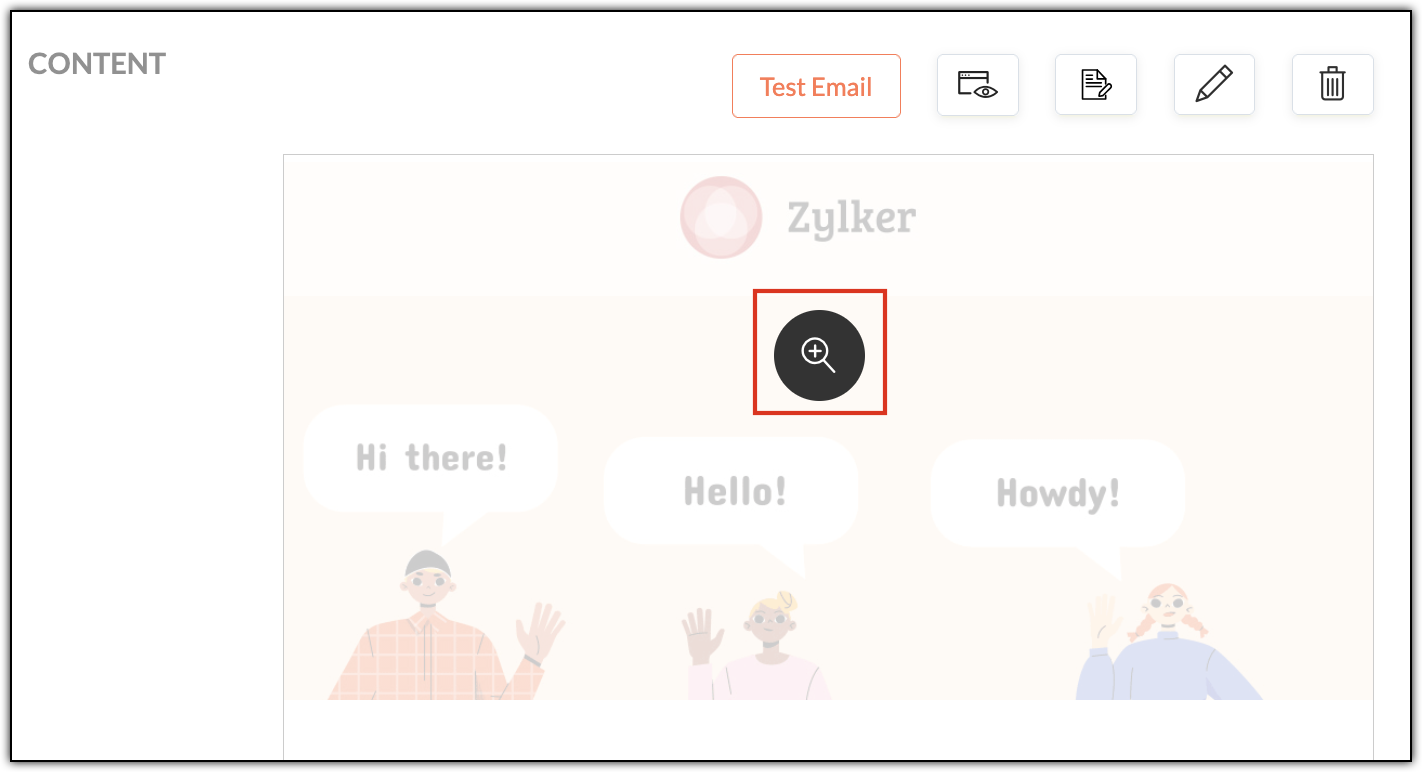
  • Always preview: Use Zoho Campaigns' built-in desktop and mobile previews to catch layout issues before sending. Click each campaign's magnifier button (in the Content section) to preview for desktop and mobile.


  • Send test emails: Open test emails in real inboxes (Gmail, Outlook, Yahoo) across both laptop and mobile devices. Create test accounts in these email clients and send campaigns to yourself.
  • Pay extra attention to Outlook: Outlook handles HTML differently and often needs special testing.
  • Granular checks: Validate links, images, alt text, and dark mode visibility before hitting send. Don't upload high resolution images, as it'll increase your emails' load times when your contacts first open them.
  • 60:40 ratio: Generally, maintaining a ratio of 60% text and 40% images in your campaigns is recommended. While this ratio doesn't have a direct contribution to open rates, it does improve loading speeds, accessibility, and inbox trust—all of which do contribute directly to open rates.
Multi-device testing makes sure your campaigns works across varying screen sizes, while multi-client testing ensures they render correctly across different email clients. Both are essential, as different email clients interpret HTML differently.

A/B testing

A/B testing helps you make smarter email decisions by letting actual contacts vote without realizing it. Instead of guessing about what works, you can create two versions of the same campaign that differ in one key way (such as their subject line, CTA, or send time) and then send them to different (but equal) portions of your contacts. The version that gets more opens or clicks is the winner—and you can then send it to your remaining contacts.

For example, let's say Patricia from Zylker Fashions is launching a weekend sale. Version A uses the subject line "Weekend sale is live", while Version B says "Your weekend savings start now". She sends both to roughly 10% of her list. After a few hours, Version B gets higher opens, so she automatically sends it to the remaining 80%. Over time, repeating such tests helps her consistently improve engagement and results.

Remember that your target contacts are often based on demographics, geography, and behavior, so test results from one group may not reflect the reactions of another.


Zoho Campaigns has a specific A/B Testing campaign feature you can use when you create email campaigns.

Send-time optimization

Let's say you're based in the US and have customers all over the globe. You want to send a campaign to your UK contacts, but you don't want to send it in the middle of the night; it might put them off. More often than not, these emails will go unopened. Instead you should schedule it to arrive at a specific time—in their specific time zone—when they're most likely to open it.

Zoho Campaigns offers this functionality. After designing your campaign with our template builder, you're ready to send it. You can choose between Send Immediately and Send Later. Upon choosing the latter, you can select either the Recipients' Time Zone and Recipients' Optimal Open Time, among other options.


The recipient's time zones are determined by whatever contact data you have, such as their country. Optimal open times, on the other hand, are based on the recipients' past engagement histories, such as when they usually open emails.

With that, we've come to the end of this three-part series.

Improving open rates is all about being consistent. We covered a wide range of topics, from sender domains and subject lines to pre-headers, personalization, dynamic content, testing, and send-time optimization.

Until next time. Happy marketing!


Kind regards,
Sai Prashanth
User Education
Zoho Campaigns

      • Recent Topics

      • Supervisor Rules --> Custom Function

        Hello, currently I can't add a custom function to a supervise rule. Is there a reason for this? Background: We have BluePrint managed tickets and actually we have a Supervise rule which should set the ticket to "closed" after 168 hours since the last
      • Vault Chrome Extension Asks for Master Password every single time

        Is this supposed to be a feature, or is this a bug?  My assumption is that it's a bug, because every time I click on the Extension, there is a red exclamation mark/notification on the Zoho Vault extension.  Is the idea with the Extension that I have to
      • What's New in Zoho Inventory | April & May 2026

        Hello users, We're excited to roll out the latest Zoho Inventory updates for April and May 2026. These enhancements are designed to make your daily operations smoother and more efficient, from advanced inventory management and flexible pricing to automated
      • Permission Denied for Worklogs URL

        We're attempting to pull worklogs data from service desk plus and when using the below URL we are met with a message stating we do not have permission. https://sdpondemand.manageengine.com/api/v3/requests/xxxxxx/worklogs/ We used SDPOnDemand.requests.ALL
      • Anyone in Australia using Zoho Books AND has their account with NAB?

        Hi I have an account with both NAB and Suncorp. Suncorp transaction come in the next day however NAB transactions take 4-5 business days to appear. eg: A deposit made today in my Suncorp will be imported into Zoho tomorrow. A deposit made today to the NAB account will be imported maybe Saturday (Friday overnight). I have contacted both Zoho and NAB but noone seems to know why. I was just wondering if anyone else in Australia uses NAB and has this issue (or doesn't) maybe we could compare notes and
      • Partner with HDFC And Sbi Bank.

        Hdfc and sbi both are very popular bank if zoho books become partner with this banks then many of the zoho books users will benefit premium features of partnered banks.
      • #12 Never Leave a Billable Hour Behind

        A client approves a website redesign project. The estimated effort? 40 hours. The project is going well. A few additional review meetings are scheduled. Several rounds of content changes are requested. A few "quick fixes" get added along the way. The
      • Close task on Completion Date entry

        This discussion is similar to my issue: "backdated-task-completion-date" discussion Scenario: A bunch of tasks have been completed. But, they have not been closed. Time goes by You finally get around to closing those tasks Projects assigns the date the
      • Can I add Conditional merge tags on my Templates?

        Hi I was wondering if I can use Conditional Mail Merge tags inside my Email templates/Quotes etc within the CRM? In spanish and in our business we use gender and academic degree salutations , ie: Dr., Dra., Sr., Srta., so the beginning of an email / letter
      • Records from ATE 29: Knowledge Base, Community, and AI for smarter user education

        Hi Everyone, "Ask the Experts 29" was an engaging session, where we explored how to utilize the Knowledge Base for customers and internal teams, as well as emphasizing the importance of our Community. This post highlights the questions and use cases discussed,
      • Deleted User Emails

        I need to delete a user as I need to re-use their license, but I'd like to keep all their emails that are attached to various contacts in the CRM. Their emails are hosted externally on an M365 license. Anyone any idea how best to engineer this? TIA
      • Its 2022, can our customers log into CRM on their mobiles? Zoho Response: Maybe Later

        I am a long time Zoho CRM user. I have just started using the client portal feature. On the plus side I have found it very fast and very easy (for someone used to the CRM config) to set up a subset of module views that make a potentially extremely useful
      • Kaizen #246 - Incoming Lead Email Intent Detection using Zia Assistant API in Zoho CRM

        Hello all! Welcome back to a fresh Kaizen week. In this post, we will explore how Zia detects positive intent from incoming emails in the Leads module using the Zia Assistant API along with Workflow Rules and Custom Functions in Zoho CRM. Use Case Problem
      • Smart URL Determination

        I would like to see Vault implement some sort of "smart" URL determination. When one starts to add a new username-password combination from a new site, Vault brings in the exact URL of the page from which this is happening. All too often, it looks something
      • Removing To or CC Addresses from Desk Ticket

        I was hoping i could find a way to remove unnecessary email addresses from tickets submitted via email. For example, a customer may email the support address AND others who are in the helpdesk notification group, in either the TO or CC address. This results
      • Tip #76- Exploring Technician Console: Quick Launch- 'Insider Insights'

        Hello Zoho Assist Community! Welcome back to our Technician Console series. Last time we explored Power Options, and this time we are turning the spotlight on a feature that quietly saves you dozens of clicks in every session by getting you exactly where
      • Multi-Book Accounting Support in Zoho Books

        Currently, businesses that operate multiple entities, regions, or divisions need to maintain separate Zoho Books instances or resort to manual consolidation processes. This creates significant operational friction and increases the risk of errors. PROBLEM:
      • Automated Multi-Subsidiary Consolidation Engine in Zoho Books

        For organizations managing multiple subsidiaries across different geographies or business units, consolidation is a quarterly/annual nightmare. Zoho Books lacks native consolidation tools, forcing companies to export data, manipulate it in Excel, and
      • Zoho Books | Product updates | April 2026

        Hello users, Welcome to our April 2026 product updates roundup! Highlights include profit margin for sales transactions, insights in reports, recording deposits from undeposited funds in banking, and faster production workflows with improved assembly
      • Unable to charge GST on shipping/packing & Forwarding charges in INDIA

        Currently, tax rates only apply to items. It does not apply tax to any shipping or packing & forwarding charges that may be on the order as well. However, these charges are taxable under GST in India. Please add the ability to apply tax to these charges.
      • How to add packing & forwarding charge in purchase order & quotation???

        Hello Zoho Team I have just started using Zoho for my company and I wanted to make purchase order. My supplier charges fix 2% as packing & forwarding on Total amount of material and then they charge me tax. For example, Material 1 = 100 Rs Material 2
      • How to book GST paid in zoho books

        hi, i am a new user to Zoho books and not able to book GST paid in books, kindly suggest how i can book it in books. thanks, siddharth
      • [Bug] WebAuthn passkey registration blocked on rpIds with TLDs longer than 6 characters (.accountant, .technology, etc.) — isValidDomain regex too strict

        Hi, Filing on behalf of an enterprise customer where Zoho Vault is deployed across the company. The Chrome extension blocks WebAuthn passkey registration on legitimate sites whose Relying Party ID (rpId) has a TLD longer than 6 letters. This affects every
      • Zoho Payroll: Product Updates - H1, 2026

        Over the last few months, Zoho Payroll has added updates that make payroll easier to process, review, explain, and manage for businesses. The most important improvements focus on payroll flexibility, gratuity tracking, employee self-service, reporting,
      • Pushover Notification Module

        Hello, it would be good if there would be a "Pushover" (https://pushover.net/) module besides the standard SMS module. Pushover is now very well known, especially in IT, and is becoming more and more popular. The biggest advantage are the customizable
      • E-Mail Blacklist via GUI

        Hello, It would be helpful if the GUI included an option to block specific email addresses (both incoming and outgoing). I want a setting where I can completely block certain email addresses. This means that no tickets can be opened from those addresses,
      • How to migrate cpanel mail to new zoho mail?

        Hi, I have a client whose email (for his website domain) is currently on "cpanel mail". Now client wants to move to Zoho Mail. I checked migration docs and its mentioned that I can migrate using IMAP or POP but I am not getting exactly what steps should I follow in order to achieve this. As soon I will add clients domain and setup MX Records and SPF for that, I will lose access to currently setup email (cpanel mail) and without adding domain in zoho mail, I can't setup email for that. Sorry if I
      • SalesIQ Integration with LINE: API Rate Limit Issue and Pre-Chat Flow Concerns

        Hello SalesIQ Developer Team. I have investigated the issue and found that the LINE Rate Limit is being consumed unusually quickly. LINE API free usage limit: 300 messages per month per brand. This limit will be reached within the first few days. 1. LINE
      • How to Backup Zoho to PST?

        I'm looking for a simple way to backup Zoho Mail emails to PST format. I tried the IMAP method with Outlook, but it seems slow and complicated for large mailboxes. I need a solution that can: Export Zoho emails to PST Preserve attachments and folder hierarchy
      • Zoho CRM Deal API returning null pipeline in case of default pipeline

        Hey team, We are writing to report an issue with the Deals module pipeline API behavior that we believe stems from how the default (Standard) pipeline is handled when no custom pipelines have been configured. When the "Manage Pipelines" page under CRM
      • Warehouse -> Locations Transition Causing Errors

        After saying "okay" to the transition from 'warehouses' to 'locations', I've now got shipped Sales Orders that I cannot invoice. How does one proceed?
      • Zoho CRM Community Digest - May 2026 | Part 1

        Hello Everyone! This edition introduces the new centralized Zoho Announcements Hub, a single dashboard designed to let you track and filter live product roll-outs from across the Zoho ecosystem. Alongside the Announcements Hub, this month also features
      • SalesIQ : Automatically clear all HTML formatting when pasted into the chat replies field (Markdown Textarea) ?

        Hello, Is it possible to Configure the chat reply field to automatically remove all HTML formatting when content is pasted, leaving only plain text? Users should still be able to apply Markdown formatting (WYSIWYG) after the text has been pasted. The
      • Converting XML to JSON

        Hi! I need to convert a variable in XML to JSON. Can i do it without using an API on deluge? I looked into the documentation but couldn't get any answers to this. Thank you in advance!
      • 元問い合わせメールに返信したときの統合処理

        ワークフロー作成したので備忘録です。 Zoho Desk で作成したメールアドレス宛てに既存のメールアドレスにきた問合せ先メールを転送してチケット作成を行っています。 元の問い合わせメールに返信、転送した際にRe,RE,re,Fw,FW,fwが件名の頭に付くため、その度に新規起票が乱立します。 メールの頭にRe,RE,re,Fw,FW,fwがある時それを除いた件名と同じ件名が既にチケット作成されていれば統合するワークフローを作成しました。 条件が緩いので既存チケットの検索で完了済みや5日以上前に作成したものは除いてもいいとは思います。
      • Marketing Automation Demo Video

        I would like to see a video demo for Marketing Automation.  Do you have one statashed away somewhere?
      • is it possible to add more than one Whatsapp Phone Number to be integrated to Zoho CRM?

        so I have successfully added one Whatsapp number like this from this User Interface it seems I can't add a new Whatsapp Number. I need to add a new Whatsapp Number so I can control the lead assignment if a chat sent to Whatsapp Phone Number 1 then assign
      • Automate Backups

        This is a feature request. Consider adding an auto backup feature. Where when you turn it on, it will auto backup on the 15-day schedule. For additional consideration, allow for the export of module data via API calls. Thank you for your consideration.
      • How to record GST amount for Value of Service on Inward remittance charged by bank

        Hi please advice I have a situation.    1. I have HDFC bank account 2. I have a customer who has done inward remittance for purcahses from overseas. 3. HDFC is showing Value of Service say $100 and GST @ 18%. 4. Value of Service is not charged. But  CGST
      • Sort by Project Name?

        How the heck do you sort by project name in the task list views??? Seems like this should be a no-brainer?
      • Next Page