Migrating to the new outgoing webhook model in Zoho Connect
Dear User,
Outgoing webhooks configured in the Zoho Connect Integrations page, and used as triggers in Zoho Flow and Zapier will stop working after May 31, 2026. This is due to an upcoming upgrade to our outgoing webhook flow.

This update is intended only for users with deprecated outgoing webhooks in Zoho Connect.
This includes:
Your outgoing webhooks in Zoho Connect created before May 2021.
Your triggers created in Zoho Flow and Zapier before September 2025 using these webhooks.
Only these specific webhooks in Zoho Connect and their related triggers in Zoho Flow and Zapier need to be reconfigured.
As part of this upgrade, the existing outgoing webhook flow is being deprecated and must be replaced with a new webhook model. Once the old flow is disabled, previously configured webhooks will no longer trigger or deliver data.
Accessing and reconfiguring old outgoing webhooks
To access the old outgoing webhooks:
- Click the plug icon from the right menu.
- From the list of integrations, select Outgoing Webhook.
The webhooks configured in this integration need to be recreated to continue using them.
To reconfigure the old webhooks:
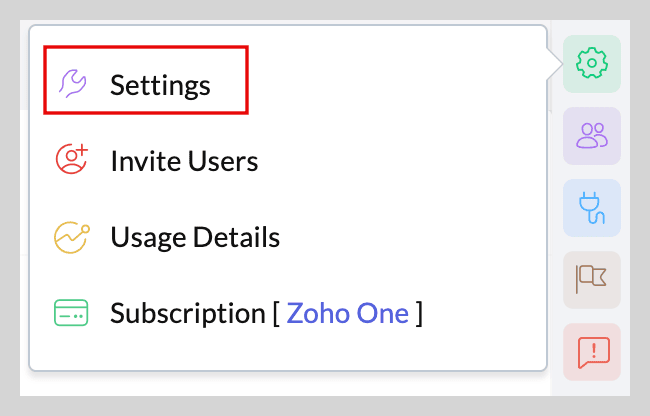
- Click the gear icon from the right menu and select Settings from the dropdown.
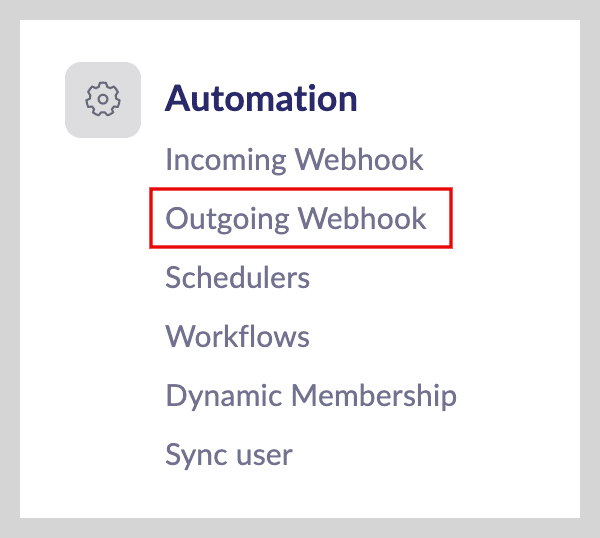
- Under Automation, select Outgoing Webhook.
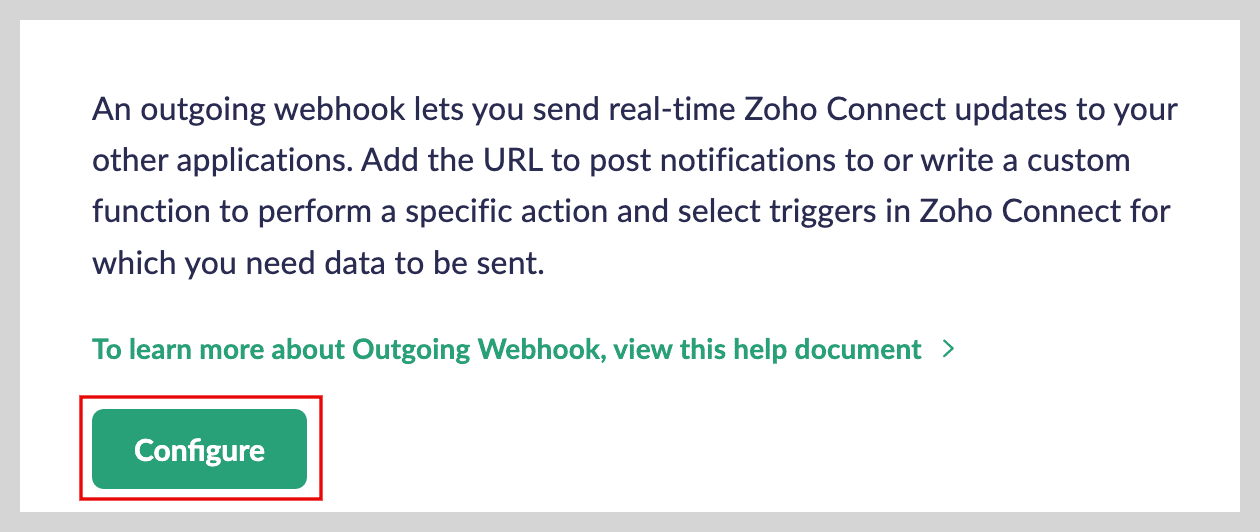
- Click Configure to replicate your old webhook.
To avoid disruptions, replace your deprecated outgoing triggers with new triggers on Connect’s Integration page, Zoho Flow, and Zapier.
In Zoho Flow:

In Zapier:

Note: Reconfiguration is mandatory because there is no automatic migration.
About the new webhook model
The new model introduces a more structured trigger-based flow with this key change:
- Trigger count limitations apply. Each webhook is subject to a defined trigger limit. Once the limit is reached for a day, the webhook will stop working until the count resets on the next day.
This change helps improve reliability and system performance, but it also means you should review your trigger usage carefully while setting up the new webhook.

What happens if you fail to configure a new webhook?
- Existing old webhooks and deprecated triggers will stop working after May 31, 2026.
- No events will be sent to your configured endpoints.
- Any dependent workflows or automations will not function.
Points to remember
- Review all configured outgoing webhooks and triggers in external services and recreate them using the new webhook model.
- Test your setup well before May 31, 2026 to ensure everything runs smoothly.
If you rely on outgoing webhooks for critical workflows, do not postpone this.
For any assistance or queries, reach out to us at support@zohoconnect.com. We'll be happy to help you!