Timeline support for subforms
 Currently available editions in all DCs: Free, Standard, Professional, and Zoho One Standard.
Other editions: Rollout soon.
Hello everyone,
Timelines help users track important changes made to records and provide a complete history of updates over time. While timelines already capture changes made to records, changes within subforms were not previously included.
With this enhancement, timelines now extend support to subforms, allowing users to track additions, updates, and deletions made within subform rows directly from the timeline. This provides better visibility into how subform data evolves over time.
With this enhancement, timelines now extend support to subforms, allowing users to track additions, updates, and deletions made within subform rows directly from the timeline. This provides better visibility into how subform data evolves over time.
The image below illustrates how subform changes appear in the timeline.
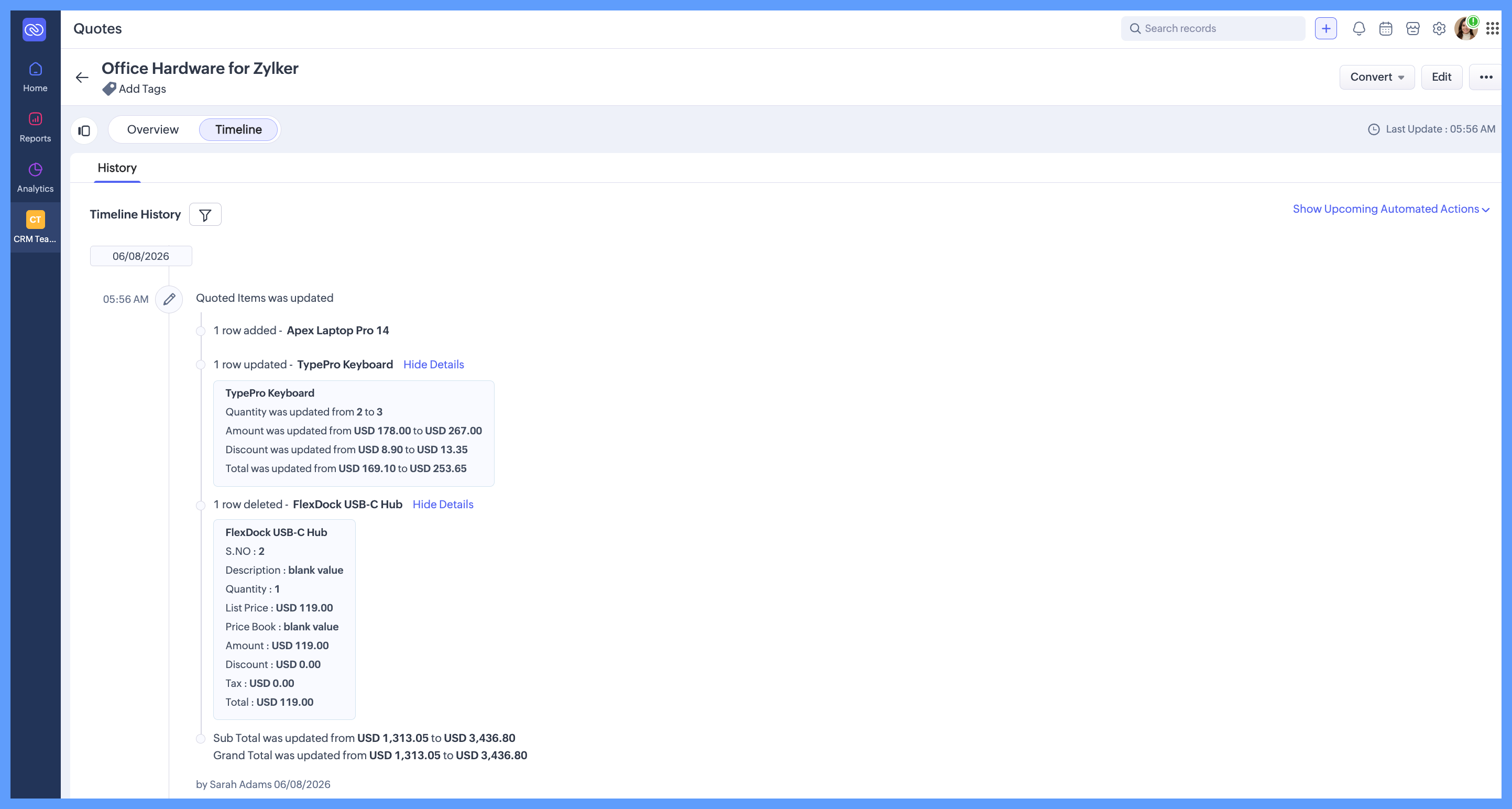
You can view these changes from the Timeline section of a record.
What's new in the timeline?
With timeline support for subforms, users can now:
- Track row-level changes - View additions, updates, and deletions made within subforms directly in the timeline, with each change recorded as part of the record's history.
- Identify changes with a primary field - Use a designated primary field to identify the subform row associated with each timeline entry easily.
For example, if the Prospect Module contains a KYC Documents subform, Document Name can be selected as the Primary Field. When a document's verification status is updated or a new document is added, the Timeline clearly identifies which document was modified, making it easier to review changes.
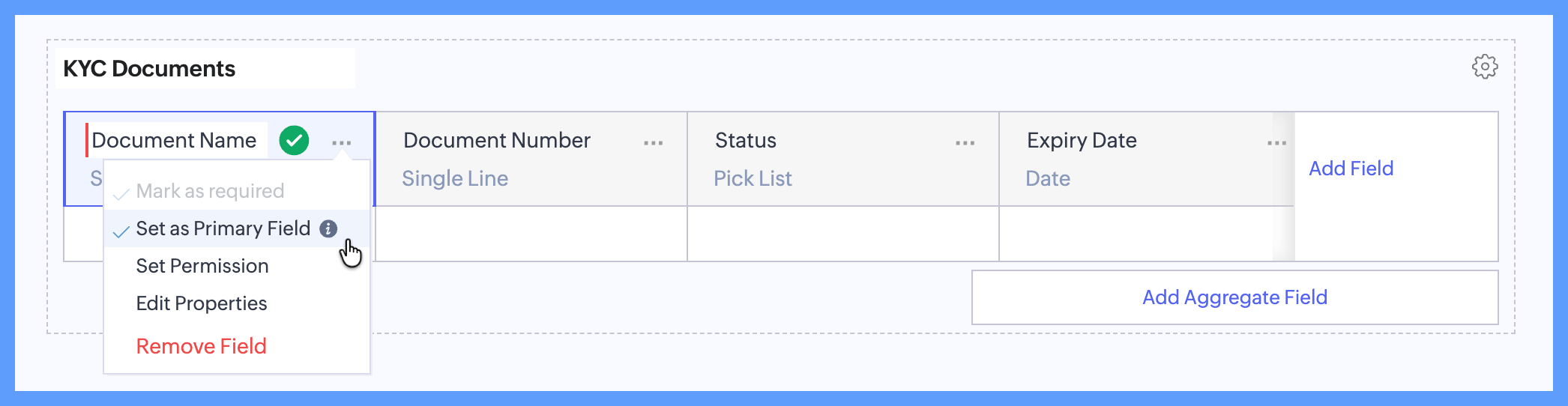
Each subform uses a Primary Field to identify individual rows in the Timeline. When creating a subform, you must select a Primary Field before saving it. You can change the Primary Field at any time, and future Timeline entries will use the newly selected field to identify changes.

Note: For existing subforms where a Primary Field wasn't configured, the S.No. field is used as the Primary Field by default. If the S.No. field is unused, changes are still tracked internally against the S.No. field. However, these changes won't appear in the timeline until the S.No. field is moved to a used state.
We hope you find this enhancement useful.
For more information, refer to the help resource.