Wat is er nieuw in Zoho Desk 2023
Beste Community leden,
Hoeveel je ook van je klanten en je werk houdt, als klantenservice medewerker zul je zeker een aantal zware dagen tegenkomen. We hebben het dan over de dagen dat je een paar keer op de snooze-knop drukt, koffie morst op je favoriete shirt en op je werk inlogt om een stapel ongeopende support tickets in je wachtrij te vinden. Het is logisch dat je naast goede ook slechte dagen hebt. Soms, tijdens die sombere klantenservice diensten, is "Dank u voor uw hulp" wat je op de been houdt.
Klantenservice medewerkers spelen zo'n belangrijke rol in de tevredenheid van de klant dat sommige bedrijven de rol hebben geherdefinieerd tot "customer happiness agent". Als agent speel je een directe rol om ervoor te zorgen dat klanten een geweldige ervaring hebben met je bedrijf. En bij Zoho Desk hebben we het onze missie gemaakt om jou - als "geluksbrenger" - de klant tevreden te houden!
Sinds het begin staat tevredenheid (zowel van jou als van je klanten) centraal bij alles wat we bij Zoho Desk doen. Immers, een tevreden werknemer zorgt voor meer tevreden klanten en uiteindelijk voor een gezonder bedrijf.
De nieuwe Zoho Desk release versterkt de omnichannel communicatie, customer self-service en agent experience. Lees verder voor meer informatie over alles waar we mee bezig zijn geweest.
Instant messaging
We zijn verheugd om een nieuwe manier van interactie met je klanten in Zoho Desk te onthullen. Met het Instant Messaging (IM) platform voor Zoho Desk kunnen klanten je bedrijf bereiken via WhatsApp, Telegram, LINE en WeChat. Aangezien de meeste van je klanten deze platforms al gebruiken voor communicatie, is het alleen maar logisch om ze daar te helpen. We hebben alle tools die je al kent gecombineerd met onze uitgebreide IM-module, samen met enkele nieuwe functies die zijn ontworpen om de productiviteit te maximaliseren.
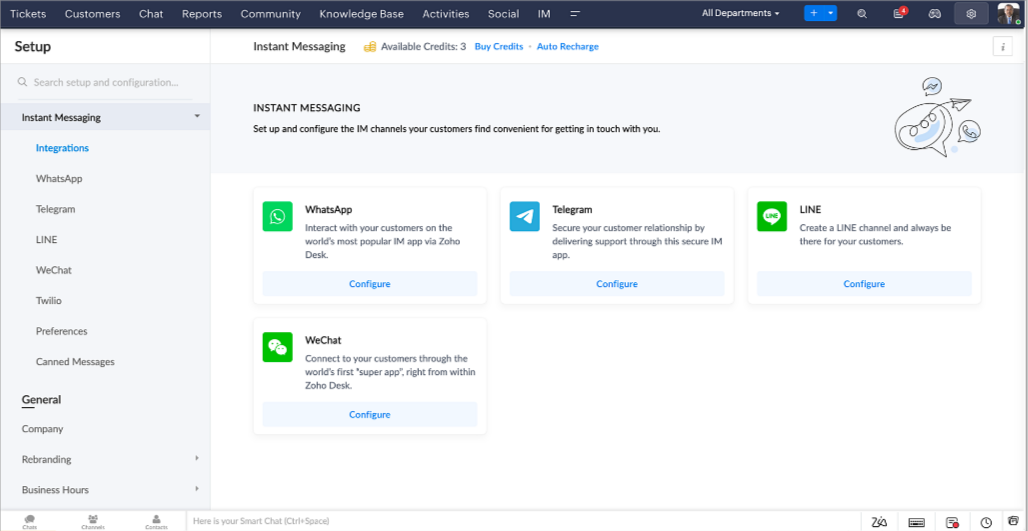
Zoho Desk geeft je een melding in realtime voor inkomende chats, zodat je gemakkelijk contact kunt leggen met klanten vanuit de interface die je al gebruikt. Daarbij kun je nu:
- Klantcontact, ticket informatie, cross-channel gespreksgeschiedenis en bijlage gegevens binnen het chatvenster van de klant volgen voor directe context.
- Kennisbank artikelen openen en toevoegen vanuit het invoergedeelte, vooraf opgestelde antwoorden gebruiken voor snelle oplossingen en emoji's toevoegen voor extra personalisering.
- Neem deel aan meerdere chats tegelijk in verschillende kanalen zonder van tabblad te hoeven wisselen.
- Wijs gesprekken toe aan je teamgenoten.
- Converteer gesprekken in tickets om ze gemakkelijk te kunnen volgen tot ze zijn opgelost.
Hoe zit het met automatisering? Je hebt het! Automatisering, zoals workflows, Blueprints, toewijzingsregels en SLA's, en meer die mogelijk zijn voor tickets aangemaakt vanuit andere kanalen zijn mogelijk voor tickets aangemaakt vanuit je instant messaging kanalen. Je kunt ook automatische reacties instellen voor de tijden dat je afwezig bent of je klanten op oneven uren berichten sturen.
Je kunt het voor klanten gemakkelijk maken om contact met je op te nemen door QR-codes te installeren bij fysieke verkooppunten of door onze eenvoudig te implementeren knop Bericht ons op je website te embedden. Ze kunnen je zelfs bereiken via direct zakelijk zoeken op het IM-platform zoals Telegram.
Guided Conversations (GC)
We zijn erg enthousiast over de introductie van Guided Conversations (GC), het resultaat van de inzet van ons productteam om je de beste zelfbedieningsopties te bieden.
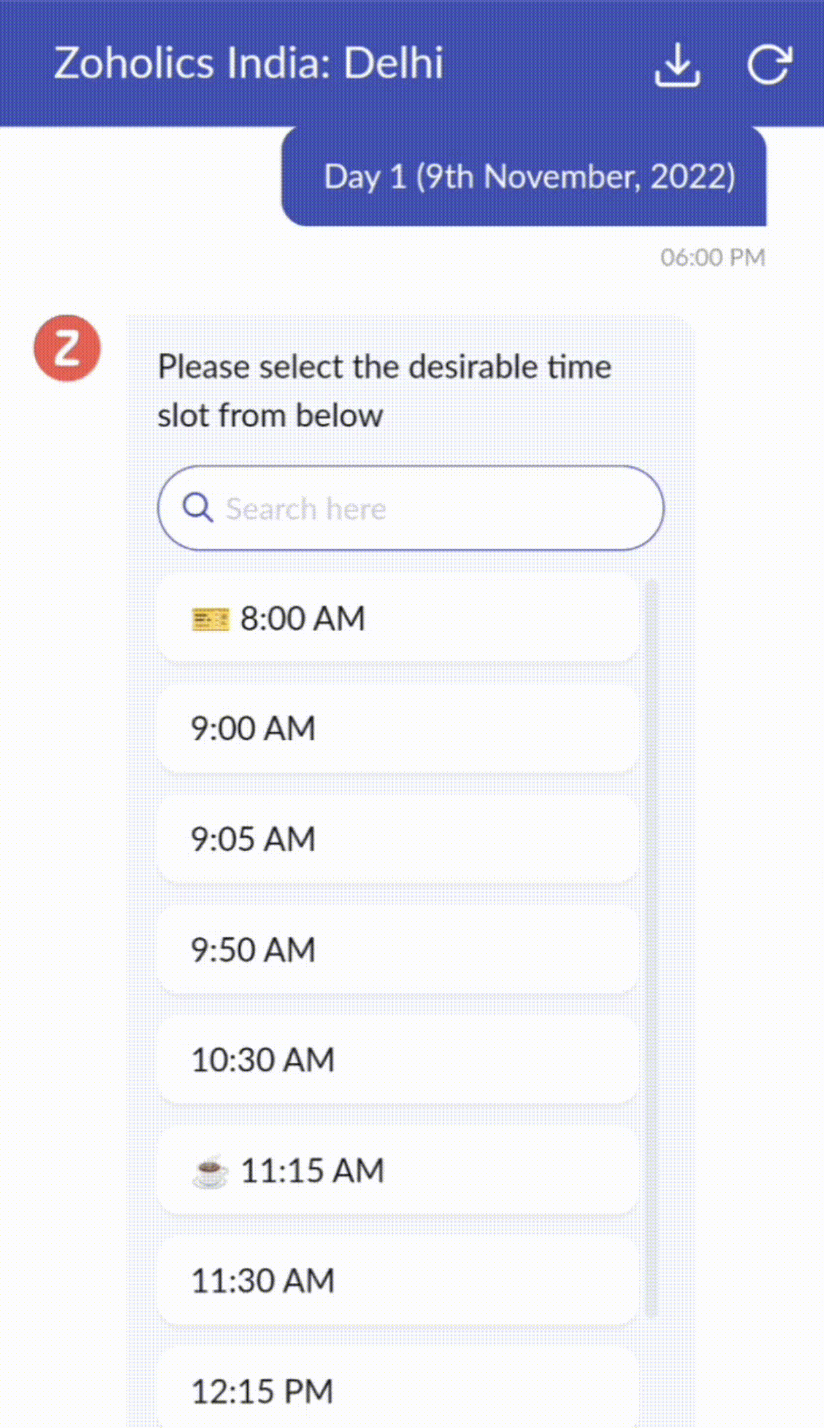
Als klantenservice professional weet je dat de meeste vragen geen eenvoudige antwoorden hebben. Ze vereisen vaak vervolgvragen en veel context voordat er een oplossing komt. Daar komt GC om de hoek kijken. Het is een proactief, low-code, self-service platform dat het pad naar antwoorden voor complexe vragen van je klanten vereenvoudigt. Kies uit een reeks vooraf gedefinieerde vervolgvragen of antwoorden om een GC-flow te creëren die klanten systematisch naar de best mogelijke oplossingen leidt. Je kunt GC bouwen met functionaliteiten die specifiek zijn voor je publiek. Bovendien kun je op elk moment tijdens het gesprek je klanten doorverwijzen naar menselijke interactie, en dan zo nodig terugschakelen.
Guided Conversations kunnen worden gebruikt in verschillende situaties, zoals bij het boeken, bestellen, terugvragen of het verzamelen van informatie voor creditcard verwerking of verzekeringen. De mogelijkheden zijn eindeloos. Hier zie je hoe we Guided Conversations hebben gebruikt voor Zoholics, ons jaarlijkse gebruikersconferentie.
Drag-and-drop bouwer
Bouw je GC-flow met behulp van een reeks reactieformaten of -blokken, zoals tekst, afbeeldingen, valuta, datum en tijd, schuifregelaar, keuze, overslaan en opnieuw beginnen. Om een GC-flow te bouwen, sleep je gewoon blokken, voeg je variabelen of dynamische plaatshouders toe en verbind je paden om de volgorde van gebeurtenissen te bepalen, afhankelijk van de keuze van een gebruiker in elke engagement fase.
Webhooks voor naadloze integratie
Door Webhook-blokken te configureren, kun je je conversatiestroom zo samenstellen dat er interactie is met Zoho Desk-processen, andere Zoho-services of applicaties van derden. Als de gebruiker bijvoorbeeld al je contactpersoon is, haalt het Webhook-blok zijn informatie rechtstreeks op uit uw CRM, in plaats van hem te vragen deze elke keer te verstrekken.
Integreer GC overal waar klanten toegang hebben.
Bekijk en implementeer je uiteindelijke flow door deze te koppelen aan uw ASAP helpcentrum op je website, landingspagina's en mobiele apps.
We kunnen niet wachten om de unieke flows te zien die je maakt met Zoho Desk's Guided Conversations!
Verbeterde ervaring
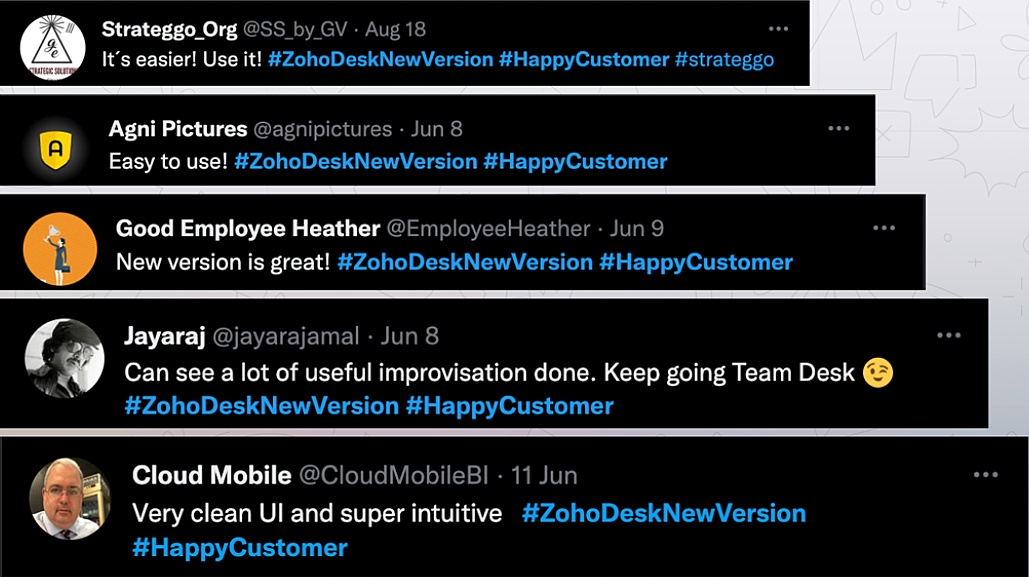
Misschien heb je de Try New Version-optie in Zoho Desk al opgemerkt en zelfs onze vernieuwde gebruikersinterface (UI) geprobeerd, die we eerder dit jaar hebben geïntroduceerd. Dit is onderdeel van onze inspanningen om Zoho Desk logischer en visueel aantrekkelijker te maken om je de beste werkervaring te geven - omdat we weten dat een ingewikkelde helpdesk ervoor kan zorgen dat acht uur aanvoelt als 20 uur.
Wat is er veranderd?
Betere UI, meer context en eenvoudigere navigatie
Wij geloven dat goed ontworpen software weinig tot geen instructies nodig heeft. Daarom hebben we de gebruikersinterface aantrekkelijker, samenhangender en begrijpelijker gemaakt. Die presenteert gegevens beter, geeft meer context en is gemakkelijker te navigeren.
Het belang van snelle toegang tot relevante informatie voor klantenservice teams kan niet genoeg worden benadrukt. We hebben onze UI geoptimaliseerd en het navigeren door verschillende schermen om de juiste informatie te vinden eenvoudiger gemaakt. We hebben ook enkele schermen een make-over gegeven om je een holistisch beeld te geven van je klanten en tickets op één enkele interface. Weet je nog hoe graag we je context geven? Bekijk onze nieuwe look in:
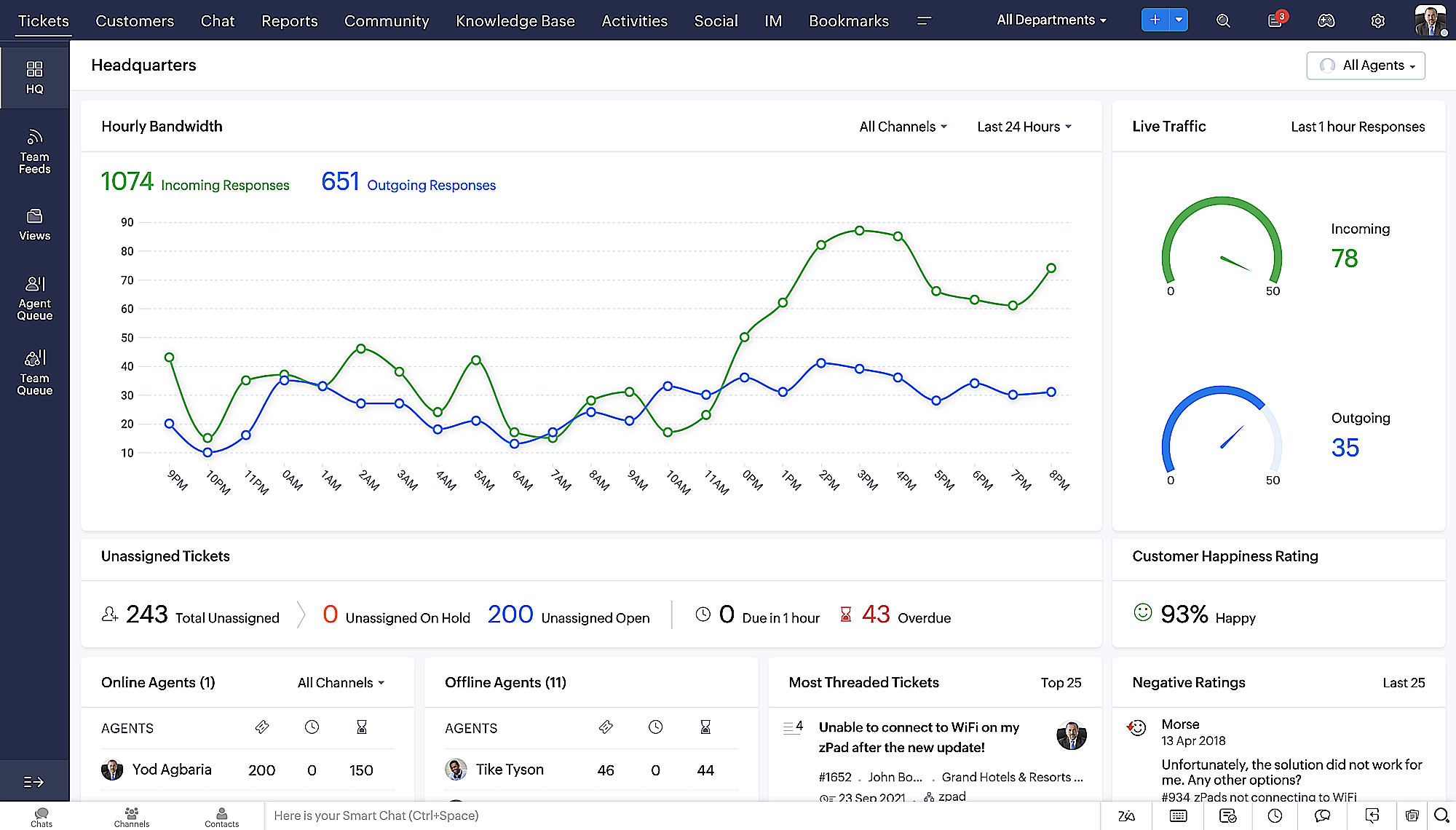
- Laatste Hoofdkwartier weergave met een verfijnde gegevensindeling en vernieuwde algemene look.
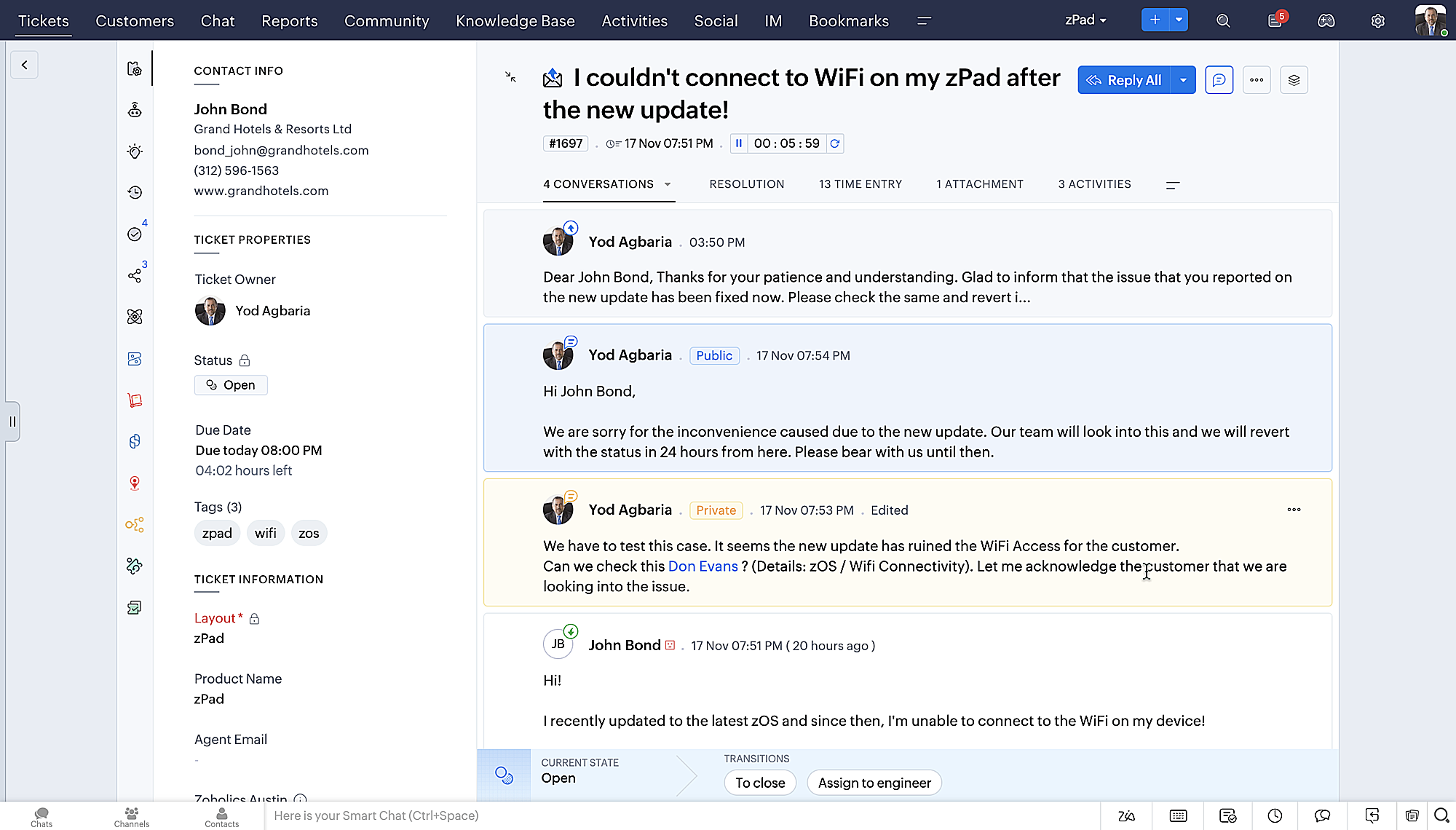
- Gedetailleerde ticketweergave met kleurgecodeerde threads voor eenvoudigere navigatie tussen gesprekken en opmerkingen.
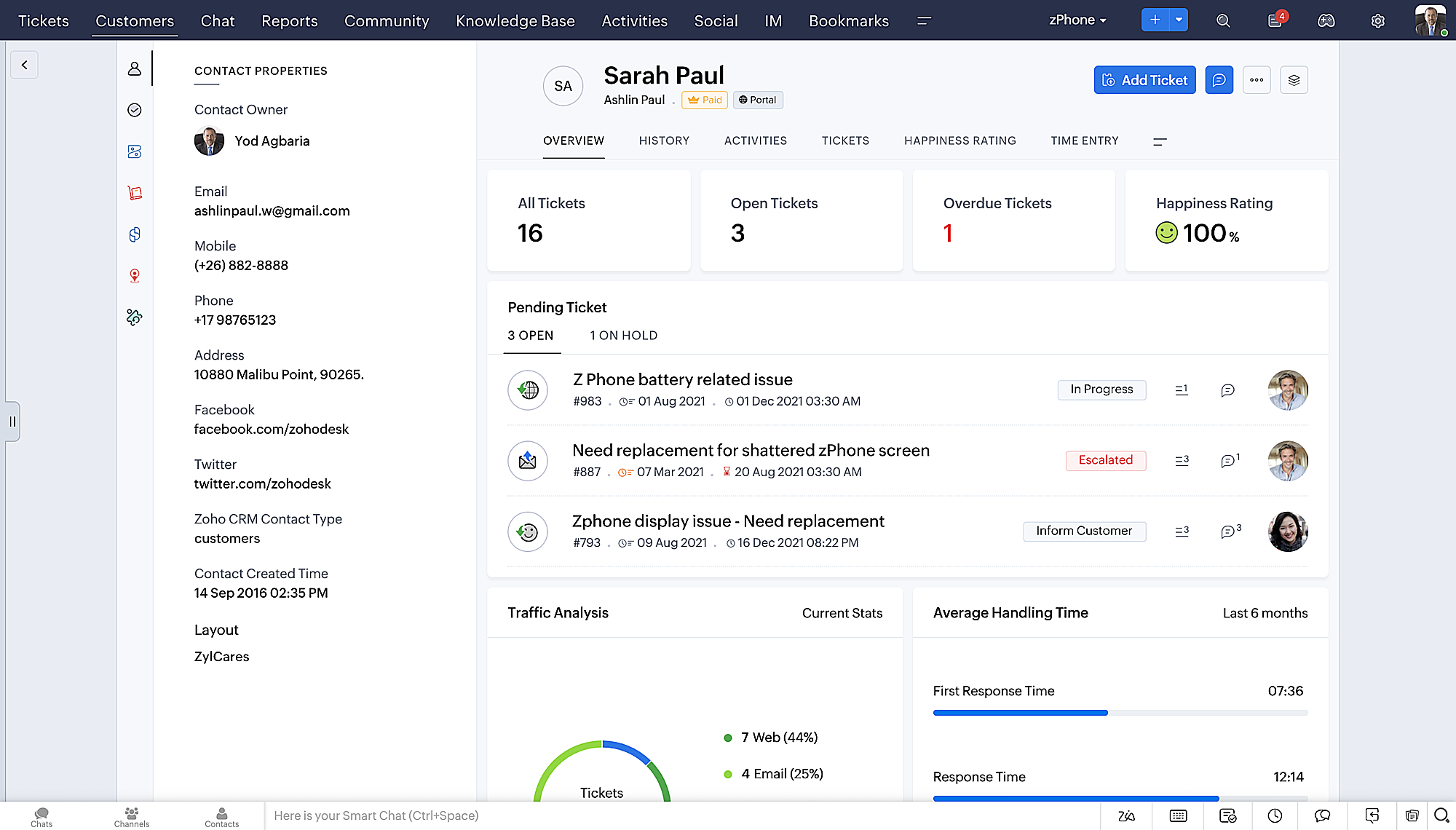
- Gedetailleerde Contactweergave met knoppen voor snel toevoegen, een sectie Wachtende tickets en een overzicht van Ticketinzichten.
- Ticket Queue View met drop-down statusopties, zodat je snel updates kunt geven zonder Ticket Detail View te openen.
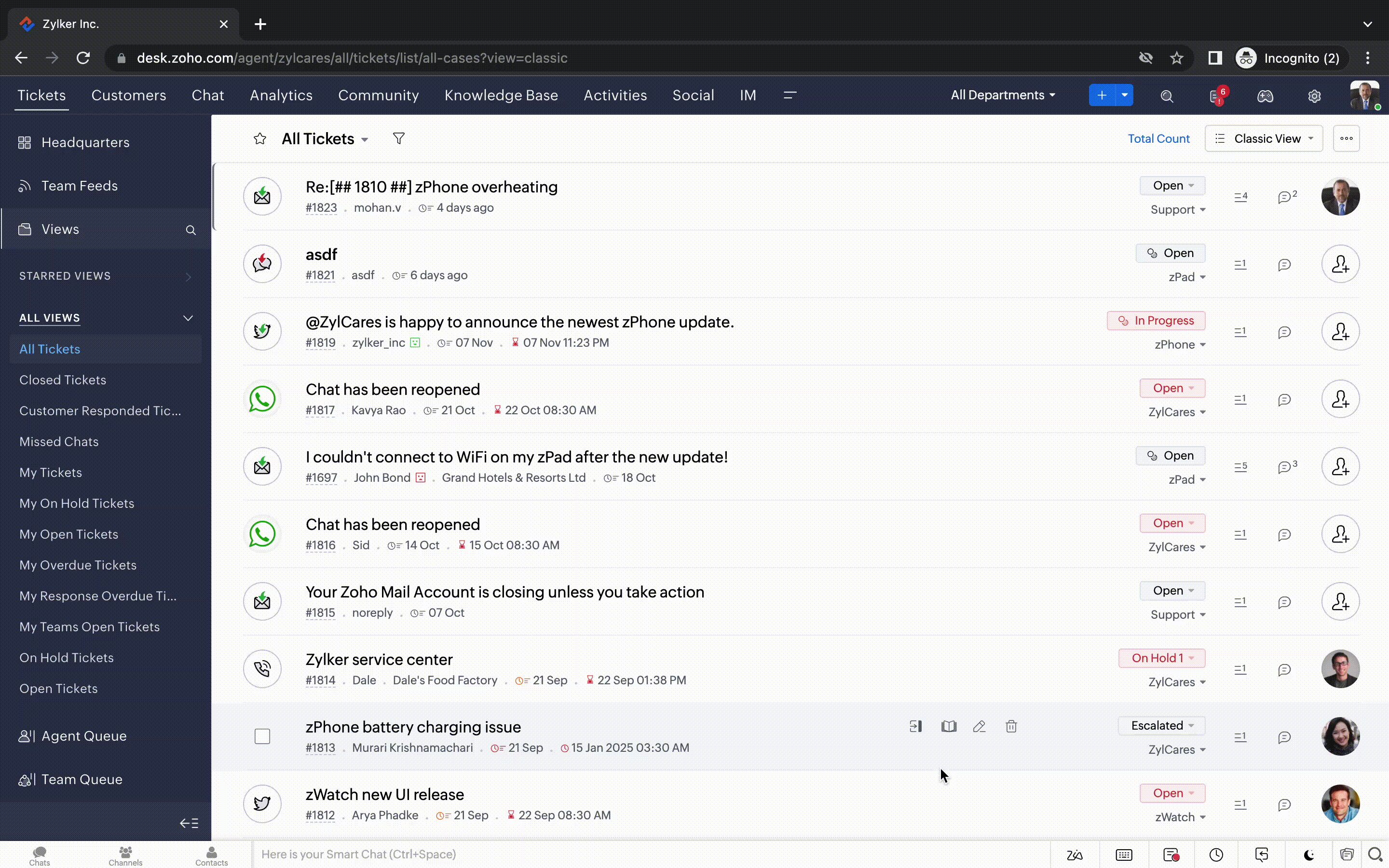
- Een nieuwe optie markeren als gelezen/ongelezen in de ticket lijstweergave, en een geconsolideerde vervolgkeuzelijst Werkmodi in de hele module Tickets.
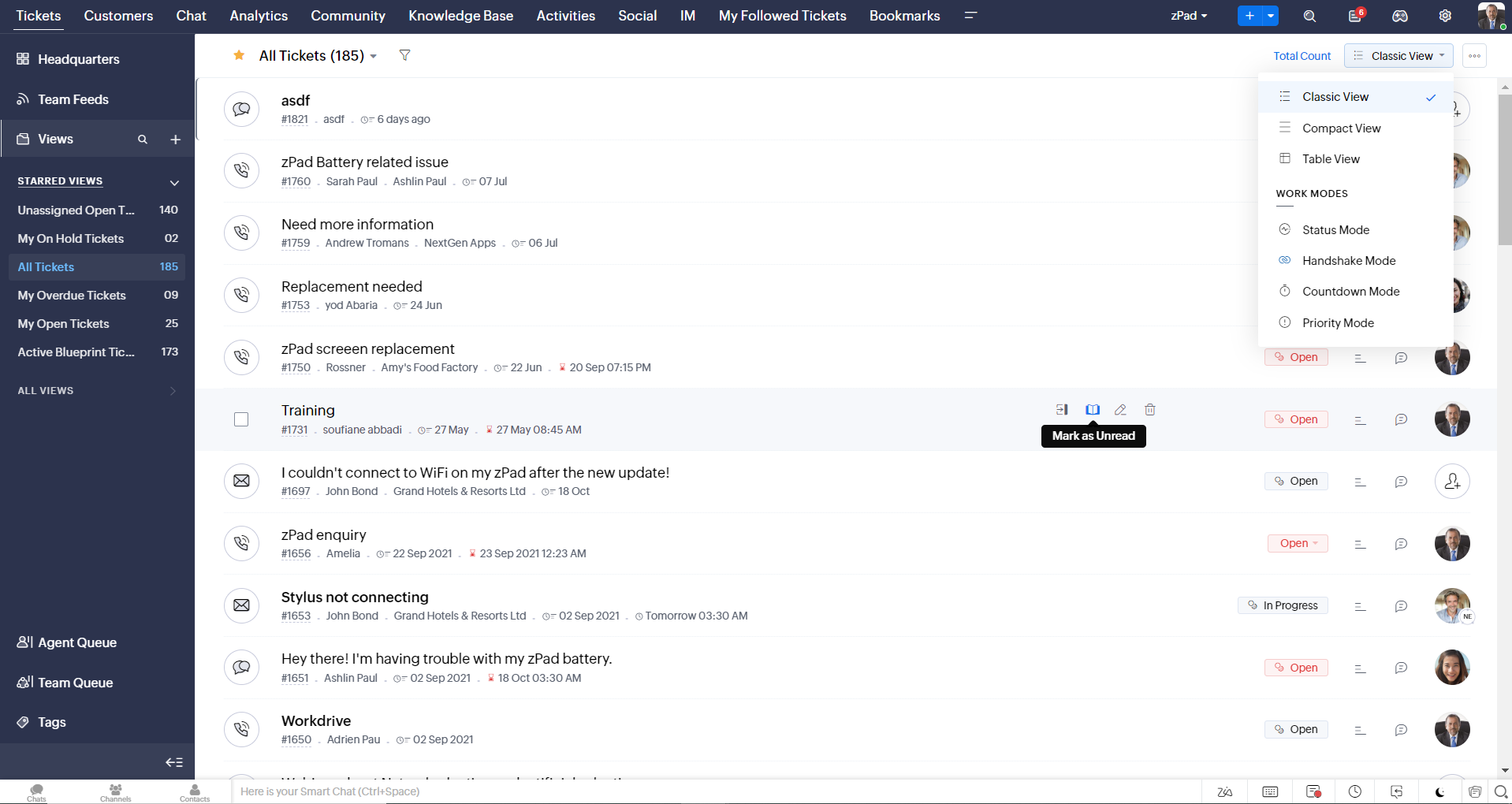
- Oneindig scrollen voor snellere ticket verkenning en navigatieknoppen om snel naar de bovenkant of onderkant van de pagina te gaan.
Nieuwe personaliseringsopties voor gebruikers
Personalisatie is zo'n gewoon onderdeel van ons dagelijks leven geworden dat we het in de meeste van onze productinteracties verwachten.
In Zoho Desk kun je al lay-outs, velden, rollen, sjablonen en je helpcentrum aanpassen. Nu kun je ook het uiterlijk van je portaal aanpassen, zodat je je meer verbonden voelt met je helpdesk. Dit is wat er nieuw is:
- Dark mode/nachtmodus voor een comfortabele kijk- en leeservaring bij weinig licht.
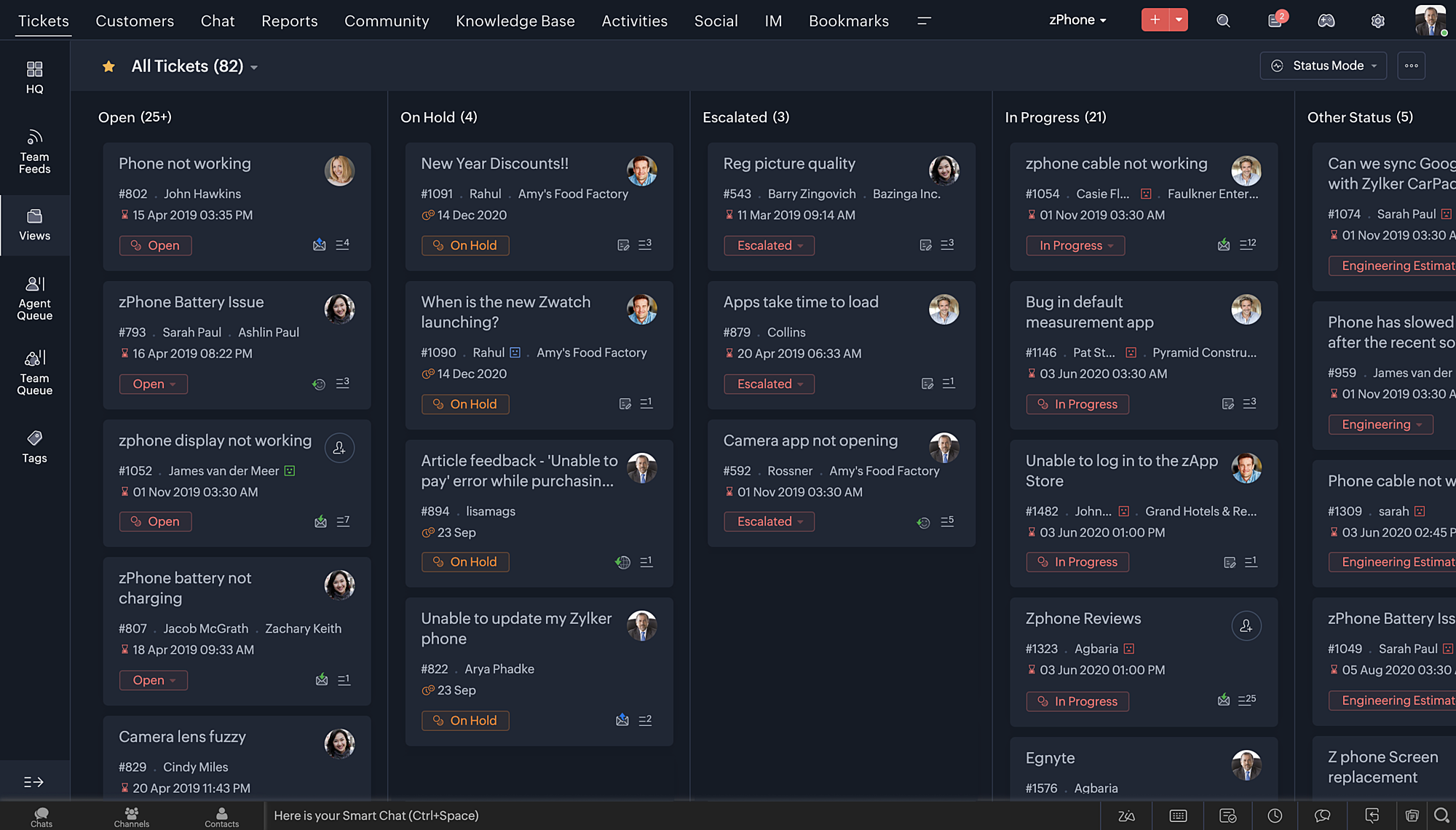
- Nieuwe thema's voor het bekijken van Desk in je favoriete kleur, of in kleuren die jouw merk vertegenwoordigen.
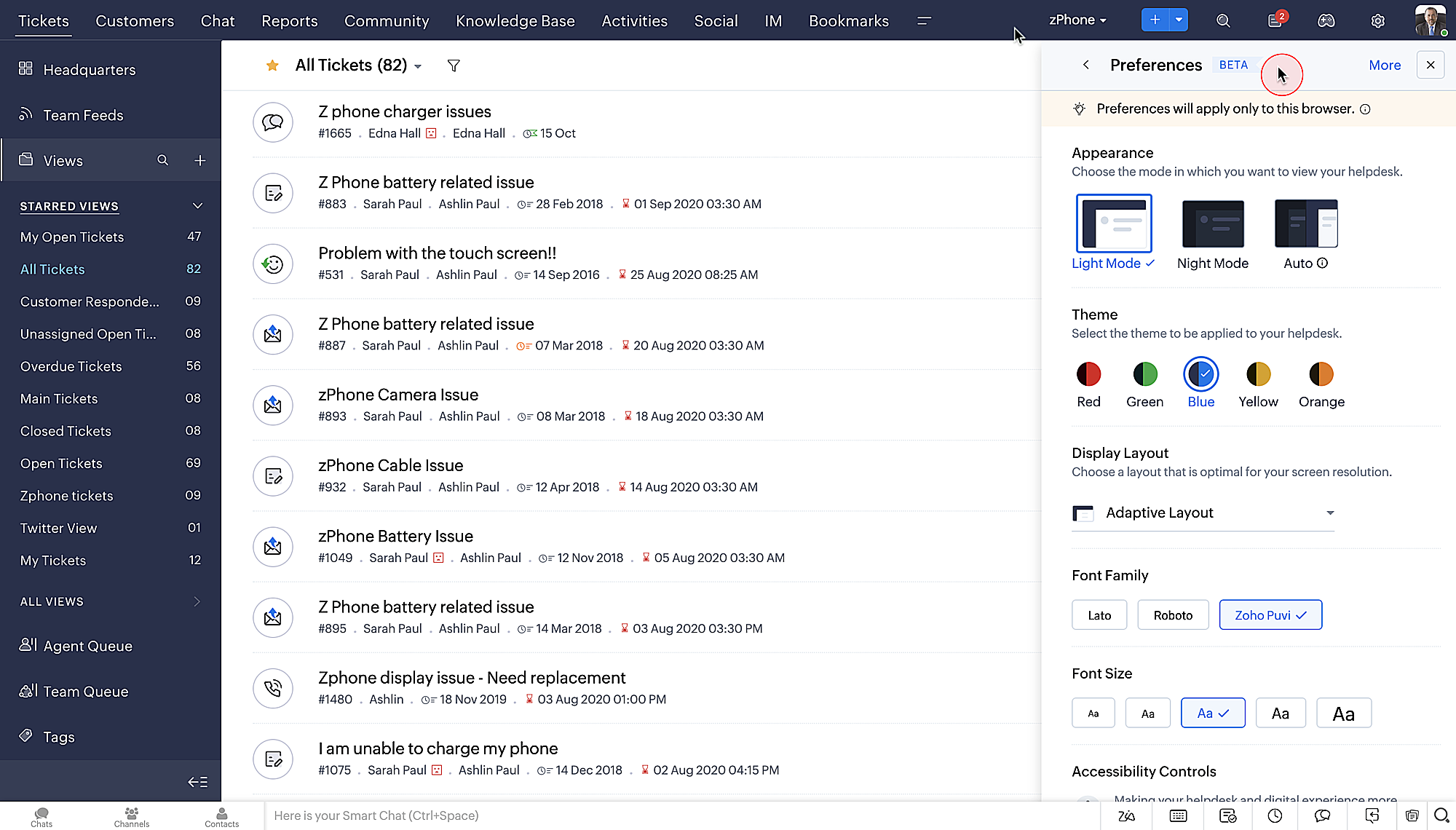
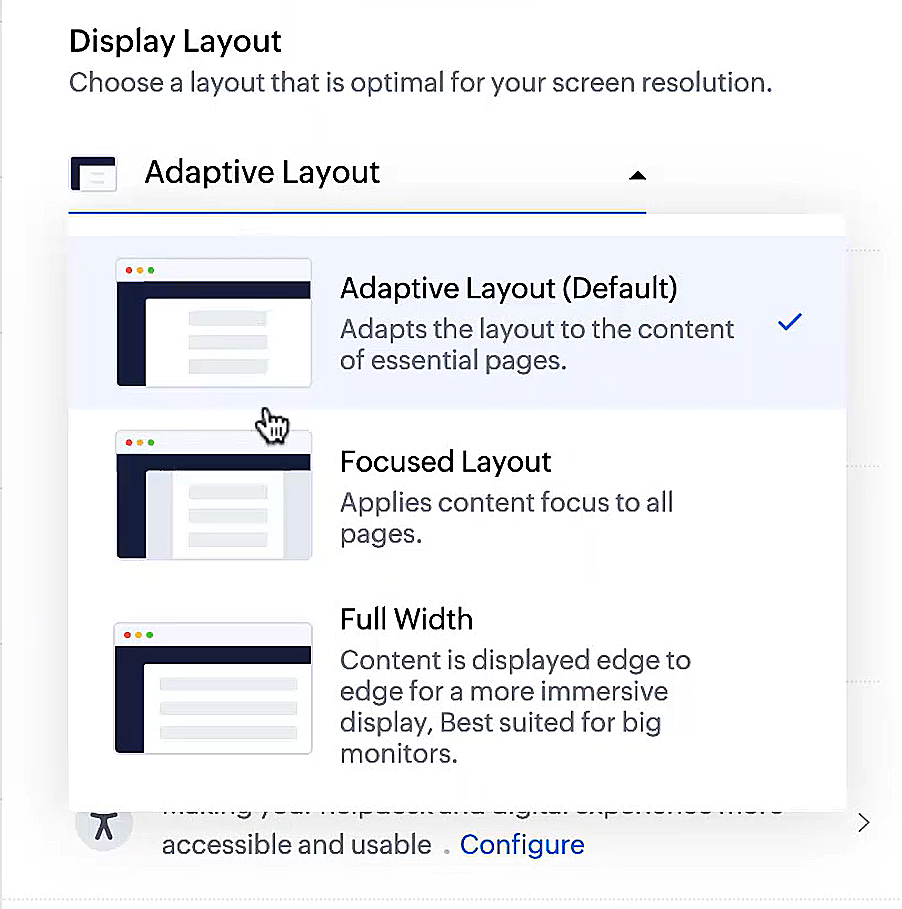
- Display lay-outs waarmee je kunt kiezen hoe je inhoud aan je wordt gepresenteerd.
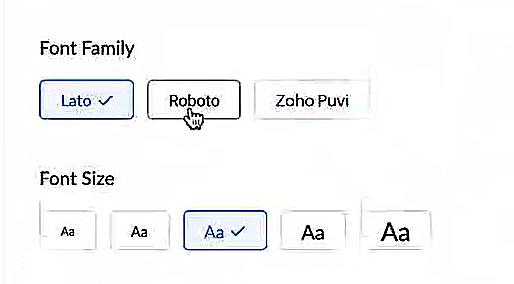
- Nieuwe lettertypes en -groottes zodat je tekst precies overeenkomt met je voorkeuren.
Toegankelijkheidscontroles
Het is altijd onze missie geweest om alle gebruikers toegang te geven tot onze producten, en met onze nieuwe toegankelijkheidscontroles komen we een stapje dichterbij. We hebben meerdere knoppen toegevoegd ter ondersteuning van je gezichtsvermogen, fysieke en motorische behoeften en leerbehoeften.
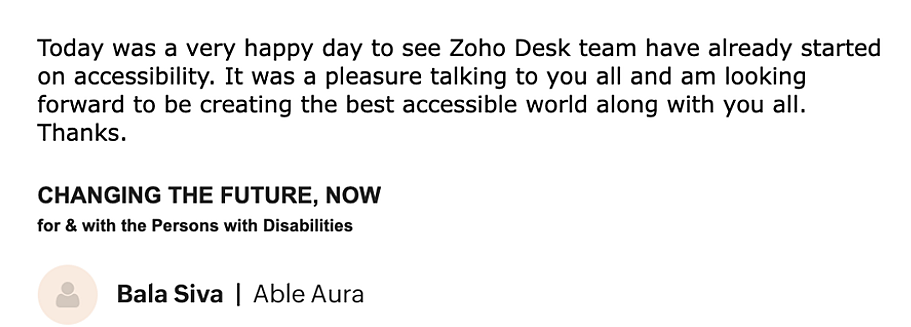
- Highlight Critical Information toont belangrijke informatie, zoals ticket ID, ticket eigenaar en contactgegevens in een opvallende kleur.
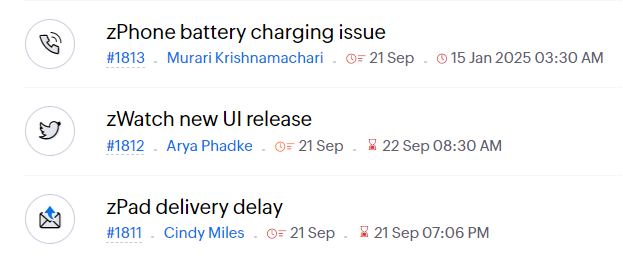
- Onderstreep Links verhoogt de zichtbaarheid van klikbare links.
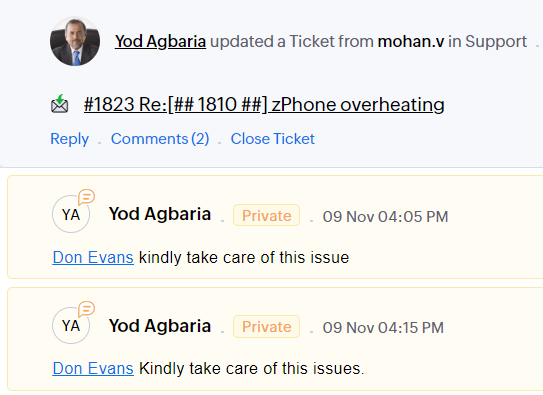
- Benadruk Focusgebied voegt een rand toe rond je focusgebied om de omvang en klikbaarheid aan te geven.
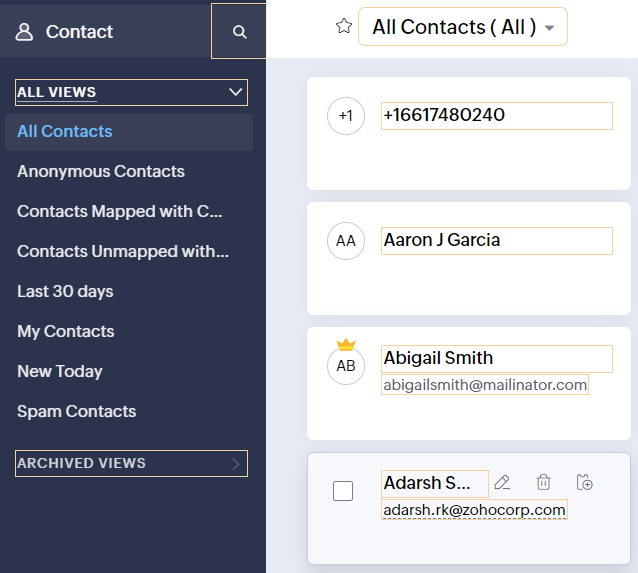
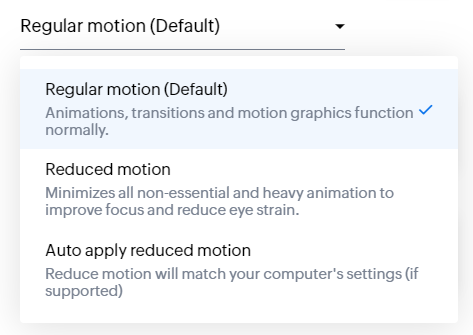
- Animatie regeling optimaliseert animaties en overgangen in je helpdesk.
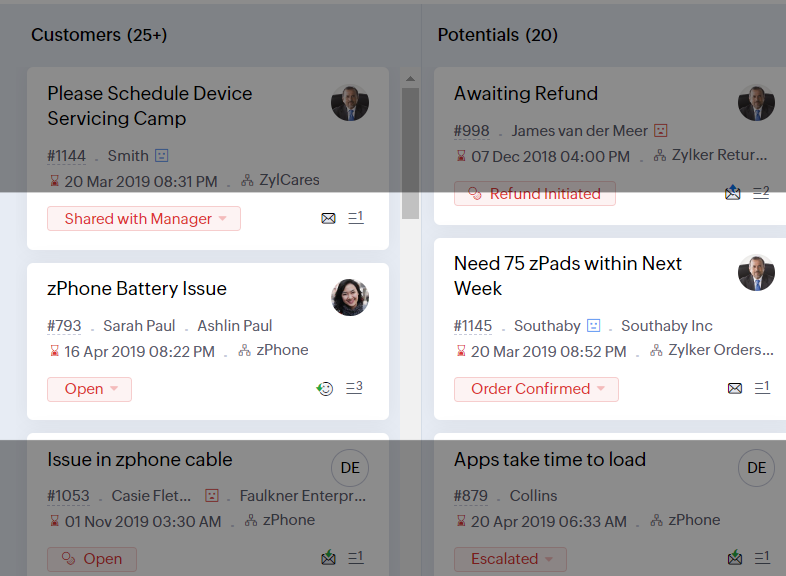
- Leesmasker elimineert afleiding door tekst te maskeren die je momenteel niet leest.
- Met Zoomniveau kun je in- en uitzoomen tot de pagina gemakkelijk te bekijken is.
- Toon lettergrootte past de lettergrootte aan tot de pagina goed leesbaar is.
Met alle nieuwe functies in de Zoho Desk 2022 editie hebben bedrijven nu meer mogelijkheden om te zorgen voor tevreden medewerkers en tevreden klanten.
We horen graag wat je van de nieuw toegevoegde functies vindt! Deel je feedback in onze comments of op social media.
Topic Participants
Sukhpreet Singh
Sticky Posts
Doe mee aan de Zoho Desk Meetup op 7 maart in Antwerpen
Beste Community leden, Wij nodigen jullie graag uit voor de Community Meetup van Zoho Desk! Op 7 maart komen we bij elkaar in Antwerpen, samen met een klant en de Zoho Experts van Brainsolutions. Onze experts zullen een live demo presenteren en jouw vragenDoe mee aan de Zoho Desk Meetup op 16 Februari in Utrecht
Beste Community leden, Wij nodigen jullie graag uit voor de Community Meetup voor Zoho Desk! Op 16 februari komen we bij elkaar in Utrecht, samen met Fleetkennis en de Zoho Expert van Mobile XL. Onze experts zullen een live demo presenteren en jouw vragenWat is er nieuw in Zoho Desk 2023
Beste Community leden, Hoeveel je ook van je klanten en je werk houdt, als klantenservice medewerker zul je zeker een aantal zware dagen tegenkomen. We hebben het dan over de dagen dat je een paar keer op de snooze-knop drukt, koffie morst op je favorieteTips & Tricks #10 Automatiseren met Zoho Desk Deel 2
In deel 1 van het automatiseren met Zoho Desk las je een use case over een probleem in een appartementencomplex en hoe dit door gebruik te maken van Zoho Forms en Zoho Desk kan worden opgelost. In deel 2 lees je meer over het integreren van Zoho FormsTips & Tricks #09 Automatiseren met Zoho Desk Deel 1
Beste Community leden, Zoals jullie weten hebben we in Nederland een woningtekort. Een oplossing hiervoor is de hoogbouw. Echter, om de de hoogte in te gaan moet er ook voor de juiste faciliteiten in flats worden gezorgd. Problemen kunnen we allemaal
Recent Topics
Multiple clients in one project
Hi team, What is the possibility to have more than one client to be linked for one project in the Zoho Books? Our business model is to have a project, and this project have expenses/bills, as well, we issue invoices for this same project to several customers.Upgrade Zoho Desk Agent-Side Answer Bot to GenAI
Hello Zoho Desk Team, We hope you're doing well. Following the recent announcements and rollout of the GenAI-based Answer Bot in Zoho SalesIQ (Nova '25), we’d like to formally request a similar upgrade for the Answer Bot used by agents inside Zoho Desk.Marketers' Space: The importance of warming up your sender domain
Hello Marketers, Welcome back to yet another post! Today, we'll talk about why warming up your sender domain matters. Imagine you've recently started a business and want to share the news with your customers. You've designed a great email campaign usingAn Exclusive Session for Zoho Desk Users: AI in Zoho Desk
A Zoho Community Learning Initiative Hello everyone! This is an announcement for Zoho Desk users and anyone exploring Zoho Desk. With every nook and corner buzzing, "AI's here, AI's there," it's the right time for us to take a closer look at how the AISearch Just Got Smarter in Notebook
Hello there! Introducing Our New & Improved Search Experience! We heard your feedback! Many of you shared that our previous search had some challenges like • Inconsistent results across different clients • Limited accuracy in finding the right contentZoho Desk app update - AI Integration for IM Chats
Hello everyone! We have now introduced AI integration for IM Chats within the Zoho Desk mobile app. To access the feature, please enable the 'Generative AI' settings on the desktop site(desk.zoho.com). Please refer to the help link attached below: ZohoOpen A.I assistant Connect with Zoho Desk instant Message Conversations
I would like to know how do I connect my instant messenger in Zoho desk with my Open A.I Gpt Assistant. this is very easy to setup using the Salesiq Zobot but when it comes to Zoho Desk i cannot figure how to make the connection. Ideal workflow CustomersCannot upgrade subscription plan due to payment error message
Hi Zoho team, This is to request support on an issue I am facing during an upgrade I am trying to make to our company's yearly Zoho subscription. I am trying to add 3 more license to my plan and during the payment phase I get the below error as in theEnhancing Zia's service with better contextual responses and article generation
Hello everyone, We are enhancing Zia's Generative AI service to make your support experience smarter. Here's how: Increased accuracy with Qwen One of the key challenges in AI is delivering responses that are both contextually accurate and empathetic whileZoho Desk app update: AI powered features
Hello everyone! We’ve introduced various AI-powered services on the Zoho Desk app. Let's take a look at what's new. Generate Content: Generate Content uses AI to formulate responses based on the your query and provides a ready-to-use reply which can beBulk update Archived Ticket
Dear All We would like to update the "Category" values to the new filed. We found the archived Ticket seems to be don't support the bulk action. Do we have any way to update it. Finally, we would to generate a report for our ticket system. Regards ICustomer Address Not on Standard Invoice when Address is on Contact Record
Hi, I entered the customer billing and shipping address in Zoho CRM. I created an invoice in Zoho Books with the same customer contact. The contact is correctly in Zoho Books with the billing and shipping address. The invoice for the customer does notChannel Configuration and Default Channels
There are some of the default fields that cannot be removed or changed. Examples are the social media ones, such as Facebook. It would be nice to be able to remove these fields as it would be confusing if someone selected this but it's not configureDelay function execute
I've got a workflow which uses a webhook to send information to Flow, which in return updates a record in Creator. Problem is, by the time this has executed, the rest of my script has run and can't find the (yet to be) updated info in the record. Is thereSupport www.camcard.com
Hi, Is it possible CRM Zoho have integrations with https://camcard.com/? Thanks Br, AndyOption to Customize Career Site URL Without “/jobs/Careers”
Dear Zoho Recruit Team, I hope you are doing well. We would like to request an enhancement to the Career Site URL structure in Zoho Recruit. In the old version of the career site, our URL was simply: 👉 https://jobs.domain.com However, after moving toCan't make a document editable to anyone
Hey everyone, I am using Zoho Workdrive and trying to share a document so that it is editable by anyone with the link. I am trying to convince people to shift from Google to Zoho, but they don't have accounts yet. When I try to change the share settingsEdit Default Print
What I want to do is create / edit the "Default Print" template without changing the layout I'm using. Currently I can create "Email Templates" but I don't use them for emailing and getting to that selection takes multiple clicks. If an email template could be set to be the Default Print template that would be helpful. I'd also like to print these in bulk but don't see that option (there is a mail merge macro but that goes straight to emailing, not to print or PDF).Widget shows error
Hi, May I ask why below characters will be auto added into the widget link and how to solve this error? As my widget shows 404 error now. ?serviceOrigin=https%3A%2F%2Fcrm.zoho.com&frameorigin=https%3A%2F%2Fcrm.zoho.comHow to print envelope labels from Zoho CRM
Can anybody give me any clue how to print envelope/package labels directly from Contacts view? Regards, Alexandru Moderation Update: The Canvas Print View, which also facilitates the formatting of mailing labels, is now available! Learn more here: ZohoData Import: New interface, improved field mapping, and more
Hello everyone! We’ve redesigned the data import process to ensure accurate field alignment and verify that every column in the uploaded file maps correctly with Desk fields before import. Here's how: Streamlined Import Steps Importing data is now moreAddress labels
Hi, we've been searching for a long time for a simple way for our employees to print address labels using a Dymo Label Writer 450. We came up with two alternatives that work, bur aren't really optimal. First one is WebMerge. Webmerge is a great application that does 100% what we need but it is way too expensive for our needs. We only need to print a couple of labels per month. The second one is the integrated print tool in Zoho CRM, (Print preview) You would think this is the obvious way to do thisThis domain is not allowed to add. Please contact support-as@zohocorp.com for further details
I am trying to setup the free version of Zoho Mail. When I tried to add my domain, theselfreunion.com I got the error message that is the subject of this Topic. I've read your other community forum topics, and this is NOT a free domain. So what is thePrint Labels
How can I configure my address to print my labels like this: Name Mailing Address Mailing City, Mailing State Mailing Zip Country Instead of: Name Mailing Address Mailing City Mailing State Mailing Zip Country Thanks!!!!Mailing labels - Improperly formatted
All I'm trying to do is print one, properly formatted, mailing label. I'm in the Contacts module. In the default "list view" for mailing labels I selected a single client, hit the "more actions" drop down and selected print mailing label. Unfortunately,Printing mailing labels
The ability to print mailing labels would seem to be an important, basic, function of a good CRM. I find it very surprising that this has still not been addressed adequately by Zoho. When trying to use the existing "mailing label" included: 1. the dataPageless mode needed to modernise Writer
When we switched from GSuite to Zoho, one of the easiest apps I found to give up, was Docs. In many ways, Writer has always been more powerful than Docs, especially in terms of workflows/fillable forms/etc. However, I went back into Docs because I noticeZoho Projects - Visual improvement to parent and sub-task relationship
Hi Projects Team, My feature request is to improve sub-task visibility. Please see screenshot below. I really think parent child relationships could be visually improved. Even if the first letter of the parent task was inline with other same level tasksAPI method to get activity feed in Recruit
Hi community, I'm trying to figure out - is there any API method tto get information about datetime when Recruit/Candidates record tag where added?Printing Mailing labels
Is there any way to adjust the size of the printing labels? or product would I use to print labels from Zoho? Thanks, Josef Krieger Moderation Update (14th April 2025): We have another post discussing the same topic with votes and feedback from users.Default to Current Date
I'm importing data from a excel spread sheet that does not have date column and I'd like the date column in the Zoho Database to default to the current date. Any way I can do this?"Spreadsheet Mode" for Fast Bulk Edits
One of the challenges with using Zoho Inventory is when bulk edits need to be done via the UI, and each value that needs to be changed is different. A very common use case here is price changes. Often, a price increase will need to be implemented, andDifferent Company Name for billing & shipping address
We are using Zoho Books & Inventory for our Logistics and started to realize soon, that Zoho is not offering a dedicated field for a shipping address company name .. when we are creating carrier shipping labels, the Billing Address company name gets alwaysWhat's New in Zoho Inventory | Q2 2025
Hello Customers, The second quarter have been exciting months for Zoho Inventory! We’ve introduced impactful new features and enhancements to help you manage inventory operations with even greater precision and control. While we have many more excitingMake Packages from multiple sales order of a single customer
Our customers sends orders to us very frequently, some times what customer wants is to ship items from 5 to 6 sales orders in a single shipment. it will be very nice if, zoho can implement this function, in which we can select items from other sales orders of the customer.Print a price list or price book
Hi Community. Am I right in concluding that Zoho has no functionality to print a price list from either Zoho CRM, Zoho Inventory or Zoho Books? I won't get stuck on the fact that Zoho doesn't sync price books between Zoho CRM and Books/Inventory (moreShow Custom Button in Portal Listview Canvas
I have created a custom button that shows in a list view of deals (internally I can see it). I have permissions to allow this button on the portal. But it is not displaying in the canvas list? Before I do too much leg work, is this function allowed?Zoho Sites "pages" management page
I have 80 plus pages on zoho sites. When I go to the "pages" link to view and edit pages, They are not in any kind of order, so I spend lots of time searching for pages when I need to edit or create new. How can I change the view order of all my pagesAI feature in Zoho Desk suggesting answers based on past ticket threads
Hi I would like to suggest something that would be very useful : instead of suggesting answers based on the Knowledge Base, I think it would be great if Zia could analyze the history of all customer and agents threads, to suggest answers in new tickets.Advanced Customization of the Help Center using JavaScript
Hello everyone, The Help Center in Zoho Desk can be customized by using HTML and CSS to provide structure and enhance the page's appearance—but what if you want to add interactive and dynamic elements? You can add these effects with JavaScript, a programmingNext Page