Add Dynamic Charts in Writer's Merge
We've built a way for you to dynamically generate a chart that can be embedded in your document during merge. Popular types of charts like column charts, bar charts, pie charts, doughnut charts, and line charts are supported.
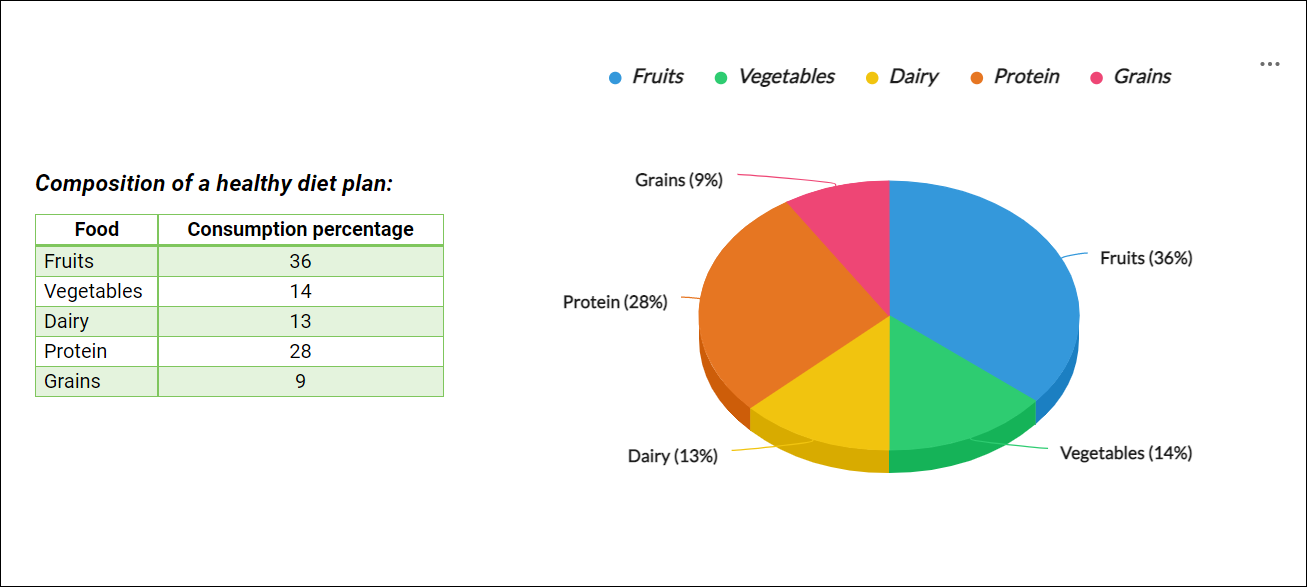
How to create chart during merge?
Step 1 : Configure data source and choose the main form or sub-form data for chart from Automate tab.
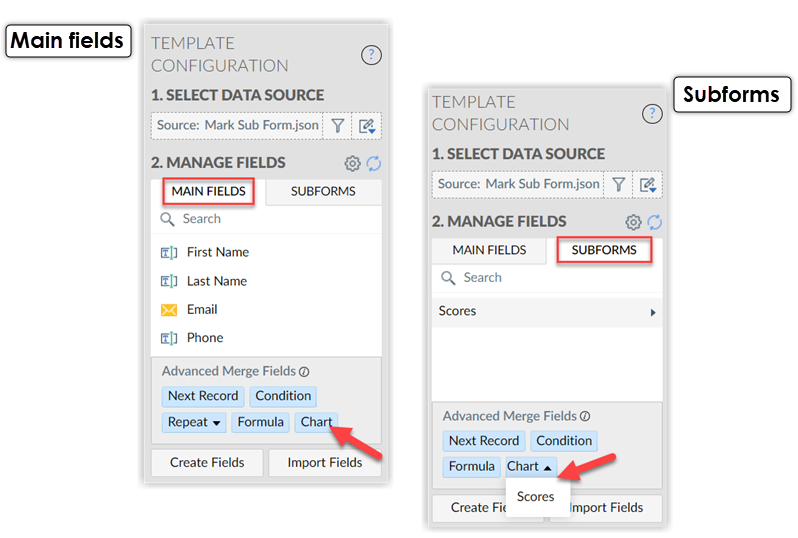
Step 2 : Choose appropriate fields to configure the chart data.
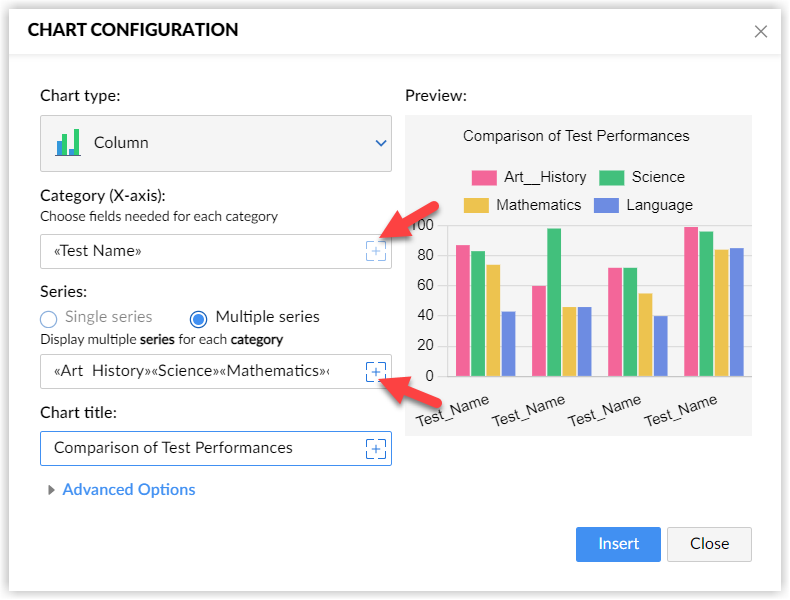
Step 3 : Run merge , data will be rendered as chart in the merged document.

Like the update? Let us know what you think in the comments below, and follow us on Twitter to catch all the latest Writer news first.
Happy writing!