An Overview Of Zoho Cliq And Its Features
It comes off as no surprise that the implementation of Zoho CRM comes with much better and streamlined business operations. Zoho is known for making exceptional-quality and cloud-based business software applications that do not cost much. The team chat app of Zoho called the Zoho Cliq is no exception in this case.
A thoughtful and quick messaging app, Zoho Cliq borrows some of the best ideas from its competitors and adds a special paneled layout so that numerous interactions that go on between the members of an organization can be viewed. Zoho Cliq costs really less than any other application that might be in this space. Additionally, in terms of features and other integrations also, it is a great option to ensure maximum productivity and minimum costs within an organization.
In this blog, we will understand all the features that can come with Zoho Cliq. However, let us first begin by understanding Zoho Cliq in detail.
What is Zoho Cliq?
Zoho Cliq is actually a chat platform that can be accessed for free with emails, the Zoho CRM, and the Zoho One subscription. One has the option to choose this team chat app separately but there won’t be any chance of using the platform for its true capabilities.
With the help of Zoho Cliq, organizations can streamline their communications and move their work forward. Communication gets much more organized and simple because it presents easy to find information by connecting the tools that you will love.
In the present time and age, there are so many platforms to choose from when it comes to chatting with your team members. The reason why Zoho Cliq stands out amongst all of them is because of the benefits that it offers. It brings everything that matters to an organization in one place.
Let’s look at the features offered by Zoho Cliq one by one:
1. Group Chats
The most important function of Zoho Cliq is the fact that it creates space for group chats. One can create an account, set up channels, and invite people to join. These channels become open to any member of the account for joining or inviting someone. Every channel gets represented by a name and a certain description which is optional. It is very common for companies to have these channels for departments, teams within the departments, projects, and socializing.
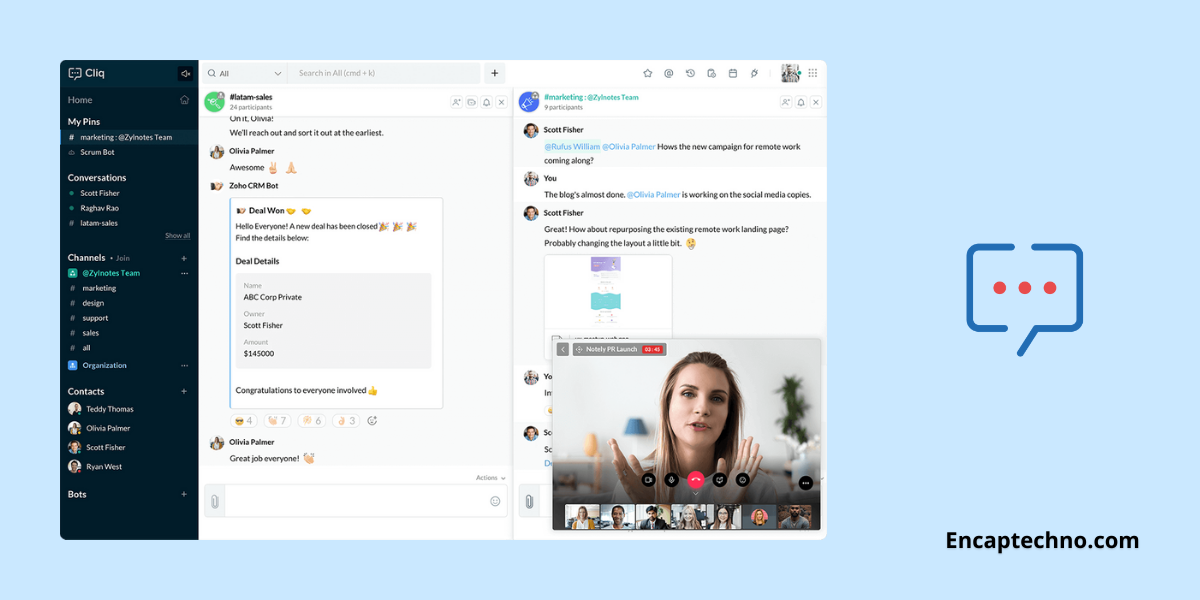
That being said, the channel feature is not the only way in which individuals can have a conversation. Zoho Cliq is a team chat app that also supports direct messages with individuals and groups. One of the most important aspects of Zoho Cliq is the columnar design with which it comes. As more and more channels begin to join and messaging with people gets opened, each chat opens its panel or column.
The more the number of chats you open the more columns are likely to fill your screen. The layout is actually simple and organized because it allows you to open more than one chat window at any particular time. You can reference any conversation while replying to another. However, the columns cannot be rearranged at will because that will feel like a big oversight.
With most of the other online apps that are using this layout, one has to drag and drop the column for reordering them. However, in Zoho Cliq, the only way in which the columns can fall in order is by closing all the windows and then opening them sequentially in a preferred order.
2. Tracking Conversions
A common problem that many messaging apps have struggled to solve is that tracking the conversions that happen between team members becomes hard. When someone asks a question or begins a conversation in a channel and if it might get delayed in the sense that the other person does not reply in timely then the conversation flow might get skipped.
Another scenario is multiple prompts in one conversation might lead to missing out on many questions asked by some team members. When your Zoho partner implements Zoho Cliq for you, one of the best features that you will discover is no ignored conversation. When a post that asks for additional follow-up separates from the rest of the channel, it can be forked to a private message.
The forked conversation, in fact, will appear as an independent selection in the list of channels and direct messages on the left with the annotation of Forked. This feature proves to be beneficial for people who work in different time zones and might feel the need to catch up on a day’s worth of conversation in one sitting only.
3. Apps and Integrations
Zoho Cliq is also available as a web app and desktop store app for Mac, Ubuntu, and Windows. There are mobile apps for iOS and Android. Zoho helps in making a wide range of online business applications from its popular CRM software to a project management platform. Zoho Cliq effectively works with other applications in the portfolio of Zoho CRM.
Zoho Cliq is also available as a web app and desktop store app for Mac, Ubuntu, and Windows. There are mobile apps for iOS and Android. Zoho helps in making a wide range of online business applications from its popular CRM software to a project management platform. Zoho Cliq effectively works with other applications in the portfolio of Zoho CRM.
In addition to this, it also supports integration with some of the outside applications such as Dropbox, Google Drive, Trello, Zendesk, GitHub, etc. This actually signifies that you can take reports, contact information, invoices, or any other data you require and send the same with the help of Cliq. It only takes one-word commands for initiating the action and is an easy way to communicate important information.
With Zoho Cliq login, you can also make custom integrations with Zoho flow, an integration service that is very similar to the IFTTT, Zapier, and Integromat. You can use Zoho Flow and the drag and drop feature that it comes with for creating integrations with other applications and services. In case you do not know how to code, even then you can create simple integrations. However, in case you wish to get much more advanced, a little knowledge of coding might be helpful.
4. Use Taz and Bots For Reminders
Chatbots are extremely convenient tools to work with. As a default feature, Zoho Cliq comes with a bot called Taz which is made by Zoho natively. You can use Taz for sending messages to yourself for saving important things, setting reminders for important events, and creating events that you would want to attend otherwise.
Chatbots are extremely convenient tools to work with. As a default feature, Zoho Cliq comes with a bot called Taz which is made by Zoho natively. You can use Taz for sending messages to yourself for saving important things, setting reminders for important events, and creating events that you would want to attend otherwise.
There are other bots available as well such as Deskbot which is tied with the Zoho Desk application only. The bot actually sends reminders when a ticket is assigned to you or when a customer replies to a ticket and needs to take some action on a ticket.
It must be understood that customer service is everything and Deskbot helps in staying up to date with your tasks. You can also add more bots if you please.
5. Ease of Access: Zoho Cliq comes with the ability to be accessed in multiple ways. One can access it via desktop applications, mobile, tablets, or browsers. Not just this, in case you are working with a number of Zoho applications, you are likely to find the Cliq bar at the bottom of your browser so that you can begin to communicate while working with other applications simultaneously.
In fact, you can also begin a conversation on your mobile, continue the same on the tablet and then finish it from the desktop itself. This way, you will not lose any chats and you will also not have any hassle downloading the chats because you will be able to see all your chats instantly.
As opposed to any other applications, adding a new user to any of your Zoho Cliq channels means that the new user will be eligible to access any older chats prior to the time at which they were added. All that a user has to do is scroll in the upwards direction and it will become possible to access the complete chat history. This additionally means that finding the messages will become very easy.
6. Extensions
With the Zoho Cliq login, you can be sure about downloading a variety of extensions from the Zoho Marketplace. You can also connect your Google Drive, other Zoho applications, Dropbox, etc. with the integration of relevant extensions. In addition, you can also download extensions such as the meme extension that allows you to post interactive memes in your chat quickly.
With the Zoho Cliq login, you can be sure about downloading a variety of extensions from the Zoho Marketplace. You can also connect your Google Drive, other Zoho applications, Dropbox, etc. with the integration of relevant extensions. In addition, you can also download extensions such as the meme extension that allows you to post interactive memes in your chat quickly.
An entire list of the extensions that can be integrated is easily accessed on the website of the Zoho marketplace. Zoho makes sure that the extensions are published and created for the Cliq Marketplace.
7. Video Calls and Screen Sharing
In addition to all the features offered by Zoho Cliq, there is one other feature and that is video calling screen sharing. This makes connecting with your team members much easier and more interactive. You can talk to a team member sitting across the world thinking that he/she is sitting right in front of you.
In addition to all the features offered by Zoho Cliq, there is one other feature and that is video calling screen sharing. This makes connecting with your team members much easier and more interactive. You can talk to a team member sitting across the world thinking that he/she is sitting right in front of you.
All you need is a stable internet connection and you will be able to make video calls, and audio calls, and share your screen effectively with your peers. This can also be done with group chats.
8. Additional Features
Zoho Cliq comes with a feature called PrimeTime that enables anyone with the right permissions to host a one-way video stream that can be seen by anyone in the organization. This feature is extremely useful for all the town hall meetings, announcements, and presentations.
Some of the fine details assist Zoho Cliq to stand out from other business messaging applications as well. When you have a private chat with someone who might be on a mobile device, you spot a smartphone icon next to that person’s chat. This ends up being extremely helpful for exploring how soon a response might be delivered.
Moreover, when you are using a mobile device, you can choose a location feature that tells your colleagues about your location. You can also adjust the setting for alerting them to find the specific location or the city.
Conclusion
As it is evident from all of the information mentioned above, Zoho Cliq is actually an extremely functional and helpful team chat app that streamlines communication. There are multiple integrations that can be used with the help of Zoho Cliq and it can also be used for setting reminders.
As a platform, it comes with ease of accessing from different devices, be it a PC, tablet, or mobile. You can switch between the devices very easily and access the older chats of different groups that you were not present in before.
Zoho Cliq comes with a good combination of effective business and communication which makes it great assistance for building effective culture within an organization.
Topic Participants
Abhishek - Zoho Partner
Manuel
Sticky Posts
New in Zoho Chat : Search for contacts, files, links & conversations with the all new powerful 'Smart Search' bar.
With the newly revamped 'Smart Search' bar in Zoho Chat, we have made your search for contacts, chats, files and links super quick and easy using Search Quantifiers. Search for a contact or specific conversations using quantifiers, such as, from: @user_name - to find chats or channel conversations received from a specific user. to: @user_name - to find chats or channel conversations sent to a specific user. in: #channel_name - to find a particular instance in a channel. in: #chat_name - to findNew in Zoho Chat: Threaded conversation at its finest best
Perform effective team communication in Zoho Chat with our new 'Reply' option. Converse and stay focussed on the parent conversation, rather than getting entangled in the web of several, never-ending sub threads. To reply to a certain message, all you need to do is hover to the left hand side of the message. Then, click on the three dots to open a pop up menu. Here, click on the Reply button and type the reply to the message in the compose box and press Enter. Voila, that was pretty simple.Changes in Cliq iOS app notification due to iOS 13 and Xcode 11
Hello everyone! With the iOS 13 update, Apple has updated its policy on usage of VoIP push notifications. Over the past few months, we tried our best to provide a similar experience with the updated policy. Changes in iOS 13: With iOS 13, Apple mandates all VoIP push notifications to be reported to the CallKit framework as a new call. If a VoIP push notification is not reported to the CallKit within a designated time window, iOS will terminate the app. If enough VoIP push notifications are notWhat's new in Zoho Cliq - June 2020 updates
Hello again, everyone! I'm back to share with you the recent feature improvements and updates that we've pulled together for enhancing your experience in Cliq. Here's what's new this June for you all in Cliq's web and iOS app! New on Cliq Web: Drag and drop files to a chat in your left side panel Now you can drag and drop attachments from your open conversation window to a specific chat or channel in the left side menu without opening it. Swift up actions and collaborate efficiently with Cliq's4 Things You Should Do Once You Get Started with Cliq
Hey there, new user! You've successfully logged in and set up your organization and you're all set to start working. What's next? Buckle up because here are 4 essential things you need to do first in order to get the most out of your Cliq experience: 1. Invite your colleagues Now that you've set up your Cliq for business, you need to bring in all your employees, of course, because how else can you collaborate with them? To invite your colleagues to Cliq, head on over to the Admin Panel which
Recent Topics
Zoho Learn and Zoho CRM integration
I would like to see an integration between Zoho Learn and Zoho CRM. 1. To be able to add articles in a related list in all modules 2. Zia to suggest related articles in a Deal or Case or Lead 3. Ability to read / search articles during a call / followMaintain steady traffic to your domain: How Domain Aliasing helps
Consider this scenario: An organization has its primary domain as administrator.com. Now it wants to shorten its domain to admin.com because it's simpler and easier to remember. However, changing the domain completely can cause the following problems:Why Sharing Rules do Not support relative date comparison???
I am creating a Sharing Rule and simply want to share where "Last Day of Coverage" (Date field) is Greater than TODAY (Starting Tomorrow). However, sharing rules don't have the option to compare a date field to a relative date (like today), only to StaticWorkflow rule only allows 10 workflow per module
Apparently a Zoho professional edition only allows 10 workflow rules per module. This makes workflow allocation literally impossible while allocating potential to different members of the team. I have 15 licenses. Is there a way in which related alerts can be varied? In other words, is it possible to have different related alerts be triggered with different rule criteria. so if I say, if potential is 'x' then trigger related alert 'x' and if potential is 'y' then trigger related alert 'y' Thanks,IF Statement in Zoho CRM Formula Field
Hi, I am attempting to write a formula field that will give me one result if one statement AND another statement are true, then a different value if the first statement AND a different statement are true, else 0. Stated differently: if account = destinationCRM Percent custom fields: When will it show the % symbol and behave like %?
1. Actually Percent custom fields fail to show the % symbol. 2. When in formulas Percent fields work like number: 100 x 5% = 5 ideal world 100 x 5% = 500 what happens actually 3. When importing Percent fields the % symbol has to be removed and the dataEditing the Ticket Properties column
This is going to sound like a dumb question, but I cannot figure out how to configure/edit the sections (and their fields) in this column: For example, we have a custom "Resolution" field, which parked itself in the "Ticket Information" section of this"Total Hours" on Employee Attendance Report
I'm learning that in Zoho jargon, "total hours" does not include paid breaks. Or at least not the way that my setup is working. That seems a little weird to me, since most jurisdictions in the US don't differentiate between time spent on paid break andFixed assets in Zoho One?
Hi, We use Zoho Books and have the fixed asset option in it. I started a trial for Zoho One and I do not see that as an option. Is the books that is part of zoho one equivalent to Zoho Books Elite subscription or is it a lesser version? Thanks, MattIntegration with...
Dear Zoho Commerce team, Please could you consider the integration within Zoho Commerce / Inventory and Qapla'? (https://www.qapla.it/en/) This app is better than Aftership in many ways: - Aftership integration require PRO plan and price start from moreGenerate leads from instagram
hello i have question. If connect instagram using zoho social, it is possible to get lead from instagram? example if someone send me direct message or comment on my post and then they generate to leadAdding Markdown text using Zoho Desk API into the Knowledge Base
Hi Zoho Community members, We currently maintain the documentation of out company in its website. This documentation is written in markdown text format and we would like to add it in Zoho Knowledge Base. Do you know if there is REST API functionalityCreate case via email
Good Afternoon, I have just registered and am taking a look around the system. Is it possible to create a case via email. I.e. an employee/client/supplier emails a certain address and that auto generates the case which then prompts a member of staffNeed a Universal Search Option in Zohobooks
Hello Zoho, Need a Universal Search Option in Zohobooks to search across all transactions in our books of accounts. Please do the needful ThanksLocked Notebook
Hi, I hadn't used my Notebook in some time and was refamiliarizing myself with it. I clicked a lock icon and now I can't unlock. When I hit the information or unlock icons I'm taken to a page with the notebook icon and a keyboard. When I type, nothingHide fields only for creation
Hello, I'd like to hide some fields only during the creation of a contact in Zoho CRM. In fact I have some fields that are automatically calculated thanks to an automation, so when my users create a contact I don't want them to fill those fields. I knowIssues with Zoho Sheet in Mac
I have downloaded the Zoho App from App Store but It is failing to Save As, Open & Download Operations. App StoreWeekly Sales Summary
Is it possible to generate a weekly report in Zoho Books to show -$$ amount of estimates generated -# of estimates generated by Salesperson -$$ amount of Sales Orders created -$$ amount of Invoices generatedOpenAPI Specs are just plain wrong
The provided yml files for generating the OpenAPI specs are absolutely riddled with errors and inconsistencies. From missing fields on the objects, to just incorrectly named resource objects. I'm having to go through and manually changing the spec toAdd Account column to Invoice screen
Please show the account column on Invoice creation screen. It is an unnecessary step to have to click add additional info and then select the account for line item. Example : on the bill creation screen when entering description we can easily code it against an account. On the invoice screen it requires additional click. Adding the column on the Invoice screen will make it faster to enter transactions. We currently have 5-6 different accounts that we code line items against, You can imagine the extraCustom Footer – Zoho Writer Document
Hello everyone, I’m having an issue adding a custom footer in a Zoho Writer document. I would like to insert my company information (including a logo + address) in the footer. The problem is that when I add these elements, the main content of my pagesReport grouping
I have added a grouping in a report but it is not working how i had expected. I wanted to group a summary on a field named Size but when i add the grouping the report is still showing me each record and making a summary at the bottom of the report. WhatSocial Media Simplified with Zoho Social: Preview your Instagram grid before posting
For a platform like Instagram that relies on visual appeal, it's important that you plan your image and video content in a way that holds your audience's attention. Planning your grid ahead of time gives you the benefit of understanding how your postsError code 1000
Can you please tell me why the following, occasionally causes this error via the api, not every time ?... zoho.books.updateRecord("salesorders",organizationID,salesorderID,{"template_id":"#################069","custom_fields":[{"label":"DelDate","value":"Tuesday,VAT rates - exempt and out of scope
Good Evening, UK based company here. I am a bit confused in respect of setting up VAT rates for exempt goods and services; at present I am simply leaving the VAT rate blank in the transactions in order to prevent any VAT appearing in the VAT return. WhenHow to loop through Multiple Upload and Display Actual File Name
I have been reading the help on the File Upload Control and reviewed the Deluge help on files and I can not figure out how to loop through the uploaded files and do anything but get the automatically created file names. The code below will run but eachabou arattai
I want to use the Arattai app for business purposes, so please convert my account to a business account.I have my own invoice app, and I want to link it with the Arattai app for direct messaging.vendors / customers with 2 different address and gst no
Why can't we have option for more than one address and depending on the state option for more than 1 GST no. ? We have customers / vendors PAN india with different addresses and GST no. for different states.Configurable Zoho Cliq Notifications for Zoho People Alerts
Hello Zoho People Product Team, Greetings and hope you are doing well. We would like to request an enhancement to Zoho People notifications, enabling a native delivery via Zoho Cliq with admin-level control, similar to the notification settings availableLooking back at Zoho Calendar in 2025
Hello Zoho Calendar Community, As we step into a brand-new year, we’d like to take a moment to thank you for being an active and valued part of the Zoho Calendar community. Your trust, feedback, and continued engagement motivate us to keep evolving andThere was an error while connecting to GSTN
I am trying to file GSTR1. Everything flows smoothly until I reach the final step of filing the return. After I enter the PAN and OTP for filing it raises the error "There was an error while connecting to GSTN"Zoho Books Extension: What Happens If Custom Fields Already Exist?
When developing Zoho Books extensions, what happens if the target Zoho Books organization already has a custom field with the same API name as one defined in the extension? I’m asking because we originally created an on-Books version of this functionality,Internal Server Error (500) When Attempting to View Banking Transactions
I am experiencing an Internal Server Error (500) when attempting to view transactions across all of my banking accounts. Despite multiple attempts to resolve this, I have received little more than runaround from support, and the issue remains unresolved.How do I add a blank line to the Organisation Address Format?
I'd like to have my VAT number, for example, shown prominently by having a clear gap between it and the address block above, but any blank lines in the address format get ignored in PDF outputs.Automatic Invoice Number generation for createRecord
Hello, while testing some custom Buttons in my Zoho Books application, I noticed that I get an error that previously did not occur. After some further digging I found that the automatic transaction numbering of invoices no longer work in my organization.Adding number of days to an estimate.
I need both QTY of item and "number of days hire" in my estimates at the line item level. Any clues as to how this is done would be greatly appreciated. It needs to calculate. Thanks JBooks Api: listing expenses created after certain dates
Is there any parameter I can add to the List Expenses endpoint that will let me look up expenses by when they were created?Why can't we change the Account type from an Expense to an Asset?
Like the question. Why in QuickBooks for example if I mistakenly created an account as an expenses and I already captured information in those accounts, I can just change the account type from expense to assetIs it possible to do validation for the Actions added to Reports?
We have an all-around On Validate function that checks all the possibilities before the Created/Edited form submissions. We want to have a button in the report view, so we can change records without entering. We are able to add this button, and it doesAbility to Edit Ticket Subject when Splitting a Ticket
Often someone will make an additional or new request within an existing ticket that requires we split the ticket. The annoying part is that the new ticket maintains the subject of the original ticket after the split so when the new ticket email notificationNext Page