Enhancements in Portal User Group creation flow
Hello everyone,
Before introducing new Portal features, here are some changes to the UI of Portals page to improve the user experience. Some tabs and options have been repositioned so that users can better access the functionalities of the feature.
From now on, User Type in Portals will be referred to as User Group since it is a more relevant term than the former. Henceforth, the Create User Type button on the Portals page will no longer be the same. You will see the Create User Group button instead.

Also, Portal Tab Configuration is renamed as Portal Module Configuration for better relatability. Hence, the term "tab" is explicitly replaced with "module" in Portals.

Let's look at the changes in detail:
Portal user group creation flow
Previously, during the creation of a Portal user group, a separate tab User Type lets you name your Portal user type. The tab is replaced with User Group Details, which lets you select the primary and other modules even before entering the Portal Tab Configuration page.
Portal invitation preference has also been shifted to the User Group Details page, which previously used to pop up immediately after clicking on Finish while setting up Field Permissions.

Earlier, in the Portal Tab Configuration page, all related modules were listed even after deselecting them under Tabs. In this enhancement, you will only see the primary module and the chosen related modules in the Portal Module Configuration page under Modules. You can also add or remove modules on the same page.

Portal User Group
The previously visible tab Configuration, after you click on a user group, is now split into two tabs - Modules and Permissions, and Settings. The other tab Users remains the same. Hence, the tabs have been reordered as
- Modules and Permissions
- Settings
- Users
Modules and Permissions
Under Modules and Permissions, you can set the desired tab configuration and permissions as usual. Options that were previously located under Configuration's ellipsis - Invitation Preference, Manage Portal Forms, and Customise Portal Templates have shifted places.
Invitation Preference has been placed in the top-right corner across all tabs. The other two options have been moved to Settings.
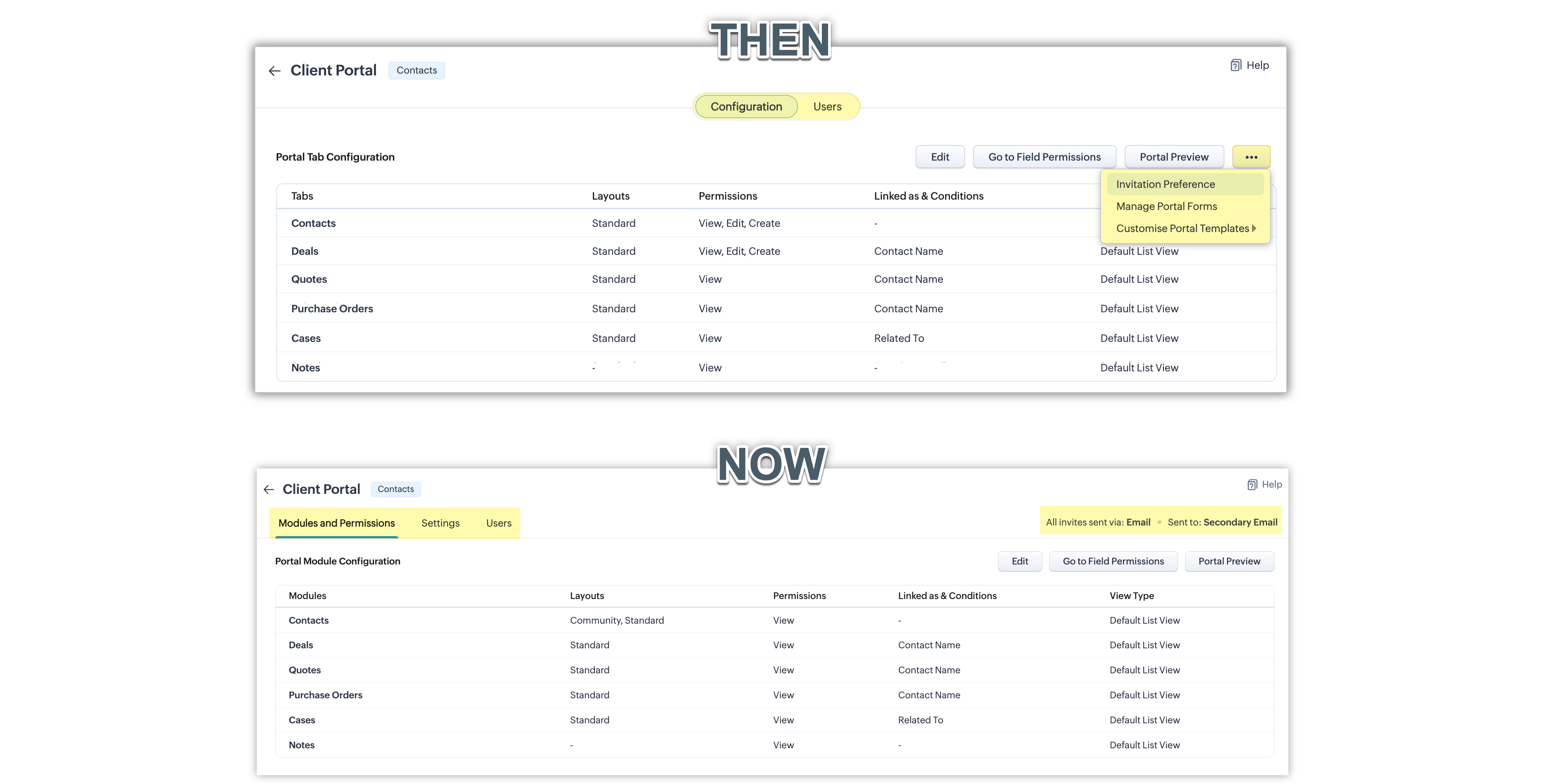
This change in the UI will provide you with better discoverability and visibility to access these options.
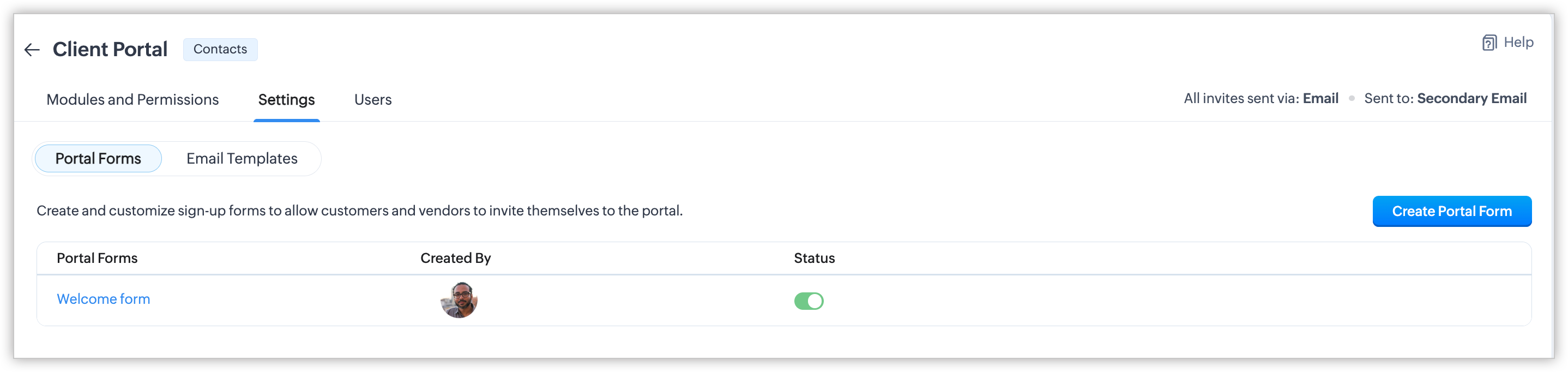
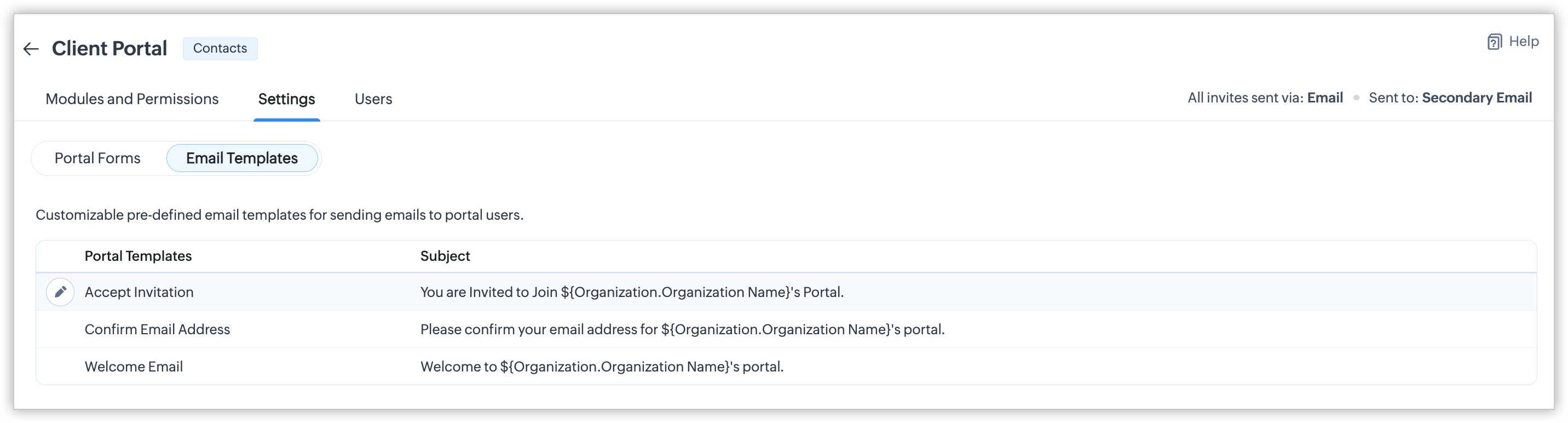
Settings
The new tab Settings has two subtabs (if all invites are sent via Email):
- Portal forms - To create, view, and manage portal forms
- Email templates - To view, customise, and manage portal templates.
If all invites are sent via Phone, you will see only one tab named SMS Templates where the list of created SMS templates are listed.

That is all about the enhancements related to Portals. Feel free to share your thoughts and suggestions as comments.
You can check our help resource to know more: Setting up Portals and inviting users

Availability
DC: All DCs
Editions: All editions that support Portals (Enterprise | Ultimate | CRM Plus | Zoho One)
Release Plan: The enhancement is now available to all customers of all DCs.
Regards,
Fiona