Smarter appointment allocation with round-robin distribution
Greetings from the Zoho Bookings team!
We’re excited to introduce the Appointment Distribution feature, a new way to decide how appointments are assigned among users. By default, appointments are distributed evenly across all event types, but this enhancement allows you can to choose how appointments should be distributed for each event type to balance workload and align bookings with user capacity or expertise.
What you can do with this new feature:
What you can do with this new feature:
Choose how bookings are assigned to users for each event type using one of the following methods:
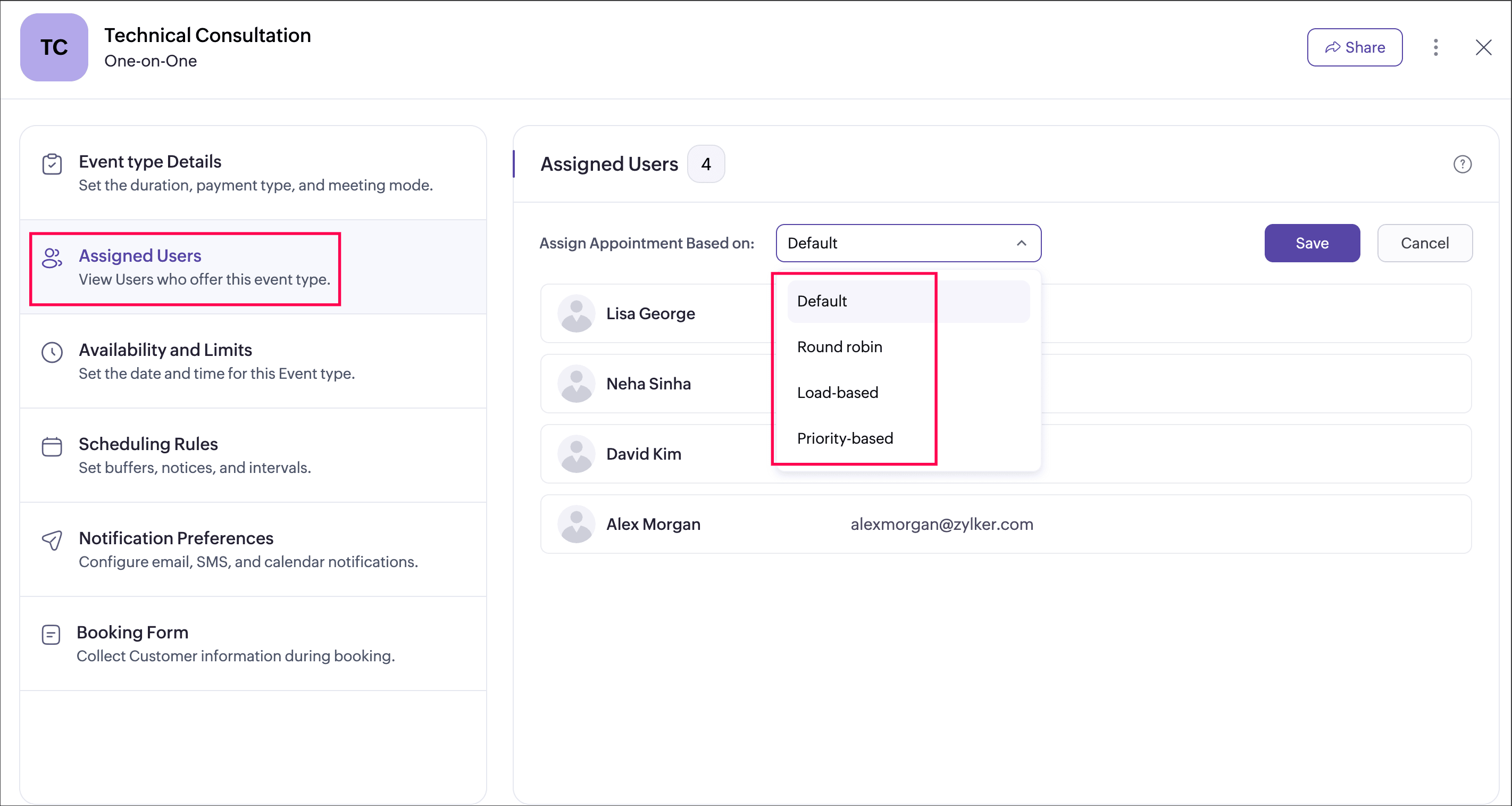
- Default: Evenly distributes appointments across users when no specific method is configured.
- Round robin: Sequential rotation-based assignment for equal and structured distribution.
- Load-based: Proportionally distributes bookings based on configured weight percentages.
- Priority-based: Allocates bookings based on priority tiers (Highest, High, Low, or Lowest).
Getting started with appointment distribution is simple:
- Go to a workspace and click Event Types on the left side pane.
- Click the Assigned Users tab.
- Choose your preferred distribution method from the Appointment Distribution dropdown.
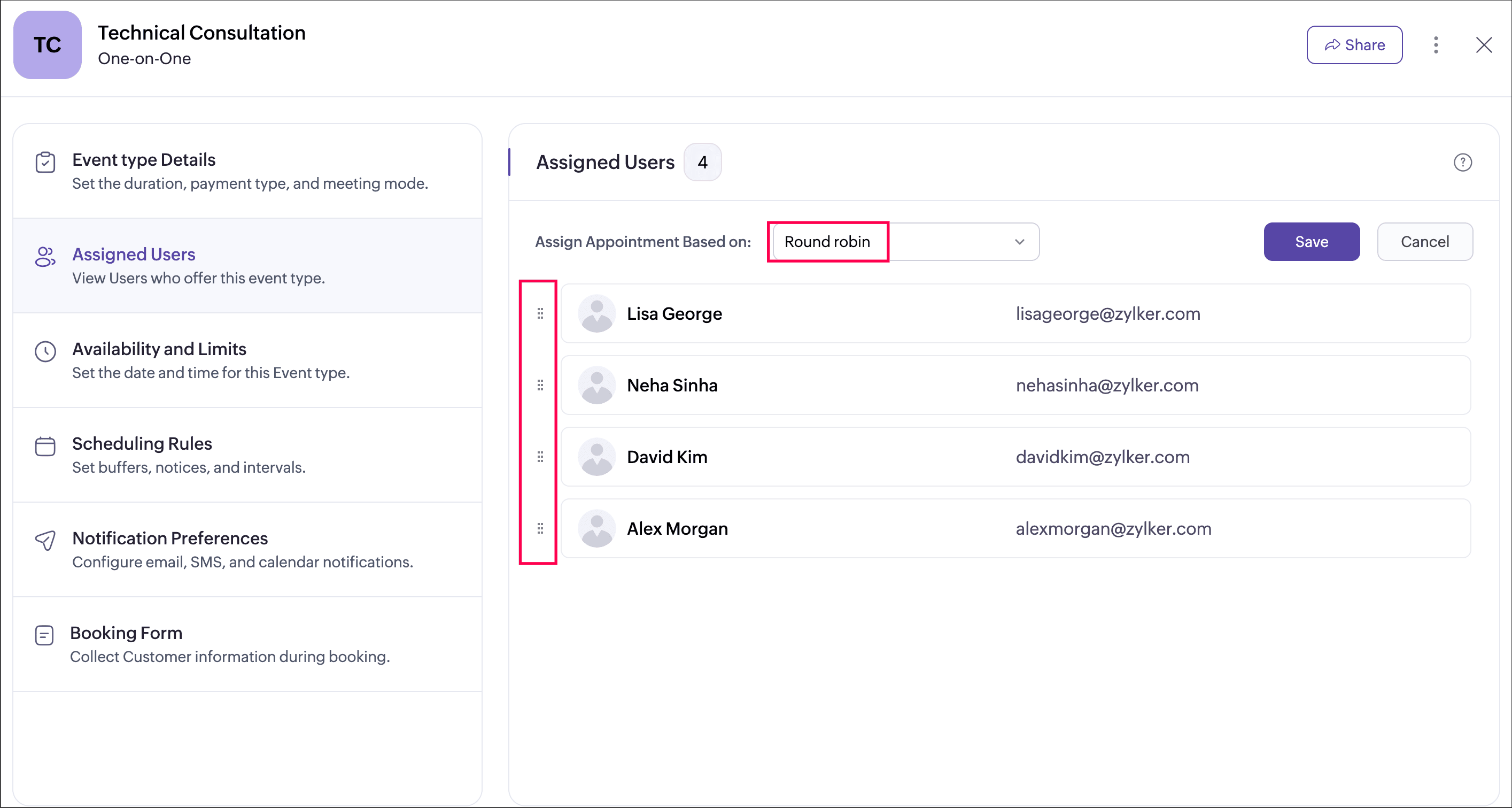
- Configure the user order by dragging and dropping, and set the weight be adjusting the percentage on the right..
- Click Save.
Appointments will be distributed among active and available users based on your selected method at the time of booking.
Highlight: Round-robin distribution
Highlight: Round-robin distribution
With round-robin distribution, appointments are assigned equally and sequentially in a fixed rotation based on the order you define. Simply drag and drop to arrange users in your preferred sequence, and bookings will be circulated one after another according to user availability.
This ensures:
- Predictable and transparent allocation
- Equal opportunity for team members
- Balanced workload without manual intervention
Round robin works best when users have similar responsibilities and capacity, and a simple rotation-based assignment is sufficient.
Example scenario: A consulting firm with multiple advisors can use round robin to ensure bookings are shared equally during regular days. During peak season, they can switch to load-based distribution to assign more sessions to senior consultants with higher capacity.
Help documentation: Refer to this page to learn more: Appointment Distribution
Availability: Available for all plans.
Super admin and admins can configure appointment distribution settings. Workspace admins can manage appointment distribution settings within their assigned workspace, and managers can view the configured method.
Super admin and admins can configure appointment distribution settings. Workspace admins can manage appointment distribution settings within their assigned workspace, and managers can view the configured method.
We hope this enhancement helps you manage team workloads more efficiently and transparently. Share your feedback in the comments or email us at support@zohobookings.com. We’d love to hear from you!
Regards,
The Zoho Bookings Team
The Zoho Bookings Team