Zoho Forms : au-delà de la collecte des données

Il est reconnu que les formulaires en ligne sont depuis longtemps des outils efficaces pour la collecte de données. Leur potentiel ne se limite toutefois pas à cela. Les organisations, peu importe leur taille, ont tendance à intégrer le processus d'approbation dans leur quotidien. Qu'il s'agisse de demandes de congés, d'achat, de propositions de projets ou de remboursements de frais, les demandes d'approbation peuvent être compliquées à gérer et prendre beaucoup de temps. Les heures passées à rechercher les approbateurs à travers différentes documentations et à s'efforcer de maintenir la transparence peuvent nuire à la productivité et avoir un impact sur l'efficacité globale de votre entreprise.
Cet article montre comment Zoho Forms vous permet de mettre en place et d'automatiser un processus d'approbation au sein de votre organisation.
Automatiser les approbations en toute simplicité
Un processus d'approbation guide une demande du début à la fin, en s'assurant que toutes les bonnes personnes en prennent connaissance et donnent leur accord. Avant d'aborder les avantages spécifiques de l'utilisation de Zoho Forms pour rationaliser les processus d'approbation, passons rapidement en revue les premières étapes d'une transition fluide vers un processus d'approbation efficace et rationalisé.
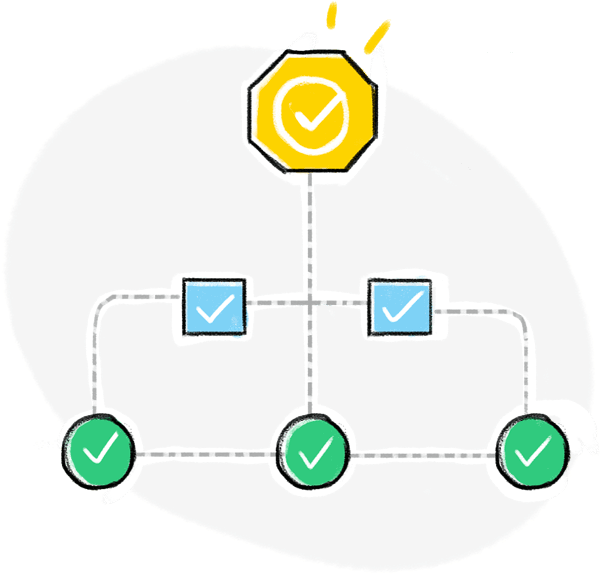
- Identifier les processus d'approbation de votre organisation qui comportent plusieurs étapes. Ce sont ceux qui peuvent bénéficier le plus de l'automatisation.
- Examiner les critères et exigences spécifiques de chaque processus d'approbation et s'assurer que le système automatisé peut se conformer aux politiques et procédures de votre organisation.
- Choisir un créateur de formulaires en ligne doté de puissantes capacités d'automatisation qui vous permet de concevoir et de mettre en œuvre facilement des flux de travail d'approbation.
- Créer des formulaires d'approbation qui capturent toutes les informations nécessaires pour chaque processus.
- Définir une séquence d'approbateurs pour chaque étape du processus.
- Garder les approbateurs et les demandeurs dans la boucle en envoyant des notifications.
Comme l'automatisation de l'approbation est un processus itératif, vous devrez évaluer et adapter en permanence vos flux de travail afin d'optimiser l'efficacité et de répondre aux besoins qui se font jour.
En quoi Zoho Forms vous aide-t-il à rationaliser vos processus d'approbation
Zoho Forms vous offre une solution automatisée et efficace pour rationaliser tous vos processus d'approbation grâce à des formulaires d'approbation personnalisés, adaptés à vos besoins. Prenons par exemple le processus d'approbation des demandes d'achat. Au lieu d'avoir à gérer des piles de formulaires papier ou de longues discussions par e-mail, vous pouvez concevoir un formulaire en ligne intuitif qui capture les informations nécessaires à l'achat, telles que les détails du produit, les quantités, les budgets et les justifications. Une fois le formulaire soumis, le processus d'approbation s'enclenche.
Avec Zoho Forms, vous pouvez mettre en place des workflows d'approbation automatisés pour transférer les demandes aux responsables des services concernés de votre entreprise. Vous vous assurez ainsi que les bonnes personnes reçoivent les demandes, ce qui élimine les blocages et accélère le processus d'approbation.
- Créer des workflows d'approbation sans avoir de connaissances en codage.
- Configurer plusieurs niveaux d'approbation avec des approbateurs désignés au sein de votre organisation.
- Notifier les approbateurs lorsque de nouvelles entrées de formulaire sont reçues pour revue.
- Recevoir des mises à jour en temps réel directement dans votre boîte mail à chaque étape du processus d'approbation.

- Envoyer des e-mails personnalisés aux demandeurs à chaque étape de l'approbation et lors de l'approbation finale ou du refus.
- Permettre aux approbateurs de donner les raisons de leur décision afin que les autres approbateurs puissent en tenir compte.
- Faciliter la collaboration entre les approbateurs en autorisant les commentaires et les discussions.
- Autoriser l'administrateur chargé de l'approbation à approuver ou à refuser les demandes au nom des autres approbateurs.
- Envoyer un e-mail ou un SMS, ou assigner une tâche, lorsqu'un ensemble défini de conditions sont remplies lors de l'approbation finale ou du refus. Par exemple, si une demande de dépense dépassant un certain montant est approuvée, vous pouvez envoyer un e-mail aux responsables concernés, afin qu'ils soient informés des dépenses importantes qui requièrent leur attention.
- Intégrer des formulaires dès l'approbation des données qui y sont saisies.
- Mettre en place un workflow d'approbation en ligne ou hors ligne grâce à l'application mobile de Zoho Forms.

Les cas d'utilisation du workflow d'approbation des formulaires
Les workflows d'approbation de formulaires sont courants dans les entreprises et les organisations qui ont besoin de collecter des données, puis de les examiner et de les approuver avant de les traiter. Voici quelques exemples d'utilisation des workflows d'approbation de formulaires :
Onboarding des employés
Dans les organisations où toutes les activités administratives sont gérées par une seule personne ou qui n'ont pas encore mis en place une division RH, le responsable peut utiliser des workflows d'approbation de formulaires pour collecter les informations concernant les nouveaux employés, telles que les données personnelles, la fonction et le service, puis envoyer le formulaire pour approbation aux responsables ou chefs d'équipe concernés avant que l'employé ne puisse être officiellement intégré dans l'entreprise.
Demandes de congé
Les organisations peuvent utiliser des workflows d'approbation de formulaires pour collecter les demandes de congé des employés, y compris le type de congé, les dates et les raisons. Le formulaire peut ensuite être envoyé pour approbation aux responsables concernés avant que le congé ne soit autorisé.
Demandes d'achat
Les entreprises peuvent utiliser des workflows d'approbation de formulaires pour collecter les demandes d'achat des employés, en indiquant les articles, les quantités et les budgets. Le formulaire peut ensuite être envoyé pour approbation aux responsables ou chefs de service concernés avant que l'achat ne soit autorisé.
Rapports de dépenses
Les entreprises peuvent utiliser des workflows d'approbation de formulaires pour collecter les notes de frais des employés, y compris les dépenses telles que les voyages, l'hébergement et les repas. Le formulaire peut ensuite être envoyé pour approbation aux responsables concernés ou au personnel comptable avant que les dépenses puissent être remboursées.
Demandes de services
Les prestataires de services peuvent utiliser des workflows d'approbation de formulaires pour recueillir les demandes de services des clients, y compris le type de service, l'étendue et le budget. Le formulaire peut ensuite être envoyé pour approbation aux chefs de projet ou au personnel chargé de la prestation de services avant que le service puisse être lancé.
Utilisez-vous Zoho Forms dans votre organisation ? Partagez avec nous dans les commentaires comment vous utilisez Zoho Forms à différentes fins dans votre organisation.
L'équipe Zoho France
Topic Participants
Kinjal Lodaya
Sticky Posts
Recommandez Zoho CRM Plus à vos amis et gagnez des crédits !
Bonjour à tous, Vous aimez travailler avec Zoho CRM Plus ? Et bien vous avez maintenant la possibilité de le recommander autour de vous pour aider votre réseau à améliorer son expérience client. Et bien sur c'est gagnant-gagnant ! Comment cela fonctionneDécouvrez Zoho Workplace
Bonjour à tous ! Un domaine personnalisé est devenu une nécessité absolue, non seulement pour les grandes entreprises, mais aussi pour les petites ou, dans certains cas, les familles. Nous avons toujours pensé que se lancer ne devrait pas coûter cher,Découvrez Zoho Learn
Bonjour à tous, Nous sommes très heureux de vous présenter Zoho Learn ! Commençons par vous expliquer ce qu'est Zoho Learn et comment il peut vous accompagner dans vos processus de formation. Qu'est-ce que Zoho Learn ? Zoho Learn est une solution complète
Recent Topics
Bigin: filter Contacts by Company fields
Hello, I was wondering if there's a way to filter the contacts based on a field belonging to their company. I.e.: - filter contacts by Company Annual Revenue field - filter contacts by Company Employee No. field In case this is not possibile, what workaroundHas Zoho changed the way it searches Items?
Right now all of our searches have broken and we can no longer search using the SKU or alias. It was fine last night and we came in this morning to broken.....this is impacting our operations now.Refunds do not export from Shopify, Amazon and Esty to Zoho. And then do not go from Zoho inventory to Quickbooks.
I have a huge hole in my accounts from refunds and the lack of synchronisation between shopify , Amazon and Etsy to Zoho ( i.e when I process a refund on shopify/ Amazon or Etsy it does not come through to Zoho) and then if I process a manual credit note/CRM->INVENTORY, sync products as composite items
We have a product team working in the CRM, as it’s more convenient than using Books or Inventory—especially with features like Blueprints being available. Once a product reaches a certain stage, it needs to become visible in Inventory. To achieve this,Zoho Calendar not working since a few days
Hey there, first off a minor thing, since I just tried to enable the Calendar after reading this in another topic (there was no setting for this though) : For some reason my current session is showing me based in New York - I'm in Germany, not using aMonthly timesheet, consolidation of time by project
I have time logs for various jobs for project. Is it possible to consolidate the time spent for each job, when I am generating a timesheet for a month? I am getting the entries of jobs done on each day when I generate a timesheet for a month For exampleBuilding a Strong Online Identity with G-Tech Solutions
In today’s fast-moving world, having a strong online identity is essential for every business. https://gtechsol.com.au helps businesses establish a digital presence that reflects their vision and values. By focusing on innovation and quality, they createSending emails from an outlook account
Hi, I need to know if it's possible to send automatic emails from an Outlook account configured in Zoho CRM and, if so, how I can accomplish that. To give you some context, I set up a domain and created a function that generates PDF files to be sent laterStruggling with stock management in Zoho CRM – is Zoho Inventory the solution?
My biggest pain point today with Zoho is inventory management. I run a retail business and reliable stock management is absolutely critical. Obviously, I need this inventory to be visible inside the CRM. At first, I tried handling it through custom modulesAutomating CRM backup storage?
Hi there, We've recently set up automatic backups for our Zoho CRM account. We were hoping that the backup functionality would not require any manual work on our end, but it seems that we are always required to download the backups ourselves, store them,Nimble enhancements to WhatsApp for Business integration in Zoho CRM: Enjoy context and clarity in business messaging
Dear Customers, We hope you're well! WhatsApp for business is a renowned business messaging platform that takes your business closer to your customers; it gives your business the power of personalized outreach. Using the WhatsApp for Business integrationcan't login Kiosk URGENT
already try, can't login pls help to support. thanks.【Zoho CRM】CRM for Everyoneに関するアップデート:関連データ機能
ユーザーの皆さま、こんにちは。コミュニティチームの中野です。 今回は「Zoho CRM アップデート情報」の中から、CRM for Everyoneの新機能「関連データ機能」をご紹介します。 関連データ機能は、あるタブのデータを別のタブに柔軟に関連付け、異なるタブで管理されている情報を1か所にまとめて表示できます。 たとえば、組織タブとチームタブのデータを関連付けることで、必要な情報に効率よくアクセスでき、顧客理解を深めながら他チームとの連携もスムーズに行えます。 目次 1. 関連データの設定方法Zoho Books
How do I manually insert opening balance?Profit / margins on Sales orders / Invoices / Estimates
When we select an SKU or item name in any of these documents, much info such as invoice.line_items.rate is pulled from the item & filled into the document being worked on. If we had another lineItem DB field (hidden) auto filled at the same time: invoice.line_items.purchase_rateInventory to Xero Invocie Sync Issues
Has anyone had an issue with Invoices not syncing to Xero. It seems to be an issue when there is VAT on a shipping cost, but I cannot be 100% as the error is vague: "Unable to export Invoice 'INV-000053' as the account mapped with some items does notHow to activate RFQ? What if a price list has ladder price for items?
Where can I find the option to activate request for quotation? How does it work? If the item has ladder price, does it gets calculated depending on how many items are in the cart?Mailk got blocked / Inquiry About Email Sending Limits and Upgrade Options
Dear Zoho Support Team, My name is Kamr Elsayed I created this account to use for applying for vocational training in Germany. As part of this process, I send multiple emails to different companies. However, after sending only 8 emails today, I receivedCan't join canal Developers Zoho User
Hello, I received an invitation to join this channel, but I get an error when I try to join it, and I get the same error when I go to the Zoho Cliq interface > Search for a channel. Is this because I don't have a license linked to this email address?Desk Email reply - set default font / use custom font
Hello, in our e-mails, which we send to our customers, a certain font must be used (Corporate Design): Segoe UI https://en.wikipedia.org/wiki/Segoe#Segoe_UI How can this be included? How can this be set as the default font to ensure that this font isPDF Templates - Checkbox Borders
Is there a way to remove the border of a radio/checkbox on a PDF? I'd like to use the function of checkbox but if there's no easy way to remove the border (the PDF form already has a rectangle so it gets cluttered), then I'm forced to create a singleZoho CRM's custom views are now deployable from sandboxes
This feature is now available for users in the AU, JP, and CN DCs. New update: This feature is now available for users in CA and SA DCs. Hello everyone, We're excited to announce that you can now deploy custom views from sandboxes to your production environmentGenerate a link for Zoho Sign we can copy and use in a separate email
Please consider adding functionality that would all a user to copy a reminder link so that we can include it in a personalized email instead of sending a Zoho reminder. Or, allow us to customize the reminder email. Use Case: We have clients we need toSettings Icon No Longer in ZOHO Desk?
In ZOHO desk, there has been a gear icon for settings. as of yesterday, it is no longer there. I showed up briefly this morning but is gone again. Anybody else experiecing this?Introducing the all-new email parser!
Greetings, We are pleased to introduce to you, a brand-new, upgraded version of the Zoho CRM Email Parser, which is packed with fresh features and has been completely redesigned to meet latest customers needs and their business requirements. On that note,Tip #43 - Track, Review, and Analyze Your Assist Sessions with Reports-'Insider Insights'
Did you know you can generate detailed reports for both remote support sessions and unattended access sessions in Zoho Assist? This makes it easy to monitor technician activity, measure efficiency, and review customer interactions. Let us now take a closerFunction #20: Custom calculation in item table of invoices
When you create an invoice in Zoho Books, the 'Amount' of a line item is typically calculated as the product of the "Quantity" and the "Rate" of the item. For instance, if an item has a sales rate of $50 and a quantity of 5 is sold, then the amount wouldCBSA - GST CHARGES on imports
Hi there, We have a questions about landed cost categorization. We received a shipment from overseas. CBSA invoiced us for the GST on the items. Now we entered the CBSA-GST as a separate bill and attached it as landed cost to the main invoice based onSimplified Call Logging
Our organization would like to start logging calls in our CRM; however, with 13 fields that can't be removed, our team is finding it extremely cumbersome. For our use case, we only need to record that a call happened theirfor would only need the followingSub form doesn't as formula field
Is it possible to get formula field in sub form in futures?Week date range in pivot table
Hello, I need to create a report that breakouts the data by week. I am using the pivot table report, and breaking out the date by week, however the date is displayed as 'Week 1 2014' format. Is there anyway to get the actual dates in there? ex. 1/6/2014-1/12/2014 Thanks,How do I get Status History data of my Projects?
I want to build a table in Zoho Analytics that Groups by Date, when Projects entered a certain status. I cannot find Status History or any such useful data available in the Setup of my Data Source sync. Please advise how I can achieve this?Is it possible to hide fields in a Subform?
Since layout rules cannot be used with Subforms, is there another way, or is it even possible, to hide fields in a subform based on a picklist fields within said subform? For example, if the Service Provided is Internet, then I do not want to see theWeekly Tips :Instantly find what you need with Attachment Viewer
Your inbox must be packed with project emails, shared notes, and scattered attachments. You are looking for one specific file—a presentation slide or maybe a media clip from a team update—but don’t want to dig through endless email threads or switch betweenPutting Watermark on Zoho Sheet
Can this be done?Missing Zoho Desk integration option for form workflows
According to the help page "Configure Zoho Desk integration in form workflows" we should be able to select Zoho Desk as an integration target but when I open the integrations list then Zoho Desk is not being listed in it. We are on the Premium plan which should already support Zoho Desk integrations.Gantt for 2 or more projects
Hello, I'm trying the free version of your produtc. It is veryyy good!!!! I don't know if in the Standard plan, I can overview a Gantt Graph for 2 or more Projects Milestone. This would be very helpfull for managing teams and taking decisions about who I will assign a task to. In the paid plan Do I have this possibility? Thank you.Integrating a Zoho Project Gantt Chart into Reports
Is is possible to integrate a Zoho Project Gantt Chart into a Zoho Report Dashboard. I am in the process of creating Project Status Dashboards for the projects that we track in Zoho Projects and I would like to incorporate the gantt chart within Reports. Please let me know! ThanksZOHO BOOKS - EXCESSIVELY SLOW TODAY
Dear Zoho Books This is not the first time but it seems to be 3 times per week now that the system is extremely slow. I work on Zoho Books 95% of my day so this is very frustrating. Zoho you need to do something about this. I have had my IT guy checkGantt Chart - Zoho Analytics
Are there any plans to add Gantt Charts capabilities to Zoho Analytics?Next Page