De nieuwe Zoho One is hier! Deel 1
 Beste Community-leden,
Zoho One, hét besturingssysteem voor bedrijven introduceert vandaag haar nieuwste update met maar liefst 5 nieuwe apps, 3 nieuwe services en 7 grote platform verbeteringen.
Wij hebben gekeken naar hoe wij jullie verder kunnen helpen. In deze update leggen wij daarom de nadruk op het oplossen van onsamenhangende data-uitdagingen en het dichten van communicatiekloven tussen silo's, zodat uw organisatie productiever kan worden, zich sneller kan aanpassen aan veranderende bedrijfsomstandigheden en klaar is om verder te groeien.
Omdat het om meerdere onderdelen gaat hebben wij de post in twee delen opgesplitst. In deze deel hebben wij het over gaan wij het hebben over het oplossen van de onsamenhangende data-uitdagingen. Deel 2 staat in de teken van het dichten van communicatiekloven tussen silo's.
Een uniforme navigatie & aanpasbare dashboard
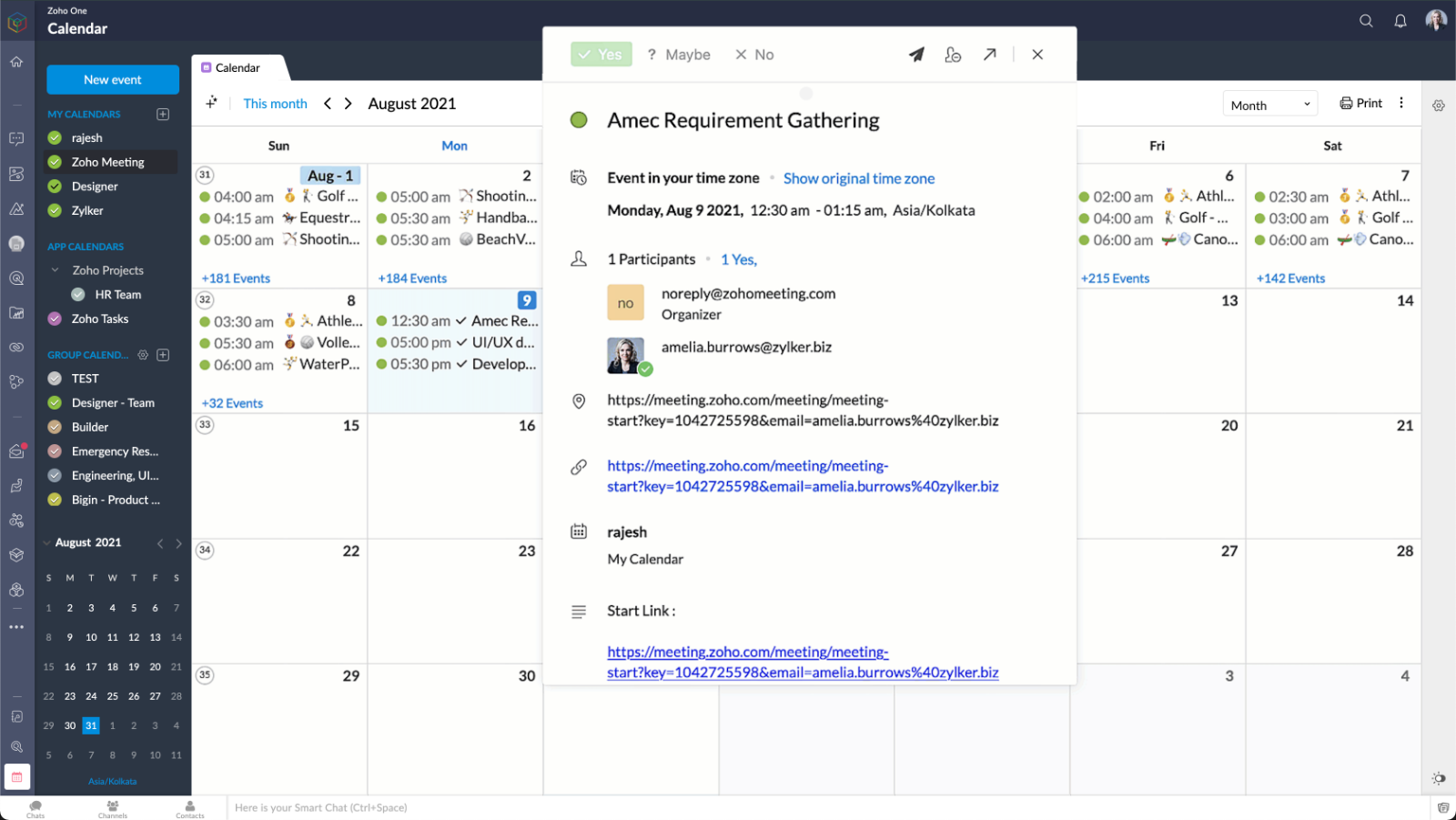
Het eerste wat u opvalt is een geheel nieuwe overzicht. Werknemers hebben nu de mogelijkheid om hun apps, services en dashboard in één overzicht te zien met gecentraliseerde kalenders, dashboards, navigatie en nog veel meer!
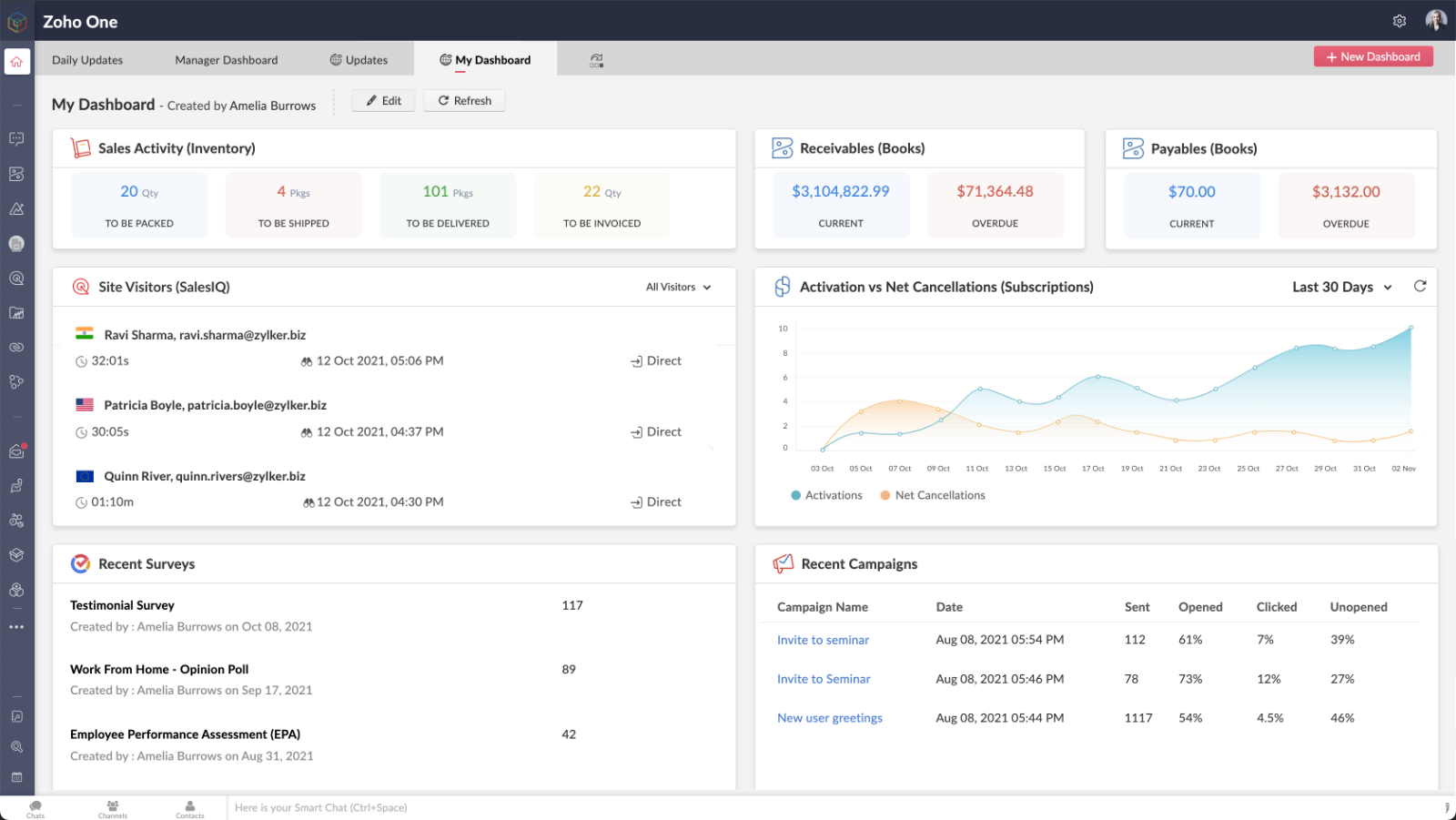
Met meer dan 50 vooraf gebouwde widgets en effectieve aanpasmogelijkheden hebben gebruikers in één oogopslag inzicht in de hele organisatie.
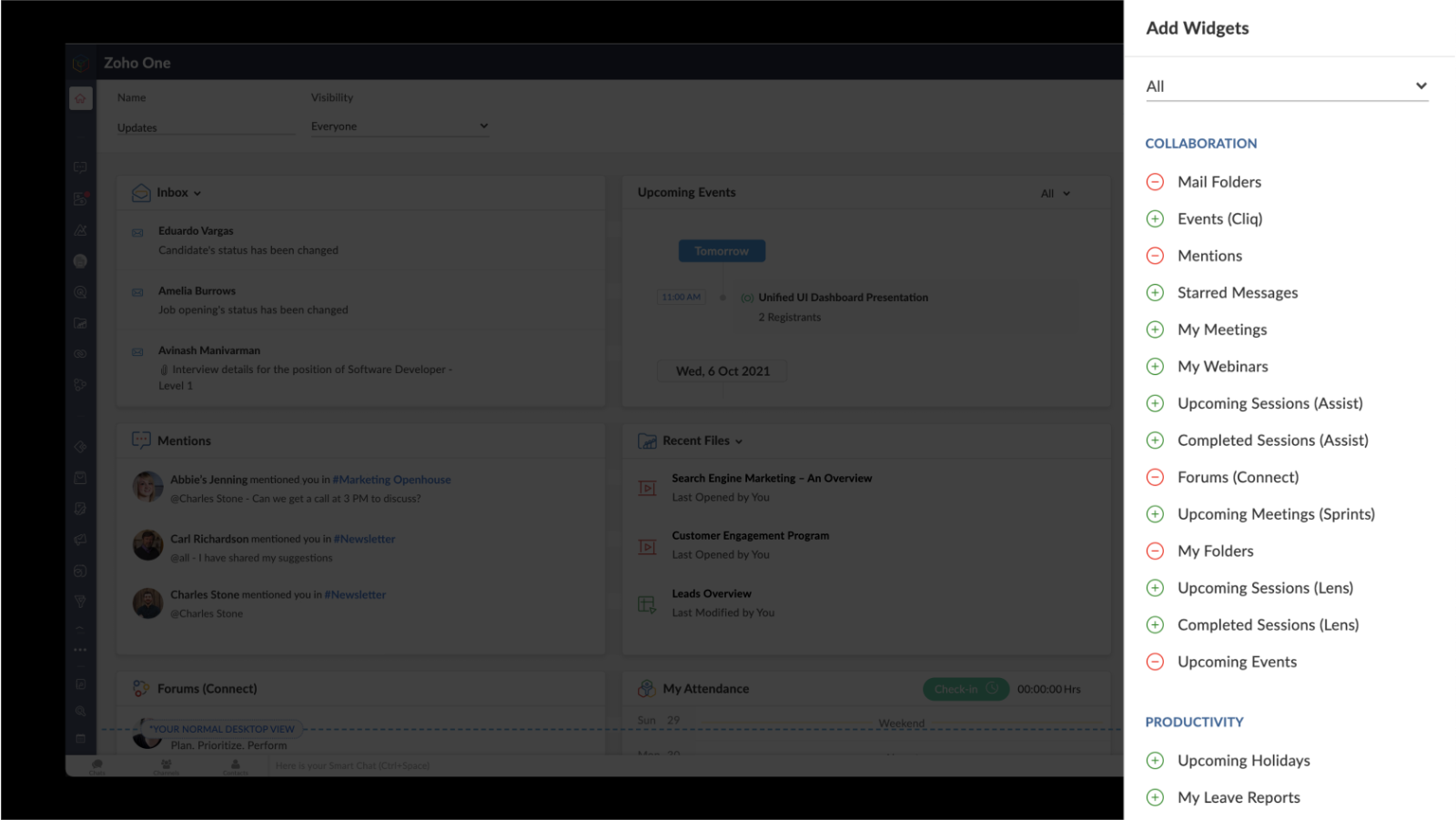
U kunt met één klik op de knop door uw favoriete apps navigeren, vastzetten en losmaken in meerdere tabbladen.
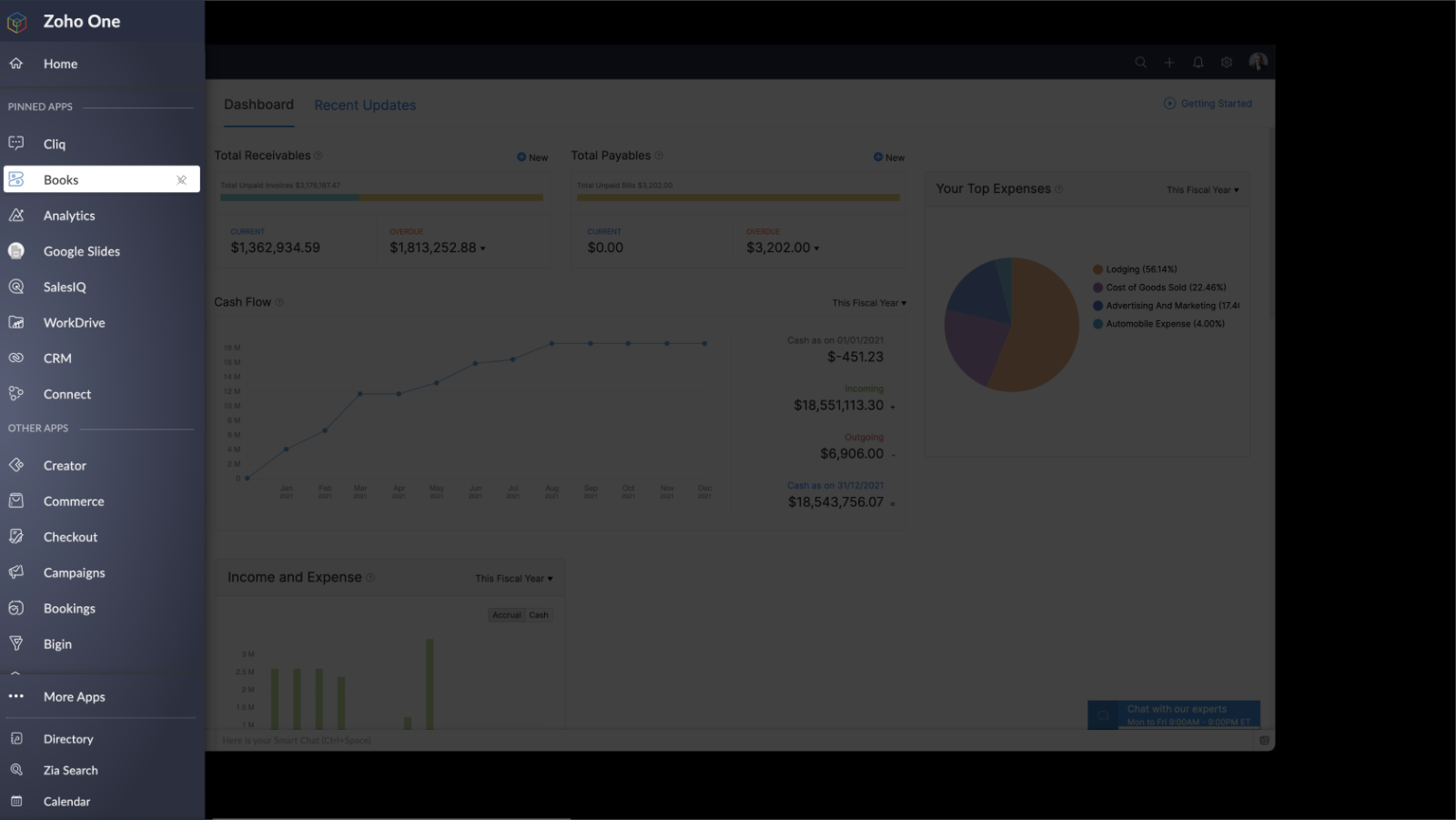
VERBETERDE ZIA SEARCH - Uniforme, realtime inzichten voor kritieke zakelijke beslissingen
Zia, Zoho's AI-assistent en Zoho's BI- en Analytics Platform stellen gebruikers in staat om te voorspellen en inzichten te verschaffen in de hele organisatie, waardoor er gefundeerde beslissingen kunnen worden genomen. Nieuwe innovaties zijn onder meer:
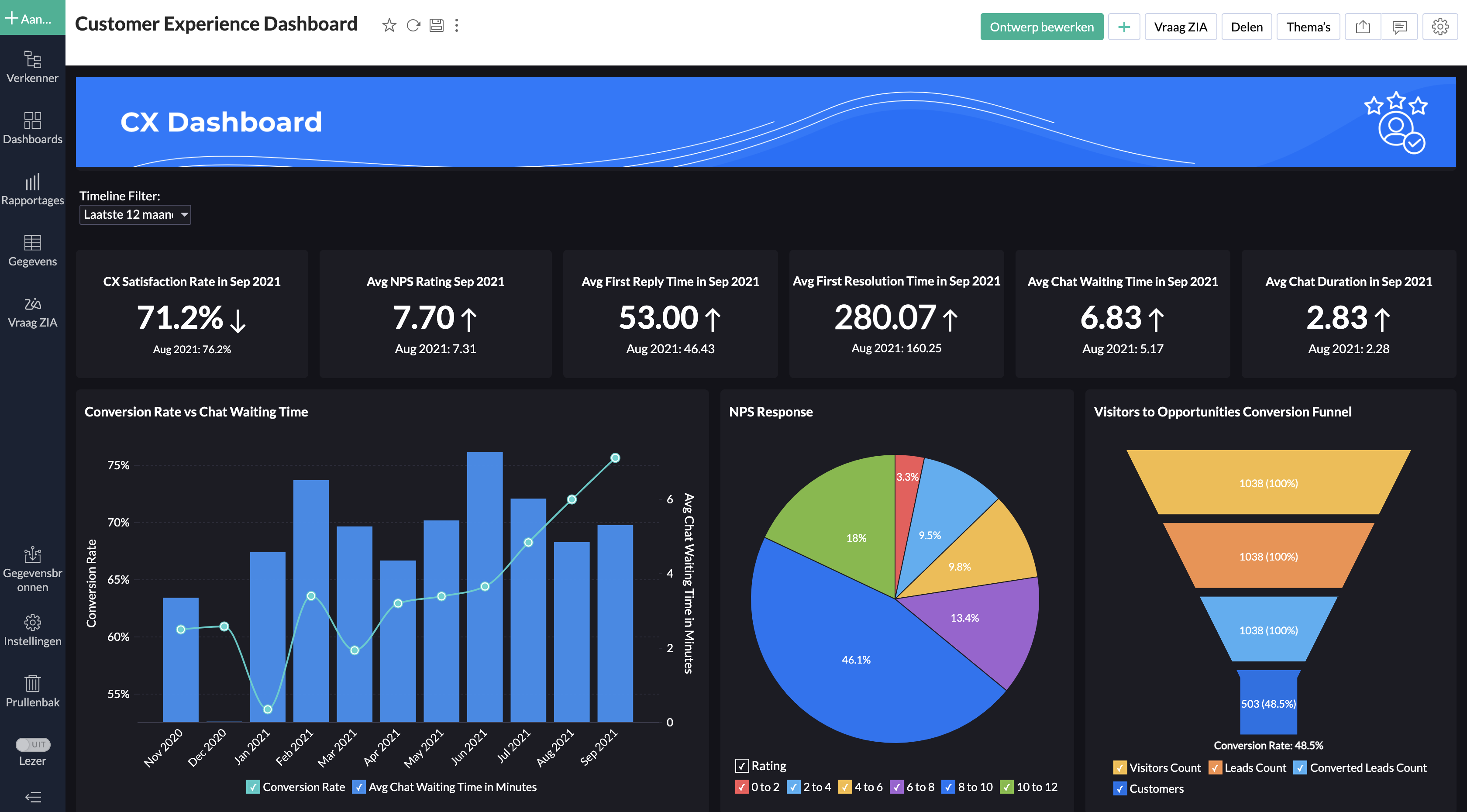
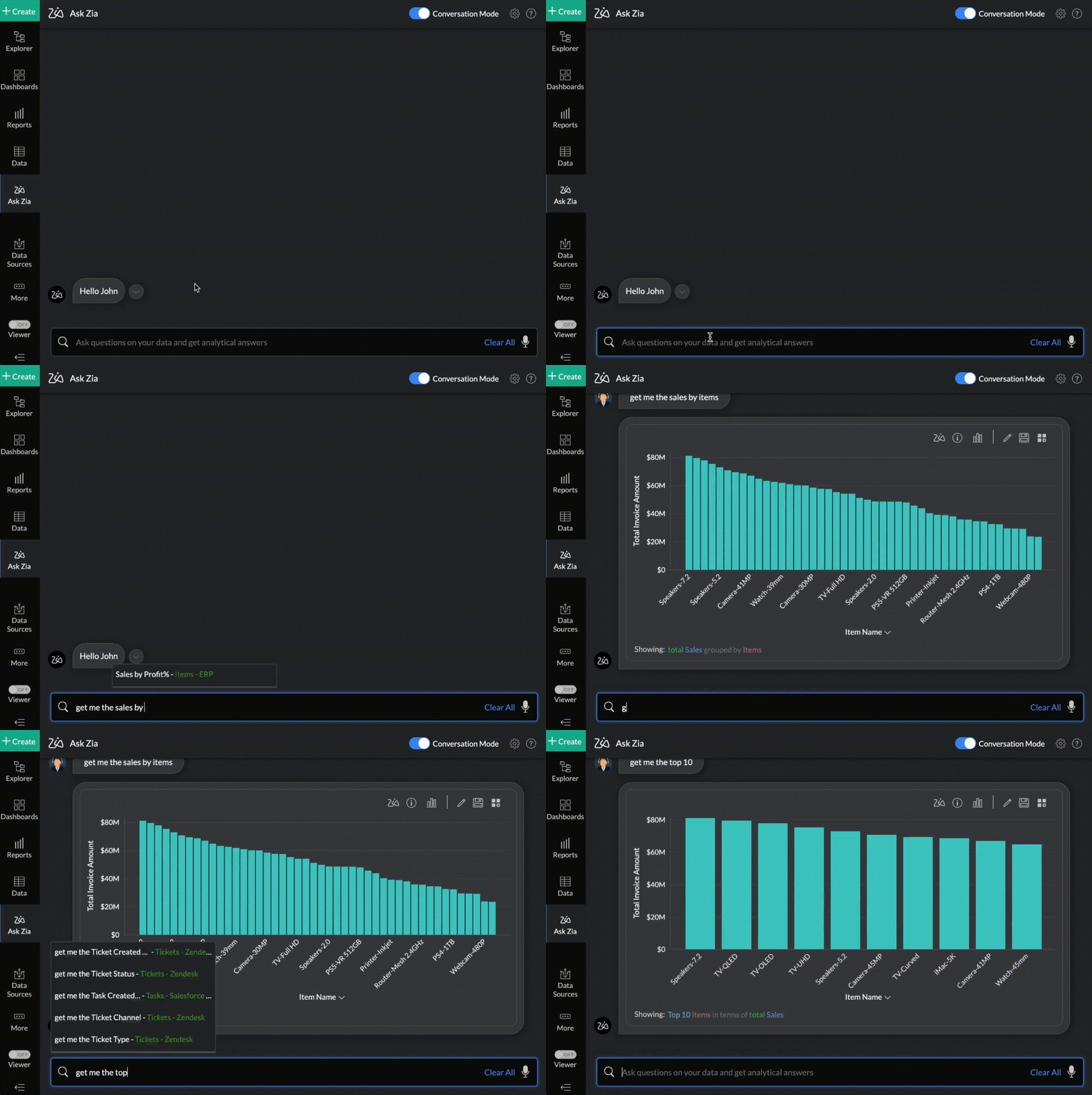
Embedded en Conversationele BI: Zoho One beschikt nu over embedded en conversationele analytics waarmee beslissers dieper in hun eigen data kunnen duiken en informatie over verschillende afdelingen kunnen verzamelen. Dit alles via het gebruik van taalcommando’s met behulp van Zia Insights. Met meer dan 1500 kant-en-klare analyserapporten en dashboards kunnen belangrijke zakelijke beslissingen nauwkeuriger en sneller genomen worden.
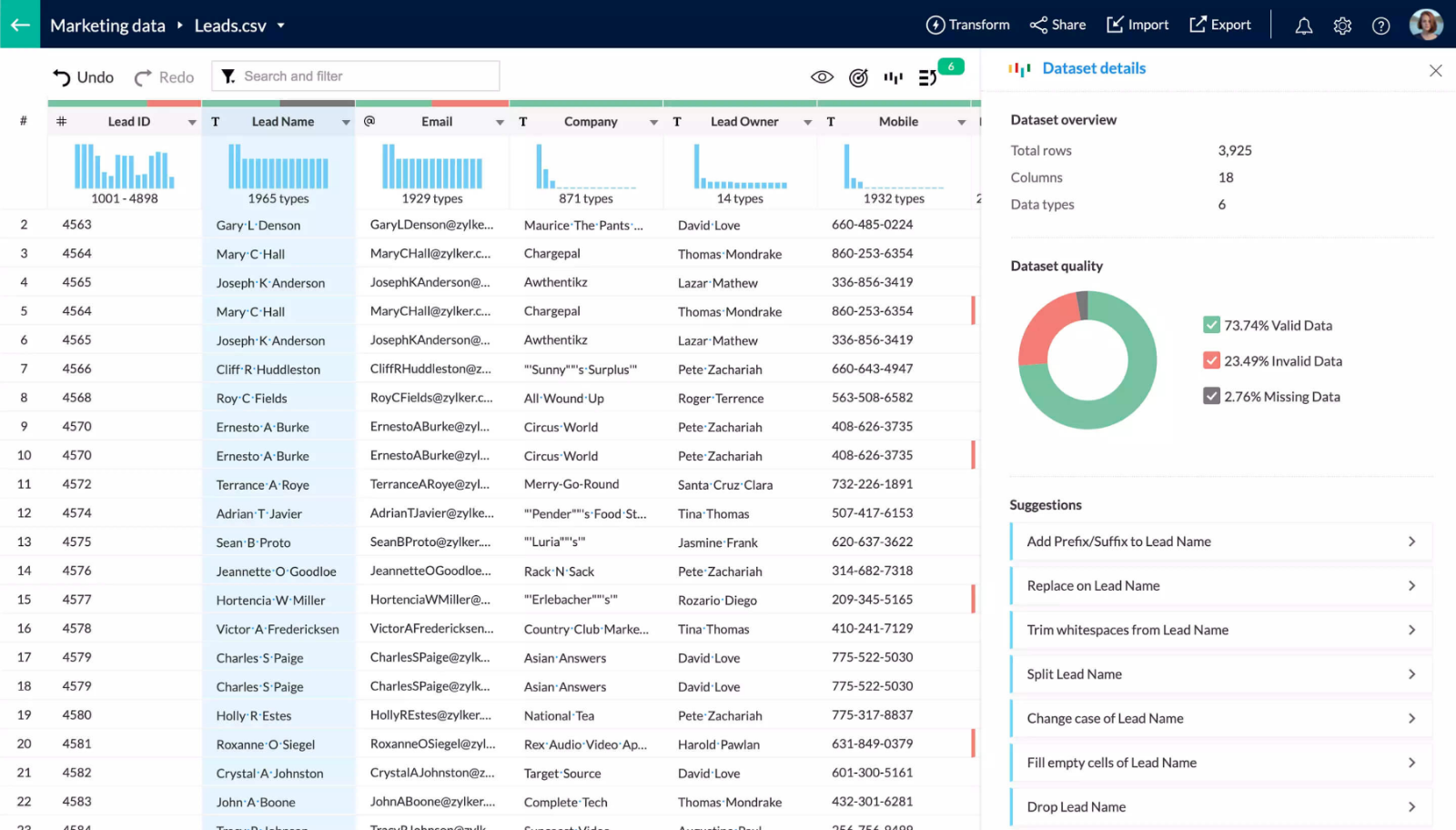
DataPrep: Deze self-service datavoorbereidings- en managementtool is nu verkrijgbaar in Zoho One. Dankzij DataPrep, dat wordt aangestuurd door machine learning, kunnen zakelijke gebruikers gegevens integreren, vormgeven, opschonen, transformeren, verrijken en catalogiseren. Daarnaast kan DataPrep ook geïntegreerd worden met Analytics of met een app van een derde partij om tot nieuwe inzichten te komen.
Enterprise Search: Zoho’s handige, organisatiebrede zoekmachine, die ondersteund wordt door Zia, kan nu natuurlijke taalverzoeken begrijpen. Zoeken op basis van natuurlijke taal leidt tot een nauwkeurigere datadetectie binnen teams en functie.
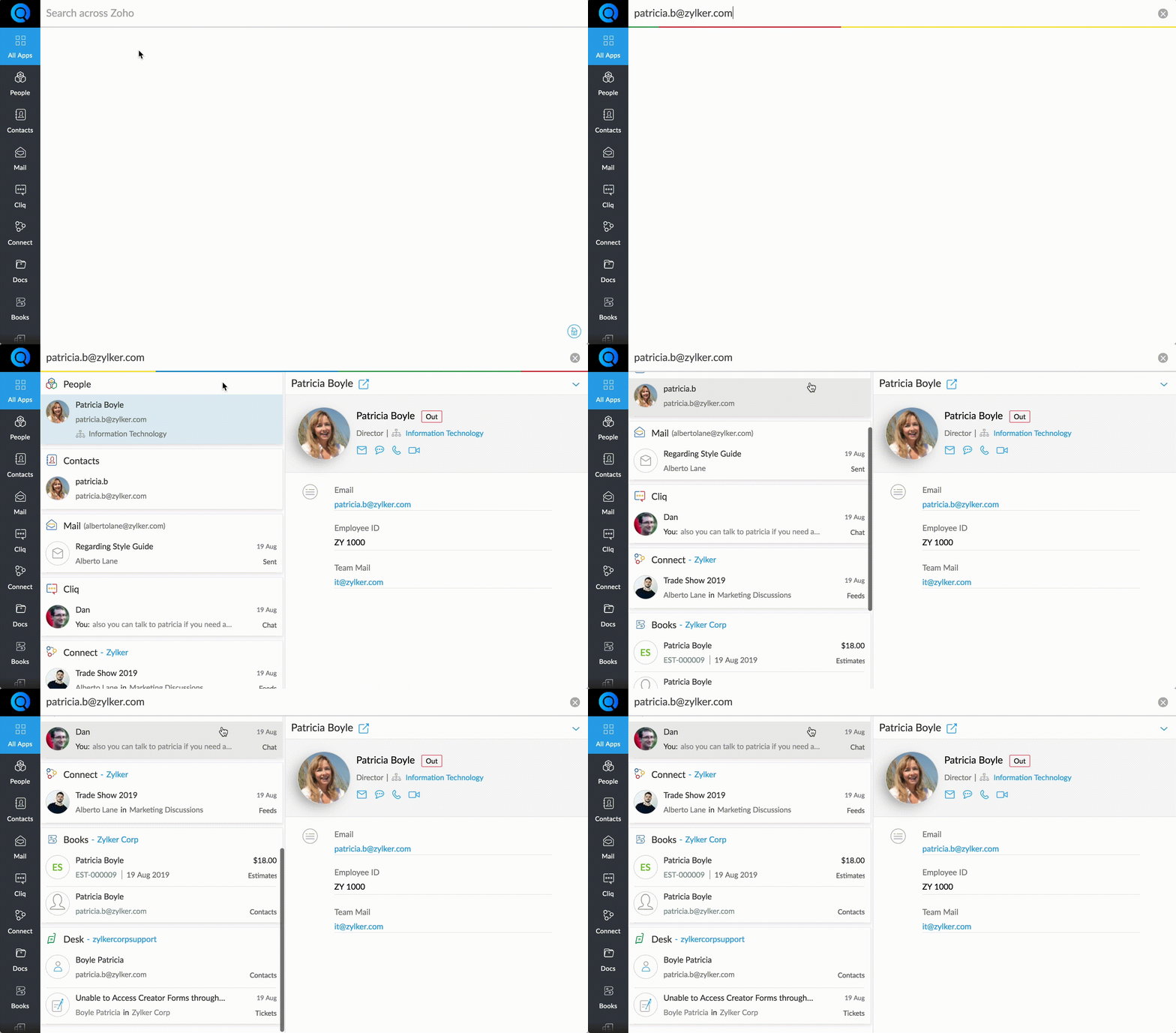
Work Graph: Zoho's nieuwe back-end dienst, een primeur in de industrie voor bedrijfssoftware. Work Graph brengt interacties tussen mensen, bronnen, systemen en processen in kaart door signalen en hun sterktes te bestuderen over de volle breedte, om zo een bedrijfsbrede werkgrafiek te maken die gespecificeerd is voor ieder individu binnen de organisatie.
In het tweede deel gaan wij dieper in op welke oplossingen wij aanbieden voor het dichten van communicatiekloven tussen silo's.
Heeft u behoefte aan meer uitleg over deze updates? Op 21-10 geven wij een webinar over deze update. Meld u nu aan.
Wij zijn benieuwd naar uw mening. Stel uw reacties en vragen hieronder.
Met vriendelijke groet,
Zoho Nederland
Topic Participants
Theo Su
Sticky Posts
De nieuwe Zoho One is hier! Deel 1
Beste Community-leden, Zoho One, hét besturingssysteem voor bedrijven introduceert vandaag haar nieuwste update met maar liefst 5 nieuwe apps, 3 nieuwe services en 7 grote platform verbeteringen. Wij hebben gekeken naar hoe wij jullie verder kunnen helpen.Tips &Tricks: Jouw online boekingssysteem in 5 stappen!
1 Creëer een afsprakenkalender die past bij jouw branding Met Zoho Bookings behoud je de kleuren van jouw merk in alle applicaties. Je kan kiezen uit vier voorgedefinieerde thema's (Modern Web, Nieuwe Opmaak, Klassiek en Nieuw) met daarnaast opties omStart met Zoho One
Welkom op de community-pagina van Zoho One, hét besturingssysteem voor bedrijven. Op deze pagina geven wij een korte introductie over Zoho One. Daarnaast geven wij een aantal tips om te starten met deze besturingssysteem. Tegenwoordig zijn Cloud-oplossingen
Recent Topics
Can't change form's original name in URL
Hi all, I have been duplicating + editing forms for jobs regarding the same department to maintain formatting + styling. The issue I've not run into is because I've duplicated it from an existing form, the URL doesn't seem to want to update with the newCan't rename groups on Mac desktop app
I'm working on an up-to-date Mac with a freshly downloaded Notebook app. I'm trying to rename a group within a notebook. Here I have, left to right, a note, a group, and a note. I select the group. On the top left, I select Action. On the dropdown, "Rename"Custom CSS for Zoho CRM Team Bookings embeded widget
Hello, we are adding Zoho CRM Team Bookings (crm.zoho.com) in our public website. We know that we can change Theme Color, Font Color and Background Color: Zoho CRM Booking Styling But is it possible to change other CSS attributes e.g. Font Family, likeMetadata API Access to Functions
I think it would be incredibly helpful to have api access to every function's code. Our team primarily uses deluge functions to update fields across modules according to business logic. I would like to create a visual dependancy model for our CRM, butStrange behavior in CRM Number Field – Characters allowed but not "e"?
Hi everyone, Has anyone faced this strange issue in Zoho CRM? In a Number field, it is possible to type some characters, but the character "e" cannot be entered. This was really surprising to me. Normally, a number field should restrict all charactersBest Way to Manage Approvals Within Blueprint Stages?
Hi, I am working on a requirement involving Blueprint and approval logic in Zoho CRM and would appreciate some guidance. I understand that approval processes do not trigger when a record is currently within a blueprint, which makes it challenging to implementMarketing Tip #25: Grow your social presence with a simple posting routine
Consistency is one of the biggest growth drivers on social media. Regular content keeps your store visible and helps customers remember you. Even 3–4 posts a week can build momentum over time. The easiest way to stay consistent is to stop trying to createHow to add "All Open AND Overdue" back to the Home Page Task Component?
Hi everyone, I’m looking for a way to restore the Tasks component dropdown list on the Zoho CRM Home Page. Since the recent update to the Task area in my Home Page Classic View, the dropdown options (e.g., My Next 7 Days + Overdue) are too restrictiveDuplicate Leads Concerns with Round Robin and Lead Approval Process
It is great to have the Duplicate Lead Approval Process, there are a few issues with the process that I would greatly appreciate taken consideration in enhancing. It appears that A Lead comes in Lead owner assigned by the Round Robin Check for Duplicate, If the lead is a Duplicate the Lead owner gets an email of a duplicate needs approval email assign to the approval process This causes problems, The duplicate approval process is done by a different level person, they do not get the email notificationDashboard target enhancements
Often individuals in IT are creating dashboards for their sales team. The ability to create a single dashboard that can be used by multiple people is key. A components for a dashboard have the ability to filter by logged in user which is great. HoweverHow to update "Lead Status" to more than 100 records
Hello Zoho CRM, How do I update "Lead Status" to more than 100 records at once? To give you a background, these leads were uploaded or Imported at once but the lead status record was incorrectly chosen. So since there was a way to quickly add records in the system no matter how many they are, we are also wondering if there is a quicker way to update these records to the correct "Lead Status". I hope our concern makes sense and that there will be a fix for it. All the best, JonathanFinding rhythm through poetry
Poetry has long been a powerful form of expression, discovery, and reflection. For many, it is a way to pen down their thoughts and experiences. The "poetic license" allows writers to shape their words with rhythm and flow. This year, on World PoetryBring your own credentials (BYOC) for connections in Zoho Creator
Hello everyone, We're excited to announce an important step forward in how integrations and authentications work in Zoho Creator. Zoho Creator is a versatile platform for integrations, enabling you to connect with thousands of third-party services usingCRM x WorkDrive: File storage for new CRM signups is now powered by WorkDrive
Availability Editions: All DCs: All Release plan: Released for new signups in all DCs. It will be enabled for existing users in a phased manner in the upcoming months. Help documentation: Documents in Zoho CRM Manage folders in Documents tab Manage filesProject Management Bulletin: March, 2026
We are passionate about equipping our users with efficient solutions that help them run their businesses successfully. Our collective efforts over the past 2 years have culminated in the launch of Sprints 3.0— built with reliable features, impactful integrations,Composite items inside of composite items; bill of materials needed
Hi Zoho and Everyone, I am evaluating whether Zoho Inventory will work for my small business. I grow and harvest herbs and spices but also get from wholesalers. I use all these items to make herbal teas, but also sell them as individual items on my Shopify store and Etsy. I discovered the composite item bundling and am wondering if I could get some assistance since there is no bill of materials: Our herbal company's best selling tea is a sleepytime tea. Sleepytime Tea can be purchased in three weightsAutomation Series: Sync Task Status with Zoho Desk Tickets
In Zoho Projects, you can automatically close and reopen an associated Zoho Desk ticket when the status of a task is changed. This syncs the current state of the task with the support ticket without manual updates. For instance, a support team handlingAuto-Generate Line Numbers in Item Table Using HTML & CSS Counters (Zoho Books & Zoho Inventory Custom Templates)
<div> <style> /* Start counter from 0 inside tbody */ tbody#lineitem { counter-reset: rowNumber; } /* Increment counter for each row */ tbody#lineitem tr { counter-increment: rowNumber; } /* Show counter value in first column */ tbody#lineitem tr td:first-child::beforeDoes zoho inventory need Enterprise or Premium subsrciption to make Widgets.
We have Zoho One Enterprise and yet we can't create widgets on inventory.Introducing Radio Buttons and Numeric Range Sliders in Zoho CRM
Release update: Currently out for CN, JP, AU and CA DCs (Free and standard editions). For other DCs, this will be released by mid-March. Hello everyone, We are pleased to share with you that Zoho CRM's Layout Editor now includes two new field formats—New UI for Writer - Disappointed
I've been enjoying Zoho Writer as a new user for about 6 months, and I really like it. One of my favorite things about it is the menu bar, which you can hide or leave out while still seeing most of your page because it is off to the left. I think thisZoho CAMPAIGNS working hours
Hi I use Campaigns Automation workflows to automate follow-ups to my Leads. I discovered this weekend that emails are being sent out on Sundays. How do I limit my Campaigns outgoing emails to business working hours? This is very important! Thanks, DDepositing funds to account
Hello, I have been using Quickbooks for many years but am considering moving to Zoho Books so I am currently running through various workflows and am working on the Invoicing aspect. In QB, the process is to create an invoice, receive payment and thenCreate Receipt of a Donation (not a sale)
We are a non-profit organization that receives general donations. How do I create a receipt of payment for the donor and categorize the payment as a Gift? I tried the method of creating an invoice; however that automatically created a "Sales" transactionFunction #2: Create a Deal in Zoho CRM when an Estimate is created in Zoho Books
For those who use Zoho CRM integrated with Zoho Books, here's a nifty function that helps you optimize your sales process by adding a Deal in Zoho CRM whenever an estimate is created in Zoho Books. Custom Function: To create the custom function, go toNew Custom View -Sorting the Custom fields
While creating a New Custom View in invoice , Customers, Bills ,expense etc , the sorting of custom fields are not available , a query function "order by / sort by " may also be included in Define new criteria module which will be more beneficial toGrouping Undeposited Funds to Move to other accounts
In the bank option it would be nice to check what transactions in undeposited funds I want to move to other accounts. Then while checking this it can accumulate totals and created whats essentially a deposit slip. Once the transaction is moved it shouldSync your CRM Tasks with Zoho Projects
Zoho Projects integration with Zoho CRM helps you manage your tasks more efficiently. You can create all project related activities right inside your CRM using this integration. Create new portal or associate an existing portal, add projects to the portal,Zoho CRM strips whitespace in text fields
When editing field text with multiple spaces: CRM - both UI and API trim / compress the whitespace to a single space when saving: Is this known / expected / documented behaviour?WorkDrive API returning empty response even after placing file in Team Folder
Hi everyone, I am trying to fetch a file from Zoho WorkDrive using a Deluge standalone function in Zoho People. The API call executes successfully using a configured connection, but the response is coming back empty. I have verified the following: TheCustom Button makes scroll bar go down in report
I have a report with a Custom button called Completed. A colleague mentionned to me that when he pressed this custom button it scrolled down the page which is annoying since he want to stay at the same space on the repoort. There is no reload linked toQuickbooks Integrations Stopped Working
All of our Quickbooks integrations have stopped working. I am checking in to see if: a) this is a known issue b) if anyone else is having this issue. As usual, Zoho support is unavailable.sync two zoho crm
Hello everyone. Is it possible to sync 2 zoho crm? what would be the easiest way? I am thinking of Flow. I have a Custom Module that I would like to share with my client. We both use zoho crm. Regards.CRM x WorkDrive: We're rolling out the WorkDrive-powered file storage experience for existing users
Release plan: Gradual rollout to customers without file storage add-ons, in this order: 1. Standalone CRM 2. CRM Plus and Zoho One DCs: All | Editions: All Available now for: - Standalone CRM accounts in Free and Standard editions without file storageIncorrect Functioning of Time Logs API (Version 3)
We need to fetch the list of time logs for each task for our company internal usage. We are trying to achieve it by using the next endpoint: https://projects.zoho.com/api-docs#bulk-time-logs#get-all-project-time-logs Firstly, in the documentation theZoho CRM Queries Now Support Databases and Cloud Data Sources
Hello everyone! We're thrilled to announce a major enhancement to the Queries feature in Zoho CRM! Queries now support a broader range of external data sources, allowing you to fetch live data and combine it with CRM records, all using a unified querySalesforceに添付ファイルを格納したい
お世話になっております。 Salesforceに添付ファイルを格納したく、カスタムオブジェクトに連携し、 「ファイルのアップロード」項目を設けました。 実際、エラーもなく送信出来たのですが、実際生成されたカスタムオブジェクトのレコードを見ると、どこにも添付ファイルがありません。仕様として、この添付ファイルはSalesforceのどこに格納されるのでしょうか? 今回作りたいフォームは、複数の書類を添付するため、Zohoformのファイルアップロード項目「本人確認書類」「源泉徴収票」などの項目を、Salesforce側にも設けた「本人確認書類」「源泉徴収票」という各項目にURLリンクとして紐づけたいと思っておりました。Dynamic image in form works in the app but not on the customer portal.
img = frm_Fichas[ID == input.Nombre].Foto; imgno = Nophoto[ID2 = 1].Image; if(len(img) > 1) { img = img.replaceAll("/sharedBy/appLinkName/",zoho.appuri); img = img.replaceAll("viewLinkName","Fichas_de_personal_public"); img = img.replaceAll("fieldName","Foto");Is it possible to retrieve function (Deluge) code from Zoho CRM externally?
Hi Everyone, Is it possible to fetch or retrieve the Deluge function code from Zoho CRM using an external method (API or any other approach)? I would like to know if there is any way to access or extract the function script outside of Zoho CRM, or ifUplifted homepage experience
Editions: All editions. Availability update: 17th February 2026: All editions in the CA and SA DC | JP DC (Free, Standard and Professional editions) 23 February 2026: JP (All Editions) | AU, CN (Free, Standard, Professional editions) 27 February 2026:Next Page