Marketer's Space: Proven tips to improve open rates – III | Online Help - Zoho Campaigns

Marketer's Space: Proven tips to improve open rates – III | Online Help - Zoho Campaigns

Hello Marketers!

Welcome back to another post in Marketer's Space!

This is the final post in the "open rate series". In the first and second parts, we discussed topics ranging from sender domains to pre-headers—but we're not done yet. A few more important topics await you in this post. Let's dive right in.

Personalized content

Personalization is important in email marketing—but it doesn't end simply with addressing your contacts by their first names. It's much more than that. You have to tailor your entire campaign—from design to content—in order for it to click with them.

Here's what the path of personalization looks like:

 
  • Request contacts' preferences after they sign up. Zoho Campaigns automatically sends a double opt-in form after contacts sign up (if enabled) in which they can update their preferences and topics.
  • Send campaigns to these contacts, as they're the ones who've shown real interest in what you're offering.
  • Track metrics like opens, product views, and link clicks. Zoho Campaigns' Reports module is your best friend.
  • Segment contacts based on these behaviors and send targeted campaigns to these segments.
  • Further refine your sending practices by creating content variations dynamically, determining the frequency at which they want to receive campaigns, and optimal send times.
 
Dynamic content

Dynamic content is another form of personalization, where the content changes dynamically depending on who opens and views the campaigns.

Let's say an ecommerce brand runs a Diwali sale using an email campaign.

Based on past behavior, electronics shoppers see gadget deals, fashion shoppers see festive wear, and inactive users see a comeback offer—all within the same email. Images, headlines, offers, and CTAs automatically change for each contact.

The marketer sends one campaign, but every recipient sees content tailored to their interests, which make the emails feel personal and relevant.

The Dynamic Content element in Zoho Campaigns' templates does all the heavy lifting for you.


It's effortless to set up; you just need to drag-drop the elment's variant, set the conditions, and see the magic.

Check out our ebook on personalization for more details.

Multi-device and multi-client responsiveness

These days, you may look at your mobile phone more than your laptop or desktop. Accordingly, as a marketer, you should design your campaigns so that they're responsive across multiple device types, like laptops, mobile phones, and tablets. Here are some quick tips for creating responsive campaigns for multiple devices and multiple email clients (like Gmail, Outlook, and Yahoo).

Imagine your contacts open your campaigns but find images loading too slowly, cramped content, unclickable CTAs, or broken layouts when viewing via their phones. They won't open your campaigns again if these issues persist—which leads to poor open rates.

Here are some ways you can design your campaigns to be responsive across different devices and email clients:
  • Make mobile your priority: Use single-column layouts, readable font sizes, and tap-friendly buttons to ensure smooth mobile experiences. Prevent any stray taps from your contacts by leaving sizable space surrounding your buttons.
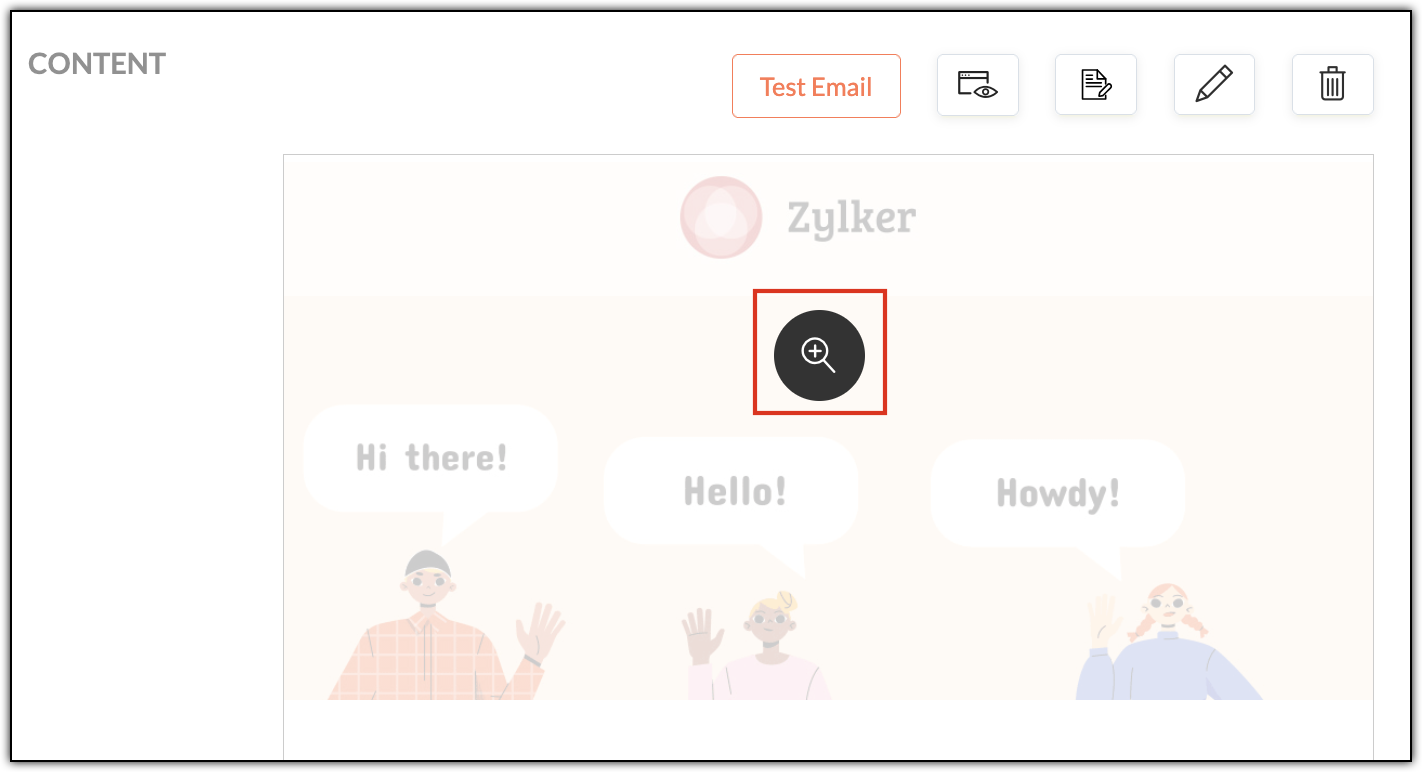
  • Always preview: Use Zoho Campaigns' built-in desktop and mobile previews to catch layout issues before sending. Click each campaign's magnifier button (in the Content section) to preview for desktop and mobile.


  • Send test emails: Open test emails in real inboxes (Gmail, Outlook, Yahoo) across both laptop and mobile devices. Create test accounts in these email clients and send campaigns to yourself.
  • Pay extra attention to Outlook: Outlook handles HTML differently and often needs special testing.
  • Granular checks: Validate links, images, alt text, and dark mode visibility before hitting send. Don't upload high resolution images, as it'll increase your emails' load times when your contacts first open them.
  • 60:40 ratio: Generally, maintaining a ratio of 60% text and 40% images in your campaigns is recommended. While this ratio doesn't have a direct contribution to open rates, it does improve loading speeds, accessibility, and inbox trust—all of which do contribute directly to open rates.
Multi-device testing makes sure your campaigns works across varying screen sizes, while multi-client testing ensures they render correctly across different email clients. Both are essential, as different email clients interpret HTML differently.

A/B testing

A/B testing helps you make smarter email decisions by letting actual contacts vote without realizing it. Instead of guessing about what works, you can create two versions of the same campaign that differ in one key way (such as their subject line, CTA, or send time) and then send them to different (but equal) portions of your contacts. The version that gets more opens or clicks is the winner—and you can then send it to your remaining contacts.

For example, let's say Patricia from Zylker Fashions is launching a weekend sale. Version A uses the subject line "Weekend sale is live", while Version B says "Your weekend savings start now". She sends both to roughly 10% of her list. After a few hours, Version B gets higher opens, so she automatically sends it to the remaining 80%. Over time, repeating such tests helps her consistently improve engagement and results.

Remember that your target contacts are often based on demographics, geography, and behavior, so test results from one group may not reflect the reactions of another.


Zoho Campaigns has a specific A/B Testing campaign feature you can use when you create email campaigns.

Send-time optimization

Let's say you're based in the US and have customers all over the globe. You want to send a campaign to your UK contacts, but you don't want to send it in the middle of the night; it might put them off. More often than not, these emails will go unopened. Instead you should schedule it to arrive at a specific time—in their specific time zone—when they're most likely to open it.

Zoho Campaigns offers this functionality. After designing your campaign with our template builder, you're ready to send it. You can choose between Send Immediately and Send Later. Upon choosing the latter, you can select either the Recipients' Time Zone and Recipients' Optimal Open Time, among other options.


The recipient's time zones are determined by whatever contact data you have, such as their country. Optimal open times, on the other hand, are based on the recipients' past engagement histories, such as when they usually open emails.

With that, we've come to the end of this three-part series.

Improving open rates is all about being consistent. We covered a wide range of topics, from sender domains and subject lines to pre-headers, personalization, dynamic content, testing, and send-time optimization.

Until next time. Happy marketing!


Kind regards,
Sai Prashanth
User Education
Zoho Campaigns

    • Recent Topics

    • Marketing Tip #26: Optimize product images for SEO

      Product images can do more than make your store look good. They can also help customers discover your products through search. Since search engines can’t "see" images, they rely on text signals to understand what an image is about. Two small actions make
    • Automation Series: Mandatory Time Logging Before Task Closure

      In a project, when users work on multiple tasks simultaneously, they track time in different ways, either by starting a timer or by adding a time log. Sometimes users may forget to add time, which can lead to discrepancies in the timesheet. When timesheets
    • Is there a way to show contact emails in the Account?

      I know I can see the emails I have sent and received on a Contact detail view, but I want to be able to see all the emails that have been sent and received between all an Accounts Contacts on the Account Detail view. That way when I see the Account detail
    • Zoho CRM gets a new email compose and lot more

      Dear Customers,  [UPDATE October 21, 2021: We have started opening these features to some of the customers already. And, it will be available to all the customers before November 2nd Week, 2021. Sorry for the delay caused]  [UPDATE February 21, 2022:
    • Custom AI solutions with QuickML for Zoho CRM

      Hello everyone, Earlier, we introduced Custom AI Solutions in CRM that let you access QuickML for your custom AI needs. Building on that foundation, we’ve now enabled a deeper integration: QuickML models can be seamlessly integrated into CRM, and surface
    • CRM gets location smart with the all new Map View: visualize records, locate records within any radius, and more

      Hello all, We've introduced a new way to work with location data in Zoho CRM: the Map View. Instead of scrolling through endless lists, your records now appear as pins on a map. Built on top of the all-new address field and powered by Mappls (MapMyIndia),
    • Introducing document visibility in Zoho Sign

      Hello! Complex document workflows often involve multiple stakeholders with different roles. Sending a separate envelope to every person is time consuming and can lead to administrative bottlenecks. With Zoho Sign's document visibility feature, you can
    • Sent email stuck on processing

      My sent emails are stuck on processing, whats going on?
    • [Webinar] What's new in Zoho Analytics: Q2 2026

      Hey data lovers! Our What's New webinar series is bringing you another lineup of exciting features and product enhancements from the past quarter, all designed to help you get more out of your analytics. Get an inside look at new data connectors, Zoho
    • Alterar número de telefone para receber o código OTP

      Boa tarde! Como posso alterar o número de telefone da minha conta para aceder ao meu email corporativo? Estou tentando logar, mas não consigo, pois está sendo enviado o código OTP para o número antigo, preciso aceder urgente meu email, porque e de trabalho.
    • CRM x WorkDrive: We're rolling out the WorkDrive-powered file storage experience for existing users

      Release plan: Gradual rollout to customers without file storage add-ons, in this order: 1. Standalone CRM 2. CRM Plus and Zoho One DCs: All | Editions: All Available now for: - Standalone CRM accounts in Free and Standard editions without file storage
    • Request to Increase URL Field Character Limit

      Hi Arthi, Hope you are doing well. I'm trying to save a URL in the Work Order (WO) module using the URL field, but I receive the following error message: "Please enter a valid Repair File. Maximum 450 characters are allowed." The issue is that the URL
    • How to change column headings in pivot table?

      Hi, Is there a way to rename the column headers of a pivot table? Now some the columns are named with value labels: 'SUM of .....'. We would like to rename those headers. As of now we couldn't find any direct solution to adjust the headers, besides copying and reformat. We want to avoid these extra steps. Best, Tiemen
    • Undelivered Mail

      I suspect that there are recipient's servers that blocks my emails. I receive the following email from mailer-daemon@mail.zoho.eu : A message that you sent could not be delivered to one or more of its recipients. This is a permanent error. pantelis.sarantos@unipakhellas.gr,
    • Email not loading on PC

      Hello, my email opens on but it doesn’t load on PC. I don’t have other issues with the email, all the configurations are ok and I face with following issue in the photo. It says “ mail.zoho.com refused to connect” I will be very thankful if anyone can
    • Why are bounce/error emails being sent to info@ instead of contact@?

      I have my Zoho Mail and WordPress site configured so that normal website emails should go to contact@hybridbatteryservice.com. However, I keep receiving technical bounce/error emails and delivery failure notifications at info@hybridbatteryservice.com
    • Do Not Disturb status not respected when Cliq bar is enabled across Zoho apps

      Hi Zoho Cliq team, I want to report what appears to be a bug with how the Do Not Disturb status interacts with the embedded Cliq bar in other Zoho apps. **Issue:** When my Cliq status is set to Do Not Disturb, I continue to receive notification tones
    • Zoho Webinar Summer Broadcast 2026

      What if your webinar platform could connect directly with your business tools, automate routine tasks, trigger actions across your workflows, and support every stage of your webinar lifecycle? That’s the question we’ve been answering so far this year.
    • Zoho CRM Layout Rules: Nine New Actions, Profile-Based Execution, and Interactive Preview

      Hello everyone, Availability: This feature is now available for customers in the JP and SA DCs. It is planned to be released for other customers in soon. We’re excited to announce powerful new enhancements to Layout Rules in Zoho CRM - a feature built
    • Invalid request when trying to access Mail

      When I click on the red button to access Zoho Mail at https://mail.zoho.com/zm/, I get a big yellow warning triangle with "invlid request, The input passed is invalid or the URL is invoked without valid parameters. Please check your input and try ag
    • Whats the average response time for ticket submitted?

      I submitted a request to unblock my mail accounts. They seem to be blocked for outgoing mail, and I have been waiting for days to have this fixed with no reply. I have submitted 2 tickets and an email. My work has to completely stop. I pay for the service
    • All new Address Field in Zoho CRM: maintain structured and accurate address inputs

      Availability Update: 29 September 2025: It's currently available for all new sign-ups and for existing Zoho CRM orgs which are in the Professional edition exclusively for IN DC users. 2 March 2026: Available to users in all DCs except US and EU DC. 24
    • Is there any way to have Dataprep ingest RSS?

      As stated by the title. Does the Zoho environment offer tools that I can use to, directly or using workarounds, have Dataprep ingest an RSS feed? Thanks
    • Introducing Color Coding of Picklist Values

      Dear Everyone, Greetings!! Zoho CRM is uplifting the user experience. Recently, we had some notable aesthetic improvements in CRM like Kanban View UI enhancement, New List view UI enhancement, color coding of tags, and color coding of picklists in meetings.
    • Important updates to your Widget JS APIs

      Hello everyone, Greetings from Zoho Creator! This is an urgent notice for developers and Partners who use widgets in their Zoho Creator applications. We previously announced an update to the CDN URLs used for loading the Widget JS API, with a deadline
    • Deluge sendmail in Zoho Desk schedule can't send email from a verified email address

      I am trying to add a scheduled action with ZDesk using a Deluge function that sends a weekly email to specific ticket client contacts I've already verified the email address for use in ZDesk, but sendmail won't allow it in its "from:" clause. I've attached
    • Mailbox delegation “Send As” error

      I believe there may be an issue with mailbox delegation. When I create a delegation from the Admin Console, it works correctly if I select Read permissions. However, if I select Send As permission for the delegated user, I immediately receive the following
    • Restrict Zoho Cliq Webinars and Announcements to Admins Only

      Hi Zoho Team, We hope you're doing well. We would like to raise a feature request regarding in-app announcements in Zoho Cliq, such as the recent webinar popup about the Cliq Developer Platform: While these announcements are useful, they are not always
    • how do i get mail.mydomain.com to point to zoho mail web-mail?

      I have started using zohomail, and am loving it. With my previous provider, I used to go to mail.mydomain.com, and it would take me to my webmail. I am not able to find the mapping for zoho's webmail to map to it. It is difficult to go to webmail with
    • Number of decimal places

      Hi Latha, I have added the following three fields to the Company module. Currently, these fields only allow a maximum of 2 decimal places. However, for some of our requirements, we need to enter values with up to 10 decimal places. Could you please help
    • zoho imap connection stopped working 05/28 12pm EST

      Hi, beginning Thursday, 5/28, ~12 pm est imap to siteground stopped working. When I tried to reconnect the account, connection was failing with the following message: Unable to connect SMTP server:gvam1107.siteground.biz, Port: 587. I did notice that
    • User Name in Zoho Cliq Not Updating Across Apps?

      We updated the name of a user in Zoho. (From Sue to Taylor) Her name has not been updated in Cliq on all apps. When in Zoho One, if I go to Cliq directly, it is correct, but if I am in another app, and the Cliq bar pops up on the bottom, it will be the
    • Service currently unavailable

      The Zoho Mail Webmail is working, the Mail Admin Console is not: "Our service is temporarily unavailable, please try after sometime." How long must I wait to retry? edit: To add to this, the Webmail is not working 100% - I can open mail in the inbox,
    • Service currently unavailable

      Service currently unavailable It is not possible to access email; the entire Zohoworkplace platform is down
    • User Permission Log

      Our external auditors are asking for a way to view changes made to user permissions (basically, a user permission change log). Is this feature built into Creator? 
    • E-mail down

      We cannot get into our email inboxes, are you affected by a Microsoft update issue? How long do you think as to restoration?
    • ZOHO MAIL SERVICE NOT WORKING

      Hello i've a problem my zoho mail account says a display with this text "our service is temporally unavaible"
    • ايميل مجانى

      Can I create a free email account on Zahoo?
    • Sign up for email for a domain

      Hi - I thought I had signed up for a domain of <domain>.com, but only see the email of @zohomail.com . How do I get the <domain.com> domain linked to my email?
    • Feature Request: Include Creator-applicable Deluge updates in the Creator Release Notes

      I'd like to put forward a suggestion about how Deluge updates are surfaced to Zoho Creator developers, and I'm hoping the Creator team will consider it. Zoho Creator is built on Deluge. Every workflow, custom function, validation and schedule we write
    • Next Page