Passez au nouveau Zoho One : nouvelles applications, nouveaux services, nouvelle expérience !
Le nouveau Zoho One se dévoile avec son interface unifiée, ses nouvelles fonctionnalités et ses nouveaux services !

Très chers utilisateurs de Zoho One,
C'est avec un immense plaisir que nous vous informons de la sortie mondiale du nouveau Zoho One.
Renchéri de 5 nouvelles applications, 3 nouveaux services et 7 améliorations de la plateforme, Zoho One se réinvente pour offrir l'expérience de l'entreprise unifiée à son paroxysme, par les systèmes, les données et les équipes.
Nous allons tout vous décrire dans cet article. En outre, nous tenons un webinar pour découvrir les nouveautés et leur optique le 20 octobre à 14h pour une découverte tous ensemble. Découvrez comment nous en sommes arrivés à ces fonctionnalités là et à quels besoins elles entendent répondre.
Cette nouvelle version permet aux entreprises de résoudre les problèmes de données disjointes et de combler les lacunes en matière de communication entre les silos. Nous espérons que cette nouvelle version est l'avancée majeure que nous souhaitions et qu'elle vous simplifiera considérablement la tâche dans votre quotidien pour vous amener à un nouveau niveau.
Plongeons-y dès à présent :
L'interface unifiée
- Tableaux de bord customisables
Si dans l'ancienne version l'accès aux applications primait, aujourd'hui nous faisons d'une pierre deux coups : les informations de vos applications par les widgets dans les tableaux de bords vous permettent de voir les données qui vous intéressent sans changer d'onglet ni aller les chercher dans l'application.
En effet, lorsque vous créez un ou plusieurs tableaux de bords, pour vous ou vos collaborateurs, les widgets de vos applications sont disponibles d'un simple clic. Créez vos propres tableaux de bord à l'envi, classez-les selon vos besoins et visualisez vos informations depuis votre cockpit Zoho One !
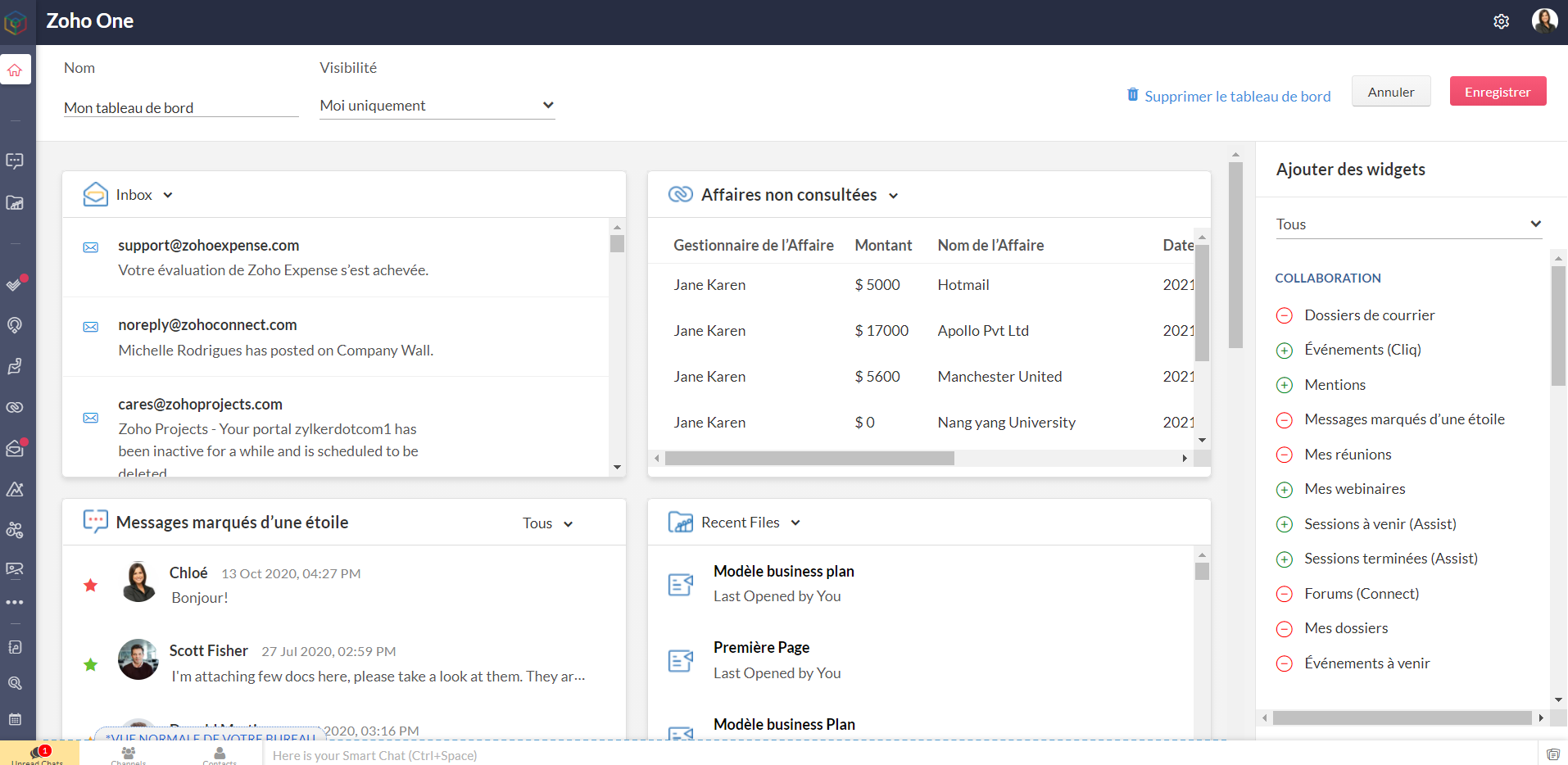
Bon à savoir : les niveaux d'accès que vous avez configurés restent valables pour les tableaux de bord. Les personnes n'ayant pas accès à une application n'en verront pas les widgets, tout comme celles ayant un accès restreint ne verront que les informations accordés par ce niveau d'accès, dans l'hypothèse où le tableau de bord leur est partagé.
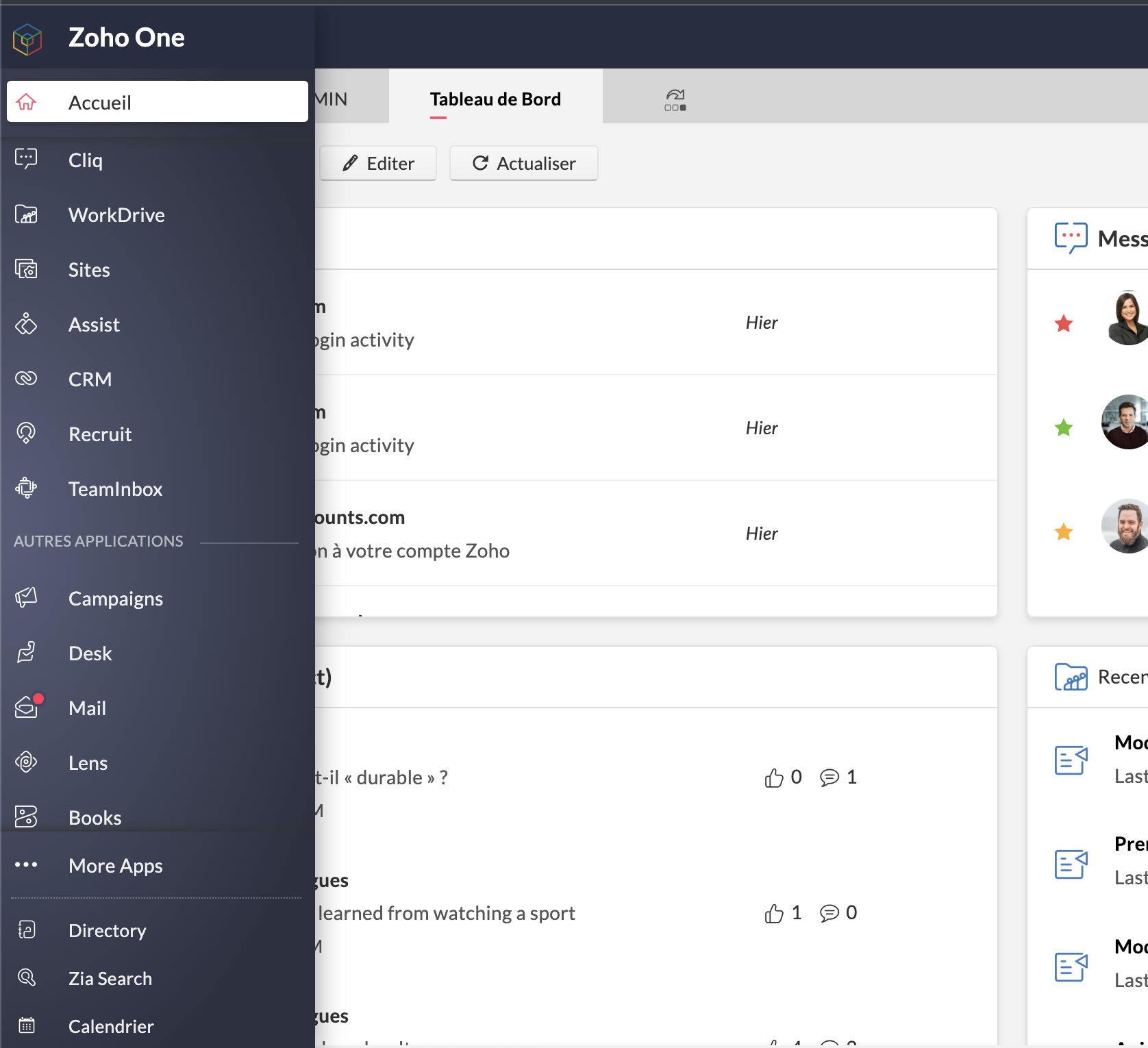
- Barre latérale
L'accès aux applications reste tout aussi rapide et ne disparait pas de l'interface : les applications sont toutes accessibles depuis la barre latérale et ne requièrent plus de s'ouvrir dans un nouvel onglet et de changer d'écran : un clic et toujours sur Zoho One, vous êtes sur l'accueil de votre application préférée.
Préférée, en effet : vous pouvez épingler les applications que vous utilisez le plus pour les avoir toujours sous la main. Par défaut, une autre catégorie dans la barre contient celles que vous ouvertes récemment.
Enfin, "Plus d'applications" vous permet de voir toutes vos applications, rangées selon les catégories, y compris les applications tierces que vous auriez ajoutées.
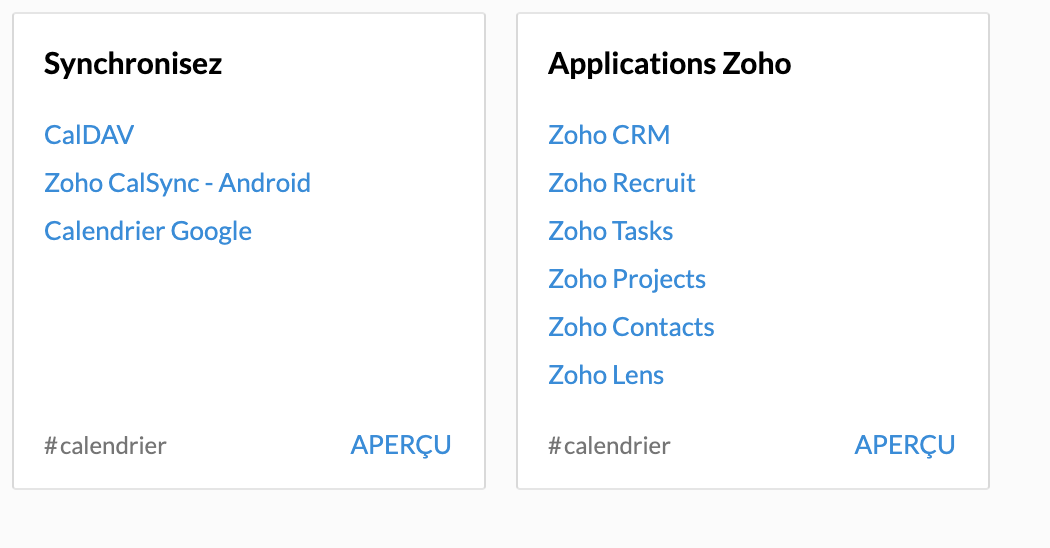
- Calendrier unifié
Le calendrier de Zoho Mail est le calendrier de votre compte Zoho One et se synchronise avec les événements créés dans Zoho CRM, Zoho Recruit, Zoho Projects, Zoho Contacts et Zoho Lens (susceptible d'évolutions futures).
A noter qu'à ce jour et pour les trois derniers modules, la synchronisation ne va que de l'application vers Zoho One.
- Paramètres > Directory
Une petite mise à jour dans la terminologie : les "paramètres" apparaissent sous le nom "Directory".
Lorsque vous vous y rendez, vous vous retrouvez en terrain familier. Vous connaissez la plupart des onglets, bien que certaines nouveautés pourront vite vous sauter aux yeux. C'est justement le sujet de notre point suivant.
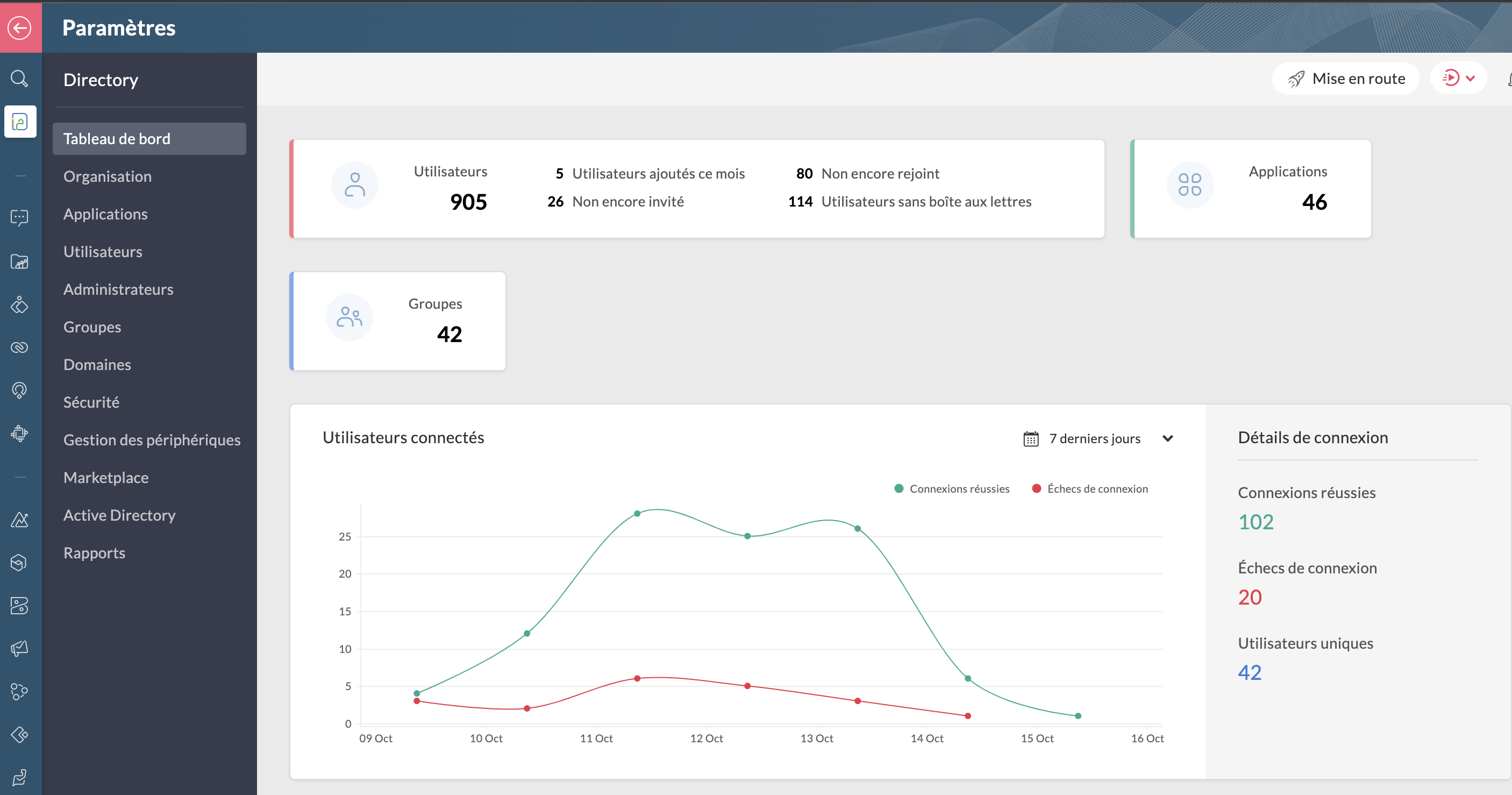
Bon à savoir : lorsque vous êtes dans Directory, toutes les applications dans la barre latérale vous feront directement accéder aux paramètres de ces dernières lorsque vous cliquez dessus.
Les améliorations :
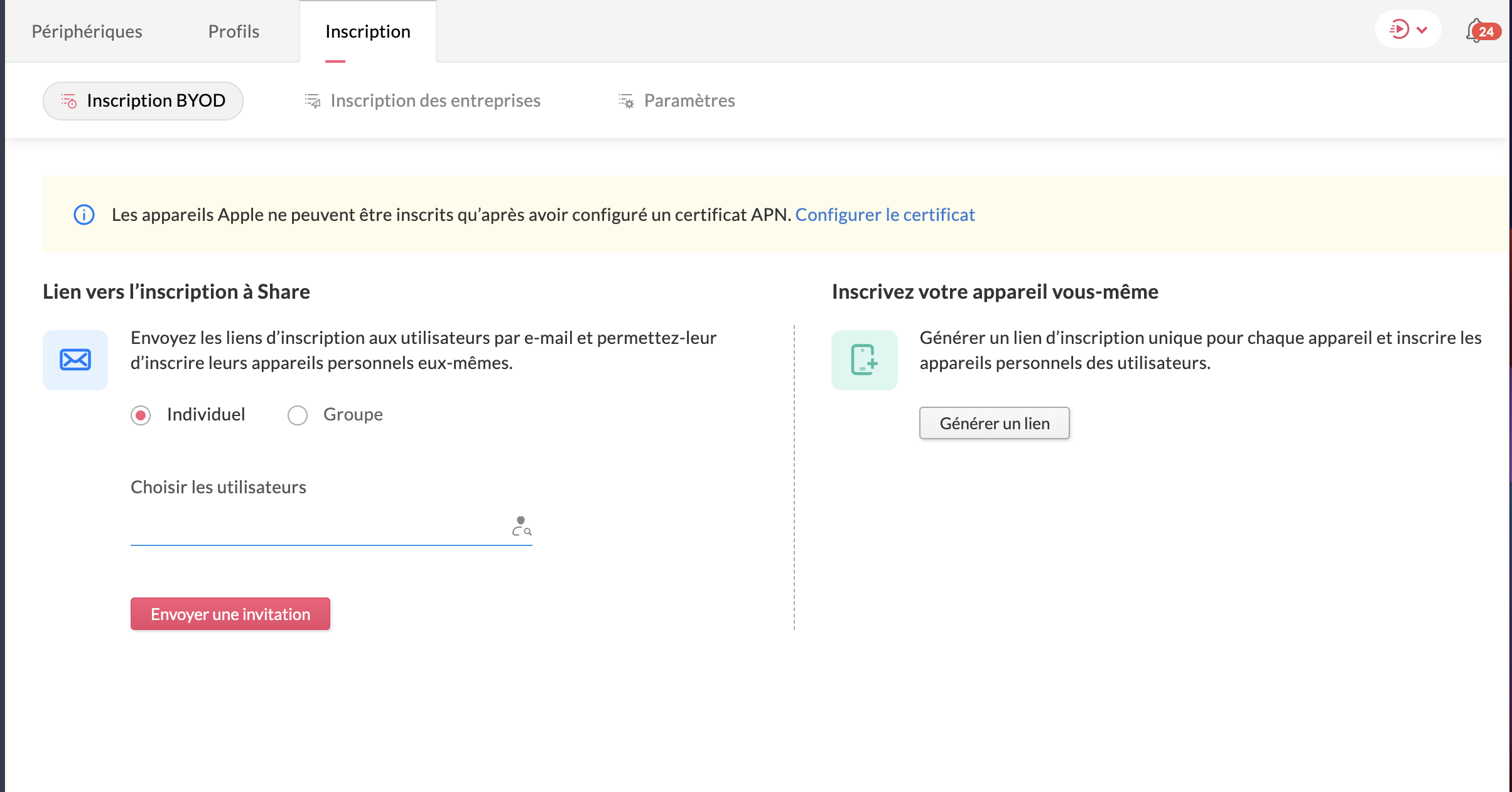
- La gestion des périphériques
Veuillez noter d'ores et déjà que ceci est un add-on et ne fait pas partie du plan Zoho One de base. N'hésitez pas à contacter support@zohoone.com pour l'ajouter à votre abonnement si vous en ressentez le besoin, et vous pourrez intégrer l'application MDM (Mobile Device Management).
Avec l'essor du télétravail, les employés n'utilisent plus forcément leur poste de travail fixe et il était impératif de permettre aux organisations, par l'admin ou le super-admin, de contrôler les accès des utilisateurs ayant une licence active One sur d'autres appareils où sont installées les applications.
Vous avez les appareils de l'entreprise (ordinateurs, portables professionnels...) et les appareils personnels des employés recensés ou à ajouter, où le contrôle est minimal.
Vous pouvez ainsi installer les applications à distance sur le portable sans besoin que l'utilisateur touche à quoi que ce soit, restreindre l'installation d'applications (comme une application de jeux sur un portable professionnel de l'entreprise), et configurer des politiques d'accès spéciales.
- Le dictionnaire d'entreprise
Dans votre onglet Organisation s'est ajoutée une nouvelle section : le dictionnaire d'entreprise, pour que tous puissent comprendre et avoir recours au vocabulaire spécifique de votre secteur ou de votre organisation.

Les applications
Toujours dans ce contexte de travailler à distance, Zoho One intègre de nouvelles applications, qu'il s'agisse de vos clients ou encore le partage de connaissances pour que vos employés restent actifs :
- Zoho Learn
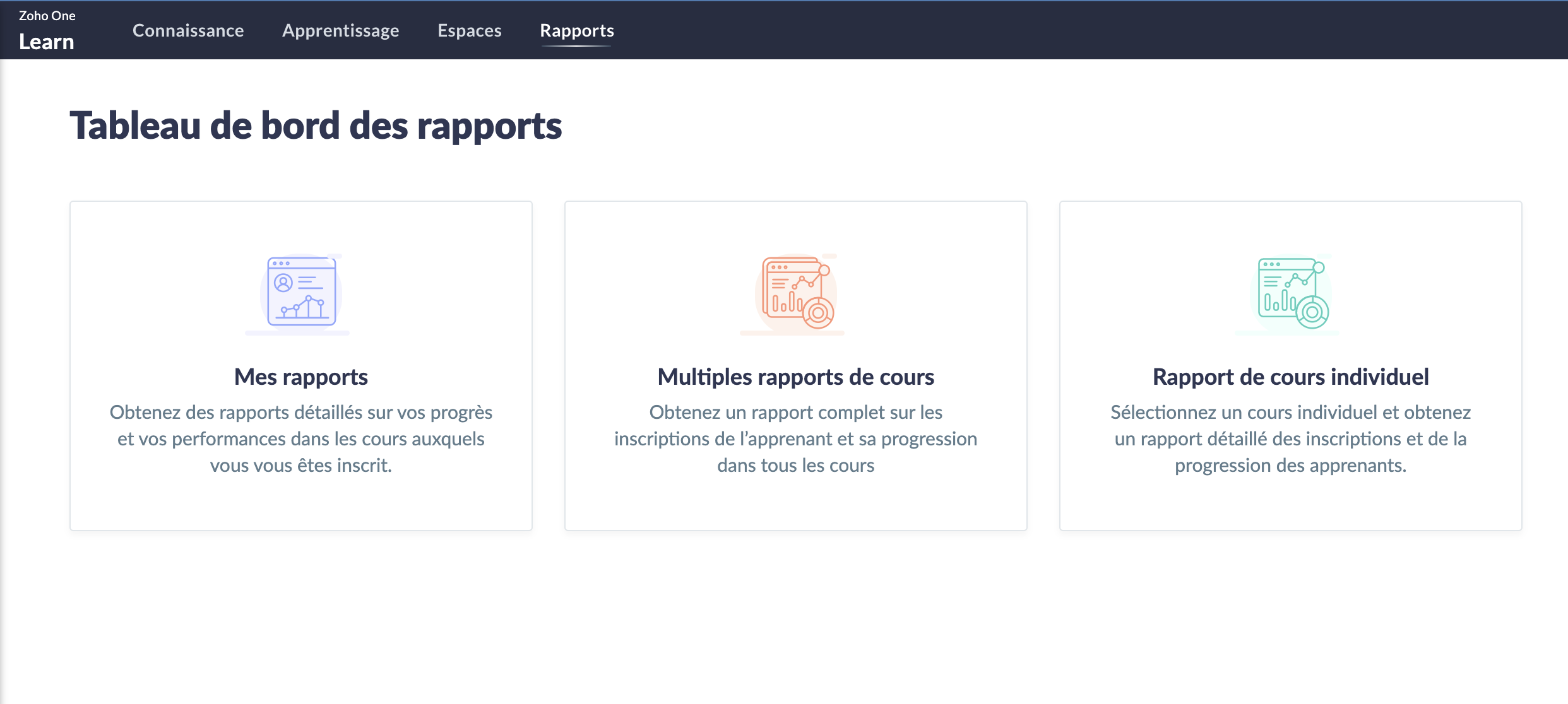
Le partage de connaissances est un must et Zoho Learn, notre plateforme complète de gestion des connaissances et de formation, vous permet de stocker et conserver les connaissances de votre équipe. Qu'elles soient établies ou que vous créiez de nouveaux parcours, tout est recensé dans Zoho Learn. Vous pouvez même faire passer des formations et tests à vos équipes afin d'être sûr que les connaissances ont été assimilées.
En savoir plus sur Zoho Learn
- Zoho Commerce
Avec l'essor (voire la nécessité) du commerce en ligne, l'application Zoho Commerce pour construire facilement votre boutique en ligne en drag-and-drop a été ajoutée.

En savoir plus sur Zoho Commerce.
- Zoho Lens
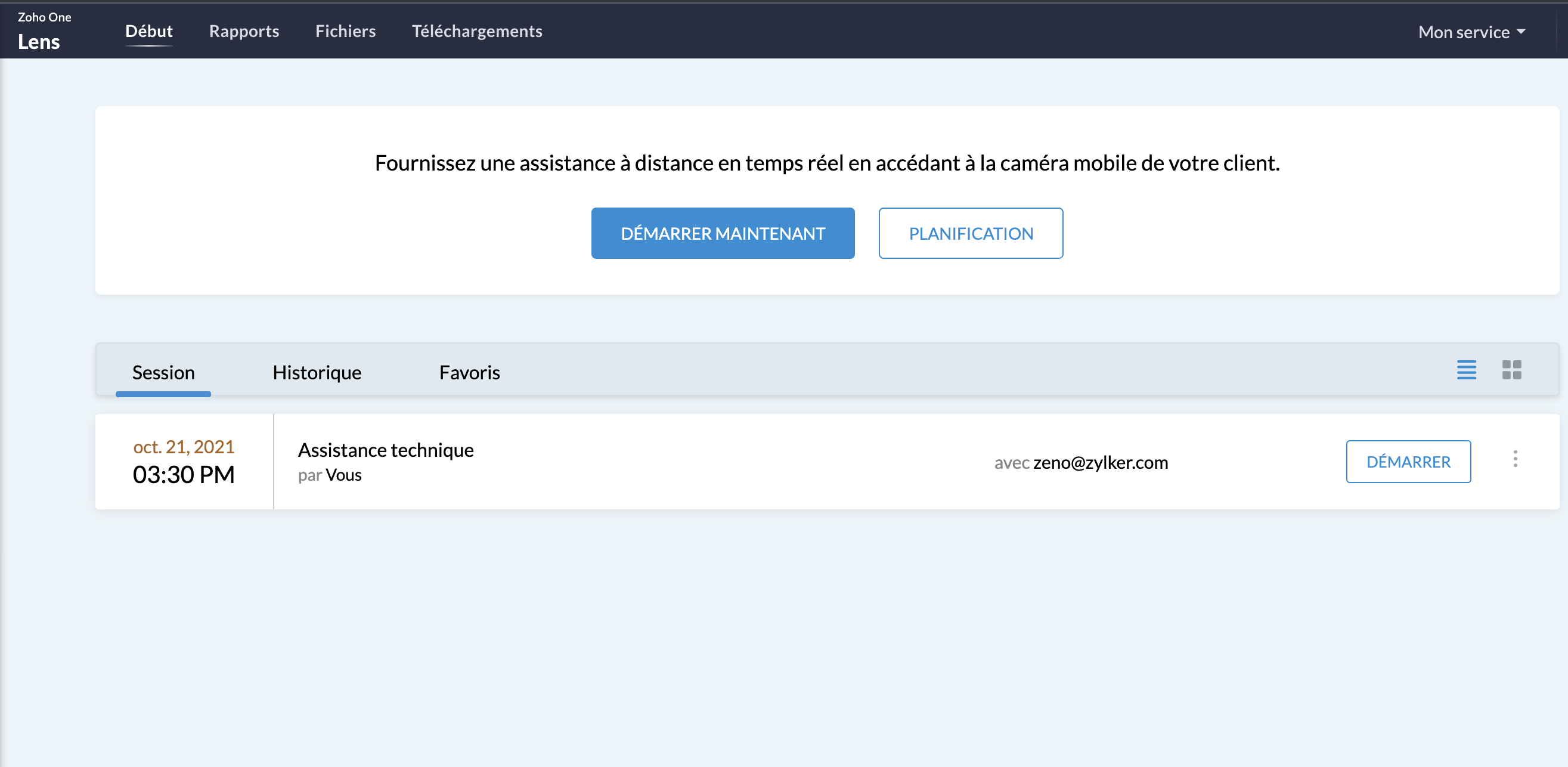
L'assistance sur site sans (pouvoir) se rendre sur site : avec la réalité augmentée, utilisez Zoho Lens pour guider et dépanner vos clients grâce à la caméra de leur smartphone.
En savoir plus sur Zoho Lens
- Zoho TeamInbox
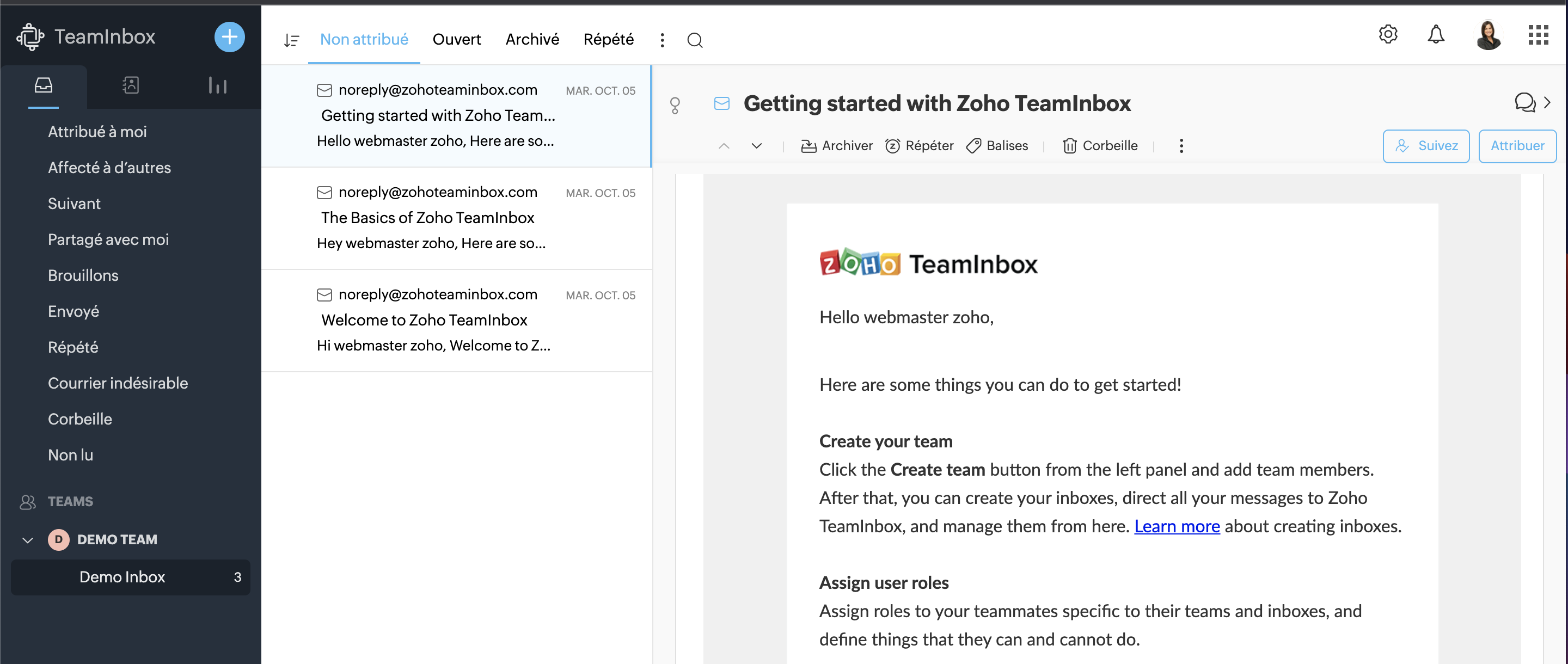
TeamInbox est la boîte e-mail partagée pour une collaboration intelligente, le tout en un seul endroit. Menez des discussions parallèles avec votre équipe au sujet de conversations complexes, assignez les e-mails et évitez les couacs afin de pouvoir envoyer des réponses précises à chaque fois.
En savoir plus sur Zoho TeamInbox
La Business Intelligence
Les entreprises disposent désormais d'analyses en temps réel plus solides à l'échelle de l'organisation, reliant les points entre des données auparavant perdues entre les départements, les équipes et les comptes. Grâce à Zia, l'assistant d'intelligence artificielle de Zoho, et à la plateforme de BI et d'analyse de Zoho, Zoho One permet aux utilisateurs de prédire et de fournir des informations à l'échelle de l'entreprise pour une prise de décision en toute confiance. Les nouvelles innovations comprennent :
- La BI conversationnelle
Zoho One est désormais doté d'une fonction d'analyse intégrée et conversationnelle permettant aux décideurs d'approfondir leurs données et de glaner des informations interservices, le tout par le biais de commandes en langage naturel grâce à Zia Insights. Grâce à plus de 1 500 rapports d'analyse et tableaux de bord préétablis, les décisions critiques peuvent être prises avec plus de précision et de rapidité.
- La recherche unifiée
Vous connaissez déjà la recherche actionnable de Zoho à l'échelle de l'entreprise, alimentée par Zia ; cette dernière peut désormais comprendre les demandes en langage naturel. La recherche en langage naturel permettra une découverte plus précise des données au sein des équipes et des fonctions.
Notez que ces fonctionnalités incluant Zia ne sont pour l'instant disponibles qu'en anglais.
- Data Prep
Cet outil de préparation et de gestion des données est désormais disponible dans Zoho One. Que les utilisateurs préparent des données à partir d'applications tierces ou d'autres sources, DataPrep, alimenté par le machine learning, peut aider les utilisateurs à intégrer, modéliser, nettoyer, transformer, enrichir et cataloguer les données, ainsi qu'à s'intégrer à Analytics ou à une tierce partie. A vous les perspectives inexplorées !
Fort de toutes ces nouveautés, que pensez-vous de venir les tester avec nous ?
Suivez-nous lors d'une session live pour explorer votre nouvelle interface ce mercredi 20 octobre à 14h !
N'hésitez pas également à nous faire vos retours sur votre prise en main de ce nouveau Zoho One pour nous aider à constamment nous améliorer !
A très vite dans ce nouveau chapitre Zoho One !
L'équipe Zoho France
Topic Participants
Claire Curaba
Sticky Posts
Collaboration sans faille avec Zoho One
Bonjour à tous, Dans cet article nous allons voir comment Zoho One permet une collaboration à différents niveaux . La façon dont nous travaillons évolue. À mesure que les entreprises se mondialisent, la plupart des activités sont menées en équipe.
Recent Topics
JOB WISE INVOICE PROCESS
I WANT TO ENABLE JOB WISE TRACKING OF ALL SALES AND PURCHASEPDF Template have QTY as first column
I want to have the QTY of an item on the sales orders and invoices to be the first column, then description, then pricing. Is there a way to change the order? I went to the Items tab in settings but don't see how to change the order of the columns onRAG (Retrieval Augmented Generation) Type Q+A Environment with Zoho Learn
Hi All, Given the ability of Zoho Learn to function as a knowledge base / document repository type solution and given the rapid advancements that Zoho is making with Zia LLM, agentic capabilities etc. (not to mention the rapid progress in the broaderWelcome to the Zoho ERP Community Forum
Hello everyone, We are thrilled to launch Zoho ERP (India edition), a software to manage your business operations from end to end. We’ve created this community forum as a space for you to ask questions, comment answers, provide feedback, and share yourIn App Auto Refresh/Update Features
Hi, I am trying to use Zoho Creator for Restaurant management. While using the android apps, I reliased the apps would not auto refresh if there is new entries i.e new kitchen order ticket (KOT) from other users. The apps does received notification but would not auto refresh, users required to refresh the apps manually in order to see the new KOT in the apps. I am wondering why this features is not implemented? Or is this feature being considered to be implemented in the future? With theConsolidated report for multi-organisation
I'm hoping to see this feature to be available but couldn't locate in anywhere in the trial version. Is this supported? The main aim to go to ERP is to have visibility of the multi-organisation in once place. I'm hopeful for this.IMAP mail after specify date
Hi My customer's mail server is on premise and mail storage is very huge. So It never finish sync. and finally stop sync. Cloud CRM have a option like zoho mail sync mail after some date.Claude + MCP Server + Zoho CRM Integration – AI-Powered Sales Automation
Hello Zoho Community 👋 I’m excited to share a recent integration we’ve worked on at OfficehubTech: ✅ Claude + MCP Server + Zoho CRM This integration connects Zoho CRM with Claude AI through our custom MCP Server, enabling intelligent AI-driven responsesNotes badge as a quick action in the list view
Hello all, We are introducing the Notes badge in the list view of all modules as a quick action you can perform for each record, in addition to the existing Activity badge. With this enhancement, users will have quick visibility into the notes associatedSearch Bar positioning
Why is the Search bar on the far right when everything is oriented towards the left?Import Error: Empty values for mandatory fields - Closing Date
Hello, I've tried multiple times to import a CVS Potential list from another Zoho account. But the error message I get is: Empty values for mandatory fields - Closing Date There are valid dates in this field, so I don't understand why this error messagesFeature Requests - Contact Coloured Picklist Visibility & Field Visibility During Ticket Creation
Hi Desk Team, I have 2 feature requests for you. Since Coloured Picklists are now available in Desk, It would be great if the colours were visible on the Related Details (Contact Information) when creating a ticket. In the screenshot below, I have 2 fieldsHow to integrate XML with Zoho CRM
Hi, I have an eCom service provider that gives me a dynamic XML that contains order information, clients, shipments... The XML link is the only thing I have. No Oath or key, No API get... I want to integrate it into Zoho CRM. I am not a developer norFeature Request - Ability to Customise Contact Info Card on Ticket Details View
Hi Desk Team, I've added a "Contact Priority" and "Account Prioirty" field and it would be very useful to agents if they could see that information in the Contact Info card on the Ticket Details view. It would be great if we could choose some fields toTax in Quote
Each row item in a quote has a tax value. At the total numbers at the bottom, there is also a Tax entry. If you select tax in both of the (line item, and the total), the tax doubles. My assumption is that the Tax total should be totalling the tax fromZoho Flow integration with Facebook Messenger and Whatsapp
Hi there, any plans of adding integrations with Facebook Messenger and Whatsapp into Zoho Flow? Seems that more and more business are delivering automated updates such as "your order is received", "your order has been shipped" and so on via these two platforms. Not sure if Whatsapp has the API access needed i am pretty sure that Facebook Messenger has... Kind regards Bo ThygesenMulti-currency and Products
One of the main reasons I have gone down the Zoho route is because I need multi-currency support. However, I find that products can only be priced in the home currency, We sell to the US and UK. However, we maintain different price lists for each.Campaigns unsubscribe/manage preferences links
Hi, Where can I edit the unscubscribe and manage preferences link in the footer of the email. I would like it so that when you click 'manage preferences' an form opens up that allows the person to choose what type of emails they do and don't wish toemail address somehow still not verified (?!)
L.S. After creating a new email template in CRM I was about to send a group email to my clients, then Zoho CRM announced that they would change the sender address to some kind of Zoho-e-ddress because my email address "has not been verified". Not onlyMarketing Tip #17: Add credibility to your online store with Review Widgets
One of the fastest ways to build trust in an online store is to show real customer feedback right where people are deciding to buy. Third-party widgets let you embed things like Google Reviews, Instagram feeds, or even a WhatsApp chat button. These addadding several team members to an Opportunity
How can we add several team members to one opportunity for collaboration? I have researched and only found something called Deal Team which I cannot find in my CRM to configure.PDF Annotation is here - Mark Up PDFs Your Way!
Reviewing PDFs just got a whole lot easier. You can now annotate PDFs directly in Zoho Notebook. Highlight important sections, add text, insert images, apply watermarks, and mark up documents in detail without leaving your notes. No app switching. NoBulk update Profile Permissions
Dears, What should we do if we add new forms or reports and need to update more than 20 permissions? Updating them one by one feels pretty harsh, doesn’t it?Filter in fields from Jira extension
We have installed the Jira extension so we can maken Jira issues from Zoho desk. In Zoho desk I can also see the Jira issue status for example but I can not filter on this field. I would like to setup an filter showing me the closed Jira issues. How cantext length in list report mobile/tablet
Is there a way to make the full text of a text field appear in the list report on mobile and tablet? With custom layouts, the text is always truncated after a certain number of characters.Zoho Creator customer portal limitation | Zoho One
I'm asking you all for any feedback as to the logic or reasoning behind drastically limiting portal users when Zoho already meters based on number of records. I'm a single-seat, Zoho One Enterprise license holder. If my portal users are going to add records, wouldn't that increase revenue for Zoho as that is how Creator is monetized? Why limit my customer portal to only THREE external users when more users would equate to more records being entered into the database?!? (See help ticket reply below.)Link Contacts to Billed Accounts
Hello, I want to do a survey on all my customers of 2025. For that I want to select all contacts linked to accounts who where billed in 2025. How to I create this link to I can then use Zoho Survey with this database of contacts?Export all of our manuals from Zoho Learn in one go
Hi, I know there's a way to export manuals in Zoho Learn, but I want to export everything in one go so it won't take so long. I can't see a way to do this, can I get some assistance or is this a feature in the pipeline? Thanks, HannahHistorical Sales Info - Blend with Finance Invoice Line Items, Access in CRM and Desk
My company has been using Zoho One since 2021, with sales data going back through 2020. However, we have been in business much longer, and we have historical sales information that we want to have at our fingertips when talking with customers (usuallyPre-Zoho Sales Info - Best Way to Add to Desk / CRM
My company has been using Zoho One since 2021, with sales data going back through 2020. However, we have been in business much longer, and we have historical sales information that we want to have at our fingertips when talking with customers (usuallyShift-Centric View for Assigning and Managing Shifts in Zoho People
Hello Zoho People Product Team, Greetings and hope you are doing well. This feature request is related to Zoho People - please don't move it to zoho one! We would like to submit a feature request regarding the shift assignment and management view in ZohoCRM function REST API response format
Is there a way to control the JSON response returned by the CRM function REST API? If I call a function using either OAuth or an API key it returns a 200 OK response with a string in the format shown below. I am using a particular feature of an externalUsing MPN across multiple SKUs and inventory tracking
I have several different SKU's that share a common MPN and would like to track inventory by MPN. SKU1 has MPN1 assigned SKU2 has MPN1 assigned Here is an example If I start with 5 of MPN 1 in stock I want each SKU1 and SKU2 to show as 5 in stock, If IUnable to Access Application:
Whenever I try to access my application from the desktop, say I am editing it and want to test something in the desktop environment I get: An error has occurred. An internal error has occurred. Please check the URL , or try refreshing the page I can editCannot see Application from Lookup field
Hi all, I am trying to access data for an application on our account via a lookup field; however, the application doesn't appear in the dropdown at all. Can anyone shed any light on this, please? I have asked Zoho support; however, they're just as confused,Cannot see correct DNS config for mail after moving domain to another provider
I have moved my domain from one provider to another and after that zoho mail stopped working (expected). Problem is, zoho mail admin panel still shows (10 hours after move) that all records are correct while I haven't changed anything in my domain DNSZoho CRM Meetings Module Issues
We have a use-case that is very common in today's world, but won't work in Zoho CRM. We have an SDR (Sales Development Rep) who makes many calls per day to Leads and Contacts, and schedules meetings for our primary Sales Reps. He does this by loggingZoho Books integration sync from Zoho CRM does not work
Hi Zoho Community & Zoho Support We just tried to get a sync some products into Zoho Books from CRM using the native sync and we're getting an error: "It looks like some mandatory fields you're trying to map are empty. Please provide valid field namesP & L Sub-categorized accounts
How can I show sub-categorized Income and Expense accounts on the P & L report?Report showing Bill Details with Project and Sales Invoice Number
Hi There, I am hoping that someone can help, I am looking for report that can show the bill and expense details along with project its as assigned to and the invoice number that the sales has been raised in. The goal is I can filter a customer/projectNext Page