Smarter Access Control: Role-Based Access vs. Responsibility-Based Profiles
Every business has roles, responsibilities, and workflows. While roles help define structure, responsibilities within those roles are rarely the same. As your team grows, some members need access to only a specific set of features. Others require visibility without control.
That's why role-based access alone isn't enough. What will make operations more efficient is responsibility-based access that keeps teams focused and reflects what someone actually does every day.
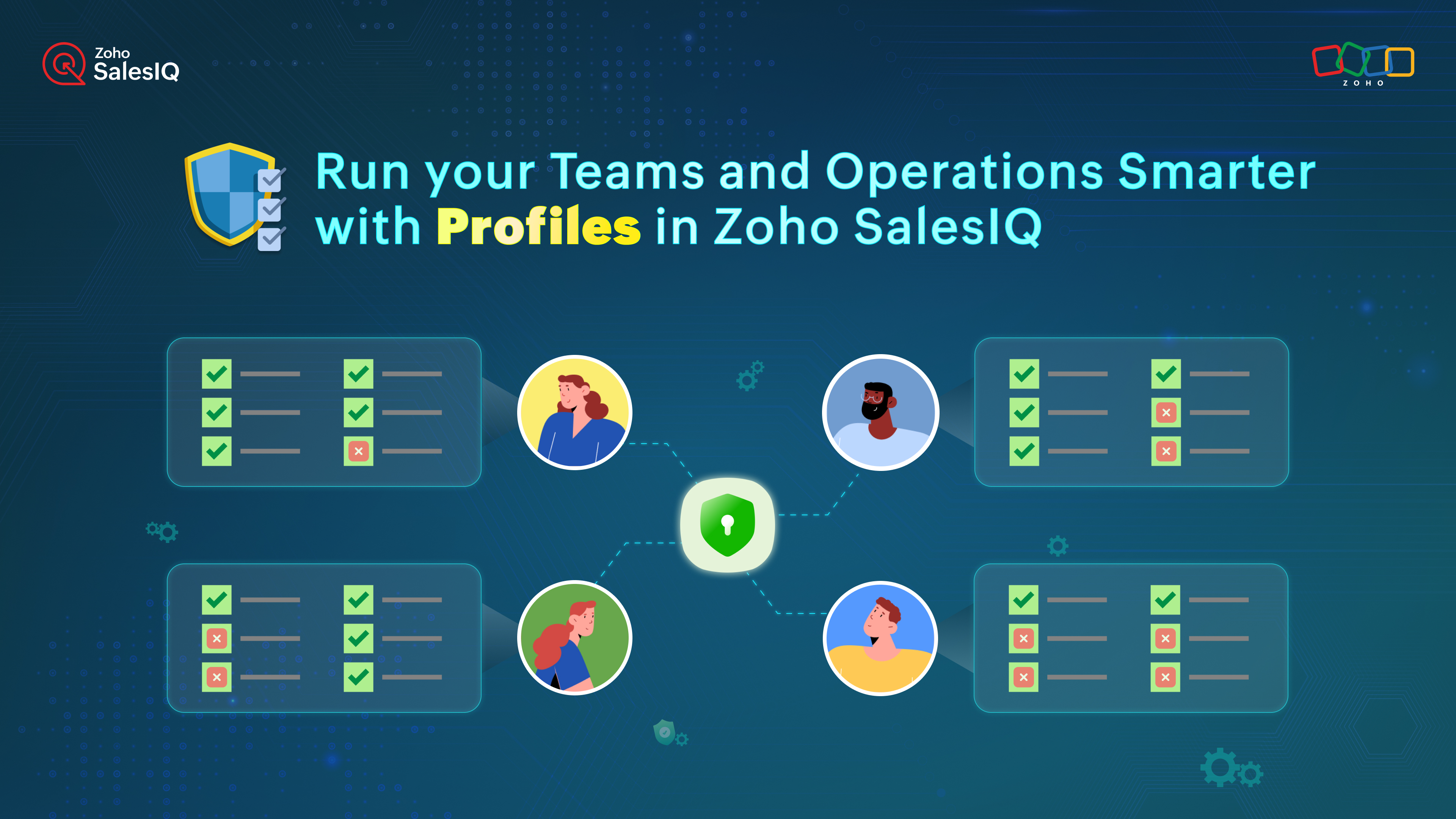
Before: Fixed Access with Predefined Roles
Previously in SalesIQ, access was managed using predefined roles such as Admin, Supervisor, and Associate. These roles helped establish a basic structure, but access within each role remained the same for everyone assigned to it.
Now: Custom Access with SalesIQ Profiles
With the introduction of Profiles in Zoho SalesIQ, access is no longer limited to predefined roles. Profiles allow you to customize permissions at a feature level, so access aligns closely with responsibilities, based on what operators actually do.
With profiles, you can:
- Give each person access only to the features they work on
- Keep critical settings and configurations limited to the right people
- Make onboarding and role changes easier as teams grow
The result is simple: cleaner workflows, better accountability, and faster execution.


Note: You can continue using the existing predefined roles, i.e., Admin, Supervisor, and Associate, to define base-level access. Use profiles as an additional layer of control to fine-tune permissions based on what operators actually do.
Best Practices for Using Profiles Effectively
To get the most out of profiles, here are a few best practices to follow:
- Create profiles based on responsibilities: Design profiles around day-to-day work managed by individuals, not just job titles.
- Use the same profile for similar roles: If everyone in a department performs the same function, assign them the same profile. This keeps access consistent and easier to manage.
- Give supervisors visibility, not control: Team leads and supervisors often need insights and conversation history, not configuration access. Limit their permissions to monitoring and review.
- Reserve full access for admins: Limit access to critical settings, integrations, and system-level configurations to admins only.
- Limit access to sensitive data: Restrict features that expose customer data or system controls to prevent accidental changes or data leakage.
- Review profiles as teams evolve: As responsibilities change, revisit the custom profiles you created to ensure access still aligns with how teams actually work.
Want clarity in your workspace?
Use Profiles in SalesIQ to define responsibilities, assign the right access, and keep your operations clean and efficient. Follow the instructions in our help-guide to create your first custom profile!
And, if you've already tried this, share your most-used custom profile in the comments below.
Warm regards,
Hameetha
Topic Participants
Hameetha Nasreen
Sticky Posts
Right Moment, Right Message, Right Operator: Never Miss a High-Intent Lead
Ever been on a website or app, thinking “Should I buy this or not?” and suddenly a friendly message “Hi! How can I help you?” pops up at the perfect moment? That’s not luck. That’s timing done right. Engaging right visitors at the right moment, with theSpeak Your Customers' Language: SalesIQ's chatbots now support 30 languages 🤖
We're unveiling some major upgrades to our chatbot that are set to revolutionize your experience! Now SalesIQ support 30 languages for both Zobot and Answer bot. By speaking your customers' language, you can enhance engagement, improve customer satisfaction,Attention Deluge Developers: Important Update Regarding "Send Email Deluge Task"
Hi Deluge Users, We hope this message finds you well. We would like to inform you about a recent update on the Send emails deluge task. If you are using this deluge task (SalesIQ Scripts) for your Zobot, widgets, or form controllers to send emails, pleasePlug Samples #12: Verify Customer Mobile Numbers with OTP to Avoid Spam Entries
Hi Everyone! Verifying customer information is critical in business to filter out junk data and spammers. Whether it’s lead generation, appointment booking, or any other operation, ensuring quality data is essential for driving meaningful outcomes. ABig Things Just Dropped in the SalesIQ Universe: Top Upgrades You’ll Love in Nova’25
Nova'25 has landed, and it’s packed with meaningful upgrades to help you engage smarter, work faster, and scale with ease. Whether you're into proactive messaging, smarter automation, or better admin control, there's something here for everyone. Here's
Recent Topics
Stop selling out of stock Items.
Hi I have been using Zohobooks for a around 8 month now. I am not involved in selling process but my staff cant stop selling product which they do not hold in stock, this is a big headache for me as physical count never matches what is shown on the books.Importing New Items to be Added to Existing Item Group
How to use the import sheet to import new items to be added to an existing item group. The import gives me an error that the item group name already exists and won't proceed. If it's possible, how should my import spreadsheet should look like?Condolences and Prayers Following the Ahmedabad Plane Crash
Dear Zoho Team, We were heartbroken to learn about the tragic plane crash that occurred today in Ahmedabad, as reported in the news. On behalf of our entire team, we want to extend our deepest condolences to everyone at Zoho and across India who may haveZoho Developer Community Monthly Digest – May 2025
Hello everyone, Welcome to this month’s Zoho Developer Community Digest! From fresh product insights to hands-on tech sessions and standout community threads, there's plenty here to keep your ideas flowing and your skills sharp. Be sure to explore ourTimesheet in project not visible to invited users.
We are using Zoho Projects and have enabled the client portal so our clients can access both Projects and Timesheets. However, while the client can see the project, no timesheet entries are visible. How can we resolve this issue?Scheduled outbound calls
How do you mark a scheduled outbound call as complete? I see no way to change the status.How to see exact clicked links in CRM from Zoho Campaigns ?
Hi, I'm wondering how I can see the clicked links from an email sent from Campaigns when I'm in a campaign in the CRM module. I can see the number of clicks but I need the sales team to be able to see which link has been clicked by a prospect or contact.Email parser rule will only parse emails with an exact match? What madness is this?
I finally got myhead around deluge and scripting, but wondered why my parser wasn't working. (https://help.zoho.com/portal/en/community/topic/extract-11-digit-number-in-any-position-from-enail-subject) Problem: There are *zero* characters or phrases thatHow to add a fee based on payment method
I currently accept both ACH payments and credit card. I want to add a 3% fee to a number of my subscription plans if the customer chooses to use a credit card (and not ACH/checking). How do I do this? Is there an in-built feature, or would i have to createCondolences and Prayers Following the Ahmedabad Plane Crash
Dear Zoho Team, We were heartbroken to learn about the tragic plane crash that occurred today in Ahmedabad, as reported in the news. On behalf of our entire team, we want to extend our deepest condolences to everyone at Zoho and across India who may haveCRM Analytics - Elegant Comparator
Anyone noticed a wierd thing on the Elegant Comparator on CRM... Compare Among - Time Period - Last 6 Weeks... only 5 weeks show Compare Among - Time Period - Last 5 Weeks... only 4 weeks show Compare Among - Time Period - Last 4 Weeks... only 3 weeksCopy Templetes from one module to another in Zoho Books.
Hello, I have created a Custom Module in Books for GST Invoice. I can see only 1 Invoice Templete over there. Can we clone or copy Invoices Templetes from Sales Module of Books into Customer Module.Enhancements in Bookings browser extension
Greetings from Zoho Bookings! We're here with another update to make your scheduling even quicker. We have enhanced our browser extension with three significant features: Copy slots to email Gmail integration LinkedIn integration Copy slots to email ThisSome notes are shown as Not Synced
I'm not sure why this happens but it's a weird little bug I noticed. I have two notes I believe that has that weird icon shown in the screenshot that shows that it's not synced even though the notes do sync properly. Manual syncing doesn't remove thePower of Automation :: Auto-Color Tasks in Gantt chart based on values in Picklist field.
Hello Everyone, A Custom function is a user-written set of code to achieve a specific requirement. Set the required conditions needed as when to trigger using the Workflow rules (be it Tasks / Project) and associate the custom function to it. Requirement:-Zoho CRM record in blueprint unable to initiate any form of approval process
My business case As a penetration testing company, we have engagements that need to follow a set path, from “to be scheduled” to “assigned to tester” to “regulatory documents sent” to “testing in progress” to “report delivered”. On this path, a particularEdit Project Number?
Hi all: We just signed up for a trial of zoho one, which includes ZoHo Projects. We've noticed there was a 'dummy project' preloaded in projects to help familiarize yourself with the software. We've created a couple of our own projects now but noticed since the dummy project was preloaded, our projects start with number 2 then 3, sequentially. Since it seems we will be keeping zoho past the trial, If we delete the dummy project, how do we get our own projects renumbered, beginning with 1? We'd likeTip of the Week #57– Reply faster with saved response templates!
Ever find yourself typing out the same email reply over and over again? It's time consuming and eats productive work hours. With shared response templates, you and your team can create pre-composed messages to quickly respond to common queries — savingConnect MySQL database to Zoho sites
Hi! Is there a way to connect a MySql database with Zoho sites. So the user input are stored in and dinamic data is fetched from the database? Regards, MihályWhat’s new in Zoho RPA: Cross-platform automation, OCR, and more!
Zoho RPA is now included in Zoho One Zoho RPA is now part of the Zoho One suite, bringing unified automation to your entire business ecosystem. You can now automate UI-based tasks across Zoho apps and third-party systems too. From processing sales ordersNew in CPQ: Create dynamic actions in Product Configurator (PC), clone PCs and Price Rules (PRs)
Configuring product combinations just got enhanced. Zoho CRM's CPQ system now supports dynamic actions based on multiple base products. Additionally, you can now clone configurations for both Product Configurator (PC) and price rules (PRs). Dynamic actionsBeyond Email: #2 Connect better with Contacts
After successfully creating a 'Welcome & Setup' event using the Calendar, Sarah is eager to invite her team members to participate. For a smoother communication experience and easy access, Sarah wants to store their information, ensuring quick referenceIntegrate MS Teams with Zoho CRM for faster collaboration
Availability Editions: Standard and above DCs: All Release status: This feature has been released for all users in all DCs. Help resource: Microsoft Teams integration Hello everyone, We're adding MS Teams to our lineup of CRM chat integrations—Cliq, Slack,Subforms and Reports
I am trying to do a report that shows various data from subforms. eg I want a report that shows what Bill Status are Approved Required. Or show the status of all bills. It doesn't look like Zoho Reports picks up information within reports. Is there another【Zoho CRM】アナリティクス機能のアップデート:ウォーターフォールの導入
ユーザーの皆さま、こんにちは。コミュニティチームの藤澤です。 今回は「Zoho CRM アップデート情報」の中からアナリティクス機能のアップデートをご紹介します。 本記事は、以前紹介された機能に新たに追加された機能です。 以前の記事:https://support.zoho.co.jp/portal/ja/kb/articles/zoho-crm-visualize-your-data-with-a-new-set-of-charts-treemap-butterfly-sankey-and-cluster-charts[Free Webinar] Learning Table Series - Creator for the Finance Industry
Hello Everyone! The Learning Table Series is a free monthly webinar that runs for around 45 minutes. It's offered to our Community users and aims to provide a dynamic learning experience by demonstrating how Creator can be used as a solution for variousWebhook - Configuration failed: 200 response not received for POST request
Hello, I am trying to set up a webhook to connect with an automation software but I receive the following error from Zoho: Configuration failed: 200 response not received for POST request I have tried testing it on webhook.site as well and receive theAutomated Shopify adjustment problem. "An inventory adjustment has been created by the system to set the initial stock from Shopify"
Has anyone noticed issues since the Shopify Sync has been updated recently? If you sync with Shopify, check to see if there are automated adjustments for old products that keep recurring. We have this problem for 6 SKU's that Zoho is doubling the stockBest website platform to sync to Zoho Inventory
Anyone like to suggest the best website platform for syncing to Zoho Inventory? We DO NOT want to sync stock, only orders. Shopify - not an option as we have more than one website and Shopify requires 2 accounts and Zoho will not sync with 2 different accounts. Magento and WooCommerce both sync via Kloudconnectors - does anyone have any experience with this? I have trialled it and there are flaws - eg purchase order numbers are not populated. Discussion welcome!Include product images in data sync between Zoho CRM and Zoho Inventory
Currently the item image does not sync between Zoho CRM and Zoho Inventory when using the internal Zoho sync functionality. This requires users to manually update the item image in Zoho Inventory for products created in CRM and vice versa. Including theShow ordered quantity on packing slips and invoices
Hello Is there any way possible to show the original ordered quantity of an item (as recorded in the sales order) on subsequent package slips and sales invoices, so that these documents can show the customer the ordered qty vs the qty being currentlySearch Zoho Inventory Items module via API
How can I search Zoho Inventory Items by custom fields, categories, etc using the API? This is not documented. Is there an advanced search function like CRM's COQL search available via the Zoho API? If there is an undocumented way to search Items viaHow can I get my images to display correctly on mobile site?
I have just created a site and uploaded images, which look perfect on the desktop version. However when I view the site on my mobile device some of the images are not displaying correctly. They are all blurry. Anyone else experience this?Does Creator support HTMX?
I love the Zoho ecosystem and Zoho Creator does a lot of things really well. However, I'm needing more real-time interactivity in my forms. Is the only option to create a JS widget? How about HTMX?My fix for "This report is not accessible" in published pages
Hi Community, after having the same issue as many others here and going through the community's posts, i found a solution on my own. Again, the quality of support from Zoho is pretty awful: if you cannot help yourself, you're lost. I really like Zoho,Tip of the Week #59– Enhance team collaboration with multichannel shared inboxes!
Struggling with scattered customer conversations and missed follow-ups across your team? When messages are everywhere, it's easy for them to fall through the cracks—leading to delays, duplicate replies, and miscommunication among team members. Zoho TeamInboxDelete standard e-mailtemplate
Hello, Is it possible to delete or hide a standard e-mailtemplate? I would only like to show my own created e-mailtemplates to my staff. I only find a 'delete' option at my custom made e-mailtemplates, but the standard e-mailtemplates do not show thisAdd values to Countdown Mode
Is it possible to add values to the countdown mode drop down? The longest is 2 days. I would like values for 5 days, 10 days, 15 days...RSS feed from a Zoho site blog?
Does the Zoho Site blog have an RSS feed associated with it? I would like to have this picked up on a business Facebook page. thanksRefresh token not appearing
Hello, I was wondering if there is another way of obtaining a refresh token, as following the usual 60-second-code procedure generates a new access token, but not the refresh token, and so i have to repeat everything to get a new token every hour or so,Next Page