Zoho Billing: The all-new end-to-end billing solution for SMEs
We introduced Zoho Subscriptions in 2014 when a significant number of industries like SaaS and entertainment were embracing the subscription model. Zoho Subscriptions helped businesses manage their recurring billing, handle customers' subscriptions, and track key metrics for evaluating business health and performance.
Today, businesses are more flexible and experimental in their approach. Subscription-based businesses are exploring traditional sales methods, while companies that used to focus on one-time sales are considering tiered subscription plans.
To adapt to these emerging requirements, businesses need a billing solution that is future-proof. Therefore, we have enhanced and expanded Zoho Subscriptions into Zoho Billing, now equipped with both one-time and advanced features to cater to these varied billing needs.
Zoho Subscriptions Evolves: Say Hello to Zoho Billing!
Zoho Billing is an end-to-end billing solution for SMEs to handle complex billing workflows, automate customer lifecycles, deploy revenue recovery strategies, and enhance decision-making with insightful reporting capabilities.
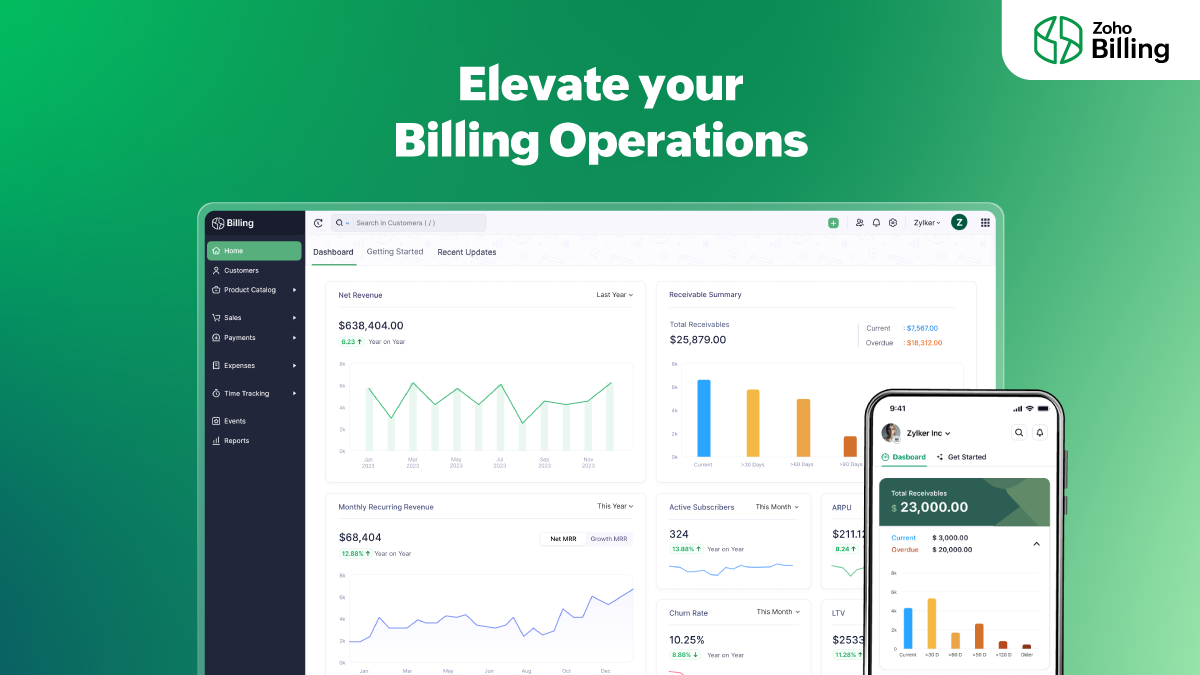
Note: Before getting into the capabilities of Zoho Billing, we'd like to assure you that your data from existing Zoho Subscriptions organizations are safe and unaffected. Your interface will simply go through a minor upgrade, which will also include the new logo and domain: billing.zoho.com. If your business requires any of the additional capabilities that Zoho Billing offers, you can manually choose to upgrade your organization to a Zoho Billing plan that suits your needs.
5 reasons to upgrade to a Zoho Billing plan:
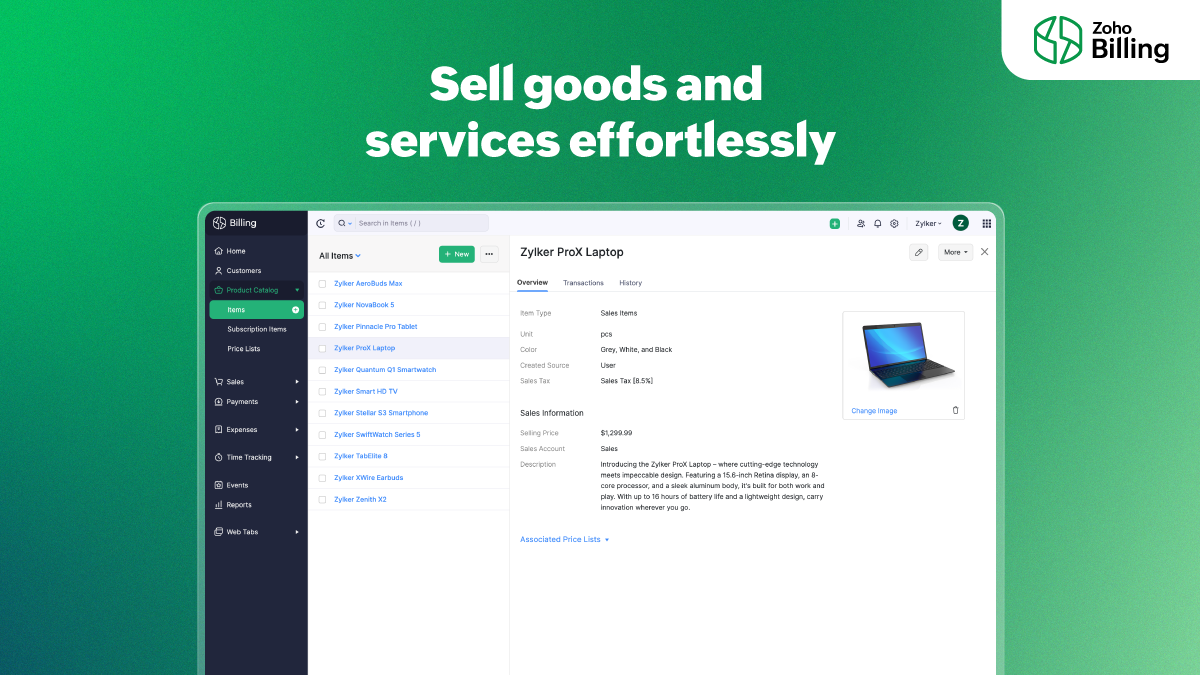
1. Easy product billing
Diversify your product mix; traditionally sell items and services using Zoho Billing. Create quotes, automatically convert them into invoices on the customer's approval, collect retainer fees and partial payments, configure automated follow-up reminders, and accept payments from a secure payment page.
2. End-to-end project billing
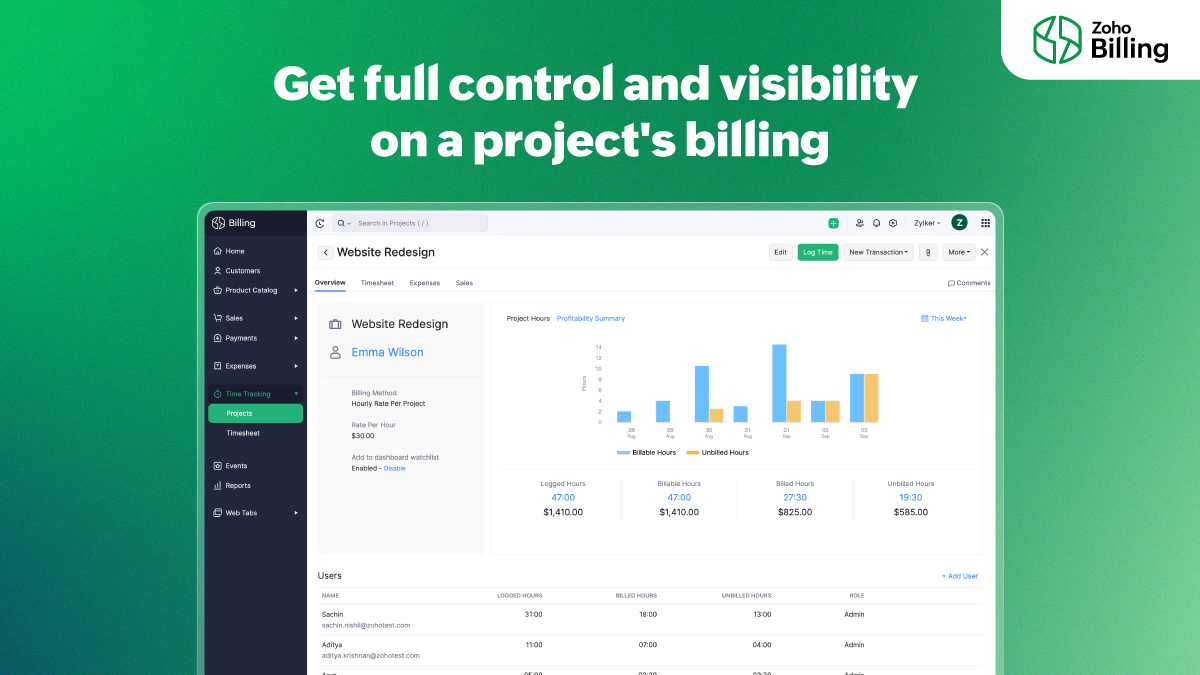
Zoho Billing helps you gain full control over your project's tasks and billing. Choose how you'd like to charge your customers—based on project hours, task hours, staff hours, or a fixed cost. Allow employees to log time into the timesheet through the web app, the browser extension, mobile phones, or Apple watches.
3. Effortless expense tracking
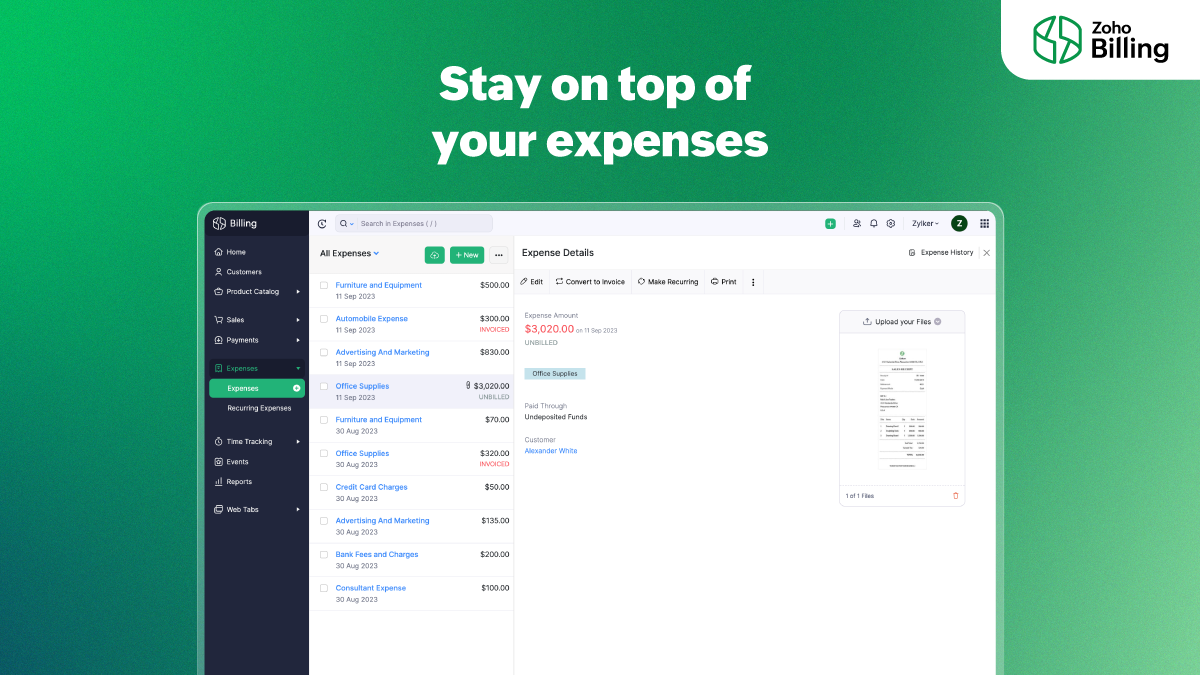
Manage your cash flow better by getting a clear understanding of your business's expenses. Zoho Billing helps you record your one-time and recurring expenses and categorize them into different expense accounts. Customers can be billed for expenses incurred on their behalf such as raw material costs or domain hosting charges.
4. Granular business insights
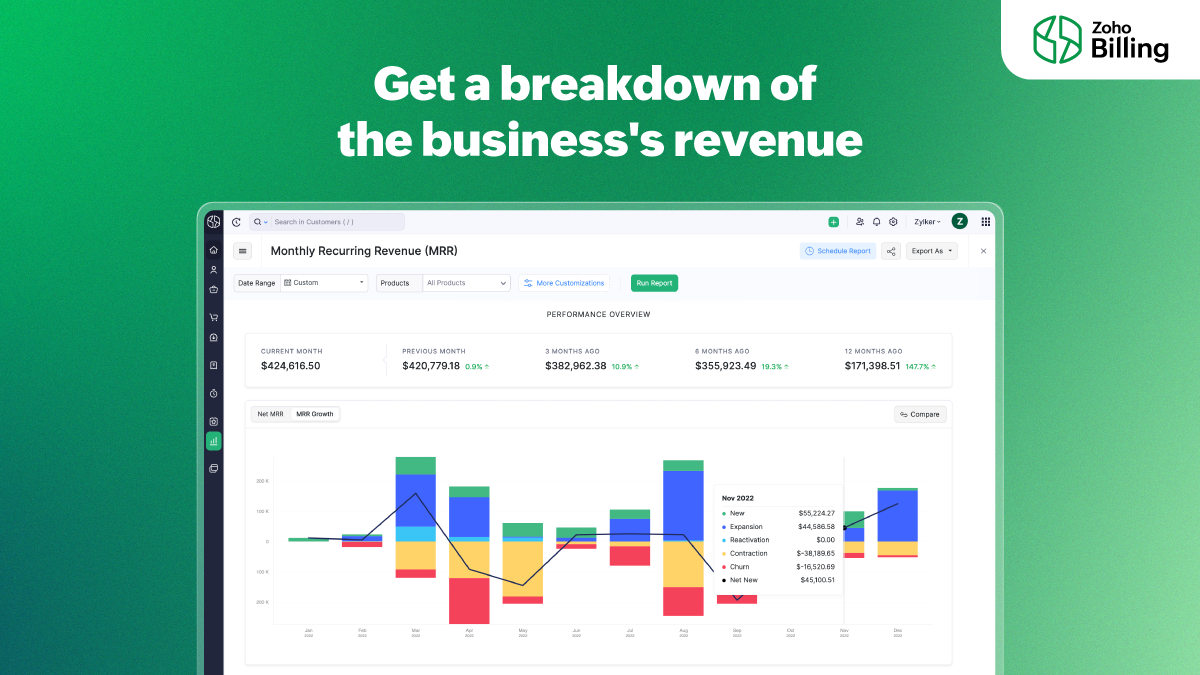
Get a bird's-eye view of your business's performance from the all-new and enhanced dashboard that outlines receivables, revenue, expenses, and projects. Get a visual breakdown of your revenue to understand acquisition, one-time sales, upgrades, downgrades, and reactivations better. Segment reports with advanced filters and get the exact data that you need. Find patterns in customer behavior to improve retention with cohort analysis.
5. Versatile customer portal
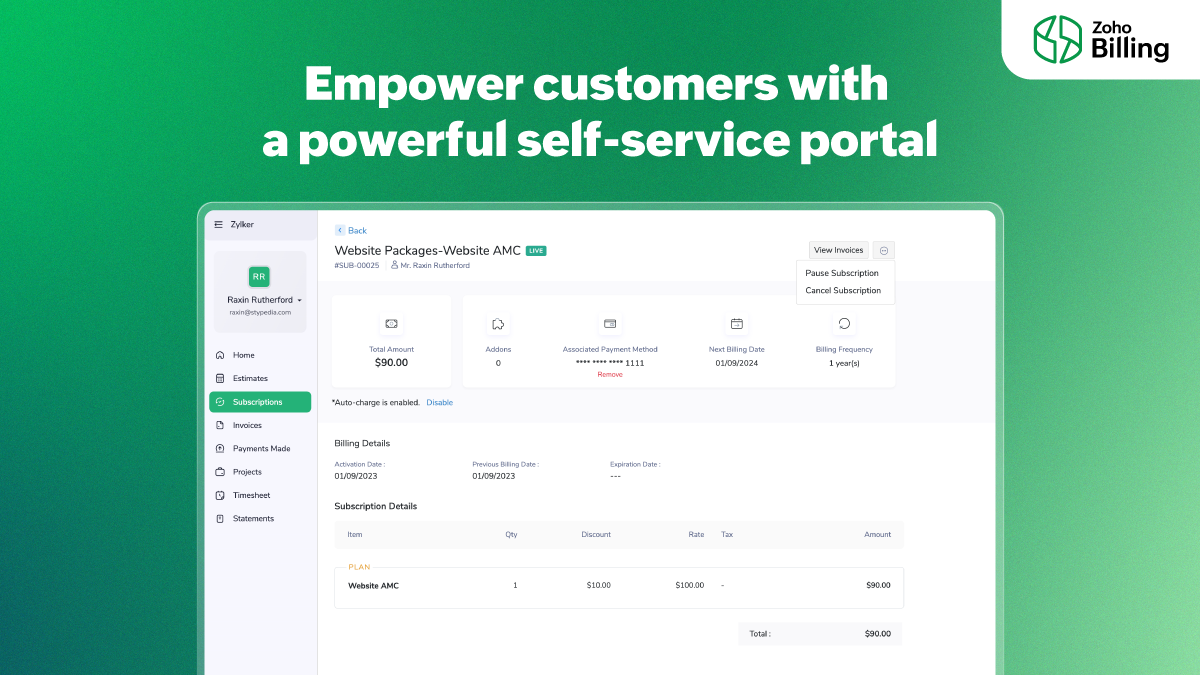
The customer portal is equipped with capabilities to help customers with not just handling their subscriptions, but also managing quotes, projects, and timesheets. Estimates and timesheets show up on the portal for customers to see and manage. Listen to what your customers have to say by allowing customers to rate your products and services, and also share feedback.
We're looking forward to seeing you diversify what you sell and adopt a Zoho Billing plan for your flexible billing requirements. To know more about what Zoho Billing has to offer and its pricing, visit this page: Zoho Billing
If you have doubts regarding Zoho Billing/ Zoho Subscriptions, you can write to us at support@zohobilling.com
Regards,
The Zoho Billing team
Topic Participants
Sachin Nishil R
Storytelling BeanCounter - www.storytellingbeancounter.com
Miro
Edward
eddie.mccoy
Sticky Posts
What's New in Zoho Billing - February 2024
Hello everyone, We are excited to share the first set of updates for Zoho Billing in 2024. Read along to know more about a wide range of updates, from the Aging Summary in customer statements to Apple Pay support in Stripe. One-Time Invoice with PlansZoho Finance Workshop 2023 is coming to the USA. Get exclusive training on Zoho Finance apps, one-on-ones, and more.
Hello all, We'd like to invite you to our biggest Zoho Finance workshop in the United States. After a brief break, we are excited to be back. This year, we're bringing together our customers and community members for two days of curated hands-on sessions,Zoho Subscriptions wins IDC's 2020 SaaS CSAT Award for Subscription Billing
Dear customers, We're excited to share that Zoho Subscriptions has won IDC's 2020 SaaS Customer Satisfaction Award! As a team, we cherish each and every milestone with our customer community. And this particular award, focusing on customer satisfaction,Introducing: SMS notifications via Zoho Subscriptions
Dear customers, We hope you are doing well! We are happy to announce that you can now send SMS notifications to your customers right from Zoho Subscriptions. To facilitate this, we've integrated with Twilio, a leader in the business communication space.What's new this December in Zoho Subscriptions
The year is almost over and we here at Zoho Subscriptions have released new features and updates on the month of November. Let's take a look at the features we have worked on in the past month. Zendesk Integration The Zoho Subscriptions app for Zendesk allows your customer support executive to access customer details in an instant. You will be able to view the customer information from Zoho Subscriptions right from your ticket view. On enabling the integration, you will be able to: Get your customer
Recent Topics
Is there any way to recall an email sent using Zoho CRM?
If an email is sent using Zoho Mail, there is a recall option/functionality that is available to the sender. Is there any way to recall an email if it was sent using Zoho CRM? I can't seem to find that option. Any help would be appreciated.Problem with reports due to "Connected" items change - Yes this IS a problem
Now that the change has been made to use "connected" items I can no longer run the reporting I need in CRM. I should be able to start with Deals as the parent, connect down to the Account (Account_Name) on the deal as the child, then to any child itemsIntroducing notifications in the vendor portal
Imagine this: You're a recruiter working with multiple vendors on a high-volume hiring project. You’ve just updated a job description after a last-minute change from the hiring manager. One of your vendors, however, is still working off the older versionAnalytics for notes created
Is there a way I can see how many notes were created per day? Via reporting or analytics?Cannot update Recurring_Activity on Tasks – RRULE not accepted
Hello, I am trying to update Tasks in Zoho CRM to make them recurring yearly, but I cannot find the correct recurrence pattern or way to update the Recurring_Activity field via API or Deluge. I have tried: Sending a string like "RRULE:FREQ=YEARLY;INTERVAL=1"Add image to report...
Greetings, I send a weekly color coded report via Creator email. I would like to add the legend somewhere in the report. Header, footer where ever. I have the legend saved on Google Drive and can access it via shared link. Sure someone has wanted to addMore controls for User Fields in CRM
Dear All, We are here with a minor but crucial enhancement to the user fields—now set accessibility permissions to the records for user field. User field allows you to extend co-ownership of records to your peers. You can collaborate with them for certainCalls to accounts rather than leads or contacts?
So..... We have a dilemma and I'm hoping someone has encountered this before and figured out a fix. We have just migrated to Zoho. It's great.....expect for how "Calls" are handled.... We are B2B. We do not use the leads module. A "Lead/Prospect" forImage Upload Field | Zoho Canvas
I'm working on making a custom view for one of our team's modules. It's an image upload field (Placement Photo) that would allow our sales reps to upload a picture of the house their working on. However, I don't see that field as a opinion when buildingPower of Automation :: Automated 'Delayed & Closed' Status Update Based on Due Date
Hello Everyone, A custom function is a software code that can be used to automate a process and this allows you to automate a notification, call a webhook, or perform logic immediately after a workflow rule is triggered. This feature helps to automateRange names in Zoho Sheet are BROKEN!
Hi - you've pushed an update that has broken range names. A previously working spreadsheet now returns errors because the range names are not updating the values correctly. I've shared a video with the support desk to illustrate the problem. This spreadsheetpopulate email address and name in zoho desk?
Is it possible to populate the email address and name in the zoho desk widget? We only use it in the context of an authenticated user, so we already know the user's name and email. Thanks,Are there default/pre-built dashboards in Zoho Desk?
Hi, I am looking for some pre-built dashboard templates in Zoho Desk, similar to what we can find in CRM/Projects, etc Thank youSAP S/4 HANA to CRM Integration - change the SAP Client ID
Hi I am trying to push the business partners from SAP S/4 HANA to ZOHO CRM module. The SAP Client ID is 421 in my case....kindly let me know how do I specify the sap client because it's a dropdown with specific values as of now. Thanks Ravi AswaniAdding branded signature to tickets reply
Hi, i am unable to figure out how to add signatures with logo to tickets reply. please advice .How to share ticket numbers across different ticket types
I'm running an event and have three different ticket types. Add on Event + Main Event - Early bird Main Event only - Early bird Add on Event only - Early bird And Standard class - shown but not available until early bird finishes Add on Event + Main EventAdding Social Media Buttons to Basic Campaigns
Hi, I'm quote new to using Zoho Campaigns and I can't work out how to add Social Media Buttons into my basic campaign? In MailChimp there's a button that brings the icons into your campaign for you. I've tried adding the social media icons as 'buttons' in Zoho but it's not looking great. Can anyone help? Thanks!Hide Inactive Social Sign-In Providers from Login Screen
Hello Zoho Team, We hope you are doing well. Currently, Zoho One allows admins to configure security policies and enable or disable Social Sign-In options for third-party providers such as Apple, Google, Microsoft, LinkedIn, Yahoo, Twitter, Facebook,[Free Webinar] AI Agents in Zoho Creator - Creator Tech Connect
Hello Everyone! We welcome you all to the upcoming free webinar on the Creator Tech Connect Series. The Creator Tech Connect series is a free monthly webinar that runs for around 45 minutes. It comprises technical sessions in which we delve deep intoDownload All Attached Files
It would be extremely useful to have "download-all" functionality for downloading files attached to a task, subtask, comment, forum post or hosted in the "Documents" section etc. We've instructed our users to zip multiple files prior to uploading, but of course they forget all the time. Having to download lots of files one-at-a-time off a comment or task wastes a lot of time.Ship via Carrier Not Working Since Commerce Update
Since the recent update to the Commerce platform, I can no longer use the ship via carrier function. It will take me to the address screen and let me verify them but when I go to save and move tot he next screen it will not do anything. This is happeningautomations: Can I execute a step on a specific date?
I have created a form in Zoho forms, and created a contacts list. I have also begun setting up an automation with the intention of sending the form to the contact list on a specific date every month (via email) for the entire year (essentially sendingZoho Expense - The ability to add detail to a Trip during booking
As an admin, I would like the ability to add more detail to the approved Trips. At present a requestor can add flights, accommodation details and suggest their preferences. It would be great if the exact details of the trip could be added either by theAdding Folders in Android App
Is it possible to create a new email folder within the Zoho Mail Android app? Or can this only be done from the desktop version of Zoho Mail? Cheers!Schedule Exports for Regular Project Updates
Tracking project data often means exporting data at regular intervals. Instead of manually exporting data every time, users can schedule exports for Phases, Tasks, and Tasks in Zoho Projects. These exports can be set to run once, daily, weekly, or monthlyQuestion about custom fields using Pivot Tables.
I have created a pivot table showing annual revenue of a client and how much payment that client is paying my company. Is there a way using pivot table to add an additional field that subtracts those to fields / shows me a percentage of that difference?Request for Light/Dark Mode
Would love the ability to switch between Light and Dark mode similar to Zoho CRM. https://help.zoho.com/portal/en/community/topic/introducing-dark-mode-light-mode-a-new-look-for-your-crmJourney Email - Ignored Contacts
I have a journey setup which simply sends a string of emails over time. For some reason I am getting large amounts of the contacts who enter the first email being ignored and I can't find anywhere in reports or audit logs why these contacts are notInvolved account types are not applicable when create journals
{ "journal_date": "2016-01-31", "reference_number": "20160131", "notes": "SimplePay Payroll", "line_items": [{ "account_id": "538624000000035003", "description": "Net Pay", "amount": 26690.09, "debit_or_credit": "credit" }, { "account_id": "538624000000000403", "description": "Gross", "amount": 32000, "debit_or_credit": "debit" }, { "account_id": "538624000000000427", "description": "CPP", "amount": 1295.64, "debit_or_credit": "debit" }, { "account_id": "538624000000000376", "description":Zoho Books - Include Payment Terms as a Custom View filter
It would be great if you could created a custom view based on Payment Terms. This would be really handy for seeing a list of customers who have credit terms. A workaround is not required. I could do something with a creditor checkbox, but it would beHow to update changed purchase account of item in invoice
I have selected the wrong purchase account for various articles and created invoices. I had to adjust the purchase account in the article afterwards, but the old purchase account is still posted in the transaction-journal of the invoice. To adjust theHelp - Zoho CRM notification on mobile (IOS/Android)
Hello Community! Can I get the IOS/Andoid CRM app to notify me of events, calls, etc. due as I can with MANY other apps? I am running the free Zoho I would like this to be native to the Zoho CRM app. I do not want to write a sep. mobile appZoho Books Idea - Include another field in Bank Details for Address
Hi Books team, Currently use the Description field in the Bank Details to store the bank's address. This works fine but it would be great if you could add another field for Bank Address, so that other notes about the bank account could be stored in thea question about the COQL API v8
When I specify eight or more values in a WHERE IN clause and execute it, an error occurs. Is there a limit to the number of values that can be specified in a WHERE IN clause? ↓Error select * FROM Vendors WHERE (id in (1, 2, 3, 4, 5, 6, 7, 8, 9)) ↓SuccessZoho Books Idea - Bank Details Button on Banking
Hi Books team, Sometimes I'm asked to share bank details with a customer or a colleague. So I go to the Banking Module, find the correct bank account, click Setting > Edit, then copy and paste the bank details. Wouldn't it be great if there was a buttonJS SDK 8.0 – TypeError: Cannot read properties of undefined (reading 'getCacheStore') with sample code
Hello Zoho Support Team, I’m integrating the Zoho CRM JavaScript SDK v8.0 and I’m getting the error below when running your official sample. I tested directly from: https://github.com/zoho/zohocrm-javascript-sdk-8.0/blob/main/samples/create_records_sample/create_records.jsFunction #55: Convert multiple quotes to single SO using Custom Button
Hello everyone, and welcome back to our series! In Zoho Books, after a quote is accepted by your customer, it can be converted into a sales order or an invoice. Often, a customer might have multiple quotes, and for easier billing or upon the customer'sTime based workflow without edit/action
Hello I need help solving this problem if possible. We have Deals come into the CRM via Live Transfer which have the field properties: Stage = New Channel = Inbound Some of them don't get answered so we want these to automatically go into our OutboundWhat's New - August 2025 | Zoho Backstage
Every month, Zoho Backstage grows with you. These updates aren't just features and fixes, they're about making your workday smoother, your events more impactful, and your attendees happier. We’ve listened, learned, and shaped this release to keep thingsprevent selling expired items
Hello. I need to make a constraint on expired batch items not to be sold. Is it possible in Zoho Inventory? if so, then how? Thanks for further help.Next Page