¡Muchas gracias por participar a los Meetups de Usuarios de Zoho! Y Novedades del ecosistema Zoho
¡Hola Comunidad de Zoho en Español! 👋
Después de un breve lapso de tiempo, volvemos con una nueva edición de nuestro Community Digest, donde te contamos las novedades de los productos de Zoho en los últimos meses. Estas mejoras se centran en nuestros productos como CRM, Projects, Forms y Commerce, y refuerzan tres pilares clave del ecosistema Zoho: la IA, la automatización y la experiencia de usuario.
Meetup de Usuarios de Zoho
Primero, queremos agradecer a la comunidad de usuarios de Barcelona y Valencia por una sesión muy productiva: durante nuestro Meetups de usuarios de Español Zoho Community, hablamos de funcionalidades clave de SalesIQ y CRM, descubrimos nuevas formas de optimizar procesos y además aprovechamos para hacer networking. ¡Todo un lujo de jornada en la mejor compañía!


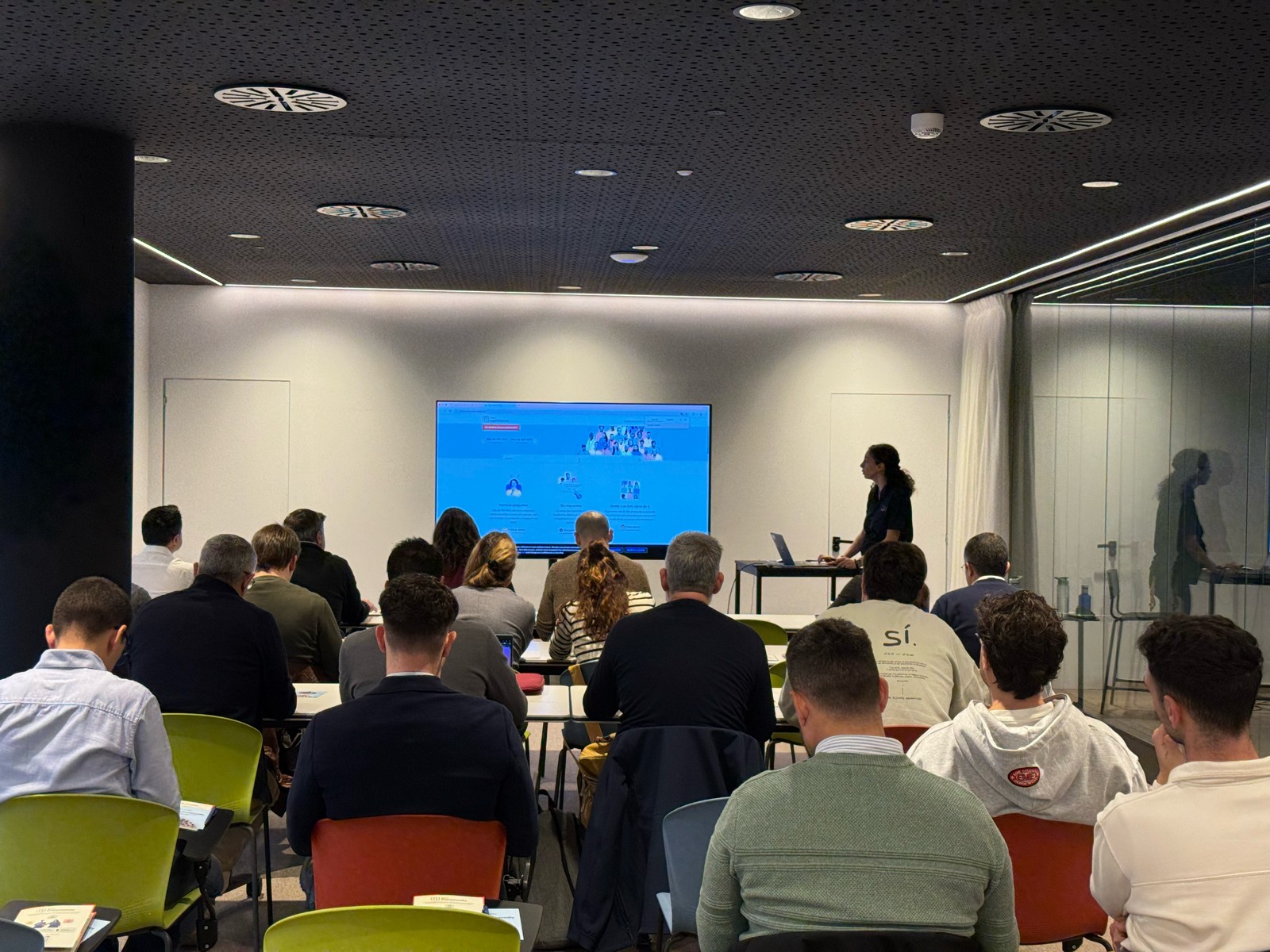

Y ahora sí, vamos con las novedades de nuestras herramientas. Prepárate, porque en estos últimos 6 meses han pasado muchas cosas:
1) Zoho CRM: Más inteligencia, más control y más flexibilidad
Nuestro producto estrella ha presentado algunas mejoras muy relevantes para una mejor gestión de los datos de clientes y de tu ecosistema Zoho:
- CommandCenter 2.0. Para que puedas automatizar mejor tus recorridos, CommandCenter ha presentado las siguientes actualizaciones: 1) Una nueva interfaz más visual e intuitiva. 2) El uso de “signals”, que te permiten activar transiciones basadas en eventos provenientes de diversas fuentes. 3) Los “stages” ya no dependen de un único módulo, sino que permiten transversalidad entre varios.
- Zia LLM: Nuestra IA también se ha actualizado y ahora ZIA te ofrece sugerencias más seguras y rápidas y funciones de IA generativa integradas para no depender de de inteligencia artificial proveedores externos.
- Control de visibilidad: Ahora puedes dar permisos basados en los perfiles de los usuarios para gestionar quién puede ver la línea de tiempo y el historial de interacciones.
- Canvas mejorado: Hemos añadido un nuevo componente en formato cuadrícula para organizar datos de manera más flexible. Y Soporte para layouts responsivos mediante “breakpoints”.
- CRM for Everyone: Llevamos ya tiempo anunciando CRM for everyone, y desde el Q2 ya está aquí. Descubre una nueva forma de habilitar a tus equipos de marketing, atención al cliente o finanzas para que puedan colaborar dentro del CRM de forma más ágil.
- Integración con Microsoft Graph API: Ahora aseguramos una mejor conectividad con Outlook/Microsoft 365 mediante la conexión con Graph API.
2) Zoho Projects: Mejor control y mayor claridad en la gestión del trabajo
En los últimos meses, Zoho Projects ha introducido mejoras directamente relacionadas con productividad, permisos y organización.
- Access Control en Time Logs: Gracias a la jerarquía de usuarios ahora puedes definir quién puede ver, añadir, editar o eliminar registros de tiempo dentro de su equipo y realizar acciones masivas para borrar time logs propios.
- Campos URL ampliados: Los campos URL en layouts de tareas ahora admiten hasta 1.000 caracteres, permitiendo enlaces más completos.
- Reutilización de listas de tareas: Puedes utilizar listas de tareas ya existentes dentro de tus plantillas, agilizando la creación de nuevos proyectos.
- Integración mejorada con Zoho Flow: Ahora puedes usar Zoho Flow para automatizar acciones desde reglas de workflow o blueprints dentro de Projects.
3) Zoho Forms: Mejor accesibilidad en tus formularios, ahora más modernos y conectados
Zoho Forms también ha presentado una gran cantidad de novedades durante estos últimos meses:
- Diseño en cuadrícula (grid layout): Ya puedes organizar tus formularios en 1, 2 o 3 columnas, mejorando su estética y su legibilidad.
- Verificación OTP integrada: Los formularios pueden solicitar OTP (para email/teléfono) sin salir de la pantalla.
- Múltiples cuentas de WhatsApp Business (para Zoho One) : Hemos ampliado la compatibilidad en cuanto a las cuentas de Whatsapp para aquellos equipos que manejan más de un canal de WhatsApp Business.
- Accesibilidad WCAG 2.2 AA : Zoho Forms ahora cumple con el estándar de accesibilidad WCAG 2.2 nivel AA, haciendo los formularios más inclusivos.
- Configuraciones mejoradas de Data Push: Ahora es posible enviar datos de campos específicos mediante configuraciones más precisas en “Post Submission Tracking”.
4) Zoho Commerce 2.0: Más rápido, más global, más personalizable
Hemos presentado oficialmente Commerce 2.0, una actualización de alto impacto que mejora rendimiento, diseño y capacidades globales:
- 15+ temas profesionales: Ahora puedes elegir entre más de 15 temas totalmente personalizables para construir tiendas modernas sin necesidad de utilizar código.
- Rendimiento optimizado: Ahora puedes hacer uso de CDN (Content Delivery Network) y además hemos implementado un código más ligero, reduciendo los tiempos de carga.
- Nuevas integraciones de envío
- Checkout multimoneda: Te facilitamos vender fácilmente en distintos mercados internacionales con el checkout multimoneda.
- Nuevos informes y auditoría: Informes más detallados (p. ej., ventas por cupón) y activity Logs / Audit Trail para un seguimiento completo de acciones en la tienda.
Es increíble todo lo que avanza la tecnología en 6 meses, y nuestras mejoras siguen enfocadas a hacer mejor uso de la automatización, la colaboración entre equipos y la creación de experiencias más inteligentes y ágiles, sin perder el foco en el uso de la IA.
¿Qué te parecen estas actualizaciones? ¿Hay alguna que vayas a implementar? ¡Cuéntanoslo en comentarios!
¡Nos vemos en el próximo Digest!
Topic Participants
Lorenza Pasca
Recent Topics
Feature Request - Set Default Values for Meetings
Hi Zoho CRM Team, It would be very useful if we could set default values for meeting parameters. For example, if you always wanted Reminder 1 Day before. Currently you need to remember to choose it for every meeting. Also being able to use merge tagsIssues with Actions By Zoho Flow
Hi, I have a workflow that fires when a deal reaches a stage. This then sends out a contract for the client to sign. I have connected this up through Actions by Zoho Flow. Unfortunately this fails to send out. I have tracked it down to the date fields.CRM x WorkDrive: We're rolling out the WorkDrive-powered file storage experience for existing users
Release plan: Gradual rollout to customers without file storage add-ons, in this order: 1. Standalone CRM 2. CRM Plus and Zoho One DCs: All | Editions: All Available now for: - Standalone CRM accounts in Free and Standard editions without file storageWindows Desktop App - request to add minimization/startup options
Support Team, Can you submit the following request to your development team? Here is what would be optimal in my opinion from UX perspective: 1) In the "Application Menu", add a menu item to Exit the app, as well as an alt-key shortcut for these menusAbility for admin to access or make changes in zoho form without asking for ownership
Currently in zoho form only form owner can make the changes in the form and if someone else has to make changes then we have to transfer the ownership to them and even admin also cant access it . So i think admin must have the ability or option to accessLocked Out of Super Admin Account
I'm locked out of my Super Admin account and the external e-mail is no longer associated with it. There seems to be a problem during set up, the system ought to ask to assign a new password instead of using Google accounts. Please help me get back access.Issue with WhatsApp Template Approval and Marketing Message Limit in Zoho Bigin
We are facing issues while creating and using WhatsApp message templates through Zoho Bigin, and we request your clarification and support regarding the same. 1. Utility Template Approval Issue Until December, we were able to create WhatsApp templatesZoho CRM Calendar View
Hello Zoho team, We need desperately a calendar view next to list, kandan and other views. I think it should be easy to implement as you already have the logic from Projects and also from Kanban View in CRM. In calendar view when we set it up - we chooseCamera
I can sign on to a meeting and see the other participants, but my screen is dark. The instructions for Zoho "Camera Settings" say "click on lock icon in address bar," but I don't see that icon! Suggestions?What is Workqueue and how to hide it?
Hi, My CRM suddenly have this "Workqueue", may I ask how to set the permission of this tab?Batch/lot # and Storage bin location
Hi I want to ask for a feature on Zoho inventory I own a warehouse and I've gone through different management software solutions with no luck until I found Zoho, it has been a game changer for my business with up to the minute information, I'm extremely happy with it. It's almost perfect. And I say Almost because the only thing missing for me (and I'm sure I'm not alone) is the need of being able to identify the lot number of my inventory and where it is located in the warehouse. Due to the natureAdding Sender Address with Basic Plan
According to the knowledge base, I should be able to add Sender addresses with the Basic Plan. But whenever I try to add an email, it takes me to a search window and I cannot find any emails in the list. Even mine, which is the admin. email.Conditional Field Visibility in Bigin CRM
I would like to request support for conditional field visibility within Bigin CRM. This feature should allow administrators to configure show/hide rules for fields based on predefined criteria (e.g., field values, picklist selections, stage changes,Bill automation in Zoho Books
Hi I am looking for 3rd-party options for bill automation in zoho which are economical and preferably have accurate scanning. What options do I have? Zoho's native scanning is a bit priceyReporting Tags
We've been using reporting tags for years (before itemizing was available) and now we are finding reporting these tags are impossible to track. Reports have changed in the customization and our columns of reporting tags no longer show up. We do not useConsumption based inventory
I am currently using Zoho Books for my hospitality business, which includes lodging and restaurant services. We purchase many items in bulk for storage and consumption as needed. I'd like these items to be recorded as inventory when purchased and categorizedSmarter Access Control: Role-Based Access vs. Responsibility-Based Profiles
Every business has roles, responsibilities, and workflows. While roles help define structure, responsibilities within those roles are rarely the same. As your team grows, some members need access to only a specific set of features. Others require visibilityPartner with HDFC And Sbi Bank.
Hdfc and sbi both are very popular bank if zoho books become partner with this banks then many of the zoho books users will benefit premium features of partnered banks.API in E-Invoice/GST portal
Hi, Do I have to change the api in gst/e-invoice portal as I use zoho e books for my e-invoicing. If yes, please confirm the process.Member role in zoho meeting
does a user with member role can see other users in the organizationHow to post more than 4 Images on Instagram?
Hi I read several articles to the topic od how to post more than 4 images on instagram, but i can't figure out how it works. I can't find the content editor and i installesd the z share extension for google chrome. Could someone please help me? ThanClone Recurring Expenses
Our bookkeeping practices make extensive use of the "clone" feature for bills, expenses, invoices, etc. This cuts down significantly on both the amount of typing that needs to be done manually and, more importantly, the mental overhead of choosing theZoho Books - How to Invoke a Custom Function in Schedulers
We have multiple schedulers that send emails to customers in batches. Currently, we are maintaining the same code across several schedulers. Is it possible to use a custom function inside a scheduler script? If yes, how can we invoke the custom functionSpecial characters (like â, â, æ) breaking when input in a field (encoding issue)
Hey everyone, We are currently dealing with a probably encoding issue when we populate a field (mostly but not exclusively, 'Last Name' for Leads and Contracts). If the user manually inputs special characters (like ä, â, á etc.) from Scandinavian languages,Set Custom Icon for Custom Modules in new Zoho CRM UI
All new Address Field in Zoho CRM: maintain structured and accurate address inputs
The address field will be available exclusively for IN DC users. We'll keep you updated on the DC-specific rollout soon. It's currently available for all new sign-ups and for existing Zoho CRM orgs which are in the Professional edition. Latest updateis there any way to change the "chat with us now" to custom message?
is there any way to change the "chat with us now" to custom message? I want to change this textNotes badge as a quick action in the list view
Hello all, We are introducing the Notes badge in the list view of all modules as a quick action you can perform for each record, in addition to the existing Activity badge. With this enhancement, users will have quick visibility into the notes associatedIs Zoho Live Chat compatible with WordPress CMS?
Hello, I have a website called www.jjrlab.com and I'm interested in using Zoho Chat on it. Does it support WordPress CMS? Thanks.Introducing spam detection for webforms: An additional layer of protection to keep your Zoho CRM clean and secure
Greetings all, One of the most highly anticipated feature launches—Spam Detection in webforms—has finally arrived! Webforms are a vital tool for record generation, but they're also vulnerable to submissions from unauthenticated or malicious sources, whichBring your CRM and Desk app inside SalesIQ with widgets
Have you ever been confused and frustrated with multiple open tabs and switching back and forth from SalesIQ to other apps to perform your business-specific operations? How effective would it be to have all the required tools and data of the apps youSpeak Your Customers' Language: SalesIQ's chatbots now support 30 languages 🤖
We're unveiling some major upgrades to our chatbot that are set to revolutionize your experience! Now SalesIQ support 30 languages for both Zobot and Answer bot. By speaking your customers' language, you can enhance engagement, improve customer satisfaction,Repeat Column merge in ZOHO writer columns doesn't allow to set max columns per row
I'm using ZOHO writer to merge data from a ZOHO CRM subform and I want it to make a table. We're using Insert Table for Column Repeat, because this is what we need. (Name of column (Teamname) and underneath that a list of names of teammembers). It worksPersisting email signals to contact timeline?
Hello there. Regarding the email signals that are logged when a contact opens an email, am I correct that these signals are not logged to a contact's timeline? Ideally, I would like to have this context available for future follow-ups, if the contactTrouble with using Apostrophe in Name of Customers and Vendors
We have had an ongoing issue with how the system recognizes an apostrophe in the name of customers and vendors. The search will not return any results for a name that includes the mark; ie one of our vendors names is "L'Heritage" and when entering theReally want the field "Company" in the activities module!
Hi team! Something we are really missing is able to see the field Company when working in the activities module. We have a lot of tasks and need to see what company it's related to. It's really annoying to not be able to see it.🙈 Thx!Upcoming update to Google Drive integration in Zoho Creator
Hello everyone, We're writing to inform you about an upcoming update to how Zoho Creator integrates with Google Drive. In Zoho Creator, during actions like importing files to create an app or attaching files to fields, you can choose files directly fromChanging Account Type in Chart of Accounts
Does anyone know how to change/edit the account type for an Account name in Chart of Accounts. Zoho will not let me do this for some reasonManaging Scheduled Replies
Communication is most effective when the intended message reaches the right person at the right time. However, this can be challenging when communication occurs across different time zones. By scheduling replies, businesses can ensure that responses reachShow price book list price
When using price books, once you add products to the price book in the Products related list you can display the Unit price which is the default list price; however, there is no option to show the price book list price. To see the price book list priceNext Page