【開催報告】東京 ユーザー交流会 Vol.4 | Zoho CRM 自動化のコツ ・Bookings のビジネス活用シーンとおすすめ機能を紹介
ユーザーの皆さま、こんにちは。コミュニティチームの藤澤です。
11月28日(金)に新橋で「東京 ユーザー交流会 Vol.4」を開催しました。ご参加くださったユーザーの皆さま、ありがとうございました。ユーザー交流会の年内開催は、今回が最後でした。
この投稿では、当日のセッションの様子や使用した資料を紹介しています。残念ながら当日お越しいただけなかった方も、ぜひチェックしてみてください😊
ユーザー活用事例セッション:関数やクライアントスクリプトまで、CRMをもっと便利に


Zoho CRM には、ワークフローやブループリントなど、さまざまな自動化に役立つ標準機能が備わっています。さらに、関数(Deluge)のようにスクリプトを記述して高度な自動化を実現することもできます。
そのため「どの自動化機能や手法を、どの場面で使うべきか」迷われる方も多いのではないでしょうか。
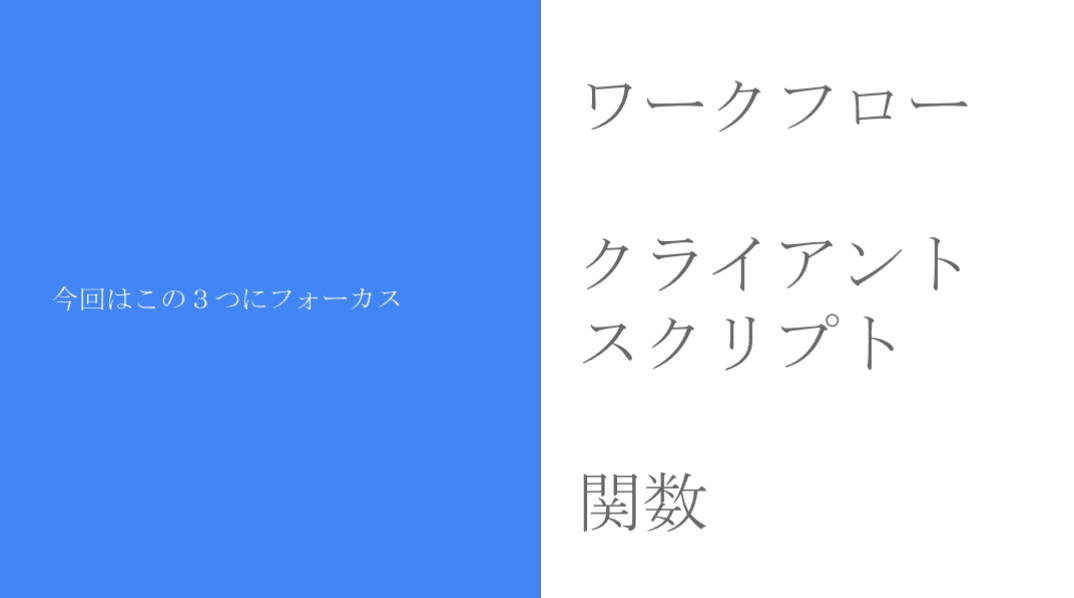
本セッションでは、私自身の経験をもとに、ワークフロー/クライアントスクリプト/関数の3つにフォーカスし、それぞれの特徴と活用シーンをご紹介しました。
今回取り上げる自動化機能 / 手法
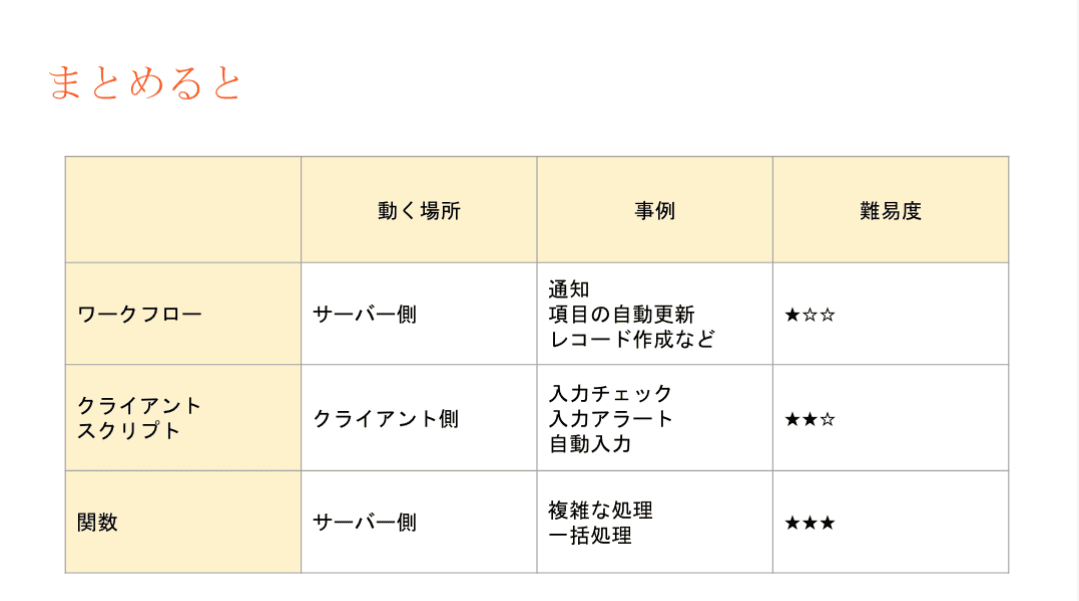
それぞれの使用用途と場面
- ワークフロー:設定後も「設定担当者以外の人が見たとしても、直感的に理解しやすい」です。詳細な自動化の設定には最適では無いケースがあります。
- 設定例:CRMで取引先が作成されたら、メールが自動送信されるようにする。
- クライアントスクリプト:設定内容の要件が、画面操作だけで済む場合は本機能を利用します。
- 設定例:CRMの操作画面に、アラート表示を出すことで、記入漏れ等を防ぐ。
- 関数(Deluge):最終手段。ワークフローでも、クライアントスクリプトでも実装できない場合に本機能を活用することで、希望要件の内容で設定できる可能性が出てきます。
- 設定例:添付ファイルを一括アップロードできるようにする。(基本は1ファイルごと手動で添付操作が必要)
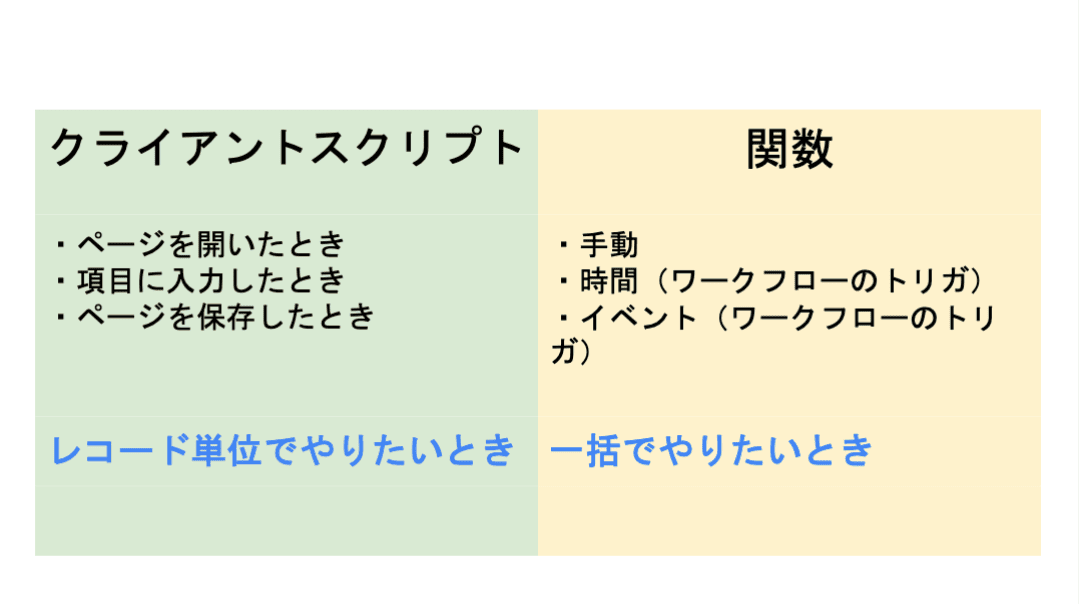
3点の違い
ワークフロー:設定後も「設定担当者以外の人が見たとしても、直感的に理解しやすい」です。詳細な自動化の設定には最適では無いケースがあります。
- 設定例:CRMで取引先が作成されたら、メールが自動送信されるようにする。
クライアントスクリプト:設定内容の要件が、画面操作だけで済む場合は本機能を利用します。
- 設定例:CRMの操作画面に、アラート表示を出すことで、記入漏れ等を防ぐ。
関数(Deluge):最終手段。ワークフローでも、クライアントスクリプトでも実装できない場合に本機能を活用することで、希望要件の内容で設定できる可能性が出てきます。
- 設定例:添付ファイルを一括アップロードできるようにする。(基本は1ファイルごと手動で添付操作が必要)
設定の際の気をつけるべきポイント
関数の設定でつまずきやすいポイントのひとつが、「ワークフローとの連携」です。
引数が間違っていると、ワークフロー自体の設定が正しくても、うまく動作しないという事象が発生します。「何度やってもなぜか動かない…」と感じたときは、ぜひ一度、引数を確認してみてください。
投影資料はこちら
グループワーク:Zoho で"見える化"した / したい、自社の数字
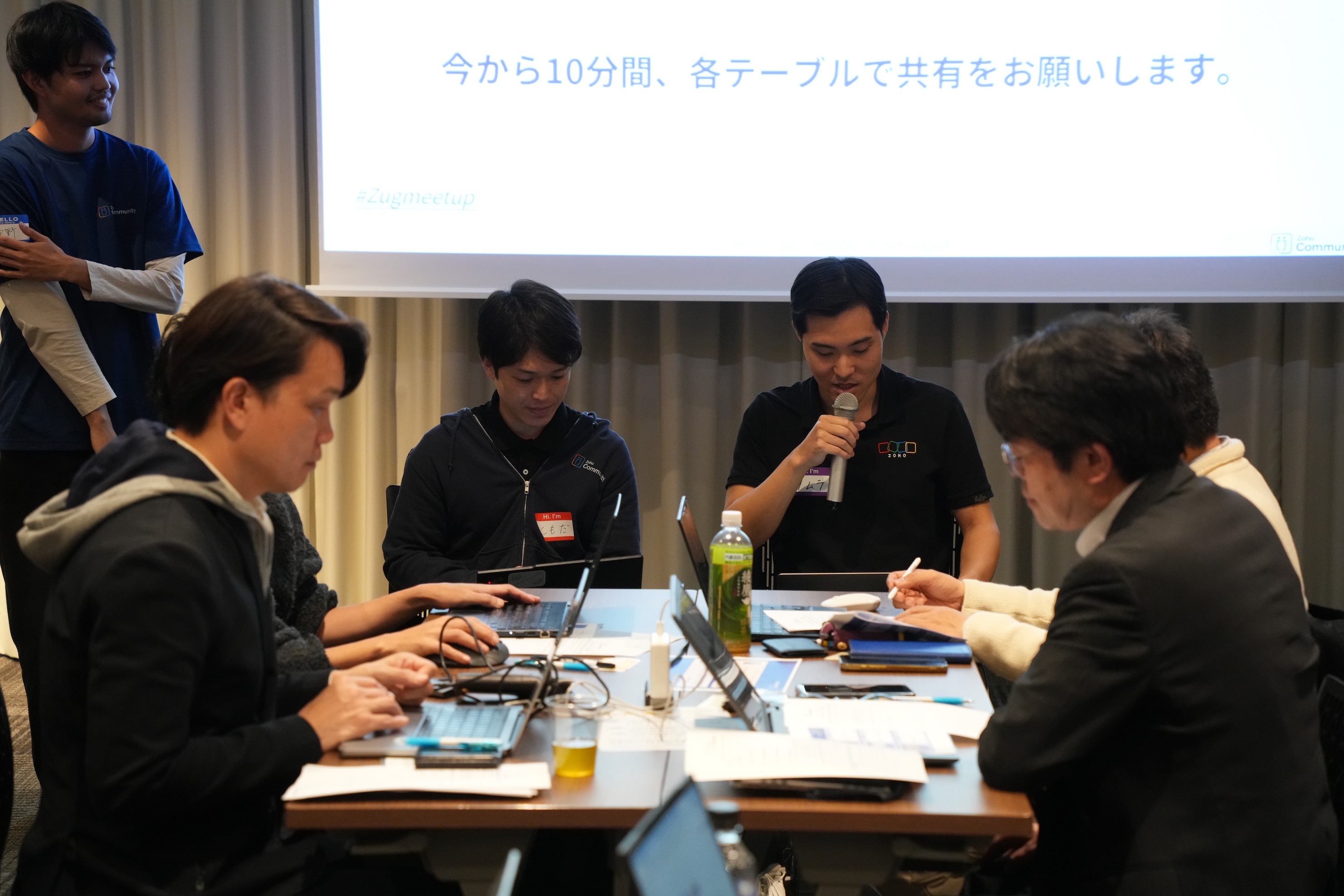
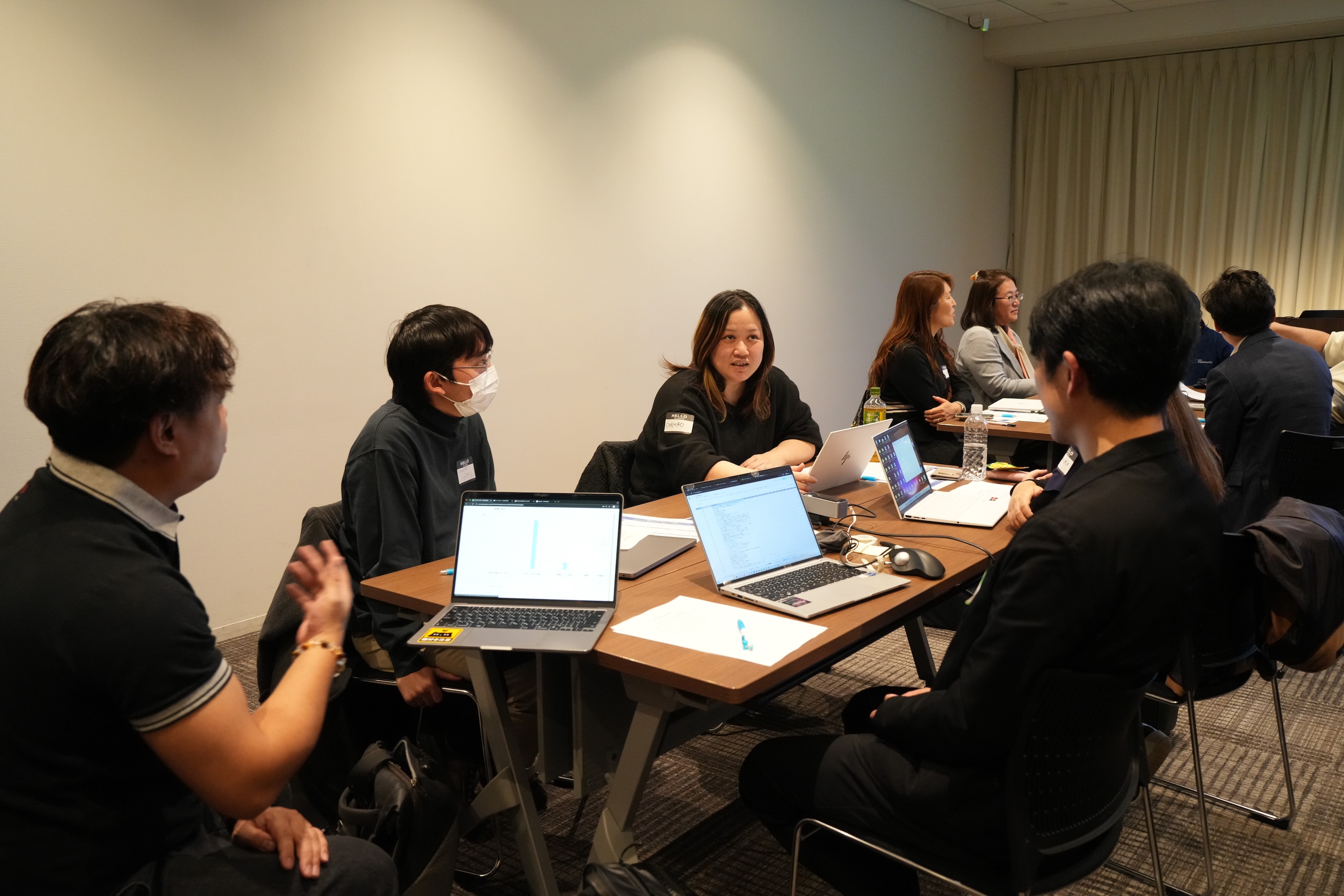
11月に3都市で本テーマのグループワークを実施し、いずれの回も大いに盛り上がりました。ここでは、当日ご参加の皆さまから共有された内容の一部をご紹介します。
- Campaigns や Forms から CRMへデータを取り込み、見込み客がどのような経路でコンタクトしてきたのかを、よりわかりやすく可視化した。
CRM上 で見積書や受注書を作成することで、朝礼の際にiPadなどで簡単に共有・確認ができるようにした。
オフサイトで開催したイベントにかかった費用(展示会など)の参加費・ブース設置費・人件費などをCRMのサブフォームで管理していた。1イベント=1レコードとしてイベントタブにデータを貯蓄することで、各イベントごとの売上や費用対効果を確認できるようになった。

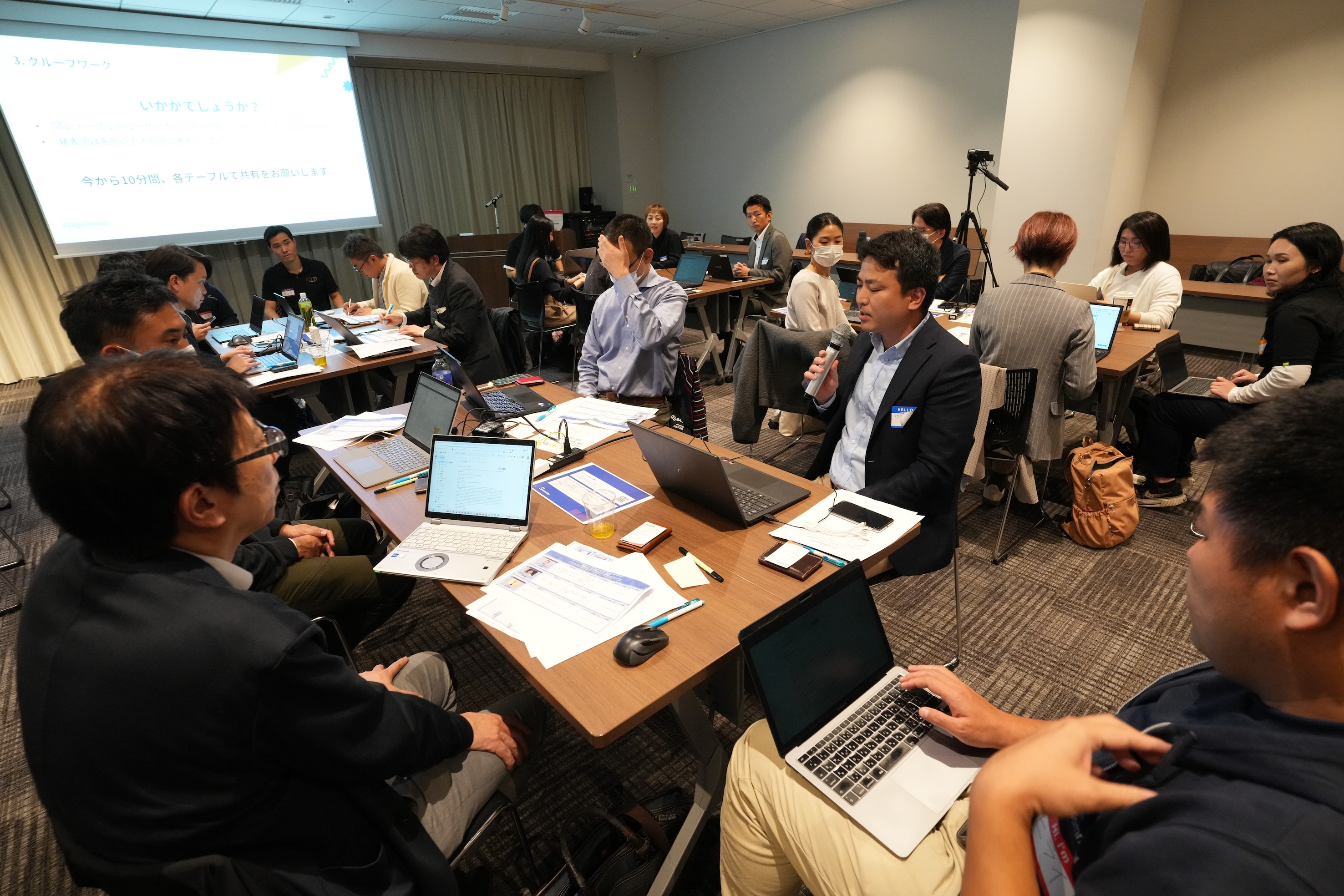
Zoho社員セッション:顧客との日程調整を自動化!Zoho Bookings で営業・サポート対応をスムーズに
11月に3都市で開催したユーザー交流会で本セッションを実施し、ゾーホージャパン技術部の田村より、Zoho Bookings の概要からデモによる活用例までご紹介しました。以下は当日の一部の様子です。


Zoho Bookingsについて
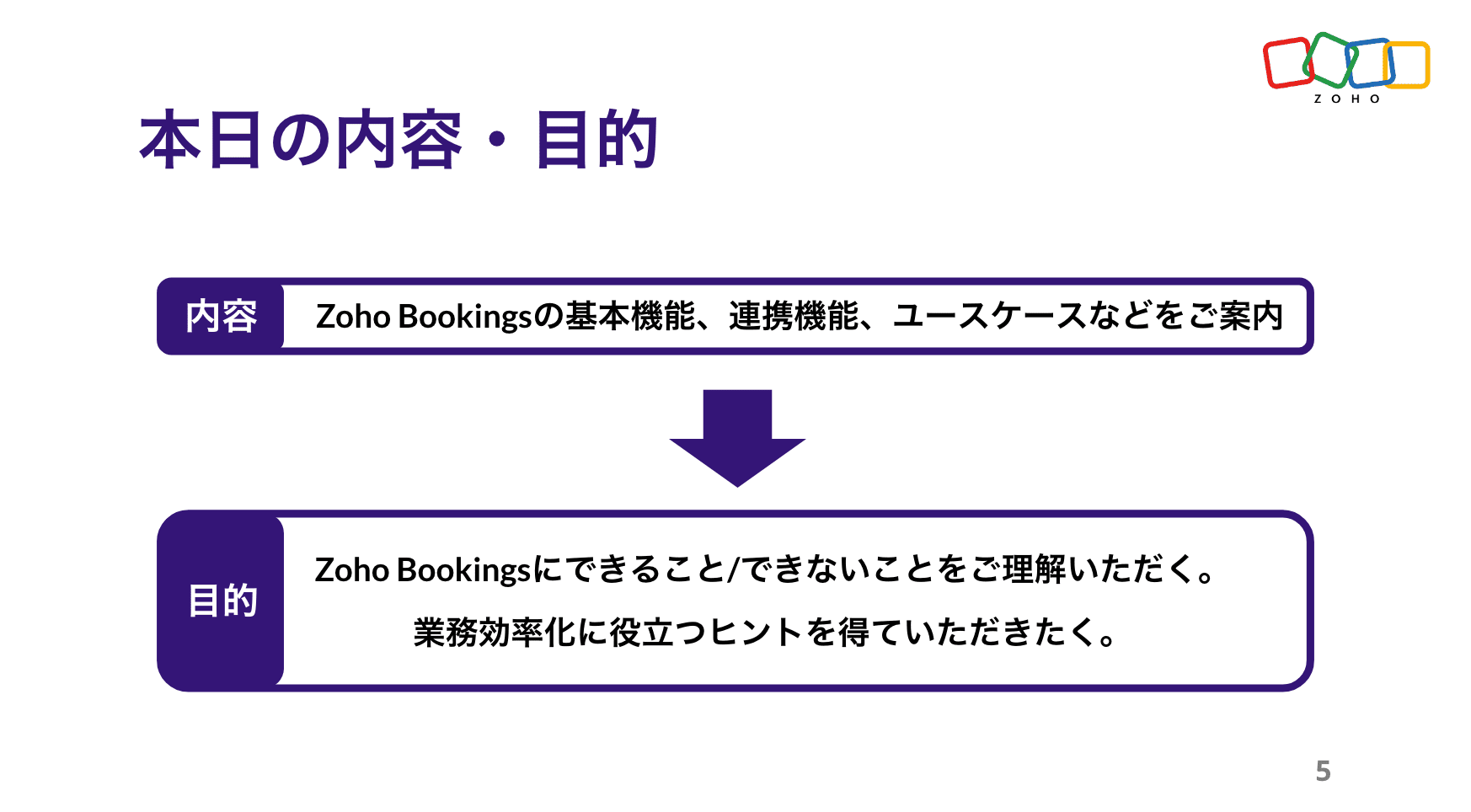


Zoho Bookings の設定について(資料の記載内容を一部抜粋)
Bookings の予約枠は、前後の間隔や時間・期間・営業日、1日あたりの上限などを柔軟に設定できます。
予約ページのデザインも、用途に応じて自由にカスタマイズ可能です。


予約の一覧/カレンダー表示、ステータスについて
※以降は主にデモ動画を投影して説明しました。詳細は、次ページ以降の投影資料をご覧ください。


Zoho Bookings まとめ
Bookingsでは人や物の予約は可能ですが、レストランや宿泊などの日付をまたぐ予約には対応していません。

投影資料はこちら
懇親会の様子
参加者同士で交流されたり、Zoho社員に日頃の悩みや仕様の質問をされたりと、いつも以上に大盛り上がりのイベントでした 😊


お知らせ
2025年度のユーザー交流会は今回で最後です!2026年度の開催予定は、オンラインフォーラムやメールでお知らせします!
※スマートフォンでは、下にスクロールすると「フォロー」ボタンが表示されます。
今後とも、Zoho ユーザーコミュニティをよろしくお願いいたします!
ゾーホージャパン コミュニティチーム


Topic Participants
Emiri Fujisawa
Fujikawa Katsuhiro
Tamura
Sticky Posts
【6/22〜6/24開催】Zoho CRM 管理者向けトレーニングのご案内
「Zoho CRMを導入したばかりで、初期設定や基本操作に不安がある」、「短期間で基礎から理解を深め、運用開始までをスムーズに行いたい」「Zoho CRMを基礎から再度学び直したい」といった課題や要望をお持ちの管理者に向け、Zoho CRM 管理者向けオンライントレーニングを実施します。 2022年6月の開催回よりトレーニング内容を刷新し、有償にて実施いたします。 ─────────────────────────────────── >詳細・お申し込みはこちら:https://www.zoho.com/jp/crm/crmtraining/【12/17(金)Meetup開催】参加者にはノベルティプレゼント!Zoho サービス相談会/情報交換会もあります
こんにちは、Zoho Japan コミュニティチームの今成です。 12月17日(金)16:00から、今年最後のMeetup(ユーザー交流会)を開催します! ●詳細はこちら:https://www.zohomeetups.com/ZohoJapanCommunityMeetup2021vol4/ 前半は今年9月にZoho サービスを導入したユーザー様のセッションとして、現状の利用状況とこれからどのようにZoho サービスを利用していくか、これからの構想談をお話いただきます。 後半では、Zoho CRM【6/29(火) 初心者向け】カスタム関数勉強会のご案内
先日のMeetupでも告知しましたが、以前より多くのユーザーさまからご要望いただいていたZoho の「カスタム関数」に関する基本の勉強会を6/29(火) 17:00に、開催します! 関数の基本的な書き方や、Zoho CRM で活用できる関数例のデモなどについて、Zoho の技術メンバーがわかりやすく解説します。 関数の基本を掴みたい方はぜひ、ご参加くださいませ。 >>申し込みはこちら:attend.zoho.com/luy0 以下詳細です。 ーーーーーーーーーーー 日時:6月29日(火) 17:00~【3/19(金)】Meetup(ユーザー交流会)開催のご案内。Zoho CRM ユーザー事例やZoho Sign の紹介、Zoho CRM 相談会など
こんにちは、Zoho Japan コミュニティチームの今成です。 2021年1回目となるMeetupを、3月19日(金)16:00~ 開催いたします! ●詳細はこちら:https://www.zohomeetups.com/ZohoJapanOnlineMeetup2021vol1 毎回好評のZoho ユーザーさまによる活用事例をはじめ、Zoho の電子署名ツール「Zoho Sign」の製品デモや、グループディスカッションをご用意しています。 前半/後半のみのご参加も可能ですので、お気軽にご参加ください!【12/17(木) 16:00-】ユーザー同士で情報交換を行う、グループディスカッションもあります。オンラインMeetup Vol.4 開催のお知らせ
Zoho コミュニティチームの今成です。最近寒くなってまいりましたが、みなさまいかがお過ごしですか? Zoho Japan Communityでは、今年最後のオンラインMeetup(ユーザー交流会)を開催いたします!以下、詳細のご案内です。 ーーーーーーーーーーーーーーーーーーーーー <日時>2020年12月17日(木) 16:00-18:00 <参加費>無料 <開催方法>オンライン <概要> 前半(16:00〜17:00) 自社活用事例「Zoho 社員は、1日の中でどのサービスをどれくらい使っているのか」(ゾーホージャパン株式会社 コミュニティチーム)
Recent Topics
Item name special charaters <>
Im trying to input speical characters such as < and > into item name and item description but comes up with following error: Invalid value passed for Item Name and Invalid value passed for Item Description How do i allow speical characters?How to update Multi File upload field
Assume that i have a multi file upload field,how can i update the same field again?Customer Address Not on Standard Invoice when Address is on Contact Record
Hi, I entered the customer billing and shipping address in Zoho CRM. I created an invoice in Zoho Books with the same customer contact. The contact is correctly in Zoho Books with the billing and shipping address. The invoice for the customer does notApply partial payments to invoices from the Banking Module
We need this! Why is this not possible?Welcome to the Zoho Show Community Forums page!
Hello everyone, The Zoho Show community is a place for you to discuss and share anything and everything related to Zoho Show Presentations, our online presentation software. It includes users from all over the globe and all walks of life. Our community helps answer your Zoho Show questions with responses from other knowledgeable community members to give you the best experience creating and designing exciting presentations. Along the way, you'll meet recognized experts from our software team andHow can I convert an existing contact into a lead?
I imported many contacts into ZOHO CRM. In order to select a few of them as leads, I want to mark or convert a few hundred as Leads. Who can I do that?Price book functionality enhancement
A common use of price books is to create a price book for a given customer level or contract with a specific company. Given that this is done at a company/customer level it would be great to see a way to associate a price book to a given customer andCan we have 24x7 live support for Zohobooks ?
Can we have 24x7 live support for Zohobooks ?Important update about notification security in Business Messaging SDK
As part of our ongoing effort to strengthen the security of notification data, we have enhanced how notifications are processed and protected in our applications. These improvements ensure that all notification related data follows the most up-to-dateSync Zoho Marketing Automation with Zoho Forms
I can't find a section where the integration between Zoho Marketing Automation and Zoho form is explained. And how form subscription works with opt-in and consents.What is the difference between Zoho Campaigns and marketing hub?
Zoho Campaigns is a permission-based email marketing tool for sending marketing emails and mass emails. Marketing Automation is a multichannel marketing automation tool that caters to organizations looking for tools to engage their users across multipleWebhook not firing.
I created a webhook using the Web UI, it looks very nice and the testing worked without an issue, but when i save/ update a ticket, the webhook is not firing. Here are the details of the web-hook i get from using the API "modifiedTime": "2019-10-22T09:23:37.380Z",Duplicate customers being created in Desk
Hi I've trying to work out why I've getting duplicated customers being created in my desk. I have an external booking system that generates an email when I get a customer booking a job. A booking email gets sent to Desk where I manage the booking andCreating a custom CSV file using deluge script/
I have an application I have developed and the client wants us to place an export file in csv onto an ftp server daily. Now I don't see au options in creator to change the separator to anything else. The client wants the separator to be the pipe symbol "|" I think i would be able to create schedule with some code to create the appropriate data in a string using deluge script but I haven't seen any functionality that would allow me to deposit that data as a file anywhere or attach it to an emailCan we add custom fields to portal community profiles?
How do we add custom fields to our profile pages in our portal community? If we have the ability to add custom fields, will we be able to access those fields via API? We want to use our Desk community in our help portal as our primary community and wouldE-Invoicing in Belgium with Zoho Billing
Starting January 1, 2026, Belgium is introducing mandatory electronic invoices (e-invoicing) for all B2B transactions between VAT-registered businesses. Invoices and credits notes must be exchanged in a prescribed digital format. How E-Invoicing worksdelayed: host mx2.zoho.com (136.143.183.44): Network error: Unexpectedly disconnected (STARTTLS)
Hi Team, I'm not receiving any email. Seems to be an issue. Sender sent me the error message they received: "delayed: host mx2.zoho.com (136.143.183.44): Network error: Unexpectedly disconnected (STARTTLS)" Please advise.Additional Address - Company Name
It would be very helpful to have a "Company Name" field in the Additional Address shipping section. In a situation where you drop-ship orders to a different address or different company entirely, it may be necessary to list the company name of the receiver. I understand that the Attention field can be used for that purpose, but that's not really the intended purpose of that field.Incorrect Email Notifications for Product Reviews
Dear Zoho Commerce Support Team, I am writing to report a technical issue that occurs frequently on our platform. Problem Description: We regularly receive email notifications informing us of new product reviews awaiting approval. However, when we accessHow to Rank Tables by Row Count in Descending Order
I am trying to understand the consume of lines that grow up so fast in the last week. Is there any way to create a pivot table or query to get TABLE NAME LINES in descending order?Can we do Image swatches for color variants?
We want to do something like the attached screenshot on our new zoho store. We need image swatches instead of normal text selection. We want to user to select an image as color option. Is this doable? I don't see any option on zoho backend. Please hannualy customer report
we need a report per customer that looks like this invoic number cleaning laundry repair management 01 january xxx euro xx euro xx euro xxx euro 02 february xxx euro xxx euro x euro xxxx euro and so on the years 12 months is that possible to make andExport your notes from Notebook!
Dear users, The long awaited feature is now live. Yes, you can now export your notes from Notebook app in bulk. But the feature has just started with web app alone for now. You can try the export feature as mentioned below: Go to our web app, https://notebook.zoho.com Go to 'Settings' > 'Export' Now, select the format: You can select either ZNote or HTML Once done, you can use the same to import or can have this a local backup of your notes. Note: Export for other platforms are in development andour customers have difficult to understand the Statements
our costumers have big problems to understand Zohos Statements. we need a text box after the payment number to explain what the payments are for. Is it possible to develop a version of the Statement with that kind of box and if so whu can do itCanva Integration
Hello! As many marketing departments are streamlining their teams, many have begun utilizing Canva for all design mockups and approvals prior to its integration into Marketing automation software. While Zoho Social has this integration already accomplished,Prepopulating Fields
Hello, I have a form (Assets) with 2 lookup fields: Client (from Clients) Site (from Client Sites) I modified the code (highlighted in red below), so the Site dropdown shows the list of sites related to the Client. must have Client_Site ( type = picklistREPORT THAT SHOWS SOH FOR ITEMS THAT HAVE ZERO SALES
When we started Zoho we imported a lot of inventory lines directly off our suppliers price list and have never ordered / sold. I want to clean up our data base and remove all these lines. What reeport will show me what lines have zero sales as well asAutomation series : Close all tasks once the project is completed
When a project is marked as Completed, it might still have open tasks such as recurring tasks that were not marked as complete, tasks that are no longer relevant, or tasks that no longer need attention after closure. To ensure the project reflects itsConverting Sales Order to Purchase Order
Hi All, Firstly, this code works to convert a sales order(SO) to a purchase order (PO) via a button, however I am running into an issue when I convert the SO where the values from the line items are not pulled across from the SO to the PO. The ones inHorrible Connectivity!
I have used Meetings several times, but most of the time the connection is horrible. The video freezes, the audio freezes, and we end up cancelling the meeting. I am on a high speed internet connection, and Zoom works fine, so I know it's not a problemIs it really true that I can't set the default 'deposit to' account in 2025?
I've been using Books for 7 years and the default account has never been a problem. I usually manually reconcile invoices and have never had a thought about which account. It has always been my account. However, I recently noticed that for the past 4Zoho DataPrep switching Date Format
When using a pipeline that is importing Zoho Analytics data into Zoho DataPrep, the month and day of date fields are switched for some columns. For example, a Zoho Analytics record of "Nov. 8, 2025" will appear in Zoho DataPrep as "2025/08/11" in "yyyy/MM/dd"Using Another Field Value for Workflow Field Update
I'm trying to setup a Workflow with a "Field Update" action on the Lead module, but I would like the new value to actually be taken from a DIFFERENT Field's on the Lead record (vs just defining some static value..) Is this possible? Could I simply useTax information
Hello, I need help/guidance on how to add my organization's Tax/VAT information. Thank you PavlyBuild smarter Guided Conversations with Fork Blocks
When your customers arrive on your support channel, they're not there to explore. They are usually confused and stuck while trying to fix something important. We understand how stressful that moment can feel and we want your bot to make things easier,Custom item field won't allow decimal.
Hello, I have a custom item field that needs to be able to have a value with a decimal place such as 6.7 or 6.18. I have tried custom formatting the input format but can not get the correct syntax to allow this. Is this possible in Zoho?Free webinar: Zoho Sign unwrapped – 2025 in review
Hey there! 2025 is coming to an end, and this year has been all about AI. Join our exclusive year-end webinar, where we'll walk you through the features that went live in 2025, provide answers to your questions, and give you a sneak peek on what to expectHubSpot CRM to Zoho Creator Integration
I'm trying to create an integration between HubSpot CRM and Zoho Creator with HubSpot being the push source (if a contact is created or updated in HubSpot, it pushes the information to Zoho Creator). I have two questions: 1- Is it best to use Zoho FlowGain control over record sharing with portal users through our new enhancement: criteria-based data exposure
Dear Customers, We hope you're well! Portals is a self-service avenue through which your clients can access and manage their direct and related data in Zoho CRM. This empowers them to be more independent and enables them to experience a sense of transparencyBest-practice setup in Zoho One for managing combined candidate pools and exporting anonymised CVs
We are new users of the Zoho One bundle and operate a consulting and engineering company. Our workforce model includes a mix of permanent employees, active job applicants, and freelance/independent consultants. All three groups need to be searchable,Next Page