Create custom rollup summary fields in Zoho CRM
Hello everyone,
In Zoho CRM, rollup summary fields have been essential tools for summarizing data across related records and enabling users to gain quick insights without having to jump across modules.
Previously, only predefined summary functions were available to track metrics, such as total deals, revenue per account, lost deals revenue, or maximum sales cycle duration, and so on.
However, beyond these general metrics, users would often need more customization capabilities to derive more tailored insights specific to business logic and client needs.
The solution: custom rollup summary fields
With our new custom rollup summary fields, you can now create summaries that reflect each industry's unique requirements. This enhancement enables more customized data views, which enables you to choose any related list and summarize any integer or date-based fields from it.
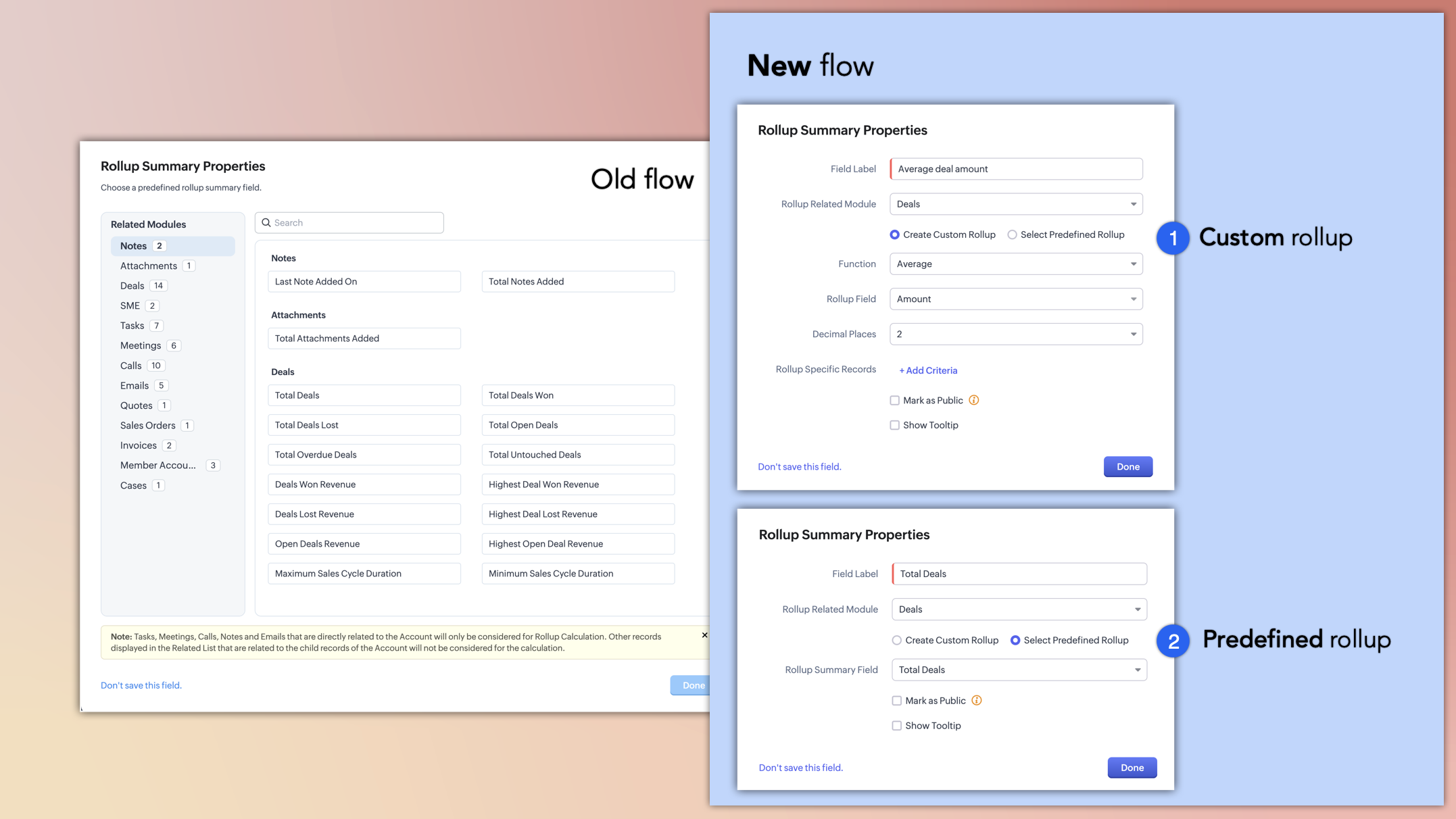
Here's how the new roll-up summary creation flow works:
Once you drag and add a rollup summary field from the fields tray, the new rollup summary properties pop-up will ask you to configure the field per your requirements.
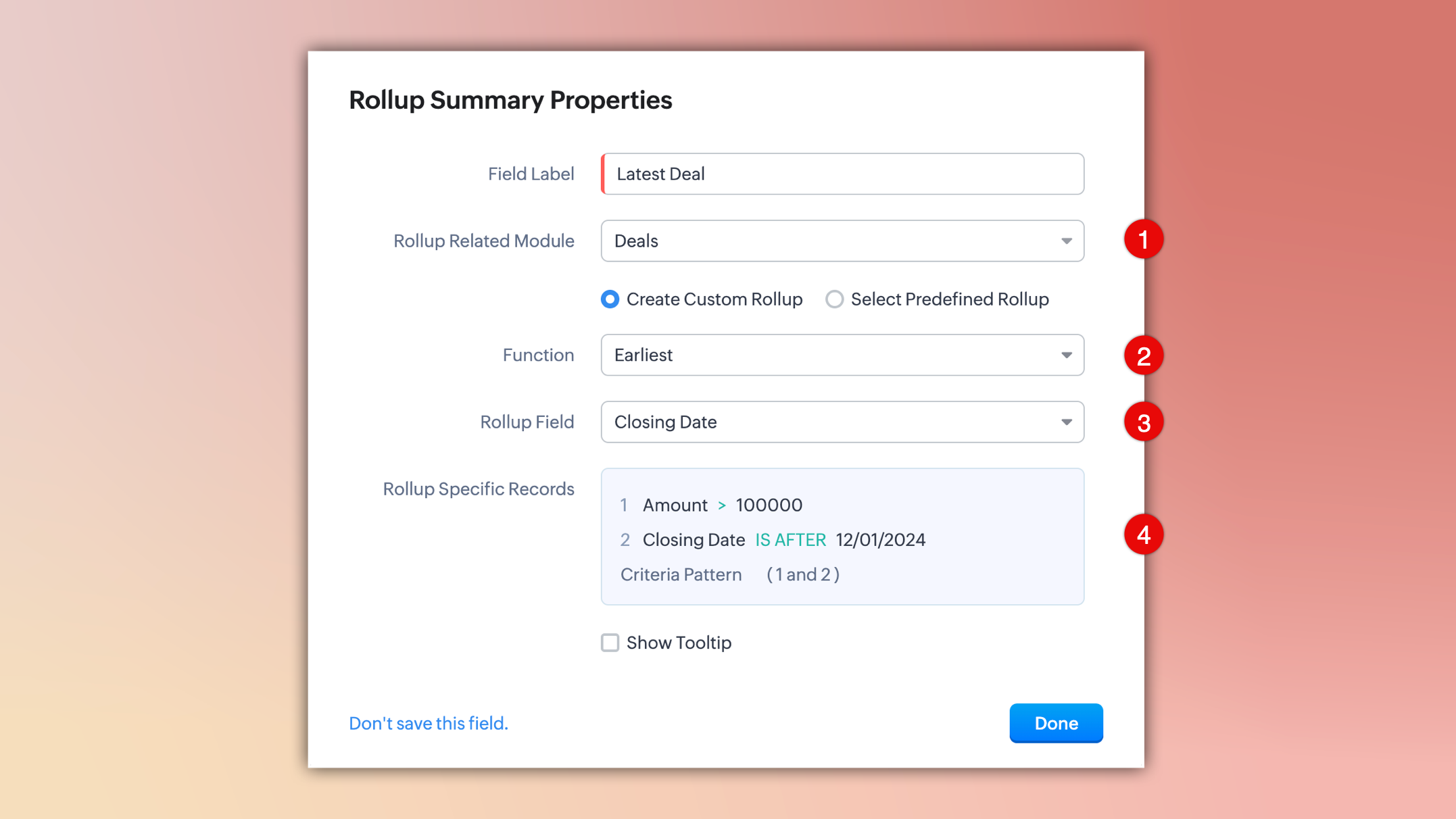
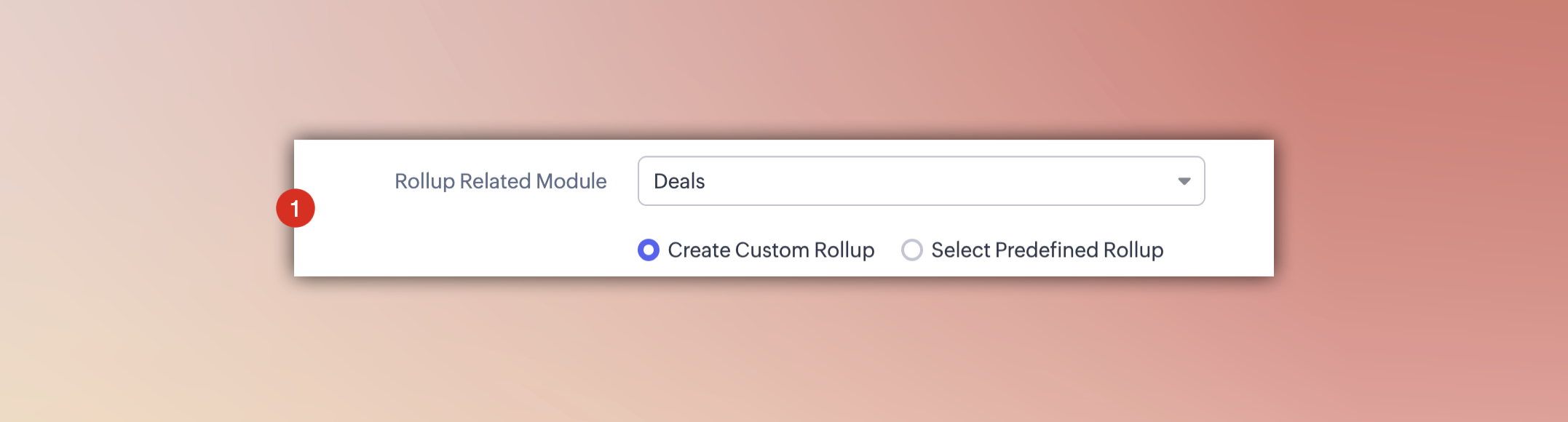
- Rollup related module: Select the related module whose records you want to summarize and choose either to create a custom rollup or use predefined rollup functions.
- Selecting "Create Custom Rollup" enables you to customize the function, field, and criteria per your needs.
- Choosing "Select Predefined Rollup" lets you select from the predefined rollup fields available in the Rollup Summary Field dropdown. Note that the old Rollup Gallery is no longer available.
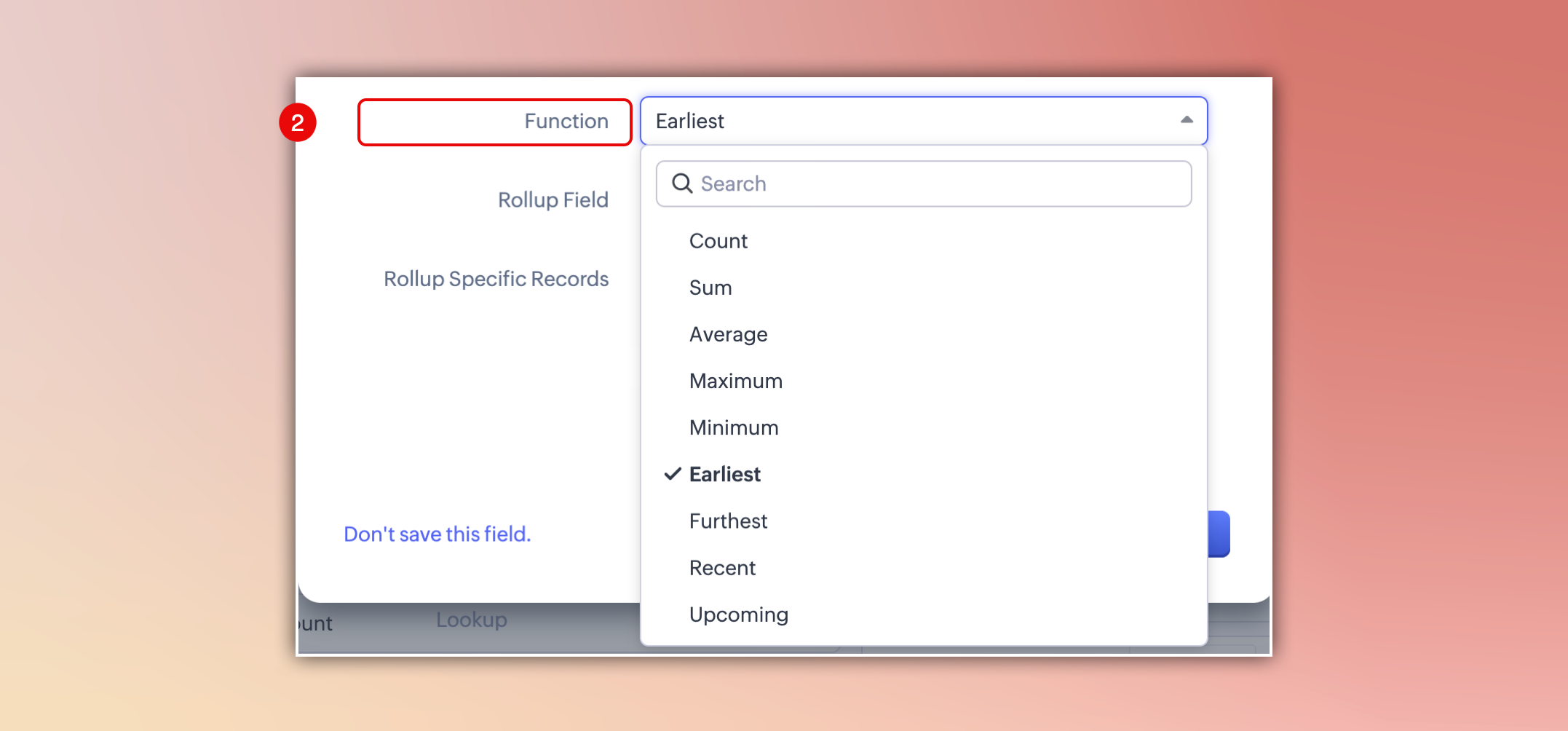
- Function: Custom roll-up summary fields offer a variety of functions that enable teams to align data with their business objectives. The functions available depend on the selected rollup module.
- To summarize numerical data, you can use Sum, Average, Maximum, or Minimum.
- To summarize date-related data, you can use Earliest, Furthest, Recent, or Upcoming.
- Rollup field: Based on the selected function, only system-defined and custom fields relevant to that function will be available for selection.
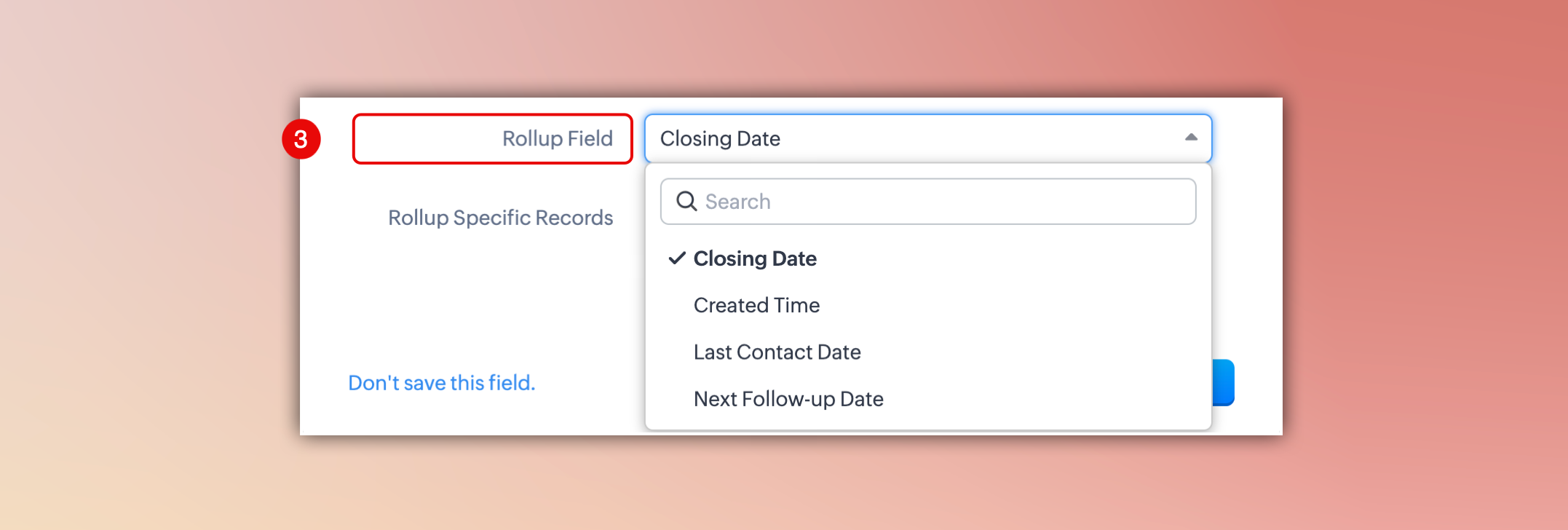
- Additional criteria: You can add criteria to your rollup field to filter and aggregate only the most relevant data for your business needs.

Without criteria, the rollup field calculates all related records, which may result in cluttered or less meaningful results.

Notes:
- Rollup fields are available in all modules except Tasks, Calls, Meetings, and Appointments.
- The Rollup Summary Field type is available only for organizations using the Professional, Enterprise and Ultimate editions of Zoho CRM.
- You can create up to 10 rollup fields per module in the Enterprise edition and up to 15 in the Ultimate edition.
That's all for the enhancement. Please share your feedback and suggestions in the comments below.
Feature availability and release plan
- These enhancements are currently available for all eligible users across all DCs.
Resources: Help Documentation
Thanks,
Nizamuddin

Workaround for using Roll-up Summary Fields in formula fields
Workaround 1:
1. Create a new field with datatype equivalent to Rollup Summary field's Return type (e.g., Number field if the Rollup Summary returns a Number).
2. Set up a workflow on Rollup Update. Whenever the Rollup field value changes, update the new field (Rollup substitute field) with the Rollup Summary Field value.
3. You can create a Formula expression with a substitute field.
Pros:
Even if the formula expression includes non-Rollup fields, the formula recalculates whenever those fields are updated.
Cons:
Requires creating an additional substitute field for every Rollup Summary field.
Workaround 2:
1. Instead of using a formula field, create a new field (datatype based on the final expression result) in the layout to store the computed expression value.
2. Configure a workflow on Rollup Update to invoke a Deluge function. The Deluge function will compute the expression and update the result to new field.
Pros:
Only one new field is needed to store the final expression value.
Cons:
If the expression involves non-Rollup fields, you have to create another Workflows for Record Create and Record Edit actions and invoke this function.