Kaizen#135 : Third Party Integration using Client Script
Hello everyone !
Welcome back to another enlightening Kaizen post! In this Kaizen post, we'll explore how to invoke a Third-Party API through Client Script. This enables you to seamlessly connect to external services and fetch dynamic data. Stay tuned to discover the step-by-step process of invoking a Third-Party API withi your client-side scripts. This post will answer the question on Importing data from third party API.
Welcome back to another enlightening Kaizen post! In this Kaizen post, we'll explore how to invoke a Third-Party API through Client Script. This enables you to seamlessly connect to external services and fetch dynamic data. Stay tuned to discover the step-by-step process of invoking a Third-Party API withi your client-side scripts. This post will answer the question on Importing data from third party API.
In this Kaizen post,
- Overview
- What are Connections?
- How to invoke a Connection in Client Script?
- Use Case
- Solution
- Create a Connection.
- Add to Trusted Domain.
- Invoke the connection in Client Script and populate the field using Client Script.
- Summary
- Recommended Reads
1. Overview
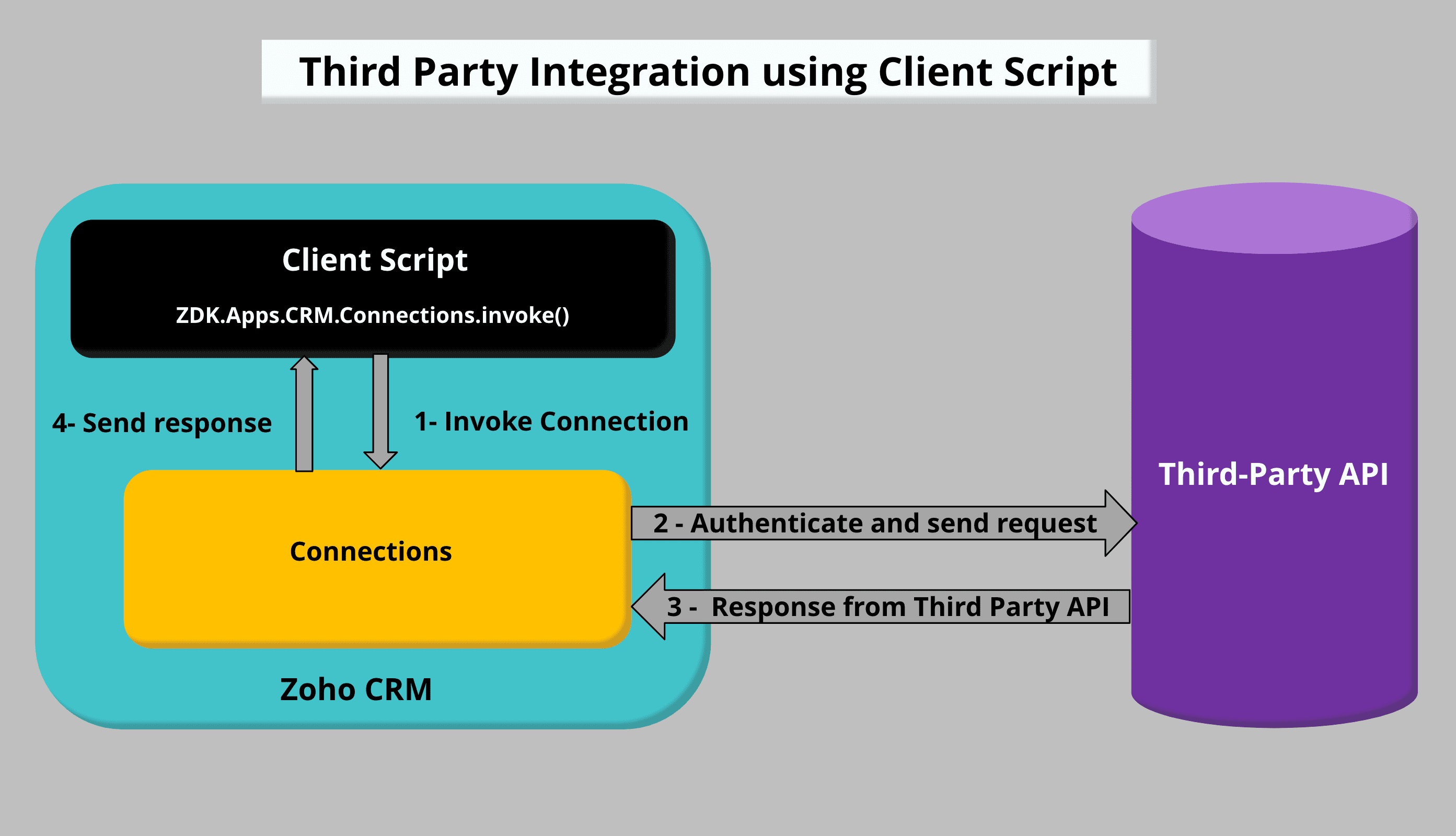
To accomplish Third Party Integration using Client Script, you need to create a Custom service Connection and invoke the connection in Client Script. Once you get the response from the Third Party API call, you can populate or display the required data using Client Script.
2. What are Connections?
Connections in Zoho CRM is used to establish authentication with other Zoho or third-party services to perform integration with them. Check this Kaizen post to know more about Connections and Authentication types.
3. How to invoke a Connection in Client Script?
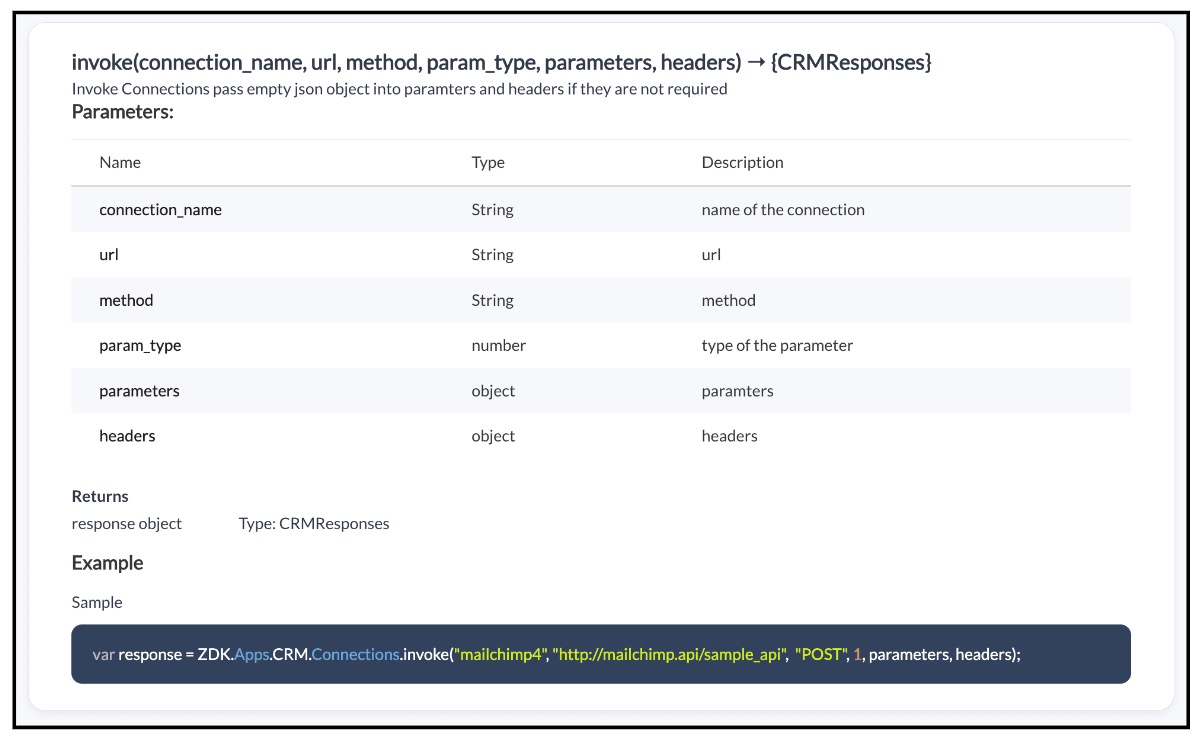
To invoke a Connection using Client Script, you need to use the invoke method with the required parameters.
Syntax : invoke(connection_name, url, method, param_type, parameters, headers)

Note:
Whenever you want to make third party API calls, you need to whitelist them by adding the third party domain to Trusted Domain.
4. Use Case :
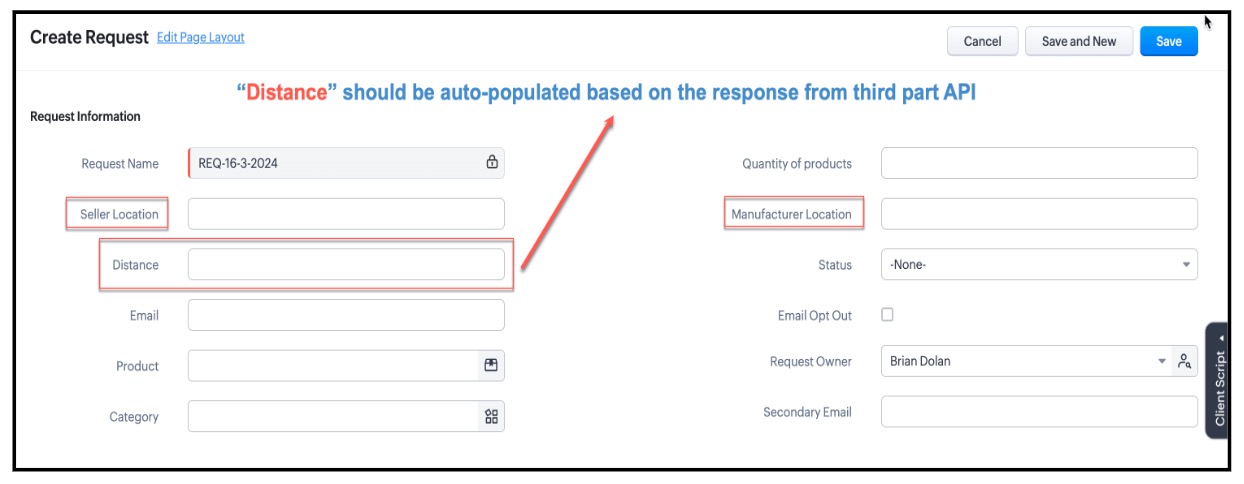
Zylker is a manufacturing organisation. Orders will be placed by the Salesperson by creating a record in the custom module "Requests" . The Admin wants to populate the distance between Manufacturer Location and Seller Location in the "distance" field using the Distance Matrix API.
5. Solution :
To populate the field "Distance" based on the response recevied from the third party API call using Client Script you need to follow the below steps.
- Create a Connection.
- Add to Trusted Domain.
- Invoke the connection in Client Script and populate the field using Client Script.
1. Create a Connection :
- In Zoho CRM, go to Setup → Developer Hub → Connections and click "Create Connection"
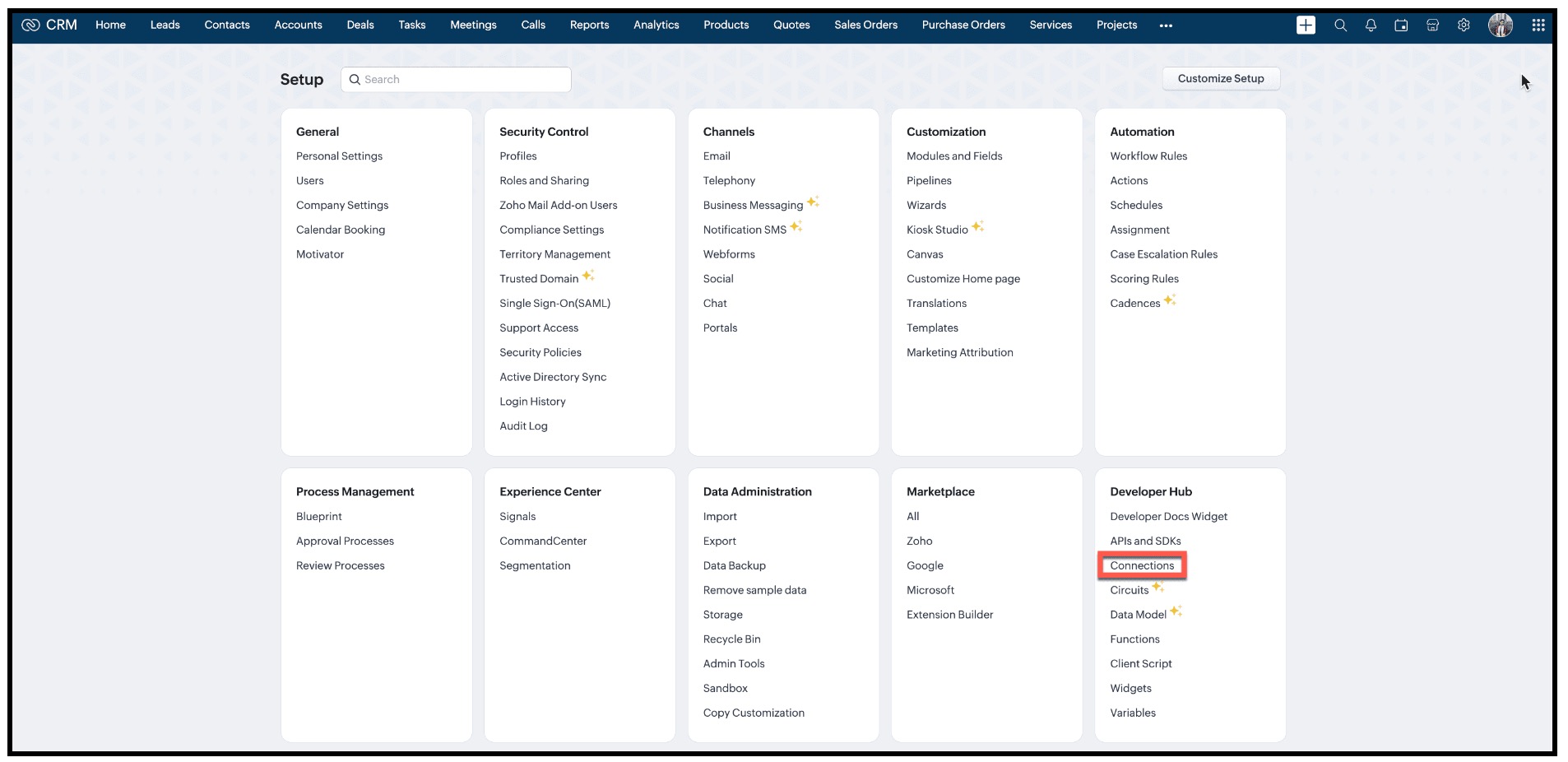
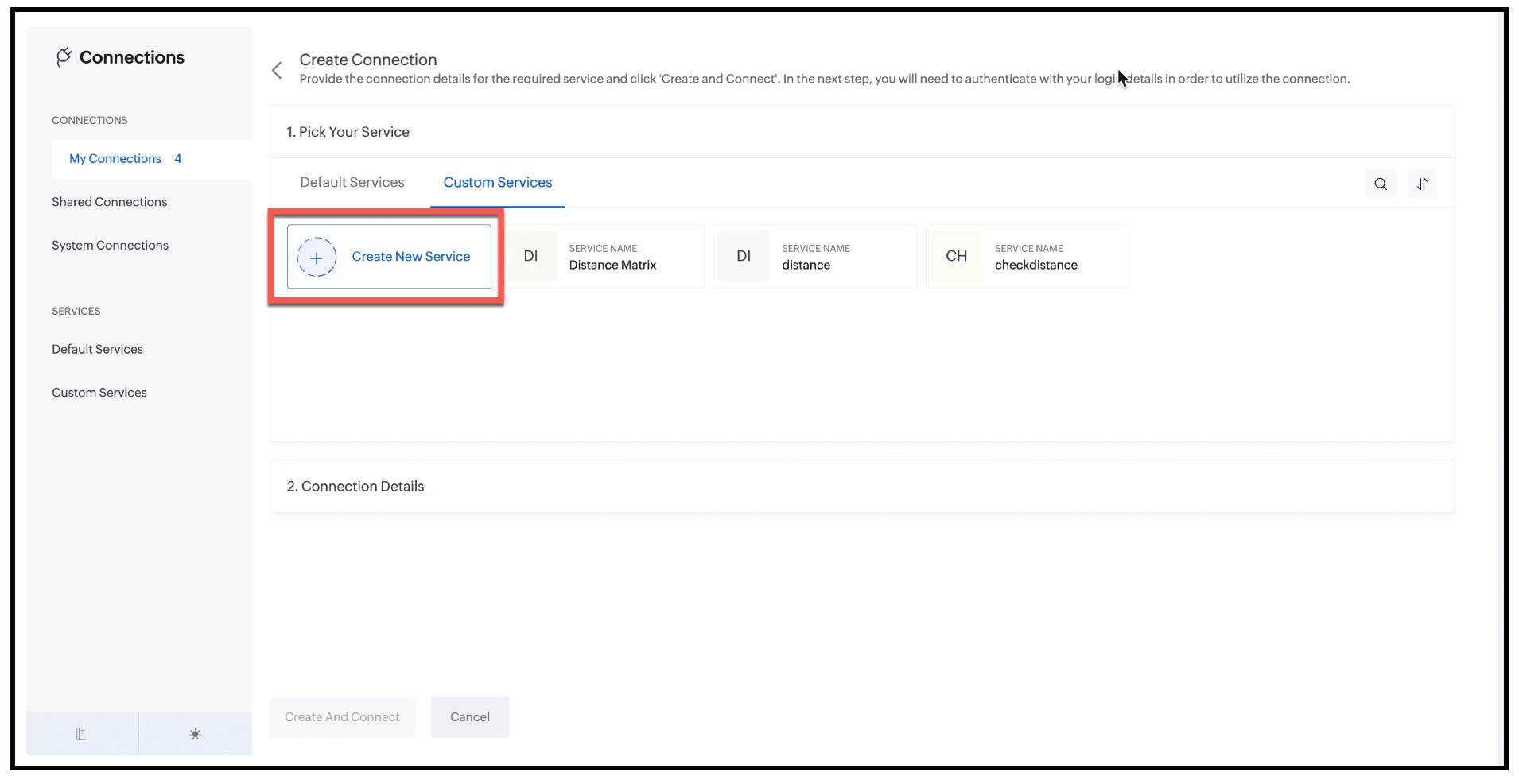
- Under "1. Pick Your Service" , select "Custom Services" and click "Create New Service".
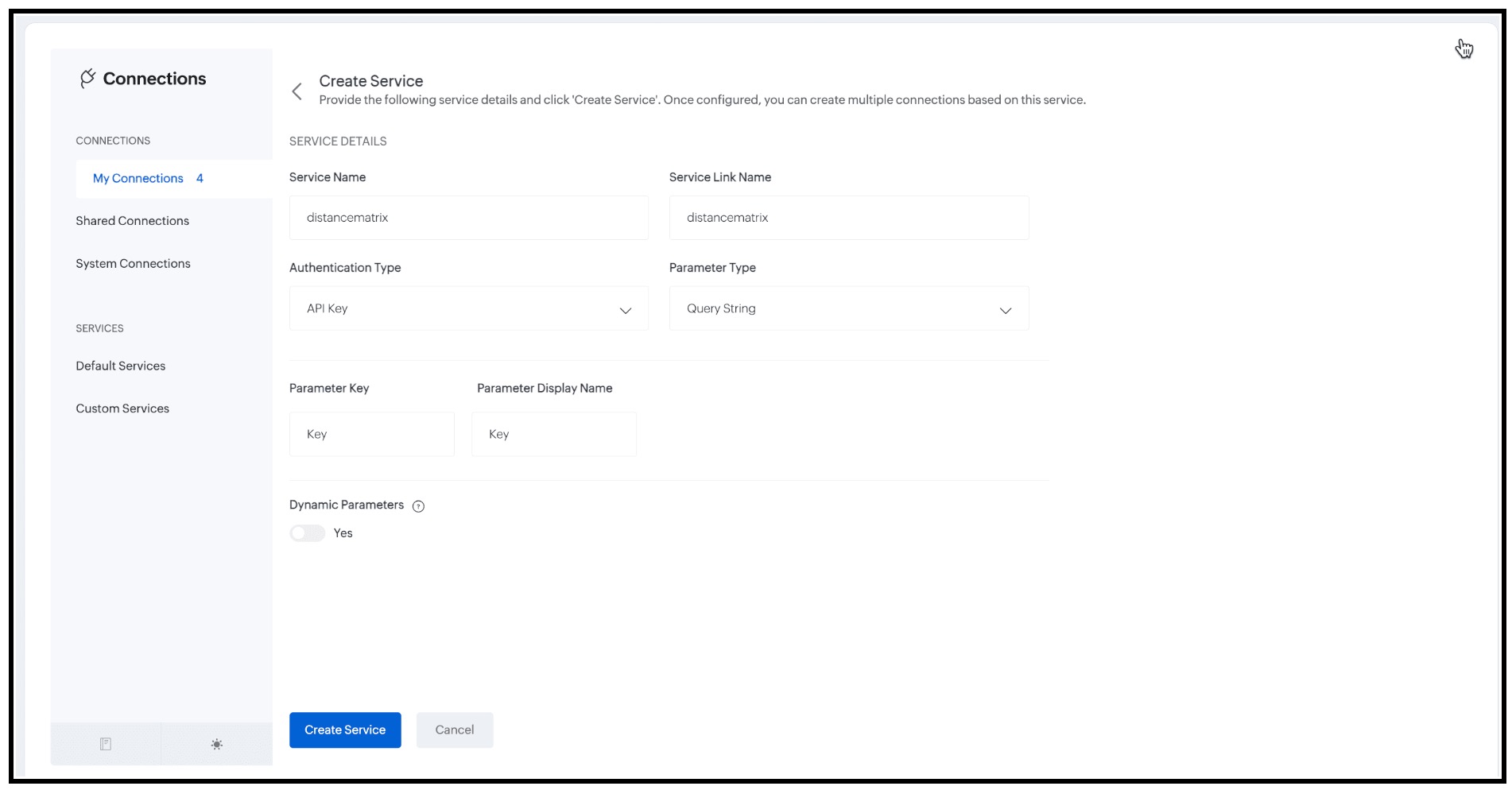
- Enter the following details and click "Create Service".
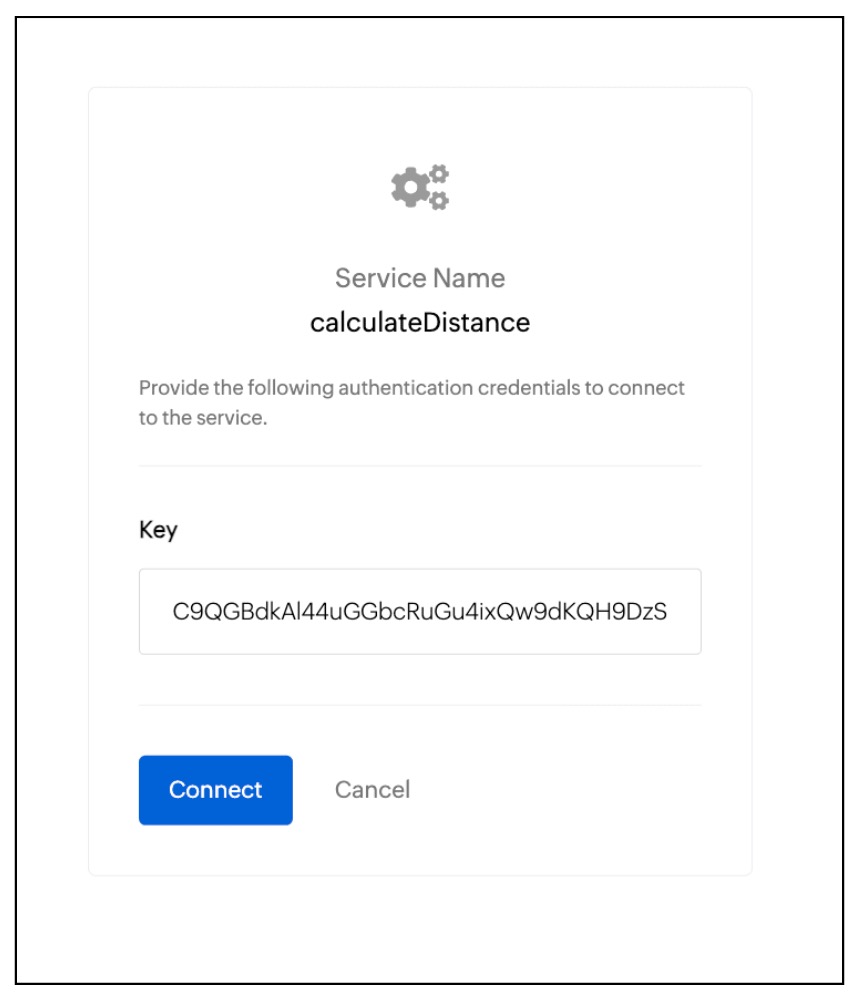
- Now, you will be prompted to enter the authentication credentials, Here it is the API Key. Enter the value and click "Connect".
2. Add to Trusted Domain:
- Whenever you want to make third party API calls, you need to whitelist them by adding the third party domain to Trusted Domain.
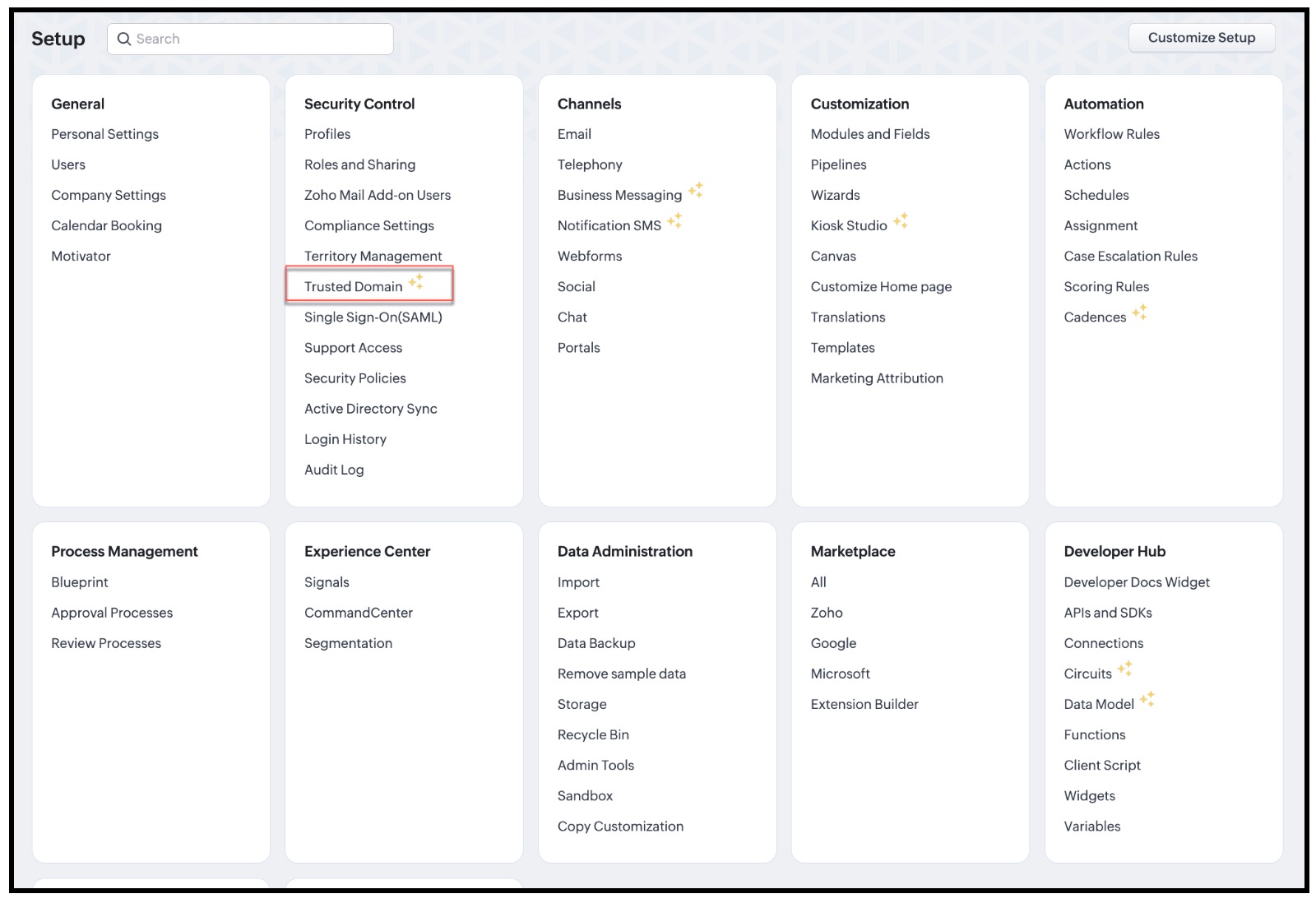
- To do this go to Setup → Security Control → Trusted Domain.
- Click New Trusted Domain.
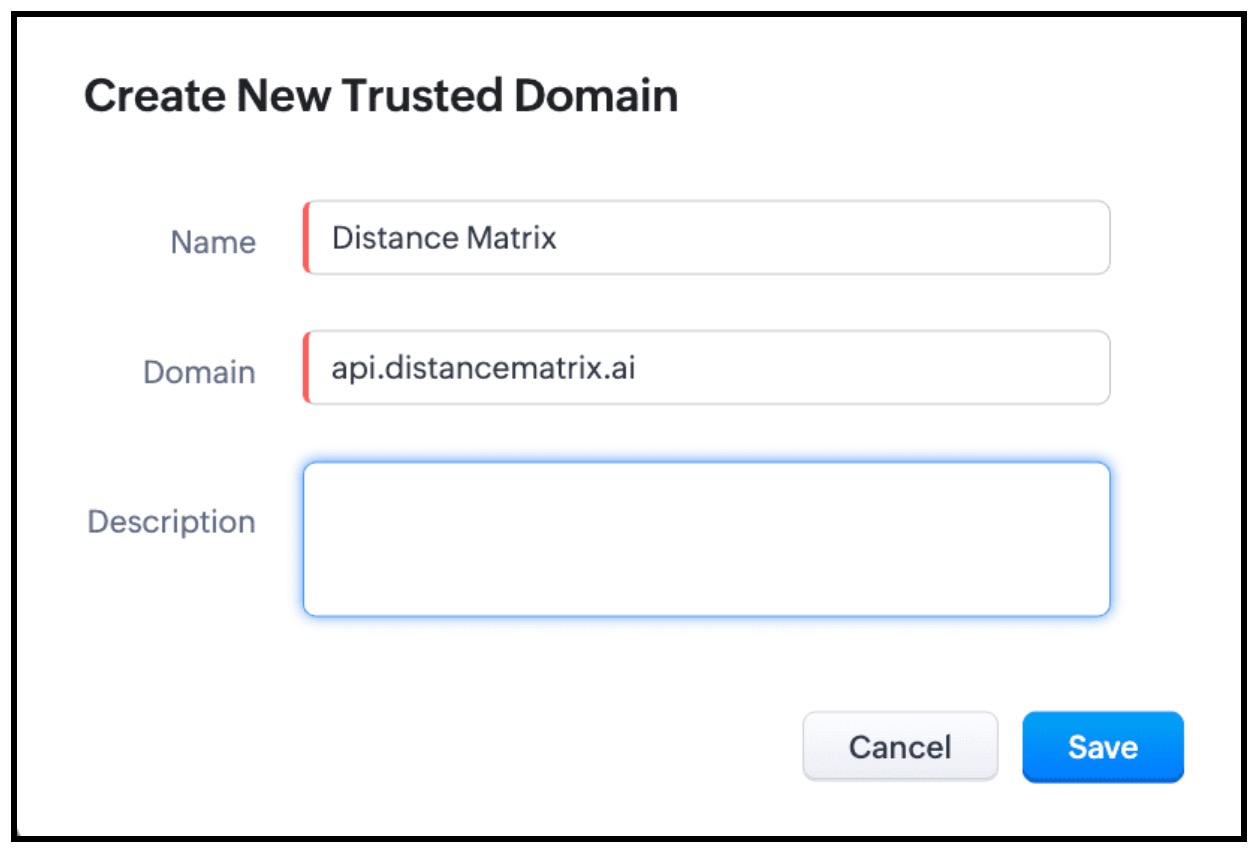
- Enter the Name and Domain details and click Save.
3. Invoke the connection in Client Script and populate the field using Client Script.
- The next step is to invoke the connection using Client Script using the invoke method.
- For this, create a Client Script on Create Page of "Requests" custom module and specify the event as onChange Page event as follows and click Next.
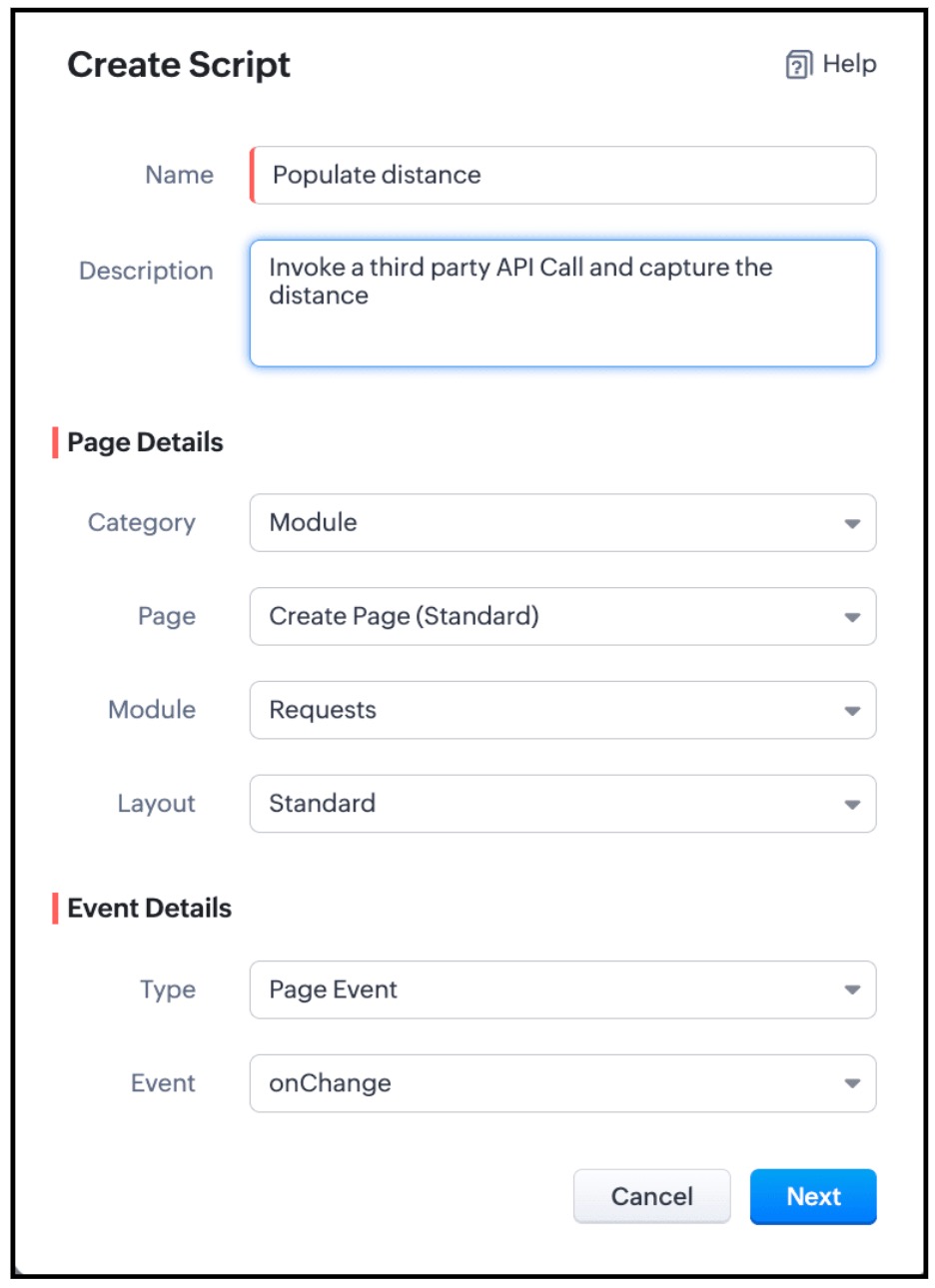
- Enter the below script and click Save.
Script :
- if (field_name == "Seller_Location" || field_name == "Manufacturer_Location") {
- let origins = ZDK.Page.getField('Manufacturer_Location').getValue();
- let destinations = ZDK.Page.getField('Seller_Location').getValue();
- let dist = ZDK.Page.getField('Distance');
- dist.setReadOnly(true);
- var response = ZDK.Apps.CRM.Connections.invoke("measuredistance", `https://api.distancematrix.ai/maps/api/distancematrix/json?`, "GET", 1, { "origins": origins, "destinations": destinations }, {});
- let distance = response._details.statusMessage.rows[0].elements[0].distance.text;
- dist.setValue(distance);
- }
- Here the values of the fields Seller_Location and Manufacturer_Location are captured using getValue() and are stored in origins and destinations respectively. The Third Party API - Distance Matrix returns the distance between origins and detstinations. So you need to pass these two parameters in the invoke() method and capture the response and populate the distance to the "Distance" field using setValue() method.
- As per the following syntax, you should pass the required parameters.
Syntax : invoke(connection_name, url, method, param_type, parameters, headers)
- The connection_name is "distanceMatrix".
- The URL is https://api.distancematrix.ai/maps/api/distancematrix/json?&key=${key}Note that the "key" is represented as ${key} as it is a variable. This is the variable name that you mentioned while creating the Connection.
- GET is the method as we are fetching data.
- For URL parameters , you should mention 1.
- Parameters are { "origins": origins, "destinations": destinations }
- {} represents that there are no headers.
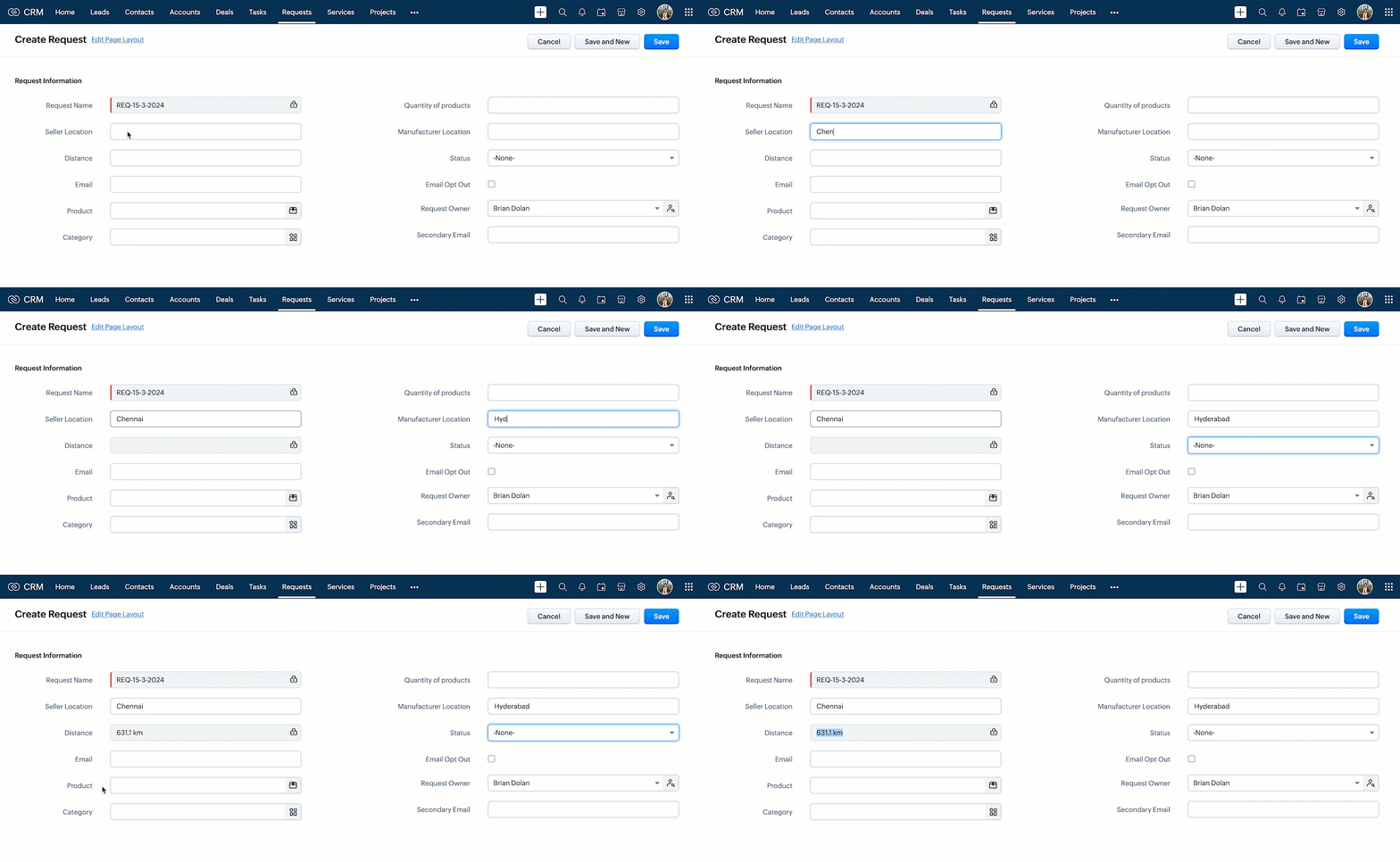
- Now, create a record in Requests and enter the location details. You can see the "Distance" field getting populated as shown below.
- Here is how the Client Script works.
6. Summary :
In this post we have discussed,
- How to invoke a third-party API call in Client Script
- How to create a Custom Service Connection
- How to use Connections in Client Script.
- How to add a new Trusted Domain
- How to populate a field with the response of a third-party API call.
7. Recommended Reads :
- Client Script Overview
- Creating a Client Script
- Client Script Events
- Client Script IDE
- Use cases of Client Script
______________________________________________________________________________________________________________________________________
 Previous post : Kaizen #134 : Manipulating Rich Text Field (RTF) using Zoho CRM APIs | Kaizen Collection : Home.
Join us for our upcoming Zoho CRM Developer Series: Zoho CRM APIs, where you can explore more about Zoho CRM APIs. Register Now!
Cheers!
Maadhari M