Manage Bookings directly from Zoho Mail
Greetings from the Zoho Bookings team!
We’re introducing the new Zoho Bookings extension for Zoho Mail, designed to help you view appointments, copy time slots and share booking links without leaving your inbox. This integration brings scheduling right into Zoho Mail, saving you time and reducing context switching.
We’re introducing the new Zoho Bookings extension for Zoho Mail, designed to help you view appointments, copy time slots and share booking links without leaving your inbox. This integration brings scheduling right into Zoho Mail, saving you time and reducing context switching.
What you can do with this widget:
- View your upcoming appointments inside Zoho Mail.
- Insert booking links, one-time booking links, or time slots into emails.
- Book an appointment directly with the email recipient.
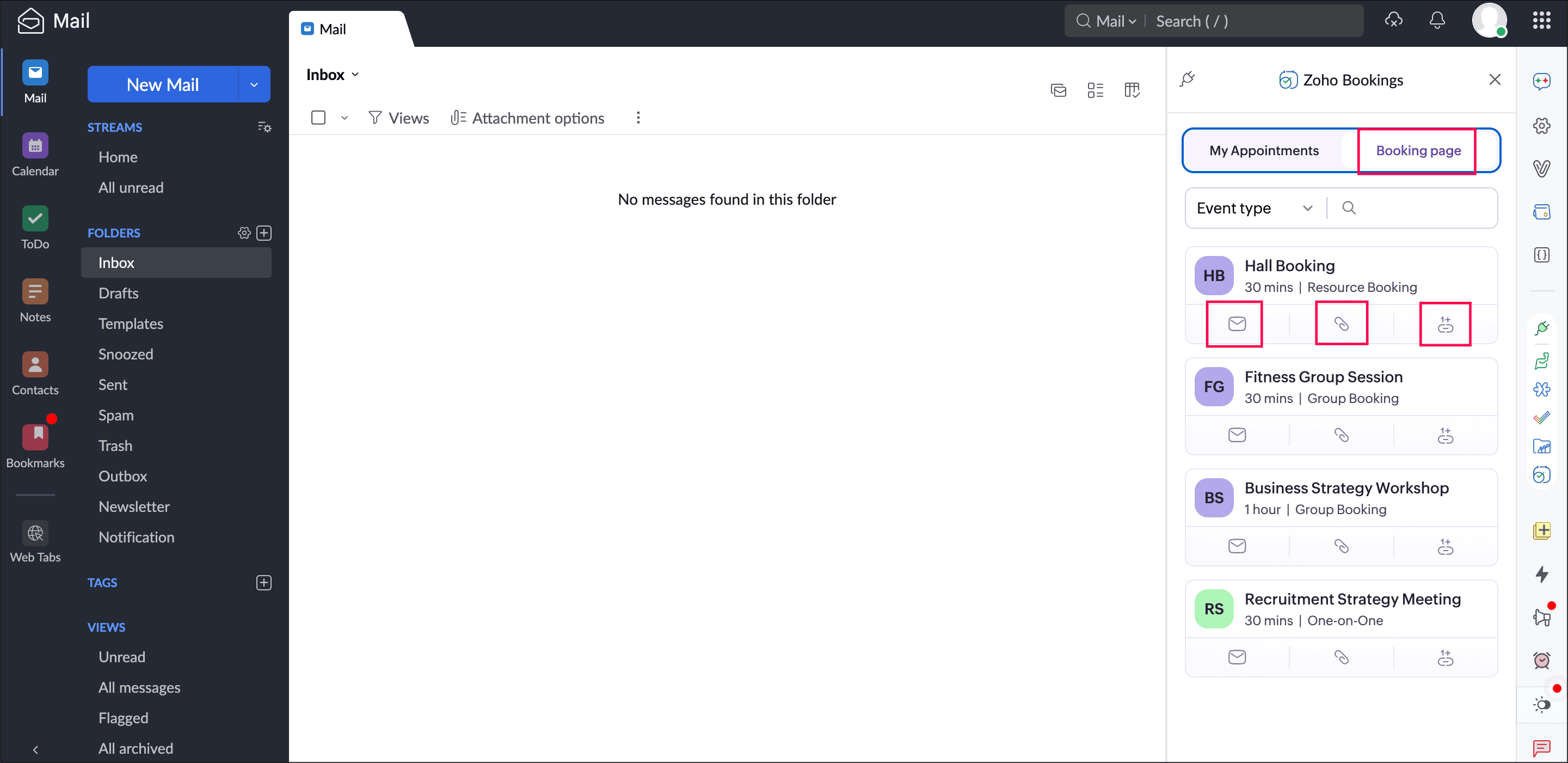
Getting started is simple:
- In Zoho Mail, select the eWidget icon
 in the right-hand widget panel.
 - Select Zoho Bookings from the available widgets.

- Now, your appointments and booking pages will be available inside Zoho Mail, ready to be inserted into emails or used to book new appointments.
Example
When responding to an email, you can insert your booking link or offer available time slots without switching tabs. This keeps your communication fast, professional, and focused.
Help documentation
Help documentation
We hope this integration makes your scheduling experience more seamless. Share your feedback in the comments or email us at support@zohobookings.com. We love to hear from you!
Regards,
The Zoho Bookings Team