Process auto-renewing payments with the Zoho Subscriptions - Paytm integration
Hello everyone,
Zoho Subscriptions is pleased to announce enhancements in our Paytm payment gateway integration! India has seen massive digital payment adoption in recent years due to a combination of factors like a favorable policy for financial inclusion in the banking sector, genuine innovation in fintech, and an emerging economy backed by a young population demography.
Now, Indian merchants can leverage these advancements in the digital economy to process auto-renewing payments using our enhanced Paytm subscription integration with Zoho Subscriptions and collect payments from multiple payment modes.
Payment modes supporting recurring payments:
1. Card
Cards have been the de facto mode of payment for online transactions due to their robust safety and security for both consumers (payment redressal) and merchants (fraud prevention). With the Zoho Subscriptions - Paytm integration, you can store and process card transactions that are compliant with new RBI recurring payment regulations.
Credit card (Banks that support Visa and MasterCard - HDFC, ICICI, SBI, Axis, Yes Bank, Citibank and other major banks).
Debit card (Banks that support Visa and MasterCard - HDFC, ICICI, SBI, Axis, Yes Bank, Citibank and other major banks).
2. UPI
India's homegrown payments platform, UPI, has seen exponential growth since its inception, recording 6 billion transactions as of July 2022. UPI has an interesting roadmap for supporting credit card payments and potential cross-border transactions. Tap into the exponential growth potential of UPI for your subscription business with UPI auto-pay powered by Paytm with Zoho Subscriptions. You can collect UPI auto-pay payments from a wide selection of apps and UPI handles.
3. Paytm Wallet
Paytm is one of India's leading payment gateways with more than 400 million users using Paytm Wallet nationwide. You can enable Paytm Wallet as a payment mode to collect payments instantly from millions of potential customers.
The enhanced Zoho Subscriptions - Paytm integration is another step in our effort to provide seamless subscription payment experiences for Indian merchants. You can get the best of both worlds—a powerful subscription management platform in Zoho Subscriptions, and a scalable payment platform in Paytm.
How to enable auto-renewing subscriptions with the Zoho Subscriptions - Paytm integration:
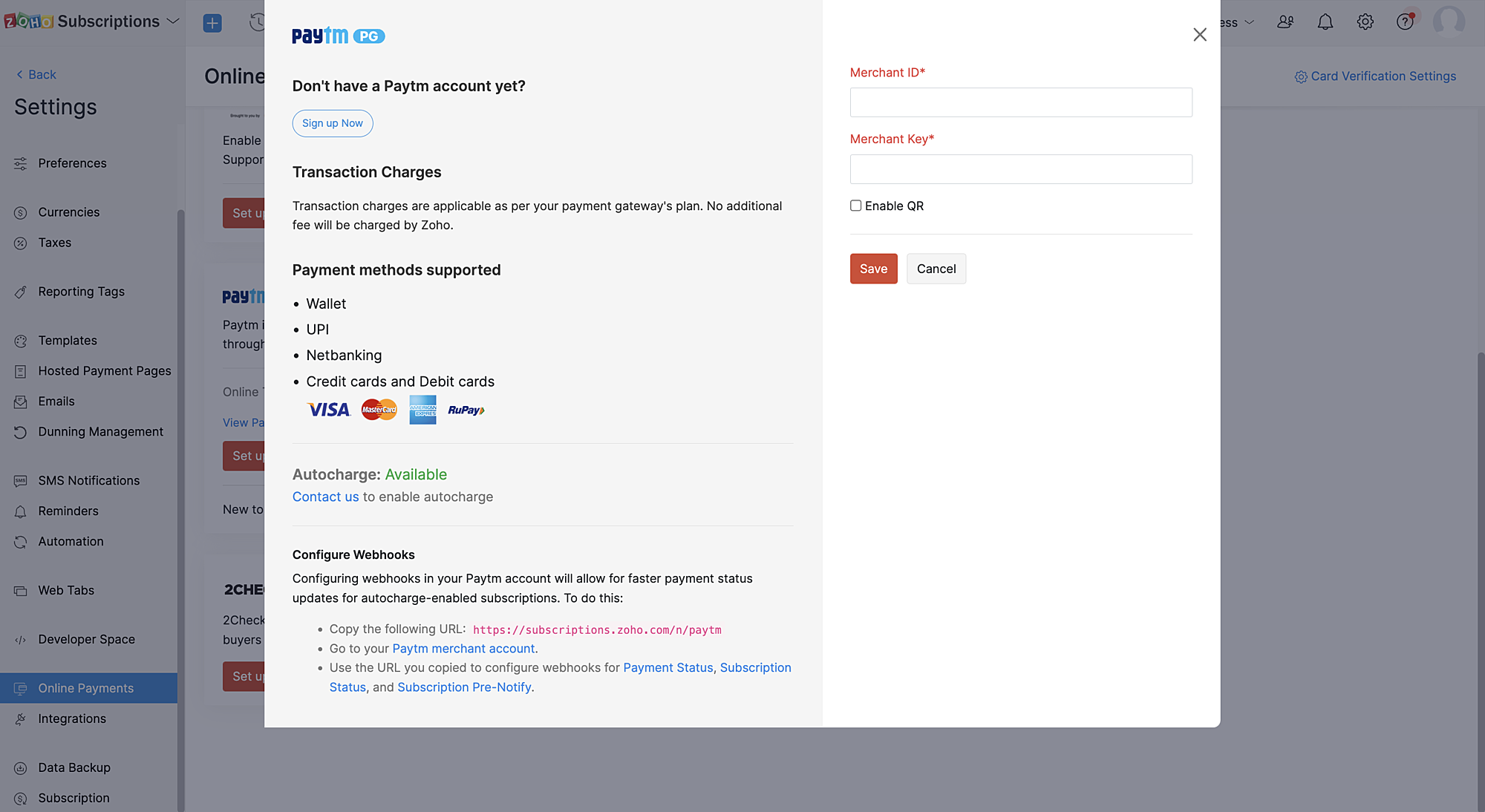
1. If you have a Zoho Subscriptions organization with a Paytm merchant account, you can contact Zoho Subscriptions via support and provide your Paytm merchant ID (MID) to enable the Paytm Subscriptions (recurring transactions) feature.
2. Once Paytm Subscriptions is enabled for the merchant account integrated with Zoho Subscriptions, the Zoho team will receive a confirmation from Paytm.
3. Our support team will send you a confirmation that Paytm Subscriptions is enabled for your merchant ID after which you have to configure a webhook in Paytm (IPN) for instant updates of payment statuses.
How do recurring transactions work with the Zoho Subscriptions - Paytm integration?
Create subscription workflow:
1. Recurring transactions via Paytm can be created only through the Zoho Subscriptions hosted payment pages.
2. Customers can choose any supported recurring payment mode for the merchant to initiate and complete the recurring transaction.
Note: Not all payment modes are supported for recurring payments by default. Paytm merchants can get in touch with the Paytm team to learn about enabling specific payment modes (cards, UPI, Paytm Wallet) for your merchant account.
Subscription renewal workflow:
1. Two days before the subscription renewal date, a pre-debit notification will be sent to the customer.
2. This pre-debit notification process is mandatory as per RBI regulations for processing auto-renewal transactions. Hence, we recommend a minimum of two days between each payment retry as it's necessary for processing dunning retries properly.
3. Since there is a need to notify customers 48 hours before a payment is debited, if the payment fails on the subscription renewal date, the subsequent automatic dunning retries should also be set at least three days from the payment failure date in Zoho Subscriptions.
Cancel subscription workflow:
On cancelling the subscription, the corresponding mandate in Paytm will also be cancelled.
Note: Updating subscriptions are not allowed for online subscriptions created with this method as the payment amount cannot be changed as per RBI regulations.
We hope this helps you understand our latest enhancement to the Zoho Subscriptions - Paytm integration. Please write to us at support@zohosubscriptions.com if you need any assistance regarding this feature.
Best regards,
Ramraj | Zoho Subscriptions team
Topic Participants
Ramraj
Sticky Posts
What's New in Zoho Billing - February 2024
Hello everyone, We are excited to share the first set of updates for Zoho Billing in 2024. Read along to know more about a wide range of updates, from the Aging Summary in customer statements to Apple Pay support in Stripe. One-Time Invoice with PlansZoho Finance Workshop 2023 is coming to the USA. Get exclusive training on Zoho Finance apps, one-on-ones, and more.
Hello all, We'd like to invite you to our biggest Zoho Finance workshop in the United States. After a brief break, we are excited to be back. This year, we're bringing together our customers and community members for two days of curated hands-on sessions,Zoho Subscriptions wins IDC's 2020 SaaS CSAT Award for Subscription Billing
Dear customers, We're excited to share that Zoho Subscriptions has won IDC's 2020 SaaS Customer Satisfaction Award! As a team, we cherish each and every milestone with our customer community. And this particular award, focusing on customer satisfaction,Introducing: SMS notifications via Zoho Subscriptions
Dear customers, We hope you are doing well! We are happy to announce that you can now send SMS notifications to your customers right from Zoho Subscriptions. To facilitate this, we've integrated with Twilio, a leader in the business communication space.What's new this December in Zoho Subscriptions
The year is almost over and we here at Zoho Subscriptions have released new features and updates on the month of November. Let's take a look at the features we have worked on in the past month. Zendesk Integration The Zoho Subscriptions app for Zendesk allows your customer support executive to access customer details in an instant. You will be able to view the customer information from Zoho Subscriptions right from your ticket view. On enabling the integration, you will be able to: Get your customer
Recent Topics
Zoho Social - Cliq Integration / Bot
Dear community / zoho, I am looking for a way to create a bot within Zoho Cliq to update my colleagues about our Zoho Social activities. For example, if a new post is published, it would be great if this post automatically would be shared in our socialComment to DM Automation
Comment to DM automation feature in Zoho Marketing Automation, similar to what tools like ManyChat offer. Use case: When a user comments on a social media post (Instagram / Facebook), the system should automatically: Send a private DM to the user CaptureSend / Send & Close keyboard shortcuts
Hello! My team is so close to using Zoho Desk with just the keyboard. Keyboard shortcuts really help us to be more efficient -- saving a second or two over thousands of tickets adds up quickly. It seems like the keyboard shortcuts in Desk are only forHandling Agent Transfer from Marketing Automation Journey to SalesIQ WhatsApp
We are currently using Marketing Automation for WhatsApp marketing, and the features are great so far We have a scenario where, during a campaign or journey, we give customers an option to chat with our sales team. For this, we are using SalesIQ WhatsAppTransfer Amount from One Vendor to Another Vendor
One of the vendors, who has a balance with us, has closed the business and has started a new business; Now he wants me to transfer the outstanding from the old account to the new Vendor Account. I am trying to do this using Payment Settlement a/c, ButWebinar - Getting Started with Zoho LandingPage
Want to launch landing pages that support real marketing goals? This webinar is designed to help you understand the role landing pages play in your overall campaigns and how they contribute to lead generation and conversions. During this session, you’llIncrease Round Robin Scheduler Frequency in Zoho Desk
Dear Zoho Desk Team, We hope this message finds you well. We would like to request an enhancement to the Round Robin Scheduler in Zoho Desk to better address ticket assignment efficiency. Current Behavior At present, the Round Robin Scheduler operatesZoho mail to contacts and leads, but not to accounts?
We use the accounts tab a lot for our business because they can be linked to the sales orders. Now we want to use the mail add on to link communication of our emails to our accounts. However this is only possible for contacts and leads? It would be convenientMarketing Tip #19: Upsell on product page to increase order value
Upselling doesn’t have to feel pushy. It can actually feel helpful when done right. Think "people also bought", upgrades, add-ons, or complementary items. A smart upsell increases your average order value and improves the customer experience by makingCRM limit reached: only 2 subforms can be created
we recently stumbled upon a limit of 2 subforms per module. while we found a workaround on this occasion, only 2 subforms can be quite limiting in an enterprise setting. @Anonymous User I've read about imminent increase of other components (e.Kaizen #198: Using Client Script for Custom Validation in Blueprint
Nearing 200th Kaizen Post – 1 More to the Big Two-Oh-Oh! Do you have any questions, suggestions, or topics you would like us to cover in future posts? Your insights and suggestions help us shape future content and make this series better for everyone.Removing Tables from HTML Inventory Templates - headers, footers and page number tags only?
I'm a bit confused by the update that is coming to HTML Inventory Templates https://help.zoho.com/portal/en/kb/crm-nextgen/customize-crm-account/customizing-templates/articles/nextgen-update-your-html-inventory-templates-for-pdf-generator-upgrade It saysAbility to Link Reported Issues from Zoho Desk to Specific Tasks or Subtasks in Zoho Projects
Hi Zoho Desk Team, Hope you're doing well. When reporting a bug from Zoho Desk to Zoho Projects, we’ve noticed that it’s currently not possible to select an existing task or subtask to associate the issue with. However, when working directly inside ZohoHow do i move multiple tickets to a different department?
Hello, i have several tickets that have been assigned to the wrong department. I am talking about hundreds of automatically generated ones that come from a separate system. How can i select them all at once to move them to another department in one go? I can select them in "unsassigned open tickets view" but i can't find a "move to another department" option. I also can't seem to assign multiple tickets to the same agent in that same view. Could somebody advice?Capture Bank Charges for Invoice Payments
We've added the Bank Charges field in the "Add Payments" page both in Zoho Invoice & Zoho Books. So all you need to do is to enter the bank charges when you record a payment for the invoices. This bank charge will be included to the amount paid for that invoice. Steps to add the bank charges while you record the payment: 1. Click the "Invoices" sub-tab under the "Money-In" tab. 2. Click the 'add payment' link for the invoice that you wish to record the payment for. 3. On the addHow to apply customized Zoho Crm Home Page to all users?
I have tried to study manuals and play with Zoho CRM but haven't found a way how to apply customized Zoho CRM Home Page as a (default) home page for other CRM users.. How that can be done, if possible? - kipi Moderation Update: Currently, each user hasPlug Sample #14: Automate Invoice Queries with SalesIQ Chatbot
Hi everyone! We're back with a powerful plug to make your Zobot smarter and your support faster. This time, we're solving a common friction point for finance teams by giving customers quick access to their invoices. We are going to be automating invoiceEnrich your contact and company details automatically using the Data Enrichment topping
Greetings, I hope you're all doing well. We're happy to announce the latest topping we've added to Bigin: The Data Enrichment topping, powered by WebAmigo. This topping helps you automatically enhance your contact and company records in Bigin. By leveragingZoho Billing Partial Proration...
Hi, In Zoho billing, we offer upgrades, downgrades, suspends, and resumes. We use online payment for most subscriptions, but have only a few that are offline, but we treat them the same either way.. We prorate only parts of these changes.. Right now zohoReconciling a month with no transactions
I'm treasurer for a small non profit cemetery association and I'm trying to reconcile a bank statement for a month that did not have any transactions. Do I skip the month entirely and go a month with transactions?Getting Subform Fields to Display Top to Bottom
I have a form where the fields are all in one column. I want to insert a subform where the fields are stacked in one column as well. I have built both the form and subform but the subform displays the fields from left to right instead of a stacked column. This will cause a problem displaying the subform correctly on mobile apps. How can I do this please?' Here is my form with subform now. As you can see the subform "Follow Up Activity" is displaying the fields left to right. I need them to go top[Feature Deprecated] Gamescope in Zoho Projects
This feature is no longer available. All work and no play makes Jack a dull boy. Well, yes. That's true! Tiring work, buzzing coffee makers, busy turnstiles , occupied meeting rooms, back-to-back status updates and what not. Your everyday routine need not have to be this hectic. It can be more rewarding. It can be more fun. Zoho Projects believes in this fact and hence has launched Gamescope - A module that turns every project into an exciting game and boosts the spirit of your team by leaps andCreating a task, i can not work out how to get ID for What_Id
hi From Module A function I map Module B record reference membershipid (ours). I need Module B Zoho ID to create the related to on task. All examples i've seen start with the Zoho ID. void automation.LTM_Assign_Dispute_Task(String membershipid) { tryCan't connect to POP and SMTP over VPN
I use Thunderbird to access Zoho Mail via POP and SMTP. I have configured an app-specific password for Thunderbird to use. Everything is properly configured and works correctly — until I enable my VPN. I'm using a paid commercial VPN service (Mullvad).my zoho mail is hacked
my email is sending my username and password to people i dont knowSuministrar accesos
Asunto: Enable UPLOAD_RULE for API Attachments Mensaje: Hola, Necesito habilitar la capacidad de subir attachments vía API en Zoho Mail. Actualmente recibo el error: "UPLOAD_RULE_NOT_CONFIGURED" al usar el endpoint: POST /api/accounts/{accountId}/messages/attachmentsIntroducing real-time document commenting and collaboration in Zoho Sign
Hi, there! We are delighted to introduce Document commenting, a feature that helps you communicate with your recipients more efficiently for a streamlined document signing process. Some key benefits include: Collaborate with your recipients easily withoutTicket Loop from Auto Responce
We’re seeing an issue where a client’s help desk triggers a ticket loop. When they email us, our system creates a ticket and sends the acknowledgement. Their system then creates a ticket from that acknowledgement and sends one back to us, which createsHow to make rule to filter out some emails from receiving the notification "Receiving a new ticket"?
Good Morning, We are currently using the "Receiving a new ticket" notification rule to provide that auto reply template to a customer that emails us for support. However, there are some emails we don't want to receive this auto-reply. Where can I setZoho Signatures Missing
In the past after collecting signatures from two different PDFs I would merge them by calling an api and the signatures would appear in the combined PDF. Recently the signatures have disappeared whenever I combine the PDFs together. Why did this randomlyFilter button in the Zoho Sheet Android App doesn't toggle on
I am a new Zoho Sheets user and experiencing a specific issue with the filter functionality in the Android mobile application. Detailed Issue Description: The filter icon appears correctly in the toolbar. Upon tapping the filter icon/button, the toggleAutomate pushing Zoho CRM backups into Zoho WorkDrive
Through our Zoho One subscription we have both Zoho CRM and Zoho WorkDrive. We have regular backups setup in Zoho CRM. Once the backup is created, we are notified. Since we want to keep these backups for more than 7 days, we manually download them. TheyHow to charge Convenience fee OR payment gateway charges to the end client who is paying the invoice?
Hello, I am creating this topic after having discussions with various sets of users and have understood that with people moving more and more to digital payments, it is important for the client to enable the "Convenience fee" kind of scenario. I haveExciting Updates to the Kiosk Studio Feature in Zoho CRM!
Hello Everyone, We are here again with a series of new enhancements to Kiosk Studio, designed to elevate your experience and bring even greater efficiency to your business processes. These updates build upon our ongoing commitment to making Kiosk a powerfulNew activity options for workflows
Greetings, We are excited to announce the addition of two new dynamic actions to our workflow functionality: Create Event and Schedule Call. These actions have been thoughtfully designed to enhance your workflow processes and bring more efficiency toRemove the “One Migration Per User” Limitation in Zoho WorkDrive
Hi Zoho WorkDrive Team, Hope you are doing well. We would like to raise a critical feature request regarding the Google Drive → Zoho WorkDrive migration process. Current Limitation: Zoho WorkDrive currently enforces a hard limitation: A Zoho WorkDriveKaizen #228 - Process Large-Scale Migrated Data Using Catalyst Solutions
Howdy, tech wizards! This week’s Kaizen explores how Catalyst Solutions in the Zoho CRM Developer Hub help import large volumes of data into Zoho CRM while improving data quality and simplifying the migration process. Why Catalyst Solutions? CatalystZoho Expense Import Reports Won't Work Because Default Accounts Already Exist
Im trying to import reports from another Zoho expense account to mine and im getting errors that won't allow the import to happen The account name that you've entered 'Ground Transportation' already exists. Enter another name for the account and try again.zInactive License for free account.
I recently upgraded my Cliq subscription not my team (on the free version), are unable to login to their accounts. The error message received is Inactive License Looks like you have not been covered under the current free plan of users. Please contactSyncing zoho books into zoho crm
I was wondering how I can use zoho books in crm as I have been using them separately and would like to sync the two. Is this possible and if so, how? ThanksNext Page