Function #27: Apply unused credits automatically to bills
Welcome back everyone!
In our ongoing series, we previously shared a custom function that automates the application of unused credits to your invoices. We've been listening to your feedback, and many of you have asked for a similar function to be applied to bills. And here we are today, sharing the function to automatically apply unused credits to bills. This function is executed after you create and save a bill. It automatically detects the unused credits of the vendor and applies them to offset the bill amount.
Here's a quick tip: If you want to use this function for specific bills, you can create a Check Box-type custom field that will act as a trigger to execute the function. When you create a bill, just tick this field, and the function will then be applied to that particular bill. This approach gives you the flexibility to choose when the function should be executed.

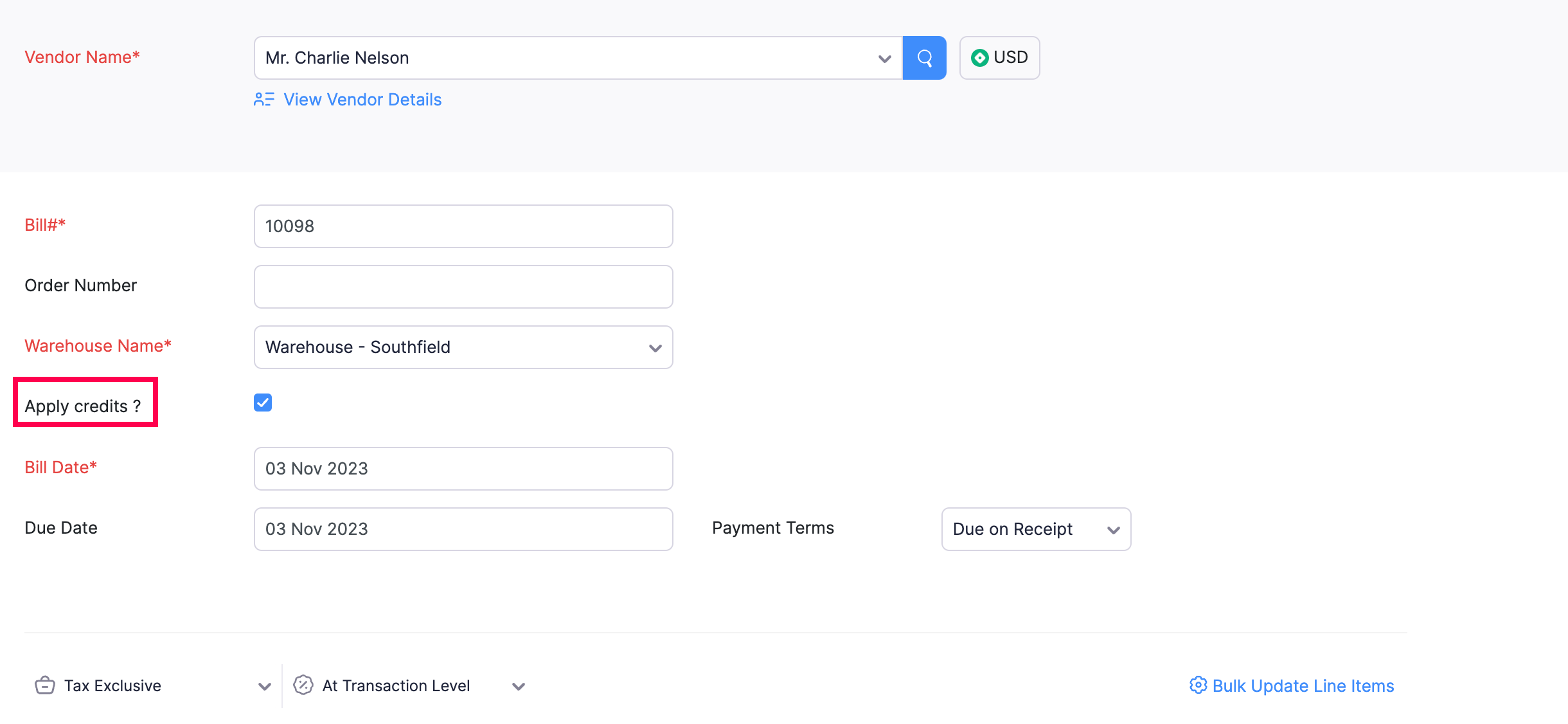
Pre-requisites:
1. Create a Connection named "zbooks" to successfully execute the function. You can watch the GIF attached below to learn how to create the connection.

Custom Function:
Navigate to Settings -> Automation -> Custom Functions -> +New Custom Function > Add the function code from this GitHub link.
Workflow Rule:
Go to Settings -> Automation -> Workflow Rules -> +New Workflow Rule and set up the workflow rule as shown below:-
1. To execute the function for all bills


2. To execute the function for specific bills


In the final step of this workflow rule, associate the custom function you created and then hit Save.
Note: To ensure a systematic approach, the application of unused credits will follow the order of excess payments first and then vendor credits.
If you've found this function helpful, give it a try and let us know your feedback. Feel free to reach out if you have any questions or need further clarification. Do check out the other custom functions shared in this series here.
Regards,
Shireen Farhana S
Shireen Farhana S
Zoho Books