Host Group Appointments Online in Zoho Bookings
Greetings from the Zoho Bookings team!
We’re excited to announce a new enhancement to Group Booking that makes hosting online group events smoother and more professional than ever. You can now conduct online group events with auto-generated meeting links and calendar invites, ensuring everyone joins at the right time, without any manual follow-ups.
What’s new in Online Group Booking?
Online meeting mode for group events: You can now choose Online as the meeting mode while creating a group event. When selected, Zoho Bookings lists all the video conferencing tools integrated with your workspace, allowing you to pick the one that best fits your needs.
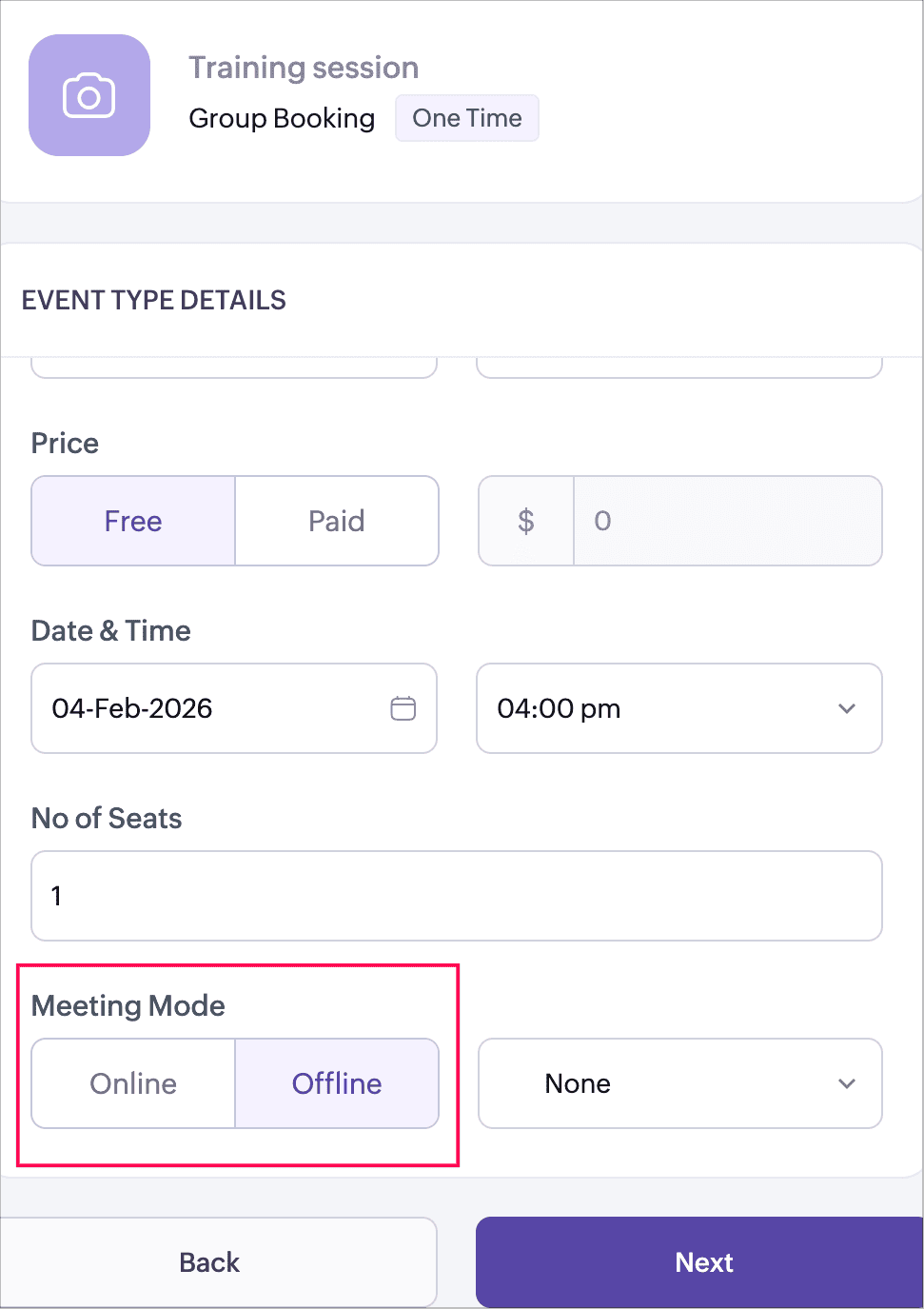
Automatic meeting link generation: Once an online meeting platform is selected, Zoho Bookings automatically generates the meeting link based on the event and session type. There’s no need to create or manage meeting links manually.
The meeting link behavior varies based on the group booking type:
- One-time group booking: A single meeting link is created and shared with all participants for the session.
- Recurring drop-in group booking: A unique meeting link is generated for each session. Participants receive the corresponding meeting link for the session they book.
- Recurring series group booking: A single meeting link is created and shared across all sessions in the series.
This ensures the right meeting link is always shared, based on how the group event is structured.
Calendar invites for host and participants: Calendar invites are automatically sent when a booking is confirmed:
- For host (booking users): Calendar invites include the meeting link and the list of participants.
- For customers: Calendar invites include the meeting link along with their booking details.
This ensures everyone has instant access to the session details and can join the meeting on time.
Offline meetings continue to work as before: If you choose Offline as the meeting mode, Zoho Bookings will list the in-person locations added under your workspace. You can select an existing location or add a new one using the + New Location option.
Why this matters
- Perfect for webinars, training sessions, demos, and online classes
- Eliminates manual meeting link sharing
- Keeps hosts and participants aligned with automatic calendar reminders
- Offers a consistent and professional booking experience for group events
Help documentation: For detailed steps and configuration options, refer to the help document.
We believe this enhancement will make managing online group events simpler, faster, and more reliable. As always, we’d love to hear your feedback. Kindly drop a comment below or reach out to us anytime. Stay tuned for more exciting updates!
Regards,
The Zoho Bookings Team