Introducing Multi-Asset Support in Work Orders, Estimates, and Service Appointments
We’re excited to announce a highly requested enhancement in Zoho FSM — you can now associate multiple assets with Work Orders, Estimates, and Service Appointments. This update brings more clarity, flexibility, and control to your field service operations, especially for businesses that service several assets during a single visit.
Why Multi-Asset Support Matters
Many service teams handle jobs where field agent work on multiple assets at the same location — an HVAC system with several units, multiple appliances in a home, or various machines on a factory floor. Until now, Zoho FSM allowed just one asset to be linked to a work order, estimate, or service appointment.
With this update, those constraints are gone.
What Has Changed?
A new transaction setting, Asset on Service Line Items, has been added. When this setting is enabled, you can achieve the following:
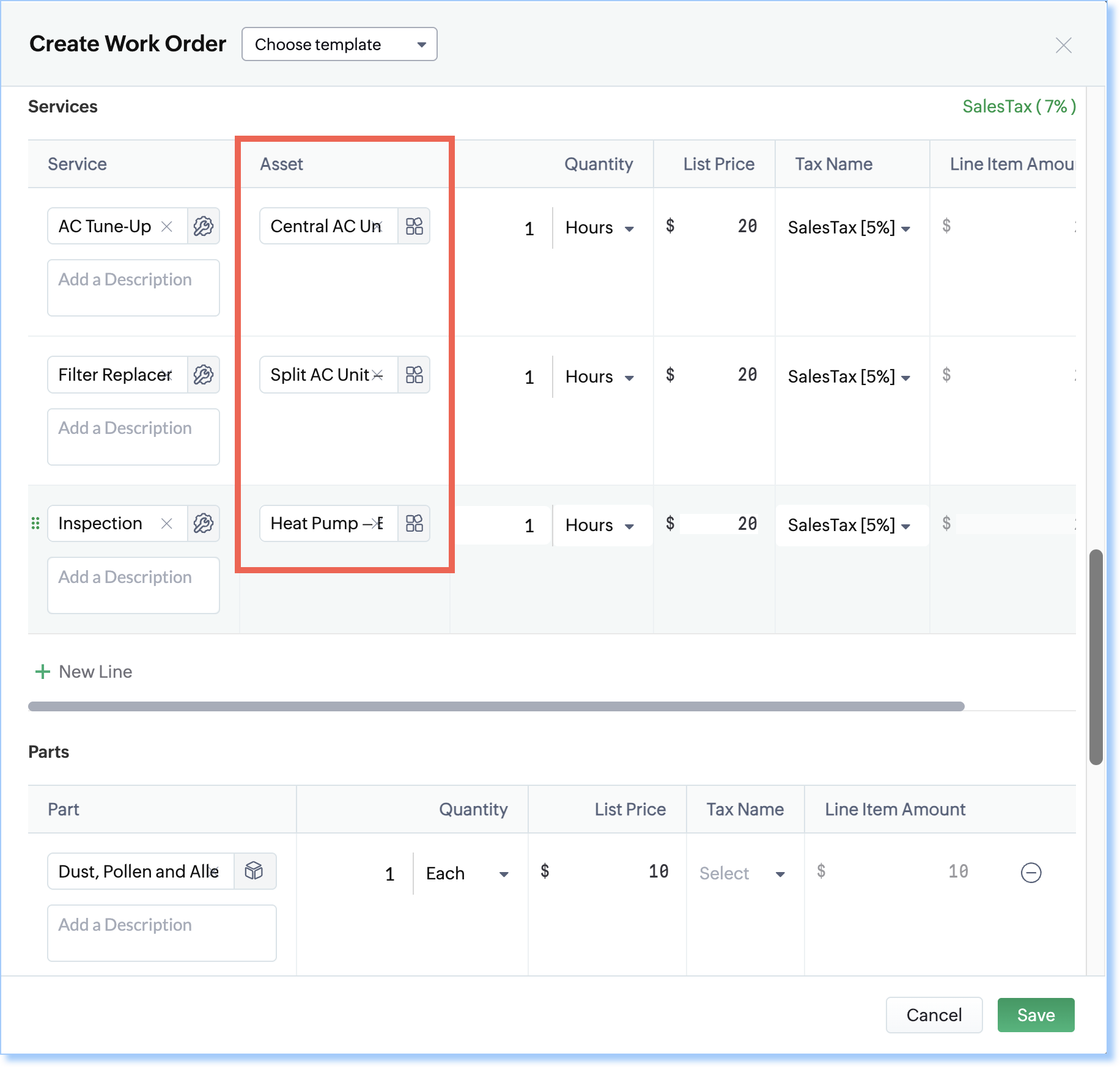
1. Asset Selection at the Service Line-Item Level
Each service line item in Estimates, Work Orders, or Service Appointments can now be tied to a specific asset.
2. Improved Asset History and Traceability
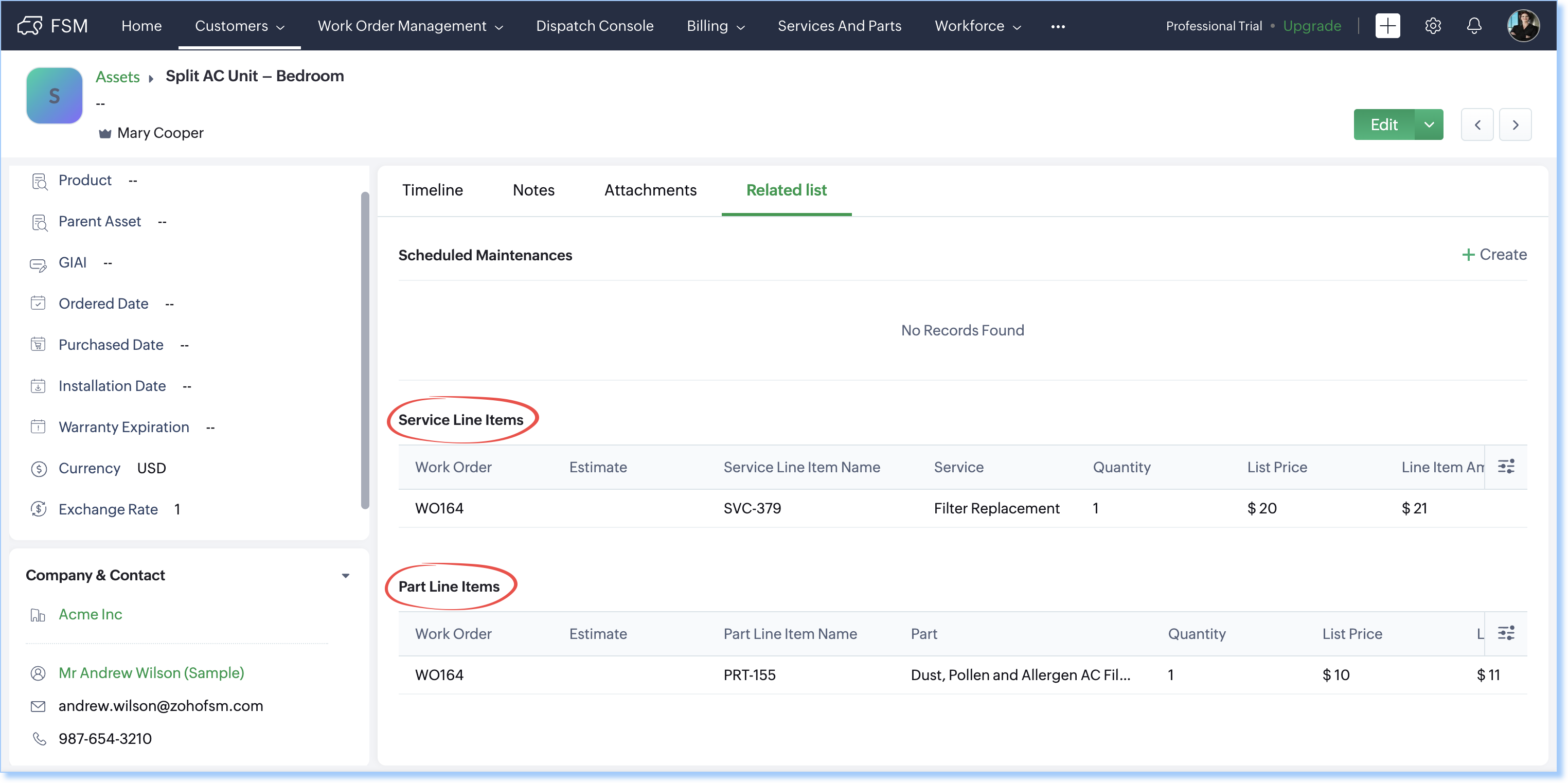
- The Service Line Items related list in the asset record will display every service performed on it.
- The Part Line Items related list in the asset record will show the parts used for those services.
An Example
Hot&Cold, an HVAC service company, provides annual maintenance for residential customers. One of their customers, Sarah, has three HVAC-related assets at her home for which the following services need to be performed:
Service Name | Asset |
AC Tune-Up | Central AC Unit – Living Room |
Filter Replacement | Split AC Unit – Bedroom |
Inspection | Heat Pump – Basement |
With multi-asset support:
- Within the same work order, each service—such as AC Tune-Up, Filter Replacement, or Inspection can be linked to the correct asset.
- Any parts used are also tied directly to that asset.
- The asset’s history becomes richer, more accurate, and more useful.
If you have any questions or feedback, feel free to leave a comment below or write to us at support@zohofsm.com.