Kaizen 249: Build an AI Room Recommendation Assistant with CRM Widgets, Catalyst, and Zia Agent

Welcome to another week of Kaizen!
This Kaizen post is inspired in part by Zoho CRM’s hospitality use-case article, which presents a broader AI-powered CRM approach for guest personalization and hotel operations. That use case spans additional scenarios such as identity validation, self check-in, and competitor bench marking, whereas this Kaizen focuses specifically on building a guest room recommendation assistant using Zoho CRM Widgets, Catalyst, and Zia Agents.
In the hospitality business, every guest interaction is an opportunity to create a lasting impression. Returning guests expect hotels to remember their preferences, anticipate their needs, and personalize each stay.
Business Problem
Imagine a front desk executive opening a guest's CRM record before check-in. The CRM record contains details from previous stays, room preferences, and special requests.
Consider this guest profile of Ms. Elene Martinez.
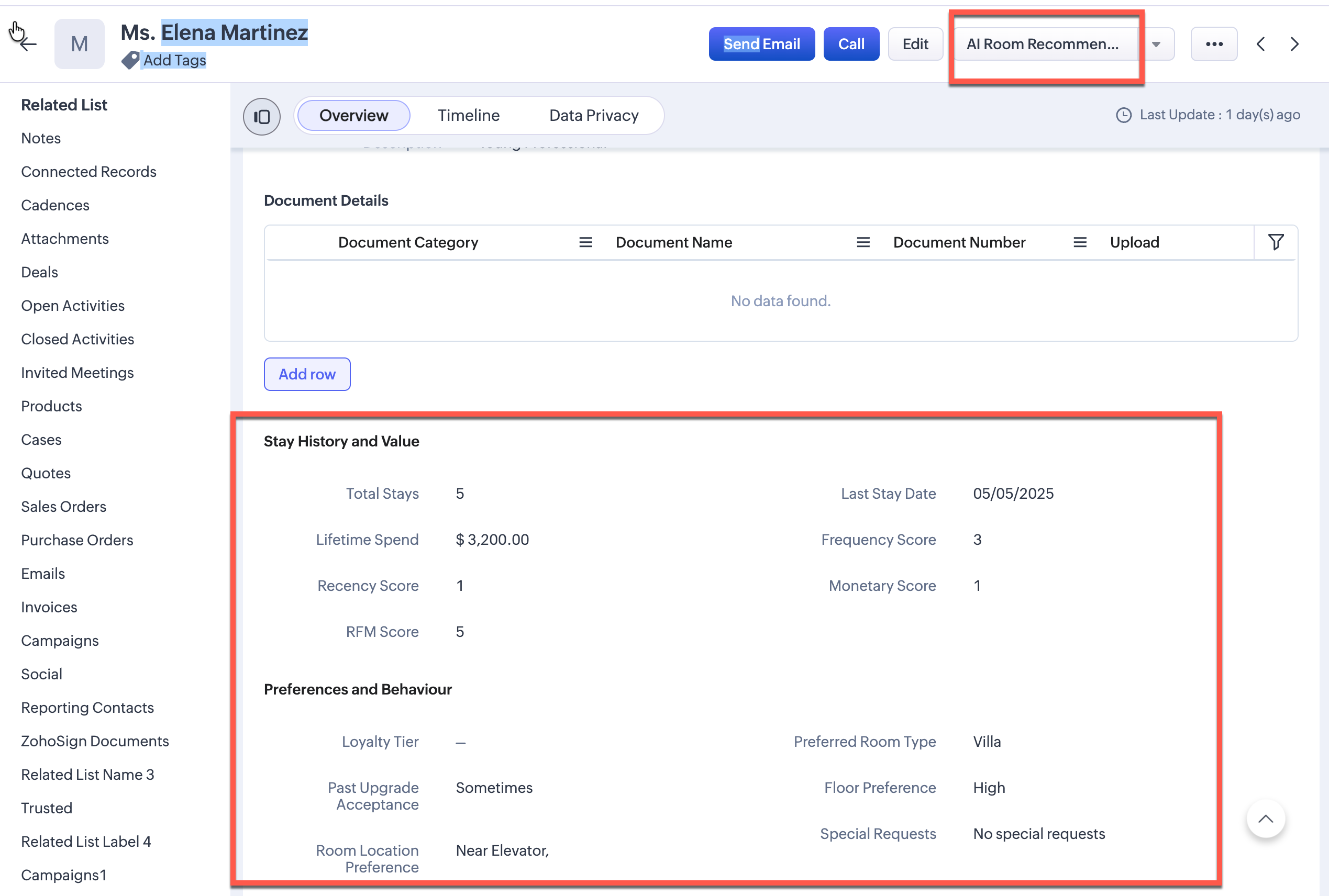
These are the key points the record:
- 5 previous stays
- High lifetime spend
- A preference for rooms near elevator
The hotel has dozens of available rooms. If dozens of rooms are available, which one should be assigned to her?
While all the required data already exists in CRM, the executive still has to review the guest profile manually, compare it against available rooms, remember special requests, and make the best possible decision. This process is time-consuming and tedious.
Solution
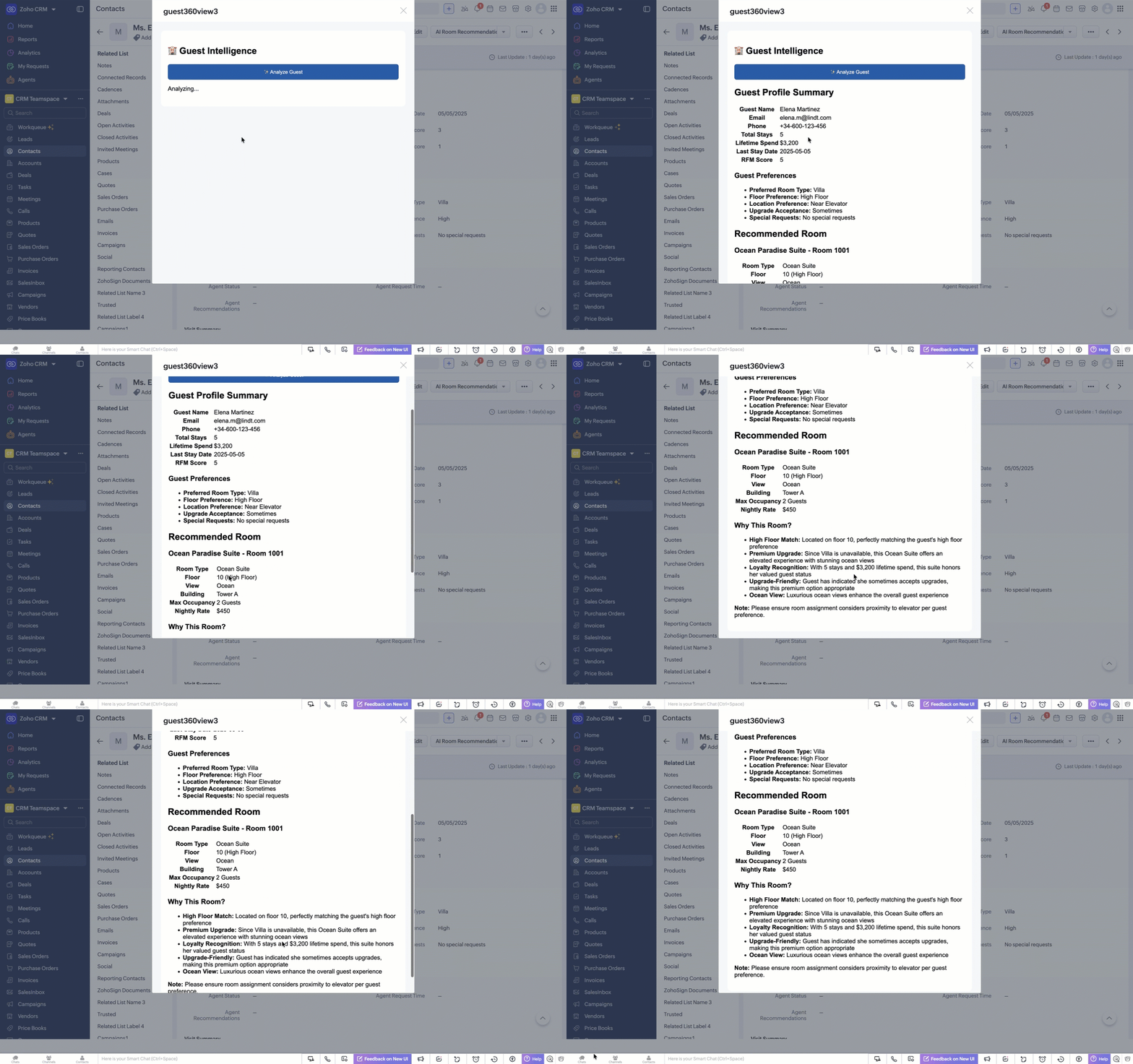
Instead of relying on manual analysis, we can delegate this reasoning to an AI agent. A front desk executive can simply click the button AI Room Recommendation Then, by clicking on Analyze Guest, the user can trigger a Zia Agent that will review the guest profile, evaluate the available rooms, and generate a recommendation within seconds.
In this Kaizen post, we will combine Zoho CRM Widgets, Catalyst Functions, Catalyst Connections, and Zia Agent to build an intelligent assistant that generates personalized room recommendations directly inside Zoho CRM.
We will place a custom button, AI Room Recommendation, inside the Contact record. When clicked, it opens a CRM widget where the executive can analyze the guest and view the recommendation.
When the front desk executive clicks Analyze Guest, the system will:
- Identify the current guest
- Retrieve the guest profile from CRM
- Send the guest context to a Zia Agent
- Allow the agent to fetch additional CRM data using CRM tools
- Generate a personalized room recommendation
- Display the result inside the CRM widget
Architecture
This solution has four parts:
- Zoho CRM Widget – captures the current Contact ID and displays the recommendation
- Catalyst Advanced I/O Function – receives the Contact ID and triggers the Zia Agent
- Catalyst Connection – securely manages authentication for the Zia Agent API
- Zia Agent – fetches CRM data, reasons over guest preferences and room availability, and returns the recommendation as HTML
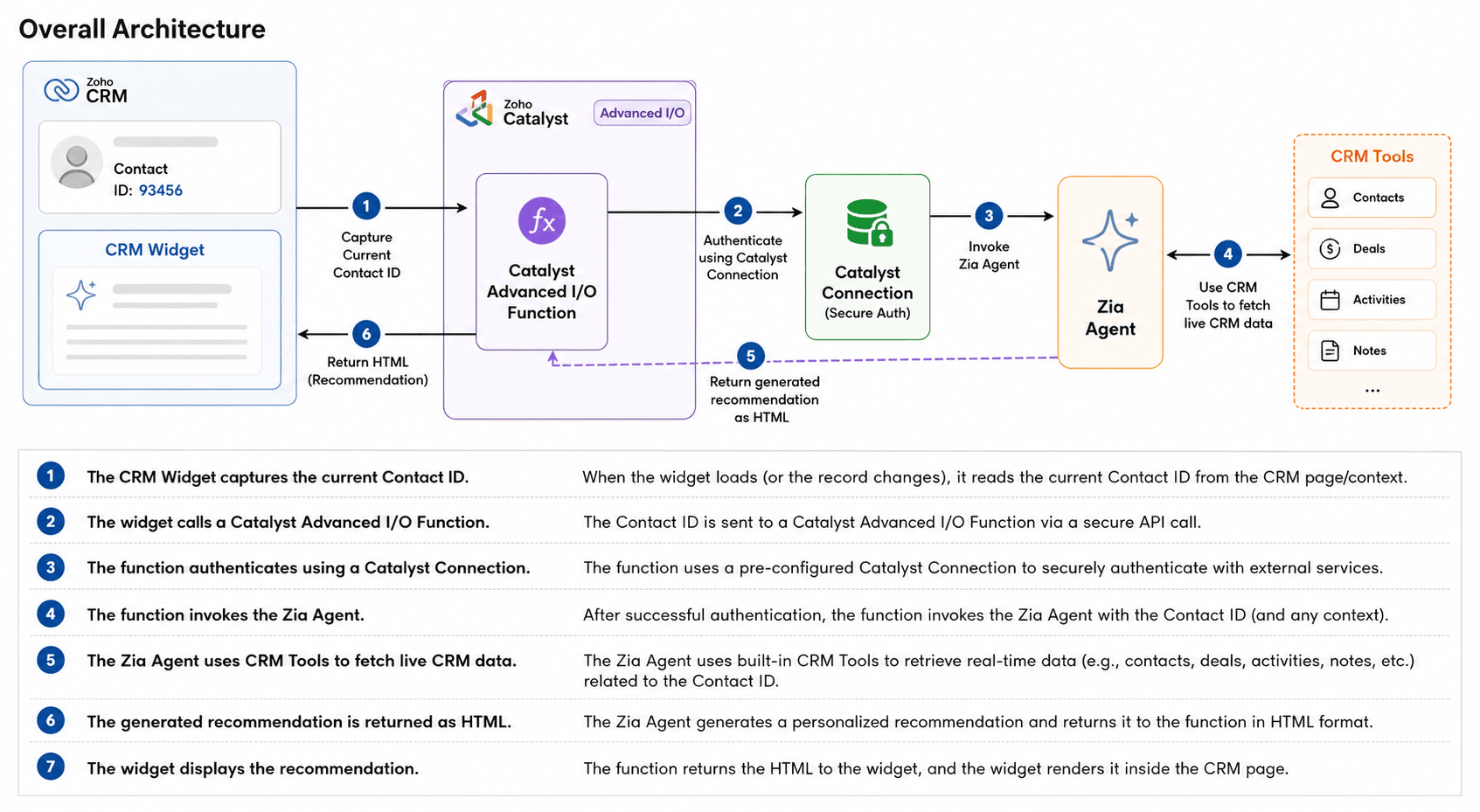
Although a Zia Agent can be invoked directly from a custom button, in this solution we use a Zoho CRM widget and Catalyst function. This gives us more flexibility for future customization, such as returning additional data like the recommended room ID, integrating a booking action, applying business rules, etc.
Implementation
Step 1 – Create a Zia Agent
Create a Zia Agent that can recommend the best room for a guest based on their CRM profile.
The agent should have access to the required CRM tools, such as:
- crm_getRecordById to fetch the Contact record
- crm_getRecords to retrieve records from the rooms module
Agent Prompt:
The prompt is sent from the Catalyst Function.
Agent Instructions:
Provide agent instructions based on your module and field details.
**Guest Profile Data Structure (from Contacts module):** Each guest profile has these fields: - First_Name: Guest's first name (e.g., "Michael") - Last_Name: Guest's last name (e.g., "O'Brien") - Full_Name: Combine First_Name + " " + Last_Name for display - Email: Guest's email address - Phone: Guest's phone number - Loyalty_Tier: Diamond, Platinum, Gold, Silver, Bronze - Total_Stays: Number of completed stays - Lifetime_Spend: Total revenue from this guest in USD - Last_Stay_Date: Date of most recent stay (YYYY-MM-DD) - Preferred_Room_Type: Guest's preferred room category - Past_Upgrade_Acceptance: Always, Sometimes, Never - Floor_Preference: High Floor, Mid Floor, Low Floor, Any Floor - Room_Location_Preference: Quiet Area, Near Elevator, Pool View, Garden View, Ocean View, Beach View, City View - Special_Requests: Any special requests (multi-line text) - RFM_Score: Combined Recency, Frequency, Monetary score (max 15) **Available Rooms Data Structure (from Rooms module):** Each room in the availableRooms list has these fields: - Name: The room's display name - Room_Number: Physical room number - Room_Type: Category (e.g., "Ocean Suite", "Executive Suite") - Floor_Number: The floor the room is on - Building_Wing: Building identifier - Max_Occupancy: Maximum guests allowed - Base_Price: Nightly rate in USD - View_Type: View from the room (e.g., "Ocean", "City", "Garden") |
You can test the agent directly in the test bed.

Once the response is validated, Deploy the agent using connection to Zoho CRM.
Deploying the agent creates a new Agent Version that can be invoked through the Zia Agents Trigger API. Your Catalyst function calls this deployed version whenever a user clicks Analyze Guest in the CRM widget.
In the deployed Zia Agent configuration, these CRM tools, crm_getRecordById and crm_getRecords, are attached to the agent, so when the Catalyst function triggers the agent with the Contact ID, the agent can independently fetch both the guest detail from Contacts module and the available room inventory from Rooms module.
Step 2 – Create the Catalyst Project
Create a Catalyst project to host the server-side logic.
In this solution, a Catalyst Advanced I/O Function (NodeJS stack) is used to:
- receive the Contact ID from the CRM widget
- invoke the Zia Agent
- return the generated HTML back to the widget
Using a Catalyst function keeps the widget free from business logic. It is also easier to maintain and avoids exposing credentials in the browser. Since the Zia Agent response is asynchronous, the Catalyst function is a good place to handle the request lifecycle and error management. You can find the Catalyst function call in the Kaizen github repository. Replace the Zia Agent org id and api end point in the function.
Expose the Advanced I/O Function through Catalyst > Cloud Scale > API Gateway.
This provides an endpoint that can be called directly from the CRM widget.
Step 3 – Secure Authentication with Catalyst Connections
The Catalyst function needs to invoke a protected Zia Agent API. Instead of embedding OAuth tokens in code, we will create a Catalyst Connection. Create a Connection "ziaagent" in Catalyst for Zia Agent.
Grant the required scope: ZiaAgents.agents.TRIGGER

This keeps authentication centralized and secure.
Step 4 – Create the CRM widget
We use a button-type CRM widget because we want the recommendation to appear directly alongside the guest record.
Using the Widget SDK, the current Contact ID is captured.
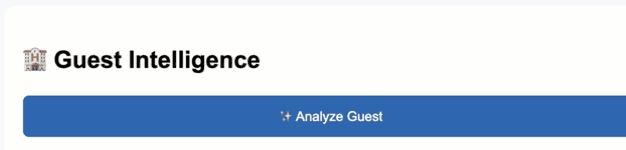
When the user clicks “Analyze Guest” in the widget, it shows a loading message and sends a POST request to your Catalyst serverless function endpoint with { contactId } as JSON. When the Catalyst function returns a successful response, the widget renders the returned HTML on the screen. You can find the widget code in Kaizen github repository. Replace with the Catalyst serverless function URL in the widget code.
The widget sends only one value:
Contact ID
The Catalyst function forwards it to the Zia Agent:
systemArgs: {
crm_getRecordById: {
record_id: contactId
}
}
As the response is rendered inside a CRM widget, the Zia Agent is instructed to return HTML instead of Markdown. This allows the widget to display the recommendation directly without any additional parsing or formatting.
Final Experience
Now, when the front desk executive clicks Analyze Guest, the assistant:
- reviews the guest profile
- reasons over CRM and room availability data
- recommends the best available room
- explains the rationale behind the choice
- suggests alternative options
All of this happens within a few seconds, directly inside Zoho CRM.
Conclusion
By combining Zoho CRM widgets, Catalyst function, Catalyst Connections, and Zia Agent, we built an AI-powered assistant that transforms guest data into actionable recommendations without leaving CRM.
Although our example focuses on hospitality, the same architecture can power intelligent assistants for sales, customer support, insurance, healthcare, and many other domains where AI needs to reason over CRM data. For example:
- Sales: An AI sales coach that analyzes customer interactions, open deals, past purchases, and activities to recommend the next best action, identify upsell opportunities, or generate personalized follow-up emails.
- Customer Support: A support assistant that reviews previous tickets, product history, and customer sentiment to suggest troubleshooting steps, draft responses, or recommend escalation when necessary.
- Insurance: An underwriting or claims assistant that retrieves policy details, claim history, and customer interactions to summarize cases, identify missing documents, and recommend the next processing step.
- Healthcare: A patient engagement assistant that uses appointment history, care plans, and previous interactions to generate follow-up recommendations, appointment reminders, or personalized wellness guidance.
We hope this Kaizen post is useful. If you have questions or suggestions, share them in the comments.
