Marketer's Space: Proven tips to improve open rates – III | Online Help - Zoho Campaigns

Marketer's Space: Proven tips to improve open rates – III | Online Help - Zoho Campaigns

Hello Marketers!

Welcome back to another post in Marketer's Space!

This is the final post in the "open rate series". In the first and second parts, we discussed topics ranging from sender domains to pre-headers—but we're not done yet. A few more important topics await you in this post. Let's dive right in.

Personalized content

Personalization is important in email marketing—but it doesn't end simply with addressing your contacts by their first names. It's much more than that. You have to tailor your entire campaign—from design to content—in order for it to click with them.

Here's what the path of personalization looks like:

 
  • Request contacts' preferences after they sign up. Zoho Campaigns automatically sends a double opt-in form after contacts sign up (if enabled) in which they can update their preferences and topics.
  • Send campaigns to these contacts, as they're the ones who've shown real interest in what you're offering.
  • Track metrics like opens, product views, and link clicks. Zoho Campaigns' Reports module is your best friend.
  • Segment contacts based on these behaviors and send targeted campaigns to these segments.
  • Further refine your sending practices by creating content variations dynamically, determining the frequency at which they want to receive campaigns, and optimal send times.
 
Dynamic content

Dynamic content is another form of personalization, where the content changes dynamically depending on who opens and views the campaigns.

Let's say an ecommerce brand runs a Diwali sale using an email campaign.

Based on past behavior, electronics shoppers see gadget deals, fashion shoppers see festive wear, and inactive users see a comeback offer—all within the same email. Images, headlines, offers, and CTAs automatically change for each contact.

The marketer sends one campaign, but every recipient sees content tailored to their interests, which make the emails feel personal and relevant.

The Dynamic Content element in Zoho Campaigns' templates does all the heavy lifting for you.


It's effortless to set up; you just need to drag-drop the elment's variant, set the conditions, and see the magic.

Check out our ebook on personalization for more details.

Multi-device and multi-client responsiveness

These days, you may look at your mobile phone more than your laptop or desktop. Accordingly, as a marketer, you should design your campaigns so that they're responsive across multiple device types, like laptops, mobile phones, and tablets. Here are some quick tips for creating responsive campaigns for multiple devices and multiple email clients (like Gmail, Outlook, and Yahoo).

Imagine your contacts open your campaigns but find images loading too slowly, cramped content, unclickable CTAs, or broken layouts when viewing via their phones. They won't open your campaigns again if these issues persist—which leads to poor open rates.

Here are some ways you can design your campaigns to be responsive across different devices and email clients:
  • Make mobile your priority: Use single-column layouts, readable font sizes, and tap-friendly buttons to ensure smooth mobile experiences. Prevent any stray taps from your contacts by leaving sizable space surrounding your buttons.
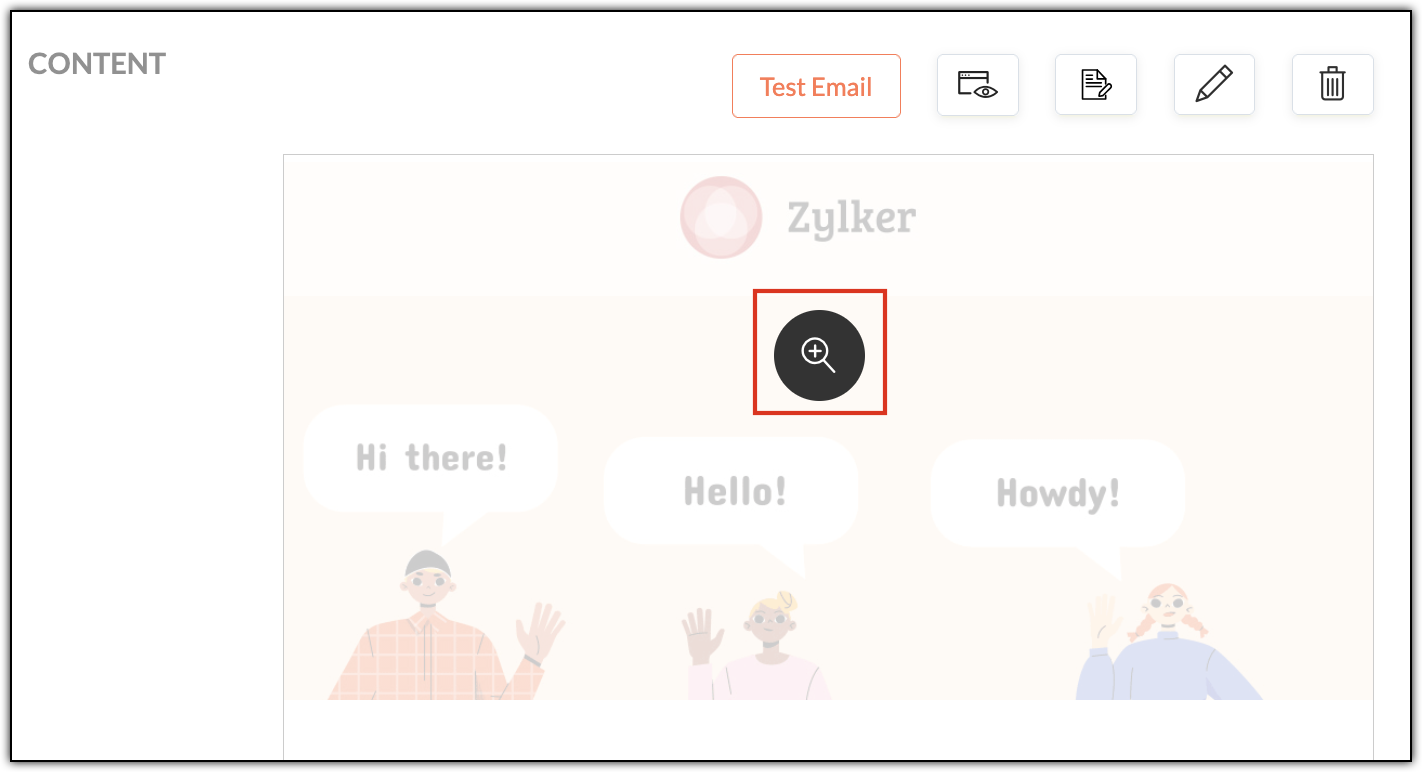
  • Always preview: Use Zoho Campaigns' built-in desktop and mobile previews to catch layout issues before sending. Click each campaign's magnifier button (in the Content section) to preview for desktop and mobile.


  • Send test emails: Open test emails in real inboxes (Gmail, Outlook, Yahoo) across both laptop and mobile devices. Create test accounts in these email clients and send campaigns to yourself.
  • Pay extra attention to Outlook: Outlook handles HTML differently and often needs special testing.
  • Granular checks: Validate links, images, alt text, and dark mode visibility before hitting send. Don't upload high resolution images, as it'll increase your emails' load times when your contacts first open them.
  • 60:40 ratio: Generally, maintaining a ratio of 60% text and 40% images in your campaigns is recommended. While this ratio doesn't have a direct contribution to open rates, it does improve loading speeds, accessibility, and inbox trust—all of which do contribute directly to open rates.
Multi-device testing makes sure your campaigns works across varying screen sizes, while multi-client testing ensures they render correctly across different email clients. Both are essential, as different email clients interpret HTML differently.

A/B testing

A/B testing helps you make smarter email decisions by letting actual contacts vote without realizing it. Instead of guessing about what works, you can create two versions of the same campaign that differ in one key way (such as their subject line, CTA, or send time) and then send them to different (but equal) portions of your contacts. The version that gets more opens or clicks is the winner—and you can then send it to your remaining contacts.

For example, let's say Patricia from Zylker Fashions is launching a weekend sale. Version A uses the subject line "Weekend sale is live", while Version B says "Your weekend savings start now". She sends both to roughly 10% of her list. After a few hours, Version B gets higher opens, so she automatically sends it to the remaining 80%. Over time, repeating such tests helps her consistently improve engagement and results.

Remember that your target contacts are often based on demographics, geography, and behavior, so test results from one group may not reflect the reactions of another.


Zoho Campaigns has a specific A/B Testing campaign feature you can use when you create email campaigns.

Send-time optimization

Let's say you're based in the US and have customers all over the globe. You want to send a campaign to your UK contacts, but you don't want to send it in the middle of the night; it might put them off. More often than not, these emails will go unopened. Instead you should schedule it to arrive at a specific time—in their specific time zone—when they're most likely to open it.

Zoho Campaigns offers this functionality. After designing your campaign with our template builder, you're ready to send it. You can choose between Send Immediately and Send Later. Upon choosing the latter, you can select either the Recipients' Time Zone and Recipients' Optimal Open Time, among other options.


The recipient's time zones are determined by whatever contact data you have, such as their country. Optimal open times, on the other hand, are based on the recipients' past engagement histories, such as when they usually open emails.

With that, we've come to the end of this three-part series.

Improving open rates is all about being consistent. We covered a wide range of topics, from sender domains and subject lines to pre-headers, personalization, dynamic content, testing, and send-time optimization.

Until next time. Happy marketing!


Kind regards,
Sai Prashanth
User Education
Zoho Campaigns


      Zoho Campaigns Resources


        • Desk Community Learning Series


        • Digest


        • Functions


        • Meetups


        • Kbase


        • Resources


        • Glossary


        • Desk Marketplace


        • MVP Corner


        • Word of the Day


        • Ask the Experts


          Zoho CRM Plus Resources

            Zoho Books Resources


              Zoho Subscriptions Resources

                Zoho Projects Resources


                  Zoho Sprints Resources


                    Zoho Orchestly Resources


                      Zoho Creator Resources


                        Zoho WorkDrive Resources


                          Zoho CRM Resources

                          • CRM Community Learning Series

                            CRM Community Learning Series


                          • Tips

                            Tips

                          • Functions

                            Functions

                          • Meetups

                            Meetups

                          • Kbase

                            Kbase

                          • Resources

                            Resources

                          • Digest

                            Digest

                          • CRM Marketplace

                            CRM Marketplace

                          • MVP Corner

                            MVP Corner


                            Zoho Writer Writer

                            Get Started. Write Away!

                            Writer is a powerful online word processor, designed for collaborative work.

                              Zoho CRM コンテンツ


                                ご検討中の方

                                  • Recent Topics

                                  • Desk Contact Name > split to First and Last name

                                    I am new to Zoho and while setting up the Desk and Help Center, I saw that new tickets created or submitted from the Help Center used the Contact Name field. This would create a new Contact but put the person's name in the Last Name field only. The First
                                  • Cliq iOS can't see shared screen

                                    Hello, I had this morning a video call with a colleague. She is using Cliq Desktop MacOS and wanted to share her screen with me. I'm on iPad. I noticed, while she shared her screen, I could only see her video, but not the shared screen... Does Cliq iOS is able to display shared screen, or is it somewhere else to be found ? Regards
                                  • How use .PK12 certifcate for sign

                                    Hello! Is it possible to use my personal digital certificate (as a COMMODO .pk12) to sign documents? Thank you
                                  • Restrict Zoho Cliq Webinars and Announcements to Admins Only

                                    Hi Zoho Team, We hope you're doing well. We would like to raise a feature request regarding in-app announcements in Zoho Cliq, such as the recent webinar popup about the Cliq Developer Platform: While these announcements are useful, they are not always
                                  • Blueprint - Mandatory file upload field

                                    Hi, File upload (as we as image upload) field cannot be set as mandatory during a blueprint transition. Is there a workaround? Setting attachments as mandatory doesn't solve this need as we have no control over which attachments are added, nor can we
                                  • Completed Calls don't associate with Scheduled Calls

                                    I schedule calls at specific times so that they are easily viewable on my phone. I open a given call on my phone and use the call icon at the bottom of the screen. I complete the call and select "yes" when asked if I want to log the call. I enter the
                                  • Number of decimal places

                                    Hi Latha, I have added the following three fields to the Company module. Currently, these fields only allow a maximum of 2 decimal places. However, for some of our requirements, we need to enter values with up to 10 decimal places. Could you please help
                                  • Integrations of freelancing websites

                                    It is a customized effort which we require to be implemented on our Zoho recruit. We want that Upwork and Freelancer and other such freelancing websites get integrated into our Zoho Recruit, so that, any communication which we do with the candidates from those websites gets directly recorded on our Zoho recruit and we don't have to move back and forth by opening any other application other than Zoho. If this can be done, we think of managing the entire communication through Zoho recruit and use it
                                  • Workflow Preventing others from editing

                                    Using workflows in WorkDrive to implement a document review process has been extremely helpful in my organization. The only problem is that other users who have access to the document via standard document sharing rules are unable to edit the document.
                                  • Zoho CRM Layout Rules: Nine New Actions, Profile-Based Execution, and Interactive Preview

                                    Hello everyone, Availability: This feature is now available for customers in the JP and SA DCs. It is planned to be released for other customers in soon. We’re excited to announce powerful new enhancements to Layout Rules in Zoho CRM - a feature built
                                  • Zia AI capabilities now available in all paid editions

                                    Hello everyone, We are expanding the availability of AI-powered features in Desk to the other paid subscriptions from 7th July 2026. Right now, the following AI-based features are available for Enterprise edition users: Intelligence: Sentiment analysis,
                                  • MCP > Creator connection failing with Claude

                                    I'm trying to get claude to access any of my Zoho Creator apps and it keeps failing. I have enabled all tools for creator and ensured in claude settings that everything is authorised. Here is what claude says : Unfortunately, the error messages I'm receiving
                                  • Zoho Analytics UI Bug

                                    Hello, all, The Aggregate Formulas in Zoho Analytics' list of fields have a 3-dot menu: If the formula has a long name, the name is not fully visible in the list, and a 3-dot menu is not accessible from it: This is not convenient, especially when the
                                  • Poor Zoho Support

                                    Been trying to reach support via telephone and email. The support has always been slow to respond but now its been two weeks without a return call. I have even sent them screen shots of the problem I've having with no results. Is anyone had the same problem.
                                  • Help me recover my account

                                    business@heymods.mobi is an account I registered two years ago. My domain is no longer valid, and I cannot access the admin page. I also subscribed to a $12 service, but I cannot configure the domain. Please help me set xunmeng.app@gmail.com as the admin,
                                  • I cannot receive emails

                                    I cannot receive email sent to my personal email account. I can send them but not receive them. I don't have a domain. Zoho direct email. Please help
                                  • What's New in Zoho Inventory | June 2026

                                    Hello users, June 2026 introduces a range of exciting enhancements to Zoho Inventory. With the full rollout of the Zoho Inventory Windows application, the launch of Terminal Payments, and new tracking combinations in Advanced Inventory Tracking, you can
                                  • I don't have access to my signup email.

                                    Hi, I don't have access to my signup email. I signed up while using the Loveabe app. I don't have access to the app that I built with the email ramonsepulveda@dreamgiftsfinder.com. Please help me cancel my account with you through that email.
                                  • Update on default settings for AI features in Cliq

                                    Hello all, We'd like to provide clarity on a recent change to AI feature defaults in Cliq. As part of our regular review of AI features conducted in April 2026, we re-evaluated how these features are enabled by default. We've decided that the AI features
                                  • Zoho CRM custom button function, how to add line breaks/ new lines in the return message

                                    When creating button function in CRM it requires a `return "";` Then when the button is client by the user a message pops up with what ever is returned from the function. But I want to have a message with multiple lines, meaning I need to add a line break
                                  • Email not Received

                                    No email has been recieved except welcome email and one more email in 2025.
                                  • i cant renew my domain bfftube.cloudns.cc

                                    i cant renew my domain bfftube.cloudns.cc because its a free subdomain from cloudns and you cant renew it its always active can some fix this becasue again there is no way to renew it becasue its free subdomain and again its always active
                                  • Custom Button Creation from Layout Editor in Zoho CRM

                                    Hello All, Buttons in Zoho CRM act as triggers that perform a specific action when clicked. Zoho CRM includes a set of system buttons that help you carry out common actions with a single click. Beyond these, your organization can create custom buttons
                                  • Mise à jour de Zoho Books – France

                                    Chers clients, Merci pour votre patience et votre soutien continu. Avec les évolutions réglementaires à venir en France nous introduisons de nouvelles fonctionnalités dans Zoho Books pour les clients français. Ces mises à jour ont été conçues pour répondre
                                  • How to Switch from Outlook for Mac to Outlook for Windows

                                    The most often used file formats for users to manage crucial data are OLM and PST files. PST files keep a copy of data on the configured system from Outlook, while the OLM file contains the Mac Outlook data items, which are only accessible with Outlook
                                  • Different languages for users

                                    Hello, Do you plan to enable individual users to select their languages for interface? Currently language can be changed for everyone - it looks like a settings for a whole portal, which is not good when you are working internationally. Best regards,
                                  • Issues migrating Google email

                                    I am considering Zoho because Google will start charging for G Suite legacy free edition.    So, a key element in my decision is the ability to migrate as much from Google as possible.  I am giving email a try first, but after hours of trying, I can't
                                  • "Print" option of GET Expense Report API not working

                                    Hello! I have been trying to use the "print" option of the GET Expense Report API but it seems the option does not alter the output. Is there an issue with the API or am I using it wrong? Here's my request code, in Deluge: response = invokeurl [ url :"https://www.zohoapis.com/expense/v1/expensereports/"
                                  • Related List Expanded View in Zoho CRM: see more related records at a glance, filter and take bulk actions

                                    Hello everyone! Related lists show you the records connected to what you're working on: contacts under an account, activities tied to a deal, products linked to a quote. But until now, you could only see 10 records at a time. If you needed to filter results
                                  • Add Comprehensive Accessibility Features to Zoho Writer

                                    Hello Zoho Writer Team, We hope you are doing well. We would like to submit a feature request to enhance Zoho Writer with a full set of accessibility tools, similar to the accessibility options already available in the Zoho Desk agent interface. 🚧 Current
                                  • How to automatically update a % field according to a dropdown field in the Quote table

                                    Hello there, I have following couples: Success % Status 0% NP 30% No Feedback 50% PR 80% Opp. Concreta 100% A I would like the Success % field (percent) to automatically update based on the item of the Status field (dropdown). The fields are within the
                                  • CRM iOS App Missing Tags support

                                    Hi, I remember reading either a tread on iOS (Maybe Later) & Android (i believe Now Supported) regarding “Tags” in the mobile apps unfortunately I can’t seem to find either. Could we clarify are “Tags” support coming to CRM iOS app as searching the forums
                                  • Marketing Tip #41: Add a clear value proposition to your homepage

                                    When someone lands on your homepage, they should understand what you sell and why it is worth exploring within 5 seconds. If your homepage is too vague, cluttered, or focused only on design, visitors may leave before they even start browsing. A strong
                                  • Zoho Writer adds conditional logic and AI assistance to formulas: A step toward dynamic document automation

                                    Hi users, We are excited to announce new formula enhancements in Zoho Writer. This includes: New string formulas: Use 12 new string functions to dynamically transform and manipulate text in documents and automation templates. Conditional formulas: Configure
                                  • What's New in Zoho Billing | June 2026

                                    Hello users! June brings a new set of updates to Zoho Billing designed to strengthen how you manage subscriptions, customise your records, and handle expense documentation. This month's highlights include a new one-time addon quoting workflow for subscriptions,
                                  • [Zoho Writer webinar] Driving productivity through document automation

                                    Live webinar on July 9, 2026 | Time: 2 PM IST | 2 PM EST Hi Zoho Writer users, Creating, reviewing, approving, and distributing business documents manually can slow teams down and introduce errors. Join our live webinar to learn how Zoho Writer helps
                                  • Free Webinar Alert! Zoho Workplace + Zoho Billing: Align Rev-ops and collaboration for greater efficiency

                                    Hello Zoho Community! Want to make your billing process more connected and efficient? Join our upcoming webinar to see how Zoho Workplace and Zoho Billing work together to streamline your day-to-day operations. In this session, we'll show you how to manage
                                  • Canvas View: Add font family selection (incl. Google Fonts / Hebrew & RTL fonts)

                                    Hi Zoho CRM team, The Canvas design suite (List View, Tile View, Table View and Record Detail) currently allows customizing font weight, size, color, alignment and case - but there is no option to choose the font family. All text is rendered in the built-in
                                  • Introducing Spotlight Forms

                                    Hey form builders! If someone opens your form, sees the wall of fields ahead, and quietly closes the tab. It may not be because the questions were hard. It could be because the experience felt like too much. Which is why we have now introduced a new form
                                  • 【無料/オンライン】7/22開催|Zoho ワークアウト|ユーザー同士で学び合うオンラインもくもく会

                                    ユーザーの皆さま、こんにちは。 コミュニティグループの中野です。 7月開催の「Zoho ワークアウト」のご案内です。 本イベントは、Zohoユーザー同士で交流しながら、 設定・検証・運用改善を進めるオンラインの「もくもく会」です。 「設定を進めたいけれど、一人だと手が止まってしまう」 「他社がどう活用しているのか知りたい」 「同じ課題を抱える仲間と話したい」 そんな方にぴったりのイベントです。 ▶︎ 参加登録はこちら(無料 ) URL:https://us02web.zoom.us/meeting/register/t7lA28wlQceRW6sZpeFEhQ
                                  • Next Page