Narrative 2 - Understanding Organizational Departments

Narrative 2 - Understanding Organizational Departments

Behind the scenes of a successful ticketing system - BTS Series

Narrative 2 - Understanding Organizational Departments
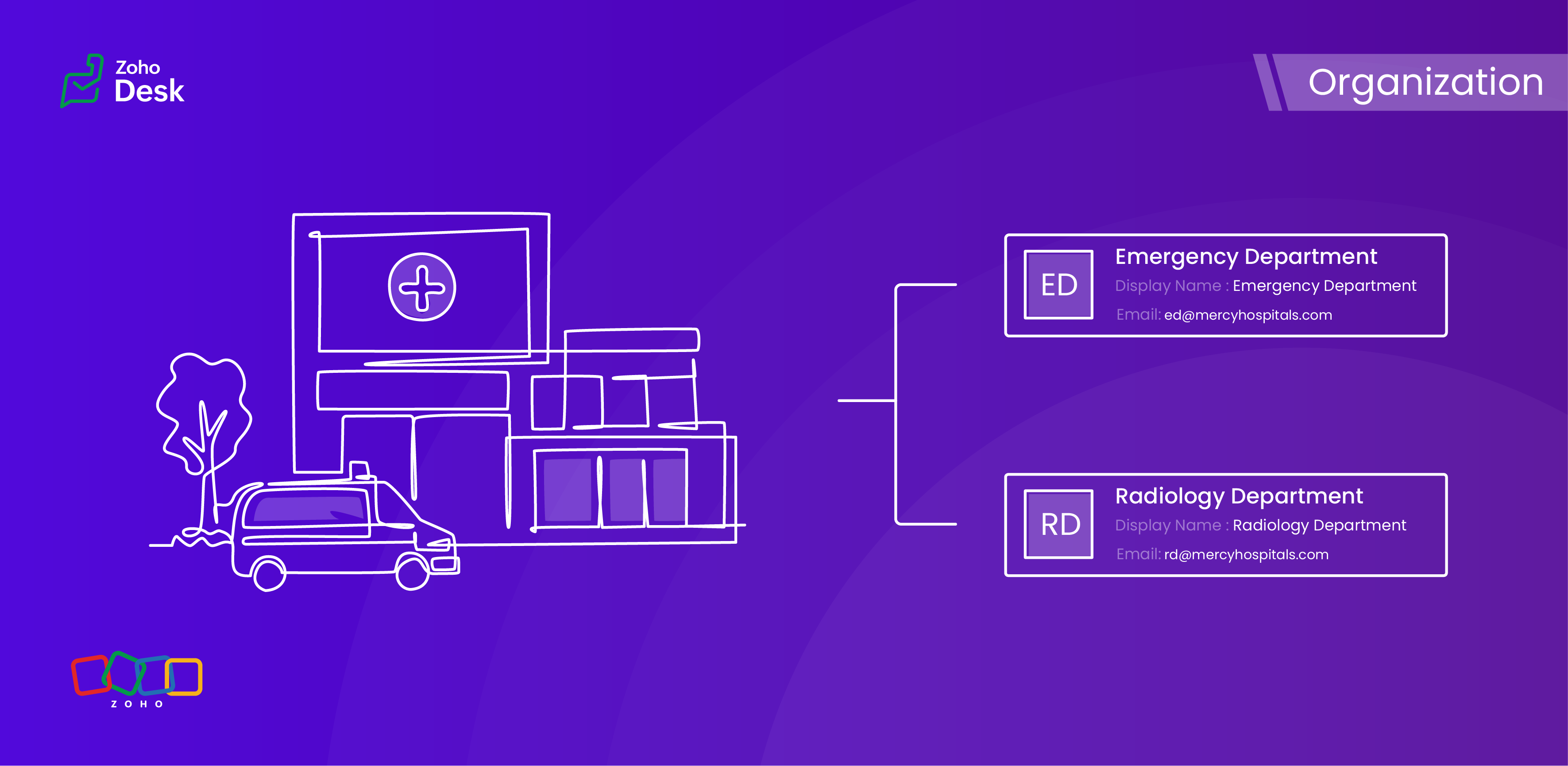


A ticketing system's departments are essential because they provide an organized and practical framework for handling and addressing customer support inquiries. Departments improve workflow by classifying inquiries and allocating them to the relevant teams, guaranteeing that a specialized agent handles every issue. 


This way, companies increase customer satisfaction and loyalty by improving response times and overall customer service quality. Departments guarantee a streamlined procedure that benefits both the support staff and the customers they serve by clearly defining roles and responsibilities.

Why employ organizational departments?

Ticket routing

Departments ensure that support requests are automatically directed to the right team with the right agent. This reduces delays and faster resolution by discarding unnecessary hand-offs.

Specialization

Typically, different teams, such as IT, HR, Billing, and Technical Support, handle various issues. In this case, departments are managed by experienced agents in their respective areas, thereby enhancing service quality.

Organized prioritization

Categorising tickets by department helps teams prioritise workloads based on urgency, service level agreements (SLAs), and impact, ensuring that critical issues are addressed promptly.

Accountability

Departments also assign clear responsibility for resolving tickets, preventing confusion over who should handle a request. This fosters accountability and reduces the risk of tickets being overlooked.

Monitoring

Departments enable granular analytics, allowing organizations to measure metrics (e.g., resolution time, backlog) for each team. This helps identify bottlenecks and optimize workflows.

Better customer experience

Proper department routing ensures customers interact with the right agents from the start, reducing frustration and improving satisfaction by avoiding misdirected queries.

Workflows made easy

Departments enable customized automation rules (e.g., auto-assignment, escalations) tailored to specific teams, streamlining processes and reducing manual effort.

Data privacy

Sensitive requests (e.g., Finance, Legal) can be restricted to authorized personnel, ensuring data privacy and Desk's regulatory compliance.

While departments segment teams, they also facilitate cross-department collaboration when needed (e.g., escalating a billing issue to IT for technical verification), maintaining structure while enabling cooperation.
Idea

Are contacts or accounts department-specific?


When a user raises tickets for various issues across different departments, each ticket must be explicitly linked to the relevant department. This ensures that the appropriate expert is assigned to address and resolve the problem effectively. Importantly, the user's contact details will remain consistent regardless of the department involved; therefore, the contact information should not be considered department-specific. This streamlined approach facilitates efficient communication and resolution while maintaining clarity and organisation within the ticketing system.


However, several other modules within the platform, such as Tickets, Knowledge Base, and Activities, do support department-specific associations. This feature enables you to align these modules with the relevant department, enhancing your workflow and improving departmental accountability.

Example - Hospital Management Service

In a hospital, the way departments are managed plays a crucial role in providing top-notch healthcare services. By organizing the hospital into different departments, each one guided by knowledgeable and skilled staff, we can not only improve how services are delivered but also make processes more efficient and ensure that everyone is held accountable. This structured approach not only fosters teamwork but also helps meet patients' needs more effectively, ultimately creating a better experience for them.

Organizational departments in a hospital

  1.  Emergency Department 
  2.  Surgical Department
  3.  Radiology Department
  4.  Pharmacy Department
  5.  Administration and Human Resources


This teamwork is vital for enhancing the quality of patient care and streamlining operations, creating a well-functioning machine that ultimately benefits everyone involved. When departments are well-structured, it fosters a sense of accountability across the board, which is essential in a healthcare environment. A well-organised hospital not only supports its staff but also delivers the best possible healthcare to those it serves.

Conclusion

Utilizing separate departments for your help desk establishes structure, efficiency, and expertise within ticketing systems, enabling you and your team to collaborate effectively without chaos. This leads to quicker resolutions, better use of resources, and a smoother experience for both customers and agents. Without these departments, support operations would likely become chaotic, sluggish, and more prone to unnecessary issues.


Please stay tuned for more Desk behind-the-scenes series.


Regards,


Kavya Rao

The Zoho Desk Team


      Zoho Campaigns Resources


        • Desk Community Learning Series


        • Digest


        • Functions


        • Meetups


        • Kbase


        • Resources


        • Glossary


        • Desk Marketplace


        • MVP Corner


        • Word of the Day


        • Ask the Experts


          Zoho CRM Plus Resources

            Zoho Books Resources


              Zoho Subscriptions Resources

                Zoho Projects Resources


                  Zoho Sprints Resources


                    Zoho Orchestly Resources


                      Zoho Creator Resources


                        Zoho WorkDrive Resources


                          Zoho CRM Resources

                          • CRM Community Learning Series

                            CRM Community Learning Series


                          • Tips

                            Tips

                          • Functions

                            Functions

                          • Meetups

                            Meetups

                          • Kbase

                            Kbase

                          • Resources

                            Resources

                          • Digest

                            Digest

                          • CRM Marketplace

                            CRM Marketplace

                          • MVP Corner

                            MVP Corner


                            Zoho Writer Writer

                            Get Started. Write Away!

                            Writer is a powerful online word processor, designed for collaborative work.

                              Zoho CRM コンテンツ


                                ご検討中の方

                                  • Recent Topics

                                  • Function and workflow to create customer payment and send receipt

                                     I am attempting to set up a workflow/custom function for the automatic creation of a customer payment and sending the email receipt, but am receiving the error "Improper Statement Error might be due to missing ';' at end of the line or incomplete expression" I've been over everything several times and cannot see where the error is (code is copied into the attached document).  I haven't used custom functions before with Deluge, so it's very likely something very simple, or I've completely mucked
                                  • Disable Sign Up option in Zoho Creator Portal and show only Sign In page

                                    Is it possible to disable the Sign Up option in a Zoho Creator portal? The requirement is to show only the Sign In page and completely remove or hide the Sign Up page, so users cannot create accounts directly from the portal login page. Is there any setting
                                  • Restrict Payment Methods

                                    Allow us to restrict certain payment methods specific for each customer.
                                  • How to install Widget in inventory module

                                    Hi, I am trying to install a app into Sales Order Module related list, however there is no button allow me to do that. May I ask how to install widget to inventory module related list?
                                  • Power up your Kiosk Studio with Real-Time Data Capture, Client Scripts & More!

                                    Hello Everyone, We’re thrilled to announce a powerful set of enhancements to Kiosk Studio in Zoho CRM. These new updates give you more flexibility, faster record handling, and real-time data capture, making your Kiosk flows smarter and more efficient
                                  • Introducing Formula Fields for performing dynamic calculations

                                    Greetings, With the Formula Field, you can generate numerical calculations using provided functions and available fields, enabling you to derive dynamic data. You can utilize mathematical formulas to populate results based on the provided inputs. This
                                  • Can I view the KB in the same way as a customer logged in as my Agent?

                                    Sorry if this seems a mad question.  I have some Articles that I want to be seen by my Agents and the status of these is set to Agents only.  We also have some that are set to Public. When I sign in with my private email address (as a customer) I can
                                  • What’s New in Zoho Inventory — Latest Features, Integrations & Updates | December 2025

                                    Zoho Inventory has evolved significantly over the past months, bringing you smarter, faster, and more connected tools to streamline your operations. Whether you’re managing multichannel sales, complex fulfillment workflows, or fast-moving stock, our newest
                                  • Push Notification for New Bookings in Zoho Bookings App

                                    when a someone schedules an appointment through the booking page, is there any option to receive a push notification in the mobile app?
                                  • Which user's capacity is used for Shared Mailbox storage?

                                    We use shared mailboxes at our company, and their size is increasing daily. Which user(s)'s total mailbox limit is being used up by this space?
                                  • Incorrect Functioning of Time Logs API (Version 3)

                                    We need to fetch the list of time logs for each task for our company internal usage. We are trying to achieve it by using the next endpoint: https://projects.zoho.com/api-docs#bulk-time-logs#get-all-project-time-logs Firstly, in the documentation the
                                  • Evernote (ENEX) import limitations

                                    I have been with Evernote since 2010, but the latest price increase is ridiculous. I am currently testing Zoho Notebook as a replacement. I am impressed so far - if it were not for critical need to import legacy Evernote notes, I would 100% migrate to
                                  • Internal Fillable Contract with Zoho Writer (Before Sending to Client)

                                    Hi everyone, I’m trying to automate the following process in Zoho CRM and would appreciate some guidance. Process: When a Deal moves to a specific stage, CRM triggers an automation. CRM sends a contract template to an internal team member so they can
                                  • Can I create a CODE 128 custom field for my items in Zoho Inventory and then use it for generating Sales Orders?

                                    Can anyone helps me, I don't want to use the SKU code for scanning my products.  ​Because all my products have a CODE-128 label attached.
                                  • Prevent duplicate with custom fields?

                                    I was wondering something about custom field/custom modules in Zoho Desk. For some reason you can make a custom field mandatory but not unique? For example, if I create a custom module to manage equipment and renewal and make a field serial number no
                                  • Zoho Books' 2025 Wrapped

                                    Before we turn the page to a new year, it’s time to revisit the updates that made financial management simpler and more intuitive. This annual roundup brings together the most impactful features and enhancements we delivered in 2025, offering a clear
                                  • Multiple Vendor SKUs

                                    One of the big concerns we have with ZOHO Inventory is lack of Vendor Skus like many other inventory software packages offer. Being able to have multiple vendor skus for the same product would be HUGE! It would populate the appropriate vendor Sku for
                                  • Create Invoice automated with Package

                                    Does anyone knows how to create an invoice from a SO when we have created the package? We do these manually. and validate that the product packed is the product invoiced (if the order is partially packed) Regards, JS
                                  • Unable to integrate Zoho Projects and Zoho Workdrive

                                    I'm a Zoho One subscriber. When I go to Zoho Projects > Settings > Marketplace > Zoho Apps I do not see an option for Zoho Workdrive but I do see one for Zoho Docs that does nothing. How do I get the option to integrate Zoho WorkDrive and Zoho Proje
                                  • Disable payment thank-you emails

                                    Hello, can someone please tell me how to disable sending of the "Payment Thank-You" emails? 
                                  • How to backdate record payment for the invoice

                                    I would like to record a payment which happened 2 days ago, but I am not able to select any date later than today. I backdated the invoice, too, but it doesn't change anything
                                  • Help with deluge script

                                    Hi Community, this is my first Deluge script. I've pieced it together from reading various articles I want to use it in a workflow to 1 Convert a lead to a contact 2. Create a record in a custom module Below is what I have got so far but it does not fire
                                  • Marketer's Space: Why email authentication matters in Zoho Campaigns

                                    Welcome back to another post in Marketer's Space! If you've recently started using Zoho Campaigns, you've probably come across terms like SPF and DKIM. You may have also noticed emails that show "via zcsend.net" in Gmail when testing or sending campaigns.
                                  • Feature Request: "Send Invitation" Toggle for Events

                                    I am writing to request a critical "Quality of Life" update for the Activities module. Currently, adding people to the Participants field in an Event triggers an automatic email invitation/acceptance tracking with no way to opt-out. For general events
                                  • Dynamically Populate Picklist Values from Another Module Using Client Script

                                    I am working in Zoho CRM and trying to dynamically populate a picklist field in the Partners module using values stored in another custom module. I have two modules: 1. Partners Module Field: Partner_Type_Pick Field Type: Picklist 2. Partners_Type Module
                                  • Edit email address that appears on invoice

                                    Hi How do I change the email address that appears on invoices, it is showing the email address that i used to sign up to zoho with but I want to change it to another email address that we use for accounts. also is there a way to edit the position of a
                                  • Introducing Zoho Sprints 3.0

                                    Zoho Sprints is consistently evolving in steady increments. The introduction of the latest version, with its enterprise level solutions, brings to you advanced capabilities that propel your agile efforts in the right direction. Here's a quick glimpse
                                  • Google Fonts Integration in Pagesense Popup Editor

                                    Hello Zoho Pagesense Team, We hope you're doing well. We’d like to submit a feature request to enhance Zoho Pagesense’s popup editor with Google Fonts support. Current Limitation: Currently, Pagesense offers a limited set of default fonts. Google Fonts
                                  • Clone Entire Zoho Boooks Organization, including all transactions for testing & training

                                    Can Zoho Books support help with direct cloning of entire Zoho Books & Inventory Organization? including all transactions, just like a copy & paste or disk cloning. Is this possible?
                                  • Restrict portal signup until registration form and payment are completed

                                    Hi everyone, I am working on a Zoho Creator portal for a project. In our business flow, users must first fill out a registration form and pay a registration fee before they are allowed to access the portal. However, when I share the portal link, users
                                  • Zoho Creator In-App Notification

                                    Hi Team, I have implemented an in-app notification using code, as it required some customization. I followed the example in the link below: https://www.zoho.com/deluge/help/pushnotify-using-deluge.html#Example I have a couple of questions regarding this
                                  • System Components menu not available for Tablet to select language

                                    I have attached a screenshot of my desktop, mobile, and tablet menu builder options. I am using 2 languages in my application. Language Selection is an option under the System Components part of the menu, but only for my desktop and phone(mobile). My
                                  • Tip #64- Exploring Technician Console: Screenshot- 'Insider Insights'

                                    Hello Zoho Assist Community! Have you ever needed to capture exactly what's happening on a remote machine, whether to document an issue, guide a customer, or keep a record of your session? That's where the Screenshot feature in Zoho Assist comes in! With
                                  • Integration of CRM and Recruit

                                    hi team, Is it possible to sync deals <> job openings from only 1 pipeline? My configuration of CRM has pipeline for each business unit, so I will have all data in the CRM system. body leasing and recruitment is one BU (hence 1 pipeline) - can I sync
                                  • Relating Invoices to Projects

                                    Hi Zoho team, If I have already created previously an invoice in Books, so I want to know how can I associate it with a relevant project? Thank you
                                  • Create a quote/estimate that includes a range of prices

                                    I am interested in using Zoho Books' Quote templates to create estimates for my customers. I do a mix of fixed-bid quotes and quotes based on an hourly rate. For the hourly rate quotes/estimates, I like to include a price range, for example: 2-4 labor
                                  • Budget

                                    I have just upgraded to the standard plan in order to be able to utilize the budgeting function and record budget amount
                                  • Capirec bank Automatic feed update

                                    Can anyone tell me if Zoho supports Automatic bank feed update from a Capitec bank account in south africa?
                                  • Free webinar! Accelerate deals with Zoho Sign for Zoho CRM and Bigin by Zoho CRM

                                    Hello, Paperwork shouldn’t slow you down. Whether you’re growing a small business or running a large enterprise, manual approvals and slow document turnaround can cost you time and revenue. With Zoho Sign for Zoho CRM and Bigin by Zoho CRM, you can take
                                  • Add Lookup Field in Tasks Module

                                    Hello, I have a need to add a Lookup field in addition to the ones that are already there in the Tasks module. I've seen this thread and so understand that the reason lookup fields may not be part of it is that there are already links to the tables (
                                  • Next Page