Payment Gateways - A unified hub to manage all your payment integrations in Zoho Creator
Why it matters
The all-new Payment Gateways section offers you a centralized way to manage payment configurations by replacing the earlier approach, which used connections.
This brings several key advantages:
Centralized control: Manage all your payment gateways from one place.
Quick setup: Connect gateways without complex configurations.
Region-specific gateways: See only the gateways available in your region.
Extend functionality: Add payment gateway extensions (powered by Zoho Checkout) via Zoho Marketplace.
Flexible payments: Link multiple payment gateways to offer users a wider range of payment choices.
Easy access control: Admins can manage gateway access directly from both the live and edit modes of each application.
Diverse payment options: Choose from the entire suite of Zoho Checkout-supported gateways.
Where to find it?
C6: Go to Operations -> Payment Gateways.
C5: Go to Account Setup -> Payment Gateways.
How does it work?
The Payment Gateways feature is powered by Zoho Checkout, our in-house payment processing solution. This integration brings the full capabilities of Zoho Checkout into Zoho Creator, giving you instant access to all supported payment gateways, including popular options like PayPal, Stripe, Razorpay, and more. Any new gateway added to Checkout becomes instantly usable here in Creator.
The first time you visit Payment Gateways (before configuring Zoho Checkout within System Integrations), you'll be prompted to complete a one-time setup.
Choose your country, state, and currency. This ensures you see only the relevant gateways available in your region.
After setup, you'll be taken to the Payment Gateways landing page.
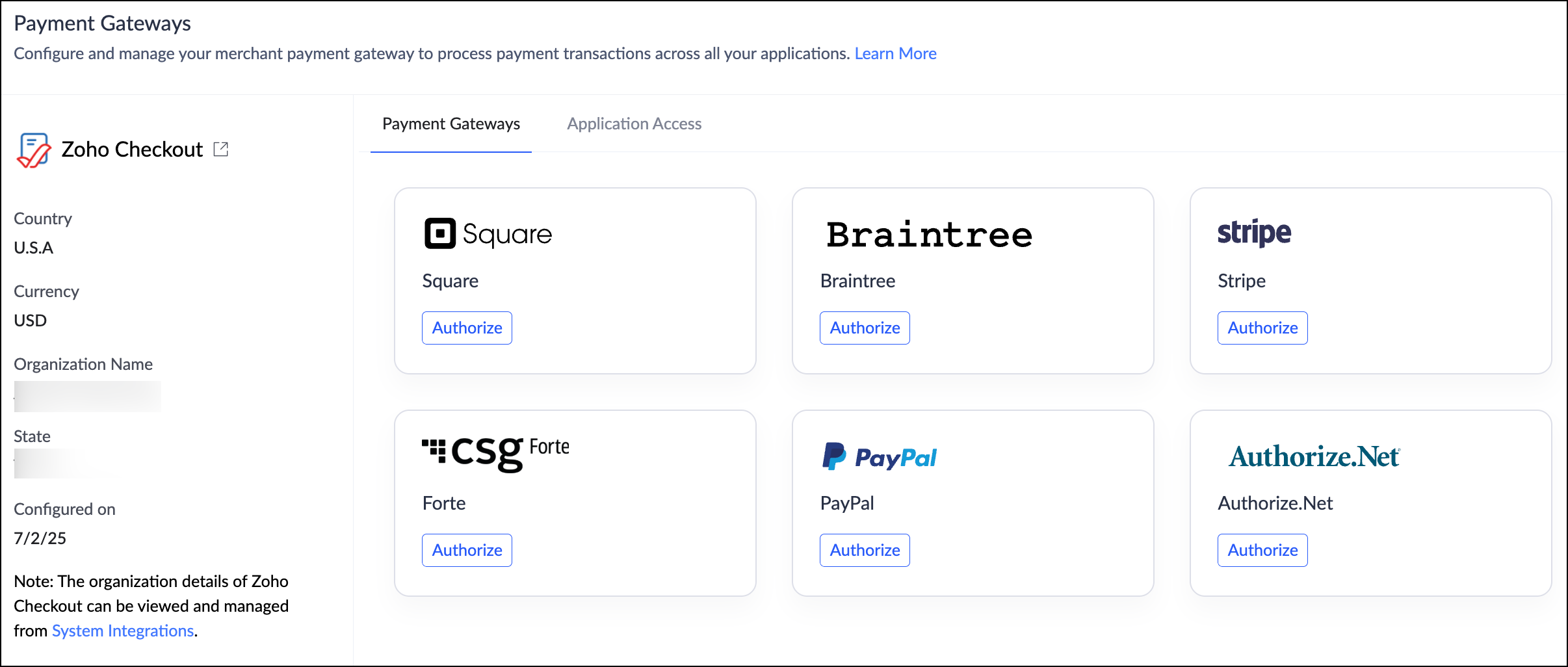
For ease of use, this landing page has been divided into two sections:
Supported Gateways
View, authorize, and manage your payment gateways. Click Authorize next to a provider and follow the guided steps to link it to your app.Application Access
Control which Creator apps can use authorized payment gateways.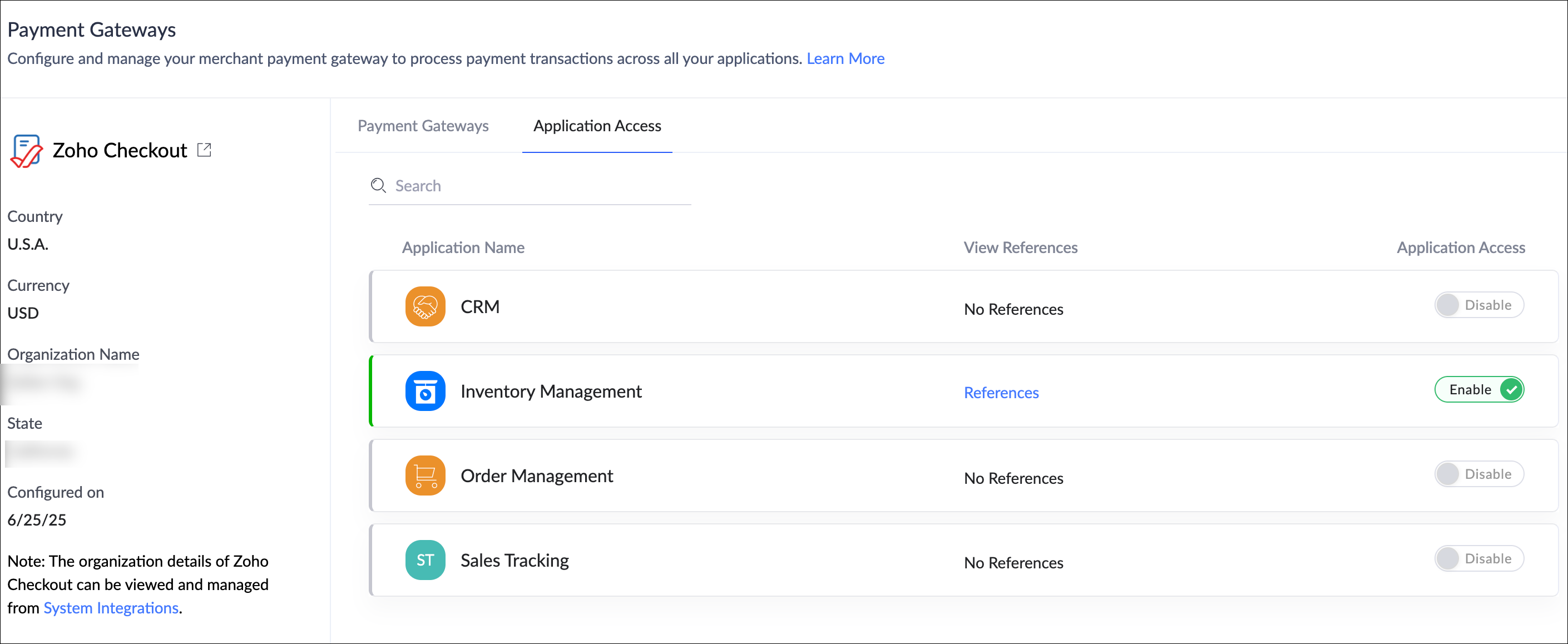
What you need to do
Nothing is required on your end.
If you've already added PGs as connections in your applications, they will be automatically migrated to the new centralized location under Operations.
Help documentation: Understanding Payment Gateways
Availability
This feature is available for both C5 and C6 users.
The availability of specific payment gateways may vary based on your data center and supported countries.
A detailed list of all supported gateways and regions is documented in the link provided above.
Release
The revamped Payment Gateways has been rolled out to all users starting June 26, 2025.
We're confident that this feature will significantly enhance your experience with Zoho Creator—and we'd love to hear your thoughts on this new feature!
If you need any assistance or have questions, please don't hesitate to reach out to us.