Tip #32- Wake on LAN: Powering up your remote systems with ease- 'Insider Insights'
Hello Zoho Assist Community!
We’re excited to share some valuable tips and best practices to help you maximize your Zoho Assist experience. This week, we’re focusing on how to remotely boot up or power on a computer that’s turned off using the Wake on LAN feature.
Picture this: you’re an IT technician responsible for maintaining systems across multiple locations. One evening, you receive an urgent request to update software on a client’s computer that’s currently shut down. The client is not on-site, and no one is available to power on the system. Normally, this would mean delaying the update until someone can manually turn on the computer. However, with Wake on LAN, you can resolve the issue immediately.
Picture this: you’re an IT technician responsible for maintaining systems across multiple locations. One evening, you receive an urgent request to update software on a client’s computer that’s currently shut down. The client is not on-site, and no one is available to power on the system. Normally, this would mean delaying the update until someone can manually turn on the computer. However, with Wake on LAN, you can resolve the issue immediately.
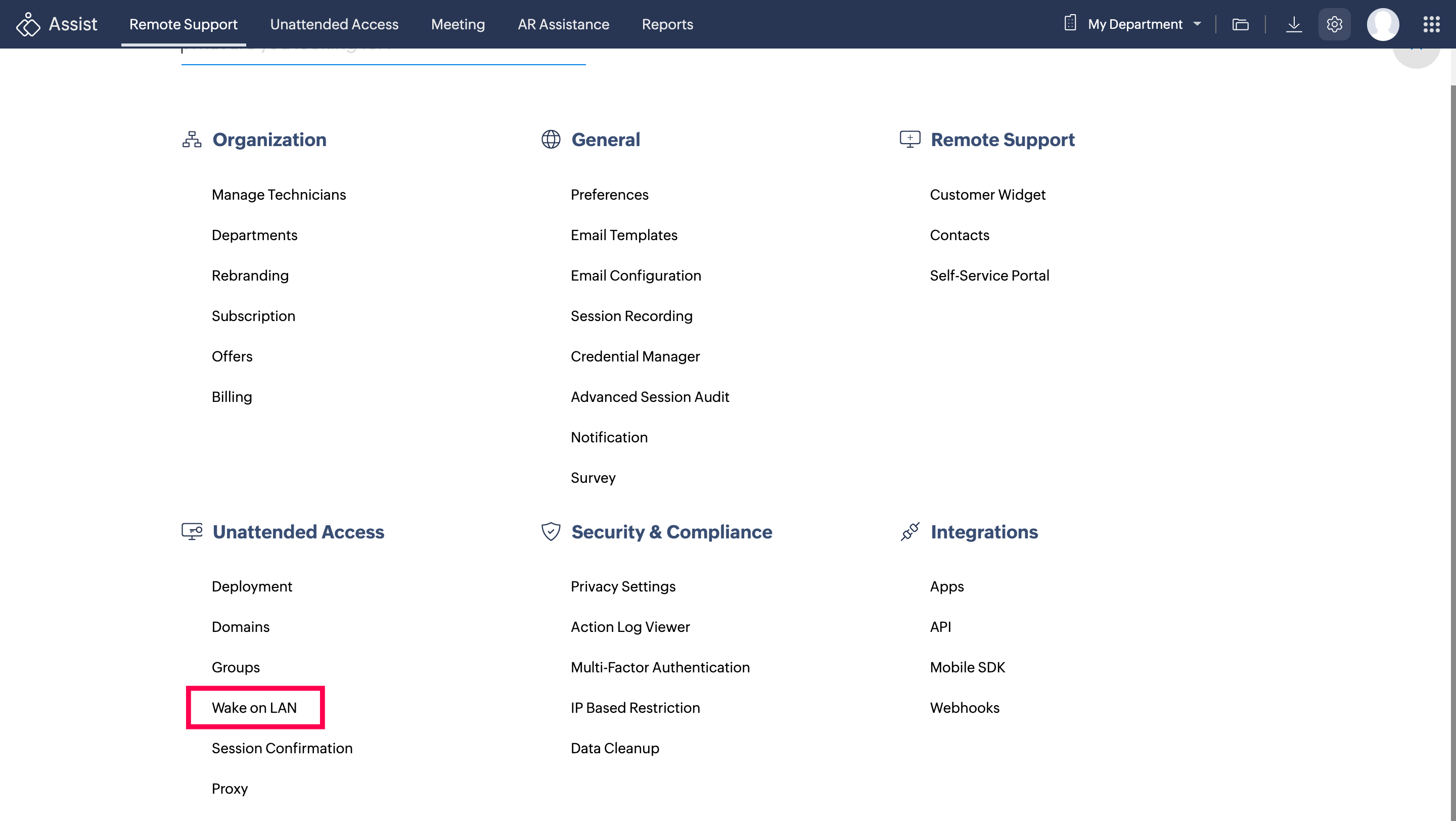
When your client’s computer is powered off, and you need to access it, you can use the Wake on LAN feature. If there’s at least one computer in the target subnet that’s connected to Zoho Assist, or if the router/switch has IP-directed broadcast enabled, WOL will allow you to wake up the system remotely. To implement this feature, navigate to the Settings icon in Assist and select Wake on LAN. Simply enable the Wake on LAN feature.
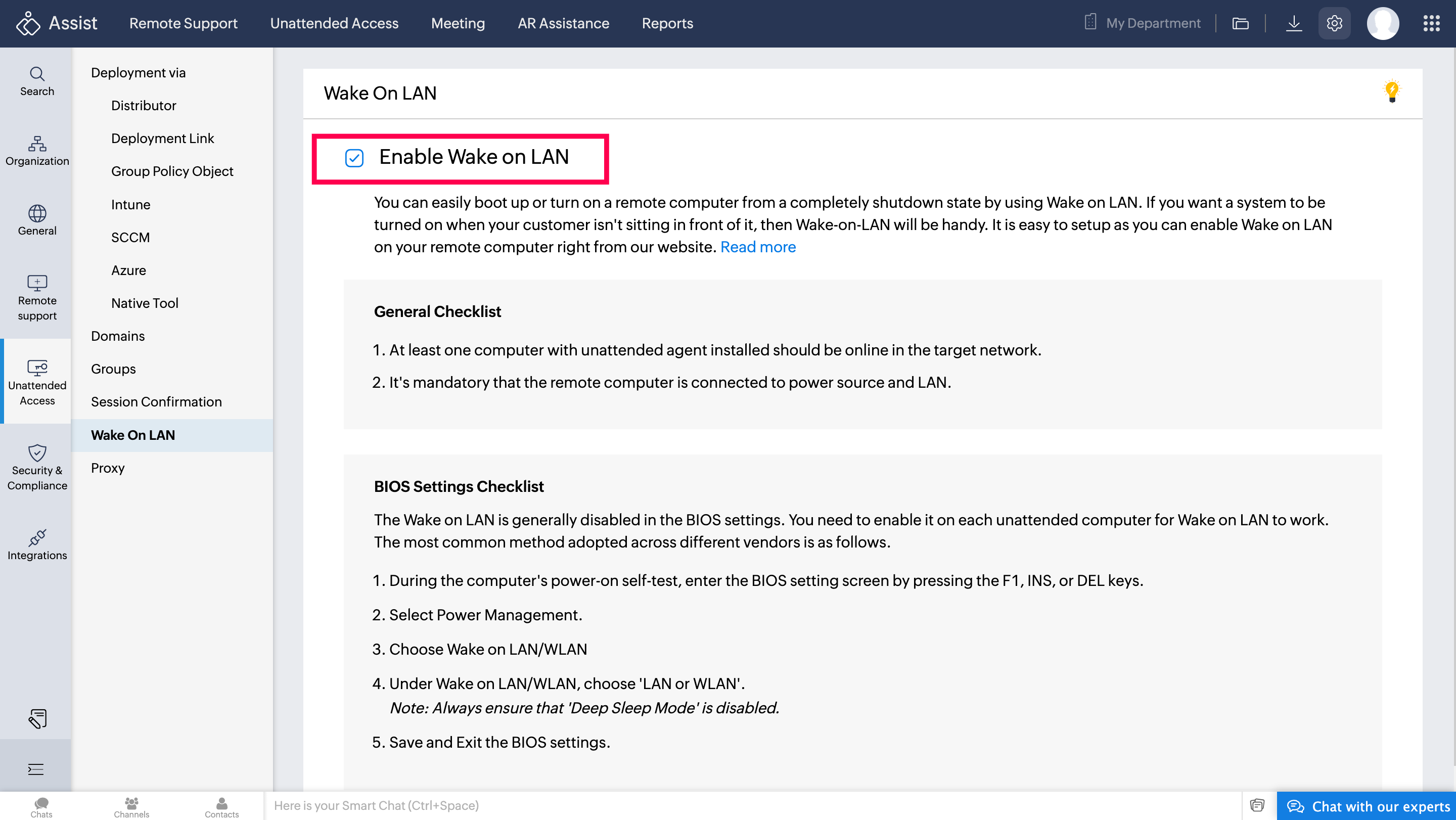
Prerequisites for Wake on LAN:
Alive Computer on Target Subnet: At least one computer with Zoho Assist should be active in the same subnet as the target machine to perform WOL.
IP Directed Broadcast: This must be enabled on the router or switch to allow WOL signals to reach the remote system.
Here's the detail instructions on Wake on LAN feature.