Attendance, Reimagined: Smarter Views for Teams and Individuals

Tracking attendance shouldn’t feel like a chore. With the revamped Attendance module UI, Zoho FSM makes it easier than ever to monitor work hours, check-in activity, and team availability—whether you’re managing an entire workforce or just keeping an eye on your own day.
Let’s walk through what’s new and how the updated views help you stay informed at a glance.
Smarter Attendance Views, Clearer Insights
The Attendance module now offers clearly structured views designed for two distinct needs:
- Team Data – for managers and supervisors tracking the entire team
- My Data – for individual users reviewing their own attendance

Switching between these views is seamless, ensuring you always see the information that matters most.
Team Data: A Unified View of Your Workforce
The Team Data tab provides attendance details for all active users in your organization. It includes two powerful views: Day and Week.
Day View
The Day view shows attendance entries for users who have logged time on a selected day. It’s ideal for quickly checking who is present, who has checked in, and how long they’ve worked so far.

Week View
The Week view gives you a consolidated snapshot of attendance across the entire week.

Filter by Crew
Managing teams by crew? The revamped UI has you covered. The crew-based filtering works seamlessly in both Day and Week views.

My Data: Your Attendance, Your Way
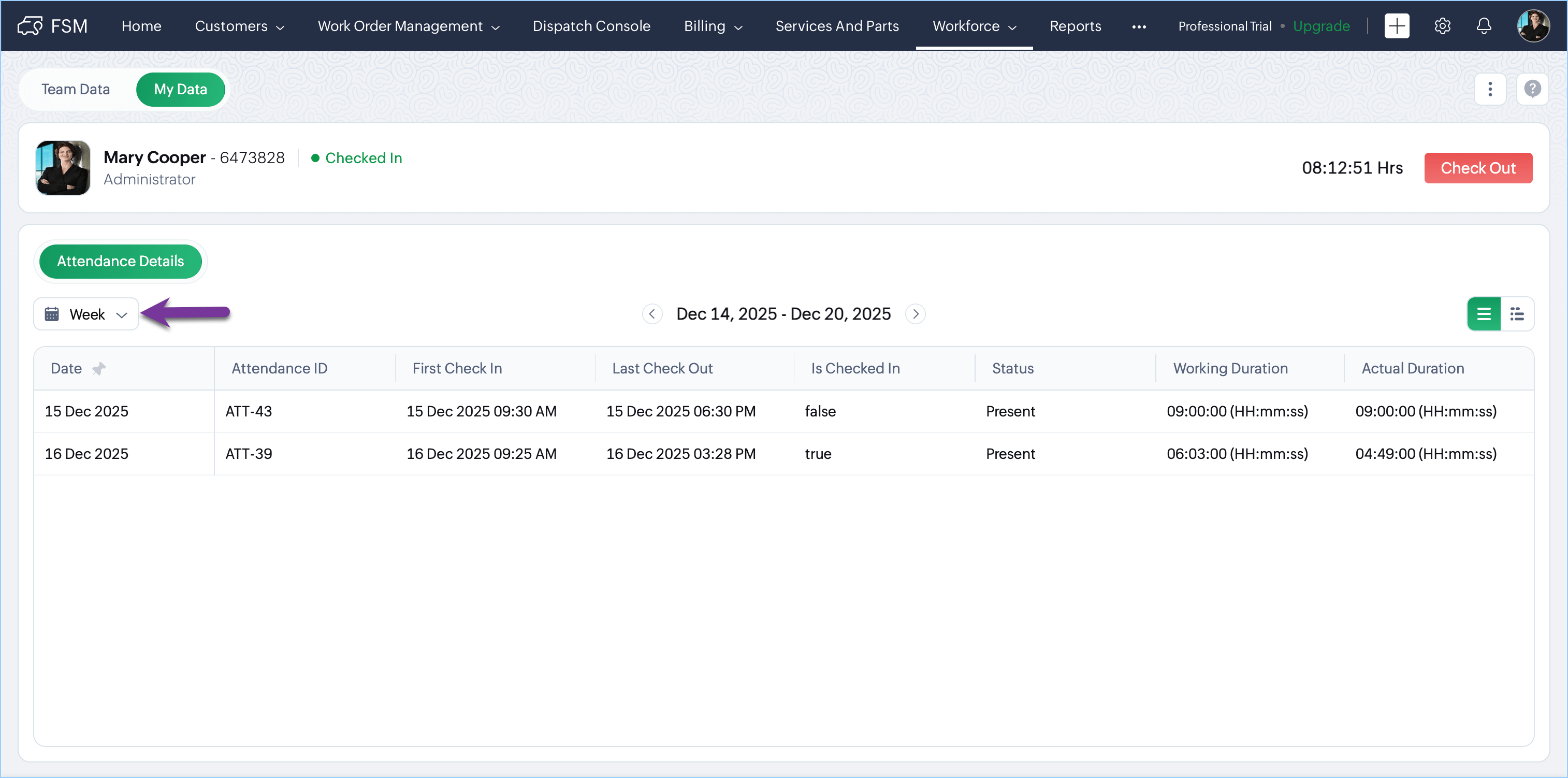
The My Data tab is designed for individual users to review their own attendance details. You can switch between Week and Month views using the dropdown on the left.
Week View
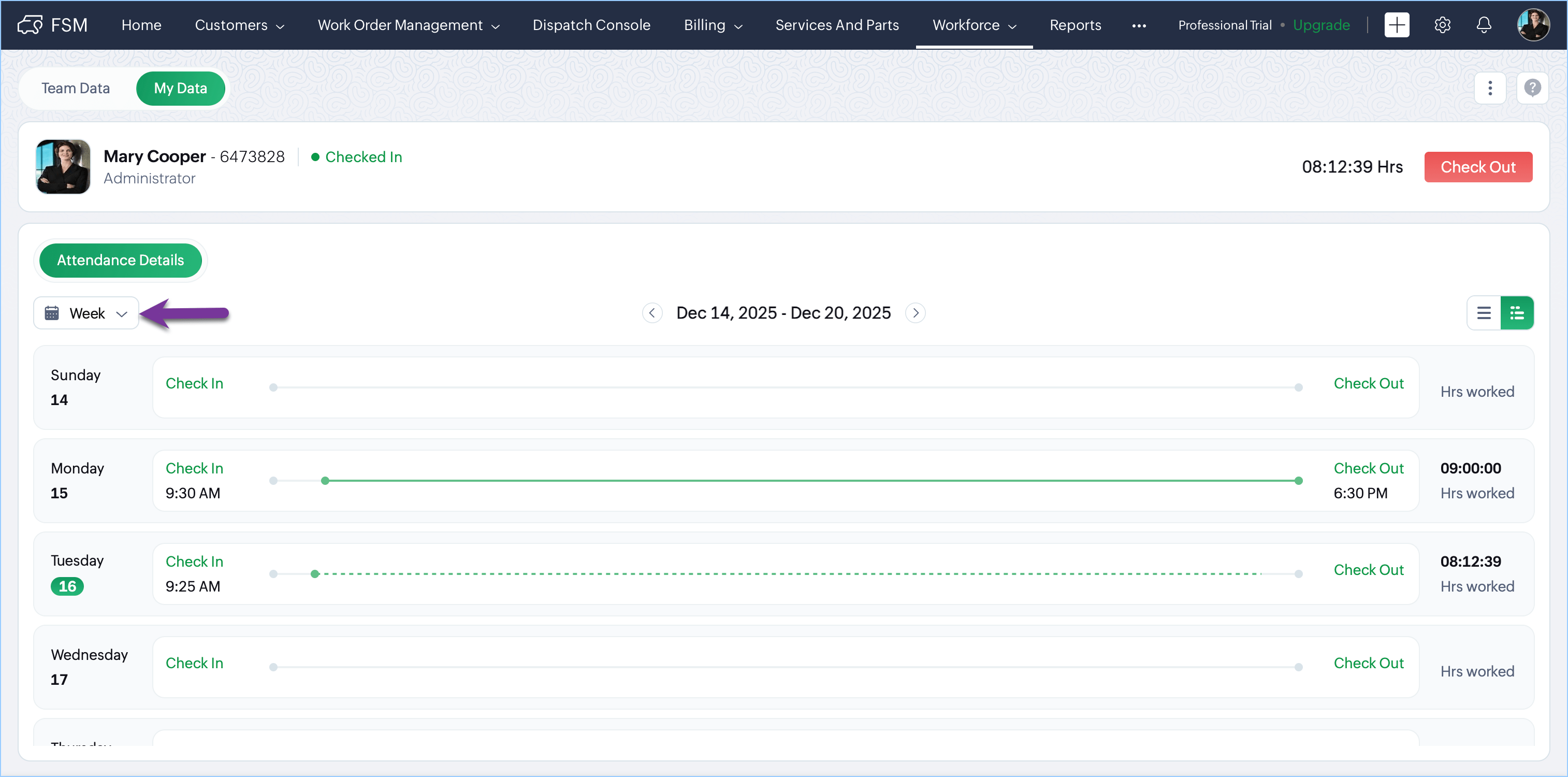
Within the Week view, you can choose between two formats using the options on the right:
- List View: Displays your attendance entries in a clear, structured list for quick reference.
- Gantt/Timeline View: This visual view makes it easy to understand your workday at a glance.
Month View
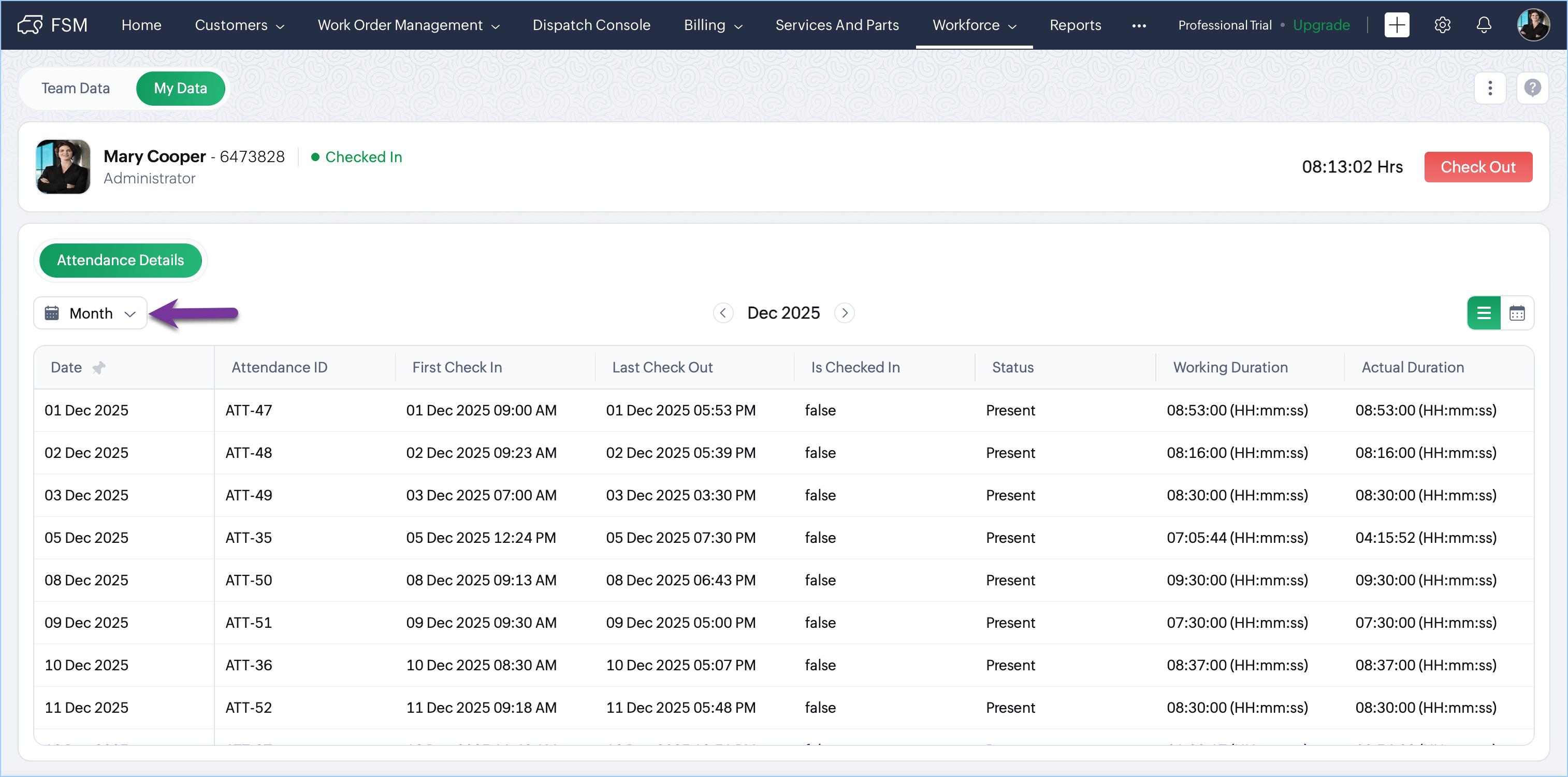
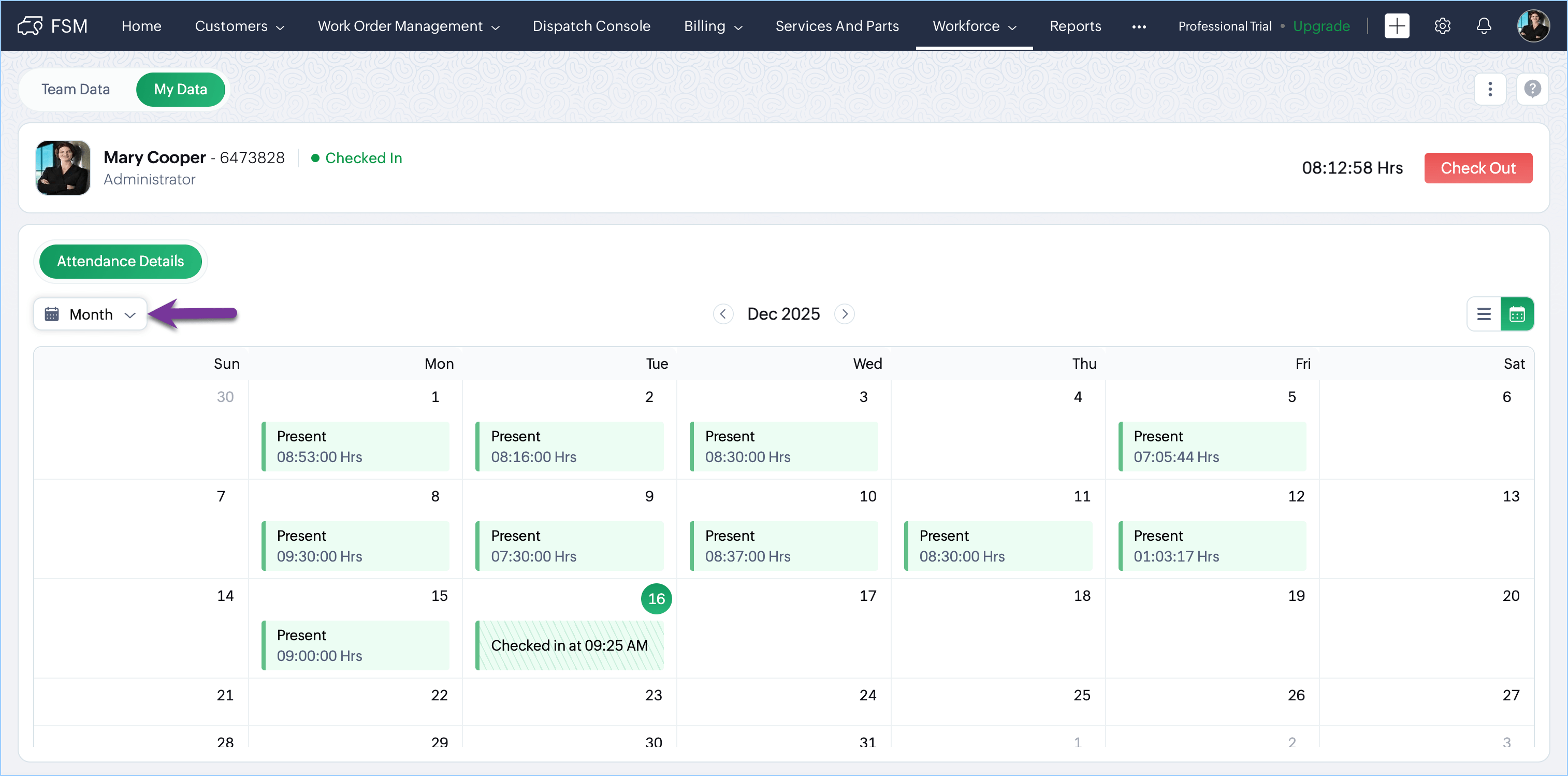
For a broader perspective, switch to the Month view and choose between:
- List View: Shows your attendance entries in a tabular format for the entire month.
- Calendar View: Perfect for a visual summary
Please refer to the help documentation for in-depth details. If you have any questions or feedback, feel free to leave a comment below or write to us at support@zohofsm.com.