De 10 beste redenen om Zoho CRM te gebruiken
Zoho CRM biedt alles wat je nodig hebt om meer leads te krijgen, sales te vergroten en salesprestaties te meten. Hieronder lees je 10 punten waarom Zoho CRM een krachtige en efficiënte oplossing voor klantbeheer is en hoe je het meeste uit Zoho CRM kan halen.
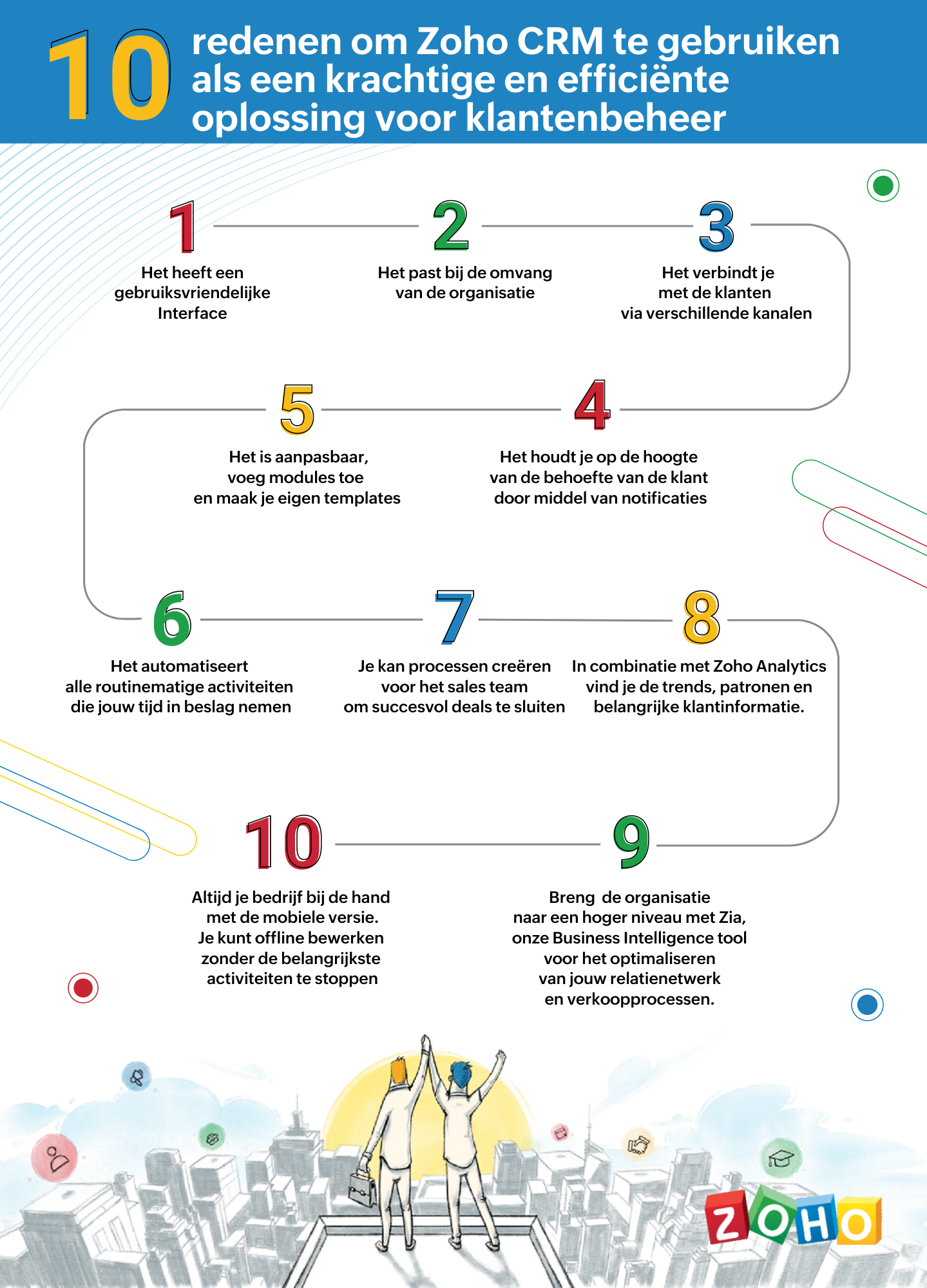
1. Gebruiksvriendelijke interface
Zoho CRM heeft een eenvoudige, gebruikersinterface waarvoor een minimaal leercurve nodig is. Breid de gebruikersinterface van jouw Zoho CRM-account uit, door naadloos in realtime widgetapps te koppelen die werken met Zoho CRM-gegevens en workflows.
2. Passend bij de omvang van uw organisatie
Of je nu een klein bedrijf of een grote onderneming hebt, één ding blijft hetzelfde. Jouw succes hangt af van de relaties die je met je klanten ontwikkelt. Naarmate je bedrijf groeit, groeien je eisen ook en worden deze complexer. Je CRM moet een groeiende groep gebruikers kunnen ondersteunen, je salesproces kunnen opschalen, complexere bedrijfsprocessen kunnen implementeren en kunnen worden geïntegreerd met meer applicaties van derden. Met Zoho CRM beschik je over een robuuste, veilige en schaalbare CRM-oplossing voor bedrijven.
3. Verbind met je klanten via meerdere kanalen
Met Zoho CRM kan je via meerdere kanalen connecten met je klanten. Voer gesprekken in realtime met klanten en prospects. Ontvang een melding wanneer iemand communiceert met jouw merk, of ze nu je website bekijken, een e-mail lezen of over je merk praten via social media.
4. Blijf op de hoogte door middel van notificaties
Ontvang alerts, reminders en suggesties voor de beste contactmomenten met je leads op basis van eerdere succesvolle interacties.
5. Pas je CRM aan naar jouw wensen
Weergeef gegevens die jij wilt zien binnen het CRM. Pas modules aan en creëer maatwerk velden die van belang zijn voor jouw bedrijf. Tevens kan je je CRM opnieuw vormgeven met onze nieuwste Canvas-functie. Middels een eenvoudige drag-and-drop editor kan je je eigen sjablonen maken. Klik hier voor onze meest recente webinar of Canvas.
6. Routinematige activiteiten automatiseren
Automatiseer routinematige verkoop-, marketing- en supportfuncties die waardevolle werktijd in beslag nemen, zodat je meer tijd hebt om te concentreren op je klanten. Creëer workflows waarmee je handmatige gegevensinvoer kunt verminderen en je proces kunt versnellen.
7. Creëer processen voor het sales team voor het sluiten van deals
Maak regels in je CRM op basis van echte salesprocessen. Wijs leads toe aan de juiste verkoper, keur kortingen goed en valideer salesgegevens op basis van jouw criteria. Je kan tevens een goedkeuringsproces invoeren om binnenkomende informatie te beoordelen en deze met de juiste opmerkingen goed te keuren of af te wijzen op basis van de kwaliteit.
8. Analyseer CRM-gegevens met Zoho Analytics
Maak een visuele analyse van je CRM-gegevens. Maak inzichtelijke rapporten en dashboards om je CRM sales-KPI's te volgen. Deel rapporten en werk samen met je collega's tijdens het maken en analyseren van rapporten. Analyseer en volg je bedrijfsstatistieken. Klik hier voor meer informatie over Zoho Analytics.
9. Zia ons BI tool voor het optimaliseren van jouw verkoopprocessen
Zia is de AI-assistent binnen Zoho CRM die je helpt je CRM op intelligente wijze te beheren. Zia kan de gewenste informatie ophalen, aantekeningen maken wanneer je dicteert, de uitkomst van slalesactiviteiten voorspellen, afwijkingen detecteren, alledaagse taken automatiseren en nog heel veel meer!
10. Zoho CRM Mobiele App
Met de mobiele apps van Zoho CRM kan je salesteam onderweg contact houden met hun leads, belangrijke prospectinformatie registreren en openen, hun KPI's bijhouden en onderweg doordachte beslissingen op basis van gegevens maken. Klik hier voor meer informatie over de Zoho CRM mobiele app.
Topic Participants
Yannick de Vries
Sticky Posts
Virtual Community Meetup over Canvas voor Zoho CRM
Beste Community leden, Wij nodigen jullie graag uit voor de Virtuele Community Meetup over Canvas voor Zoho CRM! Met Canvas kun je de gebruikersinterface van Zoho CRM herontwerpen tot een gebruiksvriendelijke en dynamische tool. Deze oplossing vereenvoudigtTips & Tricks #01 Top 10 Zoho CRM Integraties
Wij helpen jou graag om het beste uit je CRM te halen. Zoho CRM ondersteunt verschillende Apps en Add-ons die jouw efficiëntie kunnen verbeteren wanneer je met sales leads, prospects en klanten werkt. Integratie is mogelijk met een uitgebreide set aanWebinar - Nieuwe Canvas Functie voor Zoho CRM
Wij nodigen jou graag uit voor de Webinar over de nieuwe Canvas-functie van Zoho CRM! Tegenwoordig zien alle CRM-softwares er hetzelfde uit: rijen met data op een witte achtergrond met een contrasterende kleur bovenaan en aan de randen. Dat is NU verledenAsk the Experts #1 Online Forum Q&A over Canvas voor Zoho CRM
Beste Community leden, Zoals jullie weten lanceerde Zoho CRM deze maand Canvas, de eerste CRM Designstudio in de branche! Met Canvas is het mogelijk om creatieve en praktische ontwerpen te creëren zonder enige kennis van programmeren te hebben. Het isOntdek onze nieuwe Canvas functie voor CRM
Het gehele Zoho team is verheugd om onze nieuwe Canvas functie te introduceren, de enige functie binnen de branche die u in staat stelt om het ontwerp van uw CRM aan te passen! Canvas is een ingebouwde designstudio in Zoho CRM, waarmee u uw gebruikersinterface
Nederlandse Hulpbronnen

Recent Topics
Enhance productivity with the revamped Zoho Sheet View
Hello folks, For some time now, you've been able to use the Zoho Sheet View to quickly edit multiple records or to insert a batch of new records. Its tabular interface allows users to engage in these tasks productively. Despite this, the existing SheetNo OR Filter for Views with a Related Modules Criteria
We would like to create a Deal View where the User can see all their deals. For that, we would need an OR to connect the criteria. One of the Fields is a "multiselect User", these (Related Modules Criteria) can only be Filter with an AND. Even betweenGood news! Calendar in Zoho CRM gets a face lift
Dear Customers, We are delighted to unveil the revamped calendar UI in Zoho CRM. With a complete visual overhaul aligned with CRM for Everyone, the calendar now offers a more intuitive and flexible scheduling experience. What’s new? Distinguish activitiesLimit maximum entries for subform - depending on fields entry
Hi Zoho! I have a form with a subform in it. I'd like to have limitation for the row number depending on an entry in a drop-down field in the main form (If the field in the main form is marked "Answer1" - Limit the entries to 1 row, if the field is "Answer2" to have 2 rows limitation, "Answer3" = no limitation at all) Can this be done? Thanks RavidSave HTML Snippet Page as PDF with Dynamic Data in Zoho Creator (Working Solution)
Hi Zoho Creator Community 👋, I faced a common challenge while working with HTML Snippet Pages — I needed to generate a PDF with dynamic data and save it back into the record automatically. Here’s the working solution that might help others. Use CaseMake Camera Overlay & Recording Controls Visible in All Screen-Sharing Options
Hi Zoho WorkDrive Team, Hope you are doing well. We would like to request an improvement to the screen-recording experience in Zoho WorkDrive. Current Limitation: At the moment the recording controls are visible only inside the Zoho WorkDrive tab. WhenCannot connect to imap.zoho.eu on iOS26
Hey, I recently migrated to another iPhone and since then use iOS26. Every since then, I was not able to connect to "imap.zoho.eu" from Apple Mail. I tried deleting the account and adding it again, did not work. I tried creating an app password, didn'tRebranding Options for Zoho One
We need the addition of rebranding and white-labeling settings directly within the Zoho One Admin Panel. This feature should allow organizations to customize the unified portal with their own logo, brand colors, and custom domain mapping (e.g., portal.company.com).Tip #57- Accessibility Controls in Zoho Assist: Mobility- 'Insider Insights'
Remote support should be easy to navigate for everyone. For users with mobility-related accessibility needs, long sessions and complex navigation can be challenging. Zoho Assist’s Mobility Accessibility Controls simplify interaction through keyboard-basedTo print Multiple delivery notes in batches
In Zoho Books, we can print a Delivery Note from an Invoice using the Print Delivery Note option, but it is non-editable and always prints all line items from the invoice. Our requirement is to deliver invoiced items in batches and print delivery notesUPLOAD A CREATED PDF AUTOMATICALLY
Using the html header pdf+print button, I have managed to find a way to have a user create a pdf using entered form data. Using the schedule button, I can have a "file uploaded" pdf mailed to someone as an attachment. The missing piece is to be able to add the pdf, created in that html page to a file upload field automatically? Right now one has to save it to computer and then upload it in a FILE UPLOAD FIELD. Any help would appreciated !Consolidated Department-wise Payroll Cost Summary Report
Hello Zoho Payroll Team and Community, I am writing to discuss a reporting requirement regarding department-level expense tracking within Zoho Payroll. As we scale and manage salary distribution for employees across multiple departments, such as Accounts,Write-Off multiple invoices and tax calculation
Good evening, I have many invoices which are long overdue and I do not expect them to be paid. I believe I should write them off. I did some tests and I have some questions: - I cannot find a way to write off several invoices together. How can I do that,How to remove chat icon from knowledge base?
I have set up a knowledge base to hold FAQs and documentation. It is currently standalone, and not integrated into our website. On every page there is a chat button in the bottom left corner that says "We're offline, please leave a message." How can I[ZohoDesk] Improve Status View with a new editeble kanban view
A kanban view with more information about the ticket and the contact who created the ticket would be valueble. I would like to edit the fields with the ones i like to see at one glance. Like in CRM where you can edit the canvas view, i would like to editAutomated Dismissal of Specific Notifications and Centralized Control of Toast Notification Settings
Dear Zoho Team, I hope this message finds you well. We would like to request two enhancements related to notification handling within Zoho Desk: Automatic Dismissal of Specific Notifications: Currently, when certain actions are taken in the ticket listShow field in spreadsheet view depending on other field value
Hello. Not sure if this is possible but let's say i have spreadsheet view in Creator with four different fields Field A, B, C and D Then i have a field named Response which for one record could contain only one of the pre-definde choices below A, B, CIntergrating multi location Square account with Zoho Books
Hi, I have one Square account but has multiple locations. I would like to integrate that account and show aggregated sales in zoho books. How can I do that? thanks.Zoho Learn Zapier Integration
Hello all, Is there any plan to integrate Zoho Learn with Zapier? It seems almost all Zoho products are in Zapier, with the exception of Learn and Marketing Automation.Notice: SalesIQ integration paused on Zoho Sites
I have this notice on my Zoho Sites in the SalesIQ integration setup. Can someone assist? "This integration has been temporarily paused for users. Reconnecting SalesIQ after disconnection will not be possible until we provide further updates." thankDifferences between Zoho Books and Zoho Billing
Without a long drawn out process to compare these. If you were looking at these Books and Billing, what made you opt for one and not the other. ThanksNew Feature : Copying tickets with all the contents such as conversations/history/attachments etc
Sometimes our customers and distributors do create tickets (or send emails) which contain more than one incident in them and then also some of the further conversations which are either created by incorrect new tickets or replies to old tickets are being created as combined tickets. In such cases we require to "COPY" the contents of the tickets into separate tickets and merge them into their corresponding original tickets. The "CLONE" feature doesn't copy the contents (especially the conversationsComo se agregan los empleados
Necesito saber si para agregar empleados los mismos necesitan tener licenciasDeluge Error Code 1002 - "Resource does not exist."
I am using the following script in a Custom Button on a Sales Return. Basically, the function takes the information in the sales return (plus the arguments that are entered by the user when the button is pushed) and creates a return shipping label viaAdding multiple Attendee email addresses when adding a Zoho Calendar event in Zoho Flow
I am trying to integrate Notion and Zoho Calendar via Zoho Flow. However, the Attendee email address supported by Zoho Calendar - Create event only supports one email address, so I am having difficulty implementing automation to automatically registerGraceful Handling of Exceeded Option Limits
Hi Zoho SalesIQ team. I would like to submit a feature request to deal with a bug in salesIQ Current Behavior (Bug): When a dynamic list passed to the Single Select Option Card contains more than 20 options, the Zobot stops responding (freezes/hangs)System default SLA descriptions can't be modified
The system default SLAs have identical descriptions for all SLA levels, but their settings differ. However, I am facing an issue where I cannot modify these descriptions and save the changes. The content of the description box can be edited but the changesAdding non-Indian billing address for my Zoho subscription
Hey Need help with adding a non-Indian billing address for my Zoho subscription, trying to edit the address to my Singapore registered company. Won't let me change the country. Would appreciate the help. Regards, RishabhHow to create one ZohoCRM organisation out of a multi-organization?
Hi, we have a multi-org including two different Zoho CRM organizations for two companies using respectively EUR and USD as default currency. I was wondering if there is any easy way to merge the two organizations into just one, so that users may accessGray screen while signing documents
We are all getting a "gray" screen when trying to sign documents in Zoho sign. Anyone else having issues?Designing a practical Zoho setup for a small business: lessons from a real implementation
I recently finished setting up a Zoho-based operating system for a small but growing consumer beauty business (GlowAtHomeBeauty), and I wanted to share a practical takeaway for other founders and implementers. The business wasn’t failing because of lackLink Purchase Order to Deal
Zoho Books directly syncs with contacts, vendors and products in Zoho CRM including field mapping. Is there any way to associate vendor purchase orders with deals, so that we can calculate our profit margin for each deal with connected sales invoicesProjects custom colors replaced by default orange
Since yesterday, projects uploaded to Zoho, to which I had assigned a custom color, have lost the customization and reverted to the default color (orange). Has anyone else had the same problem? If so, how did you resolve it?Interview booked through Invite but no Notifications
We have a workflow that was developed through a developer/partner that was tested and worked. Today, we pushed a candidate through the process and invited them to an in-office interview. They were sent the booking link (as usual and as tested before successfully)WebDAV support
I need WebDAV support so that I can upload/download (and modify) documents from my local file system. Is anything planned in his direction?Automatiser la gestion des SLA dans Zoho Desk avec Zoho Contracts
Les équipes du service client s’efforcent d’assurer un support rapide, régulier et fiable pour garantir la satisfaction de chaque client. Les accords de niveau de service (SLA) permettent de clarifier les engagements en définissant les termes et conditionsiOS App doesn't refresh for Document Creation
Hello Zoho team, I have created a workflow to be used on a mobile iOS device which starts in Zoho Creater and ends with a murge and store function that then opens the newly created document within the Zoho Writer app. This process is working great howeverUploading a signed template from Sign to Creator
Good day, Please help me on how to load a signed document back into Creator after the process has been completed in Sign. Below is the code that I am trying, pdfFile = response.toFile("SignedDocument_4901354000000372029.pdf"); info pdfFile; // AttachZoho DataPrep and File Pattern configuration
I'm using Zoho data prep to ingest data from One Drive into Zoho Analytics... The pipeline is super simple but I can't any way to get all the files that I need. Basically I need to bring all the files with a certain pattern and for that I'm using a regexAssistance needed: Activation of a domain
Hello Zoho Support, I purchased the .com domain "primesolva.com" via Zoho 6 days ago. The domain is still pending, and I cannot access the DNS panel to add the TXT verification for domain ownership. Please confirm the registration status and help me activateNext Page