Introducing Lead Capture: Empower exhibitors to capture leads effortlessly
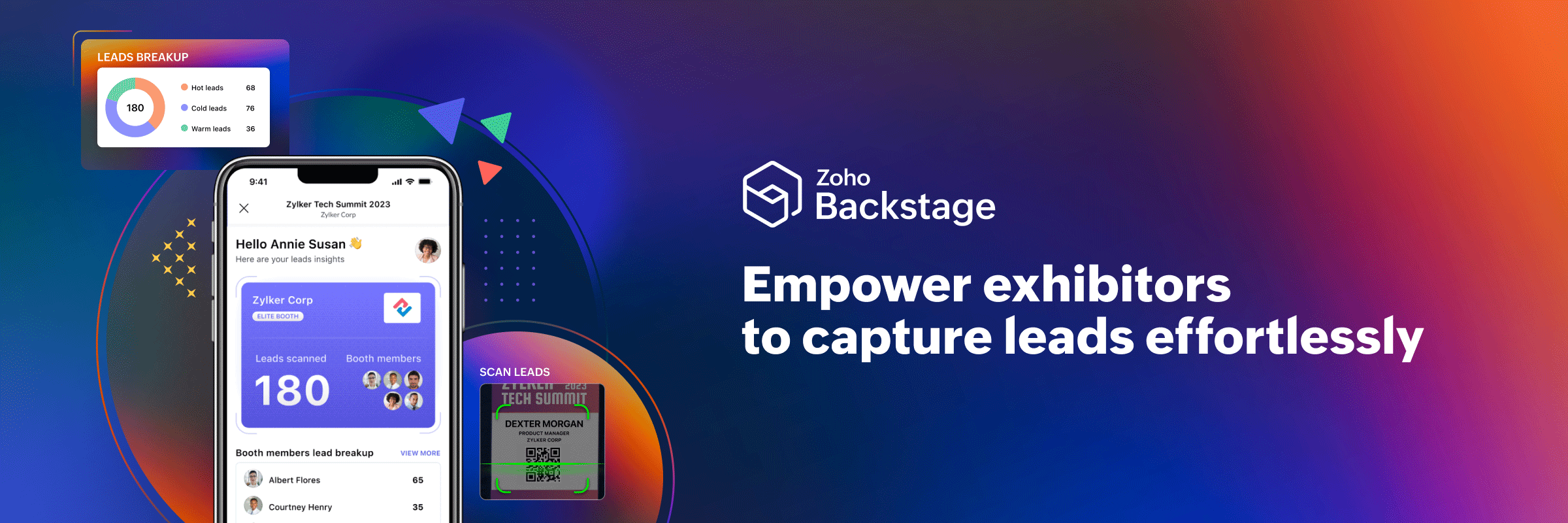
Events provide a great opportunity for exhibitors to generate awareness and engage with potential customers. Efficiently distributing attendee information to exhibitors through a seamless and secure way is of paramount importance.
Introducing Lead Capture in Zoho Backstage to help exhibitors streamline the collection, qualification, and management of leads. So how can your exhibitors benefit from using this feature?
Manage access control
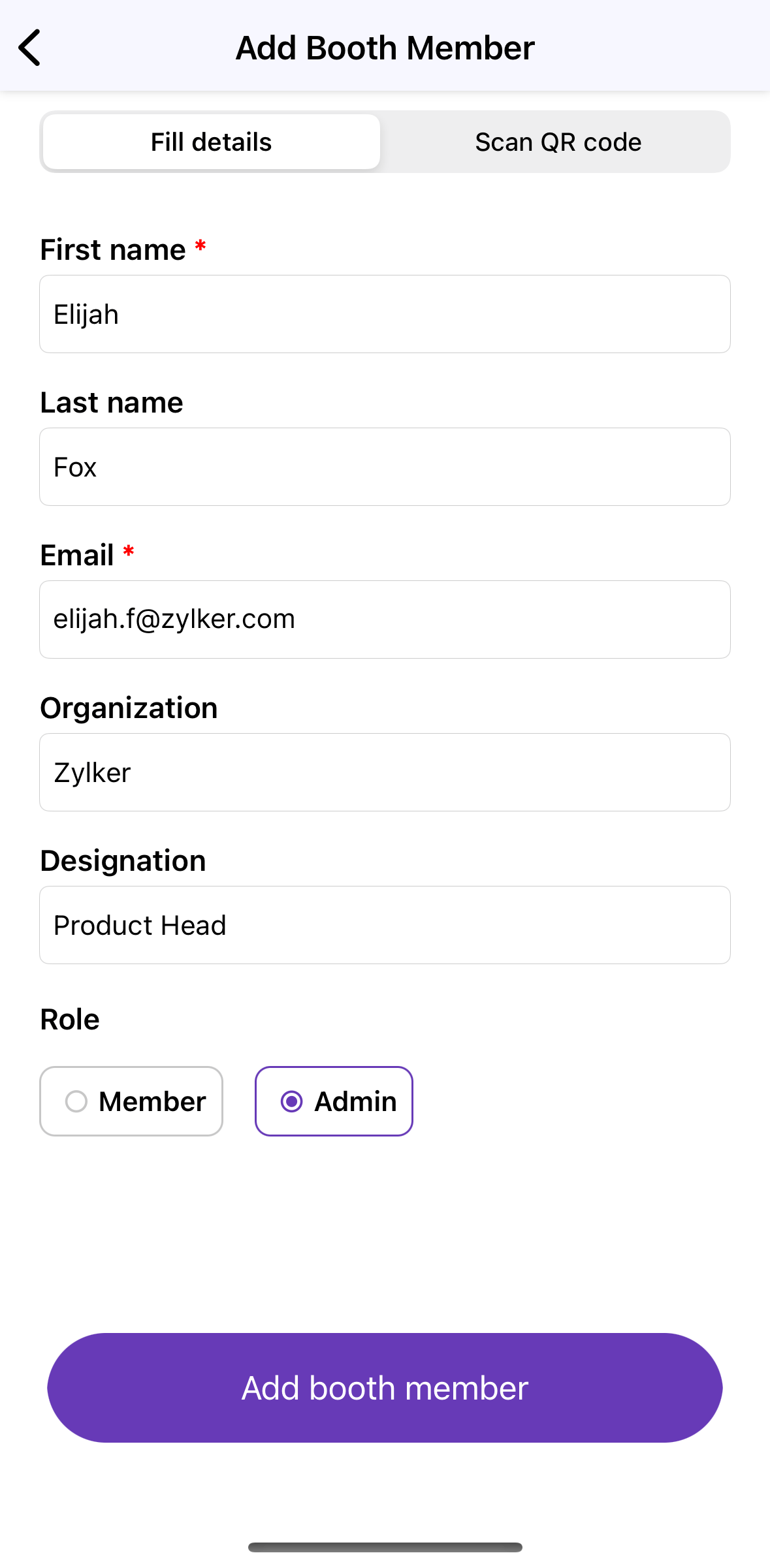
Stay organized by managing booth members and their access permissions, which can be set at the category level, giving you to have granular control over which exhibitors have access to the Lead Capture tool. Exhibitors can invite members and add their details on the go right from the mobile app. When adding booth members, assigning them a role—admin or member—will also tailor their access and provide them with the appropriate level of permission.
Capture leads instantly
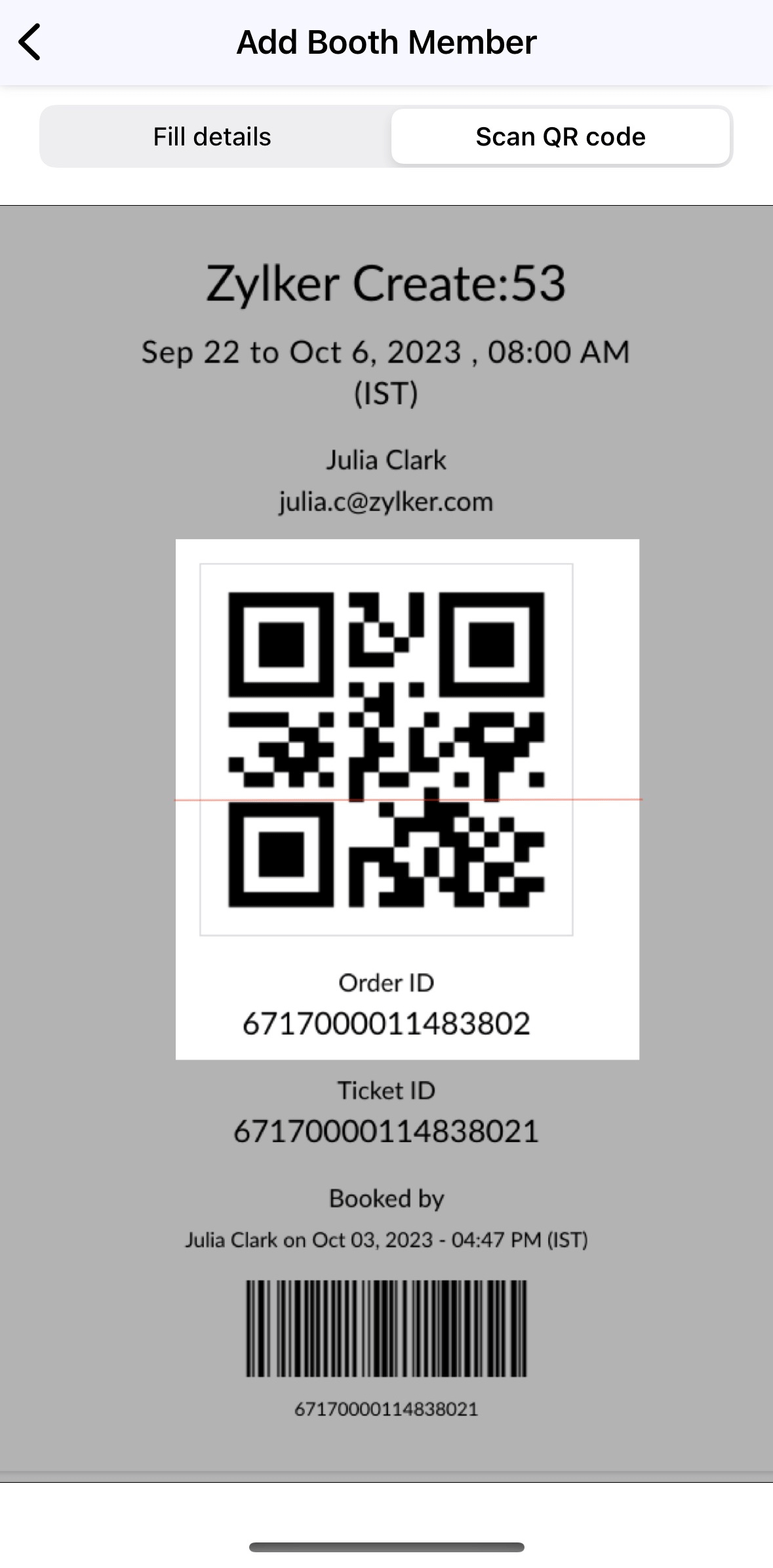
Move away from manual data entry and improve exhbitor-attendee interactions with higher ROI for exhibitors. Leads can be added swiftly and accessed digitally using the mobile app. The My leads option in the left panel in an event can be used to open Lead Capture. A participant's QR code can be scanned to fetch their lead information. With two scanning options available—Quick scan and Scan and qualify—these details can be captured instantly.
Qualify leads with additional notes
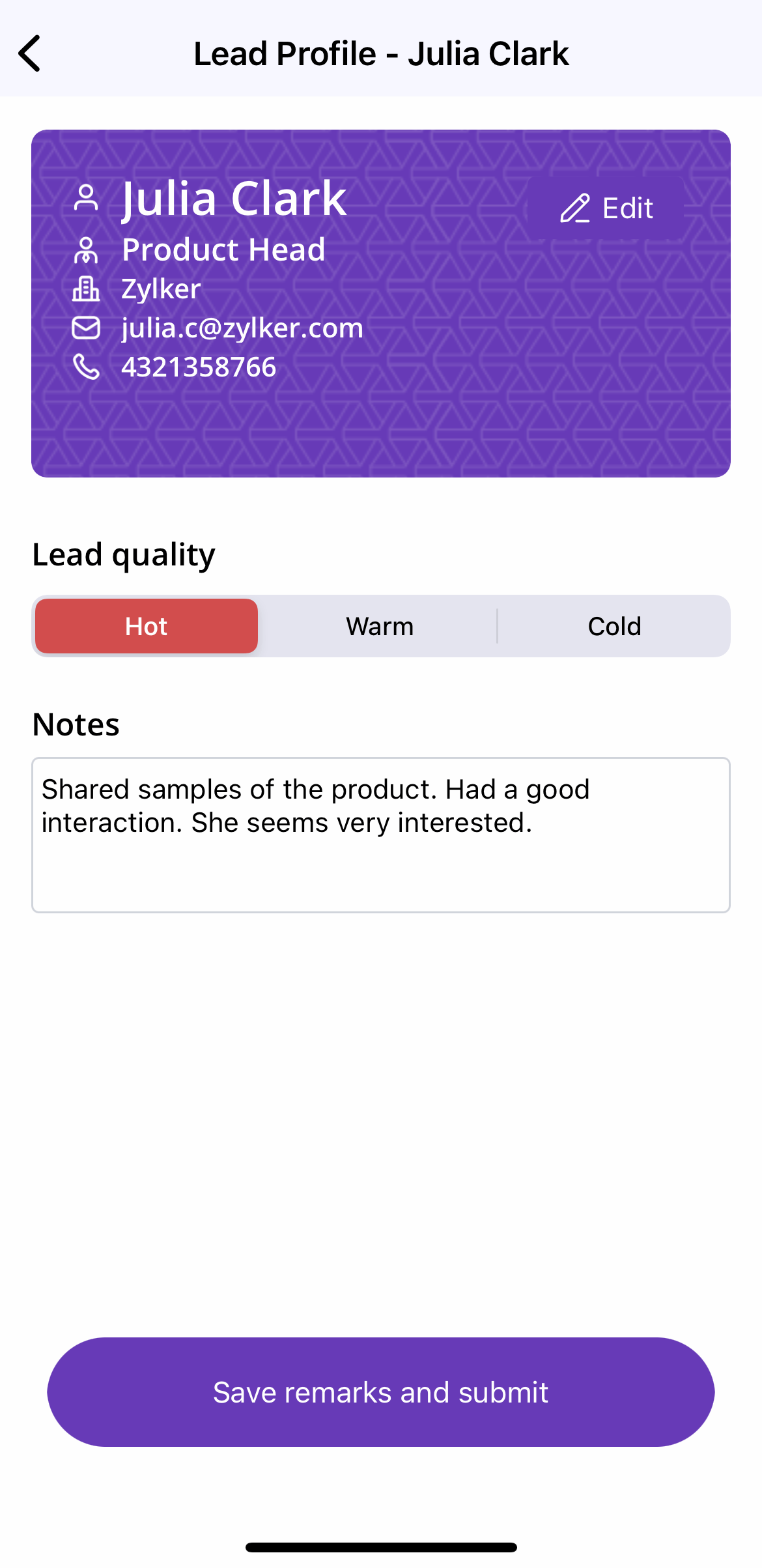
With the Quick scan option, only the QR code needs to be scanned in order to save the lead to your list. The lead quality will automatically be set as hot. With the Scan and qualify option, simply review pre-filled lead details, rate the lead's quality, and provide any additional notes or insights about your conversation. Recording notes specific to each lead can empower exhibitors to tailor their approach for future follow-up efforts, increasing the probability of converting prospective leads to customers.
View collected lead summary
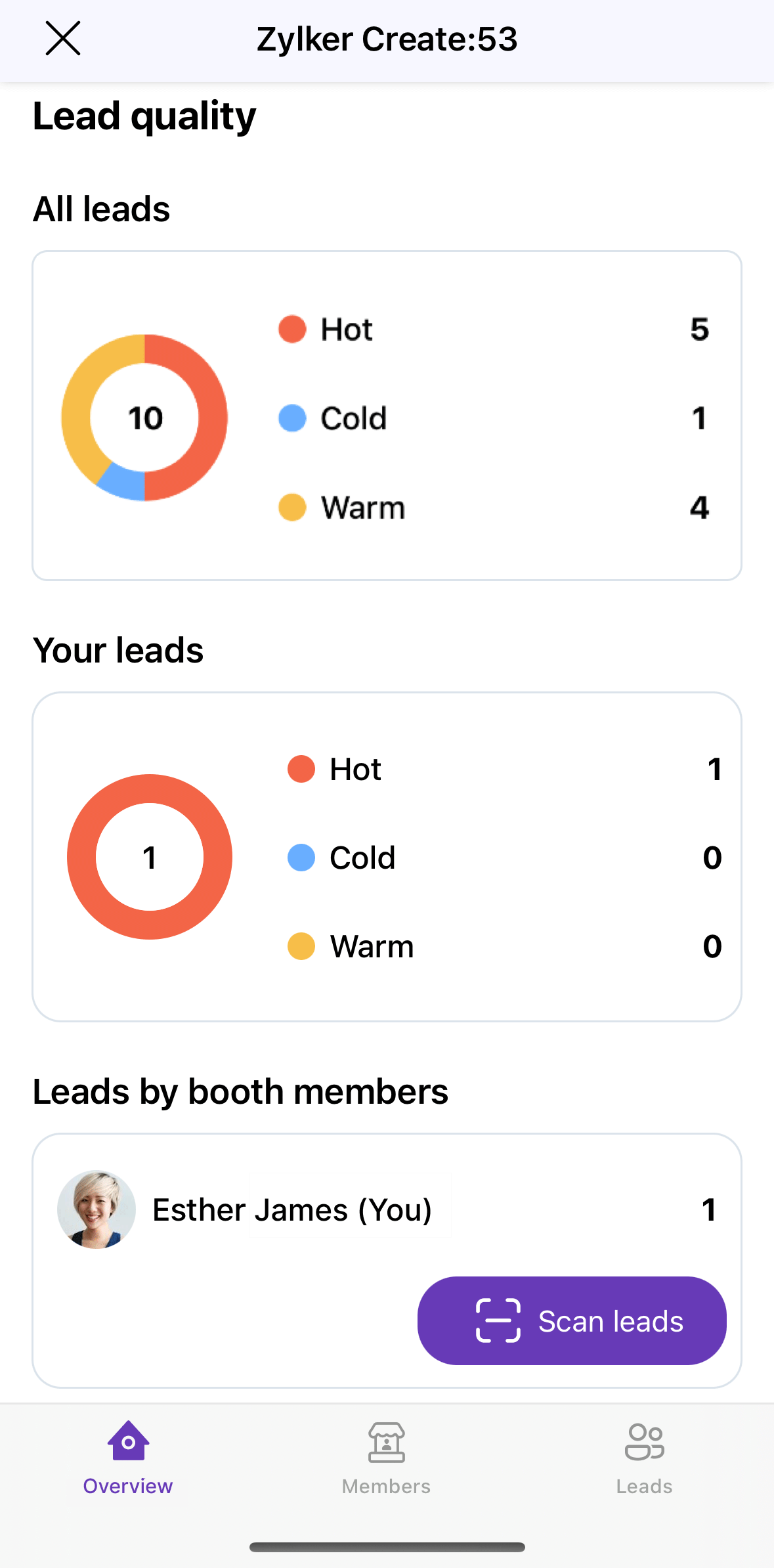
Lead reports can be viewed in real time as leads are captured at the event. Exhibitors can view individual lead profiles to get a comprehensive view of each attendee.
Booth members can filter and segment leads based on criteria such as lead quality and the booth member who captured the lead.
The lead list can also be kept up to date with the flexibility to edit saved information. Updates or corrections made to entered details will maintain its accuracy and relevancy. Also, when a particular lead no longer fits the desired customer profile, they can be deleted.
Securely export leads
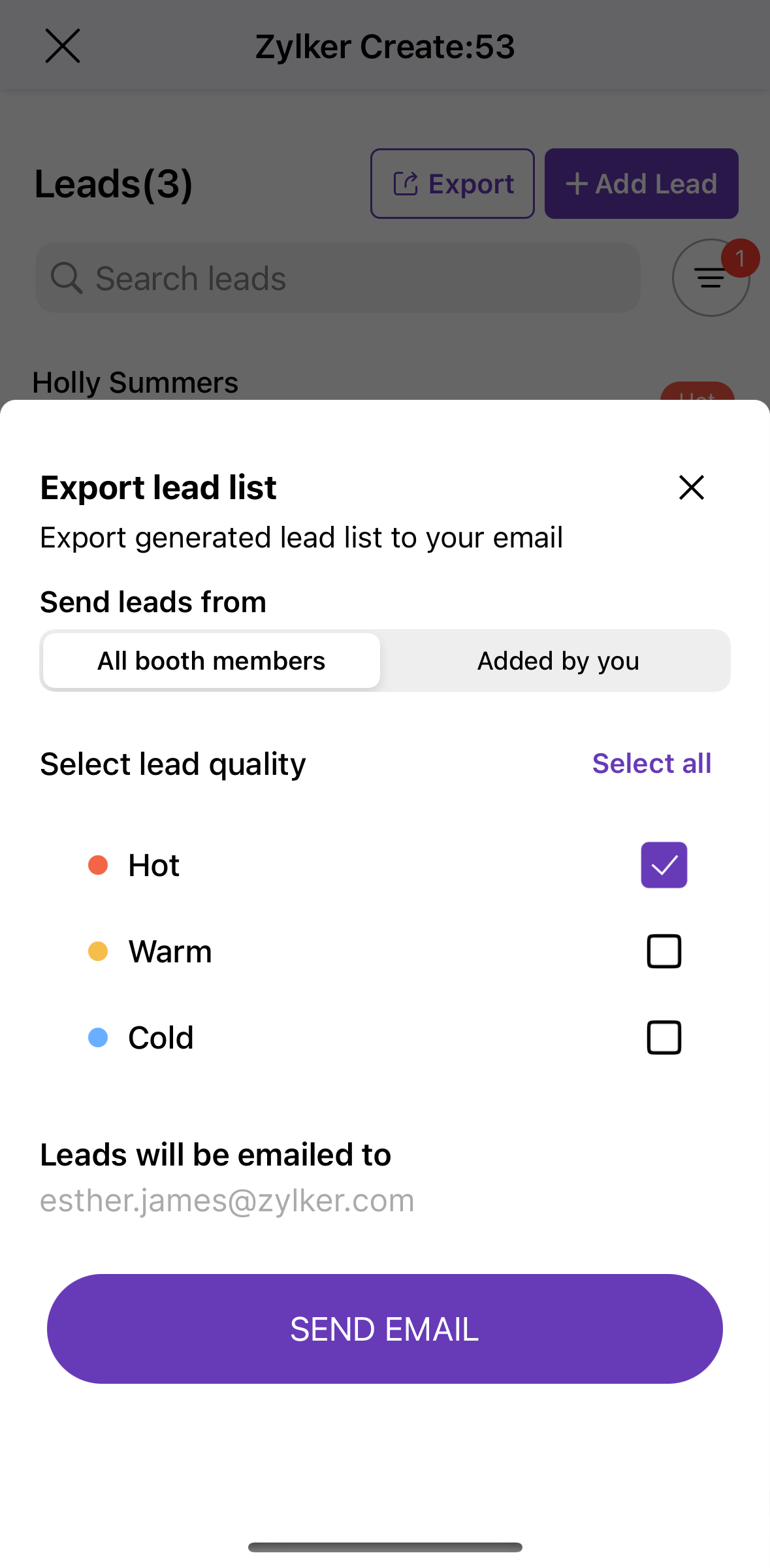
Finally, you can safely export the lead list directly by email. As an enhanced security measure, the lead list is sent as a password-protected email attachment. Only booth admins will be allowed to export the report. This can then be selectively shared with the people who are authorized to access the information.
Equip exhibitors at your next event with Lead Capture and let us know how it went in the comments below. We're always looking for feedback on how we can improve our product to serve your needs better. You can also start a discussion about this in our community or write to us at support@zohobackstage.com for any product-related questions.
Happy organizing!
Topic Participants
Tina Samuel
yaseen
Jithan Raghuraj
Sticky Posts
Important notice: Changes in sender domains
Hello Backstage users, This is a heads-up about a major change with sender domains in Zoho Backstage. In response to Google's new guidelines for email senders, Backstage won't be able to send emails with the sender domain "gmail.com" or "googlemail.com".Announcing Backstage OnAir, our in-house virtual events solution
These past months have seen a huge rise in the number of virtual events with some of the biggest events of the year going online. Though there's little possibility for virtual events to completely replace in-person ones, COVID-19 has shown how flexibleIntroducing the mobile app for event organizers
It doesn't matter if you're planning your first trade show or an annual executive retreat—organizing an event requires your undivided attention. This is especially true on event day, when things can quickly get out of hand. So how can you stay on top of everything happening at your event? Introducing the Zoho Backstage for Event Organizers mobile app, for Android and iOS—designed to improve and simplify your event management. Getting things started on time, checking in attendees on event day, followingAnnouncing Zoho Backstage: Your complete event management software
With just a few months till the event, you're still racking your brain. Did you advertise to the right audience? Is your event website design appealing? How will you keep attendees engaged and interested during sessions? It doesn't matter if you're organizing
Nederlandse Hulpbronnen

Recent Topics
Archive Option in Conversation View
Hello, I have a suggestion\request to add an "Archive Thread" button in conversation view of Zoho Mail. The best suggestion I have is to put an "Archive Thread" button next to the "Label Entire Thread" button in conversation view. Most users don't justOutlook/Hotmail Blocking Zoho SMTP IPs (S3150)
We are currently facing a serious deliverability issue with Zoho SMTP while sending transactional OTP emails for our production application. Emails sent to Outlook / Hotmail addresses are being rejected with the following error: 550 - 5.7.1 Unfortunately,Outlook is blocking incoming mail
Outlook is blocking all emails sent from the Zoho server. ERROR CODE :550 - 5.7.1 Unfortunately, messages from [136.143.169.51] weren't sent. Please contact your Internet service provider since part of their network is on our block list (S3150). It looksTrack Marketing Automation Campaigns in Zoho CRM
Hello, I've been searching but haven't found the exact answer to this question. I am looking to track Marketing Automation email campaigns and activities inside of Zoho CRM. Use Case: Action: Prospect Submits A Lead Form Outcomes: Prospect created inZoho Social API for generating draft posts from a third-party app ?
Hello everyone, I hope you are all well. I have a question regarding Zoho Social. I am developing an application that generates social media posts, and I would like to be able to incorporate a feature that allows saving these posts as drafts in Zoho Social.Temporarily rate limited due to IP reputation.
We have suddenly started receiving the following Mail Delivery Status Notification: Diagnostic-Code: 4.7.650 The mail server [136.143.184.12] has been temporarily rate limited due to IP reputation. For e-mail delivery information, see https://aka.ms/postmasterIncorrect Functioning of Time Logs API (Version 3)
We need to fetch the list of time logs for each task for our company internal usage. We are trying to achieve it by using the next endpoint: https://projects.zoho.com/api-docs#bulk-time-logs#get-all-project-time-logs Firstly, in the documentation theIMPORTANT: It doesn´t search for letters with portuguese characters.
Some of my articles have for example the word "vídeo". But if I search for "vídeo" it doesn´t find them. If I search for "video" it does find them. Idealy, it should find the articles either way. But if I have to choose, it would be better to find theIMPORTANT: It doens´t show full article name on search - Should add line break
When we search for articles, it doesn´t show the full name. There should be a line break so the user can see the full article name, otherwise the user can´t know if that´s the article he/she is looking for. This is very important, otherwise the user hasZoho Books - Payment Gateway - Revolut
Hi Books Team, My feature request if to include the popular platform Revolut as a payment collection option on invoices in Zoho Books. Please upvote if you are also looking for this option.Zoho Books | Product updates | January 2026
Hello users, We’ve rolled out new features and enhancements in Zoho Books. From e-filing Form 1099 directly with the IRS to corporation tax support, explore the updates designed to enhance your bookkeeping experience. E-File Form 1099 Directly With theKaizen #233 - Generating AI-powered Follow-up Emails Using CRM Functions and Widgets
Hey everyone! Welcome back to another interesting post in the Kaizen series! Sales teams regularly capture interaction notes in CRM after speaking with prospects. However, drafting a follow-up email that reflects the conversation context can be repetitiveConnect Bank in Zoho Books
Can I connect UOB or Ariwallex in Zoho Books?Using MPN across multiple SKUs and inventory tracking
I have several different SKU's that share a common MPN and would like to track inventory by MPN. SKU1 has MPN1 assigned SKU2 has MPN1 assigned Here is an example If I start with 5 of MPN 1 in stock I want each SKU1 and SKU2 to show as 5 in stock, If IExtend Zoho Canvas Customization to Zoho Creator Forms and Reports
Currently, Zoho Canvas allows users to design and customize the UI of Zoho CRM modules with a much better visual experience. This helps organizations create cleaner layouts, improve usability, and design interfaces that match their workflows. However,Marketing Tip #1: Optimize item titles for SEO
Your item title is the first thing both Google and shoppers notice. Instead of a generic “Leather Bag,” go for something detailed like “Handcrafted Leather Laptop Bag – Durable & Stylish.” This helps your items rank better in search results and instantlyFeature Enhancement Request – Text Formatting Options in Item Description (Zoho Books/Quotes Module)
Dear Zoho Development Team, Greetings from Radiant360 Integrated Technical Services LLC. We would like to bring to your attention a functional limitation we've encountered within the Item Table / Quote Description section of Zoho Books (and Zoho CRM Quotes).ZOHO Books Query
Good day, Can someone please advise. I recently migrated from ZOHO Invoice to ZOHO Books. No that I want to use the inventory on Books I cant as all my items have transaction history. The person I spoke to at ZOHO said I need to create a new Company profileBest way to schedule bill payments to vendors
I've integrated Forte so that I can convert POs to bills and make payments to my vendors all through Books. Is there a way to schedule the bill payments as some of my vendors are net 30, net 60 and even net 90 days. If I can't get this to work, I'll haveZOHO.CRM.UI.Record.open not working properly
I have a Zoho CRM Widget and in it I have a block where it will open the blocks Meeting like below block.addEventListener("click", () => { ZOHO.CRM.UI.Record.open({ Entity: "Events", RecordID: meeting.id }).catch(err => { console.error("Open record failed:",inventory removal at packing list or shipment.
currently our system is set to remove inventory at invoice. This is creating an inventory nightmare? Is it possible to change the settings to remove the item from inventory at either the packing slip stage or shipping the item.How to add employee and not invite them to log in?
I want to add 50 employees, but invite them only when everything will be configured and ready. Is it possible? Should we create employee profiles and then convert them later? Thank you,How is Your eCommerce Experience w/Zoho Inventory?
First off, I'm SUPER grateful for the advent of Zoho Inventory and now the Zoho Commerce Suite. Overall, Inventory is a great product, especially for customers without an eCommerce presence. For eCommerce companies (especially those shipping more than ~10 packages/day), however, there are certain drawbacks that keep my clients from moving over to Zoho Inventory: Cons: 1. Invoice + Package Creation from Shopify/Other eCommerce Integrations: Zoho Inventory makes the somewhat perplexing decision toAbility to Use Both AND and OR When Creating Rules (Advanced Conditions)
I'd like to be able to use more complicated logic when setting up rules. E.g. in Zoho Mail, I can choose "Advanced conditions (AND/OR) to create a rule that can be applied to multiple subject lines from the same sender. But in Zoho TeamInbox, I will haveZoho Desktop App- Unable to Minimize/Freezes
I'm having issues with my Zoho Mail desktop app (PC). When go on my desktop and open the app this is what happens: - Unable to minimize and close app (in the screenshot attached you can see at the top right there is no option to minimize/close) - UnableZoho Invoice Zapier Integration
Is there still a way to use Zapier with Zoho Invoice? I've read online that that migrated to Zoho Books or Billing but since I am just using Invoice I can not find a Zapier Connection anymore.Conect chat of salesiq with zoho cliq
Is there any way to answer from zoho cliq the chat of salesiq initiated by customers?Bug: OAuth 2.0 State Parameter fails with Pipe Delimiters (RFC 6749 Non-Compliance)
I've discovered a bug in how Zoho's API Console handles the OAuth 2.0 authorization flow when the state parameter contains pipe characters (|), and I'm hoping the Zoho team can address this in a future update. The Issue Zoho's OAuth 2.0 implementationZobot with Plugs
Hello, I am having a problem with Zobot using Plugs. Here is my current flow: When I run the flow, I should immediately see the messages from the initial cards (Send Message cards), then after running the plug, and finally, see the messages after thePrint a document from Zoho Writer via Zoho Creator
If i use the code below i can get writer to create a new document or email it to me but i want to be able to print it directly from the browser and not have to send it via email and then print. Below is the code im using. Attached options form zoho writerIs it possible to use HTML formatting in SMS messages sent from Zoho?
Hi everyone, I have a question regarding sending SMS from Zoho When we send emails from Zoho, we can include HTML code to format the message (like adding links, styling, etc.). Is it possible to do something similar when sending SMS messages through ZohoTraining for How can i Operate the Software Features
need to Help for Training of the ZOHO Billing SoftwareAutomating Vendor Contract Management between Zoho Contracts and Zoho Books using Zoho Flow
Managing vendor agreements across procurement and finance systems often requires manually downloading executed contracts and attaching them to vendor records. This can become time-consuming and difficult to manage when dealing with a large number of contracts.Problem applying batch operation error keeps looping that error
Problem applying batch operation error keeps looping that error an wont loginShared Email Sending Duplicate Copies of Emails
Hi there, We recently have moved our info@ email to Team Inbox to trial. We set this channel up using the Microsoft setup which works fine and have 3 users. I am wanting to know: 1. When I send a new email, it will create a copy of that email and sendmerhaba
merhaba sosyal medya paketimiz mevcut ama yorumları göremiyoruz ve o yüzden cevap veremiyoruz destek rica ediyoruz.Teaminbox not working
We couldn't send or receive any mail within the team inbox. Displaying error 'Unable to process this request.'Related lists New option in missing
hi I have created quite a few modules and added as related lists to my main module. Some have new, some dont I can not see why?Cliq and ToDo integrations?
I'm a bit surprised not to find any way to open a Cliq chat for the current thread, or to create a Zoho Mail ToDo from a thread. Are these on the roadmap?Reply-to names are mangled
Hello, I'm seeing an odd behavior in replies. Steps to reproduce: 1. Click reply to an email from "John Doe <doe.john@example.com> in TeamInbox Expected outcome: TO field pre-filled with "John Doe <doe.john@example.com>" Actual outcome: TO field pre-filledNext Page